
Master Amazon Affiliate Marketing on Pinterest with Pin Generator
19 July 2025
At its core, affiliate marketing on Amazon is straightforward. You earn a commission for promoting products from the world's largest online store. First, you join the free Amazon Associates program. Then, you grab special affiliate links for products and share them, for example, on your Pinterest profile. When someone clicks your link and buys something, you get a cut of the sale. It's a fantastic way to monetize your Pinterest presence.
Your Blueprint for Amazon and Pinterest Success
Making money with Amazon affiliate marketing isn't a secret, but it does require the right game plan. The real magic happens when you pair Amazon's endless product catalog with Pinterest's powerful visual search engine. Why? Because people on Pinterest are already in buying mode, actively searching for ideas and products. Publishing your Amazon affiliate links on Pinterest is a direct path to reaching these ready-to-buy consumers.
This guide is your roadmap to turning that powerful combination into a real income stream. We’ll lean heavily on how Pin Generator can put your growth on autopilot, making it the perfect tool for advertising your Amazon affiliate links on Pinterest.
Our plan is simple and designed for action:
- Get into the Amazon Associates program: This is square one. We'll walk through getting your account approved.
- Nail down a profitable niche: Your success hinges on picking a niche that resonates with the Pinterest crowd.
- Create and advertise Pins that convert: We’ll focus on making compelling, visual-first Pins that drive traffic and sales directly from Pinterest to Amazon.
Throughout this guide, we're going to break down exactly why this strategy works so well. We'll get into the nuts and bolts of the Amazon Associates program and set realistic goals for publishing your affiliate links. This isn't about rehashing old advice; it's about what’s turning Pins into profit right now. Of course, it always helps to have a good grasp of the foundational principles of affiliate marketing to see the bigger picture.
Why Amazon and Pinterest Are a Perfect Match
Why focus so intensely on this specific duo? It’s all about meeting modern shoppers where they already are. Pinterest users are dreamers, planners, and, most importantly, buyers. They’re busy creating boards for their dream kitchen remodel, their new fitness journey, or the perfect holiday gift list.
Your job as an affiliate is to slide the perfect Amazon product right into their view at the exact moment they need it by publishing a Pin with your affiliate link. It’s less about a hard sell and more about offering a beautiful, visual solution.
The data backs this up. Amazon Associates absolutely dominates the affiliate world, holding an incredible 46.62% market share. It's the biggest program of its kind, hands down.
What's more, customers you bring in through affiliate links tend to be more valuable. They have a 21% greater average order value and stick around longer than customers from other channels.
To make this strategy crystal clear, here’s a quick framework that boils it down.
Quick Start Amazon Affiliate Marketing Framework
This table outlines the core pillars for getting your Amazon affiliate venture off the ground by advertising on Pinterest. Think of it as your high-level checklist.
| Pillar | Key Action | Primary Goal |
|---|---|---|
| Foundation | Get approved for the Amazon Associates program. | Gain access to affiliate links and tracking tools. |
| Strategy | Choose a specific, profitable niche for Pinterest. | Target a dedicated audience with clear buying intent. |
| Creation | Design high-quality, visually appealing Pins. | Capture attention and drive clicks on Pinterest. |
| Automation | Use Pin Generator to schedule and publish Pins. | Achieve consistent growth without manual effort. |
| Promotion | Link your Pins directly to Amazon products. | Funnel engaged traffic to a point of purchase. |
Following these pillars creates a cohesive system that moves a user from discovery on Pinterest to purchase on Amazon, earning you commissions along the way.
Here's the key takeaway: This isn't about chasing quick, one-off sales. It's about building a long-term, sustainable asset. By creating and publishing a library of high-quality Pins that point to trusted Amazon products, you're building a system that can drive traffic and earn commissions for months, or even years, after you've hit "publish."
Joining Amazon Associates and Finding Your Niche
So, you're ready to dive into Amazon affiliate marketing. Your first real step is getting into the Amazon Associates program. It's the key to the whole operation, but you can't just sign up and expect to get in. They have rules, and knowing them upfront makes all the difference.
Once you’re approved, the real fun begins: choosing your niche. This is a massive decision that will literally define your entire strategy and how much you can actually earn from publishing your affiliate links on Pinterest.
Getting Your Amazon Associates Application Approved
Let’s be real, Amazon isn’t just letting anyone in. They need to see that you’re a legitimate creator who can send them quality traffic. This means you need an active platform—a blog, a website, or a social media channel—that already has some original content.
If you're using Pinterest to advertise your links, this means you need an established profile, not just a brand-new account with zero followers.
My biggest tip: Get your house in order before you apply. Amazon reviewers are looking to filter out empty, inactive accounts. So, build out your Pinterest profile with some solid content first. It shows you're serious.
To make the application process smooth, have all your info ready. You'll need your personal details, the URLs for the profiles you plan to use (like your Pinterest profile), and a quick summary of your promotional strategy.
Here’s what they really care about:
- You Need Original Content: Your Pinterest profile can't be a ghost town. It needs recent, original content, meaning multiple boards filled with relevant, high-quality Pins.
- Your Platform Must Be Public: This is non-negotiable. Amazon needs to see your content, so your Pinterest profile must be public.
- The First Three Sales are Crucial: Once you get provisional approval, the clock starts. You have 180 days to generate at least three qualifying sales. A lot of new affiliates get their accounts closed because they miss this deadline.
This whole process can feel a bit abstract, so here’s a simple visual to break it down.
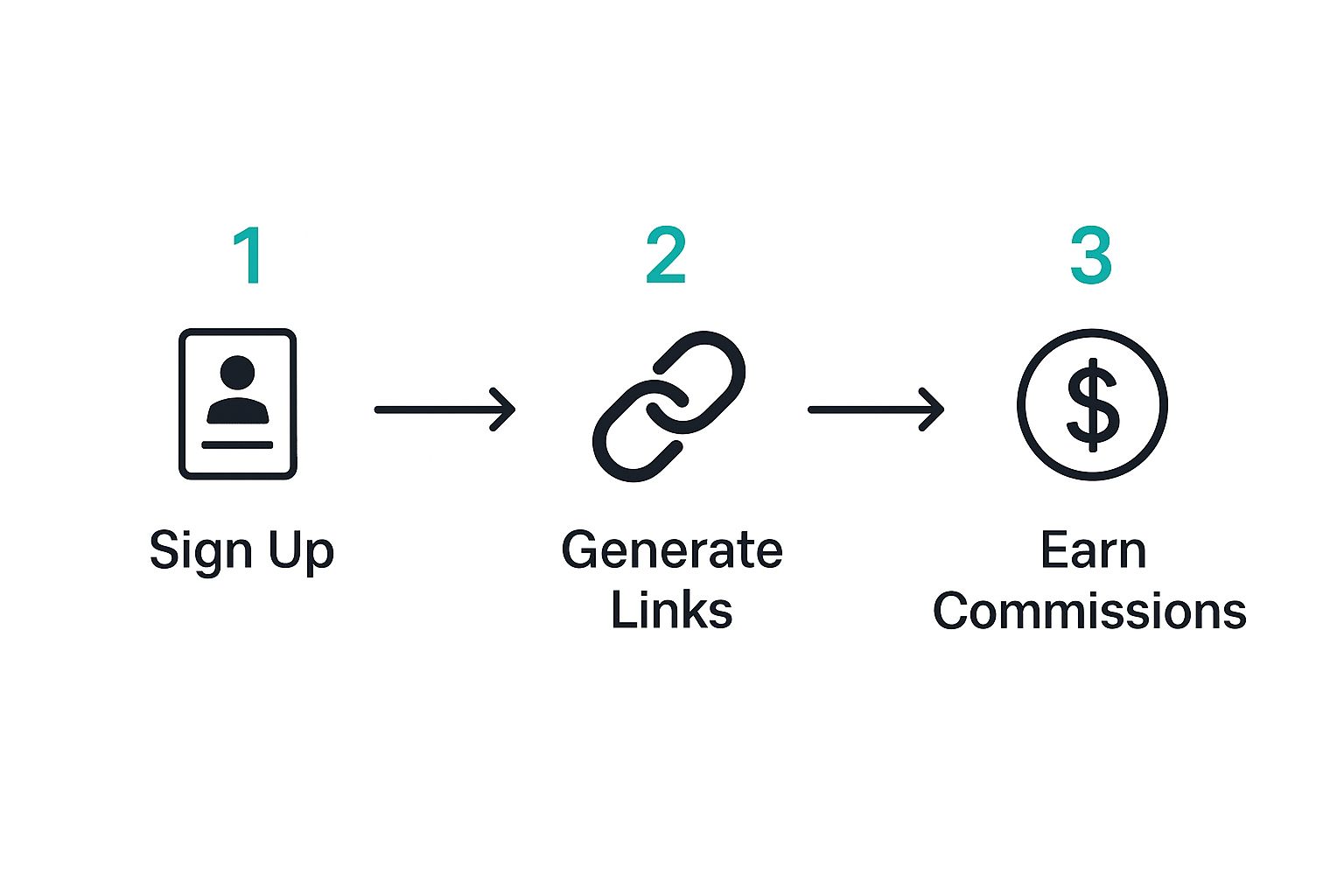
It really is that straightforward on paper: sign up, get your links, publish them on Pinterest, and earn. The magic is in the execution.
Choosing a Niche That Thrives on Pinterest
Picking the right niche is probably the most critical choice you'll make. For Pinterest, you need a niche where stunning visuals meet a strong desire to buy. Think about the platform's DNA—it's all about inspiration. Users are actively searching for home decor layouts, new recipes, fashion ideas, and DIY tutorials.
This is where you need to get specific. Don't go for broad, oversaturated categories.
Drill down into micro-niches. For instance:
- Instead of "Home Goods," go for "Minimalist Apartment Decor."
- Instead of "Kitchen," try "Meal Prep Gadgets for Busy Professionals."
- Instead of "Fitness," focus on "Yoga Equipment for At-Home Practice."
See the difference? You’re targeting a specific person with a specific problem or desire. That's how you win when you advertise on Pinterest.
You also need to think about the money side of things. Amazon's commission rates have changed over the years. Back around 2012, they had a volume-based model, and a good affiliate could hit an average rate of 9.25%. Fast forward to 2020, and that all changed to a flat-rate system where the average commission fell to around 3.14%.
This history lesson is important. It shows why you need to pick categories with decent commission rates or focus on promoting higher-ticket items to make your efforts worthwhile.
And while Amazon is the focus here, it's smart to understand the broader landscape of affiliate programs. Don't put all your eggs in one basket. Knowing your options helps you build a more resilient business. Find that sweet spot: a niche you’re genuinely interested in that has a clear, visual-first market on Pinterest.
How to Find High-Converting Amazon Products

Alright, you’ve picked a promising niche. That's a huge first step, but it's really only half the job. Your actual success with affiliate marketing on Amazon comes down to the specific products you choose to publish on Pinterest.
The goal isn't just to find any product. You need to become a master curator, finding items that people not only want but are ready to buy—sometimes on the spot. This is where we move past the theory and get into the real detective work of hunting down those hidden gems on Amazon that are perfect for a visual platform like Pinterest.
Adopt a Buyer's Mindset
Before you even glance at a commission rate, you have to get inside your customer's head. What's bothering them? What are they dreaming about? The products that convert best aren't just "nice"; they're genuine solutions.
Think about it. Someone searching Pinterest for "small apartment organization ideas" isn't just window shopping. They're actively trying to solve a real-life clutter problem. When they see a Pin you've published featuring sleek wall-mounted shelves or a clever under-bed storage system, it's not just a product. It’s the answer they've been looking for. This shift in perspective is what turns a casual browser into a buyer.
To really nail this mindset, ask yourself these questions about any potential product:
- Does it solve a problem? Products that fix a nagging issue are always an easier sell.
- Does it fulfill a desire? Think about items tied to hobbies, self-improvement, or just making a space more beautiful. These tap into powerful emotions.
- Is it "pinnable"? Could you easily advertise this product in a gorgeous, eye-catching Pin? On a visual platform, looks matter.
Key Criteria for Vetting Amazon Products
Once you're thinking like your audience, it's time to put on your analyst hat. Not every product on Amazon is a winner for affiliates. I use a simple checklist to vet every single item before I even consider publishing it on Pinterest.
-
Customer Reviews (4+ Stars): Social proof is non-negotiable. Look for products with hundreds (or thousands) of reviews and an average rating of 4 stars or higher. This is a powerful signal that tells your audience, "People bought this, and they loved it." It instantly builds trust.
-
Best Seller Rank (BSR): Amazon’s BSR shows you how well a product is selling in its category. A rank in the top #100 is fantastic, but the sweet spot is often in the #1,000 to #5,000 range, especially in niche sub-categories. These are proven sellers but usually face less competition from other affiliates.
-
The "Impulse Buy" Price Point ($20-$70): This range is golden. It's affordable enough that most people won't need to sleep on it. For the fast-paced discovery on Pinterest, a price that encourages a quick decision is a massive advantage.
-
Commission vs. Price: Don't get fixated on high commission percentages alone. A 3% commission on a $300 ergonomic office chair nets you $9. A 7% commission on a $15 phone case only earns you $1.05. You have to do the math and find a good balance between the product's price and its commission rate to maximize what you earn from each sale.
Remember, every product you recommend is a vote of confidence from you to your audience. Promoting a low-quality item can shatter the trust you've worked so hard to build. Take the time to vet everything properly.
By combining an empathetic, buyer-first approach with this hard-data checklist, you'll build a roster of Amazon products you can promote with absolute confidence. This carefully selected list becomes the powerhouse behind your Pins, driving not just inspiration but real affiliate income.
Mastering Pinterest for Affiliate Promotion

Okay, this is where the magic really happens. Finding a great niche and solid products is half the battle, but your ability to drive traffic from Pinterest is what will make or break your affiliate marketing on Amazon efforts.
Forget thinking of Pinterest as just another social media site. It's a visual search engine. Millions of people flock there every day, not just to browse, but to actively find ideas, get answers, and plan what they're going to buy next. Advertising your affiliate links here is key.
To get in on that action, a personal account won't cut it. Your first move is setting up a Pinterest business account. It's completely free and gives you access to the good stuff: analytics, Rich Pins, and advertising options. Honestly, if you're serious about this, a business account is a must.
With your account set up, it's time to build a profile that pulls people in. This means creating SEO-friendly boards that serve as perfectly curated collections for your niche. Picture each board as a dedicated section of a magazine, laser-focused on a topic your audience is obsessed with.
Optimizing Your Pinterest Profile and Boards
Think of your Pinterest profile as your online storefront. Every single piece of it needs to be fine-tuned to attract the right people and tell the Pinterest algorithm exactly what you're all about.
Start with your profile name and bio. Be crystal clear about your niche and what you offer. Sprinkle in relevant keywords that sound natural, like "Cozy Home Office Finds" or "Eco-Friendly Kitchen Gadgets."
Next up, create at least 5-10 boards that are directly tied to your niche.
- Board Titles: Ditch the cute, vague titles. Use keywords people are actually searching for. Instead of "My Faves," go with something like "Modern Farmhouse Kitchen Decor."
- Board Descriptions: Don't you dare skip these! For every board, write a solid description packed with your main keywords. Tell people what they can expect to find there.
Getting this foundation right makes your profile discoverable to the very users who are looking for the solutions your Amazon products offer. You're making it dead simple for them to find you.
Creating Pins That Stop the Scroll
On Pinterest, your visuals are everything. A blurry, boring image gets scrolled past in a heartbeat. Your Pins need to be eye-catching, valuable, and designed to make someone stop and look.
To make sure your Pins look their best, a free Pinterest image resizer tool is a lifesaver. You'll want to stick to the ideal aspect ratio for a Standard Pin, which is 2:3 (like 1000 x 1500 pixels). This tall, vertical format dominates the screen on mobile phones, giving you way more impact.
Of course, your Pin descriptions are just as vital as the images. This is your chance to use keywords, explain why the Pin is helpful, and give people a reason to click. A great description teases the solution they'll find when they click through to your Amazon affiliate link.
Key Insight: A winning Pin is a one-two punch: a gorgeous visual and a compelling, keyword-rich description. The image stops the scroll, but the text is what drives the click.
Understanding Different Pin Formats
Pinterest gives you a few different Pin types to play with. Knowing which one to use when publishing your affiliate links is a huge advantage.
-
Standard Pins: These are your bread and butter. A simple static image that links out. They're perfect for advertising a specific Amazon product—think a beautiful shot of a coffee maker that links right to its Amazon page.
-
Video Pins: Videos are incredible for showing a product in action. A quick clip of someone using that nifty kitchen gadget or demonstrating a workout is way more convincing than a static photo. They really grab attention in the feed.
-
Idea Pins: These are multi-page collections of images or videos, like a mini-story. They're designed to keep people on Pinterest, so they're great for building your brand and showing off your expertise. While you can't drop an affiliate link on every slide, you can use them for tutorials and tag the products you feature.
For direct affiliate marketing on Amazon, you'll mostly be using Standard and Video Pins to publish your affiliate links. They are hands-down the best formats for getting people to click through to your Amazon links.
Staying Compliant with Pinterest and Amazon
Last but definitely not least, let's talk about playing by the rules. If you want to build a business that lasts, you have to be transparent and ethical. Both Pinterest and Amazon are very clear about their policies for advertising affiliate links.
First, you must disclose that you're using an affiliate link. This is a non-negotiable rule from both Pinterest and the FTC. You can easily do this by adding a hashtag like #ad, #affiliatelink, or #commissionsearned to your Pin description. Some people prefer a straightforward sentence like, "As an Amazon Associate, I earn from qualifying purchases."
Second, don't ever use link cloakers or shorteners that hide where the link is going. Pinterest wants to see a direct link to a reputable site like Amazon. This transparency is crucial for keeping your account in good standing and, more importantly, for building trust with your audience.
Automate Your Growth with Pin Generator
Consistency is everything on Pinterest. But let's be real—manually creating and scheduling enough Pins to actually move the needle is a one-way ticket to burnout. This is where you bring in your secret weapon for scaling your affiliate marketing on Amazon: automation with Pin Generator.
Forget spending hours designing Pins to advertise your links. You can automate the whole creation and publishing pipeline, letting you maintain a powerful, consistent presence without being chained to your desk. It’s all about working smarter, not harder, to drive a steady stream of traffic to your Amazon offers.
Connecting Amazon Products for Mass Pin Creation
At its core, Pin Generator does something brilliantly simple: it takes an Amazon product URL and spins it into a ton of unique Pin variations. For Amazon affiliates, this is a total game-changer. You can literally copy the URLs of those high-converting Amazon products you found and plug them straight into the tool.
Pin Generator then gets to work, pulling the product title, images, and other key details to build a foundation for your designs. You’re not starting from a blank canvas; you're starting with the core assets of the product you already know people want.
Imagine you're promoting a popular ergonomic office chair. You'd just grab the Amazon product page URL, paste it into Pin Generator, and watch it pull in the chair's name and photos. From that single link, you can create and publish dozens of Pins to advertise it, bridging the gap between your Amazon product list and a full-blown Pinterest content strategy.
Here's a look at the clean interface where you'd drop in a URL to get started.
The simplicity here is key—it shows just how fast you can turn any product page into a full-scale campaign, making it a fantastic tool even if you're just starting out.
Leveraging Templates and Scheduling for Peak Performance
Making Pins is one thing. Making effective Pins at scale to advertise your links is a whole different ballgame. This is where Pin Generator’s templates and scheduling features really shine. You can lean on a huge library of pre-made templates or, even better, create your own branded designs.
The tool can randomize these templates, which is a critical feature. It means that for one single product, you can generate hundreds of visually distinct Pins. This is absolutely vital for avoiding content fatigue on Pinterest. Both the algorithm and your audience will see fresh, unique content, even though it all points back to the same Amazon product.
Pro Tip: I recommend creating 5-10 of your own branded templates inside Pin Generator. Use your brand’s fonts and colors, but switch up the layouts. This keeps your Pins instantly recognizable while still looking diverse in the feed.
Once your Pins are ready, the next step is scheduling. Publishing consistently is a massive ranking signal for the Pinterest algorithm, and doing it manually is a chore.
Pin Generator’s built-in scheduler lets you map out your content calendar for weeks or even months. You can set it to publish Pins during peak engagement times—for most niches, that’s usually evenings and weekends when people are in planning and shopping mode.
Important Settings for Amazon Affiliates
To really squeeze the most value out of Pin Generator for your Amazon affiliate marketing, there are a few settings you'll want to dial in perfectly.
- Affiliate Link Integration: This is non-negotiable. You have to make sure your unique Amazon Associates ID is attached to your links. In Pin Generator, you can automatically add your affiliate tag to every single Pin URL it generates. This is how you get paid.
- Customizing Text Overlays: The default product title from Amazon is rarely a scroll-stopper. Use the text customization options to write more compelling, curiosity-piquing headlines. Think "The #1 Gadget for a Tidy Kitchen" instead of a clunky, generic product name.
- Board Selection: Don't just dump all your Pins onto a single board! Strategically schedule your Pins to publish across multiple, relevant boards. A Pin for that office chair? It should be scheduled to your "Home Office Ideas," "Productivity Hacks," and "Ergonomic Must-Haves" boards over time.
By getting comfortable with these features, you turn Pin Generator from a simple design tool into a true growth engine. You're building a hands-off, automated pipeline that funnels targeted traffic from Pinterest directly to your Amazon offers, which is how you dramatically scale your earnings.
Tracking Your Results and Scaling Your Income

Getting that first batch of Pins published with Pin Generator is a huge win, but it's just the starting line. The real secret to growing your affiliate marketing on Amazon income isn't about guesswork; it's about listening to the data. Your analytics are a direct line to your audience, telling you exactly what they love and what makes them click "buy."
This means you’ll want to get comfortable hopping between your Pinterest Analytics and your Amazon Associates dashboard. Think of them as two halves of a whole story. Pinterest tells you what catches people's eye, and Amazon tells you what actually opens their wallets.
Interpreting Your Key Performance Metrics
It’s easy to get sidetracked by vanity metrics, but for this strategy, only a few numbers really move the needle.
Inside your Pinterest Analytics, the most important metric by far is Outbound Clicks. This shows you how many people are actually leaving Pinterest to check out your product on Amazon after seeing one of your published Pins. Impressions are nice, but outbound clicks signal genuine interest.
The next metric to watch is Saves. When someone saves your Pin, they're bookmarking it for later. It’s a powerful signal to the Pinterest algorithm that your content is valuable, which can help more people see it over time.
Now, jump over to your Amazon Associates dashboard. You’ll be looking at a few key things:
- Clicks: This number should be in the same ballpark as your outbound clicks from Pinterest. It’s a great way to confirm everything is tracking correctly.
- Ordered Items: This is the ultimate goal—the raw number of products people bought using your links.
- Earnings: The final commission you've pocketed from those sales.
By comparing your most-clicked Pins with your best-selling items, you'll start to see patterns. You can pinpoint the exact combination of Pin design and product that resonates with your audience.
Key Takeaway: Success isn't about chasing one viral Pin. It's about systematically figuring out what works and then doing more of it. Your analytics are the roadmap.
A/B Testing and Scaling Your Winners
Once you have some initial data, you can start actively improving your results with A/B testing. It sounds complicated, but it’s really just trying two different approaches to see which one works better.
It’s simple to do with Pin Generator. Create two different sets of Pins for the same exact product, but change just one thing. For example, pit a clean product-only image against a Pin with a bold text overlay that says "Top 5 Kitchen Gadgets." Publish both and watch your analytics to see which one gets more outbound clicks. You could also test different headlines or even different colors.
When you find a winning Pin—one that consistently drives more clicks and sales—it's time to pour some gas on the fire. Don't just let it be. Head back into Pin Generator and create a bunch of new variations based on that successful design. Schedule them out across all your relevant boards for the next few weeks.
This cycle of testing, identifying winners, and scaling up is how you build reliable income month after month. For a deeper look at this, our guide on maximizing Amazon sales with Pin Generator has even more advanced strategies.
Frequently Asked Questions
When you're first getting started with Amazon affiliate marketing on Pinterest, a few questions always pop up. Let's tackle some of the most common ones so you can move forward with confidence.
Do I Need a Blog to Start?
Nope, you absolutely don't need a blog to get started. While having one can be great for SEO down the road, it's not a prerequisite.
You can dive right in using just your Pinterest business account as your main hub. The strategy is simple: create and publish beautiful, high-quality Pins that link directly to Amazon products with your affiliate link. This lets you focus all your energy on mastering Pinterest, without ever having to write a full blog post.
How Do I Properly Disclose Affiliate Links on Pinterest?
Good question. Transparency isn't just about following the rules—it's about building trust with your audience. Both the FTC and Amazon are very clear that you need to disclose your affiliate relationships when you advertise.
The easiest method is to simply add a hashtag to your Pin description. Some of the clearest options are:
#ad#commissionsearned#affiliatelink
You could also add a quick sentence like, "As an Amazon Associate, I earn from qualifying purchases." This makes sure you're compliant and lets your followers know what's up.
The golden rule here is to make your disclosure obvious. Don't bury it. Being upfront is a non-negotiable part of ethical marketing and helps you build a loyal following.
What Should I Do If My Pins Get Low Engagement?
It happens to everyone, so don't panic. If your published Pins aren't getting the love you expected, it's time to play detective with your data. Start by figuring out which Pins are struggling and why.
Are the visuals boring? Is the headline not grabbing attention? Try experimenting with different designs, calls to action, and Pin descriptions. A tool like Pin Generator is perfect for this, as you can quickly create A/B tests to see what your audience actually responds to.
You'll also want to get comfortable with your analytics. Learning to use the various Pinterest analytics tools will give you incredible insights into what people are clicking on, which will help you fine-tune your entire content strategy.
Ready to stop manually creating Pins and start scaling your traffic? Let Pin Generator automate your Pinterest marketing so you can focus on growing your Amazon affiliate income. Start your free trial today!