
Amazon Affiliate Marketing on Pinterest for Beginners (2026)
13 June 2026
Amazon affiliate marketing is one of the most beginner-friendly ways to earn income online, and Pinterest is one of the best platforms to do it on. With 85% of weekly Pinterest users making purchases based on pins they discover, and 96% of searches being completely unbranded, the platform is full of people who are actively looking for recommendations and ready to buy. This means you don’t need a big following or be an established brand to get started, you just need to show up with the right content at the right time.
However, most people fail before they ever post their first pin, and not because the method doesn’t work, but because they skip the setup, link incorrectly, or come across as spammy to Pinterest. If you want to do this properly in 2026 without getting flagged, banned, or stuck at zero clicks, this guide walks you through every step from the beginning.
What Is Amazon Affiliate Marketing
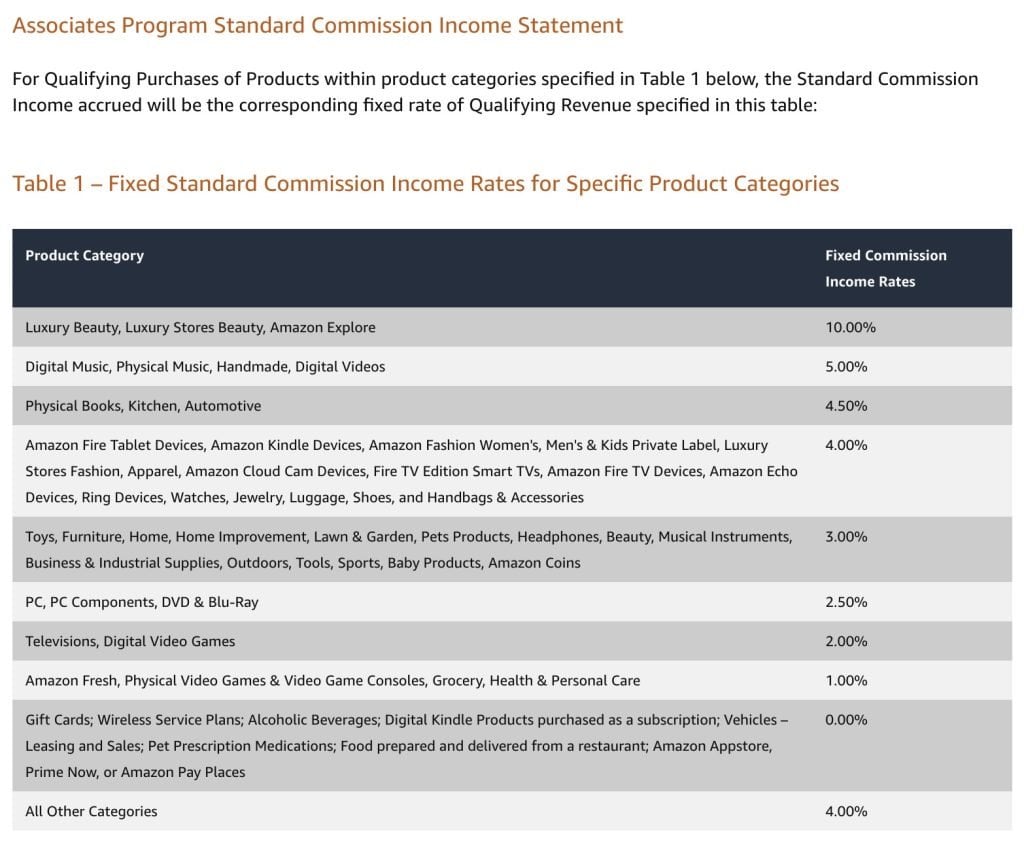
Amazon affiliate marketing is simply getting paid to recommend products that people are already looking for. The official program is called Amazon Associates, and once approved, it works by giving you a unique tracking link for any product on Amazon. When someone clicks your link and makes a purchase, you earn a commission. You never have to create a product, handle shipping, or deal with customer service; your job is simply helping someone make a decision.
Affiliate marketing isn’t about convincing people to buy something random, it’s about showing up when they’re already trying to decide. And this is exactly why Pinterest works so well with this approach, because Pinterest is a search engine.
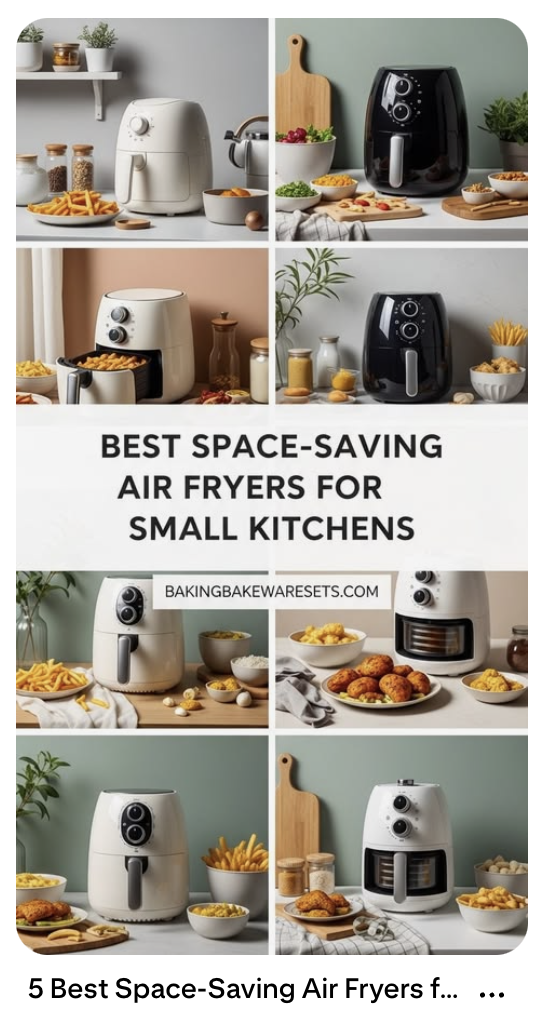
People go to Pinterest when they’re planning, shopping, building a list, or trying to solve a specific problem. So instead of posting a product and hoping it sells, you can create content that matches what someone is already searching for, like “best air fryer for small kitchens” or “Amazon travel essentials for long flights,” and when your content matches that search, Pinterest can send you consistent traffic over time, even if you’re brand new.
Prefer to watch instead of read? We cover all of this with visual examples in our latest YouTube video. Watch it here.
How to Get Approved for Amazon Associates
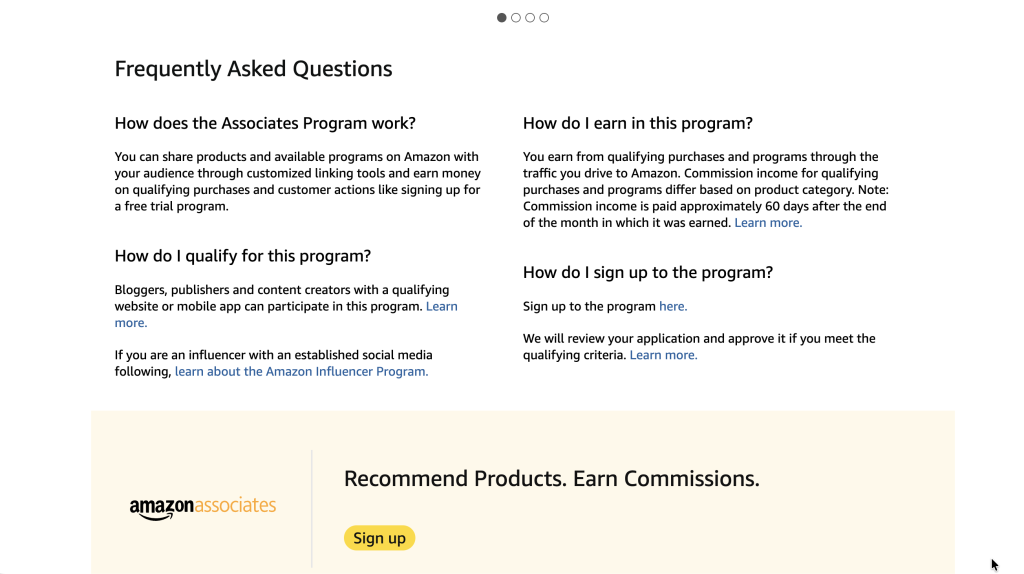
To apply, head to affiliate-program.amazon.com and you’ll notice right away that Amazon separates applicants into two paths. One is for bloggers, publishers, and website owners, and the other is for influencers using social media. Both can work, but a website is usually the most reliable option because Amazon is looking for evidence that you can send real buyers. A website shows organized content, a clear topic, and a natural place to recommend products through tutorials or reviews rather than scattered links.
If you apply with an empty site or a brand new account, approval is unlikely. You generally want a few published pieces of content so Amazon understands your niche and how your recommendations fit.
If you’re applying through social media instead, they’ll look at engagement, posting history, and credibility signals. There’s no public follower minimum, but consistency matters more than numbers.
How to Choose the Right Products
Most beginners overcomplicate this part by chasing viral products, expensive items, or the highest commissions. In reality, Amazon affiliate marketing works best when a product solves a specific problem for a specific person, and the easiest way to find those products is to start with your topic, not the product itself.
If your niche is meal prep, search kitchen tools. If it’s home workouts, search resistance bands. If it’s budgeting, search planners or label makers. You’re not trying to find the best product on Amazon, you’re trying to match what someone was already about to search for.
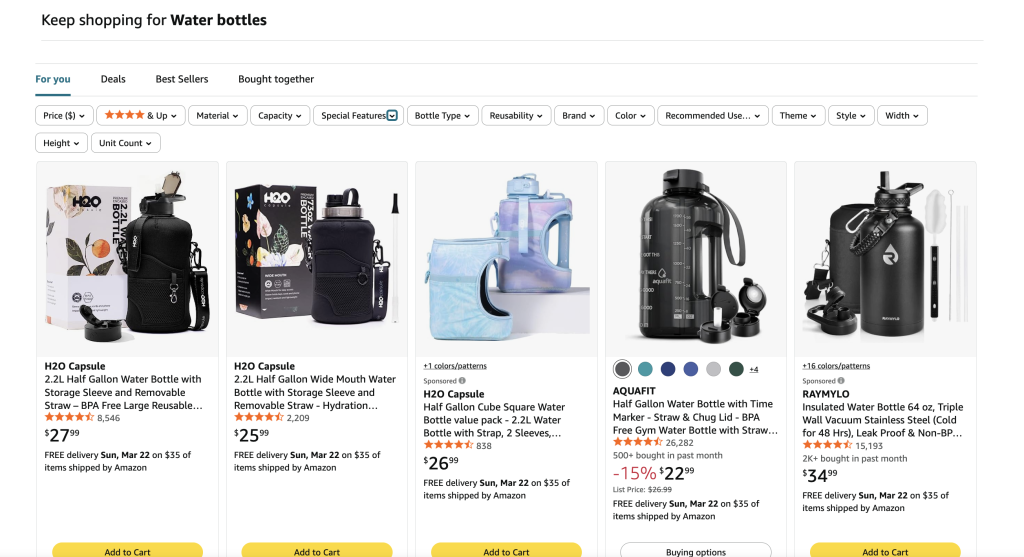
Once you have a category, type a realistic beginner search into Amazon and filter with common sense. Look for strong ratings, usually around four stars or higher, and avoid products with almost no reviews or overly generic items unless you can narrow the use case.
For example, don’t target “water bottle,” instead target “half gallon gym water bottle with straw.” Specific products convert better because the buyer already knows what they want.
And remember, price matters less than you think. A $20 product that people buy regularly will usually outperform a $200 product that nobody feels confident purchasing.
It’s also worth choosing products you can talk about more than once, because core tools in your niche give you endless angles like tutorials, comparisons, and beginner setups, all pointing back to the same recommendation without feeling repetitive. On Pinterest especially, different searches can lead to the same product through multiple pins over time, which makes this approach really efficient.
How to Make Pins That Convert
On Pinterest, people click because the image promises a useful result, so before you think about design, think about intent. What was the person searching right before they saw your pin?
If someone searches “beginner home gym setup,” they don’t want a random product photo, they want to understand what to buy and why. If they search “meal prep containers that don’t leak,” they want reassurance that the problem is solved. Your pin needs to answer that instantly, and it usually comes down to three things working together.
- The image should show the outcome, not a brand photo or a generic aesthetic, but the actual result – a packed lunch box, a labeled budget binder, a resistance band setup in use. Original photos perform best whenever possible because they show real usage and build trust. Short videos work especially well too since Pinterest pushes movement in the feed and they communicate the result faster than a static image.
- The text on the pin should clarify the benefit clearly. Instead of “Must Have Kitchen Item,” write “Leakproof Meal Prep Containers That Actually Seal.”
- The page you link to should deliver exactly what the pin promised. Whether it’s a blog post, a review, or a resource list, the person should land on content that explains why the product helps them, because that’s what turns a click into a commission.
How to Add Links (Without Getting Flagged or Banned)
Pinterest is designed to protect users from spam, so when an account suddenly posts a bunch of direct affiliate links with little context, it looks low trust and the platform can flag or suspend the account.
The safest approach, and the one I always recommend, is linking to helpful content on your own site rather than sending someone straight to Amazon. A review, a comparison post, or a resource list that explains the recommendation first is far more effective anyway because the user trusts the click more and your affiliate link lives naturally inside that content. Pinterest also understands the topic better when there’s a real page behind the pin.
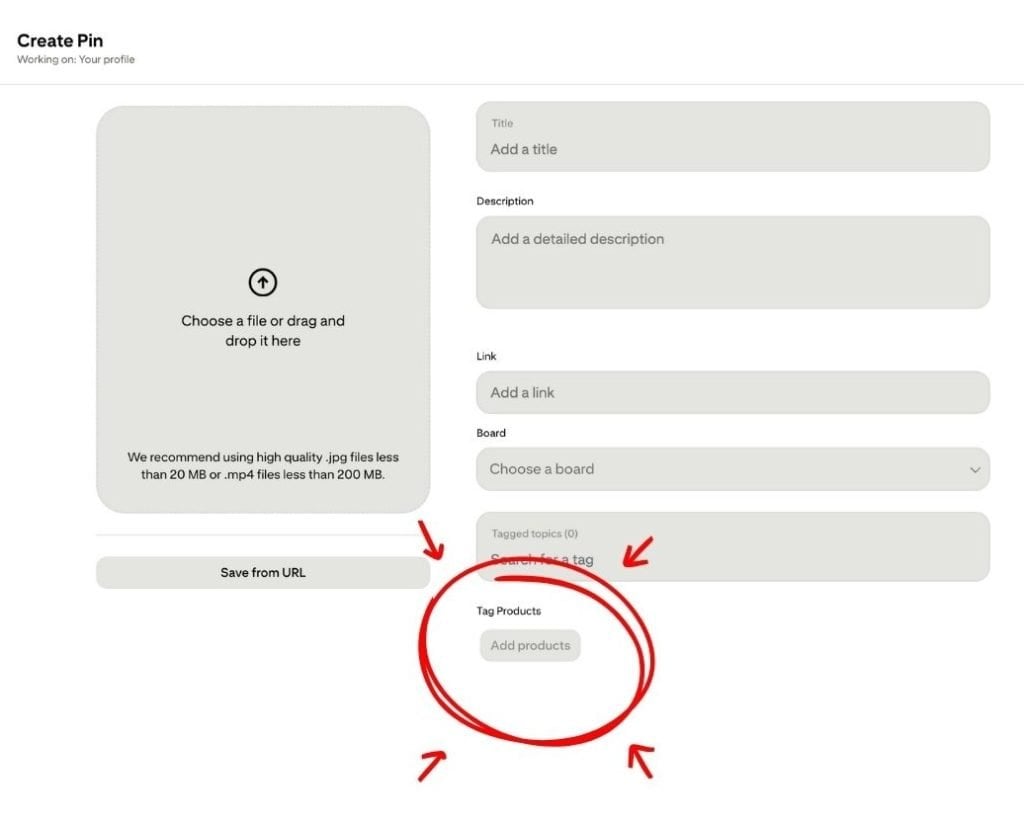
If you want to link directly to Amazon, there are two ways to do it. The first is product tagging, which creates a direct relationship between Pinterest and Amazon and pulls the product information automatically. It’s the cleanest method from Pinterest’s perspective but also the most manual and hardest to scale. The second is placing your affiliate link directly in the destination URL, and if you do this you must disclose it, either by adding something like “#affiliate” or a clear disclosure in the description. Skipping that disclosure is a common reason accounts get taken down because it’s a legal requirement.
How to Pin Consistently
Most beginners either post a handful of pins and stop, or they try to manually design dozens and burn out within a week. Pinterest rewards steady activity over time, not bursts of effort followed by long gaps.
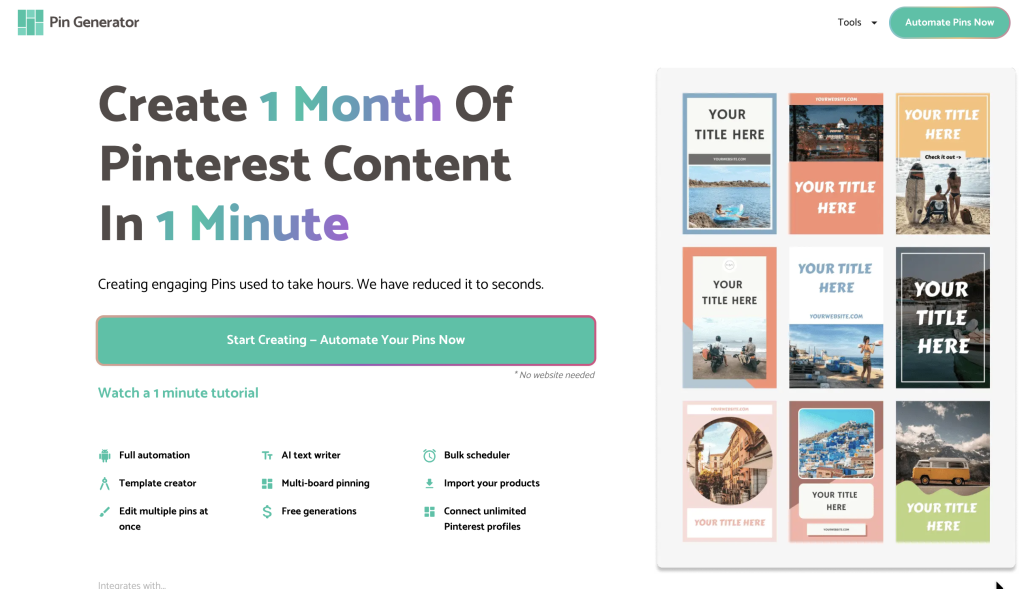
This is where automation makes a real difference. Instead of creating every pin from scratch, a tool like Pin Generator lets you connect your site or product links, choose from templates, and generate multiple pin variations quickly. You can then schedule them to publish over time so your account stays active without you having to be at your desk every day. That spacing matters because Pinterest prefers natural, consistent activity, and regular posting helps your account build trust and gives your content more chances to get picked up in search.
You still control the ideas and the keywords, the tool just removes the repetitive design work so you can focus on creating helpful content and let the pins do the distributing.
Ready to Get Started?
Amazon affiliate marketing takes a little patience to set up properly, but putting in the work upfront makes everything easier later. A simple website, a clear niche, and a consistent pinning strategy are really all you need to get started, and the earlier you build that foundation, the sooner Pinterest can start sending you traffic on autopilot.
If you’re ready to take the manual work out of pin creation, Pin Generator connects to your content and creates multiple optimized pins at once so you can stay consistent without spending hours designing each one. Try it free and see how much faster your workflow gets.
Let’s get generating.