
How to Automate Social Media Marketing in 2026 (Simple Guide)
13 June 2026
If you’re running a business in 2026, you already know how important it is to market yourself online. Every platform plays a role in how customers can discover you, but the challenge is keeping up with all of them can feel impossible. Business owners are expected to create content, post consistently, reply to comments, and somehow still manage the day-to-day work of actually running the business.
Not only is it a huge learning curve, it’s also extremely time-consuming. Recent studies show that small business owners should spend upwards of 10 hours per week on marketing tasks to get traction, yet most can barely post and feel behind. If this sounds familiar, you’re not alone.
The good news is that there’s another option: social media automation.
And before you picture generic AI captions or off-brand graphics, let’s clear that up. Social media automation in 2026 is not about using AI to replace your voice. It’s about taking the content you already create such as blog posts, product pages, service pages, and resource guides, then turning them into ready-to-post content across multiple platforms in minutes.
If that sounds too good to be true, don’t worry. In this guide, we’re walking through exactly how social media automation works, who it’s right for, and how you can test it for free.
Why Social Media Automation Matters in 2026
Social media isn’t a bonus anymore. Customers check your online presence before they buy, and if your profiles look outdated, abandoned, or inconsistent, it can impact trust.
The problem is that every platform wants something different.
- Instagram pushes video.
- Pinterest prioritizes fresh pins.
- Facebook favors community-style posts.
- LinkedIn rewards helpful, professional content.
- X focuses on short statements and quick updates.
Trying to switch between all these styles is exhausting and it often turns social media into a second job, especially for creators, shop owners, and service providers who are already stretched thin.
This is why automation is so useful.
Automation doesn’t remove your voice or personality. Instead, it saves time by taking something you already have, like a blog post or product, and turning it into platform-ready posts. This removes the hardest part of social media – thinking of what to say and formatting everything by hand.
In 2026, content consistency matters more than ever, and automated workflows help you stay active without burning out.
We’re breaking down this entire process (with visual guidance and walkthroughs) on our YouTube channel. If you’d prefer to watch instead of read, you can check out the tutorial here:
Who Social Media Automation Works For (And Who It Doesn’t)
Automation works best when you already create content somewhere. You don’t need to be a full-time blogger or content creator, you just need something that explains what you offer.
Automation is a great fit for:
- Bloggers
- Etsy and Shopify sellers
- Coaches and service providers
- Affiliate marketers
- Anyone who wants a clean, consistent online presence without spending hours creating posts
If you want your audience to see your content more often, automation helps you get in front of them without doing everything manually.
There are a few cases where automation isn’t ideal. If your goal is to go viral on TikTok or create trend-related reels every week, those platforms need fresh, original content. Automation can support your overall presence, but it won’t replace those formats.
If your main goal is long-term visibility, brand awareness, and making sure your business looks active, then automation is a strong fit.
What Social Media Automation Really Means in 2026
Automation has changed a lot in the last few years. It used to mean auto-posting the same graphic everywhere at once, but that doesn’t work anymore because each platform reads content differently. Today’s tools are smarter and focus on helping you repurpose what you already have.
The most effective automation process is simple:
- Pull content from a blog post, product page, or website link
- Format it into posts for each platform
- Customize the visuals to match your brand
- Schedule everything in advance
That’s it.
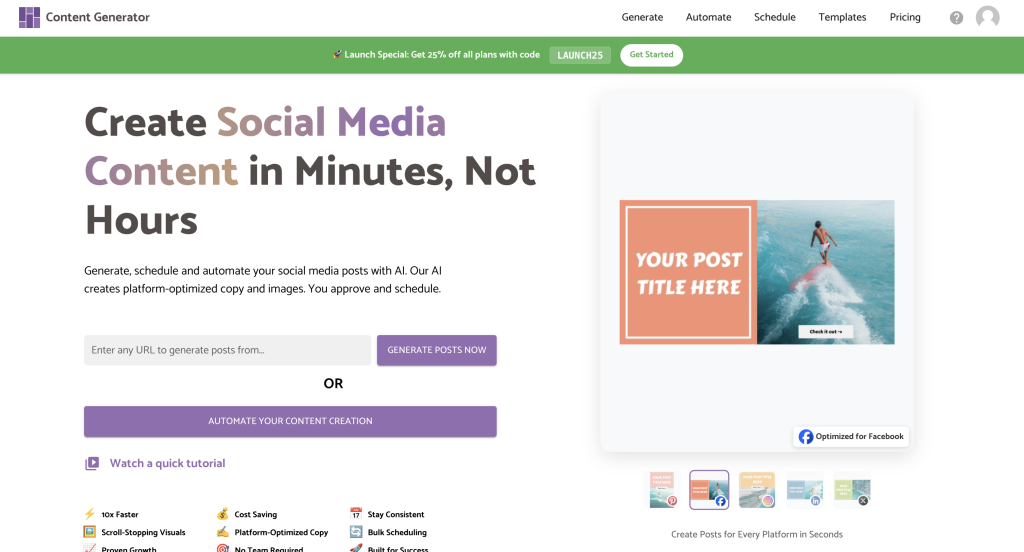
This is the workflow behind Content Generator, a multi-platform tool created by the same team behind Pin Generator. If you already use Pin Generator for Pinterest, Content Generator feels very familiar. But instead of creating pins, it creates posts for Pinterest, Facebook, Instagram, LinkedIn, and X all at once.
Below are two ways to automate your workflow using the tool.

Workflow 1: Use a Single URL to Create Platform-Ready Posts
If you have one piece of content you want to promote such as a blog post, a product page, or a service page, then you can automate an entire batch of social posts with just one link.
Here’s how it works:
Paste your link into Content Generator and click “generate.” The system will scan the page and pull your title, description, and images. It then turns that into platform-ready posts for five platforms, instantly.
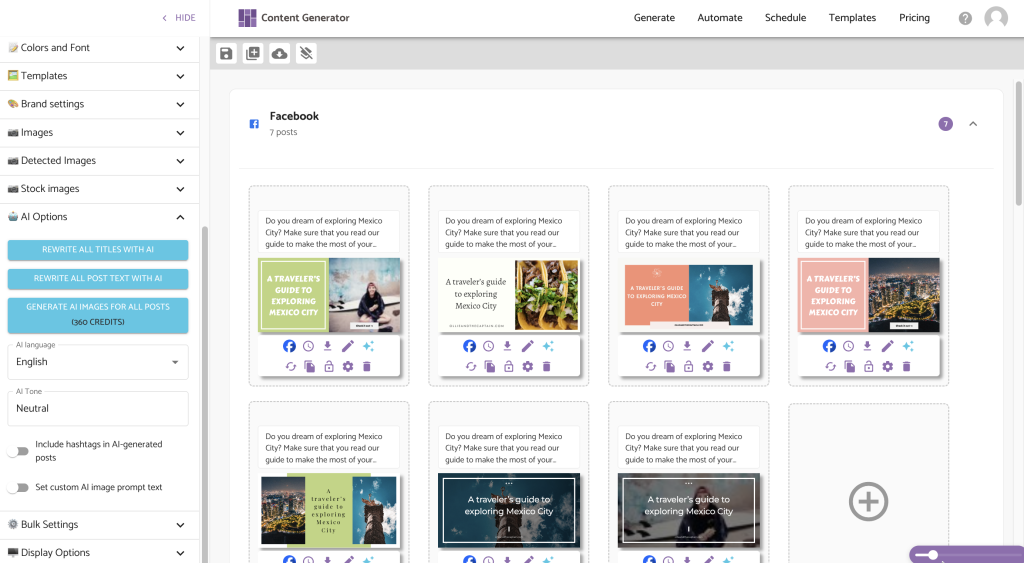
You’ll see drafts for Facebook, Instagram, Pinterest, LinkedIn, and X. Every post is editable. You can switch the template, change the colors, adjust the text, or rewrite the caption using the built-in AI if you want to customize the tone.
Once everything looks right, you can schedule it across your accounts. One link becomes 10-25 posts across multiple platforms in just a few minutes.
This workflow is perfect for promoting new content without spending extra time designing everything by hand.
Workflow 2: Automate Your Entire Month of Content
If you want something even more hands-off, Content Generator can automate a full month of social posts directly from your website or shop.
Start by connecting your sitemap or shop link. The tool scans your content and you can choose which items you want included in the upcoming month.
Next, you’ll be prompted to connect the platforms you want to post on, set your posting frequency per platform, and choose your preferred posting times.
You’ll then choose templates and brand colors. You can pick from built-in styles or upload your own designs so everything matches your brand.
Once everything is set, Content Generator builds your posts automatically. You’ll receive a full month of drafts to review. Make any edits you want, click schedule, and your content will post across multiple platforms all month long without any manual work.
This workflow is ideal for business owners who want to stay active online without spending hours every week planning and posting.

Try Content Generator for Free
If you want to see how much time you can save, Content Generator is free to try. Use any blog post, shop page, or website link and try the workflow for yourself. Most people are surprised by how fast it is and how much content they can produce from one single URL.
If you’re ready to simplify your social media marketing in 2026, this is one of the easiest ways to get started.