
How to Automate Social Media Marketing (Beginner-Friendly Guide)
13 June 2026
If you’re running a business, you already know how much time it takes to market your products and stay visible online. With the average person spending 2 hours and 24 minutes on social media daily, consumers now use these platforms as brand validation, checking profiles for social proof, legitimacy, and real customer experiences. So, even if you’re not trying to go viral, having an active presence matters more than ever.
The problem is finding the time to create this social presence. Every platform wants something different, and creating posts, learning new features, and keeping up with comments can feel like a full-time job on top of the one you already have.
A lot of business owners skip social media altogether or outsource it to a social media manager or agency. However, there’s an easier way to save both time and money – content automation.
When content automation is done well, it keeps your brand active, helps you stay consistent, and gives you a simple way to show up across the platforms your customers are already checking.
Content Generator fits right into that exact gap. It takes what’s already on your website and turns it into ready-to-publish posts for Pinterest, Instagram, LinkedIn, Facebook, and X in minutes, so you can stay visible without losing hours every week to content creation.
Why Social Media Automation Matters
Most small businesses handle their own marketing, which means every post comes out of the same limited block of time used for everything else. When you’re juggling sales, clients, product updates, and admin work, creating fresh content for multiple platforms usually ends up at the bottom of the list.
The problem is that inconsistency hurts visibility. If your platforms go quiet for a few weeks, people often assume the business is inactive, overwhelmed, or no longer taking customers. New visitors don’t get a sense of who you are or what you offer, and returning customers stop seeing your updates.
Content automation bridges that gap. Instead of forcing yourself to come up with something new every day, you can reuse what you already have and let a system distribute it for you. It keeps your brand present, steady, and recognizable. It also gives you a way to maintain a social footprint even during busy seasons, travel, launches, or periods when you simply don’t have the bandwidth to write captions and draft posts.
For online shop owners and bloggers, automation also helps avoid the stop–start cycle. You no longer have active weeks followed by total silence. Finally, your content continues to go out, your audience keeps seeing you, and you stay top of mind without manually publishing everything yourself.
If you’re prefer to watch this workflow in action, we’ve recorded a quick YouTube video showing our preferred tool. You can watch it here:
What Content Generator Is and How It Works
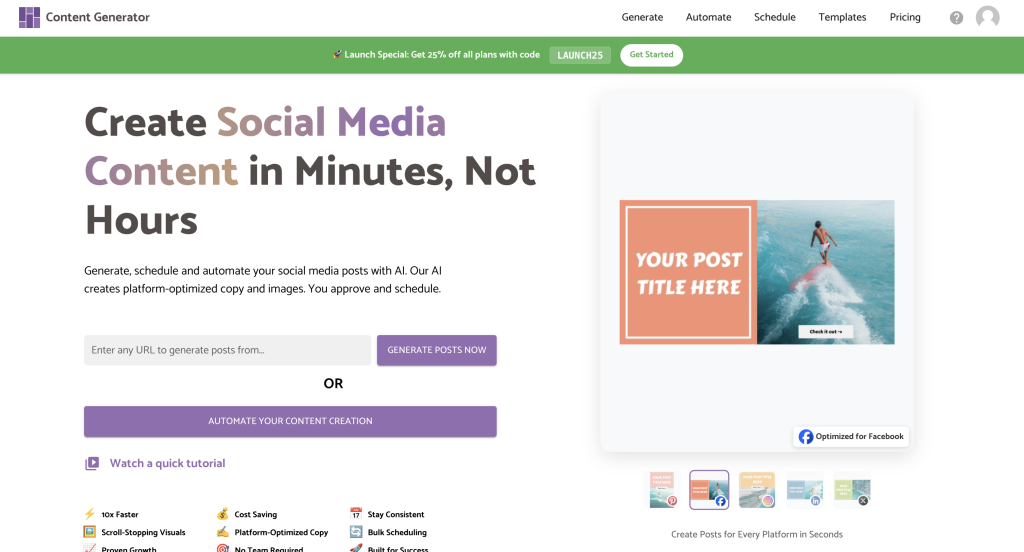
Content Generator turns your existing content into ready-to-publish social posts across five platforms: Pinterest, Instagram, LinkedIn, Facebook, and X. Instead of creating separate posts for each platform, you give the tool one link and let it do the heavy lifting.
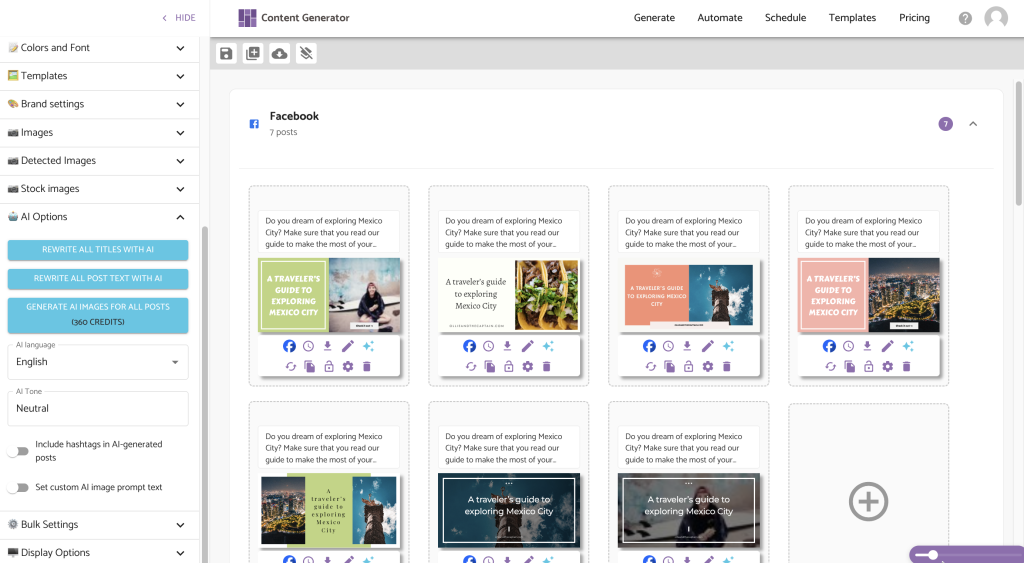
When you paste in a blog post, product page, or service page, it scans the URL and pulls your titles, descriptions, alt text, and images. From there, it creates platform-specific posts (with images, captions, and links) in just a few seconds. You can adjust the text, change the tone, update visuals, or keep everything exactly as it suggests. The goal is to help you share what you’ve already created without rewriting the same thing five different ways.
You can generate a single post at a time, or you can use the AI-based monthly planner feature to build four weeks of content at once. The planner takes the links from your website, mixes them with AI-generated prompts and variations, and organizes everything into a full posting schedule. You can review it, edit it, or publish it exactly as-is.
Who Content Generator Is Best For
Content Generator works well for anyone who already has content to share but doesn’t have the time to repurpose it across multiple platforms. If you run a business, write blog posts, publish product updates, or share service information online, you already have everything the tool needs to create consistent social posts.
It’s especially helpful for:
- Small business owners who need steady visibility but don’t want to hire a social media manager.
- Freelancers, agencies, and bloggers use it to repurpose their long-form content into shorter social posts.
- Online shops use it to promote product pages, new collections, or seasonal offers.
- Creators who want to stay active across several platforms without juggling five different posting styles benefit from the automated layouts and captions.
Note: This tool is not designed for people trying to grow a personal brand quickly or chase trends. Those strategies require platform-specific content that’s tailored for virality. Content Generator works best for long-term visibility, evergreen content, and showing up consistently even when you’re busy. It’s ideal for anyone who wants a straightforward system that takes existing content and turns it into social posts without adding hours to the week.

Why Social Media Automation Is Useful
The biggest advantage of automating your social media is staying consistent without having to think about it every day. If you’ve ever sat down to post and felt stuck on what to say, automation removes that roadblock. You get fresh ideas pulled from content you’ve already created, so it always sounds like you.
It also keeps everything in one place. Instead of opening five different apps and reformatting the same update for each platform, you make your edits once and publish everywhere. It cuts the overwhelm and saves you from repeating the same task over and over.
And finally, automation helps with consistency. Most people post for a few days, disappear for two weeks, then try again. When you can plan content ahead of time, your business keeps showing up even when you’re busy or offline.
Try Content Generator for Your Workflow
If you already have blog posts, product pages, or service links, Content Generator makes it easy to turn them into a full month of social content in minutes. You can create one post at a time or use the monthly planner to build a full schedule that’s ready to review and publish across Pinterest, Instagram, LinkedIn, Facebook, and X.