
How to Use Pinterest for Business: A Guide for E-commerce, Bloggers, and More
30 July 2025
When you start using Pinterest for your business, you need to shift your mindset. Forget what you know about traditional social media. Pinterest isn't about chasing fleeting trends or just posting updates—it's a visual discovery engine built to drive real traffic and sales.
The goal is to create valuable, keyword-rich content (your Pins) that inspires people who are actively planning to buy something. Your Pins act as a bridge, leading them directly from that moment of inspiration to your products, blog, or services.
Why Pinterest Is a Goldmine for Your Business
Have you written off Pinterest as just a digital mood board for wedding dresses and kitchen remodels? It’s time to take another look. While it's fantastic for finding inspiration, its real magic for businesses comes from how people use it.
Unlike users on other platforms who are doom-scrolling to kill time, Pinterest users are planners. They are actively searching for ideas, solutions, and products. They’re future-focused.
This makes the platform an incredibly potent tool. When someone searches for "minimalist home office setup," they aren't just window shopping. They're likely in the market for a new desk, a chair, or some cool organization hacks. Your Pin can be the exact solution they were looking for, creating a seamless path from discovery to checkout.
A Platform Built on Commercial Intent
Honestly, it helps to think of Pinterest less like Instagram and more like a visual version of Google. It's a search engine where the results are beautiful, compelling images. And every single one of those Pins links back to an external source—your website, your Etsy shop, your latest blog post. The entire system is designed to move users off the platform and onto your digital doorstep.
The user mindset is already primed for action. People save Pins to boards for future projects, creating wishlists and shopping lists as they go. This signals a powerful commercial intent that you just don't find elsewhere. This is a huge leg up for any business, no matter what you sell. If you're just getting started, our complete guide on Pinterest for business lays out more of these foundational strategies.
The big secret is that people on Pinterest want to be marketed to, as long as it's through genuinely helpful and inspiring content. They’re looking for answers, and your business can be the one to provide them.
The Numbers Don't Lie
If you’re still not convinced, the statistics speak for themselves. The platform's growth and user behavior paint a very clear picture of its value for businesses.
Here's a quick look at why you can't afford to ignore it:
Pinterest's Business Impact at a Glance
| Metric | Key Statistic | What This Means for Your Business |
|---|---|---|
| Active User Base | ~570 million monthly users | Your potential audience is massive and continues to grow globally. |
| Purchase Influence | 85% of weekly users bought something from a Pin. | Users are not just browsing; they are actively making purchasing decisions. |
| Referral Traffic | Drives 33% more traffic to shopping sites than Facebook. | Pinterest is exceptionally effective at sending qualified, ready-to-buy leads to your site. |
These aren't just vanity metrics; they represent real opportunities for sales and growth.
And this isn't just a playground for huge corporations. Pinterest creates a level playing field for all kinds of business models:
- E-commerce Stores: You can showcase products with Shoppable Pins, turning your profile into a beautiful, interactive digital storefront.
- Bloggers: Drive massive, sustainable traffic to your articles. A Pin's lifespan is months, not hours, meaning your content works for you long-term.
- Affiliate Marketers: Create genuinely helpful Pins that solve a problem and link to affiliate products, earning commissions from an audience that's ready to buy.
- Service-Based Businesses: Build your authority and generate high-quality leads by sharing portfolio images, client success stories, and valuable industry tips.
The first step to winning on Pinterest is recognizing it for what it truly is: a powerful discovery tool packed with users who have their wallets out.
Building a Pinterest Business Account That Converts
Alright, so you're sold on using Pinterest for your business. Let's get down to the brass tacks of building an account that actually does the heavy lifting for you—turning casual browsers into genuine leads and customers. This is more than just filling out a few fields; it's about laying a strategic foundation from the get-go.
The first fork in the road is deciding whether to convert a personal account or start from scratch. If your personal Pinterest is already a curated collection of ideas that perfectly mirror your brand, converting it can give you a nice head start. But be honest with yourself. If it's a jumble of last night's dinner recipe, dream vacation spots, and DIY projects, it's much better to create a fresh, dedicated business account. A clean slate ensures your brand message is laser-focused from day one.
The First Must-Do Steps for a Pro Profile
First things first: you absolutely need a business account. This isn't optional. Switching to a business account is what unlocks the entire toolkit, most importantly, Pinterest Analytics. Think of this as your treasure map—it shows you what’s working, who’s loving your content, and how they’re finding you.
Next up, you have to claim your website. I can't stress this enough. It’s a huge credibility signal to both Pinterest and your audience. When you claim your site, your profile picture and a "Follow" button will show up next to every single Pin that comes from your website, which is a fantastic little authority boost. It also opens the door to more in-depth analytics and is a must-have for enabling Rich Pins.
Rich Pins are a total game-changer. They automatically sync info from your website onto your Pins—things like product prices, article headlines, or recipe ingredients. It adds a ton of context, making your Pins far more useful and tempting to click.
Writing a Bio That Actually Works
Your profile bio is your most valuable piece of real estate. Treat it like your elevator pitch, but supercharged for search. Don't just slap your business name in there and call it a day. You need to strategically weave in the exact keywords your ideal customer is searching for.
For example, instead of a generic "Jane's Coaching," a bio that gets results would look more like this: "Business Coach for Female Entrepreneurs | Helping you scale your service business with marketing & productivity tips." See the a difference? It instantly tells people who you are, who you serve, and the value you bring.
This is a great visual example of what a polished, professional business profile dashboard can look like.
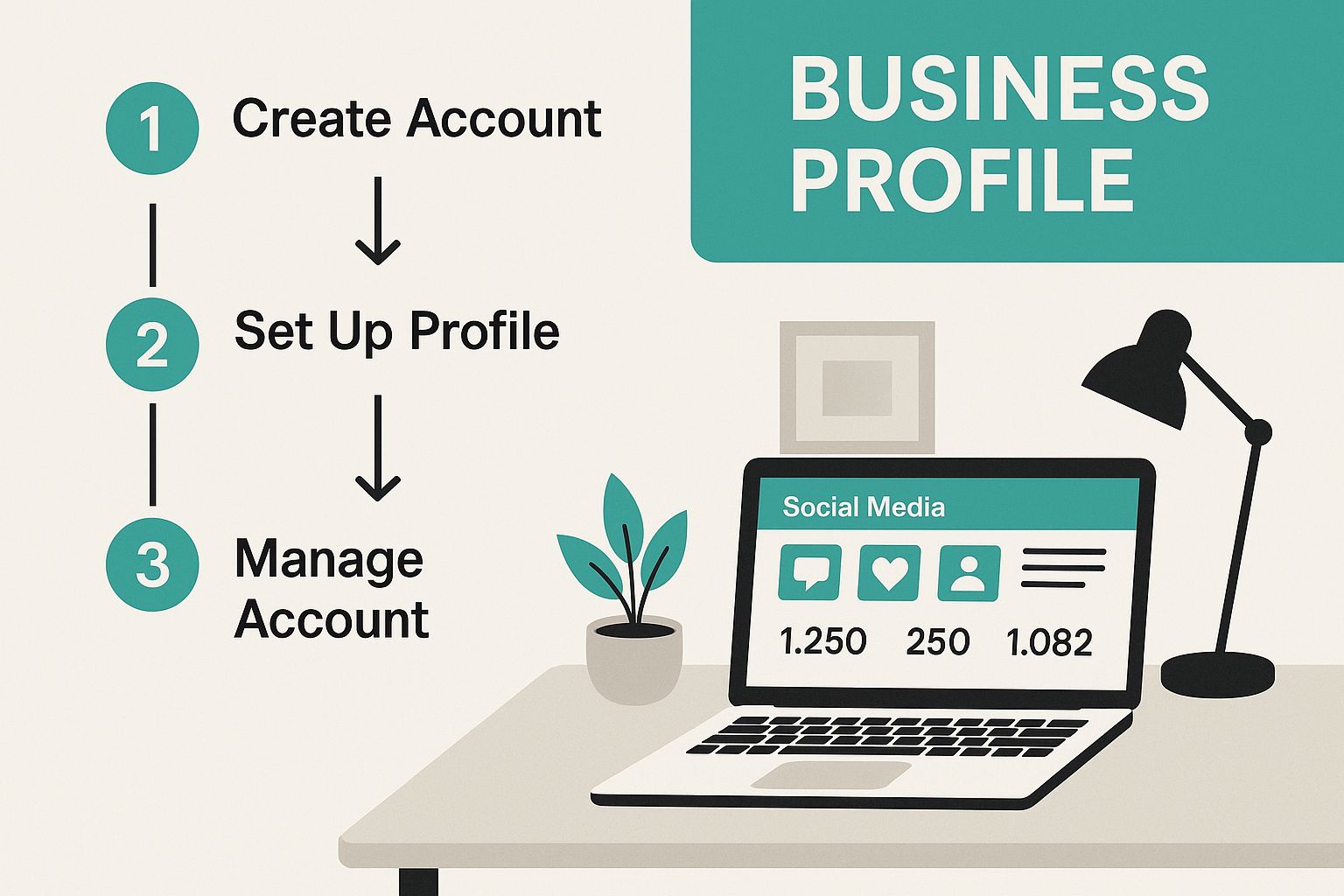
Having a branded, visually appealing profile like this is key to grabbing the attention of your target audience right away.
Organizing Your Boards for People, Not Just Pins
With your profile in good shape, the last piece of the foundation is your board structure. Your boards need to act like the aisles in a well-organized shop, making it incredibly easy for people to find exactly what they’re looking for.
Think about the main topics you cover and build your boards around them. Here are a few tips I always give my clients:
- Make a "Best Of" Board: Your very first board should be a showcase of your own content. Call it something simple like "Best of [Your Blog Name]" or "[Your Shop Name] Finds." Pin all your stuff here first, always.
- Think Like Your Customer: Create 5-10 main "pillar" boards that tap into what your audience genuinely cares about. If you're a food blogger, this might be "Quick 30-Minute Meals," "Healthy Dessert Recipes," or "Easy Vegan Dinners."
- Use Keyword-Rich Titles and Descriptions: Give your boards clear titles that people would actually search for. Don't forget to write a keyword-focused description for each board, too! This is how you tell the Pinterest algorithm what your content is about so it can show it to the right users.
By putting in this work upfront, you're not just creating a profile. You're building an optimized, credible home base on Pinterest that’s primed and ready to drive real growth for your business.
Developing Your Winning Pinterest Content Strategy
Success on Pinterest isn't just about randomly pinning nice images and hoping for the best. That's a recipe for burnout. It’s really about building a smart, intentional content plan that taps into what people are already looking for.
Think of yourself less as a marketer and more as a helpful guide. Your job is to create content that solves a problem, sparks an idea, or offers a clear solution. This is how you bridge the gap between your products or services and a user’s needs, creating a natural path from discovery to a click.
Uncovering What Your Audience Wants
First things first: you need to figure out what your audience is actually searching for. The good news? You don't have to guess. Pinterest is a massive search engine, and its own tools are a goldmine for this kind of research.
Just head over to the Pinterest search bar and type in a broad topic related to your business. Let's say you sell home goods. Type in "home decor." Pinterest will instantly show you what real people are searching for, like "home decor ideas living room" or "home decor on a budget." These aren't just suggestions; they are direct clues into your audience's mind.
Go a level deeper. Click on one of those suggestions and look for the colored bubbles that appear below the search bar. These represent even more specific, trending searches. These terms are pure gold and should directly inform your content plan and even your board titles. While you’re mapping this out, pulling insights from broader effective content marketing strategies can give you a more holistic view.
Choosing the Right Pin Format for the Job
Not all Pins are created equal, and knowing which format to use is key to getting noticed. Each one has a specific job to do.
-
Static Pins: These are the workhorses of Pinterest. A single, high-quality vertical image with a catchy text overlay is perfect for driving traffic to your blog posts, product pages, or email opt-ins. They are quick to create and easy for users to consume.
-
Video Pins: Want to stop the scroll? Use video. These are fantastic for grabbing attention in a busy feed. Keep them short (15-60 seconds) and use them to show a product in action, a quick how-to, or a behind-the-scenes glimpse. They often get way more engagement than static images.
-
Idea Pins: Think of these as mini-stories or carousels right on Pinterest. They let you walk users through a step-by-step tutorial, share a recipe, or present a list of tips. While they don't have a direct link on every slide, they're incredibly powerful for building followers and establishing your brand as an authority on the platform.
Pro Tip: Don't put all your eggs in one basket. I’ve found a balanced content mix works best. I usually recommend a strategy of about 70% Static Pins for steady traffic, 20% Video Pins to boost engagement, and 10% Idea Pins to build your on-platform community.
Designing Pins That Stop the Scroll
Your Pin’s design is your first impression, and it has to be good enough to make someone pause their endless scrolling. The great thing is, you don’t need a graphic design degree to make something that looks fantastic.
Here are the absolute must-haves for a Pin that performs:
-
Go Vertical: Pinterest is a mobile-first world. Always, always, always design your Pins with a 2:3 aspect ratio (a common size is 1000 x 1500 pixels). This format takes up the most screen space and simply works best.
-
Use Bold Text Overlays: Never rely on the Pin description alone to do the heavy lifting. Your image needs a clear, easy-to-read text overlay that instantly tells the user what the Pin is about and why they should care.
-
High-Quality Imagery is a Must: Use bright, clear, and professional-looking photos or videos. Dark, blurry, or low-resolution images are a complete non-starter. The visual appeal is what pulls people in.
-
Brand Everything: Subtly add your logo or website URL to the bottom of every Pin you create. This not only builds brand recognition over time but also helps protect your content from being used without credit.
-
Add a Clear Call-to-Action (CTA): Tell people what to do next! A simple "Shop Now," "Learn More," or "Get the Free Guide" directly on the Pin image can make a huge difference in your click-through rate.
By combining smart keyword research with compelling, format-appropriate design, you’re not just making pretty pictures. You're building a reliable system that consistently drives traffic, engagement, and real results for your business.
How to Use Pinterest for Your Specific Business Model
A one-size-fits-all Pinterest strategy just doesn't cut it. To see real results, you have to tailor your approach to your specific business model—whether you're an e-commerce store, a blogger, an affiliate marketer, or a service provider. The key is to align your Pinterest activities with your core business goals.
Let's break down the winning strategies for each business type.
For E-commerce Stores: Turn Inspiration into Sales
- Your Goal: Drive direct sales and increase product discovery.
- Your Method: Make it incredibly easy for users to go from Pin to purchase.
For an e-commerce brand, Pinterest is a visual extension of your storefront. Your top priority is to set up a seamless shopping experience. Start by connecting your product catalog to enable Shoppable Pins. These special Pins automatically pull real-time pricing and stock information from your site, making it easy for users to buy. Platforms like Shopify and Etsy offer integrations that simplify this process.
Don't just pin sterile product shots on a white background. While those are necessary, they don't inspire. Show your products in a lifestyle context. Pin images of your coffee mugs on a cozy desk, your dresses being worn on vacation, or your pillows on a beautifully styled sofa. This helps users visualize the product in their own lives.
E-commerce Pin & Board Strategy:
- Create Lifestyle Pins: Showcase products in aspirational, real-world settings.
- Build Gift Guides: Curate boards for every occasion like "Unique Gifts for Mom" or "Holiday Gift Guide 2024."
- Organize by Theme: Use boards like "Modern Farmhouse Kitchen" or "Bohemian Living Room Decor" to help users discover products related to their aesthetic.
For Bloggers: Drive Traffic and Grow Your Audience
- Your Goal: Drive targeted traffic to your blog posts and grow your email list.
- Your Method: Create compelling Pins that act as gateways to your valuable content.
As a blogger, your content is your product. Each Pin is a teaser for the value a user will get by clicking through to your website. Never make just one Pin per blog post. Create multiple, visually distinct Pins for every article using different images, headlines, and call-to-actions. This allows you to test what resonates and keep promoting older content with fresh visuals.
A smart blogger strategy also focuses on lead generation. Create valuable freebies (checklists, e-books, templates) and design Pins specifically to promote them. This is how you convert casual Pinners into loyal subscribers.
Blogger Pin & Board Strategy:
- "Best Of" Board: Maintain a board dedicated solely to your own content, like "[Your Blog Name] | Blog Posts." Pin every new article here first.
- Topic-Focused Boards: Build boards around your core content categories, such as "30-Minute Dinners," "Vegan Dessert Recipes," or "Personal Finance Tips."
- Lead Magnet Pins: Design Pins with strong CTAs like "Get the Free Meal Planner!" to promote your email opt-ins.
For Affiliate Marketers: Build Trust and Earn Commissions
- Your Goal: Earn commissions by recommending products.
- Your Method: Provide genuine value and build authority, never spam.
Success as an affiliate marketer on Pinterest hinges on trust. You must be transparent. Always disclose your affiliate relationships in your Pin descriptions using hashtags like #ad or #affiliatelink.
Your strategy should be built around creating genuinely helpful content that features the products you promote. Instead of linking a Pin directly to an affiliate product, drive traffic to your own content first—like a blog post, product review, or a curated resources page. This gives you the space to provide value, establish credibility, and properly warm up the reader before they click an affiliate link. Think roundup posts ("10 Gadgets That Transformed My Home Office") or detailed reviews of a single product.
For Service-Based Businesses: Generate High-Quality Leads
- Your Goal: Showcase expertise and attract qualified client leads.
- Your Method: Use Pins to tell your brand's visual story and demonstrate your value.
If you're a coach, consultant, or designer, Pinterest is a powerful tool for visual storytelling that attracts dream clients. Your Pins should offer bite-sized pieces of your knowledge, share behind-the-scenes glimpses of your process, and provide social proof like client testimonials and case studies.
A graphic designer could showcase branding projects, while a business coach could share Pins with powerful client quotes or impressive success stats. Organize your boards around the problems you solve for your clients, such as "Brand Identity Inspiration" or "Productivity Hacks for Entrepreneurs."
To truly nail these custom strategies, you first have to deeply understand your audience. For a masterclass on this, check out these effective market segmentation strategies. This knowledge is the foundation for connecting with the right people on Pinterest. And the potential audience is massive. Pinterest’s advertising reach in January 2025 hit 340 million users, making it the 10th largest social platform for ad audiences globally (excluding China). That's 4.1% of the entire world's population, an audience that grew by over 32 million users in just one year.
Ready to Scale? Let's Talk Pinterest Ads
Once your organic Pinterest strategy is humming along and bringing in consistent traffic, it's time to pour some gasoline on the fire. This is where Pinterest Ads come in. They are your ticket to scaling those results fast and reaching a much bigger, laser-focused audience.
Think of it this way: your organic efforts built the engine and attracted your core fans. Paid ads are the turbocharger, blasting your message to thousands of new potential customers who are already primed to buy.
Kicking Off Your First Campaign
Jumping into paid ads can feel like a big leap, but Pinterest makes it surprisingly simple to get started. Your first move is to decide on your campaign objective. Pinterest will ask what you want to accomplish, and your answer will set the stage for your entire campaign.
You'll get a few options, but they boil down to three main categories:
- Awareness: The goal here is pure exposure—getting your brand in front of as many new people as possible. This is perfect for launching your business or a brand-new product line.
- Consideration: This is all about getting people to interact. It focuses on driving traffic to your site or boosting engagement (like saves and close-ups) on your Pins. It’s for when you want to move people from just seeing your brand to actively checking you out.
- Conversions: This is where the money is. The goal is to drive specific actions on your website, like making a sale, signing up for your email list, or adding an item to their cart.
Picking the right objective is absolutely critical. It tells the Pinterest algorithm exactly who to show your ad to—the people most likely to take the action you care about.
Pinpointing Your Perfect Audience
This is where the real magic happens. The audience targeting on Pinterest is incredibly powerful. You can go way beyond basic demographics and zero in on people based on their specific interests, what they're searching for, and even how they’ve interacted with your brand before.
For instance, if you sell sustainable home goods, you can target users who recently searched for "eco-friendly cleaning hacks" or saved Pins about "zero-waste living." This kind of precision ensures your ad budget isn't wasted, dramatically boosting your odds of success.
My Go-To Tip: Start by creating a "lookalike" audience. You can upload your customer list or email subscribers, and Pinterest will find new users who share similar traits. It's one of the fastest ways I've found to connect with high-quality prospects.
Designing Ads That Don't Look Like Ads
Here’s the secret: the best Pinterest ad doesn't feel like an ad at all. It should blend in seamlessly, looking like just another beautiful, helpful Pin in a user's feed.
Lean on the best practices you've already nailed for your organic Pins: use high-quality vertical images, add clear text overlays, and include a compelling call-to-action.
The platform's own financial success is a massive vote of confidence. Pinterest's ad revenue shot up to nearly $877 million in a single quarter by the end of 2022 and has kept climbing. As you can see in this detailed report on Global Tech Stack, businesses are pouring money in because they're seeing real returns.
Testing Your Way to a Strong ROI
You don't need a huge budget to make this work. I always tell people to start small. Seriously, even $5-$10 per day is plenty to start gathering incredibly valuable data.
From there, it's all about testing. Run simple A/B tests on your ad creative. Pit two different images against each other with the same headline. Or, use the same image but try two different calls-to-action.
After a few days, pop into your Pinterest Ads dashboard and check your key metrics:
- Click-Through Rate (CTR): Are people actually clicking?
- Cost Per Click (CPC): How much is each click costing you?
- Conversion Rate: Are those clicks turning into sales or signups?
By keeping a close eye on this data, you can quickly spot the winners, turn off the duds, and shift your budget to what’s working. This simple loop of testing and tweaking is how you turn a small initial investment into a powerful, predictable money-making machine.
Answering Your Top Pinterest Business Questions
When you're first getting started on Pinterest, a lot of questions come up. It's a platform with its own unique quirks, and figuring out the right approach can feel a little confusing.
Let's tackle some of the most common questions and roadblocks I see people run into. We'll clear things up so you can get back to growing your business with total confidence.
How Often Should I Be Pinning?
This is probably the number one question I get asked, and the answer has definitely evolved. The old advice of pinning 20-30 times a day is long gone. Thank goodness for that! The Pinterest algorithm today is much more interested in quality and freshness than sheer quantity.
Your sweet spot now is publishing 1-5 high-quality, fresh Pins every single day. A "fresh Pin" is just a new image or video, even if it links back to a blog post or product you've shared before. This strategy works far better than just repinning the same old content from your boards.
Consistency is really your best friend here. Pinning a few fresh Pins daily sends a much stronger signal to Pinterest than blasting out 30 Pins on Monday and then going silent for the rest of the week.
How Long Does It Take to See Results?
Patience is a virtue, especially with Pinterest. Think of it as a marathon, not a sprint. Unlike other social platforms where your content disappears after a few hours, Pins are evergreen. A single Pin you create today can keep sending you traffic for months, or even years.
This long-tail effect is what makes Pinterest so powerful for sustainable business growth. You're building a long-term asset, not just chasing temporary engagement.
Generally, you can expect to see the first signs of life—impressions, saves, and a trickle of clicks—within 3-4 months. But to see that really significant, steady traffic, you'll want to give it about 6-9 months. That's the time it takes for your Pins to get fully indexed and start showing up consistently in search results.
Are Pinterest Group Boards Still Effective?
Group boards used to be the secret weapon for getting massive reach, but their role has changed a lot. They aren't the growth engine they once were, as Pinterest now gives priority to content you publish on your own, well-optimized boards.
So, should you just forget about them? Not entirely. A good, niche-specific group board with active members can still give your Pins a nice little distribution boost.
Just be sure to vet them carefully before joining:
- Check the Pin quality: Is the board full of relevant, high-quality content, or is it spammy?
- Look at engagement: Are other members' Pins actually getting saves and comments?
- Read the rules: A board with strict rules against spam is usually a good sign.
Focus on building out your own branded boards first. Think of group boards as a secondary, supplemental tactic.
Can I Succeed on Pinterest Without a Blog?
Absolutely! While a blog is a fantastic asset, it's not the only way to win on Pinterest. The most important thing is having a valuable destination for someone to land on after they click your Pin.
Pinterest is incredibly effective for all sorts of business models, no blog required:
- E-commerce Stores: Pin directly to your product pages. This is a must!
- Service Providers: Link to your portfolio, services page, or a form to book a consultation.
- Affiliate Marketers: Create Pins that lead to detailed product review pages or curated resource lists.
- Etsy Sellers: Drive sales by linking Pins right to your product listings.
As long as the page you're linking to delivers on the promise you made in your Pin, you can build a killer strategy. Of course, a core part of that strategy involves getting followers who will see your new content. For a deep dive on that, check out our guide on 15 strategies to grow followers on Pinterest. The real key is just providing clear value at the end of every click.
Ready to stop spending hours creating Pins and start seeing real results? Pin Generator automates the entire Pin creation and scheduling process. Generate hundreds of beautiful, optimized Pins in seconds and put your Pinterest marketing on autopilot.