
Not Getting Views on Pinterest? Fix This First!
13 June 2026
If you’ve been posting on Pinterest consistently and your pins still aren’t getting views, it might be a simpler fix than you think. Most people assume the problem is their keywords or their account age, but it often comes down to something more fundamental: account clarity.
With over 619 million people using Pinterest every month, the platform has to understand and trust each account before it will push its pins. As a new creator, if your keywords vary too greatly or your content lacks a clear focus, Pinterest struggles to figure out what your account is actually about, and so it holds back on distribution. Over time, as you refine your keywords and create pins that align with your overall niche, Pinterest learns to trust your account and starts pushing your content more consistently.
If you’re looking to get more views on your Pinterest pins, this post walks you through five of the most common reasons Pinterest isn’t pushing your content, what each mistake is signaling to the algorithm, and what to change first so your pins start getting tested.
Mistake #1: Pinterest Can’t Categorize You
Before Pinterest can push your content to the right audience, it has to understand what your account is actually about, and if it can’t figure that out, it won’t distribute your pins no matter how good they are.
Pinterest is constantly trying to answer one question about your account, “What kind of account is this?” When it can figure that out confidently, it knows exactly who to show your pins to. When it can’t, it hesitates, and that hesitation shows up as low reach and zero views.
The most common version of this problem looks like a profile with boards covering too many topics such as budgeting, workouts, recipes, travel, and motivational quotes.Maybe your pins switch between tutorials and aesthetics, or jump between niches from one week to the next. Individually none of that is wrong, but together it tells Pinterest nothing useful, and so the platform does the safe thing and barely distributes your content while it waits for more signals.
The fix isn’t posting more or redesigning your graphics, it’s narrowing your focus until a stranger could describe your account in one sentence. Once Pinterest understands what you’re about, it finally knows who to test your pins with.
Want to see this in action? If you’d prefer to watch instead of read, we’re sharing all of this (with visual examples) in our latest YouTube video. Watch it here:
Mistake #2: Your Keywords Don’t Match Your Content
Most people technically use keywords, just not the right ones, and the difference matters more than most beginners realize. The three most common mistakes are:
- Keywords targeting the wrong search intent
- Using pretty titles instead of searchable ones
- Having a mismatch between the text, your image, and what the content actually delivers
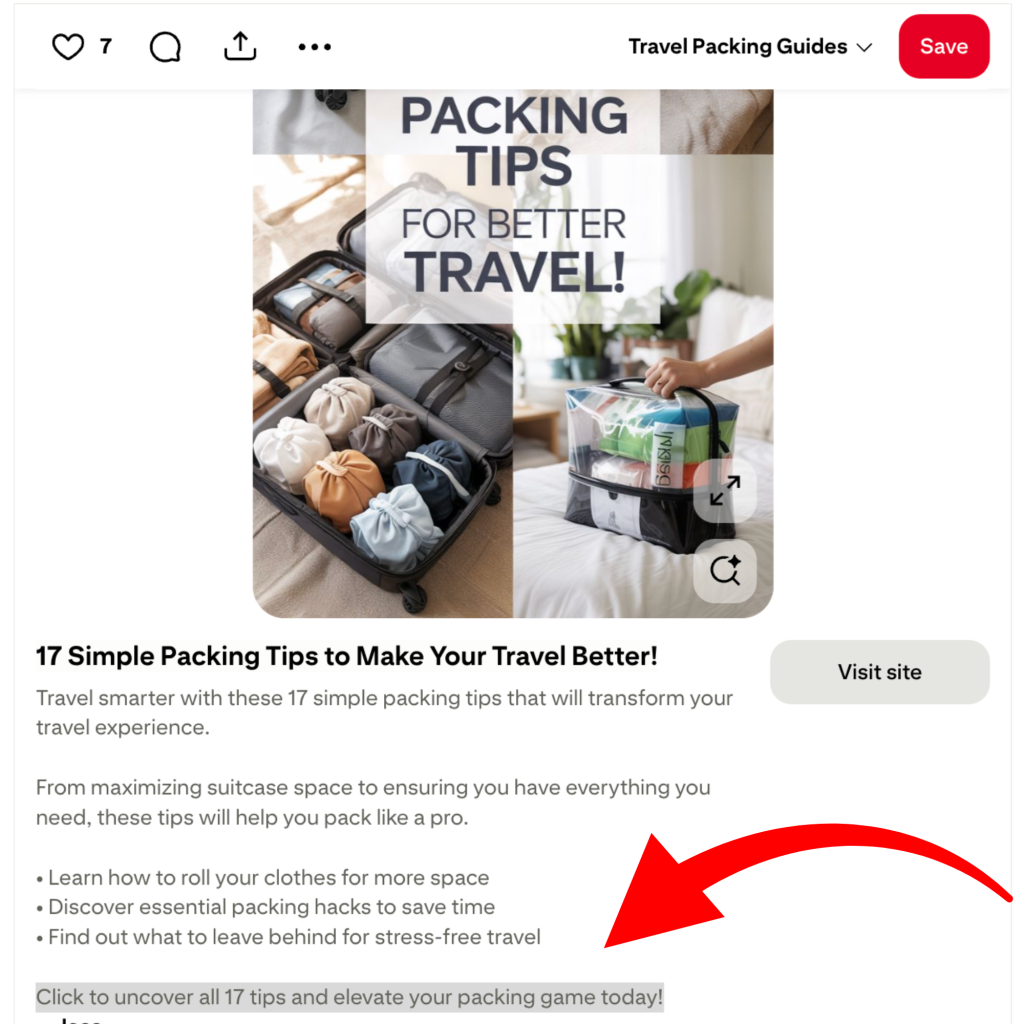
For example, a pin might target “self care ideas” but the content is actually a morning routine checklist, or it targets “healthy lifestyle” but the pin is really about a high protein meal plan. To a person, that still makes sense, but to Pinterest it’s unclear, and Pinterest ranks based on confidence. When your title, description, image, and landing page all use slightly different language, Pinterest hesitates to show it because it doesn’t know which search you belong in.
While keyword variation and related terms are great to include, being clear on what your pin is about and what it delivers is what actually moves the needle. Pick one clear search phrase and make everything agree with it, the title says it, the description supports it, the image shows it, and the page delivers it. That alignment is what tells Pinterest exactly where your pin belongs, and that’s when it starts getting pushed.
Mistake #3: You’re Not Creating Fresh Pins
Repetition is one of the most common reasons Pinterest stops pushing content, and it catches a lot of creators off guard. Most people publish a blog post or product, design one graphic, and then keep reposting that same image. Even if the content itself is great, Pinterest sees that as the same pin and not new content worth testing.
You need to create fresh pins.
A fresh pin does not mean a new article or a new product, it means a new visual, whether that’s a new image, a new title, a different layout, or a new hook that makes the pin look brand new to the platform. You can absolutely link multiple fresh pins to the same page, but spacing them out every couple of days gives Pinterest time to process and test each version, and each variation is another chance for the platform to learn who clicks it and where it belongs.
The problem most creators run into is that making ten or twenty variations manually takes a long time, and this is where a tool like Pin Generator can help. You paste in your URL, it pulls your images, titles, and descriptions from your site, and generates multiple new pins automatically. You can adjust colors, rewrite titles, swap images, and then schedule them to go out steadily over the coming weeks. More testing leads to more data, and more data is what eventually leads to reach.

Mistake #4: Your Images Aren’t Strong Enough
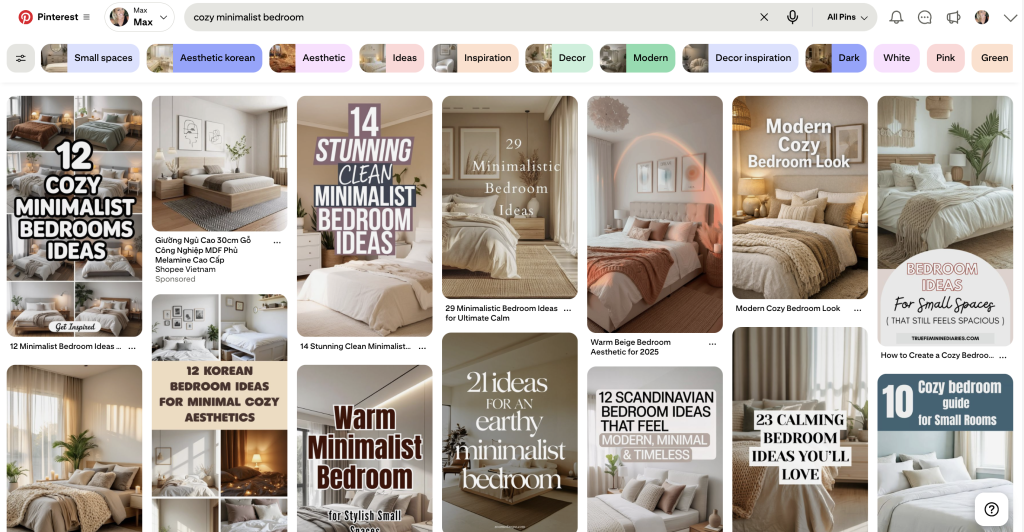
Pinterest is a visual search engine, meaning it operates more like Google than it does social media. When someone searches for something on Pinterest, the results show up as photos and videos rather than a list of links, which means your images aren’t just decoration, they’re how people decide whether to click.
Additionally, Pinterest now uses AI to read images directly, scanning the objects, text, and context inside each photo to better understand what the content is about and who should see it. This means a vague or unclear image doesn’t just fail to attract clicks, it also makes it harder for Pinterest to place your pin in the right search results before anyone even interacts with it.
A lot of creators hurt their reach without realizing it by designing pins that look aesthetic instead of informative. Neutral backgrounds, tiny text, and stock photos that don’t show any real outcome all look nice, but they don’t explain anything, and if Pinterest can’t quickly answer what someone gets by clicking your pin, it usually won’t test it.
For example, a recipe should show the finished meal, a budgeting post should show the spreadsheet, and a workout post should show the movement or routine laid out visually. When a person can understand your pin in about two seconds, Pinterest usually can too.
Mistake #5: Inconsistent Posting Behavior
The last reason your Pinterest isn’t getting views is inconsistent behavior.
This usually looks like burst posting, where you upload 20, 50, or even 100 pins in a single day and then disappear for weeks. Or it looks like constantly switching topics instead of reinforcing one niche over time. Pinterest prefers clarity over volume, and posting one pin per day teaches the platform far more than posting 30 today and nothing for the next month. Consistency signals to Pinterest that you’re an active, reliable source for a specific topic.
The same applies to repeating subjects. It might feel repetitive to you, but repetition is exactly how Pinterest learns what your account is about. Every pin you post in the same niche reinforces the category you want to rank in, and over time that’s what builds real, sustainable reach.

Start Getting Your Pins Seen
The good news is that none of these problems are permanent. Pick one from this list and fix it this week, then give Pinterest four to eight weeks to relearn your account. Most people who do this start to see a noticeable shift in how their content gets distributed.
If you want help staying consistent without spending hours on manual pin creation, Pin Generator lets you create multiple pin variations from a single link and schedule them out automatically. The generate page is free to try, so there’s no reason not to test it.
Let’s get generating.