
Pin Scheduler
8 July 2026
If Pinterest marketing feels like feeding a very hungry, very visual raccoon, you are not alone. The platform rewards consistency, freshness, timing, and relevance—which is a lot to juggle when you also have products to sell, blog posts to write, emails to send, and possibly a houseplant slowly judging you from the windowsill. That is where a pin scheduler becomes less of a “nice little tool” and more of a sanity-preserving marketing machine.
A pin scheduler helps you plan, queue, and publish Pinterest Pins automatically so you can show up consistently without manually posting every day like it is 2014 and your coffee has betrayed you. Used well, it turns Pinterest from a chaotic “I should probably post something” platform into a repeatable traffic engine.
In this guide, we will walk through practical strategies for using a pin scheduler: how often to schedule, what times to test, how to batch content, how to avoid duplicate-looking Pins, how to track results, and how tools like PinGenerator can help you create and schedule a month of Pinterest content in minutes instead of sacrificing an entire afternoon to the design goblin.
What Is a Pin Scheduler, Exactly?
A pin scheduler is a tool that lets you prepare Pinterest Pins in advance and automatically publish them at selected times. Instead of logging into Pinterest every day, uploading images, writing titles, pasting links, choosing boards, and whispering “please work” into the void, you create a queue once and let the scheduler handle the posting.
At its simplest, a pin scheduler does three things:
- Lets you upload or create Pins ahead of time
- Allows you to choose boards, dates, and posting times
- Publishes your Pins automatically according to your schedule
More advanced Pinterest scheduling tools can also help with bulk creation, AI-written titles and descriptions, recurring Pins, RSS automation, multi-board scheduling, analytics, and keyword research. In other words, the difference between a basic scheduler and a Pinterest automation platform is the difference between a bicycle and a bicycle with rocket boosters and a cup holder.
PinGenerator, for example, combines pin design, AI content writing, Pinterest scheduling, and automation in one workflow. You can paste in a blog URL, import products from Shopify, Etsy, or WooCommerce, generate multiple Pin designs, write optimized descriptions with AI, and schedule them directly to Pinterest. If you want the deeper mechanics of Pinterest scheduling, this related guide on the Pinterest pin scheduler workflow is a useful companion read.
Why Consistency Beats Random Pinning Every Time
Pinterest is not quite like Instagram, Facebook, or TikTok. It behaves more like a visual search engine with social features. People go there to discover ideas, products, tutorials, recipes, outfits, wedding inspiration, home projects, and occasionally 47 ways to organize a pantry while still somehow having no snacks.
Because Pinterest content can have a long shelf life, consistency matters. A Pin you publish today can generate traffic weeks, months, or even years later. According to Pinterest’s own audience insights, the platform reaches hundreds of millions of monthly users globally, and many users come with commercial intent—looking for ideas, products, and future purchases.
That does not mean you should dump 100 Pins in one afternoon and disappear for three months like a marketing groundhog. Pinterest generally performs better when your account stays active over time. A pin scheduler helps you spread your content out so your brand appears consistently in feeds, searches, and related Pin recommendations.
Consistency also helps you test. When you publish regularly, you can compare performance across topics, templates, keywords, posting times, boards, and calls to action. Random pinning gives you random data. Scheduled pinning gives you patterns. Patterns are useful. Randomness is what happens when your cat walks across your keyboard and accidentally publishes a Pin titled “jjjjjjjjjj.”
How Often Should You Use a Pin Scheduler?
The classic answer is: it depends. The more useful answer is: start with a schedule you can actually maintain, then increase volume once you have a system.
For many bloggers, creators, and small businesses, a practical starting point is 3 to 10 Pins per day. E-commerce stores with large product catalogs may schedule more, especially if they are creating unique designs for different products, seasonal campaigns, collections, or buyer intents. Agencies managing multiple clients may need significantly higher volume, which is why bulk creation and scheduling matter so much.
The key is freshness. Pinterest prefers new creative assets and useful content. That does not mean every Pin must point to a brand-new URL. You can create multiple fresh Pin designs for the same blog post, product, or landing page, as long as each Pin provides a unique visual angle, headline, or keyword variation.
For example, one blog post about “small kitchen storage ideas” could become Pins such as:
- “15 Small Kitchen Storage Ideas That Actually Work”
- “Tiny Kitchen? Try These Space-Saving Storage Hacks”
- “Before-and-After Small Kitchen Organization Tips”
- “Small Apartment Kitchen Storage Ideas on a Budget”
Same URL, different creative angles. That is the Pinterest equivalent of wearing different outfits to the same party. Totally acceptable. Sometimes encouraged.
If you want to compare tools and workflows before choosing your scheduling stack, check out this overview of tried-and-tested Pinterest scheduler tools. It gives helpful context on what features matter when automation enters the chat.
The Best Time to Schedule Pins: Science, Testing, and Mild Witchcraft
Everyone wants the magical best time to post on Pinterest. Sadly, there is no universal golden hour where all Pins suddenly ascend into traffic heaven while angels play tiny harps. Timing depends on your audience, niche, region, season, and content type.
That said, scheduling still matters. Posting when your audience is more likely to browse Pinterest can help your Pins get early engagement. Early engagement can improve distribution. And improved distribution can lead to more saves, clicks, and impressions.
Industry research can provide starting points. For example, Sprout Social’s best times to post research analyzes engagement patterns across major social platforms and highlights how timing varies by platform and industry. While Pinterest-specific timing can differ from account to account, these studies are useful for building your initial test schedule.
A practical Pinterest scheduling test could look like this:
- Choose 3 to 5 daily posting windows, such as morning, lunch, evening, and late evening.
- Schedule similar-quality Pins across those windows for 30 days.
- Track impressions, saves, outbound clicks, and click-through rate.
- Identify which windows consistently perform better.
- Shift more of your queue into those stronger windows.
For many niches, evenings and weekends can perform well because people browse Pinterest while planning future projects, meals, purchases, or fantasy mudrooms. But do not rely on generic advice forever. Your analytics are the boss. A tiny, pixelated boss wearing a spreadsheet hat.
A good pin scheduler should make testing easy. PinGenerator lets you schedule Pins in bulk, which means you can create variations and distribute them across different times without manually dragging files around like a medieval content peasant.

Batching Pins: The Productivity Trick That Saves Your Brain
Batching is the act of doing similar tasks together in one focused session. For Pinterest, that means creating, writing, and scheduling multiple Pins at once instead of producing them one by one whenever panic strikes.
Without batching, your workflow might look like this:
- Remember you need to Pin something
- Open 14 tabs
- Design one Pin
- Write a description
- Forget what board it belongs on
- Get distracted by a recipe for lemon loaf
- Post nothing
With batching, your workflow becomes cleaner:
- Pick 5 to 10 URLs, products, or blog posts to promote.
- Create several Pin variations for each asset.
- Write or generate titles and descriptions.
- Assign each Pin to relevant boards.
- Schedule everything across the next 2 to 4 weeks.
This is where a combined creation and scheduling tool becomes especially handy. Generic design tools may help you create graphics, but you still need to export, upload, write copy, and schedule elsewhere. PinGenerator compresses that workflow. Paste a URL or import products, choose from 100+ Pinterest-friendly templates, let AI generate optimized titles and descriptions, and schedule the finished Pins directly.
Batching is also good for creative consistency. You can plan campaigns around seasons, launches, holidays, or content themes. For example, an Etsy seller might batch Valentine’s Day product Pins in December, spring wedding Pins in January, and Mother’s Day gift Pins in March. Pinterest users often plan early, so your scheduler lets you show up before the buying frenzy—not after everyone has already panic-ordered something shaped like a heart.
How to Build a Weekly Pin Scheduling Workflow
A pin scheduler works best when it is part of a repeatable weekly system. You do not need a 97-step process laminated in gold. You need a simple rhythm you can follow even when your inbox is screaming.
Here is a practical weekly workflow:
Step 1: Choose Your Priority Content
Start by selecting the URLs or products you want to promote. Prioritize pages that already convert, seasonal content, new blog posts, high-margin products, affiliate pages, or cornerstone guides. If a page is valuable to your business, it deserves more than one lonely Pin wandering the internet with a tiny backpack.
Step 2: Do Quick Pinterest Keyword Research
Pinterest SEO matters. Users search for phrases like “easy weeknight dinners,” “minimalist bedroom ideas,” “wedding guest dresses,” and “printable budget planner.” Your Pin titles and descriptions should include natural keywords people actually search for.
You can use Pinterest’s search bar, Pinterest Trends, or built-in keyword tools. PinGenerator’s keyword research and trend alerts are useful here because they help you find topics gaining traction in your niche. For broader SEO thinking, Moz’s guide to keyword research is a solid primer on understanding search intent and keyword relevance.
Step 3: Create Multiple Fresh Pin Designs
For each URL, create several designs with different headlines, images, layouts, and calls to action. Avoid making every Pin look like identical triplets wearing the same sweater. Freshness helps you test what catches attention.
Try variations like:
- List-based headline: “10 Easy Patio Ideas for Small Spaces”
- Problem-solution headline: “Tiny Patio? Here’s How to Make It Feel Bigger”
- Benefit headline: “Create a Cozy Outdoor Space on a Budget”
- Seasonal headline: “Spring Patio Decor Ideas You’ll Actually Use”
Step 4: Schedule Pins Across Relevant Boards
Match each Pin to the most relevant Pinterest board. Relevance matters more than dumping Pins everywhere. A vegan dinner recipe belongs on vegan food boards, weeknight dinner boards, and healthy recipe boards—not “Luxury Bathroom Inspiration,” unless your tofu has plumbing skills.
Step 5: Review Performance Weekly
Once a week, check which Pins are earning impressions, saves, and outbound clicks. Then use that data to decide what to create next. The goal is not just to post consistently. The goal is to learn consistently.
For a broader look at Pinterest automation workflows, this post on using a Pinterest scheduler effectively adds more detail on planning and automation without turning your account into a robot with a mood board.
What to Schedule: Pins That Deserve a Spot in the Queue
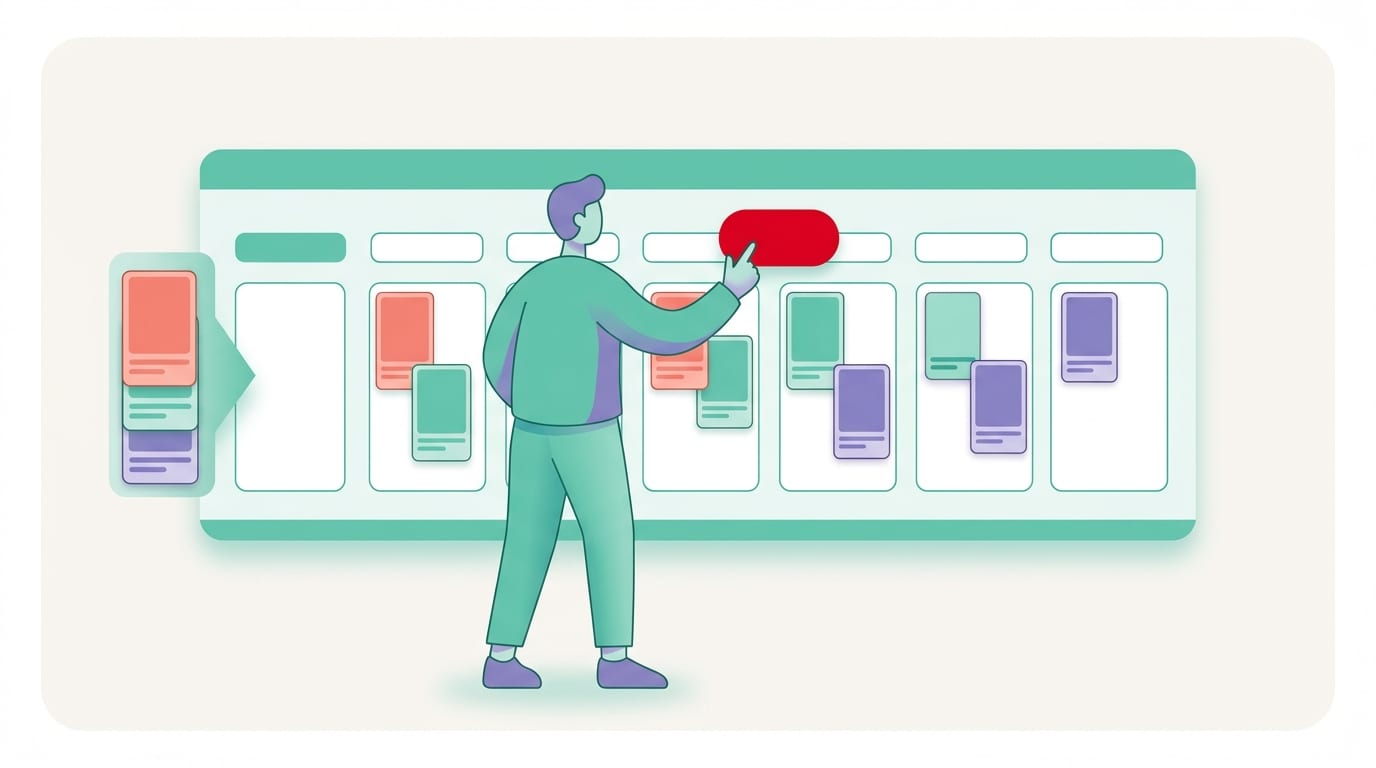
Not every Pin deserves your scheduling queue. Some content is strategic. Some content is filler wearing a fancy hat. A strong pin scheduler plan includes a mix of content types that support discovery, traffic, and conversions.
Here are the main categories to include:
- Evergreen blog posts: Tutorials, guides, recipes, checklists, and how-to articles that remain useful over time.
- Seasonal content: Holiday gift guides, summer recipes, back-to-school ideas, wedding inspiration, tax prep tips, and trend-based posts.
- Product Pins: Individual products, collections, bestsellers, new arrivals, and use-case-based product Pins.
- Lead magnets: Free templates, ebooks, checklists, webinars, and printable resources.
- Affiliate content: Buying guides, product comparisons, roundups, and niche recommendations.
- Video Pins: Short demonstrations, transformations, recipes, styling tips, and product previews.
Video deserves special attention. Pinterest has invested heavily in visual shopping and engaging formats. Short video Pins can help you stand out in the feed, especially for tutorials, product demos, recipes, and before-and-after content. According to Hootsuite’s social media trends research, brands continue to prioritize formats that capture attention quickly and communicate value visually, which fits Pinterest rather nicely.
If you are an e-commerce seller, scheduling product Pins can be especially powerful. PinGenerator can import products from Shopify, Etsy, WooCommerce, or CSV files and turn listings into Pinterest-ready Pins. That means your product catalog can become a steady stream of discovery content instead of sitting quietly in your store like a shy potato.
Common Pin Scheduler Mistakes That Make Pinterest Sad
A pin scheduler is powerful, but only if you use it thoughtfully. Automation should make your strategy smoother, not turn your account into a spam cannon wearing glitter.
Here are the mistakes to avoid:
Scheduling the Same Pin Everywhere
Do not publish the exact same Pin to a dozen boards in rapid succession. It looks repetitive, and it does not create much value. Instead, use different designs, descriptions, and timing. Space things out.
Ignoring Board Relevance
Your board choice should match the Pin topic closely. Pinterest uses relevance signals to understand and distribute content. If your Pins land on unrelated boards, you may confuse the algorithm and your audience. Nobody wins. Especially not the algorithm, and it was already having a weird day.
Forgetting the Destination Page
A beautiful Pin that links to a weak page is like a shiny restaurant sign leading to an empty fridge. Make sure your destination page loads quickly, matches the Pin promise, works on mobile, and gives visitors a clear next step.
Using Weak Titles and Descriptions
Your Pin copy should be clear, keyword-rich, and appealing. Avoid vague titles like “Great Ideas” or “Things You’ll Love.” Tell people what they will get. “12 Budget Bathroom Makeover Ideas for Renters” is much stronger than “Bathroom Stuff.” Unless your target audience is raccoons. Then maybe.
Never Checking Analytics
Scheduling without tracking is just organized guessing. Pinterest analytics, Google Analytics, and your scheduler’s reporting can show what works. According to HubSpot’s marketing statistics, data-driven marketing remains central to improving campaign performance across channels. Pinterest is no exception.
How to Track Whether Your Pin Scheduler Is Actually Working
Posting more Pins is not the final goal. The final goal is business impact: traffic, subscribers, sales, affiliate commissions, leads, bookings, or brand discovery. Your pin scheduler should help you publish consistently, but your analytics should tell you whether that consistency is paying off.
Track these core metrics:
- Impressions: How often your Pins appear on Pinterest.
- Saves: How often users save your Pins to their boards, which can extend distribution.
- Outbound clicks: How many users click from Pinterest to your website or store.
- Click-through rate: The percentage of impressions that become clicks.
- Top boards: Which boards drive the strongest engagement and traffic.
- Top URLs: Which blog posts, products, or landing pages perform best.
- Conversions: Sales, signups, downloads, or other business outcomes from Pinterest traffic.
Do not judge Pins too quickly. Pinterest often has a slower burn than platforms built around instant engagement. A Pin may take weeks to gain traction. This is why scheduling and tracking over 30, 60, and 90 days gives you a more accurate picture.
Look for patterns. Do list headlines outperform question headlines? Do bright templates get more saves? Do product close-ups beat lifestyle images? Do evening posts drive more clicks? Does one board consistently outperform others? Your pin scheduler gives you the structure. Your analytics give you the treasure map. Ideally, the treasure is not buried under 11 spreadsheets named “final-final-v3-actually-final.”

Advanced Pin Scheduling Tips for People Who Like Winning
Once your basic scheduling system is running, you can level up. This is where Pinterest becomes less “post and hope” and more “test, refine, repeat, and occasionally brag politely.”
Use Repeating Pins Carefully
Repeating Pins can help keep your best content circulating, especially evergreen blog posts or high-performing products. But avoid repeating too frequently. Give content room to breathe. Use different creatives and descriptions to keep things fresh.
Create Campaign-Based Queues
Instead of one giant content pile, build queues around themes: holiday gifts, summer travel, beginner tutorials, product launches, seasonal recipes, or home organization. This helps your Pinterest account feel timely and intentional.
Schedule Ahead for Seasonal Searches
Pinterest users plan early. If your content is seasonal, publish ahead of demand. Christmas content often starts gaining interest months before December. Wedding content can perform year-round but spikes around planning seasons. Tax tips should appear before everyone is stress-eating crackers in April.
Repurpose Existing Content
One blog post can become multiple Pins. One product can become multiple use-case Pins. One YouTube video can become tutorial Pins. One buying guide can become a set of comparison Pins. Your scheduler helps distribute all those assets over time.
Use RSS Automation for Blogs
If you publish blog content regularly, RSS automation can save serious time. PinGenerator can connect to an RSS feed and automatically turn new blog posts into Pins. That means every new article can enter your Pinterest workflow without you manually starting from scratch.
If you are exploring Pinterest as part of a side income strategy, this guide on Pinterest side hustles is worth reading. Scheduling is especially useful when Pinterest supports affiliate marketing, digital products, printables, niche blogs, or e-commerce projects.
Why PinGenerator Works Well as a Pin Scheduler
There are plenty of tools that schedule social posts. But Pinterest is its own creature. It has search behavior, visual formats, board relevance, evergreen traffic, seasonal planning, and design-heavy content demands. A general-purpose scheduler can help, but a Pinterest-specific workflow is usually faster and more effective.
PinGenerator is built specifically for Pinterest marketers who need volume, quality, and consistency without hiring a designer or living inside Canva forever. Its biggest advantage is that it connects the entire process:
- Import a URL, product listing, store catalog, CSV, or RSS feed
- Generate multiple fresh Pin designs from templates
- Customize colors, fonts, branding, and layouts
- Use AI to create titles, descriptions, and alt text
- Schedule Pins in bulk across relevant Pinterest boards
- Set up repeating Pins and automation for ongoing visibility
That matters because Pinterest success is not just scheduling. It is scheduling enough good content consistently. If it takes 20 minutes to make one Pin, your “consistent strategy” will eventually collapse under the weight of real life, laundry, and that one client who sends feedback in seven separate emails.
PinGenerator helps businesses, bloggers, creators, affiliate marketers, agencies, and e-commerce sellers produce Pinterest content at scale. It is trusted by over 34,000 companies and has a 4.6/5 rating from hundreds of user reviews. The free plan includes 15 pin credits per month, which makes it easy to test before committing. For users who need more volume, paid plans include access to templates, AI writing, scheduling, keyword research, trend alerts, and advanced automation depending on the tier.
In short: if your Pinterest problem is “I know I should post more, but I do not have the time,” PinGenerator is designed to solve exactly that.
A Simple 30-Day Pin Scheduler Plan You Can Steal
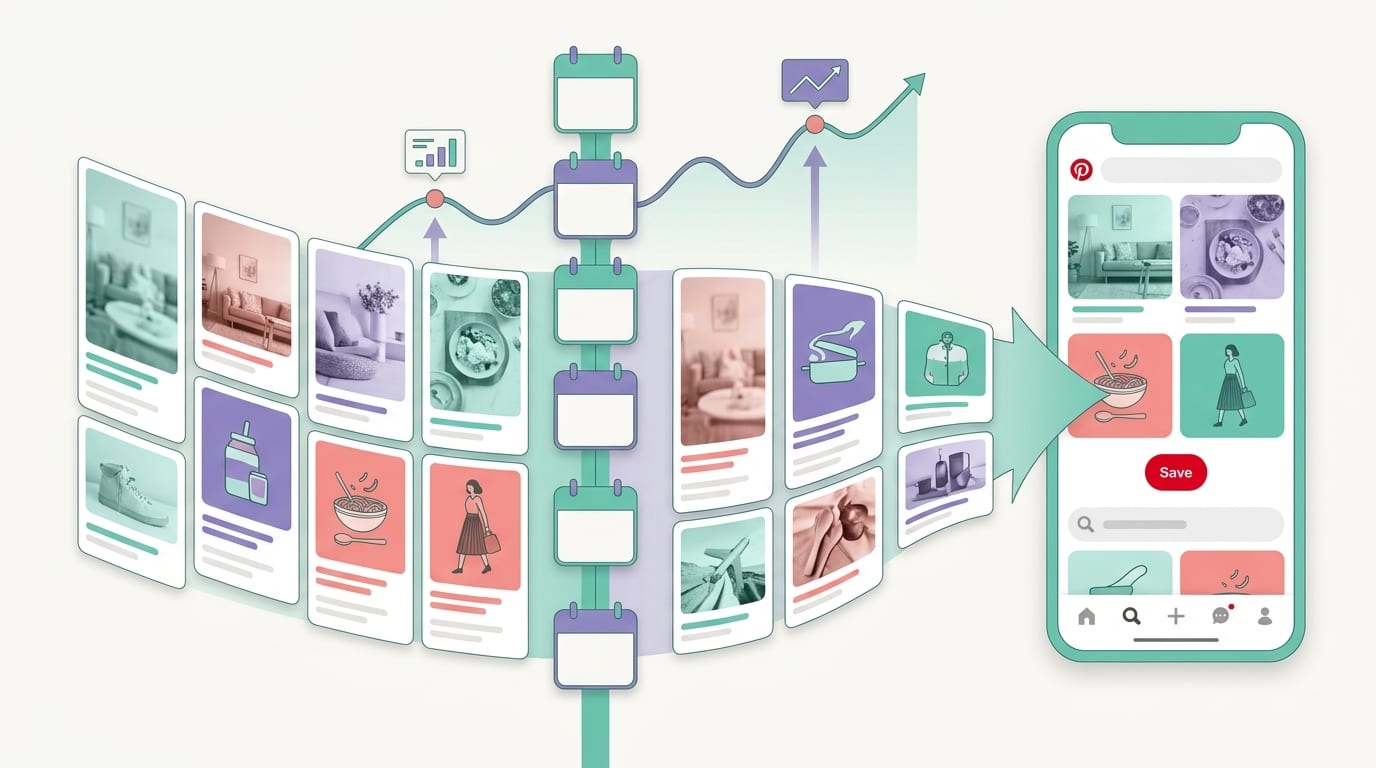
Let’s turn all this into a practical plan. Here is a simple 30-day schedule you can adapt to your niche.
Week 1: Setup and Content Selection
- Choose 10 priority URLs, products, or landing pages.
- Create or refresh 3 to 5 relevant Pinterest boards.
- Research 2 to 4 keywords per content topic.
- Generate 3 fresh Pin designs for each URL.
Week 2: Schedule and Test Timing
- Schedule 3 to 5 Pins per day.
- Use different time slots: morning, afternoon, evening, and weekend.
- Assign Pins only to relevant boards.
- Vary headlines and descriptions naturally.
Week 3: Add More Creative Variations
- Identify the Pins getting early impressions or saves.
- Create new variations of the best topics.
- Try different templates, colors, or headline styles.
- Add seasonal or trend-based content if relevant.
Week 4: Review and Optimize
- Check outbound clicks, saves, impressions, and top boards.
- Move future Pins into the best-performing time windows.
- Create more Pins for your strongest URLs.
- Pause or revise content that gets no traction after enough testing.
This plan is intentionally simple. Fancy systems are fun until you need three dashboards, five color-coded tabs, and a ceremonial candle to post a Pin. Start small, learn fast, and build from there.
Final Thoughts: Schedule Smarter, Not Harder
A pin scheduler is not just a convenience tool. It is the backbone of a consistent Pinterest strategy. It helps you plan ahead, publish regularly, test timing, batch content, and keep your best ideas circulating long after you have moved on to the next blog post, product launch, or snack break.
The winning formula is straightforward: create fresh Pins, use relevant keywords, schedule consistently, match Pins to the right boards, and track what drives traffic. Do that for 30 to 90 days and you will have real data—not vibes, not guesses, not “my cousin said evenings are good.” Actual useful data.
If you want to make the process dramatically faster, PinGenerator brings design, AI writing, bulk creation, and Pinterest scheduling into one purpose-built platform. Paste a URL, import your products, generate fresh Pins, and schedule them without turning your afternoon into a graphic design escape room.
Your next step: pick five URLs, create three Pin variations for each, schedule them across the next week, and watch the numbers. Tiny system. Big potential. Minimal raccoon feeding.