
Pinterest Ban Recovery Guide: Your Complete Action Plan
18 June 2025
Why Your Pinterest Account Got Banned (And What It Really Means)
Getting that "account suspended" email can feel like a punch to the gut. But before you spiral, take a breath. A Pinterest ban is almost never personal. It's usually triggered by an automated system that flagged your activity for looking like spam, even when your intentions were completely legitimate. Knowing this is the first step to getting your account back online.
The Bot Behind the Ban
Pinterest uses algorithms to keep the platform safe, and these bots are always on the lookout for patterns that violate its Community Guidelines. While they do a lot of good, they can be a bit too aggressive. A sudden jump in your pinning frequency (even with a scheduler) or using the same link on too many boards in a short time can set off alarm bells.
Your brilliant marketing strategy might look like a spam attack to a machine that doesn't understand context. This is the most common reason for a surprise Pinterest account suspension, and it happens to the best of us.
Common Triggers and Widespread Errors
Often, it's the simple, innocent mistakes that lead to the most frustrating suspensions. The Pinterest algorithm is particularly sensitive to a few things:
- Pinning way too often in a small window of time.
- Using URL shorteners that mask the final destination link.
- Copy-pasting the exact same description or comment over and over.
- Creating content that accidentally brushes up against prohibited topics like health claims or get-rich-quick schemes.
Sometimes, the fault isn't yours at all—it's a glitch on Pinterest's end. A massive example was the ban wave in late April 2025, when tons of rule-abiding users found their accounts suspended overnight for no reason. This mess showed just how easily AI moderation can misfire, impacting everyone from small business owners to food bloggers. You can explore how AI moderation can impact user accounts to see just how widespread the issue was.
To figure out your next move, you first need to understand what kind of suspension you're dealing with. The table below breaks down the different types of bans and what they mean for your account.
| Ban Type | Duration | Visibility Impact | Recovery Options |
|---|---|---|---|
| Shadowban | Varies (Days to Weeks) | Your pins get drastically reduced reach and impressions. Your profile is hard to find. | Correct the behavior (e.g., slow down pinning) and wait it out. An appeal is usually not an option. |
| Temporary Suspension | 24-72 hours | Your account is completely inaccessible. You can't log in or post. | A formal appeal to Pinterest support is usually successful. This is often a warning. |
| Permanent Ban | Indefinite / Permanent | Your account and all its content are gone for good. Your URL may be blocked. | You can appeal, but the success rate is much lower. Requires a very strong case. |
As you can see, not all bans are a death sentence for your account. Identifying the type of ban and its likely cause is the key to crafting a successful appeal and turning what feels like a permanent disaster into a temporary hiccup.
Spotting Shadow Bans Before They Kill Your Reach
While a full-blown account suspension is impossible to miss, a shadow ban is a far sneakier problem. It’s that gut-wrenching feeling you get when you check your analytics and see they’ve flatlined, yet there’s no warning email from Pinterest. Your content is technically still there, but the platform has put you on mute, making you virtually invisible to new audiences.
This kind of invisible wall isn't just a Pinterest thing. Many online entrepreneurs face similar risks on other platforms, like dropshippers who suddenly find themselves dealing with a PayPal Ban for reasons specific to that platform's rules. It’s a reminder that we’re all playing in someone else’s sandbox.
How to Tell If You're Shadow Banned
If you suspect your account has been sidelined, it's time to do some detective work. It’s usually not just one thing, but a combination of signs that points to your account's visibility being throttled.
Here are the biggest red flags to look for:
- A sharp, sudden drop in impressions and outbound clicks. I'm not talking about a slow week; this is a nosedive that happens overnight with no logical explanation.
- Your pins have vanished from search results. Go ahead and try it—search for your own content using the exact, specific keywords you targeted. If your pins are nowhere to be found, that's a bad sign.
- Your content isn't showing up in hashtag feeds. This is another classic test. Post a new pin and immediately check the hashtag feeds you used. If it's not there, your reach is almost certainly restricted.
- Engagement from your followers has disappeared. When even your loyal followers aren't seeing your new pins in their feeds, it’s a strong indicator that something is wrong.
So, what causes this? Most of the time, it's a case of an overzealous spam filter. A shadow ban happens when Pinterest's algorithm flags your account for behavior it deems "spammy," like pinning too frequently or using the same URLs too often, even if your intentions are good. The system is built to stop actual spammers, but sometimes it casts too wide a net.
Pinterest is constantly tweaking its algorithm, but you can help your case by maintaining a natural, consistent posting cadence. You can learn more about how Pinterest's spam filter works to better understand what to avoid. Don't just dismiss a bad week as a fluke; actively checking for these signs can be the difference between a quick recovery and a long-term disaster for your account.
Writing Appeals That Actually Get Your Account Back
It’s a sinking feeling when you see that “account suspended” notice. But what you do next is what truly matters. Sending off a frantic, angry, or defensive message is the fastest way to get your appeal rejected. You have to remember you’re writing for a person, not a machine, and your approach can mean the difference between getting your account back and losing it for good.
The Anatomy of a Winning Appeal
Your appeal should be treated like a formal business email, not a desperate text message. The objective is to demonstrate that you're a creator who respects the platform's rules, even if an automated system mistakenly flagged your content. A successful appeal finds the sweet spot between taking responsibility and explaining your side.
Instead of a defensive "I didn't do anything wrong!" try a more professional approach: "My account was recently suspended, and I believe this may have happened in error due to your automated moderation systems." This opens a dialogue without being confrontational. Make sure your message always includes:
- Your Pinterest username and the email address linked to your account.
- A quick, polite summary of what your account is for (e.g., “I use this account to share recipes from my food blog”).
- A clear statement that you have reviewed the Community Guidelines since the suspension.
Phrases and Tactics That Sabotage Your Case
What you don’t say is just as crucial as what you do. The support team likely wades through a sea of angry messages daily. Being the calm, reasonable person in that queue automatically sets you apart and improves your chances.
Stay away from these common missteps:
- Threats or hostile language: "If you don't give me my account back, I'll tell all my followers how awful you are!"
- Blaming the platform: "Your dumb bots banned me for no reason." Even if it feels true, it sounds aggressive.
- Writing an epic novel: Keep your appeal focused. Three to four short paragraphs is the perfect length.
- Making demands: Using phrases like "I need my account restored IMMEDIATELY" will get you nowhere fast.
To help you structure your appeal effectively, we've analyzed what works based on successful account recoveries. The table below breaks down the key elements that have the biggest impact on getting a positive response.
| Appeal Element | Success Rate Impact | Required Information | Common Mistakes |
|---|---|---|---|
| Polite and Professional Tone | High | Use respectful language; address the situation calmly. | Using angry, demanding, or threatening language. |
| Acknowledge Guidelines | High | State that you have read Pinterest’s Community Guidelines. | Ignoring the rules or claiming they don't apply. |
| Clear Account Purpose | Medium | Your username, email, and a brief description of your niche. | Assuming the reviewer knows who you are or what you do. |
| Brevity and Clarity | Medium | Keep the appeal to 3-4 concise paragraphs. | Writing a long, rambling story with irrelevant details. |
As the table shows, a professional and informed approach is your most powerful tool. It shows the Pinterest team you're a serious creator worth keeping on the platform.
A carefully written appeal is your best shot at reversing a Pinterest ban. For a deeper dive into the suspension process, check out our guide on what to do when your Pinterest account is suspended. Remember to be persistent—if you suspect an automated reply denied your first appeal, it’s perfectly fine to politely reply and request a review by a human.
Mastering Pinterest Community Guidelines Like a Pro
If you think a quick skim of the community guidelines is enough to prevent a Pinterest ban, you might be in for a rude awakening. The real trick is learning the unwritten rules and seeing how policies are applied in the real world. So many creators get their accounts flagged because they stumble into a gray area where a seemingly innocent pin is interpreted as a violation.
Navigating the Content Gray Areas
Some rules are straightforward, but others can feel incredibly vague. For example, the rules around affiliate links are a classic minefield. While Pinterest allows them, the spam filters are extremely sensitive to certain affiliate networks or links that come across as too salesy. What passes as a perfectly fine disclosure on your website could easily get your pin taken down.
This is where you have to be your own content moderator. Regularly go through your pins and ask yourself some honest questions:
- Does this pin make a promise that sounds too good to be true?
- Could my destination URL be seen as misleading or spammy?
- Is this pin description actually useful, or is it just stuffed with keywords?
Staying on the right side of these subtle rules is what separates a healthy account from a banned one.
Understanding Proactive Policy Shifts
Pinterest's rules aren't set in stone; they change, sometimes in major ways. A perfect example is their big move in July 2021 to become the first major social platform to ban all weight-loss advertising. This wasn't just for paid ads—it included any content with weight-loss testimonials or language that could be seen as body-shaming. This decision proved Pinterest is serious about protecting its users, even if it means cutting out a popular content category. You can read more about Pinterest’s unique policies to see where they're headed.
This just goes to show you can't treat your Pinterest strategy as a "set it and forget it" task. The best long-term defense against suspension is staying informed about these shifts and building a content plan that respects the platform's core mission.
Rebuilding Your Pinterest Presence The Smart Way
So, you either won your appeal or you're starting from scratch. That urge to jump right back in and pin like you used to is strong, but you have to resist it. The secret to a lasting comeback and avoiding another Pinterest ban is to rebuild your presence carefully, proving to the algorithm that you’re a real creator with valuable content. This isn't just about getting back on the platform; it's about building an account that's even stronger than before.
Think of it like returning to the gym after an injury. You wouldn't immediately try to lift your personal best. You’d start slow, focus on perfect form, and gradually add more weight. Your Pinterest account needs that same deliberate approach. A sudden burst of activity can look exactly like the spammy behavior that got you flagged in the first place.
The Slow-And-Steady Ramp-Up
Your number one goal for the first couple of weeks is to re-establish trust with Pinterest's algorithm. This means your activity needs to look natural and human.
- Start small: Begin by posting just 3-5 high-quality pins per day. Focus only on your best-performing content—the stuff your audience already loves.
- Mix up your formats: Don't just post standard image pins. Weave in Idea Pins and Video Pins. This variety signals that a real person is carefully curating the account with engaging content.
- Space out your posts: Use a scheduler to spread your pins throughout the day. Dropping all your content in a single hour-long block is a classic spam trigger.
Creating a More Resilient Strategy
After you’ve kept up a consistent, low-volume routine for a few weeks, you can start to scale things up. This time, however, you'll do it with a safety net in place.
- Document everything: Keep a simple spreadsheet that tracks what content you pin and when. If you ever face another suspension, this documentation can be powerful proof in your appeal.
- Diversify your destinations: Avoid sending dozens of pins to the exact same URL in a short time frame. Point your pins to different blog posts, product categories, or landing pages to demonstrate a broader content strategy.
- Build a long-term vision: A successful recovery goes beyond the first few weeks. Laying out a structured growth strategy is key for long-term success. For a great framework, check out our guide on creating your 3-month Pinterest success plan.
This patient approach rebuilds your account on a solid foundation, making it much less likely to be affected by future algorithm updates or hiccups.
Pinterest Ban Prevention That Actually Works
While it’s good to know how to recover a Pinterest account, let’s be honest—the real goal is to never get that dreaded Pinterest ban email in the first place. Staying off Pinterest’s radar isn’t a one-time setup; it’s a continuous effort to keep your account healthy and your strategy sustainable.
Smart Automation and Content Curation
Automation tools are fantastic for staying consistent, but they need a smart human behind the wheel. The biggest mistake is to "set it and forget it." Think of your scheduler as an assistant, not a replacement for your strategy. For example, instead of blasting the same URL out 50 times in a week, use your scheduler to intelligently mix up your links, pointing to different blog posts, product pages, and categories to look more like a real person sharing valuable content.
Just as critical is where your images come from. So many accounts get flagged for copyright issues, and it's completely avoidable. To keep your account safe, follow these simple rules:
- Stick to using your own original photography and videos.
- Buy licenses for any stock images you use from reputable sites.
- Never, ever just grab images from a Google search or another person’s Pinterest account.
This one discipline is probably the most powerful shield you have against getting suspended.
Monitoring and Strategic Diversification
Preventing a ban also means paying attention. Keep an eye on your analytics. If you see a sudden, unexplained drop in your reach or clicks, don’t just brush it off. It can be an early warning sign that something is amiss with your account's health in the eyes of the algorithm.
Beyond watching your stats, the smartest thing you can do for your business is to diversify your traffic. You never want a problem on one platform to bring your entire business to a halt. To build a more resilient brand, consider running targeted social media campaigns on other platforms to create multiple streams of traffic. This makes any single platform issue a small bump in the road, not a catastrophe.
Your Pinterest Recovery Action Plan
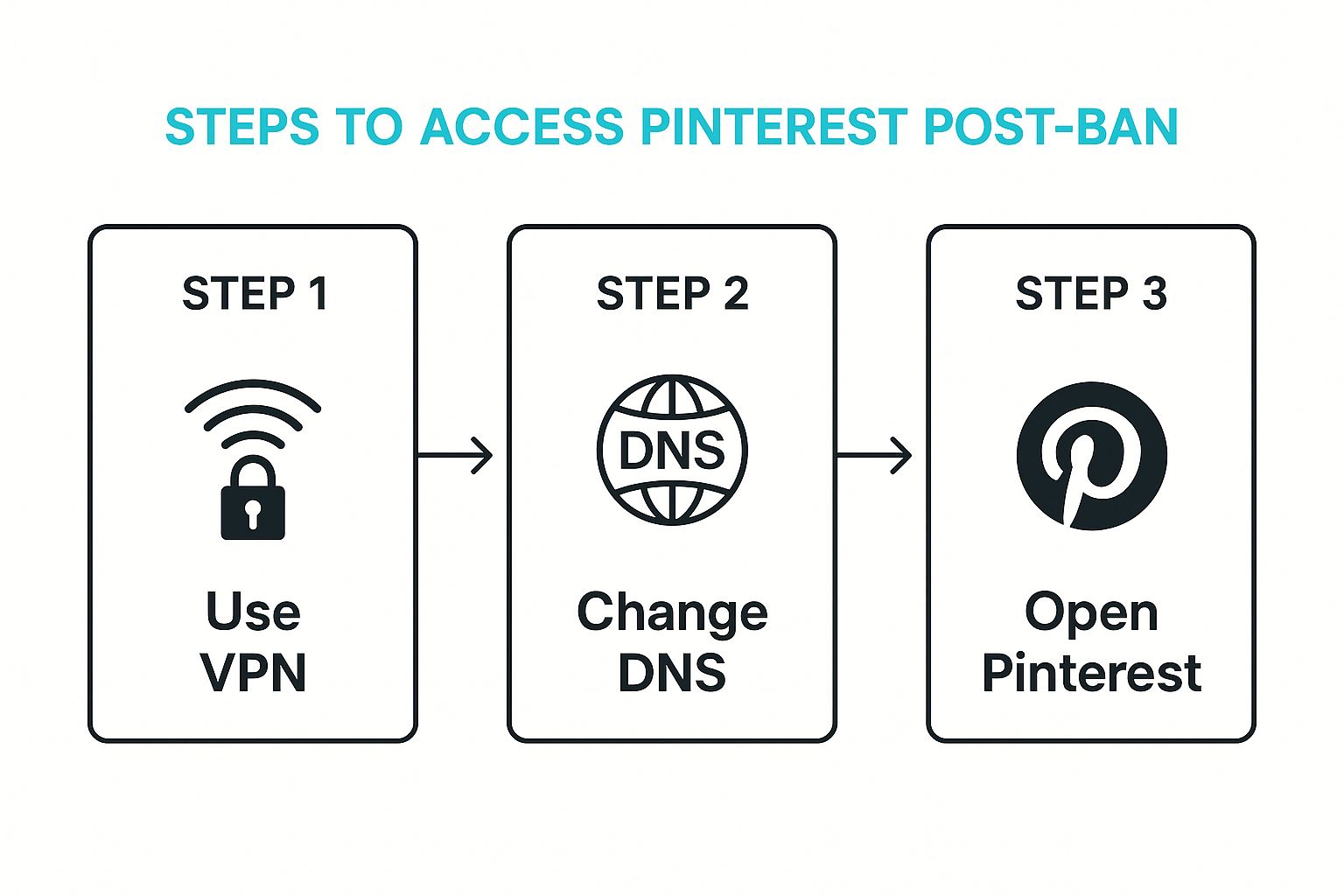
Seeing that account suspension notice from Pinterest can make your stomach drop. It’s tempting to fire off a frustrated email, but a calm, methodical approach will get you much better results. The very first thing you should do is document everything. Grab screenshots of the suspension email or notification and try to recall your most recent pinning activity. This evidence will be your best friend during the appeal process.
Your First 24 Hours: Damage Control
Think of the first day as your fact-finding mission. Before you even think about contacting support, you need to play detective with your own account. Look back at the last few days of your activity.
- Did your pinning frequency suddenly spike?
- Did you repeatedly pin the same URL to multiple boards in a very short time?
- Did you use a URL shortener that Pinterest might have flagged?
Finding the likely cause isn't about blaming yourself; it's about understanding what might have triggered Pinterest's automated spam filters. This gives you a clear and informed angle when you write your appeal.
Long-Term Account Protection
Getting your account back is the first hurdle. Keeping it safe for the long run requires a shift in strategy. It's not just about avoiding breaking the rules, but about acting like a high-quality creator on the platform. This means creating content that feels authentic and fits the platform's natural rhythm. To get a better sense of this, you can explore guides on seasonal content like Pinning for the Holidays. This kind of strategic thinking helps you stay on Pinterest's good side.
Of course, maintaining a consistent and safe pinning schedule manually is a massive time sink. This is exactly why so many creators rely on automation tools built with Pinterest's guidelines in mind.
Using a tool like Pin Generator allows you to create and schedule your content safely and consistently. It helps you maintain that perfect, algorithm-friendly pace without the constant stress and guesswork. Ready to build a more resilient Pinterest account? Get started with Pin Generator today.