
Pinterest Board Optimization
23 June 2026
Pinterest board optimization is the unglamorous little engine behind Pinterest traffic. It is not as flashy as designing a gorgeous pin. It will not make your coffee taste better. It will, however, help Pinterest understand what your content is about, who should see it, and why your boards are not just digital junk drawers wearing cute names like “Stuff I Like.”
If your Pinterest account feels busy but not productive, your boards may be the problem. A messy board structure can confuse Pinterest, dilute your keywords, and make your profile look like it was organized by a raccoon with Wi-Fi. The good news? Fixing it is very doable. With the right board names, descriptions, sections, pin organization, and analytics habits, your Pinterest account becomes easier to discover, easier to navigate, and much more useful for driving clicks.
In this guide, we’ll walk through step-by-step Pinterest board optimization strategies you can use whether you’re a blogger, e-commerce seller, affiliate marketer, agency, or small business trying to squeeze more organic traffic out of Pinterest without sacrificing your entire afternoon to the algorithm goblin.
What Is Pinterest Board Optimization, Really?
Pinterest board optimization is the process of organizing, naming, describing, and maintaining your Pinterest boards so they are easier for Pinterest and users to understand. Think of your boards as topical folders. Each one sends signals about your niche, your content, and the types of searches where your pins may appear.
Pinterest is not just a social media platform. It is a visual search engine. People go there to find ideas, products, recipes, tutorials, outfits, decor inspiration, business tips, travel plans, and occasionally “how to organize my life” boards that become a second form of procrastination. Because Pinterest behaves like a search engine, your boards matter for Pinterest SEO.
According to Pinterest Business audience insights, people use the platform to discover and plan what to do or buy next. That means your boards should not be random collections. They should be strategically built around what your audience is searching for.
Optimized boards help with:
- Discoverability: Clear board keywords make it easier for Pinterest to categorize your pins.
- User experience: Visitors can quickly understand what you offer and find relevant content.
- Topical authority: Well-focused boards reinforce your niche instead of scattering your account across unrelated topics.
- Pin performance: Pins saved to relevant boards can gain stronger contextual signals.
- Content planning: Organized boards make it easier to schedule pins consistently and avoid “where does this go?” panic.
If you already have dozens of boards and feel a tiny bead of sweat forming, relax. You do not need to burn the whole thing down and start over. A smart cleanup can make a big difference. If you want a broader account-level cleanup, read this helpful guide on how to audit your Pinterest account before you start rearranging everything like an over-caffeinated librarian.
Start With a Board Strategy, Not Board Spaghetti
Before you rename boards, write descriptions, or create sections, step back and ask: what is this account supposed to be known for?
Your Pinterest boards should support your business goals. If you sell handmade candles, your boards might cover candle care, cozy home decor, gift ideas, aromatherapy, seasonal home styling, and self-care routines. If you run a food blog, your boards could include easy dinner recipes, healthy lunches, vegan desserts, air fryer recipes, meal prep ideas, and holiday baking.
The mistake many accounts make is creating boards based on whims. One week it’s “Dream Kitchens,” the next it’s “Cute Dogs,” then “Marketing Tips,” then “Cottagecore Mushroom Lamps.” Charming? Yes. Strategic? Not unless your business is selling mushroom lamps to dogs who need marketing advice.
Use these questions to define your board strategy:
- What topics do I want Pinterest to associate with my brand?
- What products, blog categories, or services do I want to promote?
- What problems is my target audience trying to solve?
- What keywords are people searching for in my niche?
- Can I create or schedule fresh pins to these boards consistently?
A good starting point is 8 to 15 highly relevant boards. You can expand later, but avoid creating 60 boards with three pins each. Thin boards look neglected, and neglected boards are the Pinterest equivalent of a restaurant with one flickering light and no menu.
If you need inspiration, explore these Pinterest board ideas to spark board topics that are actually useful instead of merely adorable.
Name Your Boards Like a Human, But Feed the Algorithm
Board names are one of the most important parts of Pinterest board optimization. They should be clear, keyword-rich, and immediately understandable. Cute names can work for personal collections, but business accounts need clarity first.
For example, “Nom Nom Magic” might make sense to you, your cat, and three loyal followers. But “Easy Dinner Recipes” is far more searchable. Pinterest needs obvious clues. Users do too. Nobody wants to decode your brand poetry while trying to find chicken tacos.
Strong board names usually include a primary keyword. Examples:
- “Easy Weeknight Dinners” instead of “Food I Love”
- “Modern Farmhouse Decor” instead of “Home Vibes”
- “Pinterest Marketing Tips” instead of “Business Stuff”
- “Etsy SEO Tips” instead of “Seller Secrets”
- “Toddler Activities at Home” instead of “Tiny Human Chaos”
That does not mean your board names must sound robotic. You can still be specific and engaging. “Budget-Friendly Bathroom Makeovers” is both searchable and appealing. “Closet Organization Ideas for Small Spaces” is clear, practical, and keyword-rich. “Vegan Comfort Food Recipes” tells Pinterest and users exactly what lives there.
According to Moz’s guide to keyword research, understanding the language your audience uses is a core part of search visibility. The same principle applies on Pinterest. Use words your audience actually types into the search bar, not internal jargon only your team understands.
A simple formula for board names is:
Audience interest + specific topic + optional modifier
Examples:
- “Healthy Meal Prep Ideas”
- “Wedding Guest Dresses”
- “DIY Home Office Decor”
- “Pinterest SEO for Bloggers”
- “Christmas Gift Ideas for Moms”
Do not keyword-stuff board names into monstrosities like “Pinterest Marketing Tips Pinterest SEO Pinterest Strategy Pinterest Growth.” That looks spammy and reads like a blender full of keywords. One clear phrase is enough.
Write Board Descriptions That Actually Do Something
Board descriptions are often ignored, which is a shame because they are a useful place to add context and keywords. A board description tells Pinterest what the board is about and tells users what they will find there.
A good board description should be natural, specific, and keyword-rich. Aim for two to four sentences. Include related terms, but keep it readable. Imagine explaining the board to a human being, not chanting keywords into a cave.
Here is a weak description:
“Recipes I like.”
Here is a stronger version:
“Find easy weeknight dinner recipes, quick family meals, healthy comfort food, and simple meal prep ideas for busy schedules. This board includes chicken dinners, pasta recipes, one-pan meals, and budget-friendly dinner inspiration.”
See the difference? The second version gives Pinterest a full topic map. It includes relevant keywords without sounding like a spam sandwich.
For an e-commerce example, a board called “Boho Bedroom Decor” might use this description:
“Explore boho bedroom decor ideas including rattan furniture, neutral bedding, woven wall art, cozy lighting, and small bedroom styling tips. Save inspiration for creating a relaxed, earthy bedroom with modern bohemian style.”
Board descriptions should include:
- Your main keyword or phrase
- Related subtopics
- Who the board is for
- What kind of pins users will find
- Natural language, not keyword soup
If writing descriptions makes your brain exit the building, tools like PinGenerator can help with Pinterest-specific keyword research and AI-powered writing for titles, descriptions, and alt text. While board descriptions still deserve your personal strategy, using AI to draft pin copy and identify keyword patterns can save you from staring blankly at a cursor like it owes you money.

Use Board Sections Carefully: Tiny Rooms, Not Secret Basements
Pinterest board sections let you organize pins within a board. They can be useful, but they are not always necessary. Think of sections as subfolders. They help users browse a larger board, but they should not replace focused boards.
For example, a board called “Healthy Recipes” might include sections like:
- Healthy Breakfast Recipes
- Healthy Lunch Ideas
- Healthy Dinner Recipes
- Healthy Snacks
- Healthy Desserts
That makes sense if the board is broad and has lots of pins. But if you already have separate boards for those topics, sections may be redundant.
Use board sections when:
- A board has many related subtopics
- You want to improve browsing for users
- The sections help people find content faster
- You have enough pins to fill each section meaningfully
Avoid sections when:
- The board is already very specific
- You only have a few pins per section
- You are using sections to hide messy organization
- The section topics deserve their own boards
For businesses, sections are especially helpful for seasonal content. A “Holiday Gift Ideas” board could have sections for gifts for moms, dads, coworkers, kids, and teachers. A fashion brand might organize a “Capsule Wardrobe” board by spring, summer, fall, and winter outfits.
Just remember: sections are mostly for organization and user experience. The board itself still carries the primary SEO weight, so do not bury important topics only inside sections if they deserve dedicated boards.
Pin Organization: Put the Right Pins on the Right Boards
One of the biggest Pinterest board optimization mistakes is saving pins to irrelevant boards. It may feel harmless, but it sends confusing signals. If you pin a vegan brownie recipe to a board called “Home Office Ideas,” Pinterest may start wondering if you are okay. Fair question.
Each pin should go to the most relevant board first. That first save matters because it gives Pinterest context. If you publish a pin about “DIY floating shelves,” save it to “DIY Home Decor” or “Woodworking Projects,” not “Random Inspiration” or “Things I Might Do Someday But Probably Won’t.”
Use this hierarchy when deciding where to pin:
- Choose the most specific relevant board first.
- Then consider broader related boards.
- Avoid unrelated boards completely.
- Space out duplicate URL pins over time.
- Create fresh pin designs for the same URL instead of reposting the exact same image endlessly.
Pinterest has emphasized fresh, useful content for creators and businesses, and its own creative best practices for businesses recommend clear visuals, strong text overlays, and relevant landing pages. Board relevance fits into that same quality mindset: make the experience coherent from board to pin to destination page.
This is where workflow matters. If you are manually creating pins one by one, picking boards one by one, and writing descriptions one by one, the whole thing becomes a glue trap for your calendar. PinGenerator helps by letting you generate multiple pins from a URL or product listing, create variations using Pinterest-optimized templates, and schedule them across multiple boards. That makes it easier to stay consistent without copying, pasting, and sighing dramatically 47 times.
If you want a full workflow for staying consistent, check out this guide on how to plan and schedule a month of Pinterest pins. Your future self will send flowers.
Clean Up Old Boards Without Causing a Pinterest Soap Opera
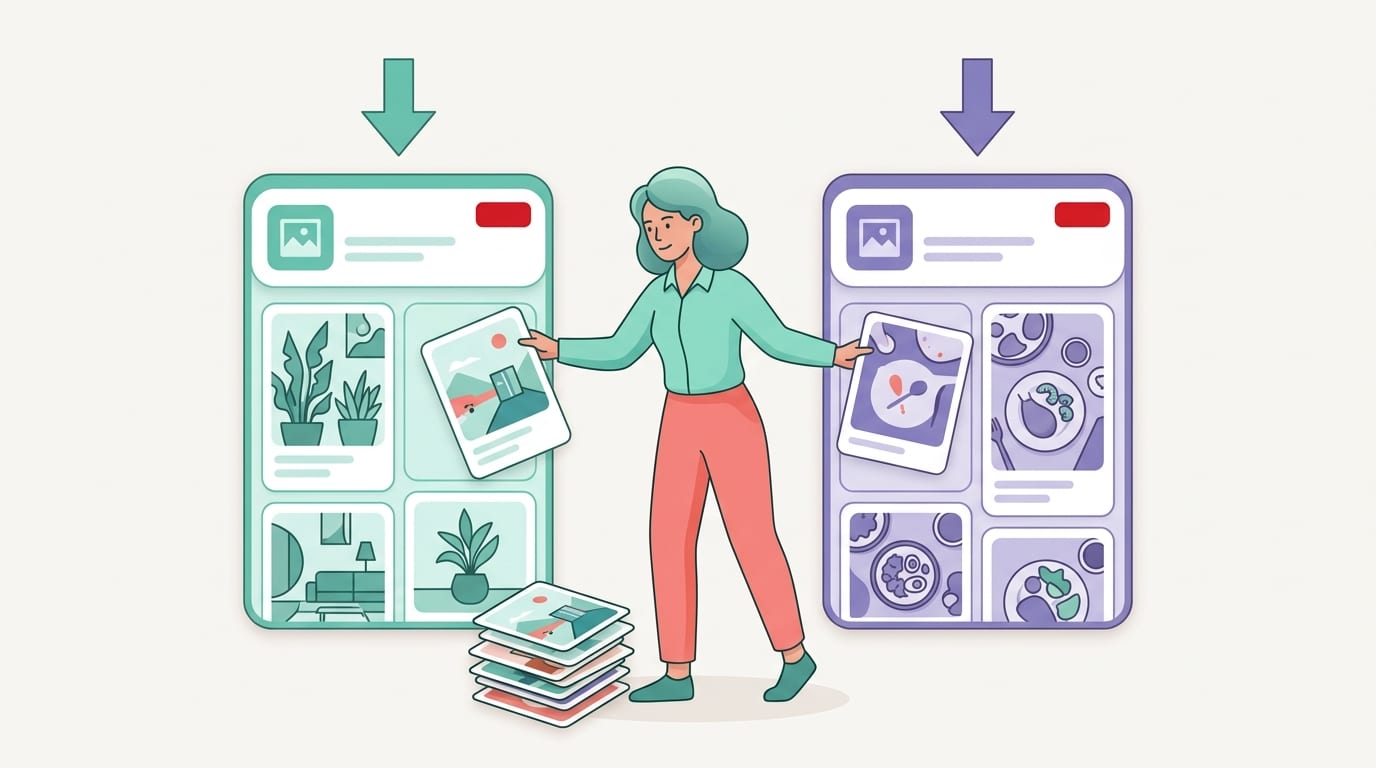
If your account has old, irrelevant, duplicate, or abandoned boards, it may be time for cleanup. This does not mean deleting everything in a dramatic midnight purge. Pinterest optimization is not a breakup montage. Be strategic.
Start by reviewing every board and sorting it into one of four categories:
- Keep: Relevant, active, keyword-aligned boards with good content.
- Update: Good topic, but weak name, description, or pin quality.
- Merge or archive: Duplicate or overlapping boards that create confusion.
- Delete: Irrelevant boards that do not support your niche or audience.
For example, if you have “Blogging Tips,” “Blog Tips,” “Tips for Bloggers,” and “Blogging Advice,” you probably do not need all four unless each has a distinct purpose. Merge the best content into one strong board, optimize the name and description, and move forward like a person with a labeled spice rack.
Be careful with boards that have followers or historical performance. If a board is irrelevant but performs well, consider whether it can be repositioned. If it is completely off-topic, archive or delete it depending on your strategy.
If you are unsure how to remove boards properly, use this step-by-step guide on how to delete boards on Pinterest. It is better than rage-clicking and accidentally deleting your best traffic source. We’ve all been emotionally vulnerable around settings menus.
Also consider secret boards. Secret boards are useful for planning content, storing ideas, or staging a new board before launch. But they do not contribute public SEO signals until published. Use them as a workshop, not a permanent hiding place for your best ideas.
Keyword Research for Boards: Stop Guessing, Start Snooping Politely
Board optimization works best when it is based on real search behavior. You can guess what people want, but Pinterest search gives you clues. Use them. It is not spying. It is market research wearing a cardigan.
Start with Pinterest’s search bar. Type your main topic and watch the suggested terms. If you type “home decor,” Pinterest may suggest related phrases like “home decor ideas,” “home decor bedroom,” “home decor living room,” or “home decor DIY.” These suggestions reflect user interest and can inspire board names, descriptions, and pin topics.
You can also look at:
- Pinterest Trends for seasonal keyword patterns
- Competitor boards in your niche
- Top-performing pins and their language
- Your Pinterest Analytics search and engagement data
- Google keyword tools for related content ideas
Pinterest Trends is especially useful for identifying when topics start gaining momentum. If you sell holiday products, wedding templates, garden supplies, school printables, or seasonal recipes, timing matters. Pinterest users often plan weeks or months ahead, so your boards should be ready before the rush, not three days after everyone has moved on to pumpkins, snowflakes, or emotional support planners.
For wider content planning, Hootsuite’s Pinterest statistics for business provide useful context on how brands use Pinterest for discovery and shopping behavior. The key takeaway: Pinterest users are planners and searchers. Your board structure should match that intent.
PinGenerator’s built-in Pinterest keyword research and trend alerts can help you find search terms worth targeting before you build your content calendar. That means you can create boards and pins around topics people are actually looking for, rather than launching “Vibes Board #17” into the void and hoping for applause.
Board Covers and Visual Consistency: Nice Outfit, Better Navigation
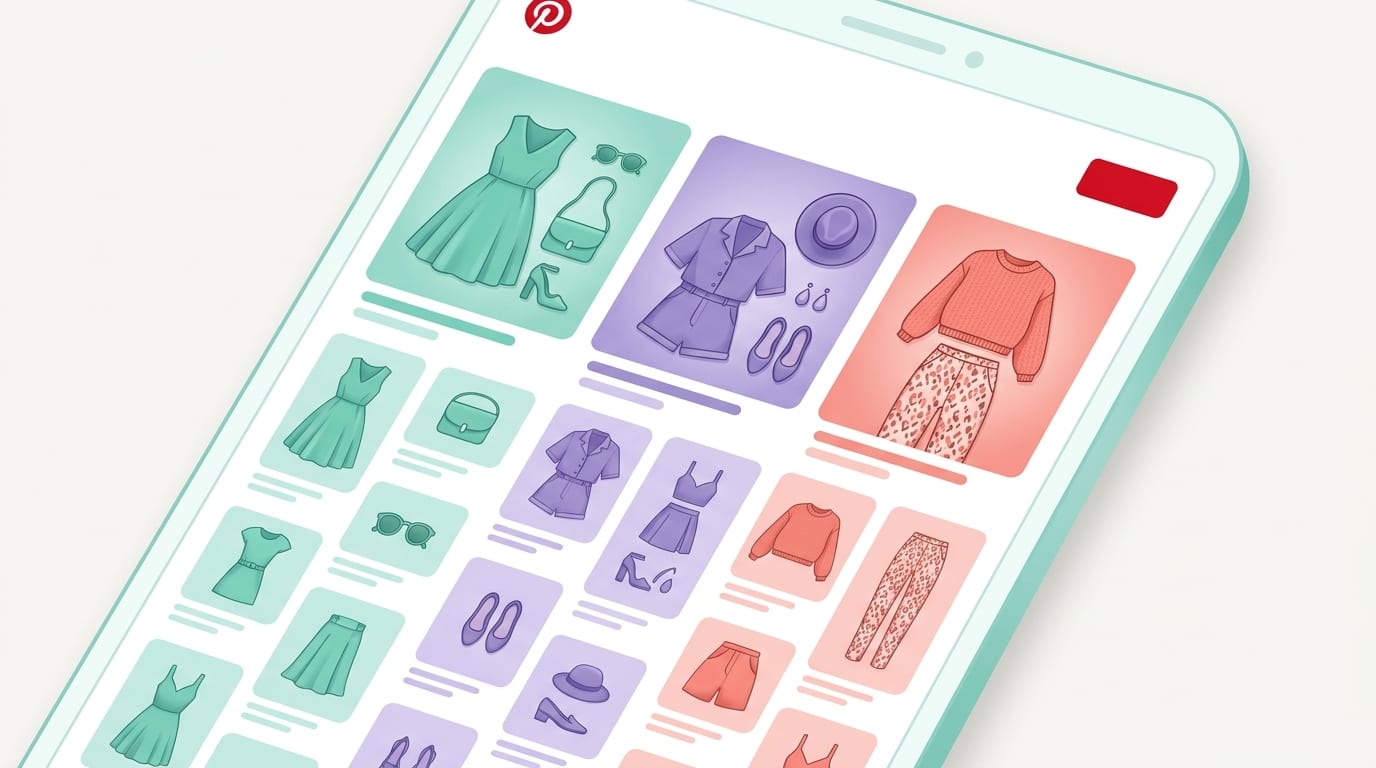
Board covers are not the biggest ranking factor, but they do affect first impressions. A clean, consistent profile can make your brand look professional, trustworthy, and worth following. A chaotic profile can make users feel like they opened a craft drawer during an earthquake.
Your board covers should make your profile easy to scan. You can use branded colors, simple text overlays, or clean visuals that represent each board. The goal is not to turn your profile into a museum exhibit. The goal is clarity.
Consider using board covers when:
- You run a business account and want a polished brand presence
- Your boards cover many topics and need visual distinction
- You want visitors to understand your niche quickly
- You manage Pinterest for clients and need professional consistency
Keep board cover text short. “Meal Prep,” “Home Decor,” “Pinterest Tips,” “Gift Ideas,” or “Wedding Planning” is enough. Tiny paragraphs on board covers are not helpful. Nobody brought a magnifying glass.
Consistency also applies to your pins. If your pins look wildly different every time, users may not recognize your brand. PinGenerator’s template system can help you create fresh variations while keeping fonts, colors, logos, and layouts on-brand. That balance matters: Pinterest likes fresh content, but your audience still needs to know it’s you. Think “creative wardrobe,” not “identity crisis.”
Use Analytics to Prune, Polish, and Promote Your Best Boards
Optimization is not a one-time chore. It is an ongoing process of watching what works, improving what does not, and resisting the urge to rename everything every Tuesday.
Pinterest Analytics can show you which boards and pins are driving impressions, saves, outbound clicks, and engagement. Focus especially on outbound clicks if your goal is traffic. Saves and impressions are nice, but clicks pay the rent. Or at least help justify the snack budget.
Track these metrics by board:
- Impressions: Are people seeing pins from this board?
- Saves: Are users finding the content worth saving?
- Outbound clicks: Is the board helping drive traffic?
- Engagement rate: Are impressions turning into action?
- Top pins: Which content themes perform best?
According to Sprout Social’s guide to social media metrics, tracking the right metrics is essential because not all engagement tells the same story. On Pinterest, a board with high impressions but low clicks might need better pin designs, stronger titles, or more relevant landing pages. A board with fewer impressions but strong clicks may deserve more content because the audience intent is excellent.
Review your boards monthly or quarterly. Ask:
- Which boards are growing?
- Which boards are dead zones?
- Which keywords appear in top-performing pins?
- Do any boards need better descriptions?
- Are there boards with too few fresh pins?
- Should a strong subtopic become its own board?
If you manage multiple products, blog categories, or client accounts, analytics can quickly get messy. PinGenerator helps streamline the content side by allowing bulk pin creation, scheduling, and multi-board publishing, so when analytics tells you a topic is working, you can actually respond quickly. No design bottleneck. No manual pin factory. No crying into a spreadsheet.
Common Pinterest Board Optimization Mistakes to Avoid
Even smart marketers make board mistakes. Pinterest is simple on the surface, but there are plenty of tiny traps wearing friendly shoes.
Here are the big ones:
- Using vague board names: “Inspiration” tells Pinterest almost nothing. “Small Apartment Decorating Ideas” tells Pinterest plenty.
- Creating too many boards too soon: A smaller number of active, relevant boards is better than dozens of abandoned ones.
- Saving pins to irrelevant boards: Relevance matters. Do not pin banana bread to “Email Marketing Strategy,” even if both improve morale.
- Ignoring board descriptions: Descriptions are valuable SEO real estate. Use them.
- Never updating old boards: Your business evolves. Your boards should too.
- Using only branded language: Your audience may not search for your clever product category names. Use common search terms.
- Forgetting seasonal timing: Pinterest users plan early. Optimize seasonal boards before the season peaks.
- Deleting without reviewing: Some old boards may still drive traffic. Check analytics before swinging the axe.
Affiliate marketers should be especially careful with board relevance and disclosure-friendly content planning. If affiliate content is part of your Pinterest strategy, review these Pinterest affiliate marketing requirements so your boards and pins stay compliant and trustworthy.
The fix for most mistakes is simple: be clear, be relevant, and be consistent. Pinterest rewards accounts that make sense. Be the account that makes sense.

A Simple Pinterest Board Optimization Checklist
Here is your practical, no-fluff checklist. Use it when creating a new board or improving an old one.
- Choose a focused topic: Make sure the board supports your niche, products, services, or content pillars.
- Research keywords: Use Pinterest search suggestions, Pinterest Trends, analytics, and keyword tools.
- Name the board clearly: Use one primary keyword phrase that users actually search.
- Write a strong description: Add related keywords naturally in two to four helpful sentences.
- Add relevant pins: Start with enough quality pins to make the board useful. Avoid empty-board awkwardness.
- Use sections only if needed: Organize large boards, but do not overcomplicate small ones.
- Pin fresh content consistently: Keep boards active with new designs, updated URLs, and seasonal content.
- Review analytics: Track impressions, saves, clicks, and engagement by topic.
- Clean up quarterly: Update weak boards, merge duplicates, and remove irrelevant clutter.
- Automate where possible: Use tools to reduce repetitive work and maintain consistency.
If you want to turn this into a repeatable system, combine board optimization with a monthly pinning workflow. Create content pillars, map them to boards, generate multiple fresh pin designs for each URL, and schedule them across relevant boards over time. This is exactly where PinGenerator shines: paste a blog post URL or import products, generate Pinterest-ready designs and AI-written descriptions, then schedule pins without needing to build every graphic from scratch.
In other words, optimize the shelves, then keep stocking them. Beautifully. Efficiently. With fewer existential design crises.
Final Thoughts: Your Boards Are Not Decorations, They’re Traffic Infrastructure
Pinterest board optimization is not busywork. It is the foundation that helps Pinterest understand your account and helps users find what they came for. Clear board names, keyword-rich descriptions, relevant pin organization, smart sections, and regular analytics reviews can turn your profile from “random pin attic” into a structured discovery engine.
Start small. Pick your top 10 boards. Rename the vague ones. Rewrite the descriptions. Move irrelevant pins. Check analytics. Build a schedule. Then repeat. Pinterest growth is rarely one magical button. It is a series of smart, consistent actions that compound over time like interest, but prettier.
And if the “consistent fresh pins” part is where your soul leaves your body, let automation help. PinGenerator lets you create, write, and schedule Pinterest content at scale, so your optimized boards actually stay active. Because a well-optimized board with no fresh pins is like a fancy gym membership you never use: technically impressive, practically tragic.
Give your boards clear jobs. Feed them great content. Watch the data. Adjust as you go. The Pinterest algorithm may not send you a thank-you note, but your traffic graph just might wink at you.