
Pinterest for Beginners - Everything You Need to Know to Get Started in 2025
13 June 2026
Are you looking to get started with Pinterest in 2025? This guide covers everything you need to know about Pinterest for beginners, including how the platform works, which terms to understand, and the key strategies that will help you get set up and grow with confidence.
Pinterest is often overlooked in favor of trend-driven platforms like Instagram and TikTo, but more creators and business owners are beginning to recognize Pinterest for what it truly is – a visual search engine.
With over 570 million monthly active users, Pinterest is now the third-largest search engine in the world, just behind Google and YouTube. Unlike traditional social platforms, Pinterest is built around intent, which means users are searching for ideas, answers, and inspiration, not passive entertainment. And because the platform allows direct links, it’s an ideal channel to share valuable content that drives qualified traffic to your blog, store, or website.
So, how do you get started?
We’re breaking down everything you need to know to help you understand how Pinterest works and how to use it effectively as a beginner.
What is Pinterest?
Pinterest is not a social media platform, it is a visual search engine. Just like someone might search Google or YouTube, people are searching on Pinterest too. These searches are typically rooted in intention, not casual browsing. For example, Pinterest users might be actively looking for:
- Easy meal prep recipes
- Wedding invitation ideas
- Small apartment storage solutions
What sets Pinterest apart from traditional social media is the way content is discovered and engaged with. For example, Pinterest content is searchable and indexed, meaning your pins can continue gaining traffic for months or even years after publishing.
Users also come to Pinterest with clear intent. They’re actively searching for ideas, solutions, or products, which makes them far more likely to click, save, and take action.
Additionally, more than 96% of Pinterest searches are unbranded. Instead of looking for a specific company or influencer, users are searching for the best and most relevant content available, which creates a powerful opportunity for smaller creators to compete and grow.
Prefer to watch instead of read? We’re breaking down all of this in our Pinterest for Beginners YouTube video. Check it out here:
Pinterest Account Types: Personal vs Business
If you are planning to use Pinterest to grow your blog, business, or online store, the first step is choosing the right account type – personal or business. While a personal account is fine for saving inspiration or browsing content, a Pinterest Business account unlocks several essential features designed specifically for creators and marketers. These include:
- Access to Pinterest Analytics
- The ability to run Pinterest Ads
- Advanced linking options
- A more professional profile layout
- Signals to Pinterest that your content should be treated as public, searchable content
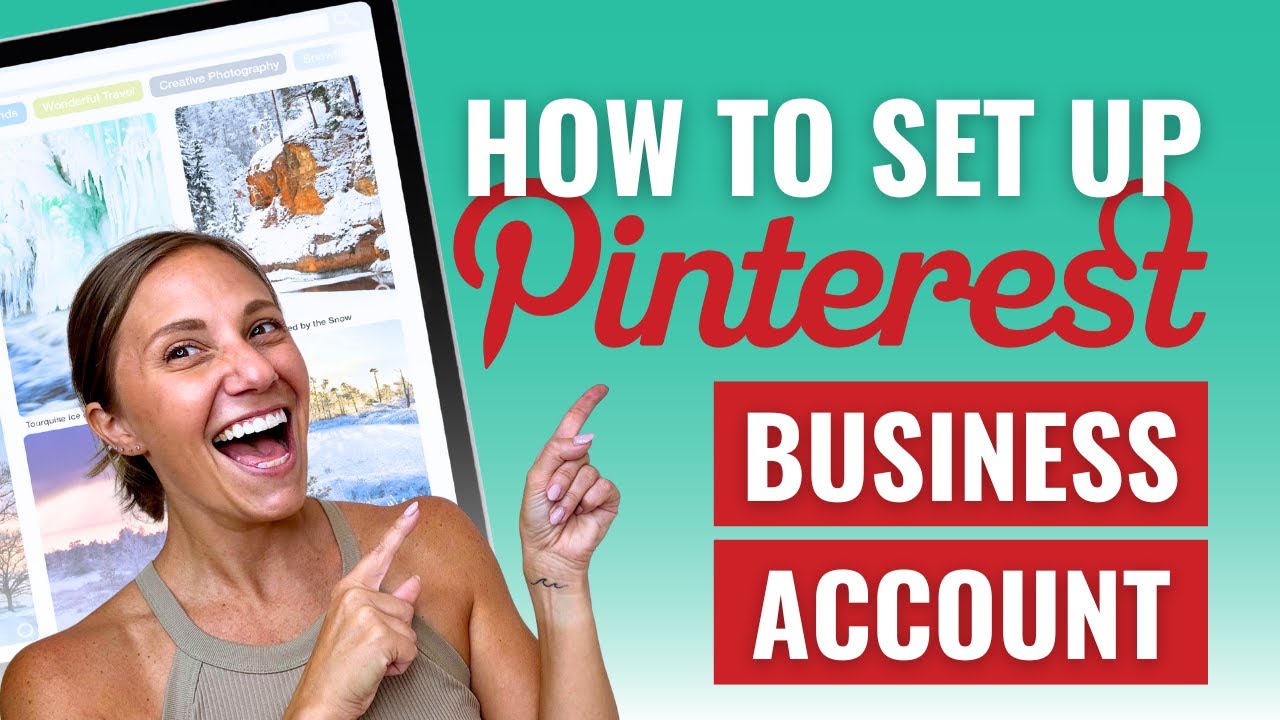
The business account is free and can be created from scratch, or you can convert an existing personal account in just a few clicks. We have a full walkthrough on how to set up a Pinterest Business Account, you can read the article or watch the YouTube video here.
Understanding Your Pinterest Profile / Page
Your Pinterest profile (or page) is the public-facing space where users can quickly learn who you are, what you offer, and what kind of content they can expect from you. Think of your profile like your storefront.
A Pinterest business profile should include:
- User name or display name – This is your name or your company’s name. It can also include keywords that describe what you do. For example: “Taylor | DIY Projects & Simple Home Hacks”
- Bio – This is a short description of who you help and what kind of content you create. Use natural, keyword-friendly language.
- Profile Photo or Logo – This helps users recognize and remember you. A clear photo or a clean logo works best.
- Website Link – Drive traffic directly to your blog, shop, or landing page.
- Header Image – Optional, but it can be used to reinforce your branding or highlight featured content.
Your profile is also where your boards live (which we’ll cover in the next section), and where users can browse through all the pins you’ve published.

Pinterest Boards
Pinterest boards act like folders that help you organize your content by topic. Each board houses a collection of pins related to a specific theme or idea. Boards are important for two reasons: (1) they improve user experience, and (2) they help Pinterest categorize your account.
Well-titled boards with keyword-rich descriptions give Pinterest context about what you share, making it easier for the platform to surface your content to the right users. And when someone visits your profile, they can easily navigate your content by topic.
For example, if you share content about family-friendly recipes, your boards might include:
- Weeknight Dinners for Kids
- Lunchbox Ideas
- No-Bake Desserts
- Easy Slow Cooker Meals
Each board should have a clear, keyword-focused title and a short description that uses natural language to reinforce what the board is about. As your account grows, you can create more boards that reflect your content pillars, seasonal trends, or specific product categories.

Pinterest Pins
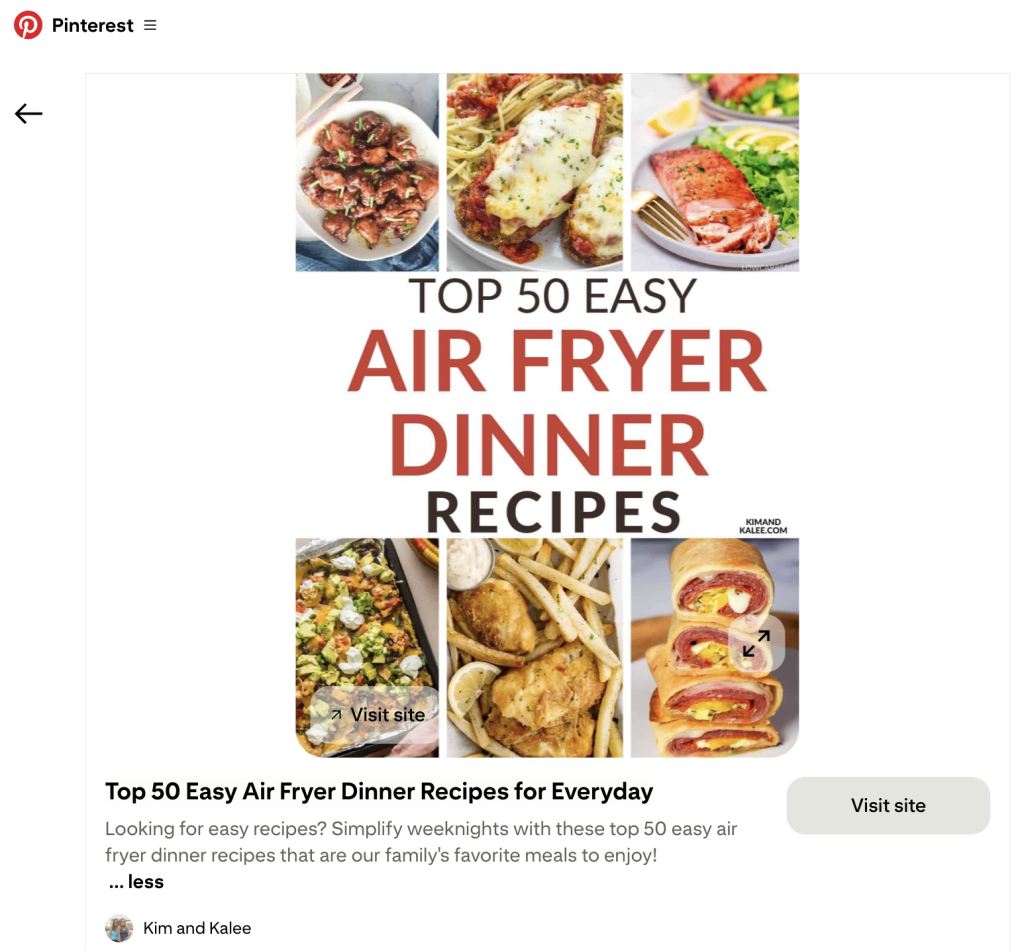
Pins are the aesthetic photos and videos you see on Pinterest. Every pin includes three core elements: a visual design, a title and description, and a destination URL. These elements work together to catch attention, explain the value, and drive traffic to content you control.
While pins can take different formats, most beginners start with single images with bold text that include a clear call to action. Video pins are also growing in popularity, especially for tutorials or product showcases, but are not required.
Ultimately, every pin should have a goal. Whether that’s driving traffic to a blog post, encouraging someone to visit your online store, or prompting a newsletter signup, the key is to make the next step clear and compelling.
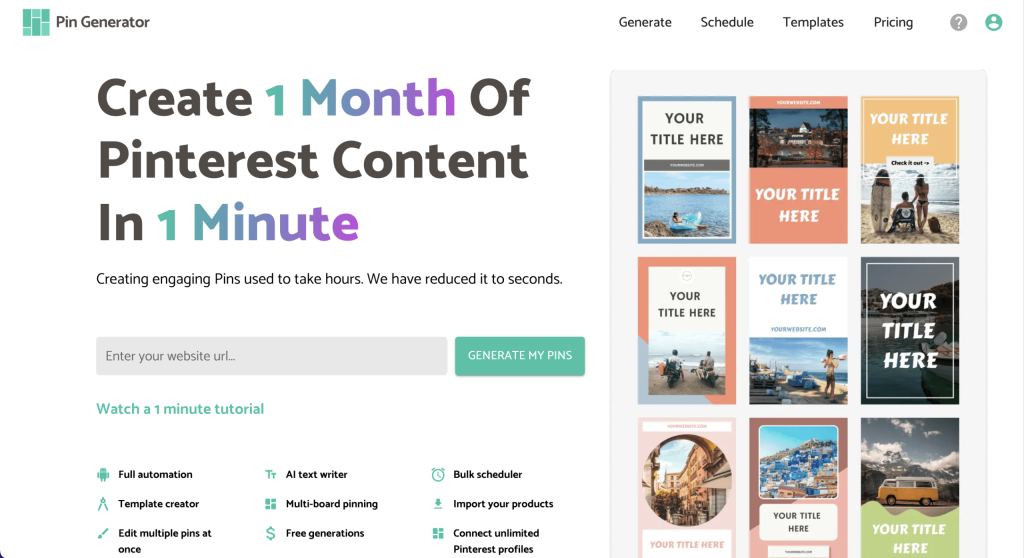
Many creators use automation tools like Pin Generator to streamline the process. It can automatically pull titles, images, and links from your website to create branded, optimized pins at scale. Canva is another useful option if you prefer to design manually.
What Are Keywords (and Why Do They Matter)?
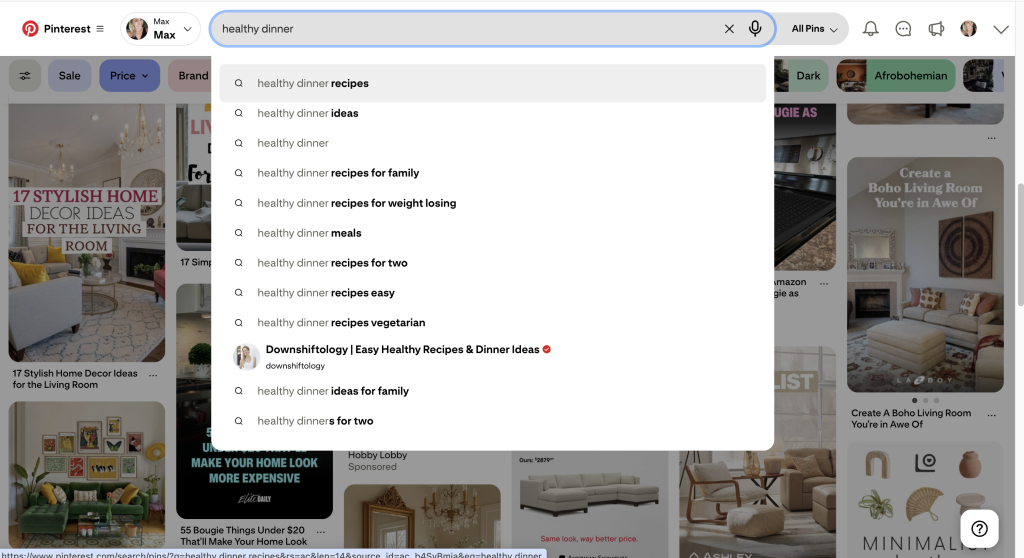
Just like Google, Pinterest uses keywords to match content with what users are looking for. When someone types a phrase like “quick vegan dinners” into Pinterest, the platform surfaces pins that include that phrase in the title, description, or board. That’s why keyword placement is so important, as it’s how your content gets discovered.
To make sure your pins show up in search results, you’ll want to add relevant keywords in a few key places:
- Your profile name and bio
- Your board titles and descriptions
- Your pin titles and pin descriptions
You don’t need expensive tools to start finding keywords. Simply type a few words into the Pinterest search bar and watch what auto-fills. These suggestions are based on real user searches and can help guide both your content ideas and your language.
How Pinning Works (and How to Start Strategically)
Publishing on Pinterest is called pinning, and it’s how you share content on the platform. Each pin acts as a visual link to your blog, product, website, or other destination. Whether you’re promoting an article, a free resource, or an online shop, the goal is to design a pin that encourages people to click.
Here are a few important things to know before you start:
- Prioritize fresh content – Pinterest favors new pins with updated images, titles, descriptions, and links. Avoid reusing the exact same designs or text across multiple posts.
- Do not repin your own content repeatedly – Republishing the same pin or link too frequently can be flagged as spam, which may limit your account’s reach.
- Start slow – Pinning 2-3 times per day is a strong starting point. Focus on quality, and introduce variety in both visuals and destinations as you grow.
- Maintain consistency – Regular pinning is more valuable than posting in high volume once in a while. If you need support, a scheduling tool like Pin Generator can help you plan and automate your publishing workflow.
Is It Too Late to Start Using Pinterest?
Pinterest continues to grow, with over 570 million monthly active users as of 2025. And unlike trend-driven platforms, Pinterest remains highly discoverable, keyword-based, and evergreen. Content created today can continue gaining visibility and clicks for months or even years, especially when it’s well-optimized and aligned with user intent.
In fact, many creators are seeing significant growth even as new users. One of our users launched her website in early 2024 and began using a Pinterest automation tool just a few months later. Within weeks, her impressions tripled. With her content creation system streamlined, she was able to launch three more sites, each of which now runs on Pinterest traffic. You can follow along on her journey here.

Pinterest offers one of the most accessible opportunities to grow a business, blog, or brand without relying on trends, paid ads, or a massive social following.
And if you’re looking for a faster way to create consistent, branded content on Pinterest, we recommend trying Pin Generator. It pulls content directly from your site, applies customizable templates, and schedules your pins automatically. Whether you’re managing one site or several, it’s the easiest way to streamline your workflow and grow without burning out.
You can learn more or try it for free here.