
Pinterest Violation Notice: Your Complete Recovery Guide
22 June 2025
Decoding Your Pinterest Violation Notice
There it is. That dreaded email from Pinterest has landed in your inbox, and your heart just sank. A Pinterest violation notice is more than just a heads-up; it's a serious alert that can jeopardize your entire account—and all the work you've put into it. The first thing to do is take a breath, not panic. You need to figure out exactly what the notice means.
These messages aren't one-size-fits-all. They range from a simple warning about a specific pin to a temporary account suspension or, in the worst-case scenario, a permanent ban. The language can sometimes be vague, leaving you scratching your head about the actual mistake. This is why you need to carefully read the notice and cross-reference it with Pinterest's official policies. It's always a good idea to be familiar with the official Pinterest Community Guidelines and their Terms of Service to stay out of trouble.
Understanding the "Why" Behind the Notice
So, how did this happen? Pinterest flags content using both automated systems and human reviewers. The automated bots are great at catching activity that looks spammy—like pinning way too much in a short period or using sketchy links. For instance, if you suddenly schedule 100 pins in an hour after being quiet for months, an algorithm might see that as suspicious and suspend your account.
On the other hand, human-reviewed violations usually come from other users reporting your content for more serious issues like misinformation or hateful content. A huge factor here is also legal compliance. Pinterest has to act on copyright infringement claims filed under the Digital Millennium Copyright Act (DMCA). To give you an idea, in 2022, Pinterest handled over 35,000 DMCA takedown notices, and about 90% of those resulted in content being removed. This shows just how seriously they take intellectual property rights. Knowing this can help you figure out if your violation is tied to using someone else's images or content without permission.
To help you make sense of it all, here’s a breakdown of the most common violations and what they typically mean for your account.
Types of Pinterest Violations and Their Consequences
| Violation Type | Severity Level | Typical Action | Appeal Timeframe |
|---|---|---|---|
| Spam | Low to High | Pin removal, Account suspension, or Ban | 7-14 days |
| Copyright Infringement | Medium | Pin/Board removal, Account suspension | 10 business days |
| Hateful Content | High | Immediate account suspension or ban | 30 days |
| Misinformation | Medium to High | Content removal, Account suspension | 14-30 days |
As you can see, the consequences vary quite a bit. A spam flag might just get a few pins removed, while hateful content can lead to an immediate ban. Recognizing the type of violation is your first critical step toward building a solid appeal.
Understanding What Triggers Pinterest's Red Flags
Getting a Pinterest violation notice can feel like a bolt from the blue, but there's almost always a clear reason behind it. The problem usually stems from a gap between how we think we're using the platform and what Pinterest's rules actually say. To stay out of trouble, you need to know what the platform’s automated systems and human reviewers are trained to find.
A lot of violations get lumped into the big category of spam. But what Pinterest considers spam might be broader than you expect. It's not just about shady links. Repetitive behavior is a huge red flag. For instance, pinning the same URL too many times in a short period, even across different boards, can look spammy to the algorithm. The same goes for recycling the same pin descriptions over and over. Your activity needs to look like a real person is behind it, not an aggressive bot.
Common But Overlooked Violations
Beyond the obvious spam tactics, a few other issues trip up even the most careful creators. It's not enough to quickly read the rules; you need to grasp how they work in real-world situations. I always recommend reading the official Pinterest Community Guidelines because that’s the final word on what’s okay and what’s not.
Here are a few specific triggers that catch people off guard:
- Aggressive Following/Unfollowing: We've all seen it. Rapidly following a ton of accounts and then unfollowing them just to get a follow back is a classic growth hack that Pinterest's systems are built to catch.
- Misleading Content: This covers everything from clickbait-y pins that don’t match their landing page to making wild health or financial claims you can't back up. Your pin image and its description must be an honest preview of where the link will take the user.
- Copyright & Trademark Infringement: This is a big one. You can't just grab an image from a Google search and use it for your pin. Using another company’s logo without permission can also land you in hot water. In one case, a user mentioned their account was suspended right after they filed 236 DMCA takedown requests against others, which just shows how seriously Pinterest takes intellectual property.
- Unsafe Link Shorteners: Some link shorteners are perfectly fine, but others have a bad reputation for being used in spam or malware schemes. Using a flagged shortener can get your pins hidden or your whole account blocked. When in doubt, stick with well-known services or just use the full, original URL.
Getting familiar with these triggers is your best line of defense. When you pay attention to how you pin, not just what you pin, you drastically lower your chances of getting that dreaded account suspension notice.
Your First 48 Hours After Getting a Violation Notice
Seeing that Pinterest violation notice pop up in your inbox can make your stomach drop. The clock is now ticking, and what you do in the next 48 hours can make all the difference in getting your account back. It’s natural to feel a wave of panic, but the worst thing you can do is react impulsively. Take a deep breath and switch into documentation mode. This is your first and most important task.
Your immediate goal is to save every piece of evidence before Pinterest potentially removes the content in question—or worse, your entire account. Start grabbing screenshots of everything. Get a shot of the violation email, any pins or boards it mentions, and your account's dashboard showing your follower count and monthly views. This documentation is your safety net for an appeal. I’ve heard from users who found that the content they were trying to discuss in their appeal suddenly vanished, so having your own record is crucial.
Assess the Situation Calmly
Once you have your evidence saved, it's time to put on your detective hat. Read the violation email slowly and carefully. Does it mention a specific reason, like spam or a copyright issue? Pull up Pinterest's official Community Guidelines and compare the alleged violation to the rules.
Be honest with yourself here. Is it possible you accidentally crossed a line? Maybe you were pinning affiliate links without disclosing them correctly, or your pinning schedule was so aggressive it looked like bot activity. Admitting a potential mistake to yourself will help you write a much more effective and genuine appeal.
It's also vital to figure out just how serious the issue is. The screenshot above from Pinterest's help center gives you a peek into how they classify problems, from spam to adult content. This can help you translate the sometimes vague language in your email. Knowing whether you're up against a minor spam flag or a major content violation will shape your entire response strategy.
What NOT to Do in a Panic
Your gut might be telling you to do a few things right now, but some of the most common reactions can actually sink your chances of recovery. Here are the biggest mistakes to sidestep in those first 48 hours:
- Don't Delete Anything: It feels like the logical thing to do—get rid of the "problem" pin or board. Resist the urge. Deleting content can look like an admission of guilt, and it erases the very evidence that you and the Pinterest review team need to see.
- Don't Create a New Account: Starting over from scratch is tempting, especially if you’re frustrated. However, creating a new account while your original one is under review can be seen as an attempt to get around a suspension. This could result in both of your accounts being permanently banned.
- Don't Send Angry Emails: Firing off a furious, all-caps message to Pinterest support won't do you any favors. Keep every message professional and straight to the point. One creator who successfully got her account back emphasized that a calm, diplomatic tone—even when you’re seething—is far more likely to get a helpful response.
Crafting Appeals That Actually Work
Getting a Pinterest violation notice can be incredibly frustrating, but the appeal process is your chance to get your account back. I’ve seen countless appeals get rejected, and it's often not because the violation was legitimate, but because the appeal itself was poorly written. A successful appeal is a blend of professionalism, solid evidence, and a calm, non-defensive tone. You're trying to show a real person on the other end that your case deserves a second look.
The Anatomy of a Winning Appeal
Forget about firing off angry rants or one-sentence pleas. A persuasive appeal is methodical and clear. Think of it less as a heated argument and more as a polite request for reconsideration. The reviewer is probably sorting through dozens of tickets, so making their job easier is in your best interest.
Here’s what a strong appeal should always include:
- A Professional Tone: Always start with a polite greeting. Ditch the blame, sarcasm, or overly emotional language. Even if you're 100% sure it was a mistake, a phrase like, "I believe my account may have been suspended in error and would appreciate a review," works far better than, "You suspended my account for no reason!"
- Specifics, Not Generalities: Clearly state your Pinterest account name and the email address connected to it. If the notice mentioned a specific Pin or board, reference it directly by name or URL. The more specific you are, the faster the support team can find what they're looking for.
- Acknowledge and Explain: Briefly touch on the violation Pinterest mentioned. If you genuinely believe you didn’t break the rules, explain why. For example, if you were flagged for spam, you could write something like, "I understand my account was flagged for spam. I use Pin Generator to schedule my content to maintain a consistent presence for my small business, and I believe my posting frequency may have been misinterpreted. I've since adjusted my schedule to be more staggered." This shows you've actually read the notice, thought about it, and are willing to work within the rules.
- Provide Supporting Evidence: This is where those screenshots you took come in handy. Attach them to your appeal. If the violation was for something like copyright and you own a license for the image, include that paperwork. I once saw a creator successfully appeal a suspension by providing screenshots of the numerous DMCA claims they had filed against others for stealing their content, proving they were the original creator.
The Do's and Don'ts of Writing Your Appeal
The way you frame your message is critical. To give your appeal the best shot, it's helpful to understand what works and what absolutely doesn't. Your appeal's success hinges on a few key factors, from how you present your case to your account's history.
To help you understand what the Pinterest review team is likely looking for, I've put together a table outlining the most important elements of a successful appeal.
| Appeal Element | Importance Level | Success Rate Impact | Tips for Implementation |
|---|---|---|---|
| Clear Explanation | High | Significant | Calmly explain why you believe a mistake was made. Reference specific policies if you can. |
| Supporting Evidence | High | Significant | Attach screenshots, license documents, or any other proof that supports your case. |
| Polite & Professional Tone | Medium | Moderate | Avoid accusatory language. A respectful tone makes the reviewer more receptive to your case. |
| Account History | Medium | Moderate | A clean history with no prior violations can work in your favor. Mention this if applicable. |
| Specific Pin/Board Reference | Medium | Moderate | If the notice was about a specific piece of content, refer to it directly. This speeds up the review. |
| Acknowledgment of Policy | Low | Minor | Briefly showing you understand the rule you were accused of breaking can demonstrate good faith. |
As the table shows, clear explanations and solid proof carry the most weight. While tone and account history matter, nothing beats a well-reasoned argument backed by evidence.
Once you hit "send" on your appeal, the waiting game begins. It can take a few days or even a couple of weeks to get a response. If your first appeal is denied, don't give up. You can often reply directly to the denial email with more information or a refined argument. The key is to be persistent but always professional. Your goal is to prove you're a valuable member of the Pinterest community who understands and respects the platform's rules.
Rebuilding Your Account After Suspension
Getting that “your account has been reactivated” email feels like a massive win, but your work isn’t over. Honestly, it’s just beginning. Think of it like being on probation; Pinterest’s algorithms and human reviewers are now watching your account more closely than ever. A single misstep could land you right back in suspension, and second chances are much harder to come by. Your comeback strategy needs to be careful and flawless to rebuild trust.
The first few weeks are the most important. Resist the temptation to jump back in and pin with the same intensity you did before. Your initial goal is to show that you've learned from the Pinterest violation notice and are now a model user. Start slowly. Manually pin a few high-quality, original pieces of content. This isn't the time for aggressive scheduling or re-pinning dozens of pins from group boards. Your activity needs to look natural and thoughtful.
Your First Month Back: A Phased Approach
Instead of going full-throttle, ease back onto the platform. A slow and steady approach signals to Pinterest that you’re being cautious and respectful of their rules.
- Week 1: Focus exclusively on creating a handful of new, high-value pins for your own content. Aim for maybe 1-3 fresh pins per day. Manually post them at different times. Don't use a scheduler and avoid re-pinning for now. Just simple, clean activity.
- Week 2: You can start to gradually increase your volume to maybe 3-5 fresh pins per day. This is also a good time to engage genuinely with others. Leave a thoughtful comment on another creator's pin or re-pin one piece of content that is highly relevant to your boards.
- Weeks 3 & 4: If everything is going smoothly, you can begin reintroducing a conservative scheduling strategy. Keep prioritizing fresh, original content. Now is the time to audit your old boards. Go through them and archive or delete any pins that even remotely blur the lines of Pinterest's policies.
Overcoming the Fear of Another Violation
It's completely normal to feel a bit of "pinning paralysis" after a suspension. Every time you hit publish, you might worry if you’re about to trigger another flag. To combat this, stick to the basics. Before you post anything, ask yourself: Is this valuable? Is it my own content? Does it clearly follow the Pinterest Community Guidelines?
Having your Pinterest account suspended can be a jarring experience, but it also offers a chance to refine your strategy. You'll likely find that a more focused, quality-over-quantity approach not only keeps you safe but also leads to better engagement in the long run. By showing Pinterest you can play by the rules, you can confidently rebuild your presence and authority.
Creating a Violation-Proof Pinterest Strategy
The absolute best way to deal with a Pinterest violation notice is to make sure you never get one. Moving from a "what do I do now?" mindset to a proactive one is the secret to long-term success and having peace of mind on the platform. This is all about building a strategy that follows Pinterest’s rules from day one, not just crossing your fingers and hoping for the best. A violation-proof plan isn't about playing it safe; it's about being smart and deliberate with your content.
Regular Audits and Staying Informed
Your first line of defense is simply knowing the rules of the road. I suggest setting a reminder every quarter to look over Pinterest’s official Terms of Service and Community Guidelines. Policies change, and something that was fine last year might get you flagged today. For instance, the rules around affiliate disclosures and AI-generated content have become much stricter recently. You should also audit your own boards regularly. Take a stroll through your older pins—especially the ones from when you were just starting out—and get rid of anything that feels a bit iffy or links to dead pages.
This little flowchart shows what happens after a notice arrives, which really drives home why preventing it is so much easier than fixing it.
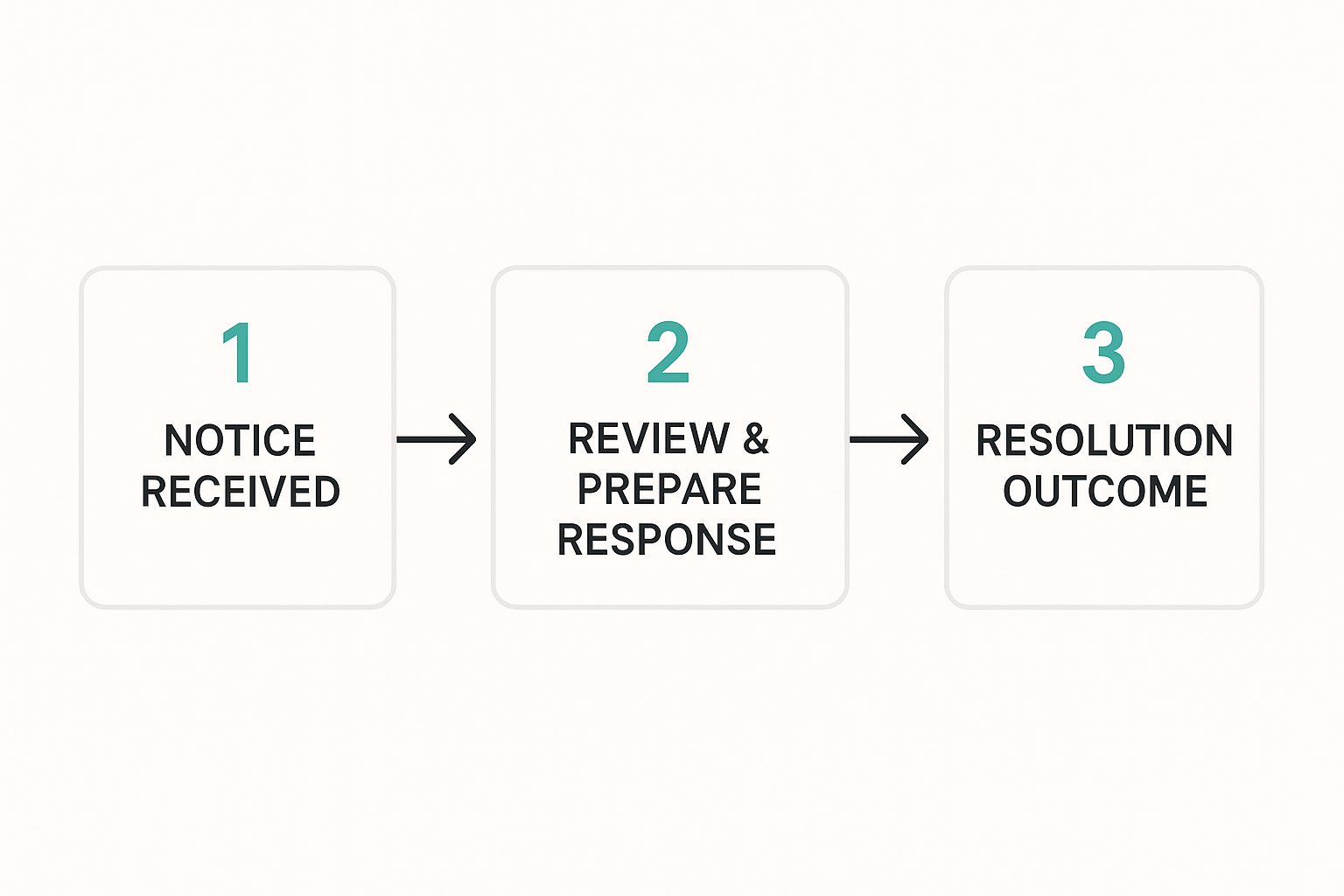
As you can see, getting a notice instantly puts you in a defensive position, forcing you to spend time and effort sorting out the problem.
Best Practices for Compliant Pinning
Building a solid strategy means adopting habits that align with what Pinterest wants: high-quality, genuine content.
- Prioritize Fresh Content: Pinterest's algorithm gives a lot of love to fresh pins, not the same old ones on repeat. Instead of constantly re-pinning the same image and link, try creating new pin graphics for your blog posts and products. Tools like Pin Generator are built for this, helping you create tons of unique visuals quickly without coming across as spammy.
- Be Mindful of Links: Steer clear of sketchy link shorteners. If you’re using affiliate links, make sure every single pin is clearly disclosed, following both Pinterest's policy and FTC guidelines. You can get the full scoop on doing this correctly in our guide to Pinterest affiliate marketing.
- Vary Your Descriptions: Don't just copy and paste the same description on every pin. Mix it up with different, relevant keywords and write helpful descriptions that actually tell people what they'll find when they click.
To stay ahead of potential problems and keep your account in good standing, it helps to understand wider content creation strategies. Learning about general influencer marketing best practices can offer great insight into creating content that people and platforms love. Your ultimate goal is to be a valuable contributor to the Pinterest community, not just someone trying to siphon off traffic. That shift in perspective is your best defense against violations.
Your Pinterest Violation Recovery Action Plan
Getting a Pinterest violation notice can feel like a personal attack, but getting back on track often follows a predictable path. Whether it's a temporary suspension or a full-blown ban, how you respond makes all the difference. The first thing to do is carefully document everything and then build a solid appeal. Don't let panic guide your actions; treat it like a problem that needs a logical, evidence-based solution.
If Your Account Is Suspended
A suspension means Pinterest has taken your account offline for a little while. This is your window of opportunity to appeal and show them you’re a user worth keeping. Here's how to handle it.
First, dig into the violation notice. Read the email from Pinterest very carefully. You need to figure out exactly which rule they think you broke. Your best friend here is their official Pinterest Community Guidelines. Find the specific policy they mentioned and see how it applies—or doesn't apply—to your activity.
Next, it's time to gather your proof. Collect any evidence that can back up your side of the story. For instance, were you flagged for spam right after you filed a bunch of copyright claims against pin thieves? I know of one creator who, after filing 236 DMCA requests to protect their content, had their own account suspended for "spam." They used screenshots of their DMCA filings as proof that their activity was legitimate and aimed at upholding the rules, not breaking them.
Once you have your evidence, submit a polite appeal through the Pinterest Help Center. Clearly and calmly explain why the suspension was a mistake. Attach your proof and make your case professionally. It's helpful to acknowledge the rule you supposedly broke and then explain how your actions were misinterpreted.
If Your Account Is Banned
A ban is much more serious. This means Pinterest has decided to kick you off the platform for good. It's tougher to come back from, but it's not always a lost cause. If you genuinely believe the ban was unfair, especially if your account was well-established, you might need to be more persistent.
After standard appeals fail, some people have tried contacting Pinterest executives on professional networking sites. This is a long shot and requires a very professional and respectful approach, but it has worked for some as a last resort. The key is to present a well-reasoned argument showing you understand and respect Pinterest’s platform rules, which are detailed in their Terms of Service.
No matter what, your objective is to prove you're a good-faith user who adds value to Pinterest. A calm, organized, and evidence-supported appeal gives you the best shot at getting your account reinstated.
To sidestep this headache in the future, focus on maintaining a healthy and compliant pinning strategy. The Pinterest algorithm rewards unique, fresh pins created consistently, which also helps keep your account away from spam filters. You can let a tool like Pin Generator handle the creation of high-quality, diverse content, so you can focus on growing your presence without worrying about that dreaded violation notice.