
Amazon Affiliate Pinterest
8 August 2026
Using amazon affiliate Pinterest strategies is a bit like setting up a tiny digital shop on a very visual, very organized street where everyone is already carrying a shopping list. Pinterest users are planners. They save gift ideas, home upgrades, kitchen gadgets, travel gear, toddler survival equipment, and “maybe this will finally make me a gym person” products. Amazon has the products. You have the affiliate links. Pinterest has the intent. Put them together correctly, and you have a traffic machine that does not require dancing on TikTok or pretending your morning coffee changed your life.
But there is a catch. Actually, several catches. Amazon has rules. Pinterest has rules. Users have patience levels roughly equal to a hungry raccoon. Your pins need to be useful, compliant, clickable, and consistent. That means you need a system—not a chaotic folder called “Pinterest stuff final FINAL 2.png.”
In this guide, we’ll walk through how to use Amazon affiliate links on Pinterest the right way: compliance basics, pin design, keyword tactics, tracking, optimization, and how tools like PinGenerator can help you create a month of Pinterest content before your tea gets cold. Let’s build this properly. No duct tape. Minimal raccoons.
What Is Amazon Affiliate Pinterest Marketing?
Amazon affiliate Pinterest marketing is the practice of promoting Amazon products through Pinterest pins and earning commissions when users click your affiliate links and buy qualifying items. In plain English: you recommend products, Pinterest sends people to them, Amazon pays you a cut when sales happen.
You can do this in two main ways:
- Direct linking: Your Pinterest pin links straight to an Amazon product using your affiliate link.
- Blog bridge strategy: Your pin links to a blog post, gift guide, review, comparison article, or tutorial that contains Amazon affiliate links.
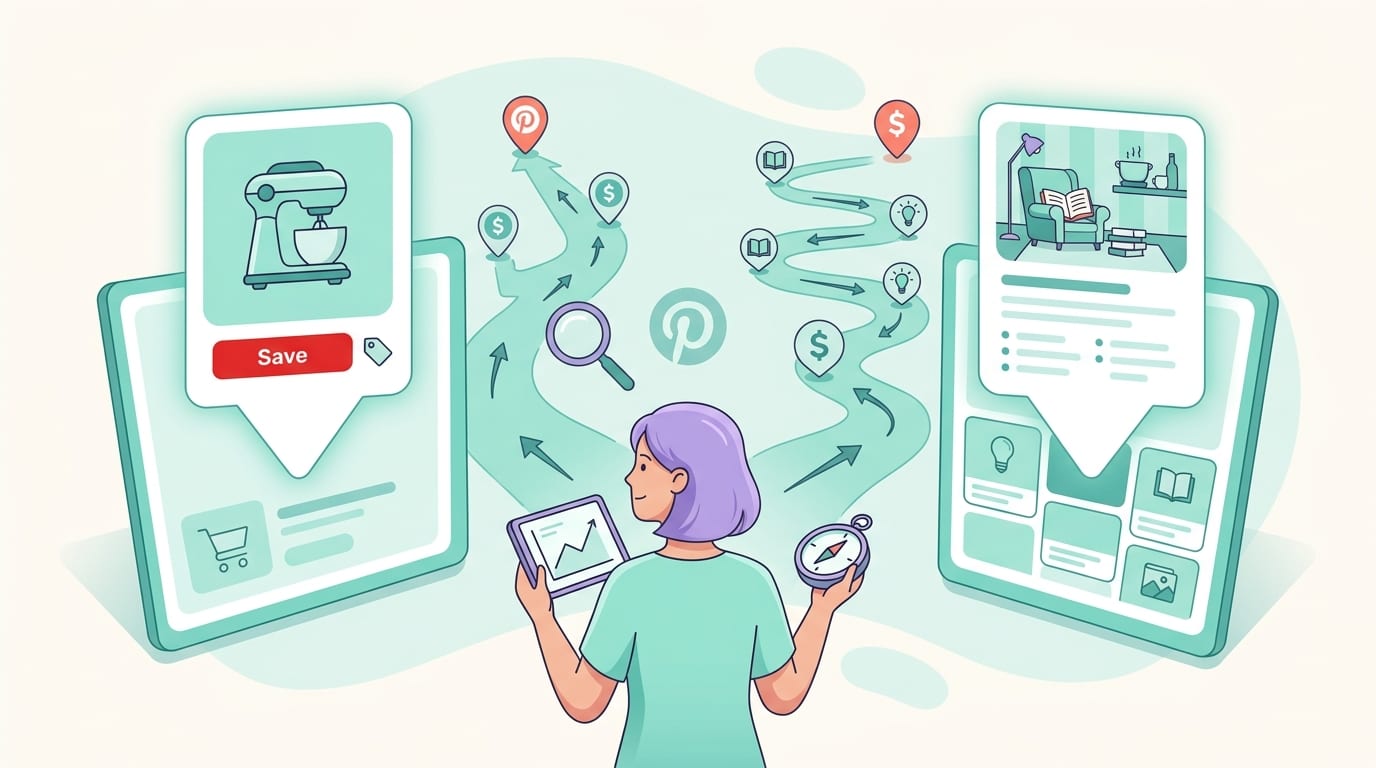
Both approaches can work, but they have different strengths. Direct linking is faster and simpler. The blog bridge strategy gives you more control, better tracking, more SEO opportunities, and a warmer sales environment. If direct linking is handing someone a product at the door, a blog post is inviting them in, offering snacks, and explaining why the air fryer is not just an appliance but a lifestyle event.
Pinterest is especially powerful for affiliate marketers because it behaves more like a search engine than a traditional social network. People search Pinterest with intent: “best coffee station ideas,” “small bathroom storage,” “camping kitchen setup,” “Christmas gifts for dad,” and “things to buy so my desk looks like I have my life together.” According to Pinterest Business audience data, hundreds of millions of people use the platform to discover ideas and products. That discovery mindset is exactly what affiliate marketers want.
If you want a deeper beginner-friendly walkthrough, we’ve also covered the topic in detail in this guide to how to use Pinterest for Amazon affiliate marketing. Consider this article your strategy playbook with extra seasoning.
The Compliance Stuff: Boring, Important, and Slightly Less Painful Than Tax Forms
Before you start pinning Amazon links like a caffeinated squirrel, you need to understand compliance. This is not optional. Amazon and Pinterest both care about transparency, spam prevention, user trust, and whether you are behaving like a real marketer or a link-flinging goblin.
Amazon Associates disclosure rules
If you are part of the Amazon Associates program, you must clearly disclose that you may earn from qualifying purchases. Amazon’s own Associates Program Operating Agreement explains the rules and requirements for participation. You should also follow FTC guidelines, which require affiliate disclosures to be clear, conspicuous, and placed where users can notice them before making a decision.
The FTC’s disclosure guidance for social media influencers is very clear: people should not have to hunt for your relationship with a brand like they are solving a pirate map. If you earn a commission, say so.
Good disclosure examples for Pinterest descriptions include:
- “As an Amazon Associate, I earn from qualifying purchases.”
- “Affiliate link: I may earn a commission if you buy through this pin.”
- “This pin contains affiliate links, meaning I may earn from qualifying purchases.”
Keep it simple. Don’t bury it under 47 hashtags, a moon emoji, and a motivational quote.
Can you use Amazon images on Pinterest?
This is where things can get spicy. Amazon has rules around using product images, pricing, reviews, and product data. Generally, Amazon wants affiliates to use approved tools or APIs when displaying Amazon content, especially if you are showing prices or availability. Prices change faster than a toddler’s snack preference, so avoid manually adding prices to your pin graphics unless you are absolutely sure you are following Amazon’s rules.
Safer approaches include:
- Create lifestyle-style pins that promote a category or use case instead of copying Amazon product pages directly.
- Use your own images if you own the product.
- Link to a blog post where you can properly format affiliate disclosures and product recommendations.
- Avoid placing outdated prices, star ratings, or review counts directly on pin designs.
If you are unsure, review Amazon’s latest policies directly. Affiliate compliance is one of those areas where “I saw someone else do it” is not legal advice. It is just gossip wearing a blazer.
Pinterest affiliate link rules
Pinterest generally allows affiliate links, but you must avoid spammy behavior, misleading redirects, cloaking that hides the destination, and low-quality repetitive pinning. Pinterest’s Community Guidelines are worth reading if you plan to use the platform seriously.
Best practice: be transparent, create high-quality pins, and avoid blasting the same affiliate link across 80 boards like confetti at a coupon convention. Pinterest rewards fresh, helpful content. Be useful first. Commission-hungry second.
Direct Links vs. Blog Posts: Choose Your Affiliate Adventure
One of the biggest decisions in amazon affiliate Pinterest marketing is whether to link directly to Amazon or send users to your own content first. Both can work. Your choice depends on your niche, content strategy, and tolerance for tracking chaos.
Direct linking to Amazon
Direct linking is quick. You create a pin about a product, add your Amazon affiliate URL, include a disclosure, and publish it. This is attractive because it removes friction. Someone clicks and lands directly on the product page.
Direct linking works best for:
- Highly visual products, like home decor, fashion accessories, kitchen tools, and gifts.
- Simple purchase decisions where the user already understands the product.
- Seasonal or trend-driven products, like holiday decorations or back-to-school supplies.
The downside? You have less control. You cannot retarget users from Amazon. You cannot capture emails. Your tracking is more limited. You also rely heavily on the pin doing all the persuasion in a tiny space. That is asking a lot from one image and a description, even if the image is very pretty and has excellent cheekbones.
Linking to a blog post first
The blog bridge strategy is usually more sustainable. Instead of sending users straight to Amazon, you send them to content like:
- “15 Best Amazon Kitchen Gadgets for Small Apartments”
- “The Ultimate Camping Gear Checklist for Beginners”
- “Best Gifts for Coffee Lovers Under $50”
- “My Honest Review of the Viral Walking Pad Desk Setup”
This gives you room to explain, compare, recommend, and build trust. It also lets you add multiple affiliate links, collect analytics, improve SEO, and update content over time. If a product goes out of stock, you can swap it. If Amazon changes something, you can adjust. Your blog becomes the control center instead of letting every pin float around the internet like a tiny affiliate balloon.
For more examples of this strategy, read our guide on Amazon Pinterest affiliate marketing, which breaks down campaign planning and pin workflows in more depth.
Pin Design That Gets Clicks Without Looking Like a Yard Sale Flyer
Pinterest is visual. Obvious? Yes. Still ignored by many affiliates? Tragically also yes. Your pin design can make or break your results. A good pin stops the scroll, communicates value quickly, and makes the click feel obvious. A bad pin looks like it was assembled during a power outage by someone fighting with fonts.
Use the right size and layout
Pinterest recommends vertical pins because they take up more feed space. A common best-practice ratio is 2:3, such as 1000 x 1500 pixels. According to Pinterest’s creative best practices, clear visuals, strong branding, and easy-to-read text help pins perform better.
For Amazon affiliate pins, use layouts that make the benefit obvious. Examples:
- “7 Amazon Finds That Organize Tiny Kitchens”
- “Best Budget Home Office Upgrades”
- “Gifts for Dog Moms Who Already Own Everything”
- “Amazon Travel Essentials I Actually Use”
Notice these are not just product names. They are outcomes, situations, and identities. People do not search Pinterest for “plastic drawer divider model 493-A.” They search for “small closet organization ideas” because their closet currently looks like laundry had a nervous breakdown.
Make text readable on mobile
Most Pinterest browsing happens on mobile devices, so your text overlay needs to be readable at a glance. Use large fonts, high contrast, and short headlines. If your pin headline requires squinting, zooming, and emotional support, rewrite it.
Good pin headline formula examples:
- Number + product category + outcome: “12 Amazon Finds for a Cleaner Entryway”
- Audience + problem: “Dorm Room Storage Ideas for Tiny Spaces”
- Season + intent: “Cozy Fall Amazon Decor Under $30”
- Curiosity + specificity: “The $20 Desk Upgrade I Wish I Bought Sooner”
Create multiple pin variations
One pin is not a strategy. It is a polite suggestion. For each affiliate post or product collection, create multiple designs, headlines, and angles. One pin might target “Amazon kitchen gadgets,” another “small apartment kitchen ideas,” and another “gifts for home cooks.” Same destination, different search intent.
This is where PinGenerator is genuinely useful. Instead of manually designing one pin at a time, you can paste a URL, choose from 100+ Pinterest-optimized templates, let the AI writer generate titles and descriptions, and create dozens of fresh pin variations in minutes. For affiliate marketers, that means more tests, more consistency, and fewer hours arguing with text boxes.
Pinterest Keyword Research: Because “Cute Stuff” Is Not a Strategy
Pinterest SEO is a huge part of affiliate success. Unlike social platforms that prioritize what is new right this second, Pinterest content can keep circulating and ranking for months. Sometimes years. It is less “blink and you missed it” and more “this pin from 2022 is still paying rent.”
Keyword research helps Pinterest understand your content and show it to users searching for related ideas. Use keywords in your pin title, description, board names, board descriptions, image text, and blog post title if you use the blog bridge strategy.
Where to find Pinterest keywords
Start with Pinterest search. Type a seed term like “Amazon home finds” and watch the autocomplete suggestions. These suggestions are based on what people actually search. Tiny gold nuggets, minus the pickaxe.
You can also look at:
- Pinterest Trends for seasonal and rising topics.
- Related searches shown in Pinterest results.
- Top-ranking pins in your niche.
- Your Pinterest Analytics data.
- Keyword research tools inside Pinterest-focused platforms like PinGenerator.
PinGenerator’s built-in Pinterest keyword research tool can help identify what people are searching for in your niche, making it easier to create pins that match real demand. That is much better than guessing and accidentally optimizing for “aesthetic beige mushroom lamp” when your audience wants “small bedroom lighting ideas.” Although, to be fair, beige mushroom lamps probably have a fan club.
Keyword examples for Amazon affiliate niches
Here are some practical keyword clusters you can adapt:
- Home: Amazon home finds, small apartment organization, kitchen storage ideas, cozy bedroom decor, bathroom organization products.
- Gifts: Amazon gifts for women, gifts for dad, stocking stuffers, gifts for coworkers, unique Amazon gifts.
- Beauty: Amazon beauty must haves, skincare tools, hair styling products, travel makeup organizer.
- Parenting: baby registry must haves, toddler travel essentials, kids room organization, lunch box ideas.
- Fitness: home gym essentials, walking pad setup, workout recovery tools, fitness gifts.
Use keywords naturally. Do not stuff descriptions like “Amazon gifts Amazon finds Amazon products Amazon affiliate Amazon Pinterest Amazon…” That is not SEO. That is a cry for help.
Writing Pin Titles and Descriptions That Do Actual Work
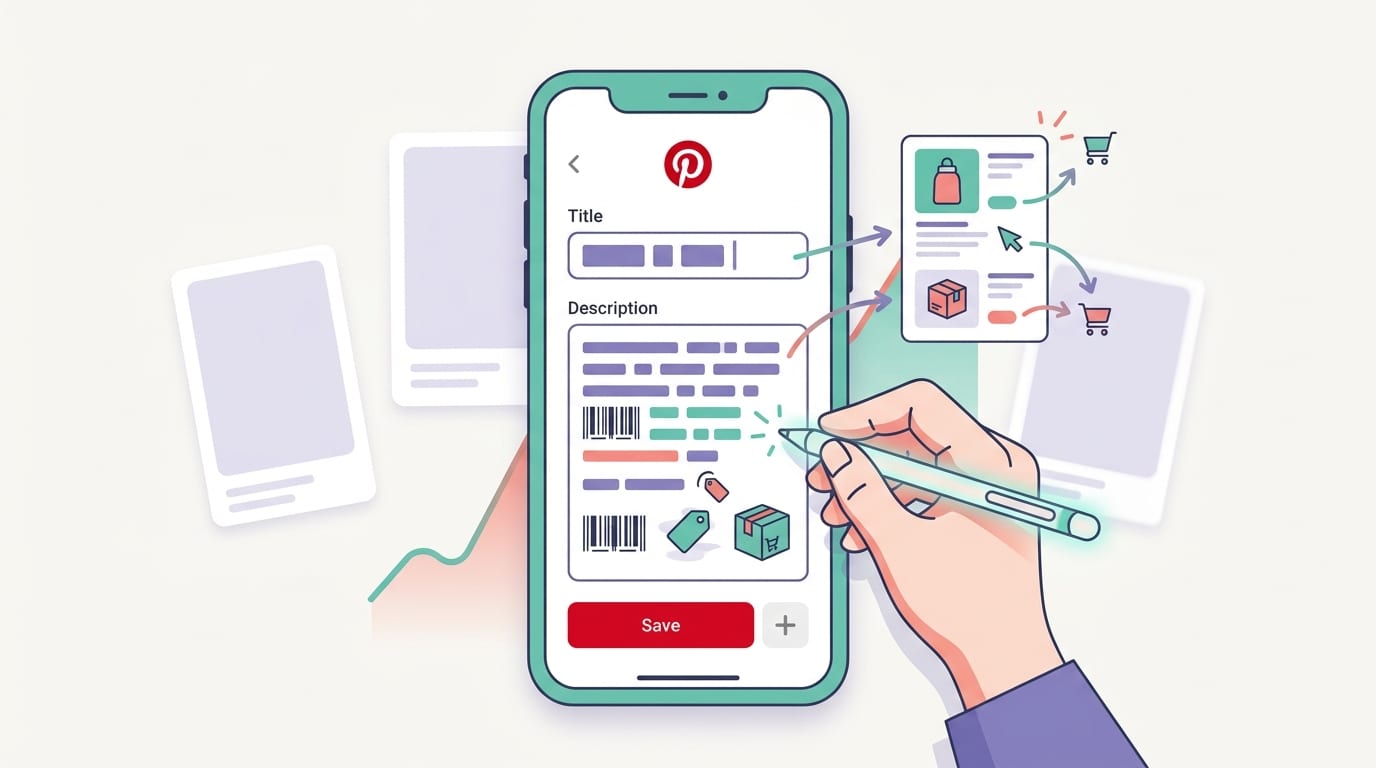
Your pin title and description are not decorative accessories. They help Pinterest understand your content, and they help users decide whether to click. Think of them as tiny sales assistants who work 24/7 and never ask for a lunch break.
Good Pinterest title examples
Strong titles are specific, benefit-driven, and keyword-aware:
- “15 Amazon Kitchen Gadgets That Save Counter Space”
- “Best Amazon Travel Essentials for Long Flights”
- “Cozy Amazon Bedroom Finds for Small Rooms”
- “Genius Amazon Organization Products for Busy Moms”
Weak titles are vague or overly salesy:
- “Buy This Now”
- “Amazing Product!!!”
- “You Need This”
- “Best Thing Ever”
The internet has enough “best thing ever” content. Be specific. Specificity is credibility wearing sensible shoes.
Good Pinterest description formula
Use this simple formula:
- Start with the main keyword or topic.
- Explain the benefit or use case.
- Add supporting keywords naturally.
- Include a disclosure if using affiliate links.
- End with a soft call-to-action.
Example:
“Looking for Amazon kitchen gadgets that make small-space cooking easier? These clever tools help save counter space, organize drawers, and simplify meal prep in tiny apartments. Affiliate link: I may earn from qualifying purchases. Save this list for your next kitchen upgrade.”
That description is clear, compliant, keyword-rich, and useful. It also does not scream at anyone in all caps, which is always a pleasant bonus.
If writing dozens of descriptions makes your soul leave your body, PinGenerator’s AI writer can generate optimized pin titles, descriptions, and alt text in bulk. You can still review and tweak them—because humans are good at nuance and robots are good at not getting tired after pin number 37.
Boards, Scheduling, and Consistency: The Unsexy Stuff That Makes Money
Affiliate marketing on Pinterest is not just about making pretty pins. You need a publishing system. Pinterest rewards fresh content and consistent activity. That does not mean you need to pin 100 times a day while whispering “algorithm” into a candle. It means you need a realistic, repeatable schedule.
Create niche-relevant boards
Your boards should match your affiliate topics and keywords. If you promote Amazon home products, create boards such as:
- Small Apartment Organization
- Amazon Home Finds
- Kitchen Storage Ideas
- Cozy Bedroom Decor
- Bathroom Organization Hacks
Each board should have a keyword-rich description. Do not leave descriptions blank. Blank board descriptions are wasted SEO real estate. That is like buying a billboard and writing “misc.” on it.
Pin consistently without becoming a content gremlin
Consistency matters because Pinterest needs signals. Fresh pins, varied designs, and relevant boards help the platform understand what your account is about. According to Hootsuite’s Digital Trends reporting, social discovery and search behaviors continue to shape how people find brands and products online. Pinterest fits neatly into that discovery-driven behavior.
A practical beginner schedule might be:
- 3 to 5 fresh pins per day.
- Multiple designs for each product roundup or blog post.
- Seasonal content planned 45 to 90 days early.
- Weekly review of top-performing pins.
With PinGenerator, you can create pins in bulk, schedule them across multiple boards, and set up repeating pins for evergreen content. This matters because the biggest Pinterest problem is not knowing what to do. It is actually doing it every day without slowly turning into a spreadsheet.
For more tactical setup advice, check out our article on how to do Amazon affiliate on Pinterest, especially if you are building your workflow from scratch.
Traffic Tracking: Because Guessing Is Not a Business Model
If you want to make money with amazon affiliate Pinterest campaigns, you need tracking. Otherwise, you are just throwing pins into the void and hoping the void has a Prime account.
Use Amazon tracking IDs
Amazon lets Associates create multiple tracking IDs. Use different tracking IDs for different campaigns, boards, websites, or content types. For example:
- pinterest-homefinds-20
- pinterest-giftguide-20
- blog-kitchenpost-20
This helps you understand which Pinterest campaigns are driving clicks and sales. Without tracking IDs, you may see commissions but not know which pin or topic produced them. That makes optimization nearly impossible.
Use UTM parameters for blog traffic
If you send Pinterest traffic to your blog first, use UTM parameters so Google Analytics can show which pins, boards, or campaigns drive visits. A UTM-tagged link might identify the source as Pinterest, the medium as organic social, and the campaign as “holiday-gift-guide.”
Then you can answer important questions:
- Which pins drive the most clicks?
- Which blog posts convert best?
- Which boards send qualified traffic?
- Which topics get saves but no clicks?
- Which products earn commissions?
According to HubSpot’s guide to UTM tracking, UTM parameters are essential for understanding campaign performance across channels. In affiliate marketing, that clarity is the difference between scaling a winner and repeatedly feeding a loser because it “felt promising.” Feelings are nice. Data buys snacks.
Watch Pinterest Analytics
Pinterest Analytics can show impressions, saves, outbound clicks, engagement rate, and top pins. Do not obsess over impressions alone. A pin with huge impressions and no clicks may be pretty but ineffective. A pin with fewer impressions and strong outbound clicks may be your money-maker.
Track these metrics:
- Outbound clicks: The most important traffic metric.
- Save rate: Indicates usefulness and future reach potential.
- Click-through rate: Shows whether your creative and offer match user intent.
- Conversions: Measured through Amazon reporting or your own site analytics.
Optimization: Turn Little Wins Into Bigger Wins
Once you have pins running, optimization begins. This is where affiliate marketers separate themselves from people who just “post and pray.” Posting and praying is fine for birthday wishes. Not for revenue.
Test different angles
The same Amazon product can be positioned in multiple ways. A portable blender could be:
- A smoothie tool for busy mornings.
- A dorm room essential.
- A travel gadget.
- A fitness gift.
- A small kitchen space-saver.
Create pins for each angle and see what gets clicks. Pinterest users respond to context. The product matters, but the reason they need it matters more.
Refresh old winners
If a pin or blog post performs well, make more variations. Change the headline, image, template, color palette, or seasonal framing. For example, a successful “Amazon Home Office Finds” pin can become:
- “Back-to-School Desk Setup Ideas”
- “Cozy Winter Home Office Upgrades”
- “Small Desk Organization Products from Amazon”
- “Work From Home Essentials That Actually Help”
PinGenerator makes this especially easy because you can generate multiple fresh designs from one URL or product list. Instead of manually reinventing the wheel, you can create wheel variations. Some with nicer fonts. Fewer tears.
Plan seasonal content early
Pinterest users plan ahead. Holiday content should go live well before the holiday. Think Halloween in August, Christmas in September or October, summer travel in spring, and back-to-school before anyone wants to admit school is coming back.
Seasonal Amazon affiliate ideas include:
- Valentine’s Day gifts from Amazon
- Spring cleaning organization tools
- Summer travel essentials
- Back-to-school dorm room finds
- Black Friday Amazon deals
- Christmas stocking stuffers
For a broader set of common questions and rules, you may also like our Amazon affiliate marketing on Pinterest FAQs, which covers beginner concerns in a quick-reference format.
Common Mistakes That Make Pinterest Ignore You Politely
Let’s talk about the stuff that sinks affiliate Pinterest accounts. Not dramatically, usually. More like slowly, quietly, while you wonder why your analytics look like a sad pancake.
Mistake 1: Pinning only product photos
A plain product photo may not communicate enough value. Pinterest users want ideas, solutions, and inspiration. Instead of pinning a storage bin, create a pin about “under-sink organization ideas.” Instead of pinning a planner, create “weekly planning setup for busy moms.” Sell the use case, not just the object.
Mistake 2: Using vague boards
Boards named “Stuff I Like” or “Cool Things” do not help Pinterest categorize your content. Use clear, searchable board names. Pinterest SEO is not the place to be mysterious. Save mystery for detective novels and why socks vanish in the dryer.
Mistake 3: No disclosure
This is a big one. If you use affiliate links, disclose. Every time. Clear disclosure protects you, informs users, and keeps your marketing ethical. It also prevents your future self from panic-reading policy pages at 1:00 a.m.
Mistake 4: Creating one pin per URL
One pin is rarely enough. Create multiple designs and keyword angles for every important affiliate page. This gives Pinterest more fresh content to test and gives you more chances to discover what works.
Mistake 5: Not tracking performance
If you do not track, you cannot improve. Use Amazon tracking IDs, UTM links, Pinterest Analytics, and Google Analytics. The goal is to identify what deserves more content, more pins, and more effort.
A Simple 30-Day Amazon Affiliate Pinterest Plan
If you are ready to start, here is a practical 30-day plan. It is simple, realistic, and does not require sacrificing your weekends to the content gods.
Week 1: Set up the foundation
- Review Amazon Associates and Pinterest policies.
- Create or optimize your Pinterest business account.
- Set up 5 to 10 niche-relevant boards.
- Write keyword-rich board descriptions.
- Choose whether you will direct link, use blog posts, or combine both.
Week 2: Build content assets
- Create 3 to 5 affiliate blog posts or product collections.
- Research Pinterest keywords for each topic.
- Add clear disclosures to posts and pin descriptions.
- Create Amazon tracking IDs for campaign groups.
Week 3: Create and schedule pins
- Create 5 to 10 pin variations per URL or product collection.
- Test different headlines, templates, and angles.
- Schedule pins across relevant boards.
- Use PinGenerator to speed up bulk creation, AI descriptions, and scheduling.
Week 4: Measure and improve
- Review outbound clicks and saves in Pinterest Analytics.
- Check Amazon tracking ID performance.
- Identify your top topics and pin styles.
- Create more variations of winners.
- Plan seasonal content for the next 60 to 90 days.
This plan is not glamorous. It will not appear in a movie montage. But it works because it focuses on the fundamentals: compliance, keywords, quality pins, consistency, and tracking.
Final Thoughts: Pinterest + Amazon Can Work, But Bring a System
Amazon affiliate Pinterest marketing is not magic. It is better than magic: it is a repeatable system. You find products people already want, package them into useful Pinterest-friendly ideas, disclose properly, publish consistently, and track what happens. Then you do more of what works and less of what flops. Revolutionary? Not really. Profitable? Potentially, yes.
The key is to treat Pinterest like a visual search engine, not a dumping ground for random affiliate links. Create pins that solve problems. Use keywords that match real searches. Build boards that make sense. Track your campaigns like a person who enjoys knowing where money comes from. And please, for the love of readable fonts, make your pins mobile-friendly.
If you want to save time and stay consistent, PinGenerator can help you create, write, schedule, and publish Pinterest pins at scale. Paste a URL, choose templates, generate AI-powered titles and descriptions, and schedule your content across boards without spending your entire afternoon nudging text boxes around like tiny furniture.
Start with one niche, one batch of products, and one week of consistent pinning. Then measure, tweak, and repeat. Your future affiliate dashboard may not throw you a parade, but it might start looking a lot less like a ghost town. And honestly, that is a beautiful thing.