
Amazon Affiliate Program Using Pinterest
13 September 2026
If you’ve ever looked at Pinterest and thought, “Wait… can I turn pretty mood boards into Amazon affiliate commissions?” the answer is yes — with a few rules, a little strategy, and absolutely no shady link spaghetti. Using the amazon affiliate program using pinterest can be a smart way to monetize product recommendations, especially because Pinterest behaves less like a social network and more like a visual search engine wearing a cute cardigan.
People go to Pinterest to plan, compare, dream, and buy. They search for “best small kitchen gadgets,” “camping gear checklist,” “home office setup,” “gifts for dog moms,” and “things I definitely don’t need but will add to cart anyway.” That buying intent is exactly why Amazon Associates and Pinterest can work beautifully together — if you understand pin formats, affiliate disclosures, SEO, tracking, and Amazon’s rules.
This guide walks you through the practical, compliance-friendly way to use Pinterest for Amazon affiliate marketing. We’ll cover what to pin, how to disclose properly, how to optimize for Pinterest search, what links to use, how to track performance, and how tools like PinGenerator can help you create consistent Pinterest content without spending your entire Tuesday resizing product graphics like a caffeinated raccoon.
Why Pinterest and Amazon Affiliate Marketing Make Such a Delightfully Weird Power Couple
Pinterest is not just a place for wedding centerpieces and sourdough people who own linen aprons. It is a discovery engine. Users arrive with intent. They want ideas, products, tutorials, gift lists, recipes, and solutions. According to Pinterest Business audience insights, hundreds of millions of people use the platform monthly to find inspiration and plan purchases. That makes it a strong traffic source for affiliate marketers who know how to match helpful content with buyer-friendly keywords.
Amazon, meanwhile, has the benefit of familiarity. Shoppers trust it, many already have Prime, and the checkout process is frictionless. When someone clicks an affiliate link and lands on Amazon, they are not wondering if the site will steal their socks and credit card number. They know the drill.
The challenge is that both Pinterest and Amazon have rules. Pinterest wants high-quality, non-spammy user experiences. Amazon Associates wants clear disclosures, compliant link usage, and accurate product representation. Ignore those rules and your affiliate dreams may be escorted out of the building by a very polite but firm compliance goblin.
If you’re new to the broader Pinterest affiliate ecosystem, you may also want to compare Amazon with other networks. This breakdown of the best affiliate programs for Pinterest is a useful next read if you want to diversify beyond Amazon later.
First Things First: Can You Use Amazon Affiliate Links on Pinterest?
Yes, you can use Amazon affiliate links on Pinterest, but there are important caveats. Amazon’s policies can evolve, so you should always check the official Amazon Associates Program Operating Agreement before building your entire strategy on vibes and a half-remembered forum post from 2019.
Generally, Amazon Associates allows affiliate links to be shared on approved public platforms, including social media, provided your account lists those platforms and you follow the disclosure and link rules. Pinterest can be part of your affiliate marketing setup, but you need to be transparent and careful.
Here are the big-picture rules to remember:
- Disclose clearly that you may earn from qualifying purchases.
- Use only approved Amazon affiliate links generated through your Associates account or approved tools.
- Do not cloak, hide, or misrepresent Amazon links.
- Do not make false claims about pricing, availability, reviews, or discounts.
- Do not use Amazon product images in ways that violate Amazon’s content usage policies.
- Add your Pinterest profile or relevant website to your Amazon Associates account as an approved traffic source.
A good rule of thumb: if a normal person cannot tell they are clicking an affiliate link, your disclosure is too sneaky. And sneaky is not a business model. It is how toddlers steal cookies.
For a more focused setup walkthrough, read this guide on how to link Pinterest to Amazon Affiliate. It covers the connection process in more detail and helps you avoid beginner mistakes.
Direct Amazon Links vs. Blog Post Links: The Great Affiliate Fork in the Road
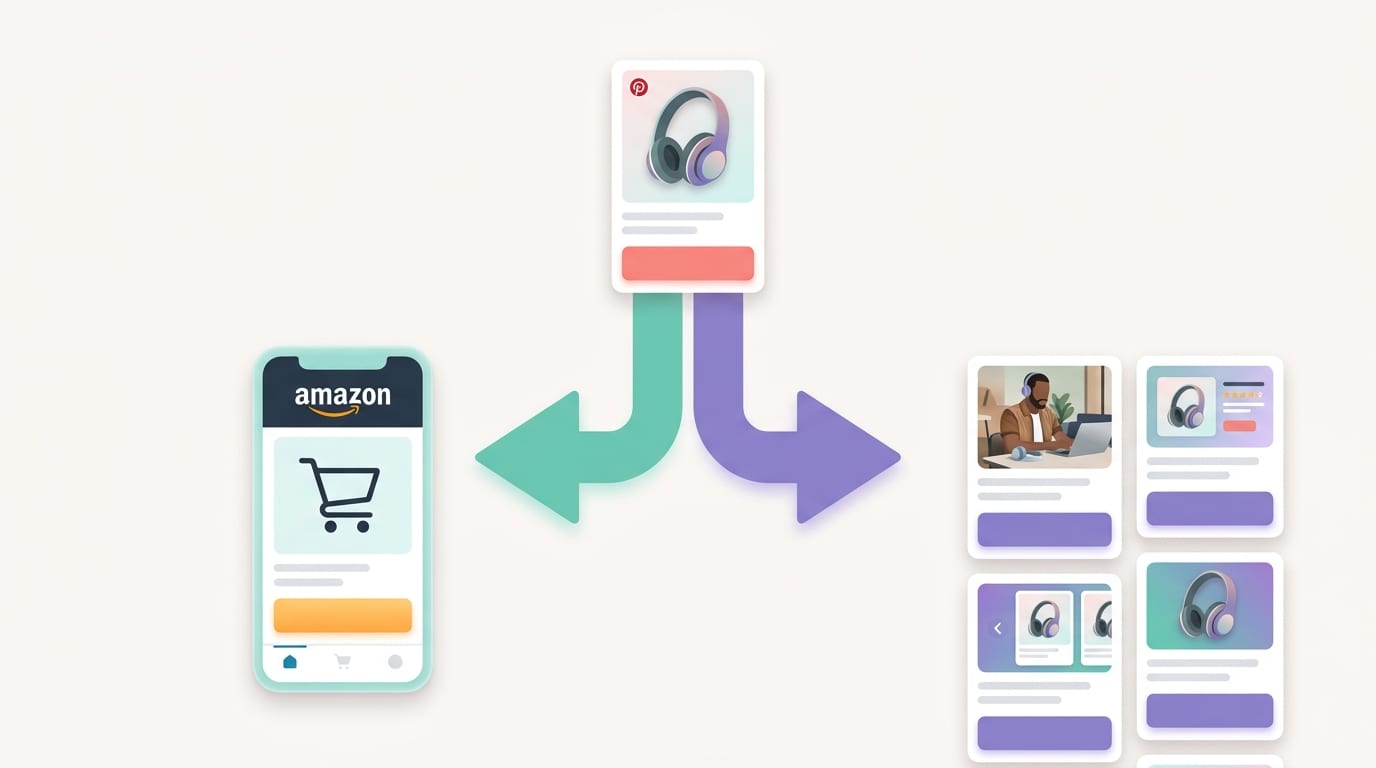
When using the amazon affiliate program using Pinterest, you generally have two main linking strategies:
- Send Pinterest users directly to Amazon using your affiliate link.
- Send Pinterest users to your blog post, buying guide, review, or comparison page that includes Amazon affiliate links.
Both can work. Both have pros and cons. Neither will magically make you rich while you nap under a weighted blanket. Let’s unpack them.
Option 1: Direct affiliate pins to Amazon
Direct linking is simple. You create a pin around a specific product, add your Amazon affiliate URL as the destination, include a disclosure, and publish it. For example, a pin titled “Best Mini Rice Cooker for Tiny Kitchens” could link directly to an Amazon product page.
The advantage is speed. You do not need to write a blog post first. You can test many products quickly and see what gets clicks. This is especially useful for trending items, seasonal products, gift guides, or impulse-friendly purchases.
The downside is that you have less control. You cannot warm up the reader with a detailed review, comparison chart, personal story, FAQ, or “here’s why this blender won’t scream like a jet engine” explanation. Also, your tracking and SEO opportunities may be more limited compared to routing traffic through your own website.
Option 2: Pins to blog content with Amazon links
The blog-content route takes more effort, but it is often stronger long term. Instead of linking directly to Amazon, your pin sends users to a helpful article like “12 Best Dorm Room Organizers for Small Spaces” or “Best Hiking Gear for Beginners.” Inside that post, you include Amazon affiliate links with proper disclosures.
This gives you several advantages:
- You can rank the blog post in Google and Pinterest search.
- You can build trust before asking for the click.
- You can recommend multiple products in one article.
- You can add email opt-ins, retargeting pixels, and analytics.
- You own the content asset instead of relying entirely on one pin-to-product path.
If you’re serious about Pinterest affiliate marketing, a hybrid model is often best. Use direct pins for fast testing and blog posts for evergreen monetization. Think of direct links as speedboats and blog posts as sturdy little cargo ships. Both float. One has more storage.
For more tactical examples, this article on Amazon affiliate marketing with Pinterest expands on strategy, content types, and traffic flow.
Pick the Right Products: Because Nobody Needs a Pin for Beige Shoelaces
Product selection can make or break your Pinterest affiliate strategy. Pinterest users respond well to products that are visual, problem-solving, giftable, aspirational, or tied to a specific project. They are less excited by boring commodity products unless those products solve a very specific pain point.
Strong Amazon affiliate product categories for Pinterest often include:
- Home organization products
- Kitchen gadgets and small appliances
- Beauty tools and skincare accessories
- Baby and parenting products
- Pet supplies
- Craft tools and DIY supplies
- Fitness accessories
- Travel gear
- Tech accessories
- Seasonal gifts and holiday decor
Look for products that fit into search-friendly content themes. “Best label maker” is okay. “How to organize your pantry with Amazon finds” is better. “Small pantry organization ideas for renters” is even better because it targets a specific user with a specific problem. Specificity is where affiliate commissions like to hide, wearing tiny sunglasses.
Also consider commission rates. Amazon Associates rates vary by category, and some categories pay much better than others. Before building an entire Pinterest campaign around a product type, review Amazon’s official Associates commission income statement. A category with massive traffic but tiny commissions may still work, but you should know the math before you start celebrating with office confetti.
Create Pin Types That Actually Get Clicks
Not every pin should look like a product ad. In fact, most should not. Pinterest users love helpful, attractive, curiosity-driven content. They want ideas. They want solutions. They want “oh wow, I didn’t know that existed” moments. Your job is to create pins that connect a problem or desire to an Amazon product naturally.
1. Product showcase pins
These are simple pins highlighting one product. Use a clean image, a benefit-focused title, and a clear reason to click. For example:
- “This Tiny Desk Vacuum Is Weirdly Useful”
- “Best Travel Jewelry Organizer for Carry-Ons”
- “A Space-Saving Coffee Maker for Small Kitchens”
Keep these visually clean. Avoid stuffing the pin with 14 fonts, 9 arrows, and the design energy of a yard sale flyer. One strong image plus one clear benefit is enough.
2. Roundup pins
Roundup pins promote a collection: “10 Amazon Finds for Cozy Bedrooms,” “7 Must-Have Camping Gadgets,” or “15 Genius Kitchen Tools Under $25.” These work especially well if they lead to a blog post, because you can recommend multiple items and increase the chance of earning a commission.
3. Problem-solution pins
These are excellent for Pinterest SEO. Start with the user’s problem, then position the product as part of the solution. Examples:
- “No Closet Space? Try These Bedroom Storage Ideas”
- “Messy Cords? These Cable Organizers Fix the Chaos”
- “Tiny Bathroom? 8 Amazon Finds That Actually Help”
This pin type feels less like advertising and more like helpful advice. That matters because Pinterest users are browsing for solutions, not begging to be bonked over the head with sales copy.
4. Tutorial and how-to pins
Tutorial pins are powerful because they create context. A pin titled “How to Create a Coffee Bar at Home” can naturally recommend mugs, syrups, organizers, espresso accessories, and storage trays. One idea becomes several affiliate opportunities.
Pinterest’s own creative best practices emphasize clear branding, strong visuals, and helpful creative that communicates quickly. Translation: make the pin instantly understandable. If users need a detective board and red string to figure out your pin, it is too complicated.
Pinterest SEO: Keywords Are the Breadcrumbs to Your Affiliate Gingerbread House
Pinterest SEO is essential if you want long-term traffic. Unlike fast-moving social feeds, Pinterest content can continue sending clicks for months. Sometimes years. A well-optimized pin is like a tiny employee that never sleeps, never asks for snacks, and occasionally brings you affiliate revenue.
Start with keyword research. Use Pinterest’s search bar to type your main topic and study the autocomplete suggestions. If you type “Amazon kitchen,” you might see ideas like “Amazon kitchen gadgets,” “Amazon kitchen finds,” “Amazon kitchen organization,” or “Amazon kitchen must haves.” These are clues straight from user behavior.
Place keywords naturally in:
- Pin titles
- Pin descriptions
- Board names
- Board descriptions
- Image file names when uploading manually
- Blog post titles and headings if you are sending traffic to your website
For example, instead of a vague title like “Cute Finds,” use “Amazon Kitchen Organization Finds for Small Spaces.” It is less mysterious, more searchable, and far more useful. Mystery is great for novels. Not for affiliate pins.
This is one area where PinGenerator is especially handy. Its Pinterest keyword research tools can help you discover what users are searching for, while the AI writer can generate optimized pin titles, descriptions, and alt text in bulk. If you are creating 30 pins around “home office Amazon finds,” having AI-assisted variations saves you from writing the phrase “ergonomic chair” until your soul exits through your keyboard.
For more Amazon-specific Pinterest ideas, you can also read this guide to Amazon Pinterest affiliate marketing.

Disclosures: The Boring Legal Bit That Saves Your Bacon
Affiliate disclosures are not optional. They are required by Amazon and by consumer protection guidelines. The U.S. Federal Trade Commission explains that endorsements and affiliate relationships must be clear and conspicuous. You can review the FTC’s official guidance on social media disclosures.
In plain English: users should know you may earn money if they buy through your link. Do not hide the disclosure at the bottom of a 900-character pin description after seventeen hashtags and a haiku about throw pillows.
Good disclosure examples for Pinterest include:
- “Affiliate link: I may earn from qualifying purchases.”
- “As an Amazon Associate, I earn from qualifying purchases.”
- “This pin contains affiliate links.”
If you send traffic to a blog post, include a clear affiliate disclosure near the top of the article before your affiliate links appear. If you link directly from Pinterest to Amazon, include the disclosure in the pin description. Make it visible. Make it understandable. Make it boringly compliant. Boring compliance is better than exciting account termination.
Also avoid saying things like “Amazon recommends this” unless Amazon actually does. Do not use fake urgency. Do not claim a product is on sale unless you have a reliable way to keep that information updated. Amazon prices change constantly, like a caffeinated squirrel choosing snacks.
Tracking Performance Without Losing Your Mind in Spreadsheet Soup
Tracking is where many affiliate marketers either level up or quietly wander into chaos. If you do not track which pins, products, boards, and topics drive results, you are guessing. Guessing is fine for jellybean counts. Not for revenue strategy.
At minimum, track:
- Pin impressions
- Saves
- Outbound clicks
- Click-through rate
- Amazon affiliate earnings
- Conversion rate by product or category
- Top-performing boards
- Seasonal trends
Pinterest Analytics will show you how pins perform inside Pinterest. Amazon Associates reporting will show clicks, ordered items, shipped items, conversion rate, and commissions. Use both. Pinterest tells you what gets attention; Amazon tells you what makes money. Sometimes those are not the same thing. A pin may get tons of clicks because it features a bizarre kitchen gadget shaped like a dinosaur, but the product may not convert. Cute? Yes. Profitable? Maybe not.
If you use blog posts as a middle step, add Google Analytics or another analytics tool to see which Pinterest pins bring traffic and how those visitors behave. According to Google Analytics documentation, campaign tagging can help identify traffic sources and campaign performance. UTM parameters are useful for your own website links, though you should be cautious with Amazon links and follow Amazon’s rules on link formatting.
Create a simple monthly review process. Look at your top 10 pins by outbound clicks, your top 10 by saves, and your top 10 products by commissions. Then ask:
- Can I create more pins around this topic?
- Can I build a blog post around this product category?
- Is this seasonal, evergreen, or trend-based?
- Are users clicking but not buying?
- Do I need a better product, headline, or landing page?
PinGenerator helps here because consistent pin creation is often the hardest part. Once you know a topic works, you can generate multiple fresh pin designs from the same URL or product idea, schedule them across relevant boards, and keep testing without manually designing every variation like it’s a Renaissance fresco.

Compliance Mistakes That Can Make Amazon Side-Eye You
Amazon Associates is a fantastic program, but it is not a free-for-all. If you want to build a sustainable Pinterest affiliate business, take compliance seriously from day one.
Common mistakes include:
- Not disclosing affiliate links clearly.
- Using Amazon star ratings or review counts incorrectly or manually copying them.
- Claiming outdated prices or discounts.
- Using link shorteners or cloaking tools in ways that obscure the Amazon destination.
- Uploading Amazon product images without understanding Amazon’s image usage rules.
- Pinning spammy duplicate content repeatedly.
- Failing to list Pinterest as a traffic source in your Amazon Associates account.
One especially important point: be careful with Amazon product images. Amazon has specific rules about how Associates can use product advertising content. Many affiliates avoid risk by creating original lifestyle graphics, using their own product photos, or sending traffic to blog posts that use compliant Amazon API content where appropriate.
Pinterest also dislikes spam. Fresh designs matter. Pinning the same image and description repeatedly to every board you can find is not a strategy; it is digital glitter pollution. Instead, create variations: different headlines, layouts, images, angles, and descriptions. That is exactly the kind of workflow PinGenerator was built for. You can take one product roundup or blog URL and turn it into dozens of unique pins using different templates and AI-generated descriptions.
If you want to go deeper into rules and implementation, this related guide on Amazon affiliate Pinterest strategy is worth bookmarking.
A Step-by-Step Workflow for Using the Amazon Affiliate Program Using Pinterest
Let’s turn this into a practical workflow. Because theory is nice, but commissions prefer action.
- Choose a niche. Pick a focused category such as small-space living, beginner camping, home coffee bars, baby organization, or budget beauty tools.
- Research Pinterest keywords. Use Pinterest search suggestions, trend tools, and keyword research to find phrases people actually use.
- Select Amazon products. Choose items with strong reviews, clear use cases, decent commission potential, and visual appeal.
- Decide your link path. Use direct Amazon links for quick testing or blog posts for richer content and better long-term SEO.
- Create multiple pin formats. Make product pins, roundup pins, problem-solution pins, and tutorial-style pins.
- Add clear disclosures. Put affiliate disclosures in pin descriptions and on blog posts where appropriate.
- Optimize for Pinterest SEO. Use keywords in titles, descriptions, boards, and supporting blog content.
- Schedule consistently. Publish fresh pins regularly instead of dumping 40 pins at once and disappearing like a magician with Wi-Fi problems.
- Track results monthly. Compare Pinterest clicks with Amazon earnings and double down on what works.
Here’s a real-world example. Suppose your niche is “small apartment organization.” You research Pinterest and find keywords like “small closet organization,” “Amazon storage finds,” and “tiny bathroom storage.” You create a blog post called “15 Amazon Storage Finds for Small Apartments.” Then you create pins with titles like:
- “Small Apartment Storage Ideas That Don’t Look Ugly”
- “Amazon Finds for Tiny Bathroom Organization”
- “No Pantry? Try These Kitchen Storage Solutions”
- “Closet Organization Ideas for Renters”
Each pin targets a slightly different search intent but leads to the same helpful article. Inside the article, you recommend products naturally with disclosures. Over time, Pinterest shows you which angles get clicks. Amazon shows you which products convert. You create more of what works. Fancy? Not really. Effective? Very possibly.
How PinGenerator Speeds Up the Whole Pinterest Affiliate Machine
The biggest problem with Pinterest affiliate marketing is not usually strategy. It is production. Pinterest rewards consistency and fresh creative. That means you need lots of pins: different designs, titles, descriptions, products, angles, and boards. Manually creating all of that can feel like assembling IKEA furniture during a thunderstorm.
PinGenerator simplifies the process by letting you create Pinterest content at scale. Paste in a blog post URL, import products, or use your content source, then generate multiple pin designs with Pinterest-optimized templates. The AI writer can produce titles, descriptions, and alt text, while scheduling tools help you publish consistently across boards.
For Amazon affiliates, that means you can:
- Create many pin variations for a single buying guide.
- Test different headlines without redesigning everything manually.
- Schedule seasonal affiliate campaigns ahead of time.
- Use keyword research to align pins with Pinterest search demand.
- Keep your boards active even when you are busy, tired, or emotionally unavailable to your content calendar.
PinGenerator is not a magic commission printer. No tool is. If someone says otherwise, check if they are selling a yacht course. But it does remove the repetitive design and scheduling bottleneck that stops many affiliate marketers from publishing enough fresh content to learn what works.
Final Thoughts: Pinterest Can Pay, But Play It Smart
Using the amazon affiliate program using pinterest is a real opportunity for bloggers, creators, and affiliate marketers who understand the platform’s search-driven nature. The winning formula is simple, though not effortless: choose visual products, create helpful pins, use strong Pinterest SEO, disclose clearly, follow Amazon’s rules, and track what actually earns.
Direct Amazon links can help you test quickly. Blog posts can help you build long-term assets. Roundups, tutorials, and problem-solution pins can turn everyday searches into affiliate clicks. And compliance? That is the unsexy seatbelt that keeps the whole operation from flying through the windshield.
If you want to make the process faster, more consistent, and significantly less “why am I still designing pins at midnight,” try PinGenerator. You can create fresh Pinterest pins in bulk, generate AI-assisted titles and descriptions, schedule content, and keep your Amazon affiliate strategy moving without becoming a full-time graphic designer against your will.
Start with one niche, one product category, and one batch of pins. Test. Track. Improve. Then repeat. Pinterest rewards the marketers who show up consistently — preferably with useful content, clear disclosures, and fewer design-related headaches. Your future affiliate commissions may not arrive riding a golden llama, but with the right system, they can absolutely start showing up.