
How to Get Started with Pinterest in 2026 (Important Updates)
13 June 2026
If you’re thinking about getting started on Pinterest in 2026, this is a great time to begin, but only if you understand how the platform works today. A lot of online advice reflects how Pinterest operated a few years ago, when polished home decor, perfectly styled imagery, and generic keyword stuffing dominated the feed, but the platform has changed significantly since then.
With over 600 million monthly users, Pinterest is still incredibly powerful for traffic, discovery, and sales, but you’ll need to understand how search behavior has changed and how AI impacts results. Beginners who treat Pinterest like just another social app will often feel frustrated, but if you approach it strategically like a search engine, then you’ll quickly understand how to get clicks and conversions.
What’s New on Pinterest in 2026
If you’re brand new to Pinterest in 2026, or you’re coming back after a break, it’s worth noting that there have been some meaningful changes over the last few months. If you want to know how to get started with Pinterest in 2026, these are the top updates I recommend you understand before you set up or revamp your account.
Every December, Pinterest releases its “Pinterest Predicts” report, which outlines the trends they expect to shape the coming year. Historically, these predictions have been extremely accurate, with Pinterest itself reporting that around 88% of past predictions end up showing up in real search behavior. That doesn’t mean everyone needs to pivot into those niches, but it does signal that these may be great ideas to include within your niche (if it allows).
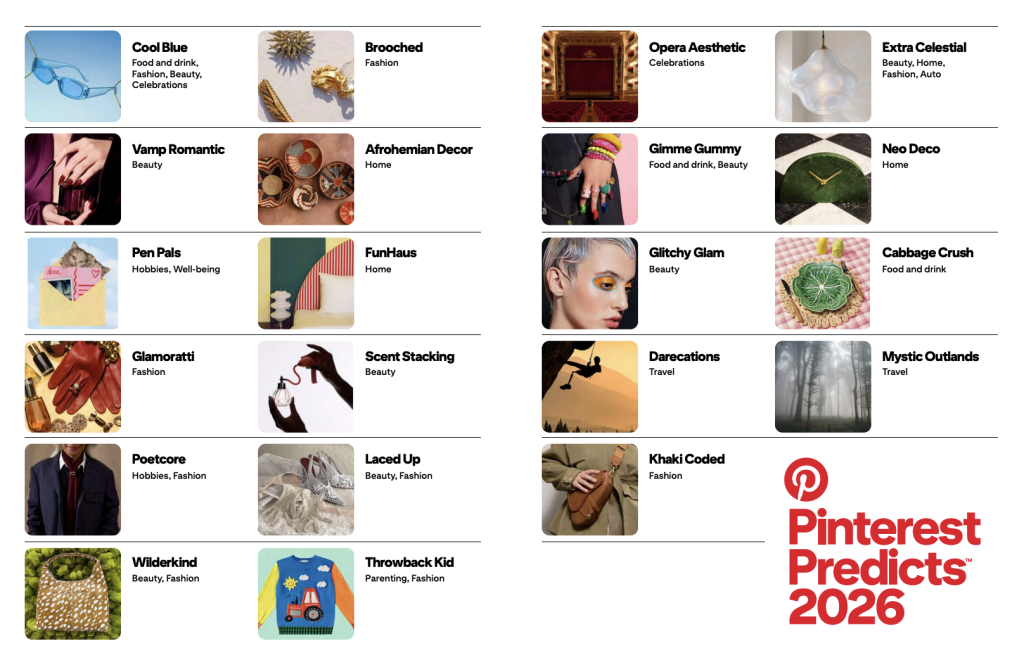
At the same time, it’s important to note that Gen Z has become one of Pinterest’s most active audiences, and their search behavior looks totally different from the older users who used to dominate the platform. Instead of rigid product searches like “boho wall art” or “marble vase,” many younger users search in moods, aesthetics, and problems. You’ll see phrases like “calming bedroom ideas” or “small apartment essentials.” This matters because Pinterest rewards content that matches how people actually talk and think, not just how brands label products.
Another important change is how Pinterest uses AI. The platform no longer relies only on your titles and descriptions to categorize content, it can read your images as well, identifying colors, materials, style, and even the overall feel of a photo. That means your visuals are more important than ever. Original photos, real-life examples, and simple product demos tend to perform better than generic stock images or overly designed graphics.
Video has also become more relevant on Pinterest. You don’t need viral trends or dance reels. Short, clear videos that show how something works, demonstrate a product, or reveal a before-and-after usually perform best. The goal isn’t entertainment, it’s clarity.
Prefer to watch instead of read? I’m covering all this in a quick YouTube tutorial. Check it out here:
How to Set Up A Pinterest Account
Before you even create your account, you need to be clear about one thing: what do you actually want Pinterest to do for you?
You don’t need a perfect business plan, but you should know whether you’re promoting a blog, selling products, doing affiliate marketing, or driving traffic to a service. That clarity helps Pinterest understand your purpose from day one.
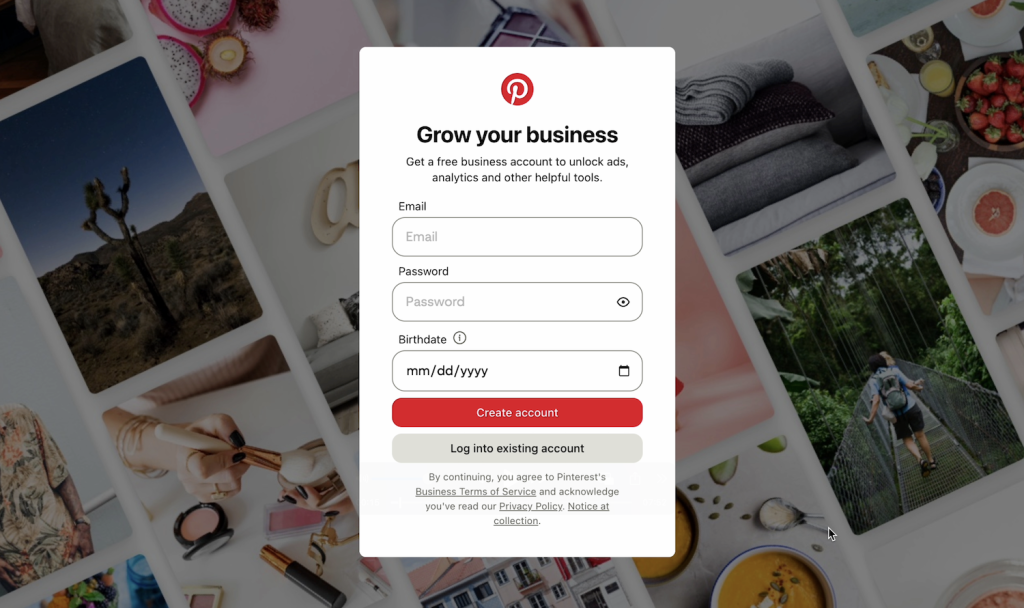
Once you know your direction, the next step is creating a Pinterest business account. Creating a business account is completely free and only takes a few minutes. It’s necessary to connect your shop, and it will give you access to analytics and shopping features that personal accounts don’t have.
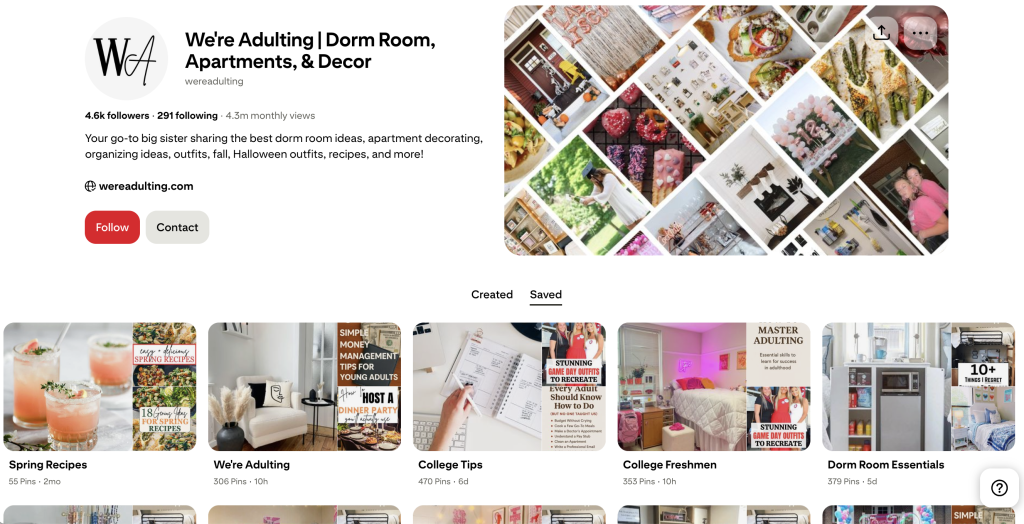
Now it’s time to set up your profile and boards.
Your name and bio should be simple, searchable, and descriptive. Think less about sounding clever and more about sounding like something someone would actually type into the search bar. After your bio is ready, you’ll want to create boards that match your core topics. These boards act like categories in a store or sections on a website. Instead of a broad board called “Recipes,” for example, you might create boards like “Easy Weeknight Dinners,” “Meal Prep Ideas,” or “Healthy Crockpot Meals.” Specific boards help Pinterest learn your niche faster.
If you’re unsure what keywords to use, the easiest method is to type phrases into Pinterest’s search bar and look at the auto-suggestions that appear. Those suggestions come directly from real user searches, which makes them one of the most reliable keyword tools available.
And finally, before you create your first pin, gather a few essentials such as links to your content, some images, and a handful of keyword ideas. You don’t need a massive content plan at this stage, just enough to start clean and consistent.
Many beginners try to design every pin manually in Canva and quickly feel overwhelmed. That’s why automation tools like Pin Generator can be so helpful. It connects directly to your blog, shop, or affiliate links and creates multiple branded pins at once, which makes consistency much easier from the start.
Pinterest Marketing Strategy
Once your account is set up, the biggest question becomes how often to pin. The most realistic approach for beginners is one to two pins per day. More isn’t better in the early stages, as posting too much too fast can actually slow you down because Pinterest hasn’t had time to understand your content patterns yet.
What matters most is fresh pins. This means each pin should have a new image, a new angle, or a new title. Re-uploading the same pin repeatedly is one of the fastest ways to limit your reach or get your account flagged.
Rotating your URLs is also smart. You can promote the same blog post or product multiple times, but space it out. Share one link on Monday, a different one on Tuesday, and return to the first link later in the week with a new visual.
Clarity should be your top priority. If someone can’t instantly understand what your pin is about, it won’t perform well. This is especially true now that Pinterest’s AI is analyzing images so closely.
Batching is one of the most effective ways to stay consistent without burning out. Instead of making one pin at a time, you can create multiple variations in a single session and schedule them out over several days. Tools like Pin Generator make this process much faster by generating dozens of pin options from one link.
It’s also important to manage expectations. Pinterest has a natural warm-up period, especially for new accounts. Your first pins might not get many impressions right away, but they can suddenly pick up weeks later. That delay is normal, not a sign that you’re doing something wrong.
Growth on Pinterest comes from repetition, not perfection. The more you pin, observe what works, and refine your approach, the better your results will become over time.

Get Started Today
Many creators treat Pinterest like a short-term experiment and give up too early. The platform works best when you commit to consistency for several weeks, not days. Whether your goal is traffic, sales, or brand visibility, Pinterest rewards creators who think strategically and show up regularly. If you’re ready to make pin creation easier this year, tools like Pin Generator can remove a lot of the manual work and help you stay consistent without spending hours designing each post.
Pinterest isn’t complicated, but it does require a thoughtful setup. Once you get that foundation right, the platform becomes one of the most reliable ways to grow online in 2026.
Let’s get generating.