
How to Get Started with Pinterest for Business in 2025
13 June 2026
If you’ve been wondering whether Pinterest is still worth it for your blog, online shop, or digital offers… the answer is YES! Especially in 2025.
Pinterest isn’t just for inspo boards, it’s actually the #3 search engine in the world, right behind Google and YouTube. And while people often scroll social media without a plan, users search Pinterest with intent. People don’t just scroll Pinterest, they search, plan, click, and buy. In fact, 85% of weekly users have made a purchase based on content they found on Pinterest.
That’s huge if you’re creating content you want seen.
In this article, we’ll walk through whether Pinterest is right for your business, how to set up your Pinterest Business account the right way, and what actually matters to grow your visibility, traffic, and sales without spending hours promoting your content.
Why Use Pinterest for Business in 2025?
Most platforms today make creators feel like they’re constantly playing catch-up. You’re expected to chase trends, create short-form videos, and compete for attention in crowded feeds. Pinterest works differently.
Instead of fighting algorithms for visibility, Pinterest rewards content that’s helpful, consistent, and aligned with what people are already searching for.
When someone opens Pinterest, they’re usually looking for something specific like a recipe, gift guide, digital product, or tutorial. And because Pinterest functions as a search engine, your content doesn’t need to go viral to perform, it simply needs to match what someone is actively trying to find.
For bloggers, digital product sellers, affiliate marketers, and service-based businesses, this means more qualified traffic and higher conversion potential. Remember, Pinterest users are planners. They’re thinking ahead and actively seeking out ways to find links, organize their thoughts, and make purchases.
If discoverability, evergreen content, and long-term ROI are part of your marketing goals this year, Pinterest deserves a spot in your strategy.

How to Set Up a Pinterest Business Account
If you’re ready to take Pinterest seriously as part of your marketing strategy, the first step is creating a Pinterest Business account. A business account gives you access to tools and features designed to help you grow – including analytics, keyword tracking, Pinterest ads, and the ability to promote products or content directly.
You can either convert an existing personal account or start fresh. If your personal boards and pins don’t align with your brand, starting new is often the better move. It allows you to build your profile intentionally, from the ground up, with a clear strategy that includes keyword optimization from the start.
If you’d prefer to watch instead of read, we’ve walked through the entire process here.
Here’s how to set up your Pinterest Business Account:
- Head to business.pinterest.com and click Sign Up.
- Enter your email, password, business name, and website (if you have one).
- Choose a business type that reflects what you do – creator, online store, service provider, etc.
- Once inside, go to Settings >> Account Management to finalize your details. Under Claim, connect your website, Etsy shop, or Shopify store so Pinterest can link your content and show performance insights.
- Last, personalize your profile. Add a photo or logo, write a short bio using relevant keywords, and choose a username that matches your brand or business name.
This part doesn’t take long, but it matters. Your account setup helps Pinterest understand who you are, what your content is about, and when to show it to the right people.
Don’t skip this step. Using strategic keywords in your profile name, bio, board titles, and board descriptions helps Pinterest categorize your content and show it to users who are actively searching for topics in your niche. It’s one of the simplest but most powerful ways to improve discoverability.
If you’re not sure where to start with Pinterest keywords or how SEO works on the platform, we’ve broken it all down for you in our latest blog post: What Is Pinterest SEO and How It Works in 2025.

What Actually Matters After Setup
Once your Pinterest Business account is up and running, it’s tempting to start pinning everything all at once, but if you want sustainable traffic and long-term results, the key is strategy, not volume.
Here are four things that actually matter in 2025 if you want Pinterest to work for your business:
1. Clear Profile Positioning
Pinterest (and its users) need to easily understand what your account is about. Use your profile name and bio to clearly communicate who you are, who you help, and what kind of content you create. Be descriptive and specific so Pinterest can categorize your content accurately. For example, instead of saying “Wellness Enthusiast,” try “Holistic Nutrition Tips for Busy Women.” That simple shift tells both Pinterest and your audience what to expect.
2. SEO Optimized Boards
Think of your boards as topics or categories related to your industry. Each accurately-named board gives Pinterest even more context about who you are, your niche, and the content you’re sharing. Use keyword-rich titles and descriptions that mirror the phrases your audience is searching for. For example, a board called “Home Office Ideas for Small Spaces” will perform far better than one called “My Space Vibes.”
3. Fresh Pins (Not Just Fresh Content)
You do not need new posts or products, but you do need new (aka ‘fresh’) pins. Pinterest does not want stale content or repins with the same title and design – they want unique, up-to-date visuals to keep its users interested. A fresh pin can be a new image, new layout, or new description, even if the URL stays the same. Fresh pins give you more chances to get found without having to constantly produce brand-new content. Not sure how to batch these? We created a video just for that! Check out how we made 50 fresh pins in under 5 minutes.
4. Consistency Over Volume
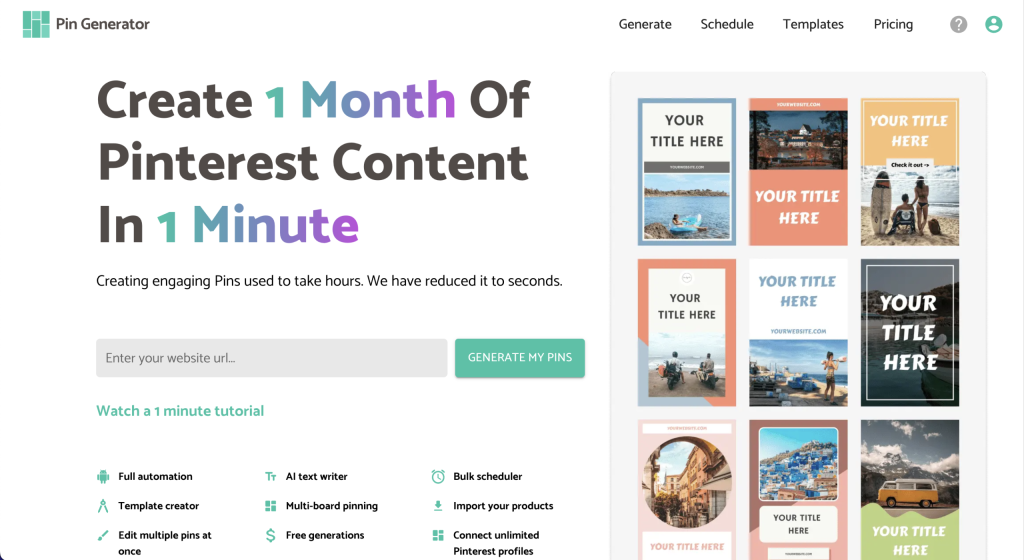
Pinterest cares more about consistency and quality than it does volume. Find a cadence that suits your needs and stick with it. Whether you’re pinning five times a day or five times per week, stick to a rhythm that’s sustainable for you. Tools like Pin Generator make it easier to stay consistent by helping you create and schedule optimized pins in minutes.
Start Pinning With Purpose
Getting started on Pinterest for business doesn’t have to be complicated. With your account set up correctly, a few keyword-rich boards in place, and a plan to post consistently, you’ll already be ahead of most creators on the platform.
Remember, Pinterest isn’t about going viral, it’s about showing up when someone is actively looking for the content, product, or solution you offer.
If you want help streamlining the process, tools like Pin Generator can make a huge difference. From optimized pin creation to simple scheduling, it takes the guesswork out of Pinterest marketing so you can focus on growing your business.
Want to see it in action? Try out Pin Generator for free today!