
Pinterest Affiliate Program
27 July 2026
The pinterest affiliate program sounds like a magical vending machine: add pretty pins, receive commissions, retire to a hammock. Lovely image. Slightly unrealistic. Pinterest affiliate marketing can absolutely generate income, but it works best when you treat Pinterest like a visual search engine, not a slot machine wearing a red “P” hat.
Here’s the good news: Pinterest is built for discovery. People go there to plan purchases, compare ideas, save products, and dream dangerously close to their credit cards. That makes it a powerful platform for affiliate marketers promoting products, tools, digital downloads, courses, home decor, fashion, travel gear, software, and basically anything that photographs well or solves a problem.
This guide walks you through how to join and monetize with Pinterest affiliate marketing step by step: what “Pinterest affiliate program” actually means, how to choose affiliate networks, how to disclose links properly, how to create pins that get clicks, and how to track results without needing a spreadsheet exorcist. We’ll also show where a tool like PinGenerator can help you create and schedule Pinterest content at scale without manually designing every pin like it’s a tiny digital oil painting.
First, What Is the Pinterest Affiliate Program?
Let’s clear up a common confusion right away: Pinterest does not usually operate like a traditional affiliate network where you join “Pinterest’s program” and get paid by Pinterest for referring products. Instead, the phrase pinterest affiliate program usually refers to using Pinterest as a traffic source for affiliate links from other programs.
In other words, you join affiliate programs through brands, marketplaces, or affiliate networks, then promote those affiliate links on Pinterest. When someone clicks your pin and buys, signs up, or completes the required action, you earn a commission. Pinterest is the discovery engine. The affiliate program is the monetization engine. You are the charming middleperson holding a latte and whispering, “This solves your problem.”
You can promote affiliate products on Pinterest in two main ways:
- Direct affiliate pins: The pin links straight to your affiliate URL, assuming the affiliate program and Pinterest policies allow it.
- Bridge content: The pin links to a blog post, product roundup, review, comparison, tutorial, or landing page that contains affiliate links.
Both can work. Direct linking is faster, but bridge content often converts better because it gives you room to educate, compare, build trust, and include proper disclosures. If you want a deeper breakdown of what Pinterest allows, read this helpful guide on whether affiliate links are allowed on Pinterest.
Pinterest’s own business resources emphasize that the platform is a place where users come to discover ideas and products. You can review Pinterest’s official business guidance on shopping and discovery through the Pinterest Business site. Translation: people are already in planning mode, which makes affiliate content feel more natural than shouting “BUY THIS!” into the void like a caffeinated town crier.
Why Pinterest Works So Well for Affiliate Marketing
Pinterest is not quite social media in the usual sense. It’s more like Google, Instagram, and a mood board had a very organized baby. Users search for ideas, save them, return later, and often use Pinterest during decision-making moments. That’s great news for affiliate marketers because your content can keep working long after you publish it.
According to Pinterest’s audience insights, hundreds of millions of people use the platform monthly to find inspiration, products, and ideas. Pinterest also reports that users come to the platform with purchase intent and use it to discover new brands. For affiliate marketers, that means you are not interrupting people while they watch dance videos from their cousin’s dog. You are showing up while they are actively searching for “best meal prep containers,” “small balcony decor,” or “wedding guest dresses that don’t scream curtain fabric.”
Pinterest also has a longer content shelf life than many social platforms. A tweet may vanish in minutes. An Instagram post may have a short attention window. A good pin, however, can continue driving traffic for months, especially if it ranks for search terms or gets saved to relevant boards.
That does not mean you can publish three pins, wait by your laptop, and demand money from the algorithm. Pinterest rewards consistent, fresh, relevant content. The marketers who win usually publish multiple pin variations, test topics, optimize keywords, and keep going when the first few pins perform like a potato in a talent show.
This is where workflow matters. Creating one pin is easy. Creating fresh pins every week for multiple affiliate posts is where people start negotiating with their calendar. PinGenerator helps by turning URLs, blog posts, and product pages into batches of Pinterest-ready designs with AI-generated titles and descriptions. If your affiliate strategy depends on consistent pinning, automation is not laziness. It is survival with better fonts.
Step 1: Choose the Right Affiliate Programs Before You Pin Like a Maniac
Before you create pins, you need something worth promoting. Choosing the right affiliate program matters more than choosing the prettiest template, although pretty templates do help because the internet is shallow before it is wise.
Look for affiliate programs that match your niche, audience, and content style. If your Pinterest account is about minimalist home organization, promoting motorcycle tires will confuse everyone, including the motorcycles. Your affiliate offers should feel like a natural extension of what your audience already wants.
Popular affiliate program options
You can find affiliate offers through several types of sources:
- Affiliate networks: Platforms like ShareASale, CJ Affiliate, Impact, Awin, Rakuten Advertising, and PartnerStack host many brands in one dashboard.
- Retail marketplaces: Amazon Associates, Etsy affiliate options through networks, Target Partners, and similar programs can work well for product-heavy Pinterest niches.
- Software affiliate programs: SaaS tools often offer recurring commissions, which can be attractive for bloggers and business creators.
- Digital product platforms: Courses, templates, ebooks, planners, and memberships can convert well when paired with helpful content.
- Brand-direct programs: Many companies run their own affiliate programs and list them in the footer of their websites.
When evaluating a program, look beyond the commission percentage. A 50% commission on a product nobody wants is still zero dollars, decorated with optimism. Check:
- Commission rate and average order value
- Cookie duration
- Brand reputation and customer reviews
- Product-market fit for your audience
- Whether Pinterest promotion is allowed
- Whether direct affiliate links are allowed
- Rules about paid ads, coupon terms, and trademark bidding
Some programs prohibit direct linking from Pinterest. Others allow it but require specific disclosures. Always read the terms before pinning. Yes, terms and conditions are boring. So are seatbelts. Use both.
If you’re brand new, this step-by-step Pinterest affiliate marketing guide is a useful companion resource for building your foundation before scaling.
Step 2: Understand Pinterest and FTC Disclosure Rules
Affiliate marketing has rules. Not “vague pirate code” rules. Actual compliance rules. If you earn a commission from a recommendation, you need to disclose that relationship clearly.
In the United States, the Federal Trade Commission requires affiliate disclosures to be clear and conspicuous. You can read the official guidance in the FTC’s disclosure guide for social media influencers. The short version: people should understand that you may earn money before they click or buy.
On Pinterest, that means your pin description should include a disclosure such as:
- “Affiliate link — I may earn a commission if you buy.”
- “This pin contains affiliate links.”
- “Ad” or “Sponsored” if the relationship qualifies as advertising or sponsorship.
Do not hide disclosures behind vague hashtags like #sp, #collab, or #thanksbrand. A disclosure should not require a detective, a magnifying glass, and emotional resilience.
Where to put affiliate disclosures
For Pinterest affiliate marketing, place disclosures in at least one of these locations, and preferably more when relevant:
- In the pin description, near the beginning
- On the landing page or blog post before affiliate links appear
- In product review or roundup content
- On email opt-ins or freebie pages if affiliate links are included
Pinterest also has platform policies you should follow. Review the Pinterest Community Guidelines and advertising policies if you plan to promote pins. Avoid spammy behavior, misleading claims, cloaked links, suspicious redirects, and exaggerated promises. “This $7 planner cured my taxes and made my cat respect me” is funny, but maybe don’t.

Step 3: Build a Pinterest Profile That Looks Trustworthy, Not Like a Coupon Goblin
Your Pinterest profile is your storefront. If it looks neglected, random, or stuffed with unrelated affiliate links, people may bounce faster than a toddler on espresso. A strong profile helps Pinterest understand your niche and helps users trust your recommendations.
Start by creating or switching to a Pinterest Business account. This gives you access to analytics, audience insights, and other features that are essential for tracking performance. Then optimize your profile around your niche.
Profile optimization checklist
- Display name: Include your brand name and a niche keyword, such as “Cozy Home Finds | Small Space Decor.”
- Bio: Explain who you help and what you share. Mention your niche naturally.
- Website claim: Claim your website if you use bridge content. This helps with credibility and analytics.
- Board names: Use searchable board titles like “Budget Kitchen Organization” instead of “Stuff I Like.”
- Board descriptions: Add keyword-rich descriptions that explain what users will find.
- Visual consistency: Use templates, colors, and design styles that make your pins recognizable.
Think of your boards as content categories. If you promote fitness products, you might have boards like “Home Workout Equipment,” “Healthy Meal Prep Ideas,” “Running Gear for Beginners,” and “Fitness Motivation for Busy Moms.” Each board should support your affiliate niche and attract the right search traffic.
For more strategic direction, check out this broader Pinterest affiliate marketing guide, which covers how to think about niches, boards, and long-term content growth.
Step 4: Create Pins That Earn Clicks Without Screaming at People
Pinterest is visual. Shocking, I know. Your pins need to stop the scroll, communicate value quickly, and give users a reason to click. A pretty image alone is not enough. A clever headline alone is not enough. You need both, ideally without making the design look like a ransom note made from lifestyle magazines.
High-performing affiliate pins often use one of these angles:
- Problem-solution: “10 Storage Products That Make Tiny Kitchens Feel Huge”
- Comparison: “Best Budget Blenders for Smoothies: 5 Picks Under $100”
- Curated list: “15 Travel Essentials I Actually Use”
- How-to: “How to Build a Capsule Wardrobe Without Buying 97 Beige Sweaters”
- Before-and-after: Great for home, beauty, organization, fitness, and DIY niches
- Seasonal: “Best Gifts for Gardeners Who Already Own Too Many Tiny Shovels”
Use tall vertical designs, clear text overlays, readable fonts, and strong contrast. Pinterest recommends using high-quality vertical images and helpful context to make content actionable. You can explore Pinterest creative recommendations through Pinterest’s creative best practices.
Affiliate pin title examples
Here are some title formulas you can adapt:
- “Best [Product Type] for [Specific Audience]”
- “I Tried [Product] for [Time Period] — Here’s What Happened”
- “[Number] Affordable [Niche] Finds Worth Saving”
- “How to Choose the Right [Product] Without Wasting Money”
- “The [Niche] Tool I Wish I Bought Sooner”
Create multiple pin variations for each affiliate page or blog post. Change the headline, image, layout, and description. Pinterest likes fresh content, and different audiences respond to different angles. One person clicks “Best Desk Chairs for Back Pain.” Another clicks “My Lower Back Stopped Filing Complaints After This Chair.” Both may lead to the same review.
This is exactly where PinGenerator shines. Paste in a URL, choose from 100+ Pinterest-optimized templates, and generate dozens of unique pins with AI-written titles and descriptions. Instead of spending an afternoon resizing graphics and questioning your life choices, you can create a month of Pinterest content in minutes and schedule it directly.

Step 5: Direct Affiliate Links vs. Blog Posts — Choose Your Adventure
Should you link pins directly to affiliate products or send traffic to your own blog content first? The answer is: it depends. Yes, that is the least satisfying answer in marketing, but it is also the most honest.
Direct affiliate linking
Direct affiliate links can work when the product is simple, the offer is clear, and the affiliate program allows Pinterest traffic. For example, a pin showing a specific dress, planner, kitchen gadget, or printable template may link directly to the product page.
Pros:
- Fast to set up
- No blog required
- Great for visual products
- Fewer steps between click and purchase
Cons:
- Less room to build trust
- Some programs prohibit direct linking
- Harder to collect emails or retarget visitors
- Less control over conversion experience
Bridge content
Bridge content means sending users to your website first. This could be a product review, gift guide, tutorial, comparison article, or “best of” list. For many affiliate marketers, this is the stronger long-term strategy because you own the content asset.
Pros:
- Better for SEO and long-term traffic
- More space for disclosures, pros and cons, FAQs, and comparisons
- Opportunity to build an email list
- Can promote multiple affiliate products in one article
- More trust before the sale
Cons:
- Takes more time to create
- Requires a website
- You need to optimize page speed and mobile experience
If you plan to build a durable affiliate business, bridge content is usually worth it. A pin leading to “Best Coffee Makers for Small Apartments” can promote several products, answer buyer questions, and rank in search engines too. Then, with PinGenerator’s RSS feed automation, new blog posts can automatically become pins, which is delightfully close to having a tiny robot intern who doesn’t steal your snacks.
Step 6: Pinterest SEO for Affiliate Marketers
Pinterest SEO is the art of helping Pinterest understand your content so it can show your pins to the right people. It is less mystical than it sounds. Mostly, it involves using the words your audience actually searches for.
Start with Pinterest search. Type a broad keyword into the search bar and look at autocomplete suggestions. If you sell or promote home office products, type “home office” and note phrases like “home office ideas,” “home office decor,” “home office organization,” and “small home office.” These are clues from the platform itself.
You can also use Pinterest Trends, keyword research tools, and general SEO tools. For broader search behavior and content marketing insights, resources like HubSpot’s SEO marketing resources and Moz’s Beginner’s Guide to SEO are excellent references.
Where to use keywords on Pinterest
- Pin titles
- Pin descriptions
- Board names
- Board descriptions
- Profile name and bio
- Image text overlay where natural
- Landing page title and headings
Do not keyword-stuff. A description like “best blender blender for smoothies smoothie blender best smoothie blender kitchen blender” reads like a blender having a panic attack. Write naturally. Include the main phrase, related terms, and a useful explanation of what the user will get.
A solid pin description for an affiliate blog post might look like this:
“Affiliate links included. Compare the best compact coffee makers for small kitchens, apartments, dorm rooms, and home offices. See budget picks, space-saving options, and features to consider before buying.”
That description includes disclosure, keywords, and user value. Very tidy. Marie Kondo would nod politely.
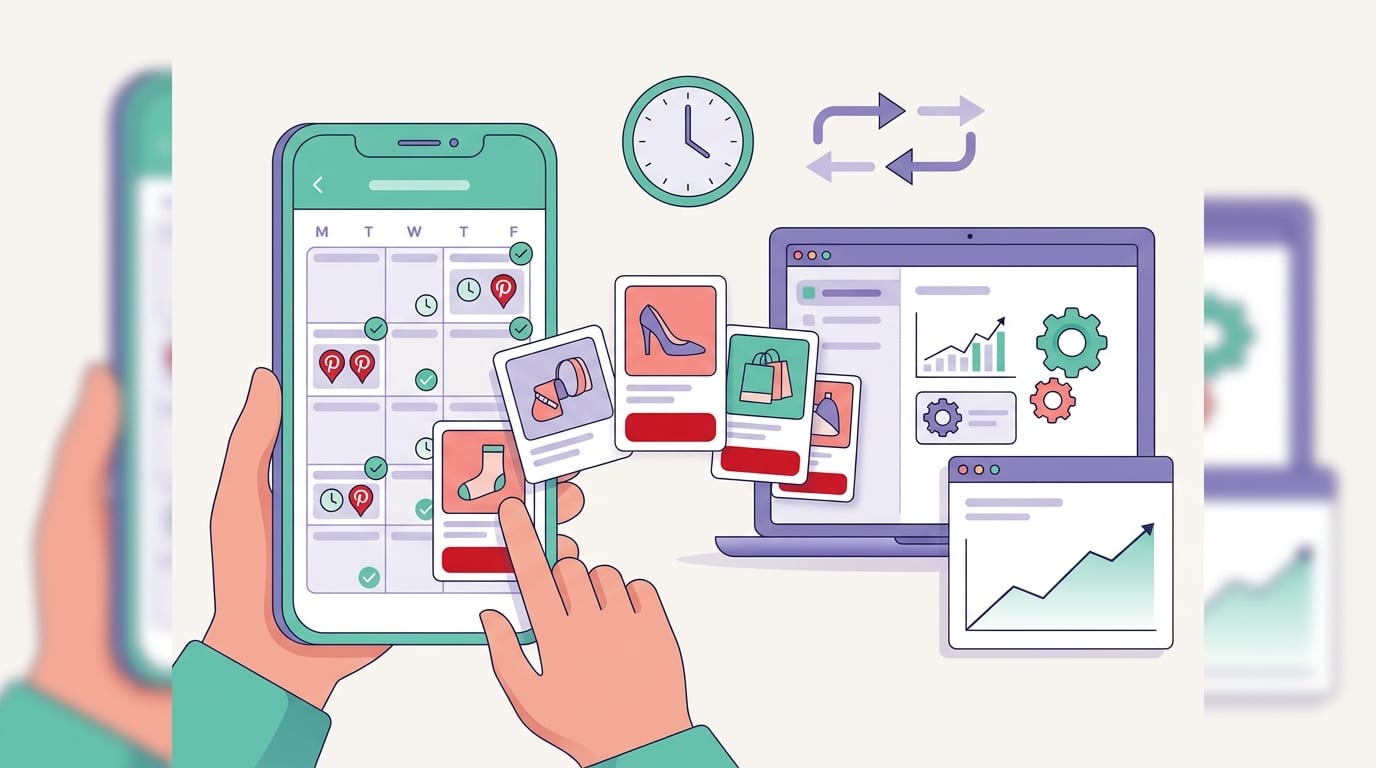
Step 7: Create a Pinning Schedule That Does Not Eat Your Entire Life
Consistency matters on Pinterest. But consistency does not mean you must sit at your desk every day manually publishing pins like a Victorian clerk with Wi-Fi. A good schedule keeps your account active while giving each piece of content multiple chances to perform.
A practical affiliate pinning workflow might look like this:
- Choose one affiliate blog post or offer to promote.
- Create 5–10 pin variations with different headlines and images.
- Write unique descriptions using related keywords.
- Schedule pins to relevant boards over several weeks.
- Track clicks, saves, and conversions.
- Create more variations for winners and retire the duds with dignity.
Freshness is important. Instead of pinning the exact same design repeatedly, create new versions. Change the hook, visual, color palette, or call-to-action. If one angle performs well, make more pins around that angle.
PinGenerator makes this process much less painful. You can generate multiple pin designs from one URL, use AI to rewrite titles and descriptions, schedule content across boards, and set up repeating pins for evergreen posts. For affiliate marketers managing multiple offers, this can be the difference between “I have a system” and “I have 47 browser tabs and a haunted Canva folder.”
If you want more detail on strategy, this related post on Pinterest affiliate marketing tactics dives into practical ways to build a repeatable affiliate workflow.
Step 8: Track Your Affiliate Results Like a Calm, Commission-Earning Scientist
You cannot improve what you do not measure. Pinterest affiliate marketing involves several layers of tracking: Pinterest metrics, website analytics, and affiliate dashboard data. None of these alone tells the full story, but together they reveal what is working.
Key Pinterest metrics to watch
- Impressions: How often your pins are shown.
- Saves: How often users save your pins to boards. Saves can help extend reach.
- Outbound clicks: How many users click through to your link.
- Click-through rate: The percentage of impressions that become clicks.
- Top boards: Which boards generate the most engagement.
High impressions with low clicks may mean your pin is being seen but not compelling enough. Try a clearer headline, stronger call-to-action, or more specific promise. High clicks with low conversions may mean the landing page or offer is not aligned with the pin. If your pin promises “budget-friendly,” but the product costs $900 and a small emotional sacrifice, expect disappointment.
Use tracking links carefully
Most affiliate networks provide tracking dashboards, but you can add more clarity using UTM parameters when allowed. UTMs help you see which pins, boards, or campaigns drive traffic in analytics tools. For example, you might tag links by campaign name, pin angle, or content type.
However, always check affiliate program rules before modifying links. Some programs have strict policies about redirects, shorteners, or link formatting. Avoid suspicious link cloaking on Pinterest. Clean, transparent links are safer.
For website-based affiliate marketing, Google Analytics can help you understand landing page behavior, traffic sources, and conversions. Affiliate dashboards then show commissions, conversion rates, and EPC, or earnings per click. Your goal is to find patterns: which topics, products, pin designs, and keywords lead to revenue.
Common Pinterest Affiliate Mistakes That Make the Algorithm Sigh
Affiliate marketing on Pinterest is simple in concept, but there are plenty of banana peels on the floor. Avoid these common mistakes and you will already be ahead of many beginners.
- Skipping disclosures: This is a compliance problem and a trust problem. Be clear.
- Promoting random products: Stay focused on your niche and audience.
- Using only one pin design: Test multiple visuals and hooks.
- Pinning to irrelevant boards: Relevance matters for both users and Pinterest SEO.
- Writing vague descriptions: Use keywords and explain the benefit.
- Over-promoting without value: Mix product pins with educational, inspirational, and helpful content.
- Ignoring mobile experience: Most users browse on mobile. Your landing pages must load fast and look good.
- Giving up too early: Pinterest can take time. Think months, not minutes.
Another big mistake is not creating enough content. Pinterest is competitive. If you only publish occasionally, your results may be inconsistent. This is why many affiliate marketers batch content. They create multiple pins for each post, schedule ahead, and review performance monthly.
PinGenerator was built for exactly this kind of workflow. You can import URLs, generate pin variations, use Pinterest-focused templates, write descriptions with AI, and schedule content without hopping between five different tools. It is not a magic money printer. It is more useful than that: it is a consistency machine.

A Simple 30-Day Pinterest Affiliate Program Action Plan
If you are starting from scratch, here is a realistic 30-day plan. No need to build an empire by Tuesday. Tuesday is already busy.
Week 1: Foundation
- Choose one niche and define your audience.
- Create or optimize your Pinterest Business account.
- Join 3–5 relevant affiliate programs.
- Read each program’s rules for Pinterest promotion.
- Create 8–12 keyword-focused boards.
Week 2: Content assets
- Create 2–3 affiliate blog posts, reviews, tutorials, or roundups.
- Add clear affiliate disclosures.
- Make sure your pages are mobile-friendly and fast.
- Collect keywords for each post using Pinterest search and trends.
Week 3: Pin creation
- Create 5–10 pin variations per article or offer.
- Use different headlines, images, and layouts.
- Write unique pin descriptions with disclosures and keywords.
- Schedule pins across relevant boards.
Week 4: Measure and improve
- Review Pinterest Analytics for impressions, saves, and outbound clicks.
- Check affiliate dashboards for clicks, conversions, and commissions.
- Create more pins for top-performing topics.
- Replace weak headlines or designs.
- Plan next month’s content based on actual data, not vibes in a trench coat.
This plan is intentionally simple. Pinterest affiliate marketing is not about doing one heroic campaign. It is about building a repeatable system: useful content, relevant offers, fresh pins, clear disclosures, and consistent tracking.
Final Thoughts: Make Pinterest Work for Your Affiliate Business, Not the Other Way Around
The pinterest affiliate program opportunity is real, but it is best understood as Pinterest-powered affiliate marketing. You join affiliate programs, create helpful content, design clickable pins, disclose properly, and track what produces revenue. Pinterest provides the discovery engine; your strategy turns that attention into commissions.
The winning formula is not complicated: choose relevant products, create content that solves real problems, use Pinterest SEO, publish fresh pins consistently, and keep testing. Be useful first. Be promotional second. Be weird enough to be memorable, but not so weird that people wonder if your product roundup was written by a raccoon with a coupon code.
If you want to move faster, PinGenerator can help you create, write, schedule, and scale your Pinterest content without spending your entire week designing pins one by one. Start with a few affiliate posts, generate multiple pin variations, schedule them out, and let the data tell you what to create next.
Your next step: pick one affiliate offer, create one helpful piece of content around it, make five fresh pins, disclose clearly, and publish. Then do it again. That is the whole game. Not glamorous. Very effective. Slightly addictive once commissions start appearing.