
How to Use Pinterest to Boost Sales on Shopify (2025)
13 June 2026
If you’ve built a Shopify store but find yourself struggling to drive sales or are simply looking for new ways to grow traffic, this article is for you.
Many online sellers create great products, but overlook strategic marketing and product placement to get their product in front of the right people – shoppers who are ready to buy.
Pinterest is the third most widely used search engine after Google and YouTube, and it has become a game changer for online sellers. With more than 578 million monthly active users in 2025 and surveys showing that 85% of Pinners have made a purchase based on Pins they saw from brands, it’s a platform built for discovery and conversions. In other words, it is a smart choice for Shopify store owners who want to reach motivated shoppers.
But how do you get started? Is it too late to join? And what exactly should you set up in order to boost sales? This guide will walk you step-by-step through the answers so you can connect your Shopify store to Pinterest and start building a steady stream of traffic and sales.
Pinterest Basics
Before we dive into Shopify specifically, let’s take a moment to cover the basics of Pinterest.
Unlike Instagram or TikTok, Pinterest is not a social media platform, it’s a search engine. People open the app to actively search for ideas, solutions, and products, making it an ideal place to showcase what you sell, because users are often in a buying mindset.
If you are completely new to Pinterest, check out our Pinterest for Beginners article, it breaks down everything you need to know to get started. And if you’re ready to dive into Shopify, let’s get into it.
We have also created a full video that walks through the entire process step by step. You can watch that here:
Pinterest for Shopify Sellers
If you are using Pinterest to promote your Shopify store, there are four things you need to set up correctly to get your product see.
1. Create a Pinterest Business Account
A business account is free to set up and gives you access to analytics, insights, and advertising options. You can either convert an existing personal account or create a new one under your store name. This step gives your shop credibility and ensures you have the tools to track performance. We have a complete guide to set up a business account here.
2. Optimize Your Profile and Boards
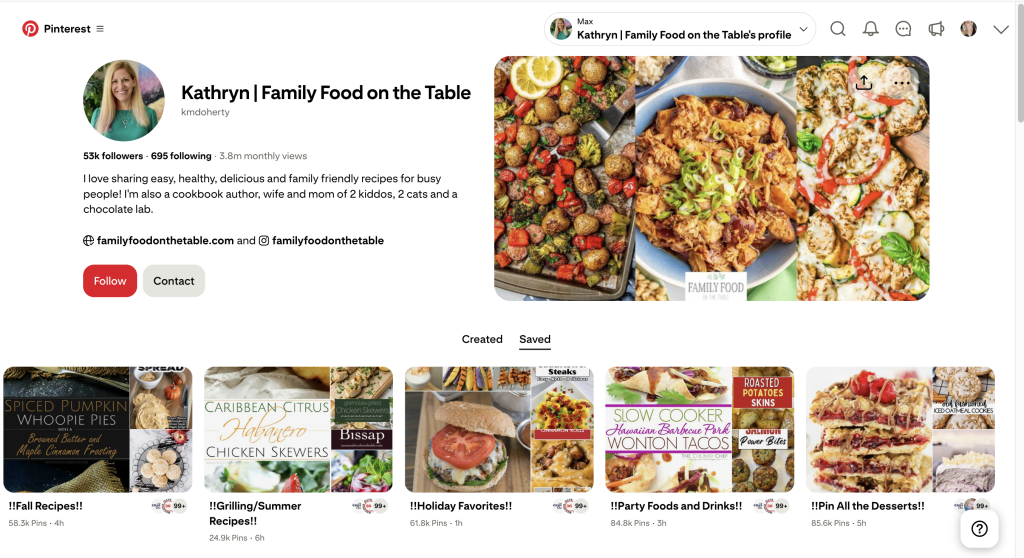
Your profile should make it clear what your store offers. Include keywords naturally in your display name and bio so that Pinterest knows how to categorize your account. Then, create boards that act like folders for your products. For example, if you sell eco-friendly kitchenware, you might create boards called “Sustainable Kitchen Tools” or “Natural Home Products.” Keep names descriptive and clear.
3. Understand Keywords and Where to Use Them
Pinterest relies heavily on keywords to match content with search intent. To find popular keywords, type a word into the Pinterest search bar and look at the autocomplete suggestions, as these are the most commonly searched phrases. Use these words in your profile bio, board titles, descriptions, Pin titles, and Pin descriptions. If you want to learn more about Pinterest keywords, check out our full guide.
4. Focus on Fresh Pins
Pinterest rewards fresh content. That doesn’t mean you have to design something brand new every day, but you do need variety. Use new titles, descriptions, images, and links rather than reusing the same Pin repeatedly. If you sell multiple products, rotate them to keep your account active and your content appealing.
How to Connect Shopify to Pinterest
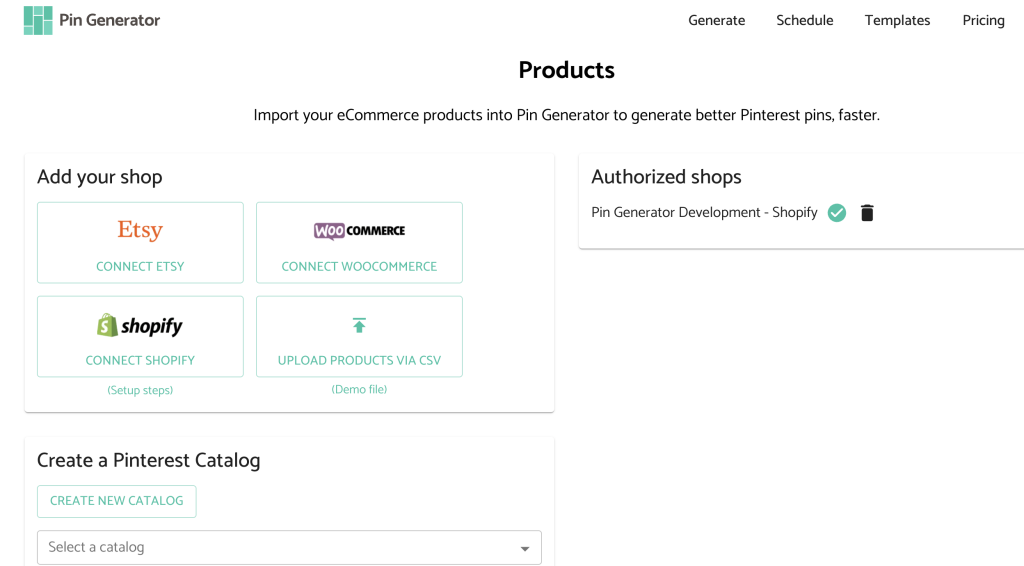
Our preferred way to connect Shopify and Pinterest is with a tool called Pin Generator. Not only does Pin Generator integrate the two platforms seamlessly, but it also automatically pulls information from your Shopify store to create ready-to-post Pins for you. On top of that, it gives you the ability to build templates, schedule content in advance, and even use AI tools to keep generating fresh Pins on your behalf.
But before you can do all of that, you need to connect your store. Here’s how:
- Go to pingenerator.com/products
- Click Connect Shopify in the left-hand menu
- Install the Pin Generator app in your Shopify store
- Head back to the Pin Generator dashboard and you’ll see all your products automatically pulled in at the bottom of the page
From here, you can select the products you want to feature, adjust how many Pins you’d like, and then generate your designs. Pin Generator pulls product titles, descriptions, links, and images directly from Shopify, so your Pins are already optimized and ready to go.
At first, you may want to experiment with templates, images, or text to refine your look, but once you’ve got a setup that works, the connection keeps running in the background, saving you time and keeping your Shopify products flowing onto Pinterest.
Pinterest Marketing Automation
Once your Shopify store is connected, automation is what makes the whole strategy both scalable and sustainable. Instead of manually designing and uploading new Pins every day, you can let Pin Generator do the heavy lifting for you.
There are two main ways to automate:
- Use custom-designed templates for a “plug and play” pin creator.
- Use the AI-powered AutoPin feature to generate fresh Pins for you every day (this is my personal favorite).
Inside Pin Generator, you can browse the template library, design your own, or even import templates directly from Canva. The real magic is its ability to sync your product data from Shopify straight into your Pin designs – titles, images, links, and descriptions are pulled in automatically, which dramatically speeds up the creation process.
And while templates make things easy, the standout feature is AutoPin. It doesn’t just schedule your Pins, but it actually creates new ones for you using AI, so your content stays fresh and consistent without you lifting a finger.
Pin Generator’s Create AutoPin feature can:
- Rewrite product titles into Pinterest-friendly versions
- Refresh descriptions so they’re unique and keyword-rich
- Pull in new images or graphics
- Schedule Pins to go live as often as you choose (daily, weekly, or on custom intervals)
This setup might take a little time at the start, but once it’s in place you can “set it and forget it.” Your products keep generating fresh Pins automatically, your account stays active, and traffic continues to flow back to your Shopify store without you spending hours in front of a design tool.

Boost Shopify Sales with Pinterest Marketing
Pinterest is one of the most overlooked but powerful platforms for Shopify sellers. With millions of users actively searching for products and ideas, it gives you a direct path to get your store in front of people who are ready to buy.
If you’re ready to test it for yourself, you can try Pin Generator for free and see how simple it is to turn your Shopify products into ready-to-publish Pins.