
Pinterest Marketing Strategy for 2026: How to Get Started as a Beginner
13 June 2026
Pinterest has grown steadily year after year, reaching more than 600 million monthly active users in 2025. Searches on the platform continue to climb, and the shift toward AI-powered discovery means users are finding new creators, products, and ideas faster than ever.
If you’re planning to grow your business this year, Pinterest remains one of the simplest and most reliable platforms to start with. You don’t need a large following or a complicated content plan. You need a clear niche, a search-friendly workflow, and a consistent approach that matches the way Pinterest operates today.
This guide breaks down everything you need to know to build a strong Pinterest marketing strategy in 2026. It covers how to set up your account correctly, how to choose a niche Pinterest can understand, how AI influences Pinterest SEO, and how to stay consistent even if you’re short on time.
How to Set Up Your Pinterest Business Account
To start, you’ll need a Pinterest business account. A business account gives you access to analytics, publishing tools, ad use, and the platform’s expanding AI features. These tools help Pinterest understand your content and show it to the right people.
A business account is completely free and you can easily set it up in just a few clicks. If you need help, we’re walked through the account set up process here. If you already have a personal account, you can convert it to a business account, but we recommend starting fresh, as this helps Pinterest understand your content immediately without confusion from old boards or searches.
As you set up your profile, keep your niche in mind. Pinterest’s search system depends on context, so your name, bio, and board titles should use relevant keywords to help shape that context. Use clear, descriptive language to give Pinterest the information it needs to understand who your content is for.
For example, if you’re a gluten-free chef, you can add the keywords such as, “gluten free” or “healthy recipes” in your name, bio, and board titles too. The more specific you are, the easier it is for Pinterest to understand what your account is about.
If you prefer to watch instead of read, we’ve recorded a short tutorial on YouTube. You can watch it here:
Choose a Clear Niche
Your niche determines who finds your content and how easily Pinterest categorizes your pins. A niche isn’t a strict label, but rather a topic that you can create consistent content around. Because Pinterest is a search engine, your niche must align with what users are already looking for. This might include topics like travel, recipes, home organization, printables, fashion, or online business.
If you’re just getting started with Pinterest in 2026, check out some of these popular niches for ideas.
A strong niche has two qualities. First, people must be searching for it. Second, you must be able to create a steady flow of content related to it. If you can confidently brainstorm several weeks of ideas, you’re likely in the right place. Once your niche is set, it becomes the foundation for your keyword strategy, your pin designs, and your posting calendar.

Pinterest SEO in 2026
SEO stands for search engine optimization. Since Pinterest is a search engine (similar to Google), it’s important to create pins in a way that can easily communicate information with Pinterest. Usually this means adding keywords to the pin titles and descriptions, but as Pinterest’s technology advances, so does it’s SEO.
While Pinterest SEO has always been important, in 2026 it works differently. Pinterest now uses AI to interpret both the text and the visuals on your pins. This means your keywords remain important, but your images carry more influence than ever.
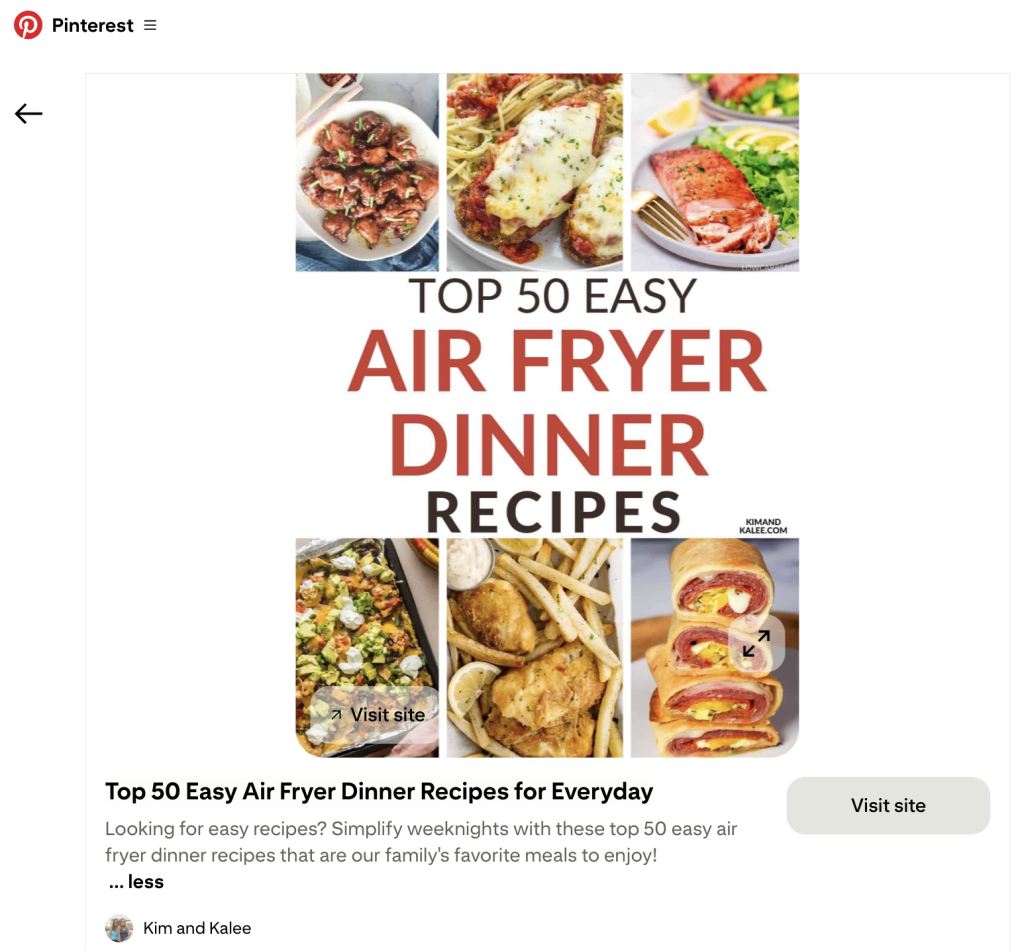
Pinterest evaluates what is shown in the design itself. For example, if your pin includes a suitcase, packing cubes, and travel clothing, Pinterest understands that your content relates to packing tips or travel essentials even if those keywords appear only in the description rather than on the graphic. This gives beginners a real advantage if they choose relevant images. Clear, simple visuals will help the algorithm categorize your pins correctly.
Your titles and descriptions should still include relevant keywords (written in natural language), and your boards should focus on specific subtopics within your niche. Pinterest uses all of these elements together to determine where your content belongs.
How to Consistently Create Pins
Consistency is one of the biggest factors in Pinterest growth, as each pin gives Pinterest another opportunity to discover and recommend your content. You do not need to post constantly, but you do need a sustainable rhythm. Some creators publish several pins per day, whereas others publish a few per week. What matters is that your schedule can be maintained over time.
The challenge is that designing and posting pins manually can take hours each week. This is often the stage where people start strong but quickly lose steam. One of the simplest ways to avoid this is to use tools that help you batch-create and schedule your content.
We personally recommend Pin Generator, as it can transfer a blog post or product link into a month of Pinterest pins in minutes. The process is simple. You can paste in a blog post, product page, or affiliate link and the tool will scan the URL, pull your images and text, and generate multiple Pinterest-ready designs in seconds. You can adjust the templates, refine the titles, save the styles you like most, and schedule everything directly to Pinterest. This makes it realistic to stay consistent even if you only have a short window each week to work on content.
If you want to go even further, the AutoPin feature creates future designs based on templates you already like. This gives your account a steady flow of fresh pins even when you’re busy with other parts of your business.

Try Pin Generator for Free
If you’re ready to start your Pinterest business in 2026, it’s time to see just how easy it can be with the right tools! We share plenty of resources on our blog and YouTube channel, but if you’re ready to dive in, you can try Pin Generator completely free.
Use any blog post, shop page, or website link and see how many pins you can create in just a few minutes. It’s a simple way to stay consistent without designing every pin manually.
Let’s get generating!