
Top Pinterest Scheduler Tools for 2025 to Boost Your Marketing
11 June 2025
Level Up Your Pinterest Game with a Scheduler
Want to maximize your Pinterest reach without being glued to your computer? A Pinterest scheduler automates your pinning, saving you time and boosting engagement. This list of eight top Pinterest schedulers for 2025, including options with Pin Generator functionality, will help you find the best tool to simplify and amplify your Pinterest marketing. Stop manually pinning and start strategically scheduling!
1. Pin Generator
Finding the perfect Pinterest scheduler can be a game-changer for anyone serious about leveraging the platform's visual power for business growth. Pin Generator emerges as a strong contender in this arena, offering a comprehensive suite of tools designed to streamline and amplify your Pinterest marketing efforts. This all-in-one platform caters to a diverse audience, including small business owners, social media marketers, eCommerce store owners, bloggers, and affiliate marketers, promising to revolutionize how they manage their Pinterest presence. Its key strength lies in automating the often time-consuming process of creating high-quality pins, allowing users to generate engaging visuals in mere seconds.
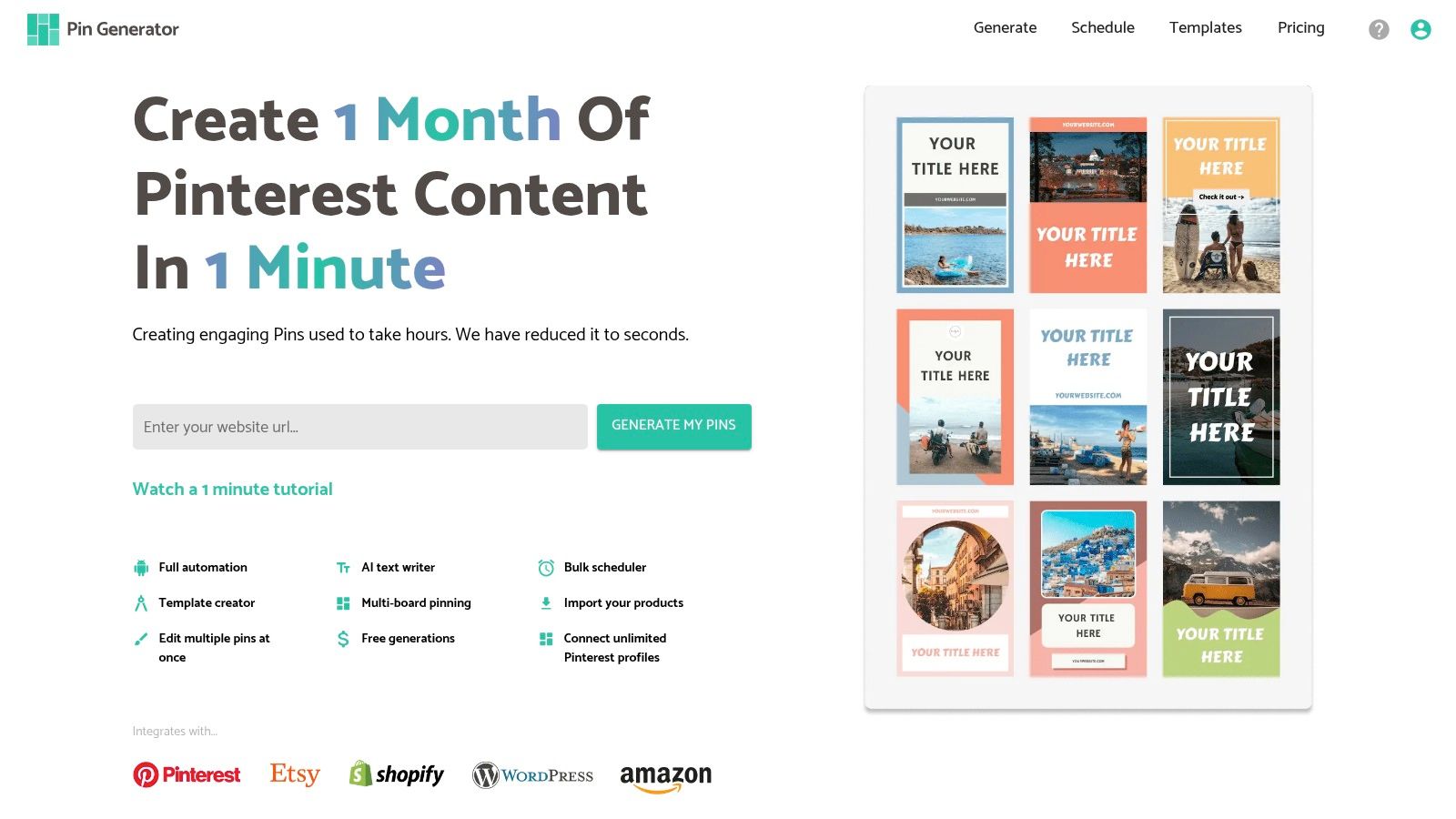
Beyond its core pin generation capabilities, Pin Generator provides a robust set of features that make it a true Pinterest powerhouse. Its built-in pinterest scheduler allows users to plan and automate their content calendar, ensuring consistent posting and maximizing reach. The ability to create custom templates ensures brand consistency and saves valuable design time, while integrated Pinterest catalogs provide a seamless shopping experience for potential customers. Moreover, the platform meticulously tracks your pin history, providing valuable insights into what resonates with your audience and informing future content strategies.
One of the most compelling aspects of Pin Generator is its seamless integration with popular platforms. Whether you're running an Etsy or Shopify store, managing a WordPress blog, or simply browsing the web, the platform's integrations, including a handy Google Chrome extension, make content curation and sharing incredibly efficient. This interconnectivity streamlines the workflow, allowing users to quickly transform product listings, blog posts, or inspiring visuals into engaging Pinterest content.
For those looking to take their Pinterest marketing to the next level, Pin Generator offers a wealth of advanced tools. A dedicated Pinterest Keyword Research tool helps uncover relevant keywords and optimize your pins for discoverability, while trend alerts keep you informed about emerging topics and popular hashtags, ensuring your content stays relevant and engaging. An extensive library of tutorials provides practical guidance on everything from Pinterest SEO and analytics to promoting stores and maximizing affiliate marketing strategies. These resources empower both beginners and seasoned marketers to refine their Pinterest strategies and drive tangible results.
While Pin Generator offers a compelling value proposition, it's important to weigh the pros and cons. On the plus side, the platform dramatically reduces the time spent creating Pinterest content, provides a comprehensive toolset for streamlined management, and integrates seamlessly with major eCommerce platforms and WordPress. Its advanced marketing resources and supportive tutorials further enhance its appeal. However, one drawback is the lack of upfront pricing information. Users need to visit the website to explore the different plans and associated costs. Additionally, some advanced features and integrations might present a learning curve for absolute beginners, requiring some initial exploration and experimentation.
Setting up Pin Generator is relatively straightforward. Once you've chosen a suitable plan and created an account, you can connect your Pinterest account and other relevant platforms like Etsy or Shopify. From there, you can start generating pins, creating custom templates, scheduling your content, and exploring the various marketing tools. The platform's intuitive interface and detailed guides make navigation easy, even for those new to Pinterest marketing tools.
Compared to other pinterest schedulers on the market, Pin Generator stands out with its comprehensive feature set, particularly its focus on automated pin creation and advanced marketing tools. While some schedulers might offer basic scheduling and analytics, Pin Generator goes further by providing resources for keyword research, trend analysis, and comprehensive Pinterest marketing education. This makes it a valuable investment for anyone serious about maximizing their Pinterest ROI.
For anyone looking to boost their Pinterest-driven traffic and sales, Pin Generator is worth considering. Its combination of automated pin creation, scheduling capabilities, advanced marketing tools, and seamless integrations makes it a powerful asset for individuals and businesses alike. To explore the full feature set and pricing details, visit https://pingenerator.com. This tool truly empowers users to harness the full potential of Pinterest, transforming it from a visual inspiration platform into a powerful engine for business growth.
2. Tailwind Create
Tailwind Create is a powerful Pinterest scheduler and marketing platform designed to streamline your Pinterest strategy and boost your reach. If you're a small business owner, social media marketer, eCommerce store owner, content creator, affiliate marketer, or blogger looking to maximize your Pinterest presence, Tailwind Create offers a suite of tools to help you succeed. It’s more than just a pinterest scheduler; it's a complete solution for creating, optimizing, and scheduling high-performing Pinterest content. Its focus lies in providing a comprehensive platform specifically for Pinterest, unlike general social media schedulers that try to be a jack-of-all-trades. This Pinterest-centric approach makes it a valuable asset for anyone serious about leveraging the platform's visual discovery potential.
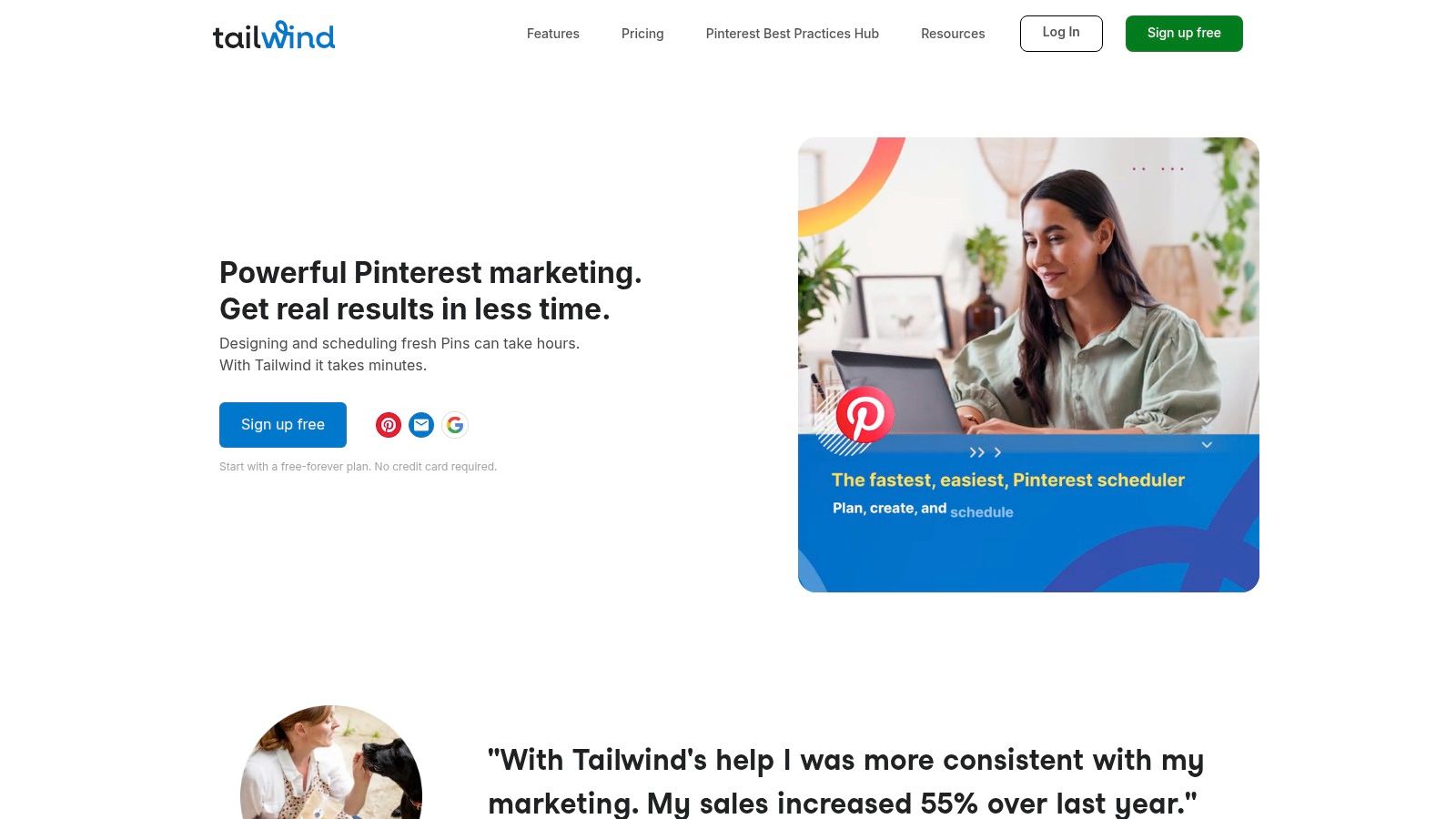
One of Tailwind Create's standout features is its AI-powered design tools. These tools come packed with thousands of customizable templates, allowing you to quickly create visually appealing Pins that align with your brand aesthetic. Even if you're not a design expert, you can easily generate professional-looking graphics, saving you valuable time and resources. This feature alone makes it a top contender amongst the best Pinterest schedulers, especially for those seeking a Pin Generator.
Beyond design, Tailwind Create excels in its scheduling capabilities. Its SmartSchedule feature analyzes your audience's activity and recommends optimal posting times to maximize engagement. This data-driven approach ensures that your Pins are seen by the right people at the right time, increasing the likelihood of clicks, repins, and ultimately, driving traffic back to your website or online store. The bulk upload feature allows you to schedule up to 100 Pins at once, further streamlining your workflow and freeing up your time to focus on other aspects of your business.
For those looking to improve their Pinterest SEO, Tailwind Create offers robust optimization tools. The platform provides hashtag suggestions and helps you optimize your Pin descriptions with relevant keywords, making it easier for your content to be discovered in Pinterest searches. This is crucial for increasing your organic reach and attracting a wider audience to your profile. The comprehensive analytics dashboard provides valuable insights into your Pin performance, allowing you to track key metrics like impressions, clicks, and repins. This data empowers you to refine your Pinterest strategy and continuously improve your results.
Tailwind Create integrates seamlessly with other marketing tools and offers strong community features, allowing you to connect with other Pinterest users and collaborate on campaigns. This collaborative aspect can further enhance your reach and expose your brand to new audiences.
While Tailwind Create offers a wealth of features, it's important to consider its pricing. Compared to general social media schedulers, Tailwind Create is positioned at a higher price point. This is understandable given its specialized focus on Pinterest and its advanced features. However, the investment can be worthwhile for businesses and individuals heavily reliant on Pinterest marketing. Currently, pricing plans start at $19.99/month for the Pro plan. Technical requirements are minimal, as the platform is web-based and accessible from any device with an internet connection.
Implementation and Setup Tips:
- Start with a Free Trial: Take advantage of Tailwind Create's free trial to explore its features and determine if it's the right fit for your needs.
- Connect Your Pinterest Account: Seamlessly integrate your Pinterest account with Tailwind Create to manage your profile and schedule Pins directly from the platform.
- Utilize the Design Templates: Explore the vast library of design templates to create eye-catching Pins, even if you lack design experience.
- Leverage SmartSchedule: Optimize your posting schedule with SmartSchedule to maximize engagement and reach a wider audience.
- Track Your Analytics: Regularly monitor your Pinterest analytics within Tailwind Create to identify what's working and refine your strategy accordingly.
Pros:
- Purpose-built specifically for Pinterest marketing.
- Excellent Pinterest SEO tools and optimization features.
- User-friendly interface with drag-and-drop design capabilities.
- Strong community features and engagement tools.
Cons:
- Higher pricing compared to general social media schedulers.
- Limited functionality for other social media platforms.
- Can be overwhelming for beginners with its extensive features.
Website: https://www.tailwindapp.com
Tailwind Create deserves its place on this list because it offers a comprehensive and specialized approach to Pinterest marketing. Its AI-powered design tools, SmartSchedule feature, and robust analytics make it a valuable asset for anyone looking to maximize their Pinterest presence. While the pricing may be higher than some general social media schedulers, the platform’s dedicated Pinterest focus and advanced features justify the investment for serious Pinterest marketers.
3. Later
Later is a visual social media scheduling platform that shines when it comes to managing a cohesive visual presence across multiple platforms, including Pinterest. While it isn't exclusively a Pinterest scheduler, its strength lies in offering a streamlined workflow for businesses and individuals juggling various social media channels. Later distinguishes itself with an intuitive visual content calendar and user-friendly interface, making it a popular choice among small businesses, influencers, and marketing agencies seeking to optimize their Pinterest marketing. It provides a solid suite of Pinterest-specific scheduling features, such as auto-publishing, bulk uploading, and basic analytics, empowering users to efficiently manage their Pinterest presence. This makes it a valuable tool for anyone looking to enhance their Pinterest strategy and automate their pinning process. For those seeking the best Pinterest scheduler to amplify their presence and automate their Pins, Later is certainly worth considering.
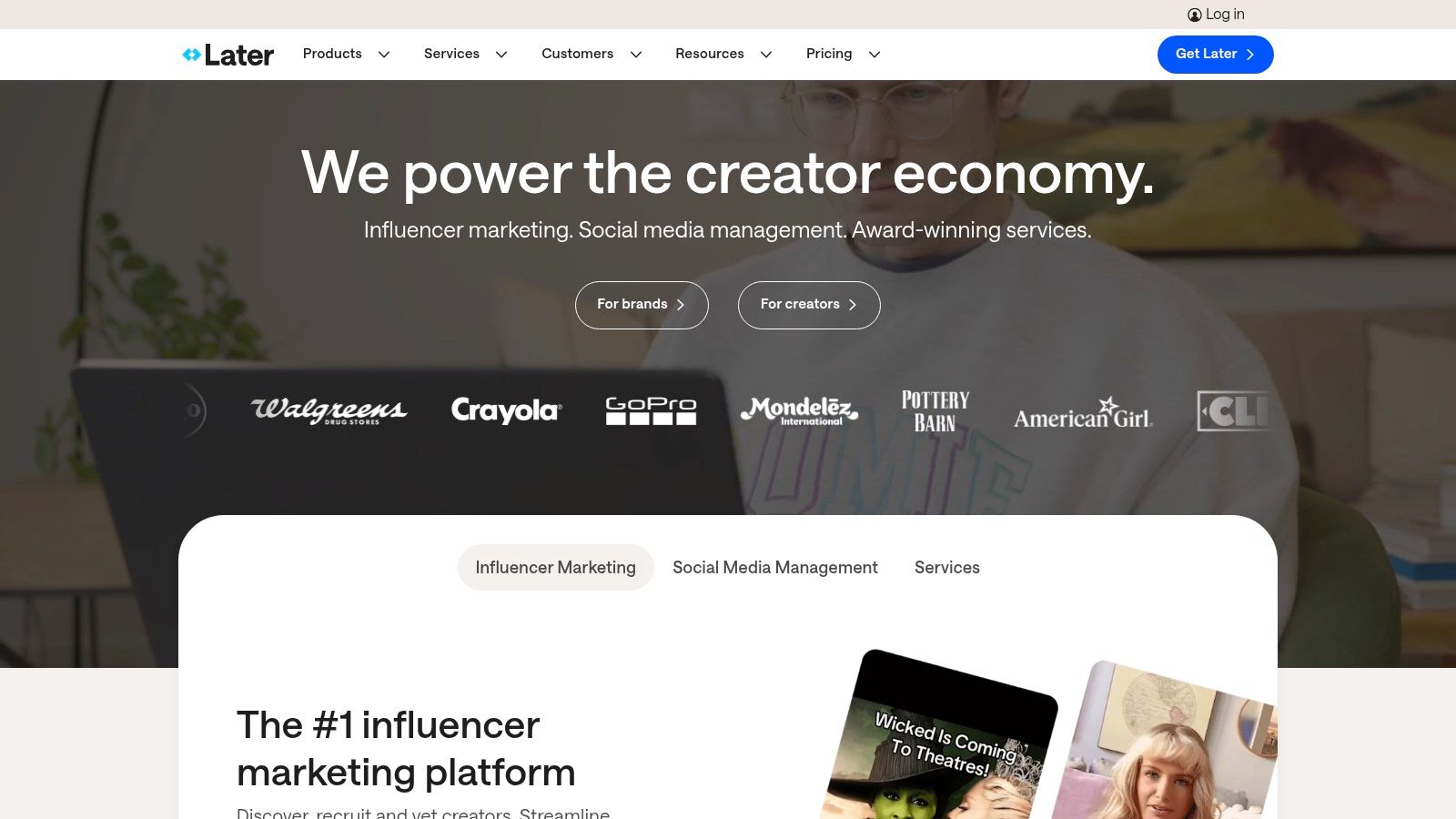
Later's visual content calendar is its standout feature. The drag-and-drop interface simplifies scheduling, allowing users to visualize their planned Pins and adjust timing with ease. This is particularly helpful for Pinterest, a visually-driven platform where the aesthetic flow of a board is crucial. The auto-publishing feature further streamlines the process, enabling users to schedule Pins in advance and have them automatically published to their chosen boards. For users dealing with large volumes of Pins, the bulk CSV upload feature proves invaluable, saving time and effort by allowing them to schedule multiple Pins at once. Later also offers basic Pinterest analytics, giving users insights into their Pin performance and helping them refine their strategies. A built-in media library helps organize visual content, making it easy to find and schedule the perfect image or video for each Pin. This suite of features makes Later an attractive option for those seeking to simplify their Pinterest marketing.
For small businesses looking to establish a consistent Pinterest presence, Later's free plan offers a generous posting allowance. This makes it a viable option for those just starting out with Pinterest marketing or those with limited budgets. E-commerce store owners can leverage Later's scheduling capabilities to showcase their products and drive traffic to their online stores. Content creators and bloggers can use Later to share their visual content and engage with their audience on Pinterest, increasing visibility and driving traffic to their websites. Affiliate marketers can use Later to schedule promotional Pins and track their performance, optimizing their campaigns for better results. Learn more about Later and other options available to help users find the best Pinterest scheduler for their needs.
While Later excels in its user-friendly interface and multi-platform support, it's important to note some limitations. Compared to Pinterest-specific scheduling tools like Pin Generator, its Pinterest SEO optimization features are less comprehensive. For users prioritizing in-depth keyword research and advanced analytics, a dedicated Pinterest scheduler might be a better fit. Additionally, some of Later's more advanced features, like in-depth analytics and hashtag suggestions, require a paid subscription.
Pricing: Later offers a free plan with limited features and a range of paid plans to suit different needs and budgets. The paid plans unlock more advanced features, increased posting limits, and support for additional social media profiles.
Technical Requirements: Later is a web-based platform and can be accessed through any modern web browser. It also offers mobile apps for iOS and Android devices, providing flexibility for managing Pinterest scheduling on the go.
Implementation Tips:
- Plan your content visually: Utilize Later’s visual calendar to map out your Pinterest content strategy.
- Leverage the bulk upload feature: Save time by uploading multiple Pins at once using the CSV upload option.
- Experiment with posting times: Use Later’s analytics to identify the optimal times to post for maximum engagement.
- Integrate with other social platforms: Take advantage of Later's multi-platform support to streamline your overall social media strategy.
Later's strength lies in its visual approach and ease of use, making it a strong contender for managing a multi-platform social media presence that includes Pinterest. However, users seeking advanced Pinterest-specific features may need to consider more specialized tools. Ultimately, the best Pinterest scheduler depends on individual needs and priorities. This article aims to help users find the best Pinterest schedulers, including options like Pin Generator, for automating their Pins and optimizing their Pinterest marketing strategy.
4. Hootsuite
Hootsuite is a well-established social media management platform offering robust Pinterest scheduling capabilities. While it caters to larger enterprises, its features also benefit small businesses, social media marketers, eCommerce store owners, content creators, affiliate marketers, and bloggers seeking a centralized platform to manage their Pinterest presence alongside other social media channels. It earns its place on this list due to its comprehensive approach to social media management, making it a solid option for those who prioritize cross-platform scheduling and analytics.
Hootsuite goes beyond basic Pinterest scheduling, offering features like bulk uploading, team collaboration tools, and advanced analytics dashboards. This allows users to efficiently plan and execute Pinterest strategies while measuring the impact of their efforts. While Hootsuite doesn't offer a dedicated Pin Generator like some other tools, its bulk upload feature coupled with its content curation capabilities from other platforms can streamline the content creation workflow. For example, you can easily share blog posts or product updates directly to Pinterest.
For small business owners, Hootsuite enables the scheduling and promotion of products, driving traffic back to their online stores. Ecommerce store owners can utilize Hootsuite to curate visually appealing product boards and schedule Pins to coincide with sales and promotions. Content creators benefit from the ability to schedule Pins promoting their latest blog posts, videos, or other content offerings, driving engagement and expanding their reach. Affiliate marketers can leverage Hootsuite to schedule Pins featuring affiliate links, tracking the effectiveness of different campaigns. Bloggers can seamlessly integrate their blog content with their Pinterest strategy, scheduling Pins that link back to their latest articles and drive traffic.
Features:
- Multi-account Pinterest management with team collaboration: Manage and schedule Pins for multiple Pinterest business accounts within a single dashboard, assigning roles and permissions to team members for streamlined workflows.
- Advanced scheduling with bulk upload capabilities: Plan your Pinterest content calendar weeks or months in advance, leveraging the bulk upload feature to schedule multiple Pins simultaneously, saving valuable time.
- Comprehensive analytics dashboard with Pinterest insights: Track key metrics such as impressions, repins, clicks, and engagement to understand what resonates with your audience and optimize your Pinterest strategy. This data integrates with metrics from other platforms, providing a holistic view of your social media performance.
- Integration with 150+ apps and tools: Connect Hootsuite to your existing marketing technology stack, streamlining workflows and data analysis. Integrations include tools for analytics, content curation, and customer relationship management (CRM).
- Advanced approval workflows for team management: Implement multi-step approval processes for Pinterest content to ensure brand consistency and compliance.
Pros:
- Excellent for managing multiple Pinterest accounts and teams: Streamlines collaboration and simplifies complex workflows.
- Comprehensive analytics and reporting features: Provides in-depth insights into Pinterest performance, along with cross-platform data analysis.
- Strong integration capabilities with other business tools: Enhances productivity and enables data-driven decision-making.
- Reliable enterprise-grade platform with excellent uptime: Ensures consistent access and minimizes disruptions to your Pinterest scheduling.
Cons:
- Higher pricing, especially for small businesses: While Hootsuite offers various plans, the cost can be a barrier for those with limited budgets. Pricing starts at $99/month (billed annually) for the Professional plan, supporting 10 social accounts and one user.
- Interface can be complex and overwhelming for beginners: Navigating the numerous features and settings can take some getting used to.
- Pinterest-specific features are limited compared to specialized tools: While Hootsuite offers robust Pinterest scheduling, it might lack some niche features found in tools solely dedicated to Pinterest marketing.
Implementation/Setup Tips:
- Connect your Pinterest accounts: After signing up for Hootsuite, connect your Pinterest business accounts to the platform.
- Explore the analytics dashboard: Familiarize yourself with the various metrics available to track your Pinterest performance.
- Utilize the bulk upload feature: Leverage this feature to schedule multiple Pins simultaneously, saving time and effort.
- Integrate with other relevant tools: Connect Hootsuite with your existing marketing stack to streamline workflows and data analysis.
- Experiment with different scheduling strategies: Test various posting frequencies and times to determine what works best for your target audience.
Website: https://hootsuite.com
Hootsuite offers a powerful, albeit more complex, solution for those seeking a centralized platform to manage their Pinterest marketing alongside other social media channels. While the pricing may be higher than specialized Pinterest schedulers, the comprehensive features, including analytics and team collaboration tools, make it a valuable asset for larger businesses and agencies. For those focused solely on Pinterest, however, other tools on this list might offer a more streamlined and cost-effective solution. Consider your specific needs and budget when making your decision.
5. Buffer: A Streamlined Pinterest Scheduler for Effortless Pinning
Finding the best Pinterest scheduler can be a game-changer for small business owners, social media marketers, eCommerce store owners, content creators, affiliate marketers, and bloggers seeking to boost their Pinterest engagement. If you're looking for a simple, effective, and affordable solution, Buffer is a strong contender. This user-friendly platform provides a streamlined approach to Pinterest scheduling, making it ideal for those who prioritize ease of use and efficient workflow. While it might not offer the advanced features of some specialized Pinterest schedulers or a built-in Pin Generator, its clean interface and reliable performance make it a worthy addition to our list of top Pinterest schedulers.
Buffer distinguishes itself with its intuitive queue-based scheduling system. Unlike some complex tools that require extensive setup, Buffer allows you to quickly add Pins to a queue and schedule them to post automatically at pre-determined times. This system simplifies the process significantly, enabling you to efficiently manage your Pinterest presence without getting bogged down in intricate scheduling configurations. You can easily drag and drop Pins to rearrange the queue, ensuring your content goes live in the optimal order.
Further enhancing its usability, Buffer offers a handy browser extension. This allows you to seamlessly schedule Pins directly from any website, eliminating the need to manually upload images or copy links. Imagine browsing for product inspiration or curating content for your next blog post – with the Buffer extension, you can schedule relevant Pins directly from the source with just a few clicks. This streamlines your workflow and empowers you to capture engaging content on the fly.
While Buffer doesn't offer a Pin Generator, its focus on scheduling efficiency and streamlined management frees up your time to concentrate on creating high-quality, engaging Pins that resonate with your target audience. You can then leverage Buffer's scheduling capabilities to ensure these meticulously crafted Pins reach the widest possible audience.
For those collaborating within a team, Buffer provides helpful collaboration tools and approval workflows. This ensures everyone is on the same page and allows for smooth content scheduling without overlapping posts or conflicting messages. Team members can contribute to the scheduling queue, and designated approvers can review and finalize the schedule before Pins go live.
Buffer also understands the importance of mobile access and offers dedicated mobile apps for both iOS and Android devices. This allows you to manage your Pinterest schedule from anywhere, at any time. Whether you’re commuting, attending a conference, or simply away from your desktop, you can easily schedule Pins, monitor performance, and adjust your strategy on-the-go.
Buffer's affordability makes it an appealing choice for individuals and businesses on a budget. While specific pricing details can be found on their website (https://buffer.com), their plans generally offer good value for money, providing essential Pinterest scheduling functionality without the hefty price tag of some more complex platforms. This makes it a particularly attractive option for small businesses and startups looking to maximize their social media impact without overspending.
One potential drawback of Buffer is its limited advanced Pinterest features compared to more specialized tools. The analytics provided are basic, offering insights into engagement and reach, but they might not satisfy the needs of power users who require in-depth data analysis. Similarly, Buffer doesn't offer as many Pinterest-specific optimization features as some other platforms. However, for users seeking a straightforward and reliable Pinterest scheduler, these limitations might not be significant.
In Summary:
Pros:
- Extremely user-friendly and intuitive interface with a minimal learning curve.
- Affordable pricing plans offering good value for the features provided.
- Reliable posting and excellent customer support for peace of mind.
- Clean, distraction-free interface promotes efficient scheduling.
- Browser extension and mobile apps for flexible scheduling on any device.
Cons:
- Limited advanced Pinterest features and analytics compared to specialized tools.
- Lacks a built-in Pin Generator, requiring Pin creation elsewhere.
- Fewer Pinterest-specific optimization features may limit advanced strategies.
If you’re looking for a clean, simple, and affordable Pinterest scheduler to streamline your workflow and maintain a consistent presence on the platform, Buffer is an excellent choice. Its ease of use, reliability, and mobile accessibility make it a valuable tool for anyone looking to leverage the power of Pinterest without being overwhelmed by complex features. While it doesn’t offer the advanced functionalities of some specialized platforms, its core strength lies in its simplicity and effectiveness, making it a perfect starting point for those new to Pinterest scheduling or those who prefer a straightforward approach.
6. Sprout Social
Sprout Social is a robust social media management platform that includes Pinterest scheduling among its comprehensive suite of tools. While it serves as a valuable asset for larger businesses and agencies seeking advanced social media management, its capabilities extend to benefit a variety of users, from small business owners leveraging Pinterest to eCommerce store owners, content creators, affiliate marketers, and bloggers looking to enhance their Pinterest engagement. Its strength lies in providing in-depth analytics, collaborative features, and a secure environment for managing multiple social media accounts, including Pinterest. This makes it a strong contender for businesses that need a centralized platform to manage their social presence and seek detailed performance insights. If you are looking for the best Pinterest scheduler, Sprout Social is definitely worth considering.
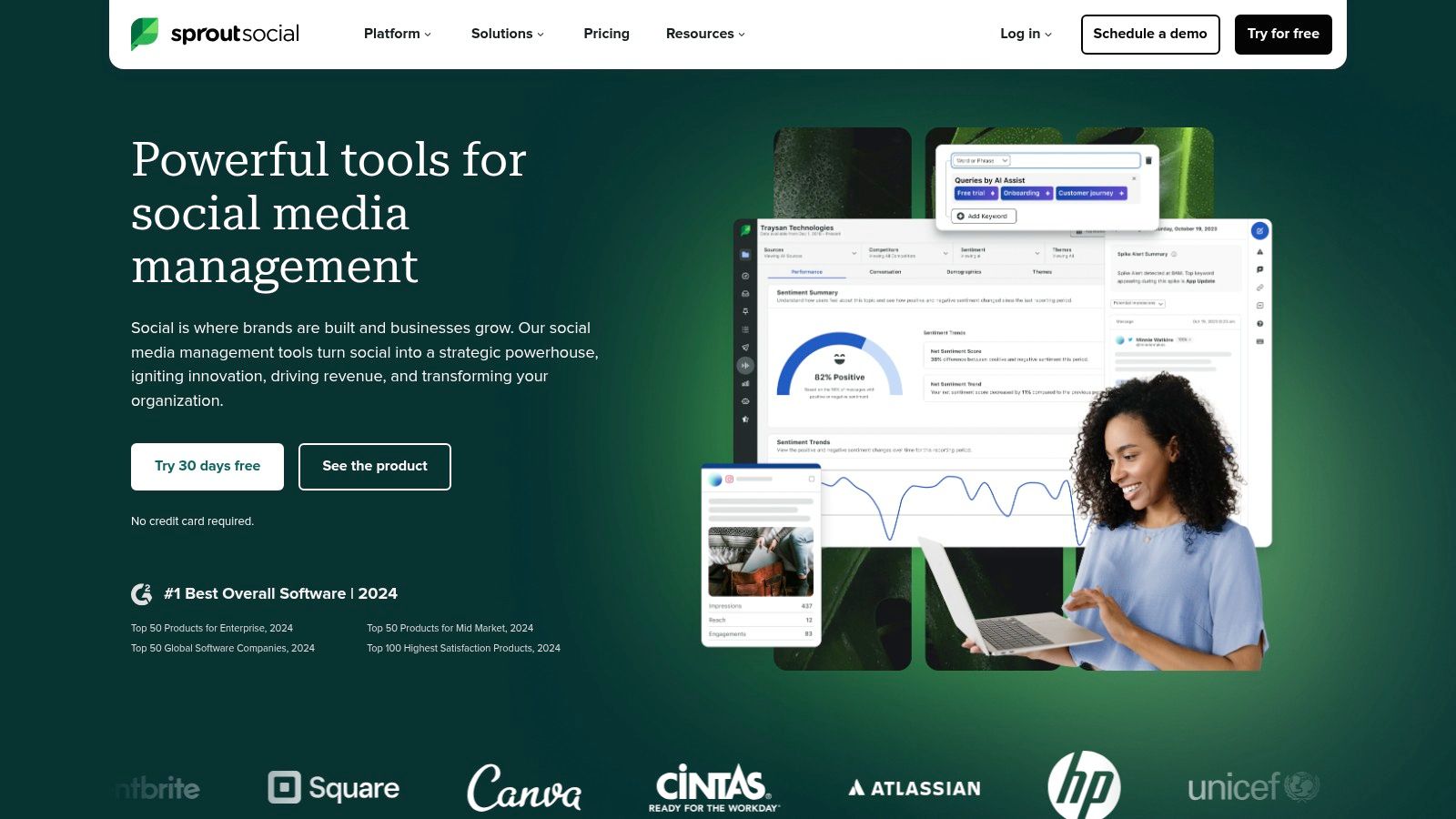
One of the most significant advantages of using Sprout Social as a Pinterest scheduler is its robust analytics suite. You can go beyond basic metrics like impressions and clicks and delve into richer data points like audience demographics, engagement trends, and optimal posting times. These insights can be instrumental in refining your Pinterest marketing strategy and maximizing the impact of your pins. Furthermore, the customizable reporting features allow you to tailor reports to specific needs and easily share performance updates with stakeholders. For example, an eCommerce store owner could track which product pins are driving the most traffic to their website, while a blogger can analyze what type of content resonates most with their Pinterest audience.
Collaboration is another key strength of Sprout Social. Teams can work seamlessly within the platform, assigning tasks, managing approvals, and sharing feedback on Pinterest content. Role-based permissions ensure that sensitive information is protected and access is granted appropriately. This is particularly useful for agencies managing multiple client accounts or larger teams working on collaborative Pinterest campaigns. Imagine a social media marketing agency needing to share Pinterest performance reports with multiple clients; Sprout Social streamlines this process with its collaborative features and customizable reports.
Sprout Social also offers a content library for managing your visual assets, enabling easy access to images and videos for your Pinterest posts. The platform suggests optimal posting times based on historical data and audience engagement patterns, increasing your chances of reaching a wider audience. Integrating with CRM and other business tools further enhances efficiency by streamlining workflows and centralizing data.
While Sprout Social offers a powerful suite of tools, it's essential to consider the potential drawbacks. The premium pricing structure may be a barrier for smaller businesses or individual users. While it includes Pinterest scheduling, the platform's features cater to general social media management rather than being specifically optimized for Pinterest. This might mean some features, while helpful, might not be as tailored to the nuances of Pinterest as dedicated Pinterest schedulers. Finally, the interface can feel complex and require a learning curve, especially for users new to such comprehensive platforms. Therefore, adequate training is often necessary to leverage the full potential of Sprout Social.
Comparing Sprout Social to other tools like Tailwind and SocialBee can help highlight its strengths and weaknesses. While Tailwind specializes in Pinterest and Instagram scheduling with features like SmartLoop and Tribes, Sprout Social offers a broader range of social media management capabilities. SocialBee offers a more budget-friendly option for scheduling and managing content across multiple social media platforms. Understanding these differences can guide your choice based on your specific needs and budget. Learn more about Sprout Social and how it compares to other scheduling tools.
Implementing Sprout Social involves connecting your Pinterest account to the platform, setting up user profiles and permissions, and populating your content library. Take advantage of the available training resources and customer support to learn the platform's intricacies and maximize its benefits. By strategically utilizing its analytics, collaboration tools, and scheduling capabilities, you can elevate your Pinterest marketing efforts and drive meaningful results. Remember, finding the best Pinterest scheduler depends on your unique needs, and Sprout Social, while a robust option, is one of several excellent tools available to help you optimize your Pinterest presence, alongside options like Pin Generator.
7. Planoly
Planoly earns its spot on this list of best Pinterest schedulers as a strong contender for visually-driven brands and businesses. If aesthetics and cohesive visual storytelling are paramount to your Pinterest strategy, Planoly's focus on visual planning makes it a powerful tool. While initially designed for Instagram, Planoly has expanded its features to offer robust Pinterest scheduling capabilities, making it a worthwhile option for users looking to manage both platforms cohesively. This platform is particularly well-suited for small business owners, content creators, eCommerce store owners, bloggers, affiliate marketers, and social media marketers seeking to enhance their Pinterest presence with a visually compelling and organized approach.
Planoly stands out for its visual grid planner, which allows you to preview exactly how your Pinterest boards will look with scheduled content. This feature is invaluable for maintaining a consistent aesthetic and planning themed boards that resonate with your target audience. Imagine effortlessly curating a collection of pins for a specific product launch, seasonal campaign, or blog series, all while ensuring a harmonious visual flow. This visual-first approach sets Planoly apart from many other Pinterest schedulers and makes it especially attractive for businesses where strong visuals are key.
Beyond visual planning, Planoly provides essential Pinterest scheduling features like auto-posting, allowing you to pre-schedule pins to publish automatically at optimal times. You can select the specific Pinterest board for each pin, ensuring your content reaches the right audience segment. The content calendar provides a visual overview of your scheduled pins, helping you maintain a consistent posting schedule and avoid content gaps. While Planoly doesn't offer advanced Pinterest marketing features like some specialized tools, it provides basic analytics and performance metrics to track the success of your pins. You can monitor key metrics like impressions, repins, and clicks, which offer valuable insights into audience engagement and content performance.
Furthermore, Planoly offers user-generated content tools and hashtag suggestions to help you enhance your Pinterest strategy. Discovering and re-pinning relevant user-generated content can boost engagement and broaden your reach on the platform. Hashtag suggestions help you optimize your pins for discoverability, increasing the chances of your content being found by users searching for related topics. While Planoly doesn't offer a dedicated pin generator, its visual planning tools empower you to create visually appealing pins that resonate with your audience.
Pros:
- Excellent visual planning interface: Perfect for Pinterest's visually-driven nature.
- Good free plan: Essential features are included, making it accessible for budget-conscious users.
- Intuitive design: Easy to learn and use, even for beginners.
- Strong focus on visual content organization: Ensures a cohesive and aesthetically pleasing Pinterest presence.
Cons:
- Limited advanced Pinterest marketing features: Lacks some of the advanced analytics and marketing tools found in specialized platforms.
- Fewer analytics and insights: Compared to dedicated Pinterest analytics tools, the data provided is less comprehensive.
- Pinterest features are secondary to Instagram functionality: While Pinterest features are robust, the platform's primary focus remains on Instagram.
Pricing: Planoly offers a free plan with limited features. Paid plans start at $15 per month and offer more advanced features and capabilities.
Technical Requirements: Planoly is a web-based platform and is accessible through any modern web browser. Mobile apps are also available for iOS and Android devices.
Implementation/Setup Tips:
- Connect your Pinterest account to Planoly.
- Upload your visual content to the Planoly media library.
- Use the visual grid planner to arrange your pins and design your boards.
- Schedule your pins using the auto-posting feature and select the appropriate boards.
- Monitor your Pinterest analytics within Planoly to track performance and optimize your strategy.
Compared to tools like Tailwind, which offers more in-depth analytics and community features for Pinterest, Planoly prioritizes visual planning and ease of use. If you’re seeking a simple yet effective Pinterest scheduler with a strong visual focus, Planoly is an excellent choice. For users primarily focused on Instagram who also want to maintain a consistent presence on Pinterest, the platform's integrated approach offers a streamlined workflow. Visit the Planoly website (https://www.planoly.com) to explore its features and determine if it aligns with your Pinterest marketing needs.
8. SocialBee
SocialBee is a powerful social media management platform that goes beyond basic scheduling, offering robust features tailored for maximizing your Pinterest marketing efforts. While it caters to multiple social networks, its intelligent scheduling and content categorization features make it a strong contender for businesses seeking a dedicated Pinterest scheduler. Its particular strength lies in its content recycling capabilities, allowing you to resurface evergreen content and extend its reach on Pinterest, a platform known for the longevity of its pins. This makes it an ideal tool for small business owners, social media marketers, eCommerce store owners, content creators, affiliate marketers, and bloggers looking to maintain an active Pinterest presence without constantly creating new content.
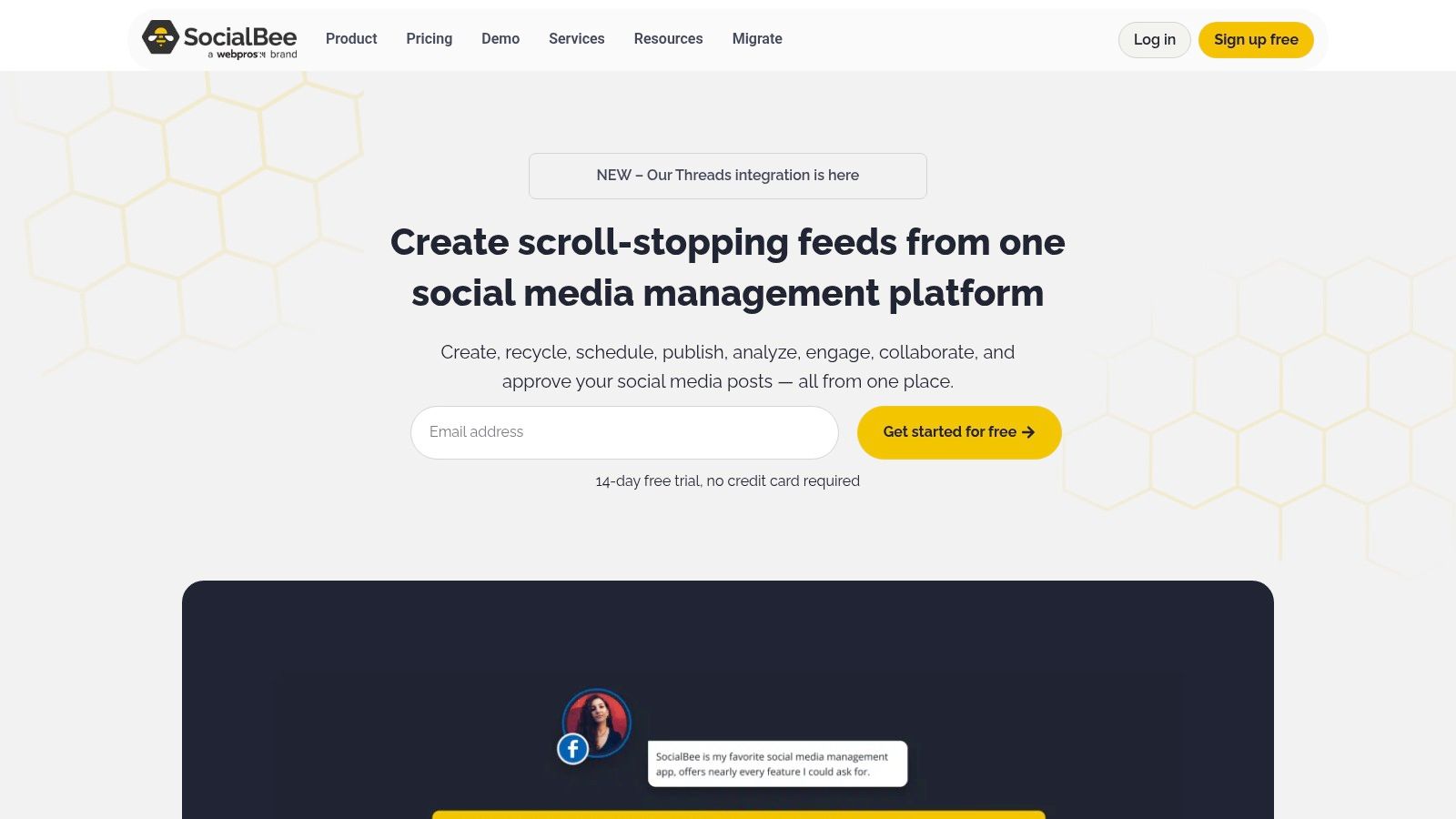
SocialBee shines with its focus on evergreen content. Unlike platforms where content is posted once and then fades into the archives, SocialBee allows you to categorize your Pins and set them on automated recycling schedules. This means your best-performing content can be re-shared at optimal times, reaching new audiences and driving continuous traffic back to your website or online store. Imagine having a library of high-quality Pins related to your niche, automatically resurfacing at strategic intervals without requiring manual intervention. This not only saves you significant time but also ensures consistent engagement on your Pinterest boards. While SocialBee doesn't include a dedicated Pin Generator, its evergreen content recycling effectively extends the lifespan and reach of your existing Pins, providing similar benefits.
SocialBee's advanced scheduling options go beyond simple date and time settings. The platform enables you to create multiple posting cycles for different content categories. For example, you could have one category for product promotions, another for blog post shares, and another for inspirational quotes, each with its own unique posting frequency and schedule. This granular control ensures your Pinterest boards remain diverse and engaging, catering to different segments of your audience. This feature is particularly useful for eCommerce businesses that need to promote a variety of products consistently.
Bulk importing and scheduling capabilities streamline the process of uploading and organizing large volumes of Pins. This is a major time-saver for businesses with extensive content libraries. You can import Pins in bulk, categorize them, and schedule them across multiple boards with just a few clicks.
While SocialBee excels in content recycling and scheduling, its Pinterest-specific optimization features are somewhat limited. You won't find built-in tools for creating visually appealing Pins or A/B testing different Pin variations. However, the platform integrates with other tools that can fulfill these needs.
The platform offers different pricing tiers based on the number of social profiles and content categories you need to manage. Specific pricing details can be found on their website (https://socialbee.io). Regarding technical requirements, SocialBee is a cloud-based platform, accessible through any web browser, and there are no specific hardware or software requirements.
Implementing SocialBee for your Pinterest marketing is straightforward. After signing up, you connect your Pinterest account and start creating content categories. The initial setup of these categories is crucial for maximizing the effectiveness of the platform's recycling features. Take the time to thoughtfully categorize your Pins based on topics, themes, or promotional campaigns. Once your categories are established, you can begin scheduling your Pins and setting up automated recycling cycles. While the interface can feel complex initially due to the extensive categorization options, the platform provides ample documentation and support to help you get started. The learning curve is relatively short, and the long-term benefits of a well-organized and automated Pinterest strategy far outweigh the initial investment in learning the system.
In comparison to other Pinterest schedulers, SocialBee's focus on content categorization and recycling distinguishes it from tools that primarily focus on one-time posting. If your Pinterest strategy hinges on evergreen content and maximizing the reach of your existing Pins, SocialBee is a strong choice. It delivers excellent value for money, especially for businesses that want to leverage the power of automation to maintain a consistent and engaging Pinterest presence.
Pinterest Scheduler Tools Comparison
| Product | Core Features ✨ | User Experience ★★★★☆ | Value Proposition 💰 | Target Audience 👥 | Unique Selling Points 🏆 |
|---|---|---|---|---|---|
| Pin Generator 🏆 | Pin generation, scheduling, templates, catalogs, keyword research, trend alerts | Intuitive interface, detailed tutorials | Good investment, pricing on website | Small biz owners, marketers, eCommerce, bloggers | All-in-one tool, seamless integrations, advanced marketing resources |
| Tailwind Create | AI design tools, SmartSchedule, bulk scheduling, SEO optimization, analytics | User-friendly drag-drop design | Higher pricing | Bloggers, eCommerce, Pinterest marketers | AI-powered design, strong SEO & analytics |
| Later | Visual calendar, auto-publish, bulk upload, analytics, media library | Easy visual interface, strong free plan | Moderate, better with paid plans | Small businesses, influencers, agencies | Visual planner, multi-platform support |
| Hootsuite | Multi-account mgmt, team collaboration, bulk upload, advanced analytics, app integrations | Complex for beginners, enterprise-grade | Premium pricing | Enterprises, large teams | Team workflows, extensive integrations |
| Buffer | Queue-based scheduling, browser extension, basic analytics, team tools, mobile apps | Simple, clean, minimal learning curve | Affordable, good value | Individuals, teams wanting simplicity | Ease of use, reliability, customer support |
| Sprout Social | Advanced analytics, team collaboration, asset management, timing suggestions, CRM integration | Professional, requires training | Premium pricing | Businesses, agencies requiring deep insights | Enterprise-grade reporting, security |
| Planoly | Visual grid planner, auto-post, calendar, basic analytics, user content tools | Intuitive, visual-focused | Good free plan available | Content creators, small biz, brands prioritizing visuals | Visual-first planning for Pinterest & Instagram |
| SocialBee | Content recycling & categorization, advanced scheduling, bulk import, analytics, RSS feeds | Functional but complex interface | Competitive pricing | Businesses wanting evergreen content management | Evergreen content automation, category-based posting |
Choosing the Right Pinterest Scheduler
Finding the perfect Pinterest scheduler can feel overwhelming with so many options available. This article has explored several leading tools, from the robust features of Pin Generator and Tailwind Create to the streamlined simplicity of Buffer and Hootsuite. Remember, the best Pinterest scheduler for you depends on your specific needs and budget. If you're a visual marketer needing to quickly create engaging Pins, a tool like Tailwind Create or Pin Generator could be invaluable. For those prioritizing a user-friendly interface and broad social media management, platforms like Buffer, Hootsuite, Later, Sprout Social, Planoly and SocialBee offer excellent scheduling capabilities.
Key takeaways to consider when choosing your Pinterest scheduler include:
- Budget: Free plans might suffice for basic scheduling, while paid plans unlock advanced analytics, collaboration features, and bulk scheduling.
- Pinterest-specific features: Tools like Pin Generator and Tailwind offer features tailored to Pinterest, such as optimal pinning times and board organization.
- Ease of use: Choose a platform with an intuitive interface that aligns with your technical skills.
- Integration with other platforms: Consider whether the scheduler integrates with other tools you use, like analytics dashboards or CRM systems.
- Analytics and reporting: Robust analytics help track the performance of your Pins and refine your strategy.
By carefully considering these factors, you can select the Pinterest scheduler that empowers you to achieve your marketing objectives. Implementing your chosen tool strategically, with consistent posting and engaging content, will transform your Pinterest presence from a casual pastime into a powerful driver of traffic and conversions.
Ready to supercharge your Pinterest marketing with effortless Pin scheduling and creation? Explore Pin Generator, a dedicated Pinterest scheduling tool, to streamline your workflow and unlock new levels of Pinterest success. Visit Pin Generator today and transform your Pinterest strategy.