
Pinterest SEO Best Practices: Boost Your Reach in 2025
11 June 2025
Unlocking Pinterest's Potential: A Guide to SEO Success
Pinterest is a visual search engine, and implementing strong Pinterest SEO best practices is crucial for driving traffic and boosting online visibility. This listicle provides seven actionable Pinterest SEO best practices to expand your reach in 2025 and beyond. Learn how to optimize your pin descriptions, board names, and images. Discover the power of rich pins, consistent pinning, group boards, and a fully optimized profile. These strategies will transform your Pinterest presence into a powerful marketing tool. Let's unlock Pinterest's potential!
1. Optimize Pin Descriptions with Strategic Keywords
Pinterest isn't just a platform for pretty pictures; it's a powerful visual search engine. For your pins to be discovered amidst millions of others, optimizing your pin descriptions with strategic keywords is paramount. This means crafting compelling, informative descriptions that are rich with the terms your target audience uses when searching for content like yours. Unlike Instagram or Facebook where engagement reigns supreme, Pinterest users often have a specific goal in mind—whether it’s finding a recipe, DIY project, or product to purchase. Your pin descriptions act as a roadmap, guiding both users and Pinterest's algorithm to the treasures within your pin.
A well-crafted description should be concise, aiming for the sweet spot of 100-200 characters. This ensures that the most crucial information is displayed in search results and on the pin itself. Within this character limit, you must seamlessly integrate relevant keywords. This isn’t about keyword stuffing; it’s about using natural language that accurately reflects your pin's content while incorporating terms that users are actively searching for. A clear and descriptive title, followed by a more detailed description, helps Pinterest understand the context of your pin and categorize it appropriately. Learn more about Optimize Pin Descriptions with Strategic Keywords for some valuable SEO hacks. This search-focused optimization isn't complete without a compelling call to action, subtly encouraging users to click through to your website or learn more.
The advantages of optimizing pin descriptions are multifaceted. Firstly, and most importantly, it significantly improves pin discoverability. When your descriptions align with user search queries, your pins are more likely to appear in search results, leading to greater visibility. This increased visibility naturally translates to higher click-through rates. Users are more inclined to click on a pin when the description clearly and concisely tells them what to expect. Furthermore, optimized descriptions help Pinterest understand your pin content, ensuring it's shown to the right audience. This targeted approach drives relevant traffic to your website, increasing the likelihood of conversions and engagement.
However, like any SEO strategy, keyword optimization requires dedicated effort. Researching relevant keywords takes time, and integrating them naturally into your descriptions can feel forced if not done carefully. Additionally, Pinterest trends are constantly evolving, so regular updates to your keyword strategy are necessary to maintain optimal performance. A well-defined strategy is crucial for success on any platform. Consider incorporating elements of strategic planning from Towne and Country Property Management's insights on Strategic Planning for Associations: Drive Member Success to ensure your Pinterest marketing efforts align with your overall business objectives.
Let's illustrate this with some practical examples. For a recipe pin, an optimized description might look like this: "Easy 30-minute chicken dinner recipes | healthy weeknight meals | quick family dinners." Notice how this description utilizes keywords like "easy," "30-minute," "chicken dinner," "healthy," "weeknight meals," and "family dinners." These terms are highly likely to be used by users searching for quick and healthy meal ideas. Similarly, for a DIY pin, a description like "Budget bathroom makeover ideas | small space renovation | DIY home decor on a budget" targets users interested in affordable home improvement projects.
To maximize your Pinterest SEO, consider these practical tips. Utilize Pinterest's search bar to uncover trending keywords and see what your competitors are using. Include 2-5 relevant hashtags at the end of your description to further categorize your content. Remember to write for humans first and search engines second; prioritize clear, concise, and engaging language. Finally, don't be afraid to experiment with different keyword combinations to see what resonates best with your audience. This iterative process is key to staying ahead of the curve and maximizing your Pinterest reach.
2. Create SEO-Optimized Board Names and Descriptions
Pinterest is more than just a social media platform; it's a visual search engine. Users flock to Pinterest to discover ideas, products, and inspiration, and they do so by searching for specific keywords. Therefore, optimizing your Pinterest presence for search is crucial for driving traffic and engagement. One of the most impactful ways to do this is by crafting SEO-optimized board names and descriptions. Your boards act as categories organizing your Pins, and they are heavily weighted in Pinterest's search algorithm. By using relevant keywords in your board titles and descriptions, you're essentially telling Pinterest what your content is about, making it easier for the platform to surface your Pins to the right audience. This process directly influences which users discover your content, significantly impacting your reach and overall Pinterest marketing success.
Think of your Pinterest boards like the chapters in a book. Each chapter title gives the reader a clear understanding of what that section will cover. Similarly, your board names should instantly communicate the theme and content housed within. Instead of using generic titles like "My Favorite Recipes," opt for more descriptive, keyword-rich names like "Healthy Vegetarian Dinner Recipes" or "Quick and Easy Weeknight Meals." This not only helps Pinterest categorize your content but also informs users browsing related topics what they can expect to find on your board. The descriptions offer further opportunity to provide context and include additional long-tail keywords, strengthening your board's SEO and attracting more targeted traffic.
Successfully implementing this strategy involves careful keyword research and a strategic approach to categorization. For instance, if you run an online clothing store, you might have separate boards for different clothing categories, styles, and seasons. Instead of a board simply titled "Dresses," create boards like "Summer Dresses," "Cocktail Dresses," or "Bohemian Dresses." This granular approach makes it easier for Pinterest users to find exactly what they're looking for within your shop's offerings. Look at successful Pinterest accounts within your niche – how have they organized their boards? What keywords are they using? Analyzing the competition can offer valuable insights for optimizing your own boards.
Here are some actionable tips to optimize your Pinterest board names and descriptions:
- Keyword Research: Use keyword research tools (like those offered by Tailwind) or explore Pinterest's guided search suggestions to identify relevant keywords for your niche.
- Incorporate Keywords: Include 2-3 primary keywords in your board names and strategically weave related keywords throughout your board descriptions.
- Detailed Descriptions: Write comprehensive board descriptions (150-500 characters) that clearly explain the board's theme and provide valuable context for both users and Pinterest's algorithm.
- Visual Consistency: Use high-quality board covers that accurately represent the content within the board, improving visual appeal and user experience.
- Target Audience Focus: Organize your boards based on the interests of your target audience. Consider their needs, pain points, and search habits when structuring your boards and crafting descriptions.
This approach offers several advantages: improved overall account SEO, logical content organization, increased board visibility in search results, and the establishment of topical authority within your niche. However, it's important to acknowledge that optimizing all your boards can be time-consuming, may limit creative naming options, and requires ongoing maintenance to ensure relevance and effectiveness.
The pros significantly outweigh the cons. While it takes time and effort to create well-optimized boards, the increased visibility and targeted traffic they generate are invaluable for any business or individual leveraging Pinterest for marketing or engagement. By implementing this crucial best practice, you'll be well on your way to maximizing your Pinterest reach and achieving your marketing goals.
3. Design Vertical, High-Quality Pin Images
In the realm of Pinterest SEO best practices, creating visually appealing and strategically optimized pins is paramount. Pinterest is a visually-driven platform, and the quality of your images plays a crucial role in attracting users, driving engagement, and ultimately, boosting your SEO performance. This is why designing vertical, high-quality pin images is non-negotiable for success. It’s not enough to simply pin any image; it needs to be optimized for the platform's unique visual search algorithm. This means focusing on image dimensions, resolution, and incorporating design elements that capture attention and encourage interaction.
Pinterest heavily favors vertical pins with a 2:3 aspect ratio (ideally 1000×1500 pixels). This aspect ratio is optimal because it occupies more space in users' feeds, increasing visibility and stopping power. Imagine scrolling through Pinterest; a long, visually appealing image is more likely to catch your eye than a small, square one. This increased visual real estate translates to higher engagement rates, including saves and clicks, which are key signals to Pinterest's algorithm that your content is valuable and relevant. These positive interactions, driven by high-quality visuals, boost your content's ranking in search results and related pin recommendations, further amplifying your reach.
High-resolution imagery is another essential component. Blurry or pixelated images not only look unprofessional but also deter users from engaging with your content. Crisp, clear images, on the other hand, convey quality and professionalism, encouraging users to click through to your website or learn more about your offering. Incorporating clear, concise text overlays onto your images is also a highly effective strategy. The text overlay provides context, reinforces your message, and can include keywords relevant to your niche. This helps Pinterest understand the topic of your pin, improving its searchability and ensuring it reaches the right audience.
Maintaining brand consistency across your pins is crucial for building a strong brand presence on Pinterest. This means using consistent fonts, colors, and imagery that align with your overall brand identity. Including your logo subtly within your pin designs reinforces brand recognition and helps users connect the visually appealing content back to your business.
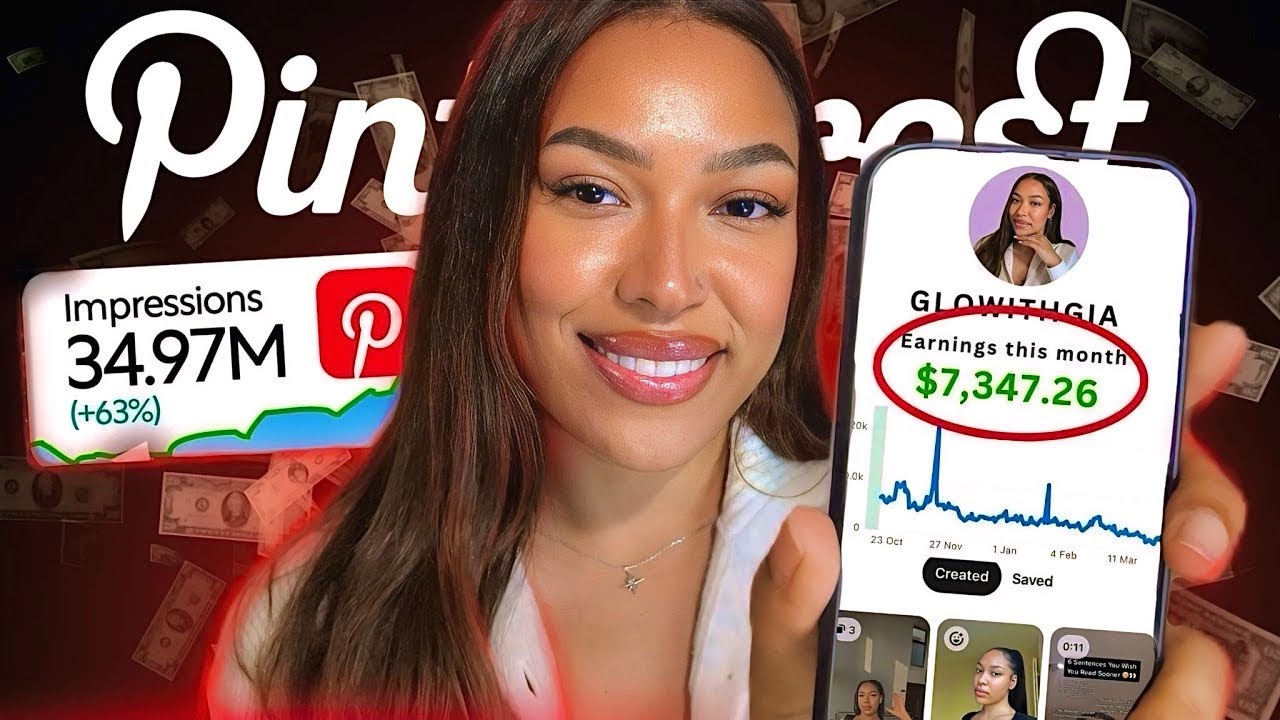
This approach is particularly effective for businesses and content creators in visually-driven niches such as food, fashion, DIY, home décor, and travel. For example, a recipe pin with a stunning photo of the finished dish and a clear text overlay stating the recipe name will be far more enticing than a simple text-based pin. Similarly, a fashion retailer showcasing their latest collection with high-quality, vertically oriented images featuring models wearing their clothing will be more successful in driving sales than using low-resolution, poorly composed images.
While the benefits of high-quality vertical images are clear, there are some considerations to keep in mind. Creating these images can be time-intensive and may require design skills or access to design tools like Canva or Adobe Creative Suite. However, numerous free resources and tutorials are available online to help you develop your design skills. While this approach is highly effective for most content types on Pinterest, it may not be suitable for all. For example, if you primarily share text-based content, you may need to explore alternative visual strategies.
Tips for Optimizing Your Pin Images:
- Use Readable Fonts: Opt for fonts that are easy to read, even on smaller screens. A minimum font size of 24pt is recommended.
- Maintain Consistent Brand Colors: Use your brand colors in your pin designs to reinforce brand recognition.
- Include Your Logo Subtly: Add your logo to your pins, but avoid making it too prominent.
- Test Different Design Styles: Experiment with various design styles to find what resonates best with your audience.
- Utilize Canva templates: Canva provides numerous pre-sized templates optimized for Pinterest, simplifying the design process significantly, even for beginners.
By focusing on these Pinterest SEO best practices and prioritizing visually appealing, high-quality vertical images, you can significantly enhance your Pinterest marketing efforts, attract a wider audience, and drive more traffic to your website or online store. The upfront investment in quality imagery pays dividends in the long run, contributing to a stronger Pinterest presence and increased brand visibility.
4. Implement Rich Pins for Enhanced Metadata
Rich Pins are a game-changer for anyone serious about leveraging Pinterest for business. They act as a bridge between your website and your Pinterest presence, dynamically pulling in key information and enriching your pins with extra details that capture attention and build trust. This automatic syncing of metadata not only makes your pins more visually appealing and informative but also significantly boosts their discoverability within Pinterest search. Essentially, Rich Pins transform standard pins into dynamic, information-rich powerhouses that drive engagement and conversions.
How do Rich Pins work? They leverage metadata from your website, which is structured data that provides information about a webpage's content. When you save a pin from your website, Pinterest automatically extracts this metadata and displays it directly on the pin itself. This dynamic link ensures that the information on your pins is always up-to-date, reflecting any changes made on your website, such as price adjustments or updated article titles. This real-time updating is a significant advantage for Pinterest SEO best practices, as it keeps your content fresh and relevant.
There are three primary types of Rich Pins:
- Product Rich Pins: Ideal for e-commerce businesses, these pins display real-time pricing, availability, and a direct link to purchase the product. This provides a seamless shopping experience for users, directly influencing purchase decisions.
- Recipe Rich Pins: Perfect for food bloggers and recipe websites, these pins showcase ingredients, cooking times, serving sizes, and other crucial information, making them highly appealing to Pinterest users searching for culinary inspiration.
- Article Rich Pins: Tailored for content creators and bloggers, these pins feature the article's headline, author, a brief description, and a prominent call to action, encouraging users to click through and read the full article.
The benefits of implementing Rich Pins as a Pinterest SEO best practice are numerous:
- Increased Pin Credibility: The added information provided by Rich Pins builds trust and authority, assuring users that the information is accurate and up-to-date.
- Improved Search Rankings: Rich Pins provide Pinterest's algorithm with more detailed context about your content, making it easier for your pins to rank higher in search results for relevant keywords.
- Real-Time Information Updates: Dynamically syncing information ensures that pricing, availability, and other crucial details are always current, eliminating outdated information and enhancing the user experience.
- Higher Click-Through Rates: Rich Pins are more visually appealing and informative, drawing users' attention and increasing the likelihood of clicks.
However, there are a few considerations to keep in mind:
- Technical Implementation: Setting up Rich Pins requires adding Open Graph meta tags to your website, which may necessitate some technical expertise.
- Limited Pin Types: Currently, Rich Pins are restricted to Product, Recipe, and Article pins, potentially limiting their application for some businesses.
- Website Structure Dependency: The successful implementation of Rich Pins depends on the correct schema markup and structure of your website.
To effectively implement Rich Pins for enhanced metadata and elevate your Pinterest SEO best practices, follow these tips:
- Add Open Graph Meta Tags: These tags provide Pinterest with the necessary information to create Rich Pins. Consult Pinterest's developer documentation for specific tag requirements for each Rich Pin type.
- Validate Rich Pins: Use Pinterest's validator tool to ensure your Rich Pins are functioning correctly and displaying the correct information.
- Ensure Website Schema Markup is Correct: Accurate schema markup helps search engines understand the content on your website and is crucial for Rich Pin functionality.
- Monitor Rich Pin Performance: Track your Rich Pin performance using Pinterest Analytics to identify what resonates with your audience and optimize your strategy accordingly.
By understanding and implementing Rich Pins, small business owners, social media marketers, e-commerce store owners, content creators, affiliate marketers, and bloggers can significantly improve their Pinterest SEO and achieve greater visibility, engagement, and ultimately, business success. For example, a food blogger can use Recipe Rich Pins to display enticing images of their dishes along with the cooking time and ingredients directly on the pin, encouraging users to click through to their website for the full recipe. An e-commerce brand can use Product Rich Pins to showcase their latest products with real-time pricing and availability, driving direct sales from Pinterest. Content creators can use Article Rich Pins to highlight their latest blog posts with compelling headlines and author attribution, driving traffic to their website and building their brand authority. In essence, Rich Pins provide a powerful way to optimize your Pinterest presence and achieve your marketing objectives.
5. Maintain a Consistent, Strategic Pinning Schedule
Maintaining a consistent, strategic pinning schedule is a crucial Pinterest SEO best practice that can significantly impact your visibility and reach. Pinterest, like most social media platforms, rewards consistent activity and fresh content. By adhering to a well-planned pinning schedule, you signal to the platform that you’re an active and valuable user, boosting your content's visibility in both feeds and search results. This, in turn, drives more traffic to your website, increases brand awareness, and ultimately helps achieve your Pinterest marketing goals.
This strategy involves more than just pinning sporadically. It requires a deliberate approach encompassing daily pinning activity, an optimal timing strategy, content mix planning, and a strong focus on audience engagement. It's about creating a rhythm that keeps your audience engaged and keeps your content circulating on the platform.
Why is consistency so critical for Pinterest SEO best practices? Pinterest’s algorithm favors accounts that consistently provide fresh, high-quality content. When you pin regularly, your pins are more likely to be surfaced to a wider audience. Inconsistency, on the other hand, can lead to your pins being buried in the feed and losing visibility. A consistent presence also fosters a sense of reliability for your followers. They come to expect fresh content from you, which builds engagement and strengthens your community.
Implementing a strategic pinning schedule involves several key components. First, aim for daily pinning activity. While the optimal frequency can vary, pinning multiple times per day is generally recommended. Experts suggest aiming for 5-15 pins per day for optimal performance, though you should test and adjust this number based on your specific audience and niche. Second, focus on optimal timing. Understanding when your audience is most active on Pinterest is paramount. This involves analyzing your Pinterest analytics and identifying peak engagement times. Tailoring your pinning schedule to these times ensures your content reaches the maximum number of users. Third, plan your content mix strategically. While promoting your own content is essential, sharing relevant content from other users is equally important. A good rule of thumb is the 80/20 rule – 80% of your pins should be relevant content from others, and 20% should be your own. This demonstrates that you're a valuable contributor to the Pinterest community and not just self-promoting. Lastly, always maintain an audience engagement focus. Respond to comments, answer questions, and participate in group boards related to your niche. This fosters a sense of community and encourages further interaction.
Several examples illustrate successful implementation of this strategy. Fashion brands often post outfit inspiration during lunch hours and evenings when people are browsing for ideas or relaxing after work. Food bloggers share recipes during meal planning times, such as Sunday evenings and weekday mornings. DIY accounts post project ideas during weekend mornings when people are looking for inspiration for weekend activities. These examples highlight the importance of tailoring your pinning schedule to your target audience's behavior.
To implement a consistent, strategic pinning schedule effectively, consider these actionable tips: Aim to pin 5-15 times per day for optimal performance. Use scheduling tools like Tailwind or Later to automate your pinning schedule and save valuable time. Learn more about Maintain Consistent, Strategic Pinning Schedule. Mix your own content with others' relevant pins following the 80/20 rule. And most importantly, post when your specific audience is most active. This may require some experimentation and analysis of your Pinterest analytics.
While the benefits of a consistent, strategic pinning schedule are undeniable, it’s crucial to acknowledge the potential drawbacks. Maintaining this level of activity requires a significant time investment, especially in content creation. There's also the risk of over-posting, which can lead to unfollows if your content becomes overwhelming for your audience. Finding the right balance is key.
Overall, a consistent, strategic pinning schedule is a cornerstone of effective Pinterest SEO best practices. It’s a proven method popularized by platforms like Tailwind and advocated by Pinterest marketing experts like Jeff Sieh. By implementing this strategy and continually optimizing your approach, you can significantly improve your Pinterest presence, reach a wider audience, and achieve your marketing objectives. The consistent effort will be rewarded with improved algorithm favorability, higher audience engagement, increased brand visibility, and better analytics insights, ultimately leading to a more successful Pinterest marketing strategy.
6. Join and Create Relevant Group Boards
Leveraging group boards is a powerful Pinterest SEO best practice that can significantly amplify your reach and drive traffic to your website. Think of them as collaborative spaces where multiple Pinterest users can contribute pins to a shared board, exposing your content to a much larger audience than your personal boards alone. This strategy offers a synergistic approach to content distribution, benefiting both established businesses and newcomers seeking to expand their Pinterest presence. This item deserves its place in the list of Pinterest SEO best practices because it directly addresses audience growth, engagement, and ultimately, the visibility of your pins within the Pinterest ecosystem. It's a key strategy for getting your content seen by more people interested in your niche.
How Group Boards Work and Why They Matter
Group boards function as shared content hubs centered around a specific theme or topic. The board owner invites collaborators, who can then pin their relevant content. Each pin retains a link back to the original pinner's website, driving traffic and potentially generating leads. This collaborative pinning opens your content to the followers of all contributors to the board, creating exponential reach potential. This is particularly beneficial for new accounts struggling to gain traction or businesses looking to penetrate new market segments. When implemented strategically, joining and creating relevant group boards can be a game-changer for your Pinterest marketing efforts.
Features and Benefits of Group Boards:
- Collaborative Pinning Opportunities: Share the workload of curating content and benefit from the collective contributions of other pinners.
- Audience Expansion: Reach a much wider audience than your individual followers, increasing brand visibility and awareness.
- Community Building: Connect with other creators in your niche, fostering relationships and potential cross-promotion opportunities.
- Cross-Promotion Benefits: Expand your content’s reach beyond your immediate network by tapping into the audiences of other contributors.
Pros of Utilizing Group Boards:
- Exponential Reach Increase: Tap into the combined follower base of all board contributors.
- New Follower Acquisition: Increased visibility leads to more profile visits and potential new followers.
- Networking Opportunities: Connect with like-minded individuals and potential collaborators in your industry.
- Content Diversification: Supplement your own content with relevant pins from other creators, offering a richer experience to your audience.
Cons of Utilizing Group Boards:
- Quality Control Challenges: Group boards can sometimes attract low-quality or spammy content, potentially impacting your brand association.
- Time Investment in Finding Good Boards: Identifying relevant and active group boards requires research and due diligence.
- Potential for Spammy Content Association: Be cautious of joining boards with excessive self-promotion or irrelevant content.
Examples of Effective Group Board Utilization:
- PinGroupie Board Directories: Utilize directories like PinGroupie to discover group boards related to your niche. These directories often categorize boards by follower count, category, and activity level, streamlining your search.
- Blogger Collaboration Boards: Participate in niche-specific blogger collaboration boards. For example, food bloggers might join a board focused on healthy recipes or travel bloggers might contribute to a board featuring budget travel tips.
- Industry-Specific Boards: Contribute to boards focused on specific industries, like "Social Media Marketing Tips" or "DIY Home Decor Projects." These boards attract a highly targeted audience interested in your area of expertise.
Actionable Tips for Leveraging Group Boards:
- Research Board Engagement Rates: Before joining, analyze the board's activity. Look for consistent pinning schedules, high repin rates, and engaged followers.
- Follow Group Board Rules Strictly: Each board has its own guidelines regarding content types, pinning frequency, and self-promotion. Adhering to these rules is crucial for maintaining good standing within the community.
- Contribute Quality Content Regularly: Share high-quality, visually appealing pins that are relevant to the board's theme. Consistent contribution keeps your content visible and reinforces your expertise within the group.
- Engage with Other Contributors' Pins: Like, comment, and repin content from other contributors. This fosters a sense of community and increases the visibility of your own pins within the board.
By following these Pinterest SEO best practices, you can effectively leverage the power of group boards to expand your reach, acquire new followers, and drive targeted traffic to your website. While finding and participating in the right group boards requires an investment of time and effort, the potential rewards in terms of increased visibility and community engagement make it a valuable strategy for any Pinterest marketer.
7. Optimize Pinterest Profile for Search Visibility
Your Pinterest profile acts as your brand's virtual storefront and plays a crucial role in attracting your target audience. It's the first impression many users will have of your brand, so optimizing it for both user experience and search discoverability is a cornerstone of any successful Pinterest SEO strategy. A well-optimized profile not only enhances your brand presence but also boosts the visibility of all your Pins, driving more traffic and engagement. This is why profile optimization deserves its spot among the top Pinterest SEO best practices.
Optimizing your profile involves strategically incorporating relevant keywords into your profile name and bio, using professional branding elements, verifying your website, and ensuring all profile information is complete and accurate. Think of your profile as a mini-website within Pinterest – it needs to clearly communicate who you are, what you offer, and why users should follow you. This optimization helps Pinterest’s algorithm understand your niche and content, making it easier for your target audience to find you in search results.
How Profile Optimization Works:
Pinterest's search algorithm considers various factors when ranking profiles, including keywords in your profile name and bio, the quality of your boards and Pins, and your overall engagement metrics. When a user searches for a specific term, Pinterest looks for profiles that match the search query. A keyword-optimized profile significantly increases your chances of appearing in relevant searches, connecting you with users actively seeking content like yours.
Features of a Well-Optimized Profile:
- Keyword-optimized profile name and bio: Integrate relevant keywords that your target audience uses when searching for content related to your niche.
- Professional branding elements: Use a high-quality profile image (either a professional headshot or your brand logo) and a visually appealing board cover design to reinforce your brand identity.
- Website verification: Claiming your website establishes credibility and allows Pinterest to attribute your Pins to your website, driving referral traffic.
- Complete profile information: Fill out all available fields in your profile settings, including your business location and contact information. This not only provides a more professional appearance but also helps Pinterest understand your business better.
Pros of Profile Optimization:
- Establishes credibility and authority: A complete and professional profile builds trust with potential followers and positions you as an expert in your field.
- Improves overall account SEO: Optimized profiles rank higher in search results, leading to increased visibility and reach.
- Increases profile discovery: By using relevant keywords, you make it easier for your target audience to find you organically through Pinterest search.
- Builds brand recognition: Consistent branding across your profile strengthens your brand image and helps users easily identify your content.
Cons of Profile Optimization:
- Limited character space for optimization: Crafting a concise yet keyword-rich profile name and bio can be challenging due to character limitations.
- Requires regular updates: Your target audience’s search behavior and industry trends evolve, so regular updates to your profile keywords and information are necessary to maintain optimal visibility.
- Balancing keywords with readability: While incorporating keywords is crucial, avoid keyword stuffing. Your profile should be easy to read and understand for users.
Examples of Successful Implementation:
- Profile name: "Sarah Johnson | Healthy Recipe Creator & Nutritionist" – This profile name clearly communicates the user’s niche and expertise while incorporating relevant keywords.
- Bio: "Sharing quick healthy recipes for busy families 🥗 Registered dietitian helping you eat well ⬇️ Free meal plans" – This bio highlights the value proposition and includes relevant keywords like “healthy recipes,” “busy families,” and “meal plans.” Emojis are strategically used to break up the text and make it more visually appealing.
Actionable Tips for Readers:
- Include target keywords in your profile name: Separate keywords with vertical bars or dashes for clarity.
- Use your bio to clearly state what value you provide: Focus on the benefits users will gain from following you.
- Add a professional headshot or brand logo: A high-quality image enhances your brand presence and builds trust.
- Claim your website and other social accounts: This verifies your identity and drives traffic to your other online platforms.
- Analyze your competitors' profiles: See what keywords they are using and how they are structuring their bios.
When and Why to Use This Approach:
Profile optimization is a foundational element of Pinterest SEO and should be implemented from the moment you create your account. It's an ongoing process that requires regular review and updates to ensure your profile remains relevant and aligned with your target audience's search behavior. Whether you're a small business owner, a social media marketer, or a content creator, optimizing your Pinterest profile is essential for maximizing your visibility and reach on the platform. By implementing these Pinterest SEO best practices, you'll lay a solid foundation for attracting your ideal audience, driving traffic to your website, and achieving your Pinterest marketing goals.
7 Key Pinterest SEO Practices Compared
| Best Practice | 🔄 Implementation Complexity | ⚡ Resource Requirements | 📊 Expected Outcomes | 💡 Ideal Use Cases | ⭐ Key Advantages |
|---|---|---|---|---|---|
| Optimize Pin Descriptions with Strategic Keywords | Medium (keyword research needed) | Low (writing and updating content) | Improved pin discoverability and CTR | Pins needing higher search visibility | Drives targeted traffic; improves SEO |
| Create SEO-Optimized Board Names and Descriptions | Medium (time-consuming setup) | Medium (content planning & updating) | Better overall account SEO and board visibility | Organizing content for niche audiences | Establishes topical authority; logical organization |
| Design Vertical, High-Quality Pin Images | High (design skills/tools required) | High (design tools and time) | Higher engagement, saves, and brand professionalism | Visually-driven content requiring standout pins | Boosts feed presence; professional appearance |
| Implement Rich Pins for Enhanced Metadata | High (technical setup & validation) | Medium (website updates) | Increased credibility and better search rankings | Websites with product, recipe, or article content | Real-time info; enhanced pin details |
| Maintain Consistent, Strategic Pinning Schedule | Medium to High (daily commitment) | Medium to High (content creation & scheduling tools) | Improved algorithm favorability and engagement | Brands focused on steady growth and audience engagement | Boosts visibility; better analytics insights |
| Join and Create Relevant Group Boards | Medium (finding and managing boards) | Low to Medium (research and engagement) | Increased reach and followers | Collaborative and niche community growth | Exponential reach; networking opportunities |
| Optimize Pinterest Profile for Search Visibility | Low to Medium (profile editing) | Low (content writing and updates) | Higher profile discoverability and authority | New and established accounts wanting strong branding | Builds credibility; improves account SEO |
Elevate Your Pinterest Strategy with Pin Generator
Mastering Pinterest SEO best practices is crucial for anyone looking to expand their reach, drive traffic, and boost conversions. From optimizing pin descriptions and board titles with strategic keywords to leveraging rich pins and maintaining a consistent posting schedule, each element plays a vital role in enhancing your visibility on the platform. Remember, the key takeaway here is that a well-optimized Pinterest presence isn't just about pretty pictures; it's about strategically using keywords and metadata to ensure your content gets discovered by the right audience. By implementing these Pinterest SEO best practices, you're not only improving your chances of appearing in relevant searches, but you're also laying the foundation for increased brand awareness, website traffic, and ultimately, business growth.
Ready to streamline your Pinterest marketing and put these best practices into action effortlessly? Pin Generator helps you optimize every aspect of your Pinterest strategy, from crafting SEO-friendly descriptions and designing eye-catching visuals to scheduling pins and conducting keyword research. Take your Pinterest game to the next level – explore Pin Generator today and unlock the full potential of your Pinterest marketing!