Why is my text color not showing?
Changing a common setting that prevents your chosen text color from showing
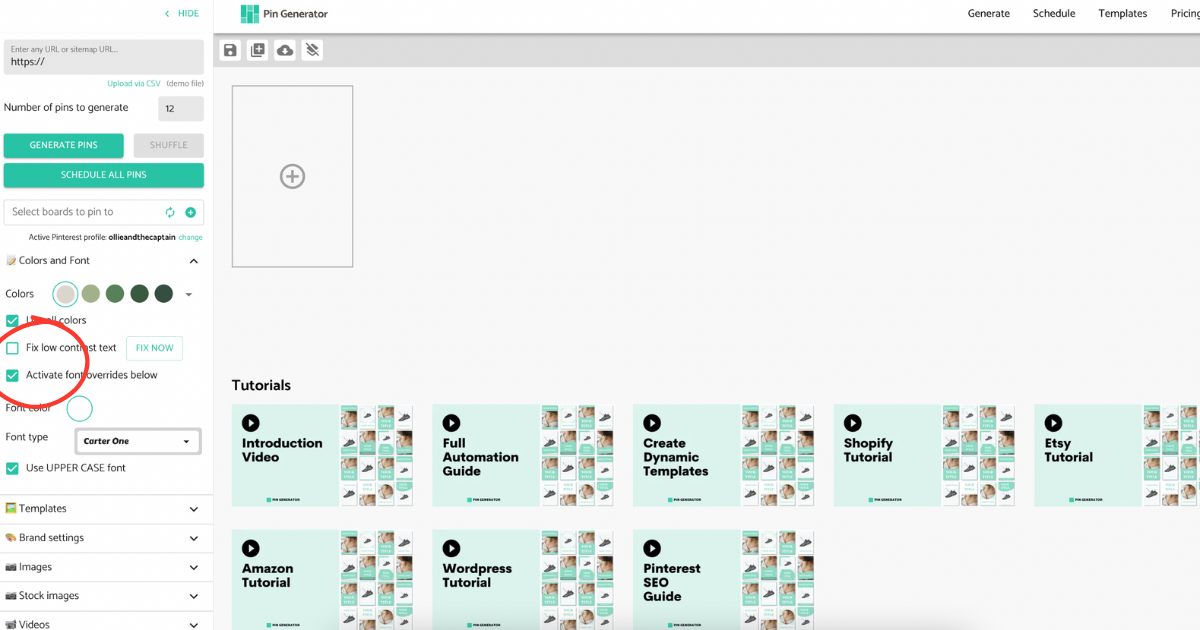
Is your text color not updating on the Generate page? You may have an override setting selected.
If you have selected the "Activate font overrides below" button under the "Colors and fonts" drop-down in the left-hand panel on the "Generate" page, then that font will take preference.
All settings in this panel will be applied to the pins regardless of the template or how you edit the pins in the top menu bar. If you want to edit the color of the pins, then you can do so in two ways.
- Deselect the "activate font overrides below" button and change the color in the top menu bar after selecting the text.
- Change the font color under the "activate font overrides below" button