
Create Pinterest Pin That Gets Clicks: Easy Guide
11 October 2025
To create a Pinterest pin that actually drives clicks, you have to get out of the "more is better" mindset. It's not about how often you post; it's about how strategic your design is.
One single, well-crafted pin can easily outperform dozens of generic ones. Get this right, and Pinterest stops being a time-suck and starts becoming one of your most powerful traffic sources.
Why High-Quality Pins Are Your Biggest Advantage
The days of needing to pin 20, 30, or even 50 times a day just to get seen are long gone. Thank goodness for that. Pinterest has grown up from a simple digital mood board into a massive discovery engine where people are actively planning their next project, vacation, or purchase.
This big shift means the platform now rewards quality over sheer quantity. Creating just a handful of exceptional pins is way more effective than spamming your followers' feeds with mediocre content.
Think of it this way: every pin you create is a tiny digital storefront for your brand. A single scroll-stopping pin can pull in more engagement and traffic than an entire week's worth of uninspired ones. A cluttered, low-effort storefront gets ignored. A beautiful, inviting one makes people want to come inside. This is exactly where a tool like Pin Generator becomes your secret weapon, letting you churn out professional-level visuals without needing a graphic design degree.
The Power of a Purchase-Ready Audience
Here’s what really makes Pinterest different: user intent. People aren't just scrolling to kill time; they're actively looking for ideas and solutions.
As of early 2025, Pinterest is home to around 570 million monthly active users. And get this—a whopping 85% of weekly Pinners say they've bought something after seeing a brand's pin. This isn't just a massive audience; it's an engaged audience ready to act, making every pin a direct line to potential customers. You can dig deeper into these Pinterest stats and see how they can shape your own strategy.
Because the platform is so visual, your pin's design is the first—and often only—chance you get to grab someone's attention.
Your goal isn't just to be seen; it's to be saved and clicked. A high-quality pin does this by instantly communicating value, solving a problem, or sparking curiosity with great visuals and clear text.
Just look at a typical home feed. It's a mosaic of ideas all competing for a user's attention.
This visual clutter is precisely why generic pins get lost in the noise. A bold, well-designed pin, on the other hand, stands out immediately.
Here are the essential components that make a Pinterest Pin successful. Use this as a quick checklist before you publish.
Quick Guide to Crafting a High-Performing Pin
| Element | Why It's Important | Quick Tip |
|---|---|---|
| Vertical Image | It's mobile-first. A 2:3 aspect ratio takes up more screen space and is favored by Pinterest. | Use a 1000×1500 pixel canvas. Anything too long gets cut off. |
| High-Quality Photo | Blurry or low-res images look unprofessional and get scrolled past. Your image is your first impression. | Use bright, clear photos. Stock photos work, but lifestyle shots showing your product in action are better. |
| Bold Text Overlay | Instantly tells the user what the pin is about and what problem it solves. It's your headline. | Use a clear, easy-to-read font. Contrast the text color with the background image so it pops. |
| Clear Branding | Your logo or website URL builds brand recognition, even if the user just saves the pin for later. | Place your logo subtly at the top or bottom. Don't let it overpower the main message. |
| Strong Call to Action | Tell people what to do next. "Shop Now," "Learn More," "Get the Recipe" increases click-through rates. | Add a CTA directly on the image or at the end of your pin description. |
Getting these basics right is the foundation of any successful Pinterest strategy. It's how you turn casual browsers into website visitors and customers.
Building a Pin Strategy That Actually Works
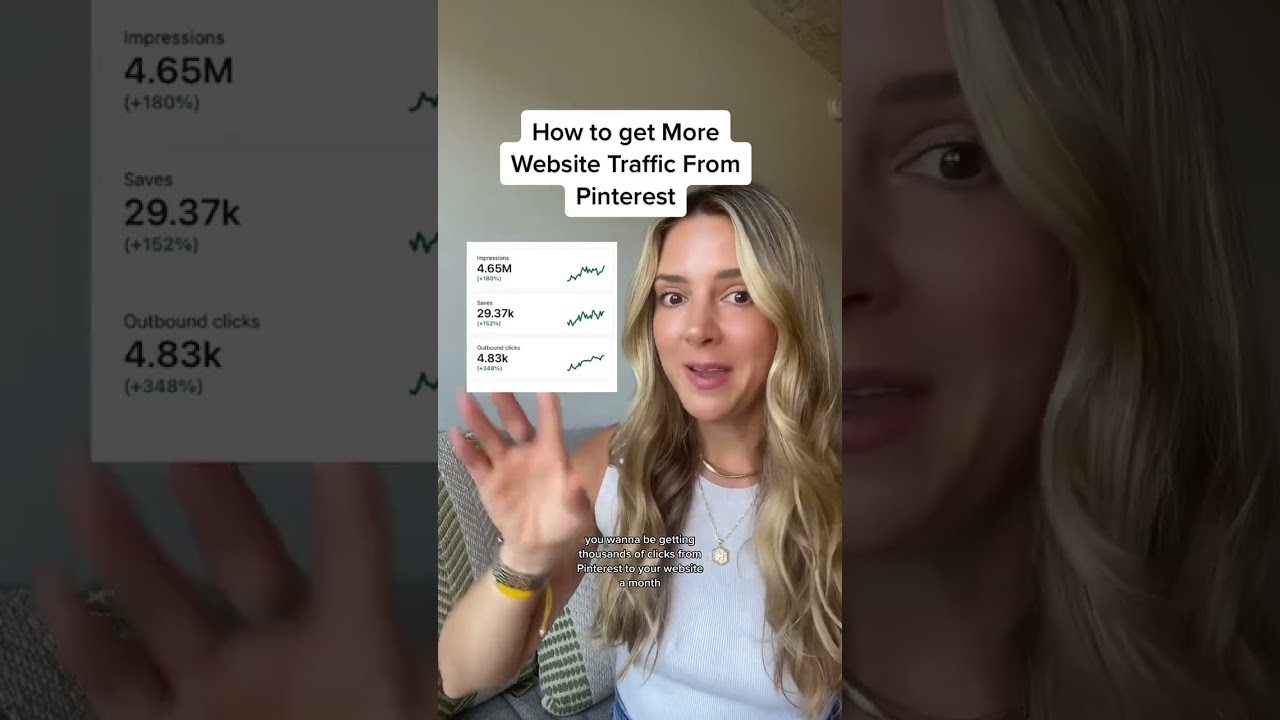
Before you even think about fonts and colors, you need a solid game plan. A beautiful pin without a clear strategy is like a billboard in the middle of the desert—it might look amazing, but nobody who matters is going to see it.
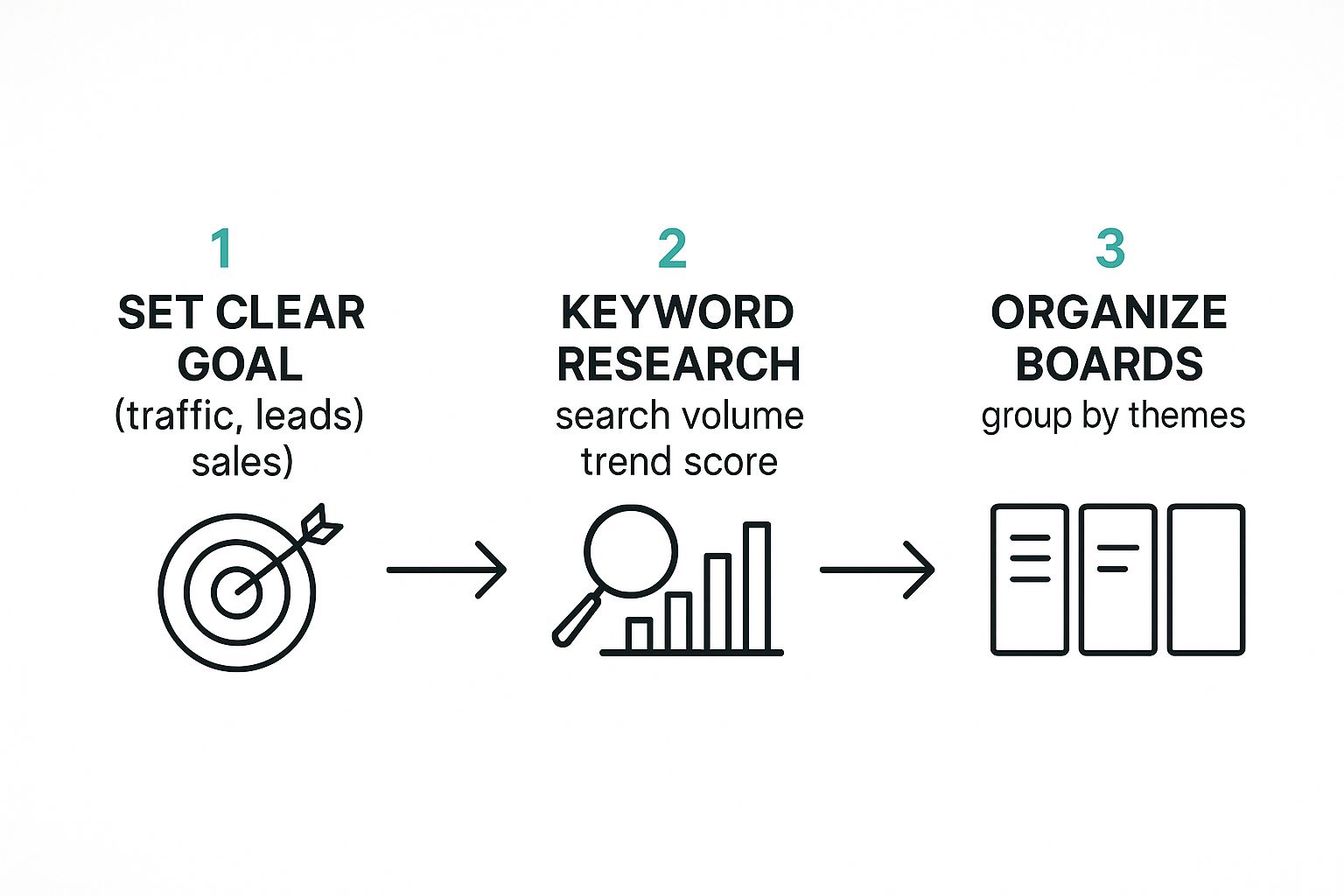
Every single pin you create needs a job. What's its purpose? Are you trying to drive traffic to a new blog post, capture leads for your email list, or make a direct sale?
Nailing this down first shapes every other decision you'll make, from the text overlay on your image to the exact board you pin it to. It's the foundation of a good content marketing strategy, and without that clarity, you're just throwing content at the wall and hoping something sticks.
Finding What Pinners Are Actually Searching For
Guesswork has no place in a winning Pinterest plan. You need to get inside your audience's head and know the exact words and phrases they're typing into that search bar. This is where Pinterest's own tools are an absolute goldmine.
Your new best friend is the Pinterest Trends tool. It doesn't just show you what's popular; it shows you when it becomes popular. This lets you get way ahead of the curve and plan your content months in advance. Think about it: searches for "summer recipes" don't just pop up in June. They start spiking in April.
You can see below how Trends visualizes that search interest over time. This is the kind of data that lets you be there with the perfect pin right when people start looking.
A Modern Strategy for Getting Discovered
The old days of pinning 25+ times a day are long gone. The game has changed, and the algorithm now heavily favors quality and relevance over sheer volume.
Don't just take my word for it. An analysis of over 1 million pins revealed that the top 1% of pins generate more than 50% of all impressions and clicks. That's a massive stat that proves a smarter, more focused approach is what works now.
Creating just five fresh, high-quality, strategically designed pins can crush the results you'd get from dozens of low-effort saves. This is truly a case of working smarter, not harder.
The process is pretty straightforward when you break it down. Start with a clear goal, validate it with real keyword data, and then build your pin with a purpose. Every step should build on the last, ensuring your pin has the best possible chance of being discovered by the right people.
Designing Pins That Stop the Scroll
This is where the magic really happens. Your strategy gives a pin its purpose, but it’s the design that makes someone slam on their brakes mid-scroll and actually pay attention.
You don't have to be a graphic design whiz to create a Pinterest pin that looks pro and gets those all-important clicks. That's especially true when you have a tool like Pin Generator in your corner doing the heavy lifting. The goal is simple: make something visually impossible to ignore. It boils down to a few key elements that work together to grab interest in less than a second.
Think bold, clear, and valuable.
Choosing Your Visual Foundation
Every great pin is built on a high-quality image or video. This is the canvas for your message, and if it's blurry, dark, or looks like a generic stock photo from 2005, your pin is dead on arrival.
Look for images that are bright, clear, and totally relevant to your topic. I've found that lifestyle photos—pictures showing a product or a final result in a real-world setting—almost always perform better. If you're sharing a recipe, show the delicious finished dish, not just a pile of ingredients.
- Stick to Vertical Formats: This is non-negotiable. The sweet spot is a 2:3 aspect ratio, like 1000 x 1500 pixels. This format dominates the screen on mobile, which is where most people are browsing Pinterest. For a deep dive, check out our guide on the correct Pinterest pin dimensions to make sure your designs are always on point.
- Go for High Contrast: Your pin needs to be readable at a glance. We’re talking light text on dark backgrounds or dark text on light backgrounds. That contrast is what makes your message pop when someone is scrolling at lightning speed.
A pin’s image and text overlay should team up to tell a quick story. The image catches the eye, and the text offers the solution or sparks curiosity. It’s a one-two punch that gets you the click.
Crafting Text Overlays That Convert
The text on your pin is your headline. It has to scream value instantly. Ditch the tiny, hard-to-read script fonts. Go for bold, clean sans-serif fonts that are easy to scan.
Think of your text as a promise. What problem are you solving? What awesome thing will they learn? Use powerful, action-focused words.
For instance, instead of a boring title like "Healthy Dinner," try something that speaks to a real need:
- "5 Quick Healthy Dinners for Busy Weeknights"
- "The One-Pan Meal That Saved My Week"
- "Healthy Dinners Your Kids Will Actually Eat"
See the difference? Those last few examples hit on specific pain points and offer a clear solution, making them way more clickable.
Integrating Branding and a Call to Action
Your branding should be a quiet signature, not the main event. A small logo or your website URL tucked at the top or bottom of the pin is perfect. It builds brand recognition over time without stealing the spotlight. When your followers see your pins, you want them to instantly know it's you.
Finally, every single pin needs a clear call to action (CTA). You have to tell people what to do next. It sounds almost too simple, but adding a direct command can make a huge difference in your click-through rate.
Here are a few classic CTAs that just work:
- Read the Post
- Get the Recipe
- Shop the Look
- Download the Guide
This small instruction cuts through the noise and nudges the user to take that next step. It's the final piece of the puzzle that turns a passive scroller into an active visitor on your website. When you combine a great image, compelling text, and a clear CTA, you've got the recipe to consistently create Pinterest pins that drive real results.
Mastering Pin Titles and Descriptions for SEO
A stunning visual will make someone stop scrolling, sure. But it's your words that get that pin discovered in the first place. If you really want to create a Pinterest pin that drives consistent traffic for months or even years, you have to get good at Pinterest SEO.
This isn’t about just stuffing keywords into every available space. It's about crafting compelling titles and descriptions that speak to both a real person and the Pinterest algorithm.
Your Pin's title and description are a one-two punch. The title is your hook—it needs to be clear, keyword-rich, and grab attention. The description is where you add context, sprinkle in secondary keywords, and tell a quick story that solves a Pinner's problem.
The Formula for Compelling Pin Copy
Forget about generic, boring labels. Your goal is to get inside your user's head and combine their intent with the keywords they're actually typing into the search bar. A title that just says "Healthy Dinner Recipe" will get lost in a sea of millions. But one that says "15-Minute Lemon Herb Chicken and Veggies"? Now that's specific, solves a problem (I need a quick meal!), and naturally uses keywords.
Before you type a single word, ask yourself: What question is my audience asking when they search for this? Then, answer that question directly in your copy.
Here’s a simple "before and after" to show you what I mean:
- Before Title: Interior Design Ideas
- Before Description: Get inspiration for your home with these interior design ideas.
- After Title: Small Living Room Ideas to Make Your Space Feel Bigger
- After Description: Struggling with a small living room? Try these 7 simple design hacks to maximize your space without a big budget. Learn how to use mirrors, clever furniture placement, and the right color palette to create an open, airy feel.
See the difference? The "after" version is so much more effective. It targets a specific pain point and weaves in multiple relevant keywords like "small living room," "maximize your space," and "design hacks" without sounding robotic.
Crafting Keyword-Rich Descriptions
Your Pin description is your chance to really flesh things out. Pinterest gives you up to 500 characters, so make them count. A good description should feel natural and conversational while you strategically place your main keywords and a few related ones. If you want to really nail your pin titles, it helps to understand how titles work for SEO in general. This guide on Top Title Tag Best Practices is a great place to start.
Think of your description as the supporting text for your visual story. It should confirm what the user sees in the Pin and promise a clear solution or benefit if they click through to your website.
One of the best ways to keep the Pinterest algorithm happy is to create multiple Pin variations for a single blog post or product. With a tool like Pin Generator, you can quickly spin up several unique pins with different titles and descriptions.
This lets you test what resonates with your audience while feeding Pinterest a steady stream of fresh, optimized content. For a deeper look into this process, our guide on turning a keyword into an optimized pin is a must-read. This simple strategy can dramatically boost the reach and lifespan of your content.
Automating Your Pinterest Workflow for Consistency
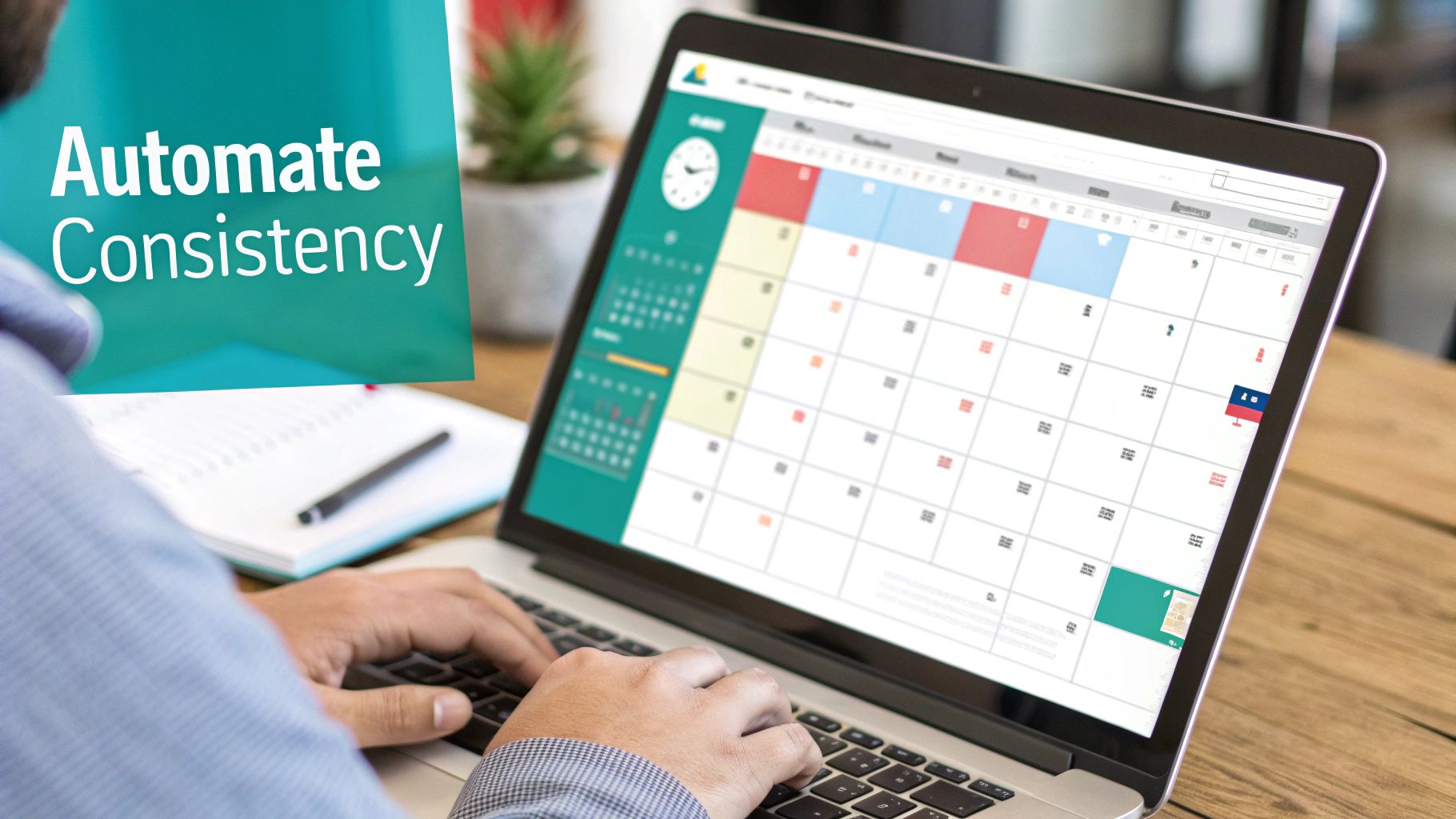
If there's one secret to Pinterest growth, it's consistency. The algorithm absolutely loves accounts that are always active, pushing out fresh and valuable content. But let's get real—who actually has the time to manually create a Pinterest Pin and post it every single day? I know I don't.
This is where automation becomes your new best friend. It’s not about cutting corners; it's about working smarter so you can maintain a killer presence without being chained to your desk. Using a tool like Pin Generator lets you build a content queue that does the heavy lifting for you, completely on autopilot.
Building Your Content Queue
Think of a scheduler as your personal virtual assistant. You can batch-create all your Pins for the week, or even the whole month, load them up, and let the software handle the daily grind. This keeps your account buzzing with activity, even when you’re deep into other parts of your business.
The real magic happens when you set up a smart schedule. You want your Pins going live at the exact times your audience is scrolling. No guesswork needed—just pop into your Pinterest Analytics to see when your followers are most active. Set it, forget it, and watch the traffic come in.
A well-managed queue frees you up to think about the big picture—strategy, content ideas, and analyzing what works. That's a much better use of your brainpower. Plus, all that consistent activity signals to Pinterest that you're a go-to source for quality content, which is exactly what you want.
Pinning Frequency and Lifespan
Forget the old-school advice about pinning dozens of times a day. That's a fast track to getting your account flagged for spam. Today, it’s all about pinning strategically and spacing things out.
You can, and absolutely should, share a single Pin to multiple relevant boards to squeeze every last drop of reach out of it. The trick is to do it intelligently by spacing out the posts over several days or even weeks.
This method, often called "interval pinning," prevents your content from looking spammy and gives each Pin time to gain traction on one board before it pops up on another.
Here are a few solid rules of thumb to follow:
- For New Accounts: Start slow and steady with 5-10 Pins per day. This warms up your account without setting off any spam alarms.
- For Established Accounts: You can ramp it up to 15-25 Pins daily. A healthy mix of brand-new Pins and repins of your greatest hits works wonders.
- Space It Out: When you're pinning the same URL to different boards, always set an interval of at least 2-3 days between each post.
This approach keeps you in Pinterest's good graces while making sure your best content gets in front of the largest possible audience.
It's also crucial to remember who that audience is. For instance, with 70% of users being female and women aged 25-34 forming the biggest chunk, your automated strategy needs to serve up content that speaks directly to them. Dive into some more Pinterest user statistics to really sharpen your approach. This consistent, automated workflow is how you build real momentum and get results without the daily hustle.
Answering Your Biggest Pinterest Questions
Let's dive into some of the most common questions I hear from people trying to get serious about Pinterest. Getting a handle on these fundamentals can completely change your results and help you sidestep the frustrating mistakes that trip up so many creators.
These are the quick, no-fluff answers you need to start refining your strategy right away.
How Many Pins Should I Be Making Each Day?
Forget everything you’ve heard about pinning 20, 30, or even more times a day. That's old-school advice. The Pinterest algorithm has changed, and it now rewards fresh, high-quality content way more than just sheer volume. The game has shifted from quantity to quality and consistency.
A much better goal is to create 3-5 new, well-designed Pins daily. Seriously, one fantastic, scroll-stopping Pin is worth more than a dozen generic ones that just get lost in the feed. This is where a tool like Pin Generator becomes a lifesaver, letting you churn out those high-impact Pins without it becoming a full-time job.
What's the Best Size for a Pinterest Pin?
The magic number is a 2:3 aspect ratio. In practical terms, that means 1000 x 1500 pixels.
There's a simple reason why this vertical format dominates Pinterest: it takes up the most screen real estate on mobile phones, which is where the vast majority of users are scrolling. Sticking to this ratio guarantees your design shows up perfectly in the feed without getting awkwardly cropped. It’s a tiny technical detail, but it has a massive impact on whether your Pin gets noticed.
Can I Pin the Same Image to Different Boards?
Yes, but you have to be smart about it. It’s totally fine to save the same Pin to multiple relevant boards, but you absolutely must space them out. Blasting the exact same image to ten different boards all at once is a huge spam trigger for Pinterest's algorithm.
A much stronger, long-term strategy is to create several unique Pin designs that all point back to the same URL. This gives the algorithm exactly what it wants—fresh content—while still getting maximum exposure for your blog post or product page.
Are Keywords Really That Important on Pinterest?
Keywords are everything. They are the absolute foundation of getting discovered on the platform. You have to remember, Pinterest isn't just another social network; it’s a massive visual search engine. Keywords are how you tell the algorithm what your content is about and who needs to see it.
Make sure you’re weaving relevant keywords naturally into your:
- Pin Title: This is your main headline and carries a ton of SEO weight.
- Pin Description: Use this space to add more context and work in your secondary keywords.
- Text Overlay on the Image: Yes, Pinterest reads the text on your actual Pin design.
- Board Titles and Descriptions: This helps Pinterest understand the broader context of your entire profile.
Getting your keyword strategy right is what turns a pretty Pin into a consistent, long-term traffic driver for your site.
Ready to stop wasting time and start creating high-quality pins in seconds? Pin Generator automates the whole shebang—from design to scheduling—so you can get back to growing your business. Give Pin Generator a try today!