
Does Pinterest Notify When You Look at Someone's Profile
23 October 2026
Pinterest generally does not notify someone when you view their profile, and official notification types do not include a named profile-view alert. You can open a profile, scroll public boards, and leave without a ping that names you.
You're on the couch with a tab you didn't mean to leave open. Maybe it's a competitor's shop, a creator whose boards you study, or someone you know offline. The cursor hovers, and the old social reflex kicks in: if I look, will they know? That reflex comes from apps that treat a visit like a doorbell. A plain Pinterest glance doesn't ring one. The skill worth learning is telling that silence apart from a follow, a comment, a save, a board collaboration, or a mention, because those later clicks are what can put your name on someone's radar.
Table of Contents
- Does Looking at a Pinterest Profile Send an Alert
- How a Profile Visit Differs from Real Engagement
- Which Pinterest Actions Can Trigger Notifications
- Everyday Profile Browsing Scenarios and Outcomes
- Why Profile Visit Numbers Do Not Name You
- What Pinterest's Audience Size Does Not Reveal
- What to Measure Instead of Profile Visitors
Does Looking at a Pinterest Profile Send an Alert
You tap a profile from search, a Pin, or a shared link. Boards load. You scroll. Nothing in that sequence is the same as waving hello.
A normal profile visit does not send a named alert to the person whose page you opened.
Pinterest's notification settings cover updates on Pinterest, email alerts, push notifications, and activity from other people. That activity includes Pins they have seen, people they follow, and boards they have created. The list does not identify individual profile visitors, and it doesn't describe a profile-view alert as a notification type.
Independent explanations of current behavior match that gap. There's no user-facing list of who viewed a profile, how many times a person visited, or when the visit happened. Opening the page and browsing boards is normally passive. The owner shouldn't get a real-time alert that names you.
What stays quiet and what doesn't
You can now split a silent visit from actions that create visible engagement. A follow, a comment, a save, a board collaboration, or a mention can generate notifications depending on that account's settings. Opening the profile and looking around stays on the quiet side.
Settings and product behavior can change, so treat the missing viewer alert as today's baseline, not a forever promise. If a new alert type appears later, the settings page is where it would show up. Until then, does Pinterest notify when you look at someone's profile has a practical answer: a glance stays quiet, and a public profile can still show public content plus aggregate performance without naming each visitor.
How a Profile Visit Differs from Real Engagement
Think of a profile like a shop window. You can stand on the sidewalk, read the display, and walk on. The owner may later see that people came by as a lump sum. A glance isn't the same as walking in and leaving your name on a receipt.
A profile visit, in everyday use, means you opened the profile and looked at public boards or Pins. Those Pins, board titles, and follower counts can sit in plain sight. Visibility of the content isn't a name tag on every person who looked.
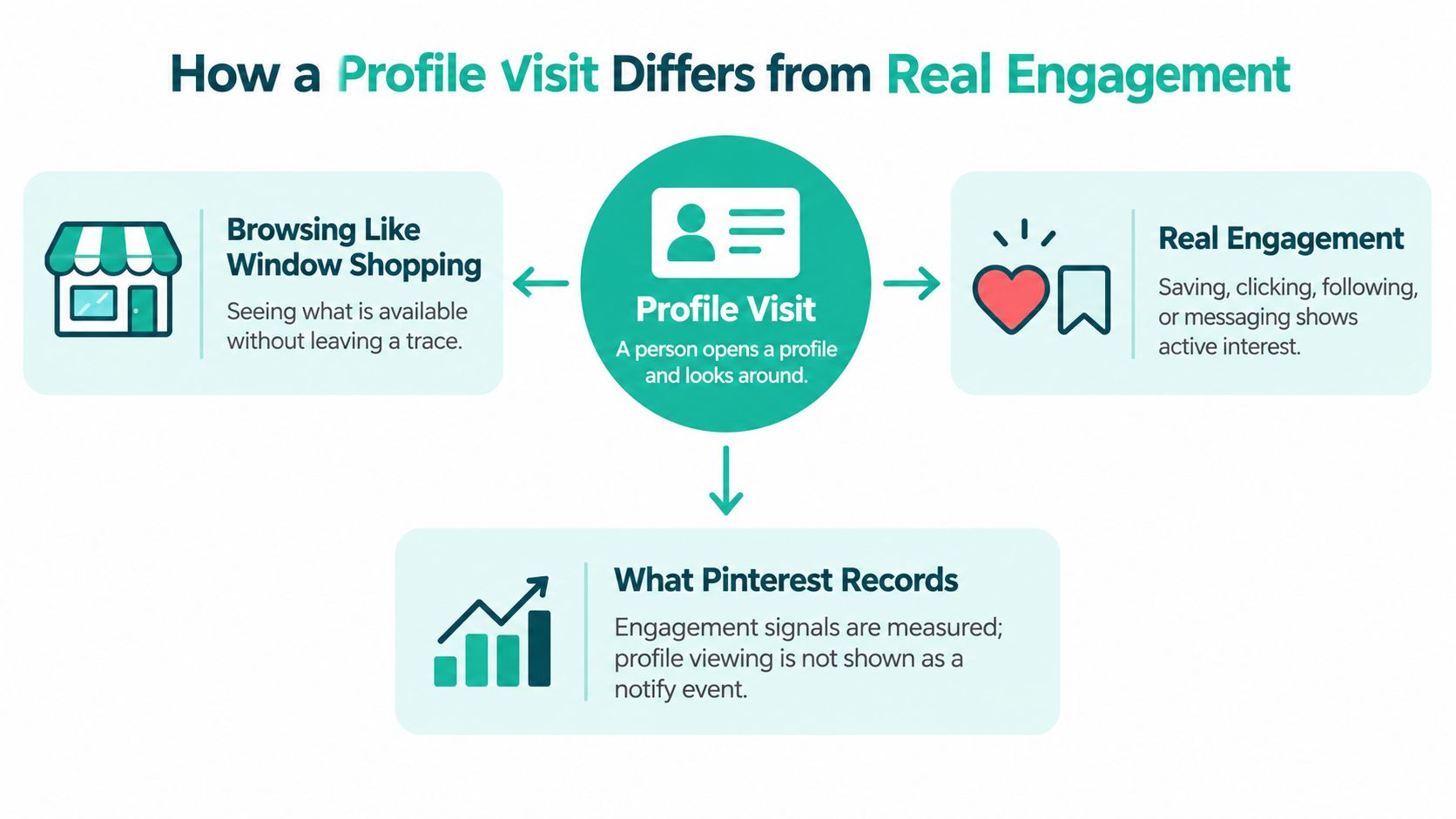
Three branches from one quiet look
- Silent visit: You open the profile and look around. Your identity stays off any notification the owner can read.
- Visible content: Boards and Pins can be public without revealing each visitor who passed through.
- Engagement line: Saving, following, commenting, collaborating, or mentioning someone crosses into a relationship the other person can notice.
Privacy here is about identity, not a claim that Pinterest stores nothing at all. The platform can measure interest in aggregate. That still isn't a diary with your username on every page view. For a wider look at what counts as real interaction, the guide to Pinterest engagement separates passive browsing from actions that build a trail.
Seeing the shop window doesn't sign the guest book.
Don't assume every direct visit is counted, and don't assume nothing is tracked. The accurate middle is this: a look can exist as platform activity without becoming a named ping.
Which Pinterest Actions Can Trigger Notifications
Before the next click, check whether you're still browsing or about to introduce yourself. That's the whole decision when you're researching a competitor, a creator, or a brand and you want the visit to stay passive.
| Action | Can it notify the person | What they can typically learn |
|---|---|---|
| Opening a profile and browsing boards | No named profile-view alert | Not your name, not how often you came, not when |
| Following an account | Yes, depending on settings | That your account followed them |
| Commenting | Yes, depending on settings | Your comment and the account attached to it |
| Saving a Pin | Yes, depending on settings and how the save is discovered | That the Pin drew a save, and a public board can surface it |
| Collaborating on a board | Yes, depending on settings | That you joined shared board work |
| Mentioning someone | Yes, depending on settings | The mention and who wrote it |
Eligible isn't the same as guaranteed
Notification preferences decide what arrives by push or email. An action that can notify someone won't ping every account the same way. A person who turned off certain alerts may never see a follow or a comment in their phone, even though the action itself is visible engagement rather than a silent look.
Stay on the first row if you only want to study boards. The moment you tap Follow, leave a comment, save a Pin, accept a collaboration, or @ mention someone, you've crossed into activity the other person can notice. Plan the research click first, then decide on purpose whether you want to be seen.
Everyday Profile Browsing Scenarios and Outcomes
Rules get clearer when you watch them in ordinary moments. None of these scenes invents a viewer count or a named alert the owner never receives.
A shopper after a Pin. Maya taps a ceramic brand from a Pin in her feed, opens the profile, and scans three boards. That's passive. The brand shouldn't expect a notification naming Maya. They also shouldn't expect a timestamp of her visit. If she only looks, she stays off their personal radar.
A creator studying a competitor. Jordan opens a rival's boards on a Tuesday afternoon, notes which layouts repeat, and closes the tab. Quiet research. The rival shouldn't see Jordan's name from that browse. Jordan's mistake would be hitting Follow "just to keep the account handy." That tap can notify them, depending on settings, and it turns a silent visit into a relationship.
Someone you know offline. Priya checks a friend's profile before a birthday and almost leaves a comment on a cake Pin. Looking at public boards is still passive. The comment would put her on that friend's radar. She backs out, keeps the idea, and says nothing on the Pin.
Browsing public boards is normally passive. A follow, save, comment, collaboration, or mention can put you on the other person's radar.
The near-miss is the lesson. Intent doesn't matter once the button is pressed. If you meant only to look, don't follow, don't comment, and don't join a board on the way out.
Why Profile Visit Numbers Do Not Name You
A different mistake shows up once someone switches on a business account. They see the words profile visits in analytics and picture a visitor log with names, times, and repeat counts. That's not what the metric is.
Pinterest Analytics defines profile visits as an aggregate metric: the number of people who visited a profile after viewing a Pin. A person can add to that total without a named alert and without an identity attached. Official documentation doesn't describe an identifiable "someone viewed your profile" notification or a viewer list.
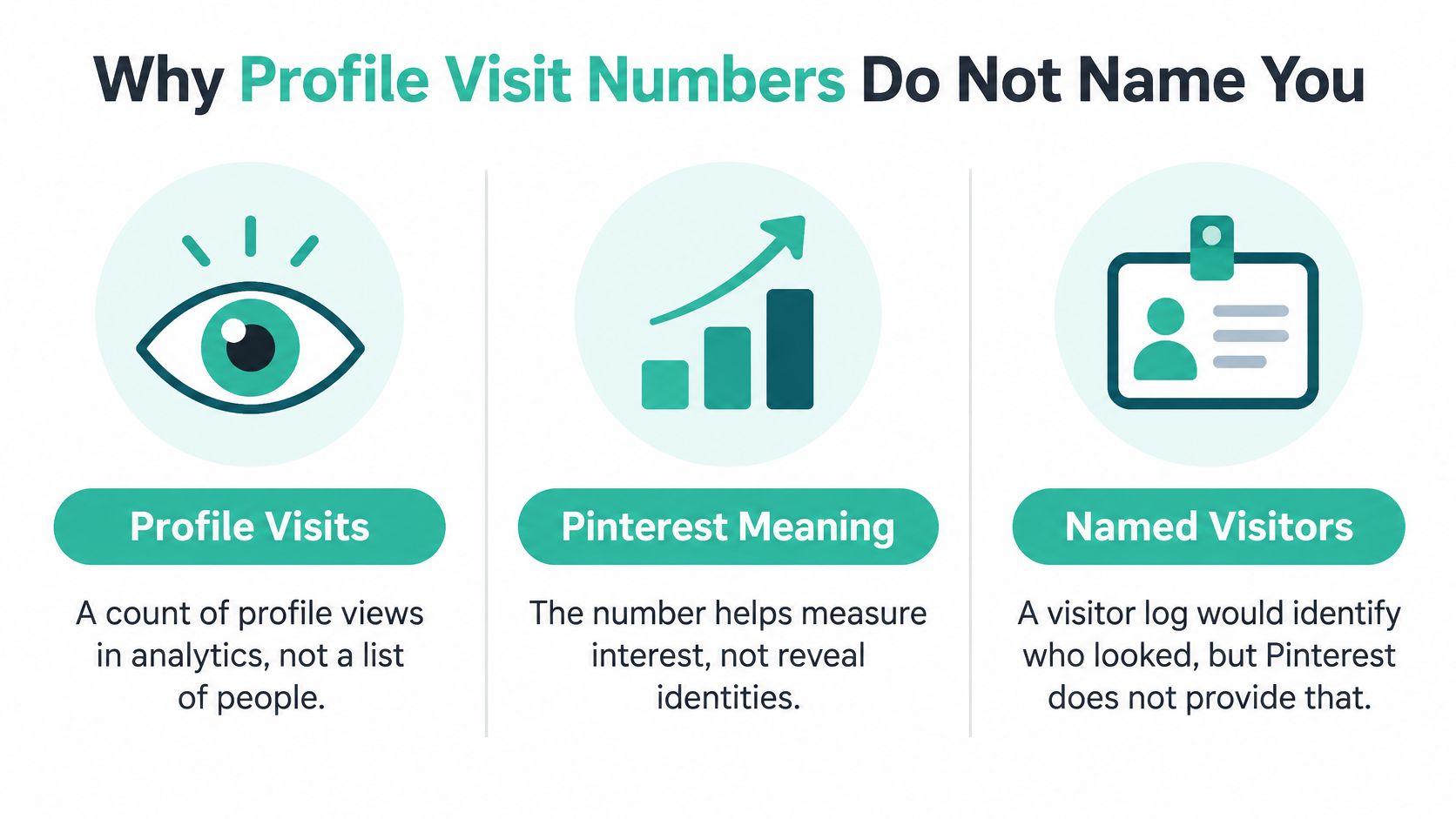
The limit most explanations skip
The metric is attribution-based. Pinterest ties the counted visit to prior Pin exposure, so it isn't a complete diary of every direct profile open. Official material doesn't establish that every direct visit is counted. If you typed a profile URL and never saw a Pin first, you shouldn't assume you landed in that total, and you also shouldn't assume the platform kept no trace of activity at all.
If Analytics shows profile visits, can the owner identify me
No. The available official evidence supports no identifiable viewer list. It doesn't support the opposite exaggeration that Pinterest tracks nothing. Read the number as audience interest after Pin exposure, useful for a merchant judging whether content pulls people toward the profile, useless as a roll call. Privacy-conscious researchers and brands reading the same chart should both stop treating a total as a list of names.
What Pinterest's Audience Size Does Not Reveal
A huge user base tempts a second myth: if this many people are on the platform, profile views must be exposed somewhere. Scale explains why a quiet visit matters. It doesn't prove that viewers are named.
Pinterest's second-quarter 2025 results reported 578 million monthly active users, up 11% year over year from 522 million. The same release reported 102 million in the United States and Canada, 147 million in Europe, and 329 million in the rest of the world.
What that count actually measures
A monthly active user is an authenticated person who visits the website, opens the mobile app, or interacts through a browser or site extension at least once during the 30-day period ending on the measurement date. That's a visit to Pinterest, not a visit to your profile.
- Not a profile-visit tally: The figure can't be divided into "people who looked at someone else's page."
- Not a disclosure rate: A large audience across regions shows that profile browsing happens worldwide. It isn't evidence that individual profile views are handed to account owners.
- Useful context only: Creators and merchants should treat the headcount as the size of the ecosystem, then judge interest through actions and analytics Pinterest records.
Profile visits alone are unlikely to trigger a direct notification to a merchant or creator. Measure saves, clicks, follows, impressions, or aggregate audience metrics instead of hunting a name inside a platform-wide total.
What to Measure Instead of Profile Visitors
Stop refreshing someone's profile to see if you "showed up." That check won't produce a named viewer, and it won't tell a merchant whether demand is real. Three habits get confused with measurement.
Refreshing a profile only shows public boards, Pins, and follower counts. It doesn't reveal who browsed.
Reading aggregate profile visits, as covered above, gives a lump-sum interest signal tied to prior Pin exposure. It still doesn't name anyone, so it's a weak operational signal on its own.
Tracking recorded engagement is the useful set: saves, clicks, follows, impressions, and audience metrics. Those are the actions and rollups Pinterest is built to show. A deeper walk-through of those reports sits in this guide to Pinterest analytics.
If the job is publishing against that demand instead of watching profiles, Pin Generator is one option for the production side. It generates on-brand Pin designs, titles, descriptions, and alt text, selects boards, and schedules recurring publishing from catalogs, RSS or Atom feeds, CSV imports, or connected stores such as Shopify, Etsy, WooCommerce, Amazon, and WordPress. Keyword research, trend alerts, templates, Pin history, and a results leaderboard show which creatives are working, which is a better loop than searching for named profile viewers.
Pick one catalog or feed, publish a scheduled batch, and review history or leaderboard results. Leave the "who looked at my profile" question where Pinterest leaves it: unanswered on purpose.
Pin Generator turns catalogs, feeds, and store connections into scheduled Pins with designs, titles, descriptions, and alt text, so you can act on saves, clicks, and impressions instead of wondering who viewed a profile. That shift matches how Pinterest works: quiet browsing stays unnamed, and recorded engagement is what you can improve. Visit Pin Generator when you're ready to publish the next batch and read the results that name performance, not people.