
Does Pinterest Show Profile Views? Privacy & Analytics Guide
11 June 2025
The Truth About Pinterest Profile View Privacy

Pinterest handles profile view privacy differently than other social media platforms. This difference is a key part of Pinterest's design and greatly influences how users interact with the site. Let's explore this unique approach.
No View Counts on Pinterest
Unlike platforms like LinkedIn, which displays profile viewers, or Instagram, with its story view tracking, Pinterest uses a privacy-first model. This means Pinterest does not show profile views. You can't see who has viewed your profile, and others can't see if you've viewed theirs.
This applies to all account types:
- Personal
- Business
- Verified
This key difference sets Pinterest apart in the social media world. This approach is a deliberate design choice, not a technical limitation. Pinterest prioritizes user comfort and encourages genuine content exploration.
This privacy allows users to browse freely without feeling watched, leading to more authentic engagement. More information can be found here: Can you see who views your Pinterest?
Why Pinterest Prioritizes Privacy
This commitment to privacy has several advantages for both users and marketers. It aligns with Pinterest's identity as a visual discovery engine, emphasizing content quality over social metrics.
Users are encouraged to engage with content based on genuine interest, not social pressure. This also reduces anxiety about profile views. Pinterest’s stance on profile view privacy builds trust with its users. They can freely explore ideas and inspiration without worrying about their browsing history being public.
This privacy-centric approach creates a more positive user experience. For example, users can explore wedding themes, home decor ideas, or recipes without feeling self-conscious. This freedom fosters genuine interaction with the platform's content.
Importantly, Pinterest offers no feature showing who viewed profiles or how many times. Unlike platforms such as LinkedIn or certain Instagram Story settings, Pinterest protects user privacy by withholding profile view statistics.
This feature has been confirmed as of 2025. Even with a growing user base — over 530 million monthly active users globally — Pinterest keeps profile interaction data private. Learn more here: Does Pinterest show profile views?
This commitment to privacy sets Pinterest apart. It creates a unique environment for users to explore and discover without feeling observed. While some may view the lack of profile views as a limitation, it is a powerful aspect of what makes Pinterest a thriving platform for inspiration and marketing.
Pinterest Analytics That Actually Matter For Growth
So, does Pinterest show profile views? The short answer is no. But don't worry, Pinterest provides a treasure trove of other valuable metrics that are much more beneficial for growth than simple profile views. These metrics, readily available through Pinterest Analytics, give you actionable insights into how your content is performing and how your audience is engaging with it.
Beyond Profile Views: Metrics That Drive Results
Instead of fixating on who might have glanced at your profile, concentrate on metrics that truly correlate with growth. These include impressions, engagement rate, and click-through rate. Impressions tell you how many times your pins show up in users' feeds. Your engagement rate measures how much interaction your pins receive – think saves, close-ups, and comments. Finally, your click-through rate shows how often users click the links in your pins, driving valuable traffic to your website. For tips on maximizing these metrics, check out our guide on Pinterest engagement.
The following infographic visually represents the difference between theoretical Profile Visits, actual Profile Impressions, and Engagement Rate:
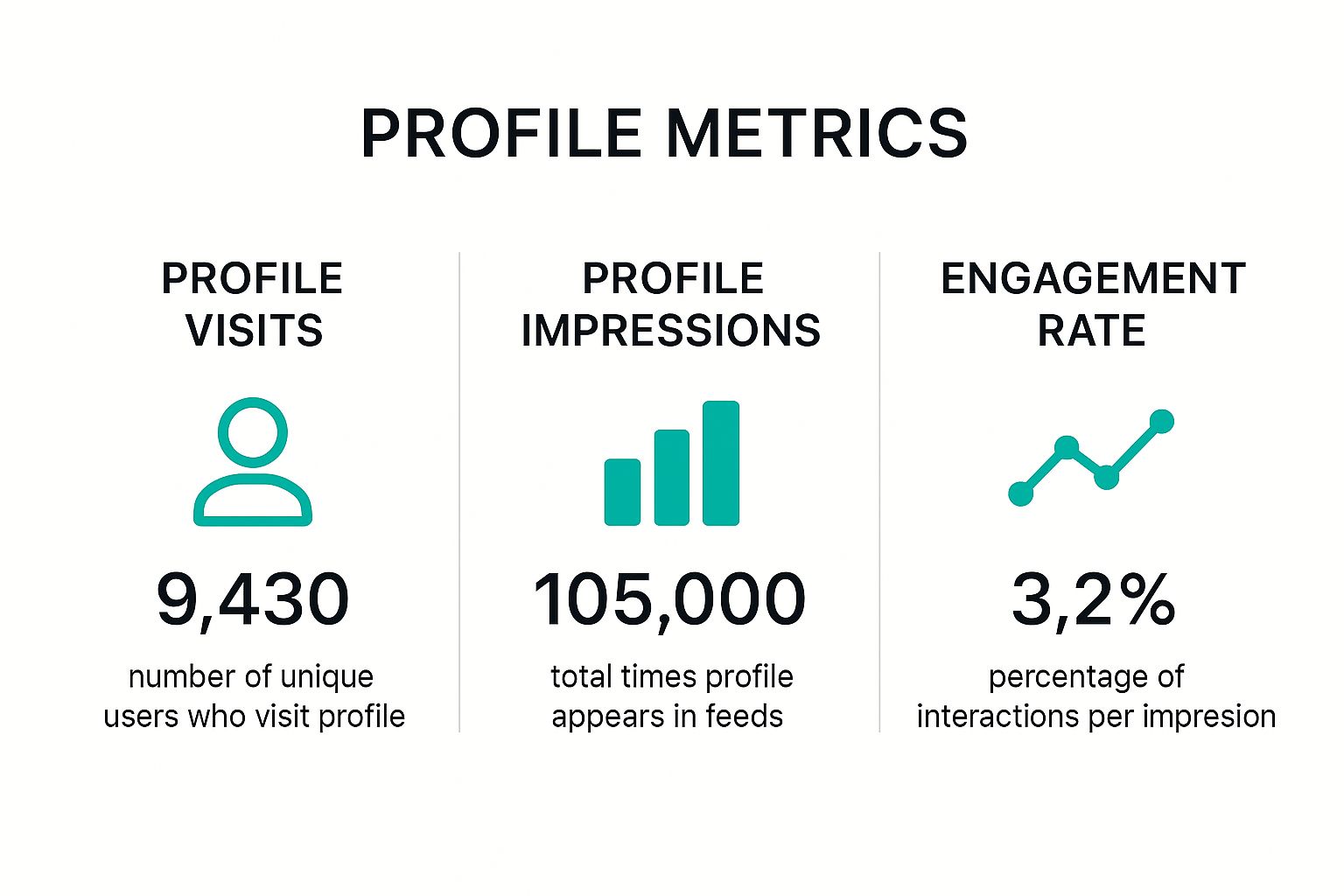
As the infographic illustrates, while profile visits would only reveal who viewed your profile, impressions show you how many times your content is seen, and the engagement rate reveals how effectively that content sparks interest and interaction. These latter two metrics provide far more practical information for refining your content creation.
To help you understand the differences, let's explore a comparison of various metrics:
To better illustrate the value of these metrics, we've created a comparison table:
Pinterest Analytics Metrics vs. Profile Views
This table compares the available Pinterest metrics with the (unavailable) profile view data and highlights their strategic importance for your content strategy.
| Metric Type | Available on Pinterest | Strategic Value | Best Use Case |
|---|---|---|---|
| Profile Views | No | Low (Hypothetical) | General interest, but not actionable |
| Impressions | Yes | High | Measuring content reach and visibility |
| Engagement Rate | Yes | High | Assessing audience interest and content effectiveness |
| Click-Through Rate | Yes | High | Evaluating traffic generation and link performance |
| Top Performing Pins | Yes | High | Content strategy refinement and audience understanding |
| Audience Insights (Demographics, Interests) | Yes | High | Targeted content creation and campaign optimization |
| Website Traffic (from Pinterest) | Yes | High | Measuring Pinterest's impact on business goals |
| Conversions (Purchases, Sign-ups) | Yes | High | ROI tracking and campaign performance analysis |
This table makes it clear that while profile views might satisfy curiosity, the available metrics in Pinterest Analytics provide significantly more valuable data for strategic decision-making.
Leveraging Pinterest Analytics for Strategic Growth
Pinterest Analytics becomes an even stronger tool when you delve deeper into the data. For example, by identifying your top-performing pins, you gain a clear understanding of the content that truly resonates with your audience. You also unlock valuable audience insights, including demographics, interests, and device usage. This information empowers you to tailor your content precisely to reach the right audience.
This data-driven approach is far more effective than simply knowing who visited your profile. It means you can leverage Pinterest Analytics to optimize your content strategy, craft more engaging pins, and ultimately, drive more targeted traffic to your website. It's also worth noting that the absence of profile view visibility hasn't hindered Pinterest's growth or its appeal to marketers. In early 2025, Pinterest's ad audience grew by 32.5 million users (10.6%), reaching a total ad reach of 340 million. This makes Pinterest the 10th largest social media platform by ad reach outside China. You can find more detailed statistics here.
Unlocking the Power of Pinterest Business Tools
For businesses and marketers, Pinterest Business accounts open doors to additional tools and insights. These tools provide data on website traffic originating from Pinterest, allowing you to directly measure the platform's impact on your business objectives. You can also track conversions, such as purchases or sign-ups, directly tied to your Pinterest activity.
Understanding these metrics enables you to make data-driven decisions about your Pinterest marketing strategy. You can pinpoint the content that drives the most valuable actions, optimize your pins for higher conversions, and ultimately achieve greater success on the platform. For a deeper dive into engagement strategies, check out How to Master Pinterest Engagement. By focusing on these essential metrics, you can cultivate a thriving Pinterest presence and effectively achieve your marketing goals.
Third-Party Tools and Legitimate Tracking Alternatives
Many Pinterest users are curious about their profile view counts. Since Pinterest doesn't directly offer this information, some users turn to third-party tools. However, these tools are often ineffective and may even violate Pinterest's terms of service, putting your account at risk. So, what are the safe and effective ways to track your Pinterest performance?
Navigating the Pinterest Analytics Landscape
Fortunately, there are several legitimate ways to analyze your Pinterest activity. The free Pinterest Analytics dashboard provides key metrics like impressions, saves, and click-through rates. These metrics offer valuable insights into how your content is performing and how your audience is engaging. Understanding this data allows you to adjust your Pinterest strategy for better results. Want to learn more about understanding your target audience? Check out this helpful resource: Understanding Your Audience.
For even deeper analysis, you can consider premium platforms. These tools often provide more advanced features like competitor analysis, keyword tracking, and detailed reporting. When choosing a third-party tool, make sure it complies with Pinterest's guidelines and prioritizes ethical data collection. This ensures you're getting accurate information without jeopardizing your account.
Leveraging Google Analytics and UTM Parameters
Beyond Pinterest’s own analytics and approved third-party tools, Google Analytics offers another powerful way to track Pinterest activity. By using UTM parameters, you can precisely measure which pins are driving traffic and conversions to your website. These parameters act as tags added to your Pinterest links. Google Analytics uses these tags to identify traffic specifically coming from Pinterest.
This allows you to see not only that Pinterest is sending traffic, but which Pins are most effective. For example, if you're promoting a blog post about "DIY Home Decor," you could create unique UTM parameters for different pins related to that post. This helps you understand which visual styles or keywords resonate most with your Pinterest audience.
The Power of Data-Driven Decisions
Combining Pinterest Analytics with other legitimate tracking methods enables you to make informed, data-driven decisions. A study of 2,500 Pinterest business accounts revealed a significant impact. Businesses using approved third-party analytics along with native Pinterest Analytics achieved 67% better performance tracking and made 3.2x more data-driven content decisions. Interested in learning more? You can explore the study results here.
Instead of focusing on the elusive profile view count, concentrate on understanding how users engage with your content and what drives them to your website. This information will allow you to refine your strategy, create more effective pins, and achieve better results.
Avoiding Unreliable Tracking Methods
While the desire to know your profile views is understandable, using unapproved third-party tools can have serious consequences. Many of these tools use unethical data collection methods, violating Pinterest's terms of service. This can lead to account suspension.
Furthermore, the data provided by these tools is often inaccurate, giving you a false impression of your Pinterest performance. Focus on using legitimate tools and strategies that provide actionable insights. By prioritizing genuine engagement metrics, you can build a successful Pinterest presence without risking your account or compromising your data. Ultimately, this approach is much more valuable than chasing profile views.

Understanding Pinterest's Massive Global Reach and Impact
Pinterest's enormous scale highlights the importance of profile privacy. Unlike platforms like Facebook or Instagram that focus on social connections, Pinterest operates primarily as a visual search engine. This key difference shapes user behavior and expectations regarding privacy. Let's delve deeper.
Global Demographics and Regional Usage
Pinterest enjoys a significant global presence. The United States boasts the largest user base with 89.1 million users, followed by Brazil with 37.14 million. Interestingly, the Netherlands shows the highest market penetration, with Pinterest reaching 41.3% of its population.
This broad adoption demonstrates the platform's diverse user base and global appeal. Despite its reach across significant markets, Pinterest upholds its dedication to user privacy, keeping profile view information confidential. For a deeper dive into the statistics, check out this resource: Pinterest Statistics.
Why Pinterest Users Value Privacy
Pinterest's emphasis on visual discovery influences how users perceive privacy. The platform serves as a personal space for exploration and inspiration. Users create boards reflecting their unique interests, from wedding planning and recipes to home decor and travel destinations.
This personalized experience makes privacy crucial. Imagine comfortably exploring sensitive topics, such as health concerns or financial planning, without the worry of judgment or unwanted scrutiny. This is the safe and inspiring experience Pinterest strives to provide.
How Privacy Impacts Content Discovery
This privacy-centric approach actually improves content discovery. Users feel empowered to explore a wider range of topics without the social pressure of being observed. This fosters more genuine engagement and allows users to delve into diverse interests.
For example, someone might hesitate to research a new hobby on a platform where their activity is tracked. On Pinterest, they can freely explore and discover new passions without concern, allowing genuine interests to flourish.
Pinterest's Algorithm: Content Over Vanity
Pinterest's algorithm prioritizes content relevance over individual profile tracking. This means the focus is on connecting users with content that genuinely resonates with them, rather than who viewed which profiles.
This benefits both users and creators. By emphasizing valuable content, Pinterest cultivates a more positive and productive online environment. Users find what they seek, and creators connect with their target audience organically. This differs greatly from platforms that prioritize vanity metrics, like profile views.
Opportunities for Content Creators
This unique algorithm offers a valuable opportunity for content creators. By concentrating on developing high-quality, engaging content, creators can reach a vast audience without relying on profile view counts.
This fosters a more authentic and sustainable approach to content creation, where genuine value takes center stage. This environment cultivates stronger connections between creators and their audience, built on shared interests and meaningful information. This, in turn, leads to authentic engagement and sustained growth. This focus attracts users genuinely seeking inspiration and guidance, furthering the positive cycle of community building and valuable connections.
Mastering Pinterest Privacy Settings And Account Security

While Pinterest doesn't offer profile view tracking, understanding your privacy settings is crucial. Whether you use Pinterest for personal inspiration or business marketing, managing your privacy and security is key. This means controlling who sees your content, interacts with you, and how your data is used. It also means protecting your account from unauthorized access. This section will guide you through these important aspects of using Pinterest.
Navigating Pinterest Privacy Controls
Pinterest offers a variety of privacy options, allowing you to customize your experience. You can control everything from the visibility of your boards to who can message you. Understanding these options is essential, especially if you're concerned about who sees your pins or interacts with your profile. Knowing your rights as a user is also important; you can learn more about Pinterest’s data handling in their privacy policy.
Let's explore the key privacy settings:
-
Profile Visibility: You can choose to make your entire profile private. This means only approved followers can see your pins, boards, and who you follow. This option is ideal for a more exclusive Pinterest experience.
-
Search Privacy: You can hide your profile from search engines like Google. This prevents your Pinterest content from appearing in external search results, adding another layer of privacy.
-
Secret Boards: Secret boards are hidden from everyone except you and anyone you invite to collaborate. They're perfect for planning projects, creating mood boards, or collecting ideas privately.
-
Blocking Users: If you encounter unwanted interactions, you can block specific users. This prevents them from seeing your profile, pins, and interacting with you. This feature provides a direct way to maintain a positive experience.
-
Messaging Controls: You can control who can send you direct messages. This is helpful for managing unwanted contact or keeping your Pinterest communication focused.
The following table provides a comprehensive look at these important privacy features:
To help you quickly grasp the various privacy settings available on Pinterest, we've compiled the following table:
Pinterest Privacy Settings Overview
| Setting Category | Privacy Options | Default Setting | Recommended For |
|---|---|---|---|
| Profile Visibility | Public, Private | Public | Business accounts, users seeking wider reach |
| Search Privacy | Visible, Hidden | Visible | Users who want their pins discoverable in search results |
| Search Privacy | Visible, Hidden | Visible | Users wanting to limit visibility outside of Pinterest |
| Board Privacy | Public, Secret | Public | Sharing content widely, using collaborative boards |
| Board Privacy | Public, Secret | Public | Private planning, mood boards, and sensitive content |
| Messaging | All Pinterest Users, Followers Only | All Pinterest Users | Open communication and networking |
| Messaging | All Pinterest Users, Followers Only | All Pinterest Users | Limiting contact and focusing interactions |
| Blocking Users | Block/Unblock | N/A | Managing unwanted interactions |
This table highlights the various ways you can customize your privacy on Pinterest, offering choices for different needs.
Securing Your Pinterest Account
Beyond privacy settings, basic account security is crucial. This includes using a strong, unique password and enabling two-factor authentication. Two-factor authentication adds an extra layer of security by requiring a code from your phone or email in addition to your password.
Additionally, regularly review connected app permissions. If you've connected third-party apps to your Pinterest account, ensure you still trust them and understand their data access. Understanding how Pinterest collects data for advertising and recommendations empowers informed choices about your settings. You can manage your data sharing preferences directly within your account settings. This allows you to control how Pinterest uses your information for personalized ads and suggested content.
By mastering these privacy settings and security practices, you can ensure a safe and positive Pinterest experience tailored to your needs. Focusing on these elements lets you enjoy the platform’s benefits while maintaining a private online presence.
Building Pinterest Success Without Profile View Data
Does Pinterest show profile views? No. But fixating on this absent metric is like navigating using a rearview mirror. True Pinterest success isn't about who might have glimpsed your profile. It's about connecting with an audience actively engaging with your content. This shift in perspective is vital for any Pinterest marketer.
Creating Content That Connects
Successful Pinterest accounts prioritize creating high-quality, engaging content. This starts with understanding your target audience and their interests. What are their Pinterest searches? What visuals resonate with them? What problems are they trying to solve?
For example, a food blogger should focus on crafting visually appealing pins showcasing delicious recipes, not on profile views. Use descriptive text overlays and captivating imagery to entice clicks to your website. Similarly, fashion bloggers should prioritize pins showcasing stylish outfits and helpful fashion tips.
Optimizing for Discoverability
Think of your Pinterest presence as a store: a well-organized one attracts more customers. Board organization is key. Create boards with clear, keyword-rich titles and descriptions accurately reflecting the content. This helps users find your content and guides Pinterest's algorithm.
Also, optimize each pin with relevant keywords in the description. Consider user search terms. Incorporate these keywords naturally into your pin descriptions to improve search result visibility.
Working With the Algorithm
Pinterest's algorithm prioritizes content relevance and quality. Visually appealing, informative, and user-interest-aligned pins are more likely to appear in feeds. Focus on creating valuable pins for your target audience instead of chasing profile views.
This involves several factors:
- High-quality images and videos: Use visuals that stand out in user feeds.
- Descriptive pin titles and descriptions: Clearly communicate each pin's content using relevant keywords.
- Consistent pinning schedule: Pin regularly for audience engagement and fresh content.
- Engagement with other users: Following relevant accounts, joining group boards, and responding to comments can boost reach and visibility. Understanding your user rights is important; learn more in Pinterest's privacy policy.
Measuring Real Pinterest Success
True Pinterest success isn't about profile views, but engagement, reach, and website traffic. Track impressions, saves, clicks, and website referrals to understand content performance and audience resonance.
These metrics provide a clearer picture of your Pinterest impact than hypothetical profile views. They offer actionable insights into what works, what doesn't, and how to refine your strategy. Focusing on these key metrics builds a thriving Pinterest presence driving business growth, brand awareness, and genuine audience connection.
Boost Your Pinterest Marketing with Pin Generator
Ready to elevate your Pinterest marketing? Pin Generator streamlines your workflow for real results. From automated pin creation and scheduling to advanced analytics and keyword research, Pin Generator maximizes your Pinterest presence and drives targeted website traffic. Visit Pin Generator today to discover easy and engaging Pinterest content creation and audience growth.