
How to Add Affiliate Links on Pinterest (Without Getting Banned)
13 June 2026
If you’re using Pinterest to promote affiliate products, there’s a good chance you’ve wondered whether you’re adding your links the right way. Many affiliate marketers worry about getting flagged as spam, shadow banned, or restricted simply because they don’t fully understand Pinterest’s rules around linking.
Pinterest does allow affiliate links on the platform, and they state this clearly in their business guidelines. At the same time, the way you add those links, disclose relationships, and structure your pins plays a role in how your content is distributed. Pinterest wants useful, trustworthy content on the platform, and your setup needs to reflect that.
A quick search online will show bold income claims tied to affiliate marketing on Pinterest. What often gets left out of those conversations is how those links are being added, how many are being shared, and whether the strategy actually follows Pinterest best practices.
Whether you’re new to affiliate marketing on Pinterest or refining what you’re already doing, this guide walks through the two safe ways to add affiliate links, the common mistakes that hurt conversions, and the questions that come up most often when people start promoting affiliate products here.
How to Add Affiliate Links on Pinterest the Right Way
Pinterest allows affiliate links, but how you add them matters. The platform wants links that are transparent, relevant, and helpful to the user experience. When your setup aligns with that, your pins are more likely to get distribution and clicks. When it doesn’t, reach and conversions often drop.
There are two main ways affiliate marketers add links on Pinterest, and both are valid when used correctly.
1. Adding your affiliate link in the destination URL
When you create a pin, Pinterest asks where the click should go. That destination field is where your affiliate link can live if you do not have a website. If you do have a blog or shop, many creators send traffic to their own page first, where multiple affiliate links can live.
If you link directly to an affiliate offer, there are a few best practices to protect your account and your credibility:
- Use the full affiliate URL, not a shortened link. Many redirect links get flagged as spam.
- Check that your affiliate program allows direct linking from social platforms.
- Include a simple disclosure like “affiliate link” in your description so your audience knows there is a partnership.
2. Tagging products on your pins
Pinterest also offers a feature called product tagging. This works well with programs like Amazon or LTK, where Pinterest can recognize the product and connect it to a listing.
Product tagging can send a stronger shopping signal to Pinterest because the platform clearly sees the relationship between the pin and the product. The tradeoff is that tagging is more manual and not every affiliate program supports it.
What’s the best method?
Many marketers use a mix. Direct links are faster when creating multiple pins, while product tags can boost visibility on shopping surfaces. Testing both and watching your analytics usually gives clearer answers than guessing.
If you prefer to watch instead of read, the full walkthrough is live on YouTube where I show both methods step by step and how to stay within Pinterest’s guidelines. You can watch the video here:
Why Your Affiliate Pins Aren’t Converting
If your pins are getting impressions and even clicks, but very few sales, Pinterest usually isn’t the problem. Most conversion issues happen in the gap between what the pin promises and what the user sees after they click. These are the most common reasons affiliate pins underperform.
1. The pin and the landing page don’t match.
Your pin must set an accurate expectation. If someone clicks a pin showing a specific product, color, or style and lands on something different, they’ll leave.
For example, a pin for a minimalist neutral planner should not lead to a bright, colorful dashboard, or a pin for one air fryer model should not land on a general category page. The closer the match, the higher the chance of conversion.
2. Your keywords don’t reflect buyer intent.
Pinterest users often search by problem, lifestyle, or occasion, not product model names. Users will type phrases like “small kitchen organization,” “gift ideas for travelers,” or “budget planner for students” so make sure you’re speaking the same language as your potential buyer.
Clear, search-aligned wording helps Pinterest understand who to show your pin to and helps users feel confident that the product fits their needs.
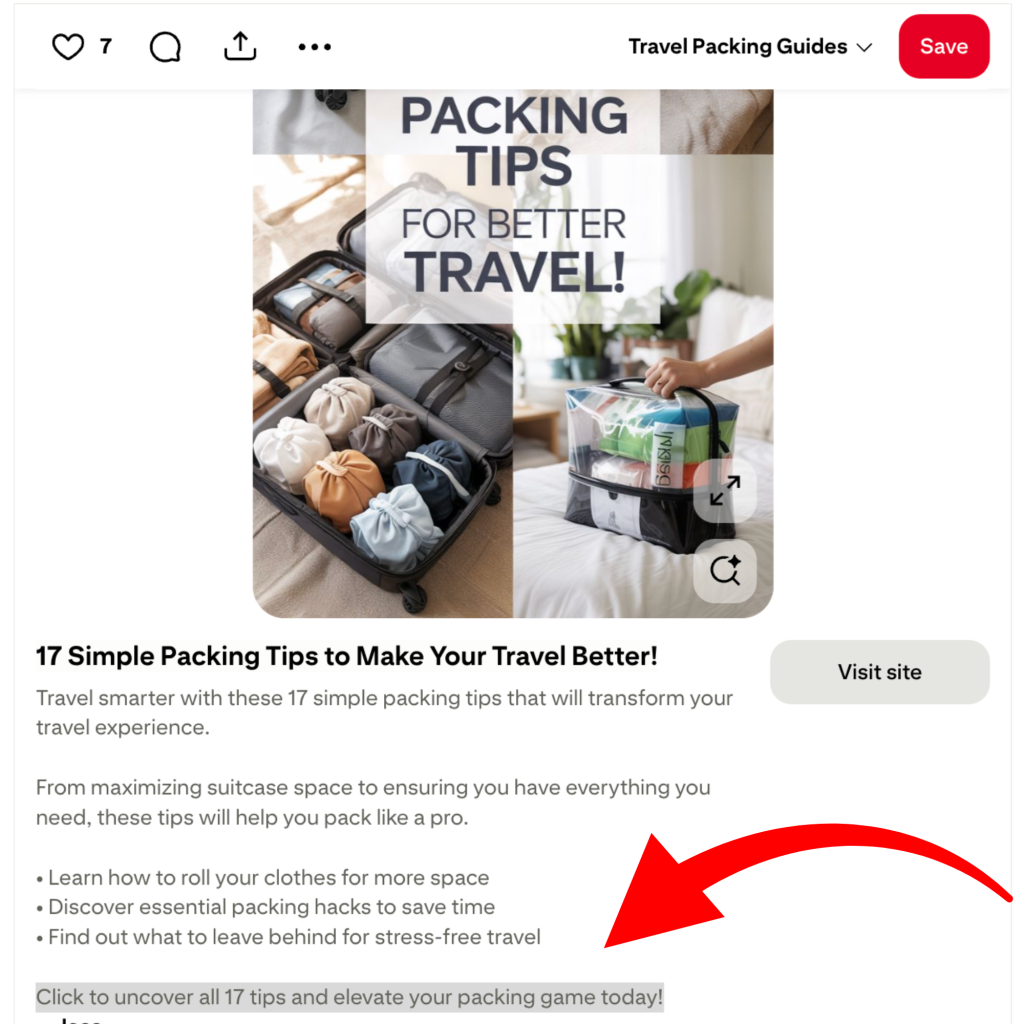
3. Your pin isn’t clear enough.
People will decide in seconds whether or not to click your pin. If they cannot quickly understand what the product is, they will scroll past. For physical products, close-up or real-life use photos often perform better than distant lifestyle shots. For digital products, mockups that show pages, dashboards, or templates usually convert better than abstract graphics.
4. Your landing page is hard to use on mobile.
Most Pinterest traffic comes from phones. If a page loads slowly, hides the product details, or hits users with pop-ups immediately, many will leave before reading anything. Your page does not need to be perfect, but it should be simple to skim. The first screen should show what the product is, who it is for, and why it helps.
5. You rely on one pin per product.
Affiliate marketing on Pinterest is a testing game. You’ll want to test a variety of pins with different angles to speak to different people. One version might highlight price, another might highlight lifestyle, and another might highlight a specific use case. You only discover winners by testing variations.
Creating multiple pins for the same link is normal and encouraged, as long as each one is fresh. This is also where batching helps. When you create several versions in one session and space them out, you give Pinterest more data and yourself more chances to see what works.
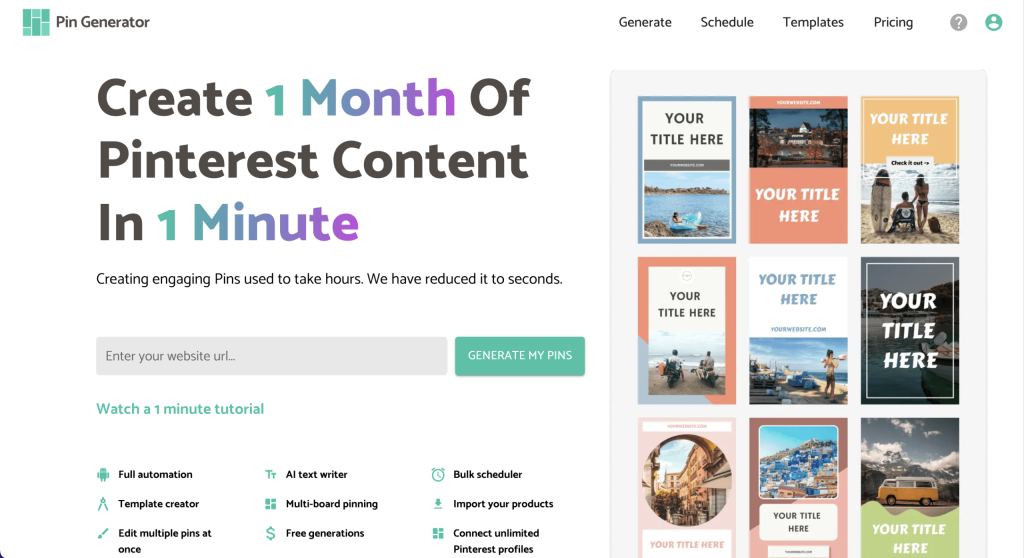
An easy way to batch create pins and test a variety of styles is with a pin automation tool like Pin Generator. It’s as easy as entering your URL and pressing ‘generate.’
Common Questions About Affiliate Links on Pinterest
We receive a lot of questions on our YouTube channel about Pinterest Marketing and affiliate links. Here are the top five questions (and answers) you should know.
Can you use affiliate links on Pinterest without a website?
Yes. Pinterest allows direct affiliate links in the destination URL field, as long as the affiliate program itself permits social sharing and you include a clear disclosure. Many beginners start this way. That said, having a website often helps long term because you can build trust, compare products, and include multiple links in one place. You can learn more about getting started with affiliate marketing here.
How many affiliate pins should you post per day?
More is not always better, especially on a new or smaller account. One to two pins per day is a reasonable starting point so Pinterest can learn your behavior and trust your account. And remember, consistency matters more than volume. Posting 20 pins in one day and then disappearing for weeks can look spammy and does not give you clean data on what works.
Can you use the same affiliate link on multiple pins?
Yes. One affiliate link can be used across many pins. The key is that each pin should be fresh, meaning a new image, new title, or a different angle. Repeating the exact same pin design over and over is what Pinterest tries to limit
Can you repin the exact same pin?
Relying heavily on repinning the same design is not a strong strategy anymore. While it’s okay to repining this pin to multiple boards, recreating and reposting the same pin to your account isn’t a great strategy. Pinterest prioritizes fresh content, which usually means new creatives.
How do you create more pins without spending all day designing?
Batching is a game changer. Many affiliate marketers set aside time to create multiple pins for one product in a single session. We prefer to use Pin Generator to batch create a month of pins in minutes, and A/B testing new pin ideas to see what works.

Try It Today
Adding affiliate links on Pinterest is less about tricks and more about doing the basics well. Clear images, honest descriptions, and the right link placement will carry you further than posting at high volume or copying someone else’s strategy. Pinterest wants helpful, trustworthy content, and affiliates who treat it that way tend to last longer on the platform.
If you want a faster way to create and schedule multiple affiliate pins without designing each one manually, you can test a tool like Pin Generator. It lets you batch your pins, stay consistent, and focus your energy on choosing the right products and angles instead of fighting with design all day.
Start simple, track what gets clicks and saves, and build from there. That’s how affiliate marketing on Pinterest becomes sustainable.
Now, let’s get generating!