
How to Use Pinterest for SEO and Build Search Visibility
21 October 2026
You published a beautiful set of Pins last week. The photos were sharp, the branding was consistent, and a few followers saved them. Then nothing happened. No steady search traffic, no qualified visits, no sales you could trace back to the effort. That gap is where learning how to use Pinterest for SEO starts to matter.
Table of Contents
- Why Pinterest SEO Matters
- Build Your Keyword-to-Page Map
- Set Up Your Profile and Boards
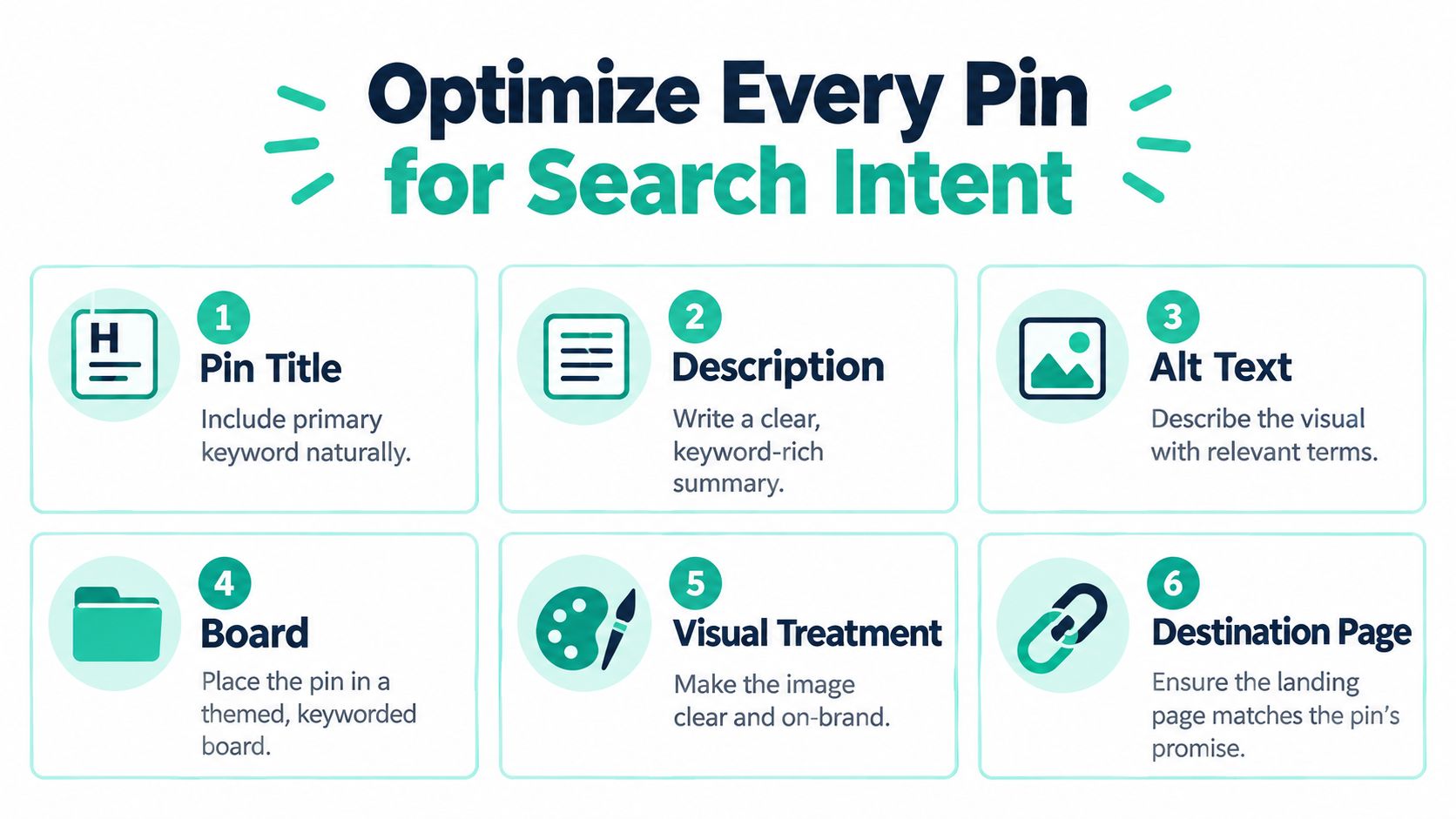
- Optimize Every Pin for Search Intent
- Publish Consistently With a Scalable Workflow
- Measure Search Visibility and Improve It
- Create Your Pinterest SEO Routine
Why Pinterest SEO Matters
A small home goods seller runs into this pattern often. She uploads product photos with short captions like "new arrival" or "spring favorite," posts them to a broad board, and waits for followers to react. The Pins look good in a feed, but they don't answer a search. Someone looking for small bathroom storage ideas has a concrete problem, and a pretty photo without searchable context doesn't connect to it.
Pinterest works as a visual search engine as well as a social platform, so discovery doesn't depend on people who already follow you. Pinterest reported 553 million global monthly active users in the fourth quarter of 2024, up 11% from 498 million a year earlier, with 101 million in the United States and Canada, 145 million in Europe, and 307 million in the rest of the world, according to Pinterest's investor results announcement. That scale only helps if your title, description, board, image, and destination page all describe the same intent.
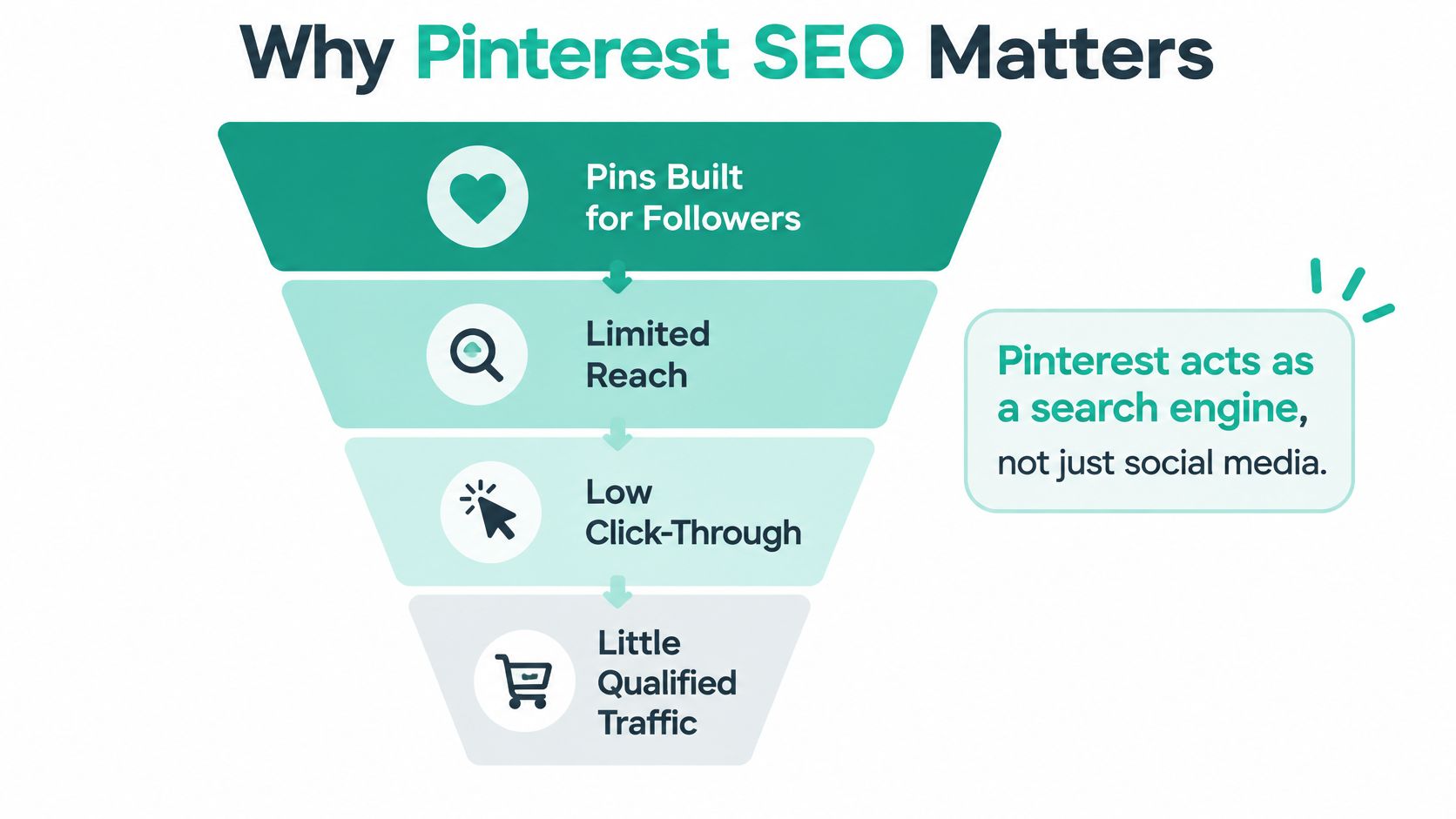
Searchers behave differently from followers
Followers scroll pastively. Searchers arrive with a task, compare options, save what looks useful, and click when a Pin promises a specific outcome. The BEDHEAD marketing blog is a useful reminder that content built around a clear audience problem tends to travel further than content built around a brand announcement, and Pinterest rewards that same logic.
Build for the person typing a query at midnight, not for the follower who might see you tomorrow.
The workflow is simple to state and harder to keep consistent. Identify one intent, prepare a page that satisfies it, place the Pin in a board that reinforces the topic, publish on a steady cadence, and judge the result by outbound behavior rather than applause. Done well, you get a searchable catalog instead of a pile of isolated images, and each new Pin teaches you something about what earns a click.
| Search stage | Reader need | Primary asset | Useful signal |
|---|---|---|---|
| Discovery | Broad ideas and inspiration | Educational guide Pin | Impressions, saves |
| Consideration | Comparison or solution | How-to or checklist Pin | Saves, Pin clicks |
| Conversion | Specific product or category | Product or category Pin | Outbound clicks |
Build Your Keyword-to-Page Map
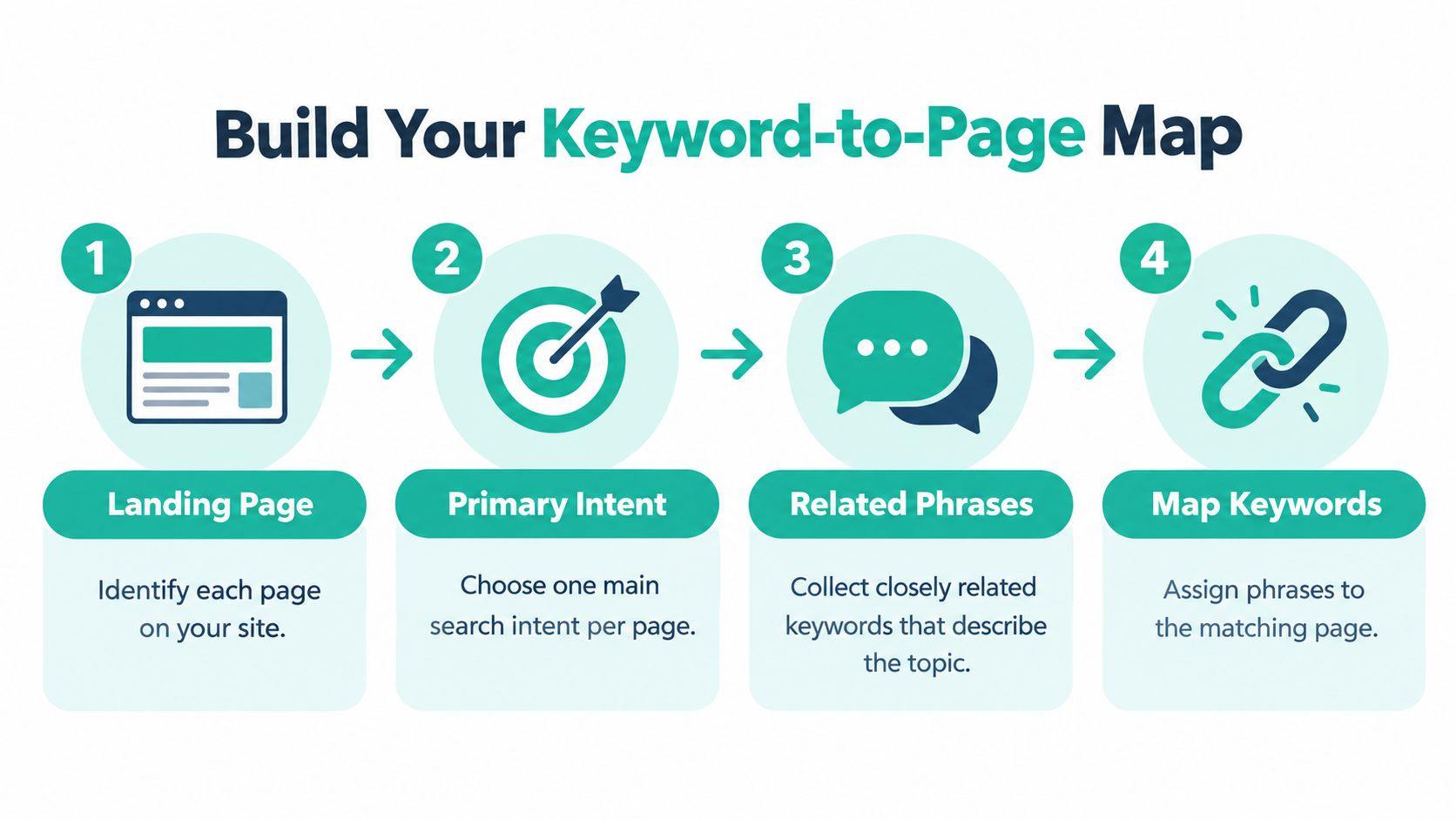
Start with your pages, not with Pins. List every landing page, article, category, and product page you want traffic to reach. Then assign one primary search intent to each one. If two pages compete for the same intent, you'll end up creating Pins that cannibalize each other and confuse anyone who clicks.
Choose phrases that describe a concrete need
"Bathroom" is a topic, not a search intent. Small bathroom storage ideas describes a space, a problem, and an expected format. That kind of long-tail phrasing gives you something to show in the image, something to write in the title, and something the landing page can deliver. Collect a small cluster of closely related phrases around each primary intent, then stop. You don't need dozens of variants for one page.
A dedicated tool helps you validate that language before you design anything. The Pinterest keyword research tool lets you check related phrases in one place, which is faster than guessing from your own vocabulary. Your customers rarely describe your products the way your team does.
- Primary intent: Write the exact job the page performs in one sentence.
- Supporting phrases: Add three to five closely related terms you'd naturally use on the page.
- Visual treatment: Note what the image must show for the promise to be obvious.
- Destination: Record the specific URL, never a generic homepage by default.
This discipline mirrors good practice elsewhere on the web, and Advisor Momentum's SEO playbook for RIAs makes a similar point for professional services, where one page should own one clear topic instead of trying to rank for everything. The principle transfers because searchers everywhere reward specificity.
Watch how a keyword cluster becomes a Pin title, board choice, and page heading in this walkthrough.
Once the map exists, use the language consistently but naturally. The phrase should appear in the Pin title, description, board title, on-image text where it helps, destination page title, and visible page copy. Consistency isn't repetition. If every field contains the identical string, the Pin reads like it was written for a machine, and people don't click machine copy. Keep the wording recognizably similar so a visitor who lands on your page feels they arrived in the right place.
| Primary intent | Supporting phrase | Pin treatment | Destination page |
|---|---|---|---|
| Small bathroom storage ideas | Over toilet shelving | Before and after room photo | Storage guide article |
| Narrow entryway organization | Slim shoe cabinet | Product in a real hallway | Category page |
| Weekly meal prep for beginners | Simple prep checklist | Step-by-step flat lay | Beginner guide |
Set Up Your Profile and Boards
Your profile has one job before anyone reads a Pin. It should tell a stranger, in a few seconds, what topics you cover and why your content is worth saving. Use your brand name plus a plain description of your niche if it fits naturally. Don't turn your display name into a comma separated keyword list. It reads badly, and people remember brands, not keyword strings.
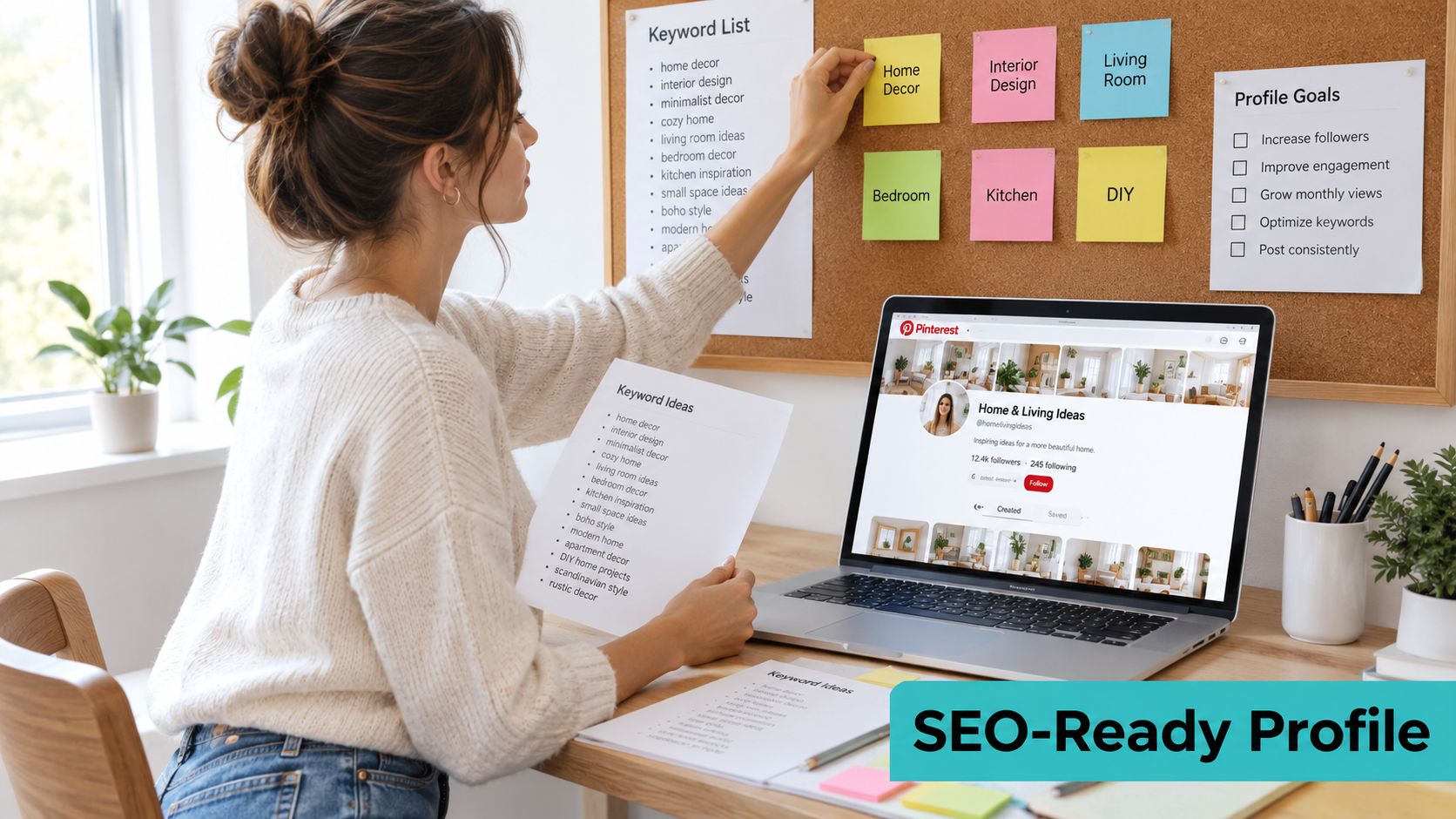
Write your bio the way you'd introduce the business to a new customer. Name the problems you solve, the formats you publish, and who they're for. If you sell storage products and publish room guides, say that. Vague claims about inspiration and lifestyle give searchers nothing to match against their query.
Build boards around durable query clusters
Boards are topical containers, and board context helps Pinterest and people understand what a Pin is about. Create a manageable set of tightly themed boards drawn directly from your keyword-to-page map. Small-space storage, bathroom organization, and entryway solutions can each justify a board if you publish enough relevant content for each and each leads to distinct pages.
Don't create a board for every phrase you found. A board you can't fill with relevant Pins becomes dead weight, and splitting one topic across five near identical boards dilutes the signal you're trying to build. Fewer, coherent boards beat a maze.
Practical rule: If you can't explain in one sentence why a board exists separately from its neighbor, merge them.
Write board titles in the language searchers use, then add a description that explains what's inside and who it's for. "Ideas I Love" tells nobody anything. "Small Bathroom Storage Ideas" with a sentence about shelves, cabinets, and rental friendly fixes gives both a person and a search system something to work with.
Before you publish anything new, run a simple placement test. Every planned Pin should have an obvious board home. If you're hesitating between three boards, your board structure is too fuzzy or the Pin's intent isn't clear yet. Fix that on paper first, because automation later will only scale whatever structure you give it.
| Element | What to check | Common mistake |
|---|---|---|
| Profile name | Brand plus clear niche | Keyword stuffed name |
| Bio | Problems, formats, audience | Generic inspiration claims |
| Board title | Searcher language, one topic | Cute but vague labels |
| Board description | Contents and intended reader | Left blank |
Optimize Every Pin for Search Intent
Here's a test worth running on your own account. Find a Pin with a keyword rich title and a polished description that still earns almost no outbound clicks. In most cases the words are fine and the image is the problem. The photo is attractive, but it doesn't visually communicate the result the title promises. Someone searching for a storage solution sees a styled bathroom and can't tell what's being solved.
That mismatch is the neglected half of Pinterest SEO. Descriptions of Pinterest's search system indicate ranking also incorporates the Pin's visual representation, text matching, query and Pin interactions, engagement history, and board context, as outlined in SupaPin's breakdown of how Pinterest search ranking works. Publishing more keyword rich Pins won't fix a weak visual semantic match. You'll just produce more content that fails the same way.
Match the image to the promised outcome
For physical products and rooms, show the object, the space, or the finished result clearly. For abstract categories like software, finance, services, and business education, decorative stock imagery carries almost no information. A labeled diagram, a real screenshot, a simple comparison, or a before and after composition tells a searcher what they'll get. Text overlays help when they name the outcome in a few words. They hurt when they repeat your entire title in small print.
Treat each Pin as a package with distinct jobs. The title names the intent. The description adds useful context and related language in natural sentences. The board reinforces the topic. The image proves relevance at a glance. The destination page delivers exactly what was promised. When one element contradicts the others, performance drops and you won't know which element caused it.
Alt text deserves honesty here. Write it descriptively so people using assistive technology understand the image. The available evidence supports its accessibility role more firmly than any guaranteed ranking boost, so don't stuff it with every related phrase from your map. A clear description of what is pictured is both more useful and more credible.
Create variants that test a real difference
Multiple Pins for one URL make sense when each tests a different angle. Try a different use case, a different visual hook, or a different stage of the problem. Don't publish five near duplicates with swapped background colors and call it testing. You learn nothing, and your boards fill with repetition.
Run a short pre-publish audit on every Pin. Does the image show the promised outcome without explanation? Does the title match the page heading closely enough that a visitor won't feel misled? Is the destination the most specific relevant page, and does it load cleanly on a phone? If any answer is no, fix it before scheduling.
| Pin element | Optimization check | SEO purpose |
|---|---|---|
| Title | Primary phrase used naturally | Matches query language |
| Image | Outcome visible at a glance | Visual relevance |
| Description | Context in plain sentences | Supports text matching |
| Alt text | Accurate, descriptive | Accessibility |
| Destination | Specific page, working link | Fulfills the promise |
Publish Consistently With a Scalable Workflow
Optimizing one Pin well is a craft problem. Optimizing fifty a month is an operations problem, and they need different thinking. A manual workflow means researching phrases, designing each graphic, writing titles and descriptions, choosing boards, and uploading one asset at a time. It gives you full control and it's fine at low volume. It breaks when a catalog changes weekly or a blog publishes several articles a week.
Consider a small shop that adds and retires products constantly. Every price change or sold out item creates stale Pins pointing at unavailable pages. Rebuilding those visuals by hand means the owner either spends evenings in a design tool or lets the account go quiet. A blogger has the mirror problem. The content exists, but turning each article into several on-brand Pins becomes the bottleneck, so good posts get one hurried graphic.
Where automation earns its place
Reusable templates solve the consistency half. Lock in your brand colors, typography, and layout patterns once, then vary the image, headline, and angle inside that system. Your Pins stay recognizable in a crowded feed without a designer touching every file.
Feeds solve the input half. Product catalogs, RSS, Atom, and CSV imports turn sources you already maintain into a production line. When a store feed updates, new Pins can follow from current data instead of last month's spreadsheet. That's the practical difference between a workflow and a recurring chore.
Pin Generator is one option in this category. It supports AI-generated Pin designs, titles, descriptions, and alt text, automated scheduling with board selection, reusable templates, Product Catalogs ingestion, RSS/Atom/CSV imports, Pin History, and results leaderboards. Those features handle production and scheduling mechanics. They don't decide your keyword map, and they don't guarantee rankings.
Automation scales the system you built. It can't rescue a Pin that points at the wrong page.
Keep a human review step regardless of tooling. Check that the generated title matches the destination, the board placement makes sense, and the image shows the product or outcome. Product availability deserves special attention, because sending searchers to a dead URL wastes the click you worked to earn and pollutes your performance data.
| Workflow decision | Manual approach | Automated approach | Human review point |
|---|---|---|---|
| Design | Build each graphic | Templates with variants | Visual clarity |
| Metadata | Write per Pin | Generated from keywords | Accuracy, tone |
| Inputs | Upload files singly | Catalogs, RSS, CSV | Availability |
| Scheduling | Post in real time | Recurring cadence | Board fit |
The honest trade-off is control against throughput. Go manual while you're learning what your audience clicks, because close contact teaches you faster. Automate the repeatable parts once your map, boards, and templates are proven, and spend the saved time on better landing pages.
Measure Search Visibility and Improve It
Four numbers answer four different questions, and mixing them up leads to bad decisions. Impressions tell you whether a Pin is discoverable. Saves suggest the content looks useful enough to keep. Pin clicks show interest inside Pinterest. Outbound clicks show whether someone left Pinterest for your site, which is the traffic outcome most businesses want.
Pinterest defines outbound clicks as actions leading to a destination off Pinterest, and its Pin reporting aggregates statistics for Pins sharing an image and, where applicable, a URL, per Pinterest's official analytics documentation. Because Pinterest distinguishes Pin clicks from outbound clicks, treat the outbound click as your principal traffic KPI and use tagged URLs so your own analytics can confirm what arrived.
Compare variants fairly
Take two Pins pointing at the same guide. The first earns strong impressions and plenty of saves but few outbound clicks. The second reaches fewer people yet sends more visitors who read the page. The second Pin is doing the SEO job better, even though it looks weaker on a vanity dashboard. Its image or title probably sets a clearer expectation, so the people who click are better matched.
Let variants accumulate comparable distribution before you judge them. Early numbers are noisy, and killing a Pin after two days teaches you nothing. When you do revise, change one major element at a time. If you rewrite the title, swap the image, and move the board in the same week, you'll never know which change mattered.
Discovery beyond your followers is the whole point of this measurement. Research on Pinterest activity networks found that more than 70% of incoming activity on users' posts can come from non-followers, while only about 12.3% of followers interact on average, detailed in an NYU study of Pinterest activity graphs. Follower growth is a weak proxy for search performance. For a deeper walkthrough of reading these reports, see this guide to Pinterest analytics metrics and reporting.
Also check the destination side. Pinterest recommends optimizing your website for mobile when most impressions are mobile, and featuring pages that already drive traffic. Verify page speed on a phone, confirm product URLs still resolve, and stop sending every Pin to a homepage, which makes attribution nearly impossible. Don't record saves as conversions. They're a useful signal of intent, not revenue.
Keep a simple log with the keyword, Pin concept, destination URL, publish date, impressions, saves, outbound clicks, and any downstream action you can verify. Review it on a fixed schedule and promote the combinations that produce qualified visits.
| Metric | Primary question | Decision it supports |
|---|---|---|
| Impressions | Is the Pin discoverable | Keyword and board relevance |
| Saves | Does it look useful | Content and visual utility |
| Outbound clicks | Does it send traffic | Title, image, page alignment |
| Landing behavior | Was the visit qualified | Page quality fixes |
Create Your Pinterest SEO Routine
A routine you can repeat on a busy week beats an ambitious plan you abandon. Start each cycle by selecting one search intent from your map and confirming the destination page still delivers it. Pick the board that reinforces that topic, design a Pin whose image makes the outcome obvious, and write the title and description in natural language. Publish on a cadence you can sustain, then review outbound behavior before creating the next batch.
Localize if you sell across borders
One English keyword list doesn't travel automatically. Audience reporting puts one 2025 estimate at 514 million global monthly active users, with Asia-Pacific adding nearly 20 million users, particularly in India, Indonesia, and the Philippines, and notes that 55% of users view Pinterest as a shopping platform, according to Market.us Pinterest statistics and audience reporting. Treat those figures as directional, but act on the implication. Adapt terminology, spelling, currencies, measurements, seasonal timing, and landing pages by market, and compare performance by country instead of hiding behind global impressions.
- Keyword stuffing: Natural sentences outperform phrase lists and read better.
- Near duplicate publishing: Variants should test a real creative difference.
- Generic destinations: Send each Pin to its most specific relevant page.
- Impressions only reporting: Judge traffic work by outbound clicks.
- Changing everything at once: Revise one major variable, then measure.
Pinterest SEO gets easier once you stop treating each Pin as an isolated trick. It's a system of relevant intents, useful destinations, clear visuals, steady production, and honest measurement. Start small and concrete. Audit your next five planned Pins against your keyword-to-page map today, fix the weakest destination or image, and publish those before you design anything new.
| Before publishing | After publishing | Optimization question |
|---|---|---|
| Confirm intent and URL | Log impressions and saves | Was it discoverable |
| Check image clarity | Track outbound clicks | Did it send qualified traffic |
| Verify board fit | Review landing behavior | Did the page deliver |
Put this routine on a schedule without designing every Pin by hand by using Pin Generator to generate on-brand Pin designs, titles, descriptions, and alt text from your product catalogs, RSS feeds, or CSV files, then publish them to the right boards on a recurring cadence. Start with your five audited Pins, review the results in Pin History, and let outbound clicks tell you what to scale next.