
How to Optimize Pins for Sales (Make Money on Pinterest)
1 September 2026
Pinterest is one of the few platforms where people arrive already thinking about buying. According to Sprout Social’s 2026 Pinterest statistics report, 85% of weekly Pinners have made a purchase based on a brand pin, which means the audience is there and they’re ready to act. So the question is, are your pins giving them a reason to click?
A lot of Pinterest marketers put most of their energy into making pins look good, and while aesthetics are important, a beautiful pin that doesn’t convert is just decoration. Optimizing pins for sales means thinking about the psychology behind the click, the elements that make someone stop scrolling, and the full journey from the pin to the purchase.
This article walks through each of these elements in detail so you can identify what’s working, what isn’t, and where to focus your efforts.
Understanding Buyer Psychology
Before you design a single pin, it helps to understand the person on the other end of it. People scrolling through Pinterest aren’t making purely logical decisions, but rather, they’re reacting to what feels relevant, what feels trustworthy, and what feels like it’s speaking directly to them.
The most important question to ask before creating any pin is whether it answers something your audience is actually looking for. Does it match what they typed into the search bar, or is it close but not quite right? And once someone sees it, is it obvious what to do next, or are you leaving them to figure that out on their own?
An aesthetic pin on its own doesn’t necessarily answer anything. It might look great sitting on a board, but if it doesn’t speak to an actual need or make a clear promise, there is no reason for someone to click. However, if you pair that same aesthetic pin with a specific outcome or a solution to a problem, then you’re added curiosity, and curiosity is what gets someone to stop scrolling and actually engage.
Think about the difference between a pin that says “cozy fall outfits” and one that says “five cozy fall outfits you can build from pieces you already own.” Both might use the exact same photo, but the second one makes a promise and answers a specific question. This is the difference between a pretty pin and a pin that coverts.
Rather watch instead of read? We’re covering all of this in detail, including a full visual walkthrough, on our YouTube channel. You can watch the video here:
What Makes a Pin Convert
Once you understand buyer psychology, you can start building pins that convert. To do this, we need to understand both the behind-the-scenes and on the pin.
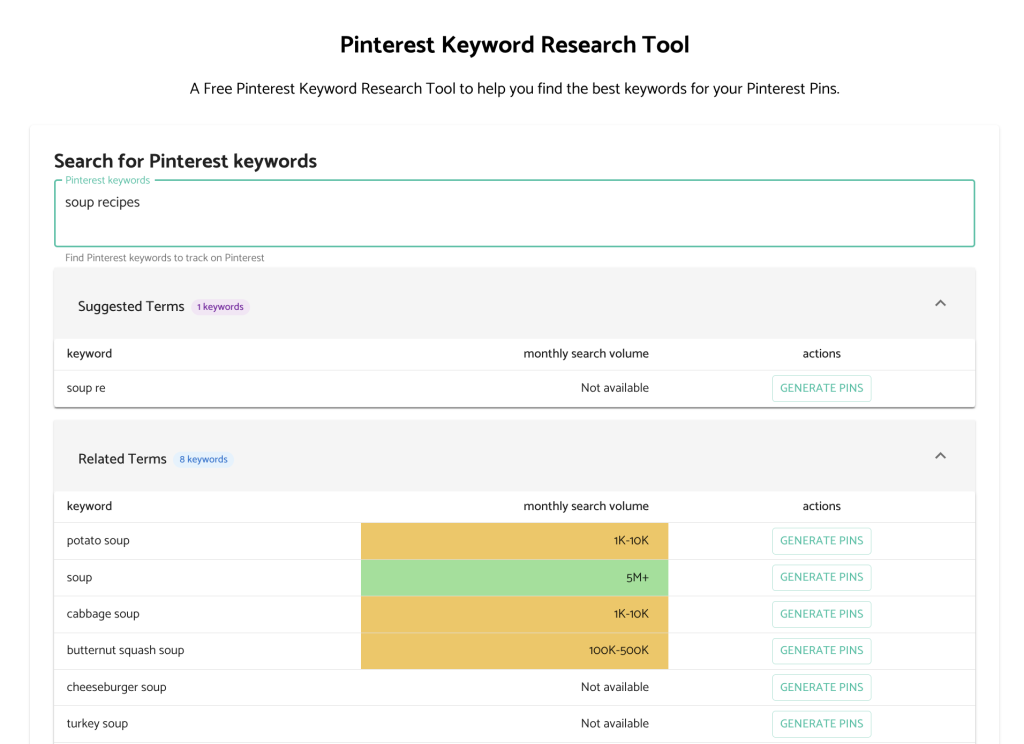
On the backend, it’s your keywords.
Keywords tell Pinterest who to show your pin to, and if they’re vague or missing, Pinterest can’t match your content to the right audience no matter how good the design looks. Your keywords belong in your pin title, your pin description, and in the text on the image itself. The easiest way to find good keywords is to go to the Pinterest search bar, start typing your topic, and see what autocompletes. Those suggestions are what people are actively searching for. Pinterest Trends and Pin Generator’s free keyword research tool are both worth exploring too.
On the frontend, it’s everything the person actually sees.
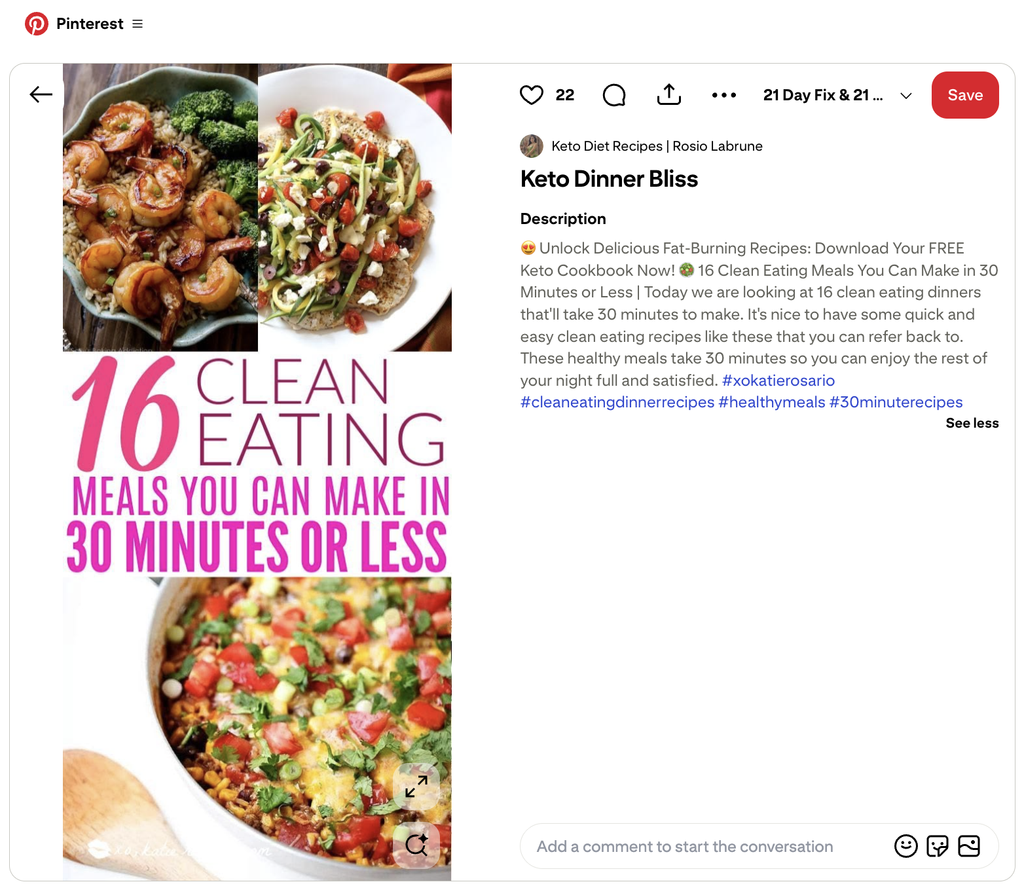
The image is the first thing anyone notices, so it needs to stop the scroll. Your photo doesn’t need to be loud or flashy, it needs to be clear, well composed, and immediately recognizable. Before you design anything, spend a few minutes looking at the pins already performing well in your niche – notice the colors, the fonts, the format, and the style. Doing this research will give you an understanding of what’s already working for your niche.
Your title needs to say clearly what the pin is about, ideally using the same language someone would type into the search bar. Specific keywords outperform catchy phrases every time on Pinterest.
Your description gives you a little more room for supporting keywords and context, almost like a short pitch for why someone should click through.
Your call to action tells someone exactly what to do next, and it should be specific rather than generic. Shop now, get the recipe, or read the full guide all give someone a clear next step instead of leaving them to guess.
Your outbound link is the actual bridge between Pinterest and wherever you want someone to land, your website, your shop, or an affiliate link. If it’s broken, slow, or leads somewhere unrelated to what the pin promised, all the work you put into everything else goes to waste.
And remember, the whole journey needs to feel consistent. If the pin promises something cozy and minimal and the link leads to a cluttered page that doesn’t match, that disconnect is enough to lose the sale even if the product itself is great.
How Pin Generator Helps You Build Converting Pins
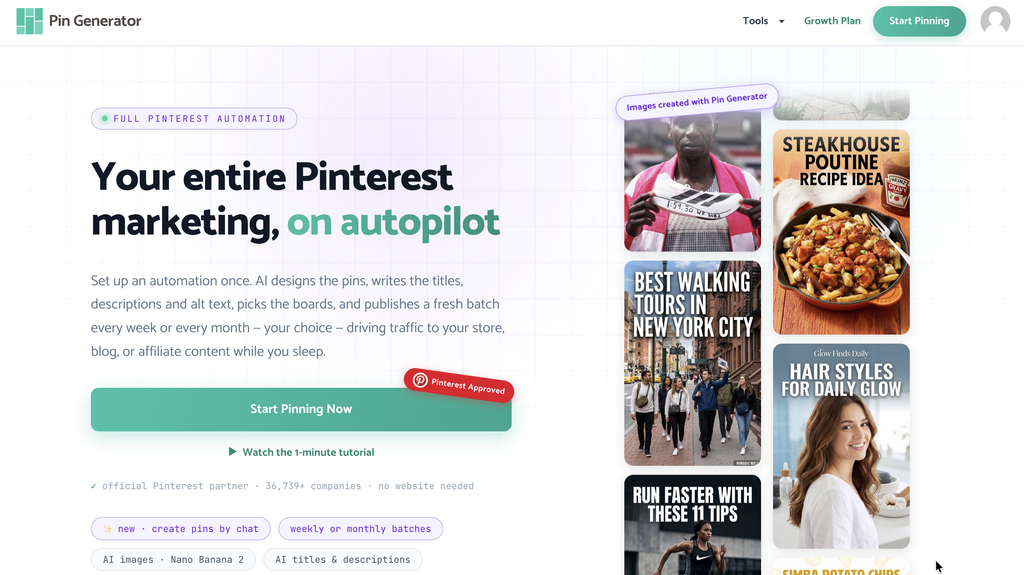
Creating pins that check all of these boxes for every single piece of content is a lot to manage manually, which is exactly where Pin Generator helps. Instead of working through each element yourself, Pin Generator auto-generates optimized pin variations for you, either through fully AI generated pins or templated pins depending on how much control you want over the final look.
The AI branding tool scans your website to understand your colors, tone, and niche, and uses that to create pins that actually feel like your brand rather than something generic. And if you don’t have a website, you can describe your brand or upload a mood board instead, which is great if you’re doing affiliate marketing without a website.
Pin Generator also handles keyword optimized titles, descriptions, and alt text automatically, so you’re not starting from scratch on the copy side every time. If you’re looking to automate your Pinterest marketing into just a few minutes per month, it’s worth checking out Pin Generator.
Using Your Analytics
Once your pins are live, your analytics tell you what’s actually working so you’re not just guessing. There are three numbers worth paying attention to: impressions, clicks, and outbound clicks.
Impressions tell you whether Pinterest is pushing your pin out to people, which means it understood your keywords well enough to know who to show it to.
Clicks tell you whether the people seeing it are engaging with it.
Outbound clicks are the number that matters most, because that’s when someone leaves Pinterest entirely to go where you sent them. That’s what leads to a sale.
If digging through analytics isn’t your thing, Pin Generator has a free profile audit that does a lot of that work for you. It runs through your account, flags what’s working and what isn’t, and gives you a clear picture of where to focus without having to interpret everything yourself.
And finally, once you know what’s performing, you can start A/B testing. Try the same image with different text, or the same call to action across different images. You might find that lighter colors outperform darker ones for your audience, or that a specific pin format consistently drives more outbound clicks than everything else. None of this is universal, which is exactly why your own data matters more than copying what worked for someone else.

Getting Started
If you’re ready to get started, Pin Generator is a great place to begin because it combines everything into one systemized tool. And remember, optimizing your pins for sales is about more than just using the right tool. It’s about understanding how a buyer thinks and making sure you’re working within the best practices for your niche.
If you want to learn more about any of this, we release new videos on our YouTube channel every week, which you can check out here, or try Pin Generator for free today and play around with the tool.
Let’s get generating!