
Unlock Pinterest Growth with a Pin Generator
3 October 2025
Let's be real: trying to keep up with Pinterest's demand for fresh, new content can feel like an impossible task. You spend hours meticulously crafting the perfect pin, only to realize you need to do it all over again… and again… and again. It's a recipe for burnout.
This is exactly where a pin generator comes in. Think of it less as a tool and more as your personal content creation assistant, one that turns a single blog post or product page into dozens of unique, ready-to-post pins in minutes.
What Is a Pin Generator and Why You Need One
Manual Pinterest marketing often feels like trying to fill a swimming pool with a teaspoon. It's slow, tedious, and frankly, demoralizing. You know you need a constant stream of content to see real growth, but the time commitment is just massive.
A pin generator completely flips that script. It’s the firehose to your teaspoon. You give it a single URL, and it intelligently pulls images, text, and titles to create a whole batch of unique pin designs based on templates you've already approved. No more starting from scratch every single time.
Solving Creative Burnout and Saving Time
The biggest win here is beating creative fatigue and getting your time back. Trying to manually design 15-25 fresh pins every day is simply not sustainable for most people. Automation isn't just a convenience; it's a strategic necessity.
This kind of tool is a game-changer for:
- Bloggers and Content Creators: Turn one new article into 20+ different pins, each hitting a slightly different angle with unique visuals and titles.
- E-commerce Brands: Quickly generate pins for every single product in your catalog without the mind-numbing manual labor.
- Marketers and Agencies: Efficiently manage multiple client accounts, delivering consistent results without having to triple your team.
At its core, a pin generator isn't just about making more pins. It's about making your entire content strategy sustainable. It breaks the bottleneck of manual design, freeing you up to focus on the big picture—analyzing what works, engaging with your community, and planning your next move.
This shift towards automation is happening everywhere. Tools are now using AI to generate eye-catching pin images directly from your content, blending smart technology with creative output. It’s a perfect example of how innovation is pushing the boundaries of what's possible in digital content. You can learn more about the future of pin generation and its market impact to see where this is all heading.
A Look Under the Hood: Core Features of Top Pin Generators
A great pin generator is so much more than a simple image creator—it's the command center for your entire Pinterest strategy. These tools are packed with features designed to work together, automating the grunt work so you can focus on the big picture.
The real magic starts with one simple action: pasting in a URL. You give it a link to a blog post or product, and the tool gets to work, pulling out images and text to create a whole batch of pin drafts. This is the engine that drives everything, turning a single piece of content into dozens of potential touchpoints on Pinterest. From there, other key features kick in to fine-tune and distribute everything for you.
Automated Creation and Smart Scheduling
The true game-changer is the combination of creating pins and scheduling them out strategically. Instead of the tedious manual upload process, you can build a solid queue that posts consistently on your behalf.
- Intelligent Scheduling: The best tools don't just post randomly. They analyze Pinterest data to recommend the optimal times to publish for maximum engagement, getting your pins in front of your audience when they're actually scrolling.
- Bulk Pinning: This is a lifesaver. You can schedule hundreds of pins weeks or even months in advance. It's a "set it and forget it" approach that keeps your account active—a huge signal to the Pinterest algorithm.
- Board Management: Easily pin to multiple relevant boards to expand your reach, without having to do it one by one. The system can even space out the pins over time so you don't look spammy.
A great pin generator doesn't just make more content; it makes your content work smarter. By combining automated creation with intelligent scheduling, you build a consistent, high-performing content pipeline that drives traffic around the clock.
The whole point is to make your workflow as efficient as possible. This diagram breaks down the simple, powerful process.
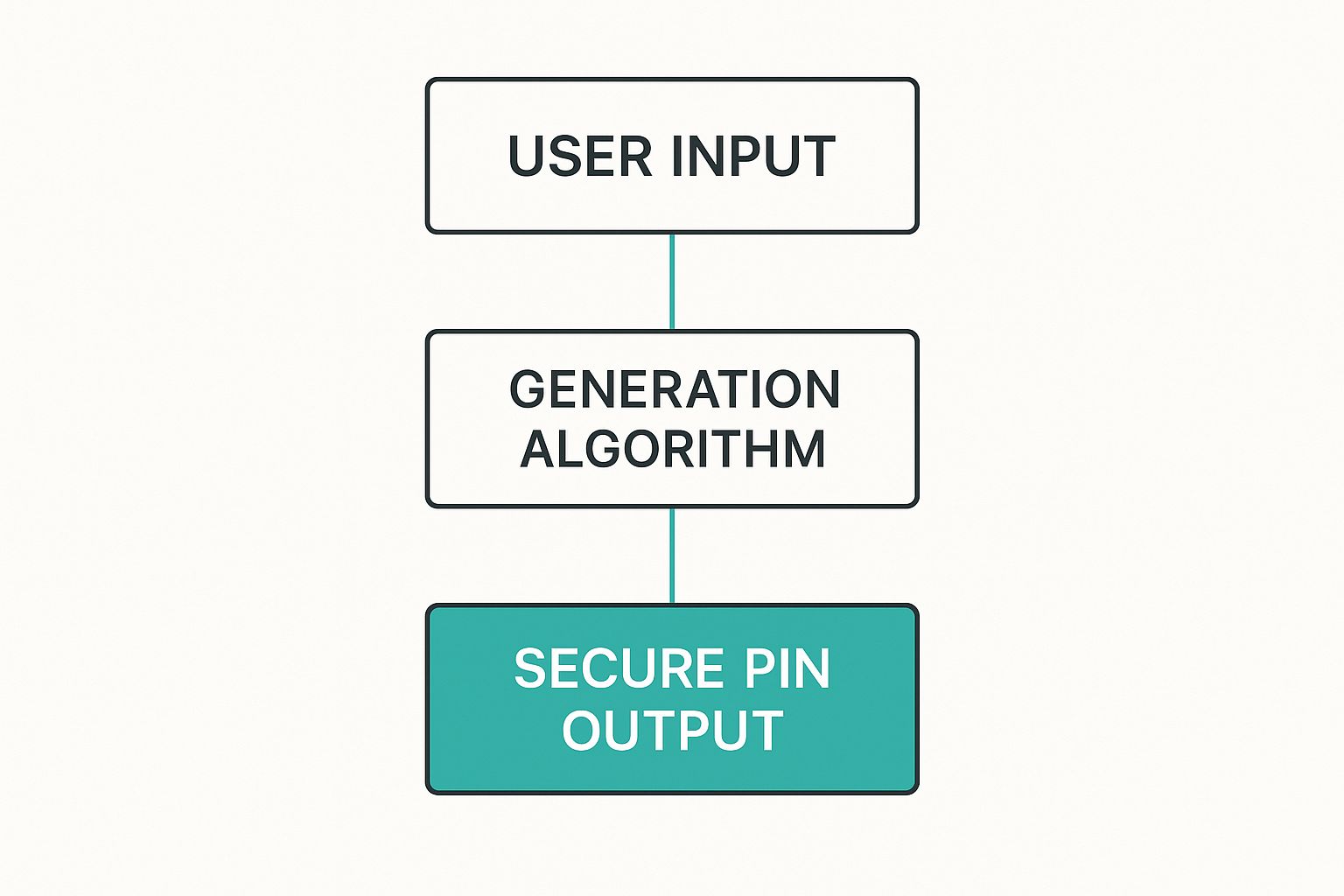
As you can see, your input gets processed by the generation algorithm to produce a ready-to-go pin, taking all the manual steps out of the creative process.
Customization and Optimization Tools
Beyond just creating and scheduling, the top-tier platforms give you tools to make sure your content is perfectly on-brand and set up to succeed in Pinterest's search engine. Customizable templates are a huge part of this, letting you lock in your brand fonts, colors, and logo for a cohesive look across every single pin.
Many tools now also include AI-powered writers to whip up compelling, keyword-rich titles and descriptions. This is a massive help for your Pinterest SEO, making it easier for people to discover your content when they search for your topics. On top of that, integrations with stock photo libraries like Pexels and Pixabay give you instant access to millions of high-quality images, so your visuals always look fresh and professional.
When comparing different Pin Generator tools, you'll notice a split between the basic features everyone offers and the more advanced capabilities that can really level up your strategy.
Pin Generator Feature Breakdown
| Feature Category | Standard Offering | Advanced Capability |
|---|---|---|
| Pin Creation | Generate pins from a URL with basic templates. | AI-powered title/description writing, custom branding kits, multi-image pins. |
| Scheduling | Manual scheduling to a content calendar. | Smart scheduling recommendations, bulk scheduling, and "Smart Shuffle" for variety. |
| Templates | A library of pre-designed static templates. | Fully customizable templates, video pin templates, and idea pin support. |
| Image Sources | Ability to upload your own images or pull from a URL. | Direct integration with stock photo libraries like Pexels or Unsplash. |
| Board Management | Manually select boards for each pin. | Smart board suggestions and interval pinning to avoid spam. |
| Analytics & Reporting | Basic performance metrics like repins and clicks. | In-depth analytics, trend tracking, and performance comparison of different pins. |
While standard features handle the core task of creating and posting, the advanced capabilities are where you can really start to see an impact on your traffic and growth, turning Pinterest into a reliable marketing channel.
How to Automate Your Pinterest Content Calendar

If you've been on Pinterest for a while, you know the drill: consistency is everything. But let's be real, manually pinning day in and day out is a fast track to burnout. This is where automation saves the day. By using a pin generator, you can build a nearly hands-off content calendar that works for you 24/7.
The secret sauce is batching your work. Instead of scrambling to create a pin every single day, you can set aside just a few hours to generate and schedule hundreds of unique pins all at once. Imagine filling your content queue for weeks—or even months—in advance. That's how you get a steady stream of fresh content that keeps the Pinterest algorithm happy.
Strategic Scheduling for Maximum Impact
Now, just blasting your account with a firehose of pins won't work. You need to be smart about it. The best pin generator tools come with advanced scheduling features designed to make your activity look completely natural, not like a spammy bot. This means intelligently spacing out pins for the same URL and spreading them across different relevant boards over time.
A winning automation strategy looks something like this:
- Vary Your Creatives: Never, ever post the exact same image and description combo on repeat. A good tool lets you create dozens of visual variations for a single link.
- Use Smart Intervals: Set up rules to post a pin to one board, then wait several days before it posts to another. This makes your pinning patterns look human.
- Pin at the Right Time: A great scheduler knows when your audience is most active and posts your content then, giving it the best shot at immediate engagement.
The real magic of a pin generator isn't just about scheduling more pins. It's about combining volume with intelligence. You're not just throwing content at the wall; you're scheduling the right pins at the right time, with enough variety to keep things interesting.
This is a huge deal. While pinning a lot is important, engagement doesn't just scale with volume. True success comes from using scheduling tools to get your quality and timing just right. This set-it-and-forget-it approach builds a powerful content pipeline that drives nonstop growth for your account.
You can learn more about Pin Generator’s scheduling features to see exactly how this works.
Understanding Pin Generator Pricing and Credit Systems
https://www.youtube.com/embed/6WOOL9XDl0s
Jumping into a new tool is always exciting, but let's be real—pricing models can sometimes feel like you're trying to solve a puzzle, especially when they use a credit system.
Think of credits as your in-app currency. Instead of a flat fee for everything, you're on more of a "pay-as-you-go" plan. Every time you create and schedule a pin, you spend a credit. This gives you a ton of flexibility, but you need to know how it works to make sure you pick the right plan.
How Pin Credits Really Work
Here’s the single most important detail to get your head around: credits are almost always tied to the act of scheduling, not just designing a pin.
For example, if you design one brilliant pin but schedule it to post on five different boards, that single action will usually cost you five credits—one for each board it's going to.
This is where a lot of people miscalculate what they need. If your strategy involves pinning a lot of content across multiple boards (which is a great strategy, by the way!), your credits can disappear faster than you’d think. To get a better sense of the mechanics, it's helpful to see how a credit system works on other platforms, as the principle is often similar.
The real cost isn't just about how many pins you make, but how many times you schedule them to post. A high-volume strategy needs a clear picture of credit usage so you don't hit a wall mid-month.
This little detail is crucial. Some platforms might see you schedule just 5 pins to 6 boards each and—bam—that’s 30 credits gone. If you're on a basic plan with around 200 credits, you can see how an ambitious pinning schedule could burn through that in no time, pushing you toward a more robust plan.
Before you jump in, take a moment to estimate your total scheduled pins per month, not just how many unique designs you plan to create. Once you have a rough number, you can check out the official Pin Generator pricing plans and find a tier that lines up perfectly with your goals. That way, your investment is actually fueling your growth, not holding you back.
Creating High-Performing Pins with Your Generator

A pin generator is your secret weapon for creating content, but just churning out pins isn't enough. The real magic happens when you know the strategies to create pins that actually stop the scroll, pull in clicks, and start ranking in Pinterest's search results.
It all starts with the visuals. Pinterest is, first and foremost, a visual search engine, so your images have to do the heavy lifting and grab attention immediately. Always, and I mean always, stick to a vertical aspect ratio, like 2:3. This simple trick ensures your pin takes up maximum real estate on a phone screen.
Next up, get that text overlay right. This is your pin's headline, and it needs to be bold, clear, and easy to scan. It should promise a solution or spark just enough curiosity to make someone want to know more. When you combine that with a high-quality, relevant image, you've got a winner.
Mastering Pinterest SEO for Discoverability
Great visuals get people to pause, but solid SEO is what gets your pins in front of the right people in the first place. This is where your pin generator can really help, prompting you to nail those keyword-rich titles and descriptions that match what your audience is actually searching for.
- Keyword-Rich Titles: Your title needs to be direct and pack in your main keyword. I've found that sticking between 60-100 characters is the sweet spot to keep it from getting cut off on any device.
- Detailed Descriptions: This is your chance to add more context and sprinkle in some secondary keywords. You have up to 500 characters, but honestly, the first 150-250 characters are what count. That's your hook.
Think of each pin as a tiny billboard competing for attention. A powerful visual makes people look, but a keyword-optimized title and description ensure the right people see it in the first place.
Finally, you have to prioritize freshness. The Pinterest algorithm absolutely loves new content. A key strategy is using your pin generator to create multiple, unique pin visuals that all point to the same blog post or product. This lets you keep promoting your best stuff without ever looking spammy, keeping both the algorithm and your audience happy with fresh content.
Got Questions About Pin Generators? Let's Clear a Few Things Up.
Jumping into a new marketing tool always brings up a few questions. That’s smart. You want to know what you’re getting into before you change up your whole workflow. A pin generator can feel like a big shift, so let's tackle the most common concerns right off the bat.
The first thing people usually ask is about safety. "Can I get my account banned for using a pin generator?" The short and sweet answer is no—as long as you choose an official Pinterest Marketing Partner. These are the tools built to play by Pinterest's rules, connecting directly with their official API. They’re the good guys.
The real risk isn't the tool itself; it's how you use it. What gets accounts flagged is spammy behavior. Think pinning the exact same image with the exact same text to twenty different boards at once. A good pin generator actually helps you avoid this trap by making it ridiculously easy to create tons of unique-looking visuals for the same link.
How Many Pins Should I Be Making, Anyway? And Does This Work for E-commerce?
Another big question is about volume. How many pins should you really be aiming for each day? While there’s no single magic number, a solid target to start with is between 5 and 25 fresh, unique pins daily. With a pin generator, that's not as scary as it sounds. My advice? Start on the lower end, keep a close eye on your analytics, and tweak your strategy based on what your audience loves.
And finally, the million-dollar question: can these tools actually sell products? Absolutely. For an e-commerce business, a pin generator is a game-changer.
You can literally just feed it a product page URL. The tool will pull all the important stuff—images, prices, you name it—and whip up a whole batch of shoppable pins. This lets you showcase your entire catalog in a fraction of the time and test different visual hooks for every single product.
This kind of automation funnels targeted traffic straight to your sales pages. It seriously speeds up your marketing and helps you land more sales without all the manual grunt work.
Ready to put your Pinterest strategy on autopilot and drive some serious traffic? Give Pin Generator a try and see just how easy creating and scheduling can be. Find out more and get started today at PinGenerator.com.