
Pinterest Affiliate Marketing Strategy for 2026
28 October 2026
You've picked products you'd happily recommend, made a few attractive pins, and started checking for clicks. The awkward part is that the designs look finished, but you still don't know whether the links are permitted, the disclosures are visible, or you're judging results too early.
Pinterest affiliate marketing works as a system, not a design exercise. Pretty pins alone don't pay. You need a useful recommendation, a matching destination, permission to use the link, and enough measurement discipline to distinguish a slow-building asset from a pin that attracts the wrong shopper.
Table of Contents
- Why Affiliate Pins Outlast a Normal Post
- The Six Decisions in a Working Strategy
- Disclosure Rules Versus Merchant Eligibility
- How to Pick Keywords Shoppers Already Type
- How to Build a Pin People Can Trust
- Publish One Offer on a Weekly Cadence
- What a 90 Day Pin Cohort Shows
Why Affiliate Pins Outlast a Normal Post
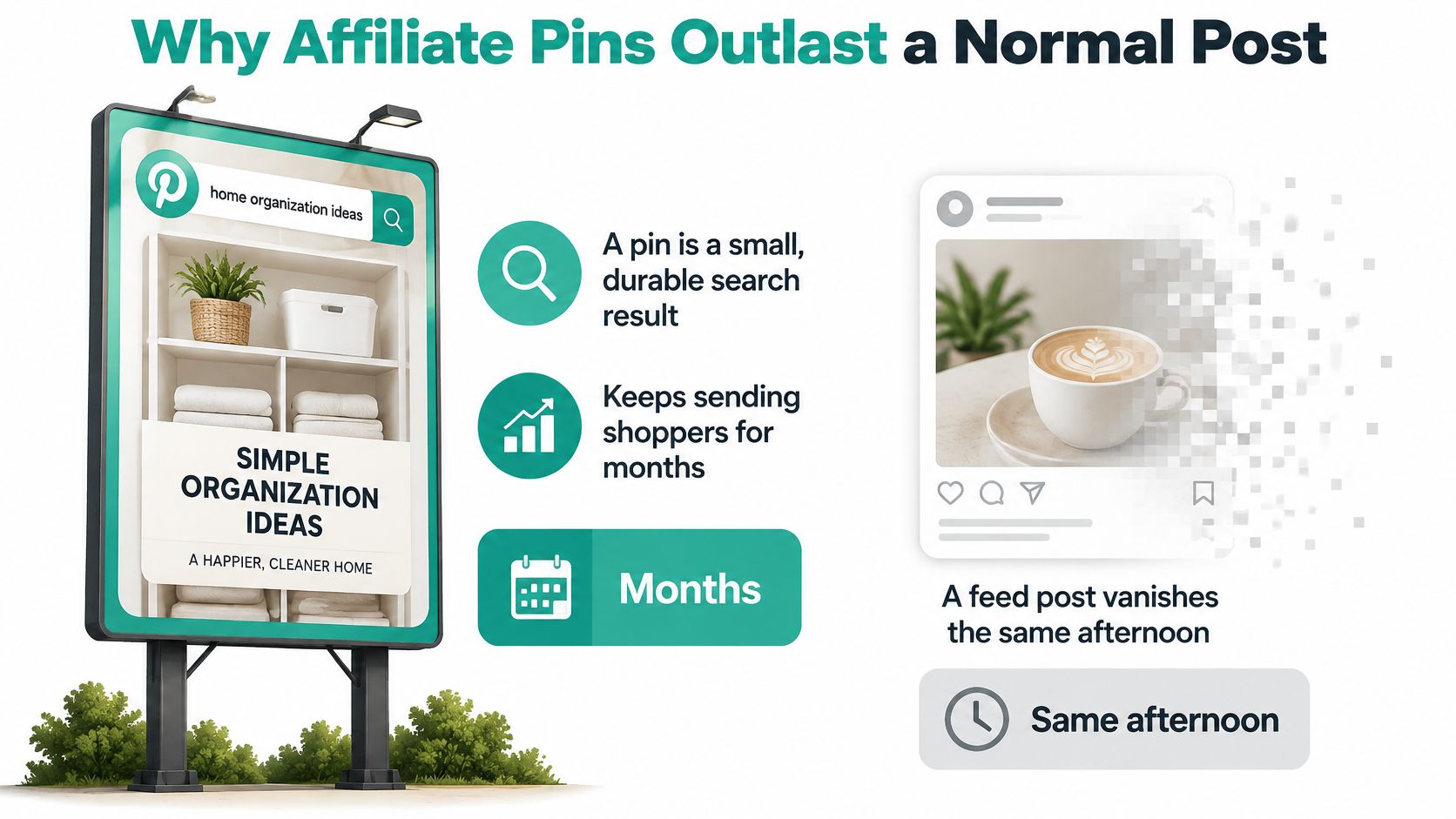
Think of a pin as a small billboard beside a searchable shopping aisle. Someone looking for storage ideas can encounter it while planning a kitchen refresh, save it, and return when they're ready to buy. A typical feed post depends more heavily on catching attention while it's fresh.
Pinterest affiliate marketing means recommending a product through a pin and sending visitors through an affiliate URL that can earn you a commission on a qualifying purchase. You can link directly when the program permits it, or send readers to a useful article containing the recommendation.
The channel already attracts commercial activity. In 2025, 42.2% of affiliate marketers used Pinterest, according to ElectroIQ's affiliate marketing statistics, while more than 50% of Pinterest users considered the platform a place for shopping, according to Metricool's Pinterest statistics.
The practical contrast is between a discoverable recommendation and a passing update.
Discovery isn't a guaranteed commission
A shopper saving a pantry idea hasn't necessarily chosen a product. Your recommendation still has to fit their space, budget, and intended use.
For store owners comparing affiliate income with other revenue models, Yassine Malti's explanation of website monetization strategies for Shopify merchants provides useful context. Sending shoppers to another retailer is a different business model from selling your own inventory.
Treat every pin as a small, searchable recommendation, not a shortcut to passive income.
Before opening a design tool, copy the operating map below. It puts the business decisions ahead of colors and fonts.
The Six Decisions in a Working Strategy
Start with a plan you can run this month. A narrow campaign is easier to diagnose than a collection of unrelated products: if you promote pantry racks, skincare, and luggage together, you won't know whether weak results come from the audience, the offer, or the creative.
Choose a shopper job before choosing a catalog. Helping someone organize a small kitchen gives you a coherent reason to recommend a product. Promoting whatever pays a commission doesn't.
Pinterest affiliate strategy map
| Decision | What you choose | Pass test | Failure that sends you back |
|---|---|---|---|
| Offer and shopper job | One affiliate program and one problem the pin solves | Destination matches the pin promise | A mismatched product page |
| Account boundary | Creator pins, not merchant or catalog status, unless policies allow it | You're not applying as a merchant while acting as an affiliate | A merchant application filed as an affiliate |
| Keyword cluster | One non-brand search theme per pin | Title and description use the phrase people type | A branded-only keyword |
| Creative and disclosure | Image, claim, link, and a plain commission statement | Disclosure is visible on mobile next to the recommendation | A hidden disclosure |
| Publishing cadence | Fresh variants on a set weekly rhythm | No burst of near-duplicate pins in a single hour | A spammy burst |
| Measurement window | Sub-ID by product, angle, cluster, and date | Saves, clicks, and earnings are read over an extended cohort window | A report that only counts day-one clicks |
Work down the rows in order. For the offer, open the actual destination rather than trusting the product name in your spreadsheet. A rack shown hanging over a door shouldn't lead to a freestanding shelf.
For the account boundary, write down which workflow you're using. Having a business account doesn't automatically make you an eligible merchant.
The keyword decision narrows the question your pin answers. The creative decision then locks the image, claim, destination, and disclosure together so a designer can't change one without checking the others.
Make failures actionable
Set a publishing rhythm you can maintain without skipping review. Then give each variant a distinct tracking identifier, using the affiliate network's supported sub-ID fields rather than inventing parameters it won't recognize.
Use these ownership rules:
- Offer owner: Confirms that the product remains available and suitable for the shopper job.
- Publisher: Checks account permissions and approves the creative before scheduling.
- Analyst: Keeps the naming system consistent and reviews pins by publication cohort.
The offer decision belongs in launch preparation. Account boundaries belong in compliance, search themes in keyword selection, creative checks in production, cadence in publishing, and cohort interpretation in measurement. Each decision should have a pass or fail, not a vague feeling that the campaign looks ready.
Disclosure Rules Versus Merchant Eligibility
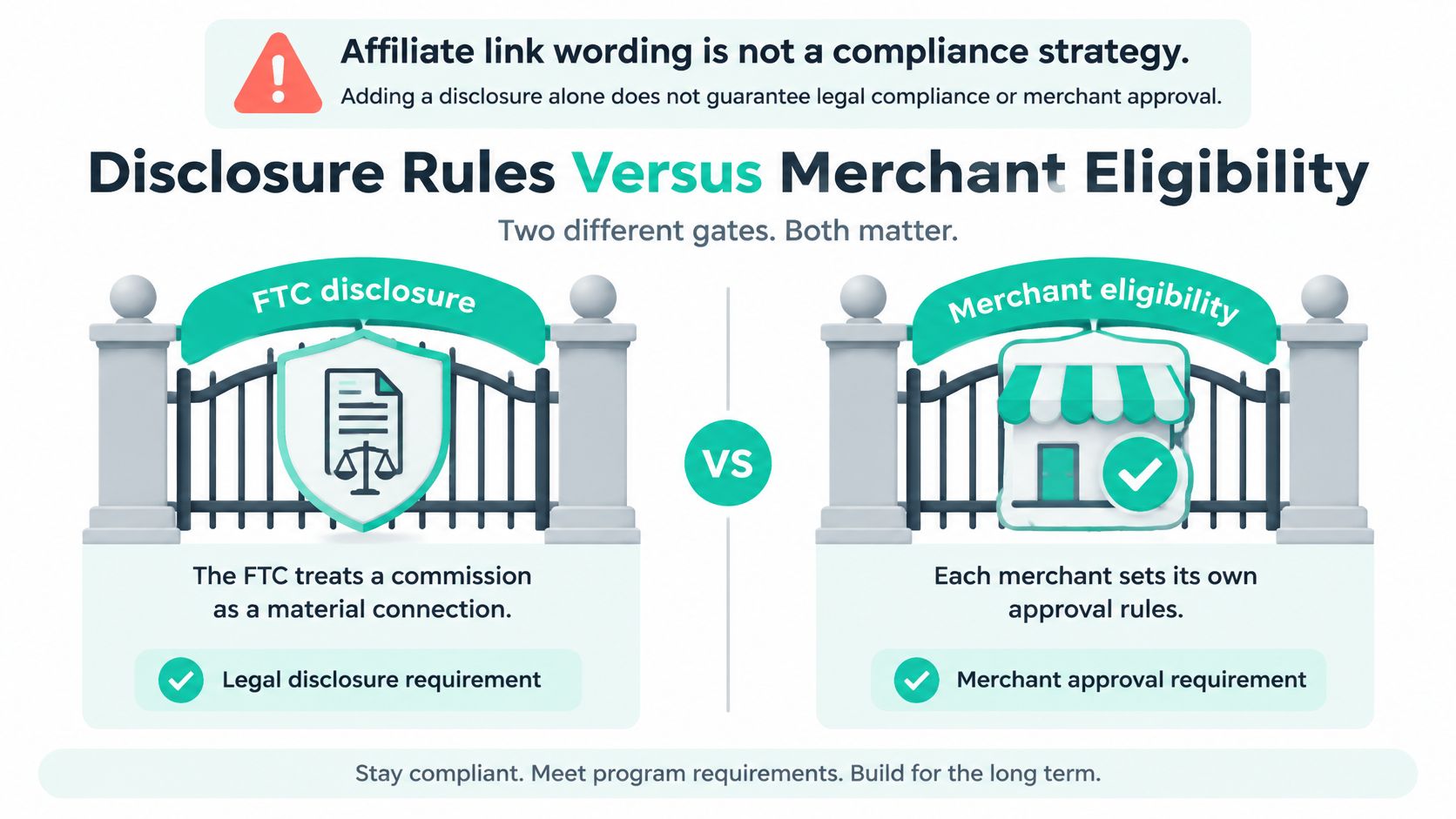
Adding affiliate wording or a hashtag isn't a complete compliance strategy. Explaining your financial relationship and qualifying for Pinterest's merchant features are separate gates. Passing either one doesn't pass the other.
The distinction matters before you build a workflow around catalogs or advertising. This diagram separates disclosure from approval, although Pinterest merchant eligibility and an individual retailer's affiliate approval also require separate checks.
Disclosure explains who benefits
The FTC's endorsement guidance treats commission eligibility as a material connection that may require a clear and conspicuous disclosure, and warns against language implying that Pinterest sponsors or is formally affiliated with a promotion.
Use ordinary language, such as I may earn a commission from qualifying purchases. Place it with the recommendation, not behind a profile visit or buried in a general disclaimer. If you also publish a supporting article, disclose the relationship beside that article's recommendation too.
Merchant eligibility controls a different workflow
Pinterest's merchant guidelines state that merchants must not be affiliate marketers. Publishing creator recommendations therefore isn't interchangeable with applying for merchant treatment.
Don't assume that access to ordinary publishing means you can submit an affiliate catalog or use every shopping feature. Paid advertising also needs its own policy review; an ordinary pin's eligibility doesn't settle the question.
Three compliance checks by workflow
| Check | Ordinary affiliate pin | Paid ad or catalog |
|---|---|---|
| Pinterest permission | Recommendation content on a creator account; don't claim merchant status withheld from affiliates | Check the applicable ad policies and, for catalog or merchant features, merchant eligibility |
| Retailer permission | Program allows the deep link and the product is eligible | Confirm paid-traffic permission and any applicable landing-page requirements |
| Disclosure | Plain commission statement beside the recommendation; jargon alone may not explain the relationship | Clear disclosure, plus any label required for the particular format |
| Endorsement claim | Don't imply Pinterest sponsors or is affiliated with the offer | Don't imply false platform endorsement |
The retailer program is another gate. It may restrict where you publish links, which products qualify, or whether paid traffic is allowed. Local advertising rules can add obligations, particularly when your content reaches shoppers in another jurisdiction.
Use the accompanying walkthrough as a practical illustration, not a substitute for reviewing the policies governing your account.
Before publishing, ask: Is this content type permitted? Is this destination permitted? Is the financial relationship obvious? If any answer is unclear, pause that workflow rather than assuming a disclaimer fixes it.
How to Pick Keywords Shoppers Already Type
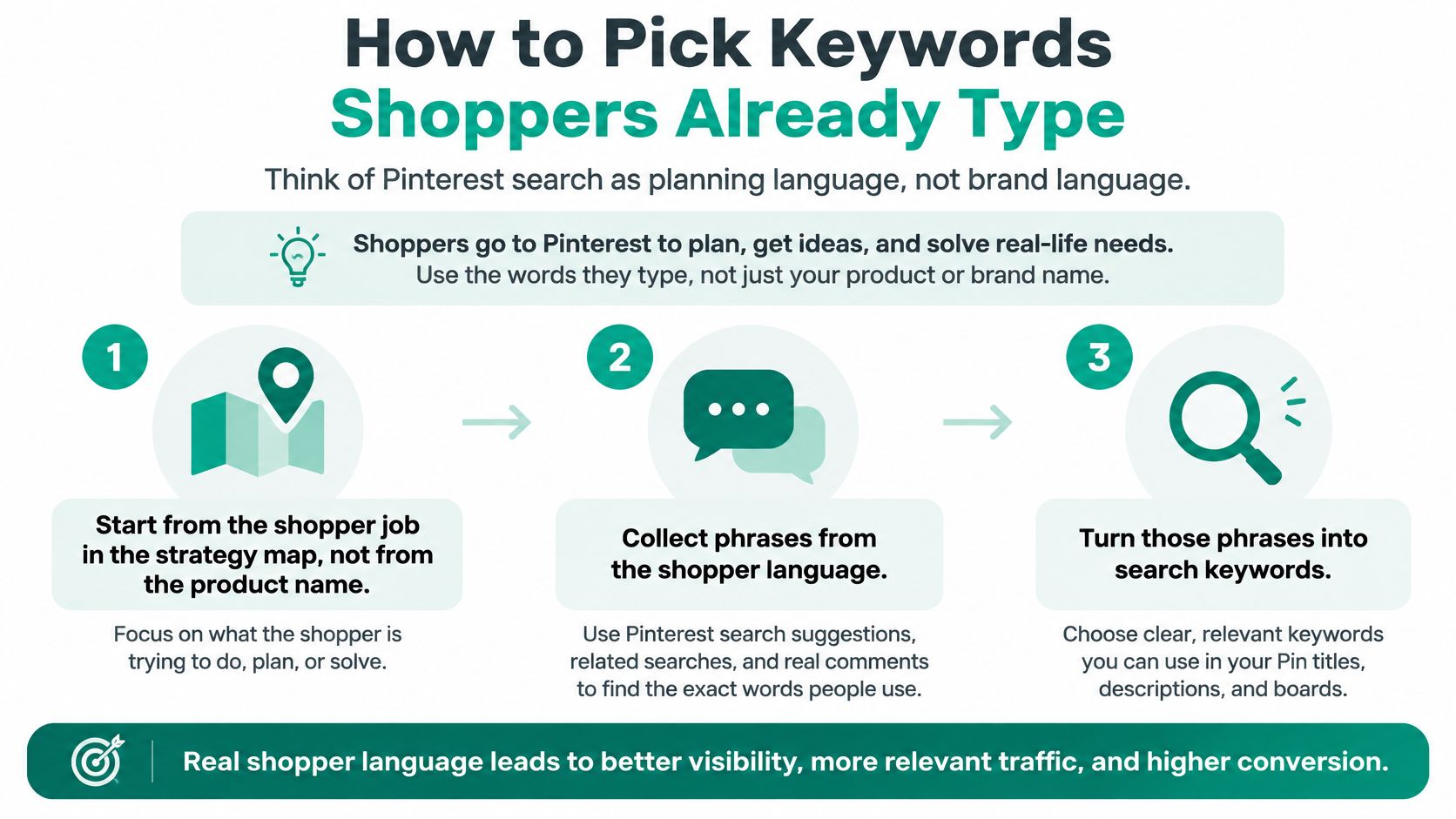
A shopper usually starts with a task, not your affiliate program. They might need somewhere to put shoes beside a narrow doorway, without knowing which retailer sells the right rack.
Write for that planning language. A product name tells people what an item is; a search phrase tells you why they might need it.
This visual shows the basic progression from shopper problem to usable search language.
Run a focused research pass
Start with the shopper job. Write a plain sentence describing the problem. For example, a renter needs entryway storage without drilling into the wall.
Collect phrases from Pinterest search suggestions, related ideas, and your own website's search terms. Keep phrases together when they express the same intent, not merely because they share a noun.
Separate non-brand discovery from brand demand. Keep a retailer or product-name test separate from problem-led searches so you can compare them cleanly.
Mark seasonal phrases for a limited test and evergreen phrases for recurring publication. Don't turn a temporary holiday query into your permanent board strategy.
Assign a primary phrase. Put it naturally in the title, use a close variant in the description, and choose a board whose name describes the same topic.
Reject phrases that require a different destination. A generic homepage, unavailable product, or loosely related collection isn't a useful answer to a specific search.
Check the destination before keeping the phrase
Consider small apartment entryway storage. A shoe-rack review could match that query if it explains footprint, capacity, assembly, and whether installation requires drilling.
By contrast, gentle vitamin C serum for beginners needs a destination that supports those product attributes. Don't call a formula gentle just because that wording makes an appealing headline, and avoid unsupported skincare outcomes.
A separate home-care cluster might help readers protect sofas from everyday wear, using Casamé Home's couch-cover collection as a destination example. Keep that intent separate from sofa-cleaning tutorials, which promise a different solution.
Use a Pinterest keyword research tool to investigate candidate phrases, then inspect the destination yourself. Search indicators can guide selection, but they can't establish whether the product answers the question.
One-cluster rule: If you can't describe the search your pin answers in a clear sentence, split the idea into separate pins.
How to Build a Pin People Can Trust
A pin is a promise, not a poster. The image and headline tell someone what they'll find after clicking, so accuracy matters before decoration.
Use a vertical layout, readable text, and a short headline built around the chosen search phrase. Give each image a single job: a pantry-storage recommendation shouldn't also introduce an unrelated skincare offer.
The description should explain the benefit, identify the intended user, and disclose the commission relationship. Put the disclosure early enough that a mobile reader can notice it without opening your profile.
Make disclosure a required production field
A 2018 analysis reported by WIRED identified 18,237 Pinterest pins containing affiliate links, yet only 7% included any written disclosure. That historical finding illustrates why disclosure needs a production rule rather than a reminder someone hopes to remember.
Store the statement in the creative record alongside the destination and tracking ID. When generating a batch, flag any eligible description that lacks it before scheduling begins.
Run these checks in order:
- Match the promise. The image, headline, and destination must describe the same product or clearly identified editorial recommendation.
- Open the outbound affiliate URL and confirm that its supported tracking parameters remain intact. If you're linking to an article instead, check both the article destination and its affiliate links.
- Inspect the disclosure on mobile. Keep it in the description itself, not only in a website disclaimer.
- Remove wording that suggests Pinterest approves, sponsors, or guarantees the product.
- Describe the image in alt text. Explain what's visible rather than repeating a string of search phrases.
Replace vague appeal with a specific reason to click
A weak concept says Best Amazon finds over a collage of unrelated items. The shopper can't tell which problem you're solving or what the click will open.
A stronger version says Over-door pantry rack for a small kitchen, shows that rack in use, and opens its matching page. The description can explain that it suits someone seeking extra storage without adding a freestanding unit, provided the product supports that use.
Production safeguard: Change the crop, layout, or visual emphasis when testing variants. Don't quietly change the recommended product.
Avoid hard-coding prices or availability into evergreen designs unless you can maintain them. An attractive pin becomes misleading when the destination no longer supports its claim, so include older published pins in your review process.
Publish One Offer on a Weekly Cadence
Launch a controlled offer before building a large publishing queue. The purpose of the first week is to prove that you can publish useful recommendations consistently without losing accuracy.
Prepare the first batch
- Choose the offer. Select an approved retailer program and a shopper job you can explain plainly.
- Confirm that you're publishing creator recommendations, not relying on merchant features your account isn't eligible to use.
- Save the disclosure. Attach an approved commission statement to the offer record and include it in every eligible description.
- Choose a keyword cluster and open the matching destination. Check product availability, regional suitability, and whether the program permits that placement.
- Build distinct variants. Change the visual approach, schedule the variants across separate days, and assign each its own supported sub-ID.
Don't make every variant a cosmetic duplicate. For a pantry rack, one design might show the full installation, another emphasize the shelf arrangement, and another explain the kind of kitchen it suits.
Keep the underlying claim consistent so you're testing presentation rather than accidentally testing different promises.
Use a manageable weekly rhythm
Batch production and publication are different activities. You can prepare the week's creatives in a sitting without releasing them all at once.
A workable sample schedule might look like this:
- Monday: Publish an evergreen storage idea with a product-in-use image.
- Wednesday: Test a seasonal angle only when the same destination fits it.
- Thursday: Publish a different treatment of the evergreen cluster.
- Flexible slot: Rework a promising idea with a visibly different design and a new identifier.
Treat that as an example, not a platform rule. Choose a workload small enough that you can inspect every link and description, then increase it only when those checks remain reliable.
Test morning and evening publication windows using your audience's local context. Keep records of the window, creative, and cluster so you don't mistake a stronger topic for a better posting hour.
Automate production after defining the rules
Our Pin Generator workflow can generate pins from Amazon product URLs for affiliate campaigns. Its Affiliate Links bulk update lets you update affiliate links in pins' outbound URLs, while the AI selects the Pinterest search phrase most likely to bring traffic for each post and writes titles and descriptions around it.
Those capabilities shorten preparation, but the editorial decisions remain yours. Review the selected phrase against the landing page, inspect the generated description, and confirm that bulk changes preserve the correct destination and distinct tracking identifiers.
Keep a simple launch log with the publication date, product, creative angle, keyword cluster, destination, and disclosure status. Record later changes rather than silently replacing the original campaign details.
If distinct variants repeatedly attract neither saves nor useful clicks, investigate the topic and offer before making more. If clicks arrive but purchases don't, inspect the landing page, retailer fit, and attribution setup.
Don't add another program merely because the queue is full. Add it when the existing campaign is traceable, maintained, and mature enough to evaluate.
What a 90 Day Pin Cohort Shows
Say you publish a pin about small kitchen storage ideas. Someone saves it while planning a cupboard cleanout, returns later, clicks through, and eventually purchases the recommended rack. That's a hypothetical customer journey, not a promised conversion timeline.
A publication-day click report would miss much of that sequence. Delayed discovery requires separating early interest from the commercial result rather than treating them as the same event.
As Affilae's full-funnel Pinterest analysis reports, Pinterest says 96% of searches don't include a brand name and more than half of users visit specifically to shop, supporting evaluation over a 30–90-day cohort window rather than immediate clicks alone.
The example below illustrates the sequence, not a benchmark every pin should meet.
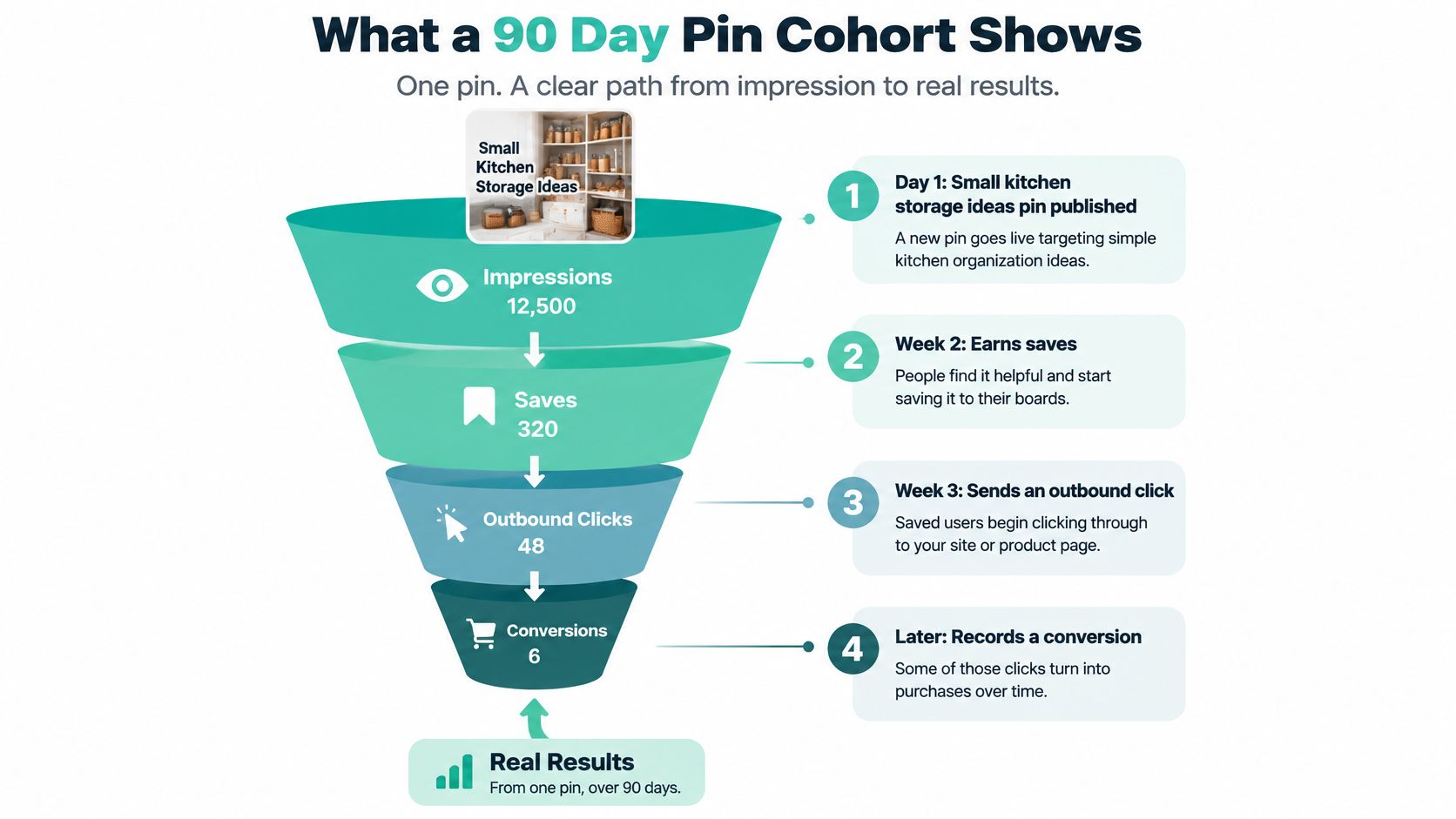
Discovery metrics versus commercial metrics
| Metric group | What to record | What a healthy sign looks like | What to ignore alone |
|---|---|---|---|
| Discovery | Non-brand impressions where identifiable, saves, outbound clicks, new engaged audience | Saves and later relevant clicks | Publication-day click rate by itself |
| Commercial | Conversions, earnings per click, assisted conversions where measurable, days to purchase | Attributed earnings or a documented contribution to a sale | Impressions without a matching destination |
| Tracking hygiene | Sub-ID for pin, angle, cluster, retailer, and date | Identifiers survive the journey and reconcile where reporting supports them | A shared link that mixes every pin together |
Assign the storage pin a supported sub-ID encoding its creative, storage angle, cluster, retailer, and publication date. Preserve it through redirects, and test that the network recognizes it.
Read the journey without inventing attribution
Pinterest records the outbound click; the affiliate network or merchant determines whether the eventual purchase qualifies for attribution. Their reports won't necessarily match because they measure different events.
Use this Pinterest analytics guide to interpret platform activity, then reconcile that activity with network reporting. Your own site analytics can add detail when visitors pass through your website, but direct-to-retailer clicks don't automatically expose the shopper's full journey.
Compare pins at equivalent ages. Don't rank a recently published variant against an older pin that's had longer to circulate.
Keep a pin that develops relevant saves and later attributable earnings despite a modest early click rate. Pause one whose destination doesn't answer the query, regardless of how impressive its reach looks.
Pin Generator offers URL-based pin creation, AI-written titles and descriptions, and scheduled publishing to help you maintain a controlled affiliate campaign. Visit Pin Generator to prepare your first offer's variants, then review the disclosures, destinations, and tracking before they go live.