
Pinterest Affiliate Marketing How It Works: Step by Step
12 November 2026
You published a dozen Pins last month around a cast iron skillet you use. Pinterest analytics reports a few thousand impressions and a few dozen outbound clicks. Then you open the affiliate network dashboard and it shows one sale, or none at all.
The same Pins produced both numbers, and neither screen is lying. Pinterest and the affiliate network count different events at different points in the same customer journey, and the space between them is where most beginners decide their Pins aren't working.
That confusion is learnable. Once you can name each stage of the funnel, who records it, and what evidence you should expect to find, the two dashboards stop arguing and start describing one process.
Table of Contents
- How Pinterest Affiliate Marketing Works From Click to Commission
- Pinterest Rules Every Affiliate Pin Must Follow
- Disclosure Rules That Make Affiliate Pins Compliant
- Tracking Clicks, Sales and Commission Across the Funnel
- How to Publish Your First Affiliate Pin Step by Step
- Why Clicks Do Not Turn Into Commissions
- Confirm the Setup Before You Scale
How Pinterest Affiliate Marketing Works From Click to Commission
Pinterest affiliate marketing is a referral arrangement with three parties. Pinterest supplies the audience, you supply the Pin and the trackable link, and the merchant or affiliate network runs the checkout and decides whether a purchase earns you a commission. Every confusing thing about the model comes from how those three parties hand off to each other.
Think of a shop window. Pinterest is the glass: your Pin sits behind it where people walking past can see the product at a glance. The tracking link is the small tag on the item that tells the till who sent the customer in. The merchant owns the till, so the merchant decides whether the sale counts as yours.
The FTC's endorsement guides add a point most beginners miss. The FTC notes that simply posting a product image on Pinterest can communicate approval when the post is attributable to a marketer or advertiser. Putting a product in front of an audience with a commission attached is advertising, whether or not you write a single word of praise.
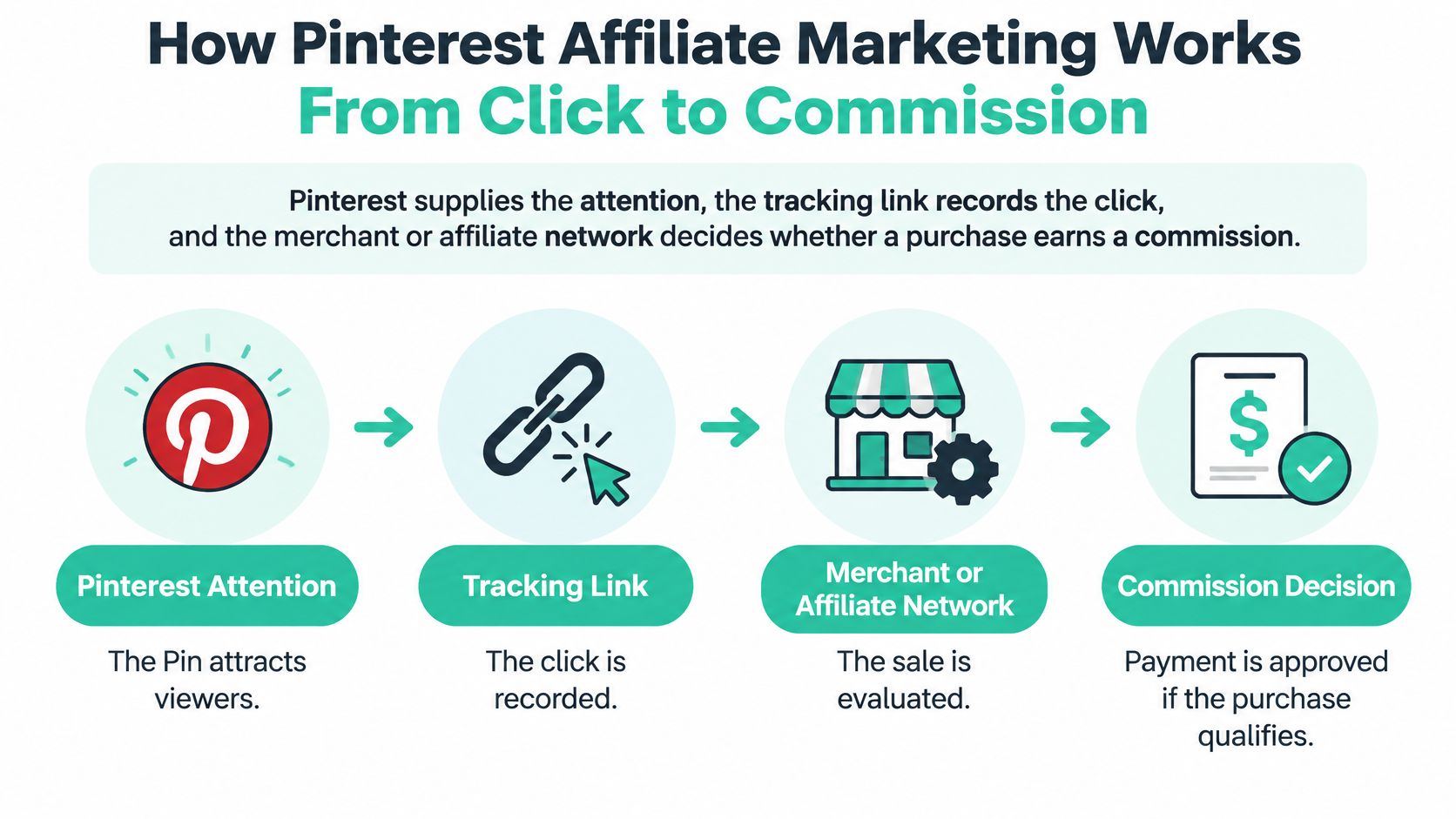
The Five Stages, in Order
- The Pin is shown. Pinterest places your image in a home feed, a search result, or a related-Pins module. No money changes hands at this stage.
- Someone clicks. The link they tap carries an affiliate identifier, either inside the URL path or as a tracking parameter.
- The merchant records the click. Usually through a cookie or a parameter on the landing page, stamped with a time and date.
- The shopper buys inside the program's window. The purchase has to qualify under that merchant's terms, which may exclude certain categories, coupon codes, or app purchases.
- The network approves the commission. Approval usually arrives after a reconciliation period, because returns and cancellations can reverse a sale.
Most explanations of Pinterest affiliate marketing how it works stop at "add a link and get paid." The schedule above is what happens, and stages two through five all take place on systems you don't own.
Why a Pin With Thousands of Impressions Can Earn Nothing
A Pin that gets seen has only earned a chance. Commission requires the shopper to click, land on a page that matches what the Pin promised, buy inside the attribution window, and keep the item past the return period. A weak step anywhere in that chain zeroes out the result, and Pinterest never learns about it.
A save is not a sale: saving a Pin means someone wants to remember it. It says nothing about whether they bought anything, or whether they bought it from your link.
The channel is large enough that the difference matters. Affiliate marketing generated $113 billion in U.S. e-commerce sales in 2024, equal to 9.4% of total U.S. online sales, according to the Performance Marketing Association's 2025 Industry Study as compiled in this affiliate marketing statistics collection. That money is counted at the till, never in the window.
| Stage | Who records it | What you can check |
|---|---|---|
| Pin impression | Impressions in Pinterest analytics | |
| Outbound click | Pinterest and the tracking link | Click count per Pin and per tracking ID |
| Merchant session | Merchant analytics | Landing-page visits from the Pin's sub-ID |
| Qualifying purchase | Merchant and affiliate network | Conversions in the network dashboard |
| Commission approved | Affiliate network | Approved, pending and reversed commission |
A funnel that works looks unremarkable from the outside. Outbound clicks arrive on merchant pages, sessions appear with your sub-ID attached, conversions show up in the network a day or two later, and some of them clear reconciliation as approved commission. Saves and comments don't appear anywhere in that sentence.
Pinterest Rules Every Affiliate Pin Must Follow
A Pin can attract attention like a shop window, but Pinterest's rules also apply to what happens behind it. Affiliate links are permitted when the content is original, adds unique value, and makes the commercial relationship clear, according to Pinterest's community guidelines. The guidelines also prohibit spammy tactics that try to manufacture activity or spread repetitive content.
Consider ten Pins of the same electric kettle, each with the same photo, headline, and destination. They give shoppers little reason to look at one rather than another. A Pin comparing three kettles by boil time, pour weight, and price offers a useful reason to stop and click.
Where Affiliate Pins Cross the Line
Pinterest's rules target behaviors such as:
- Fake accounts. Using duplicate profiles to publish or amplify affiliate Pins can put the accounts and their Pins at risk.
- Quid-pro-quo saving schemes. Trading saves manufactures engagement rather than reflecting genuine interest.
- Asking users to create Pins containing your affiliate identifier. This places your tracking link on other people's boards under their names.
- Repetitive or high-volume affiliate publishing. Near-duplicate Pins can look like spam to users and the platform.
Link hygiene matters, too. Pinterest notes that some URL-shortening services are unsupported and that blocked links may need editing. Link directly to the merchant's product page with your tracking parameter, rather than routing through an unsupported shortener. If the destination fails, Pinterest may record a click while the merchant never receives a session to attribute.
Practical rule: Give each Pin one clear destination. If two Pins serve the same URL, combine their strongest ideas into one more useful Pin.
| Practice | Status | Why it matters |
|---|---|---|
| Original Pin with unique value and a clear commercial disclosure | Allowed | Fits Pinterest's requirements for original, transparent affiliate content |
| Fake accounts used to publish affiliate Pins | Prohibited | Can put the accounts and their Pins at risk |
| Quid-pro-quo saving schemes | Prohibited | Manufactured saves do not reflect genuine interest |
| Asking users to create Pins containing your affiliate identifier | Prohibited | Places your link on other people's boards under their names |
| Repetitive or high-volume affiliate publishing | Prohibited | Near-duplicate Pins can look like spam |
| Unsupported URL shortener in the destination link | May be unsupported or require editing | The link may fail, leaving the merchant without a session to attribute |
A simple test helps: would the Pin still help someone who never clicked? If it answers a real question, it acts like a useful shop-window display. If it offers nothing beyond a link, it is just an ad.
Disclosure Rules That Make Affiliate Pins Compliant
Money creates an obligation. A commission is what the FTC calls a material connection, and the FTC's disclosure guidance for social media influencers is blunt about it: a connection involving payment, commission, or free products has to be disclosed when consumers wouldn't reasonably expect it and it could affect how they judge the recommendation. The standard is clear and conspicuous. A reader shouldn't have to deduce the relationship from a hashtag or hunt for it on a policy page.
The FTC gives a workable pattern for affiliate publishers, and one example it offers reads: "I get commissions for purchases made through links in this post." For a Pin, that translates into a line a reader meets before they tap anything.
Copy this line: I earn a commission if you buy through the links in this Pin.
Where the Disclosure Has to Sit
Three placements cover the journey. Put the plain-language line in the Pin description, in the opening words rather than after the "more" cut. Repeat it in the first line of the caption or overlay if the Pin has one. Then carry it onto the destination page, immediately above or beside the recommendation, so anyone who arrives from a different route still sees it.
Hashtags alone fail the standard because the reader has to translate them into a fact. A distant disclosure page fails for the same reason: it exists, but not where the recommendation happens.
The compliance sequence is short enough to run on every Pin. First, identify the commercial relationship behind every link, including free product samples. Second, place the disclosure where the audience sees it alongside the recommendation. Third, keep product claims tied to genuine use or evidence, not to what the sales page says. Fourth, check the merchant program's terms and the advertising rules that apply where your audience lives, because U.S. guidance reaches publishers serving U.S. consumers even when they operate elsewhere.
The same reasoning applies outside shopping links. If a referral fee shapes what you recommend, say so in the same breath, and this referral incentive disclosure guide for advisors covers the trickier wording where an incentive could make independent advice look compromised.
Automation changes none of this. Generating Pins faster scales output, not responsibility, and a queue of 200 undisclosed affiliate Pins is 200 problems. The test before publishing: could a reader tell there's a commission without digging? If they'd have to click twice to find out, the disclosure isn't done.
Tracking Clicks, Sales and Commission Across the Funnel
Pinterest analytics and your affiliate dashboard run on two different clocks. Pinterest knows whether a Pin was delivered and whether someone tapped it. The network knows whether a later purchase qualified inside its window. Neither screen is authoritative about the other's question.
Pinterest business accounts show performance for individual Pins, and the platform's reporting tools summarize delivery and conversion metrics, per Pinterest's shopping documentation for business accounts. That's the right place to look for reach and clicks, and the wrong place to look for income.
Give Every Pin Its Own Sub-ID
Attach stable campaign parameters to each Pin or product variant: source=pinterest, medium=organic, a campaign naming the product cluster, and a content identifier such as pin-skillet-01. Keep whatever sub-ID format the network requires, and let the extra parameters ride along inside it. Without a unique identifier, thirty Pins pointing at one merchant page become one indistinguishable blob, and you can't tell which template earned the sale.
Four Rates Worth Comparing Every Month
Group these by keyword theme, board, template, and publish date, and the pattern in the noise becomes visible.
- Outbound-click rate shows whether the image and headline earn the tap.
- Landing-page conversion rate shows whether the merchant page converts the traffic you sent.
- Earnings per click shows which products deserve more Pins.
- Revenue per 1,000 impressions shows which templates and themes to repeat.
A worked example makes the arithmetic concrete. Say one Pin produces 1,000 impressions, 20 outbound clicks, 2 sales, and a $40 commission. That's a 2% outbound-click rate, a 10% conversion rate on merchant traffic, $2 in earnings per click, and $40 in revenue per 1,000 impressions. If a second Pin produces the same clicks but no sales, the problem sits at the merchant page, not in your design.
| Metric | Where to find it | Decision it informs |
|---|---|---|
| Impressions | Pinterest analytics | Whether the Pin is being shown at all |
| Outbound clicks | Pinterest analytics, by tracking link | Whether the Pin image and headline earn the click |
| Landing-page conversion rate | Merchant analytics, by sub-ID | Whether the product page converts the click |
| Conversions | Affiliate network | Whether the product and offer are working |
| Earnings per click | Affiliate network, filtered by sub-ID | Which products and boards deserve more Pins |
| Revenue per 1,000 impressions | Calculated from network and Pinterest data | Which templates and keyword themes to repeat |
One trap catches people constantly. Product tagging on a business account is not affiliate credit. Tagging a product you don't own, or that you do own, creates a shopping surface, and additional shopping features may need merchant review. Affiliate attribution runs through the tracking link instead. Mixing the two reports produces numbers that can't be reconciled, so keep them apart. Our walkthrough of Pinterest analytics for affiliate accounts shows how the two sets line up side by side.
How to Publish Your First Affiliate Pin Step by Step
The sequence below is what a careful publisher does on a first Pin, in the order that prevents rework.
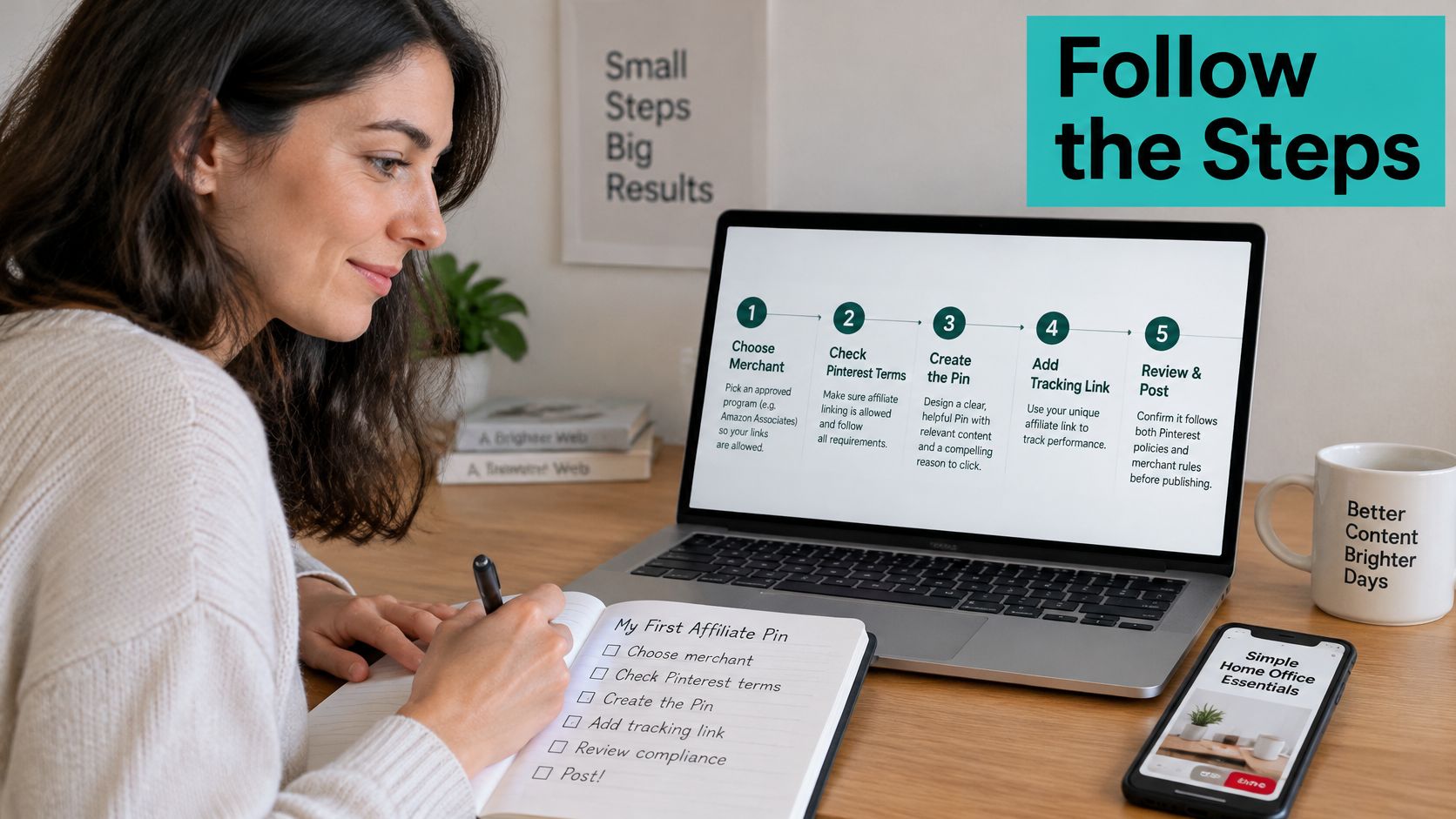
Choose a merchant program that permits Pinterest linking and covers your category. Shortlist by cookie window, commission rate, a public product URL you're allowed to link directly, and any written ban on coupon sites or brand bidding. A kitchen program with a 30-day cookie and an open product page beats one that only pays for purchases made inside an app or through coupon codes.
Pick one product or one search topic, then find the phrase people type. For a knife set, that might be "best chef knife set for home cooks." The phrase sets the headline, the description, and the board you publish to.
Create an original Pin around that phrase. A clean product image, a headline built from the phrase, and one benefit line. The Pin should stand on its own as useful even if the link broke tomorrow.
Write the description with three elements. The phrase in natural language, the disclosure line, and one specific reason to click. Specific beats enthusiastic: "17-degree edge holds longer than the set it replaces" gives a reader something to act on.
Add the tracking link with a unique sub-ID, then test it on a phone in a private window. For the knife set, pin-knifeset-01 inside the network's required format. The private window matters because it simulates a fresh visitor with no cookie history, and it reveals redirects that desktop browsing hides.
Publish to a relevant board and log the details. Record the Pin ID, the product, the full destination URL, and the publish date in a simple sheet. When a commission report arrives weeks later, that sheet is the only thing tying a payment back to a specific design.
Review after two to four weeks and refresh what stalled. Pins that earn saves but no clicks usually have a headline problem. Pins that earn clicks but no sessions usually have a link problem.
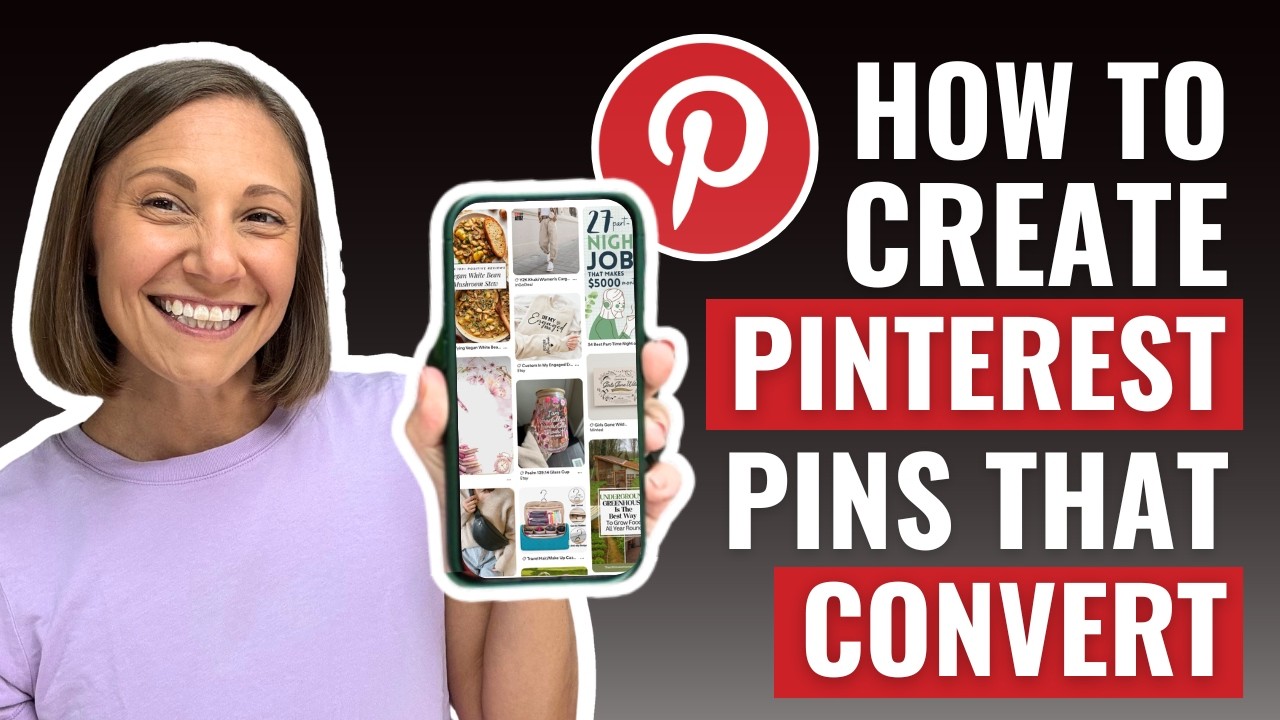
The walkthrough above shows the same sequence on screen, from board selection through to a published Pin with its destination attached.
Before you build a second Pin, confirm three things. The link resolves to the exact product page rather than a category or a homepage. The disclosure is visible without tapping "more." The product in the image is the product at the destination, at the price shown. Get those right once and every later Pin inherits the pattern.
Why Clicks Do Not Turn Into Commissions
This is the question that sends beginners looking for a broken tool: why did my Pin generate clicks but no commissions? The honest answer is that clicks and commissions are measured by different companies at different moments, and several things can go wrong in between.
Pinterest's commercial intent makes the question sharper, not softer. 96% of Pinterest searches are unbranded, and 80% of weekly users say the platform inspires purchases, according to Sprout Social's Pinterest statistics roundup. People are looking for ideas, not necessarily for your specific link, so a click often reflects curiosity rather than a decision to buy.
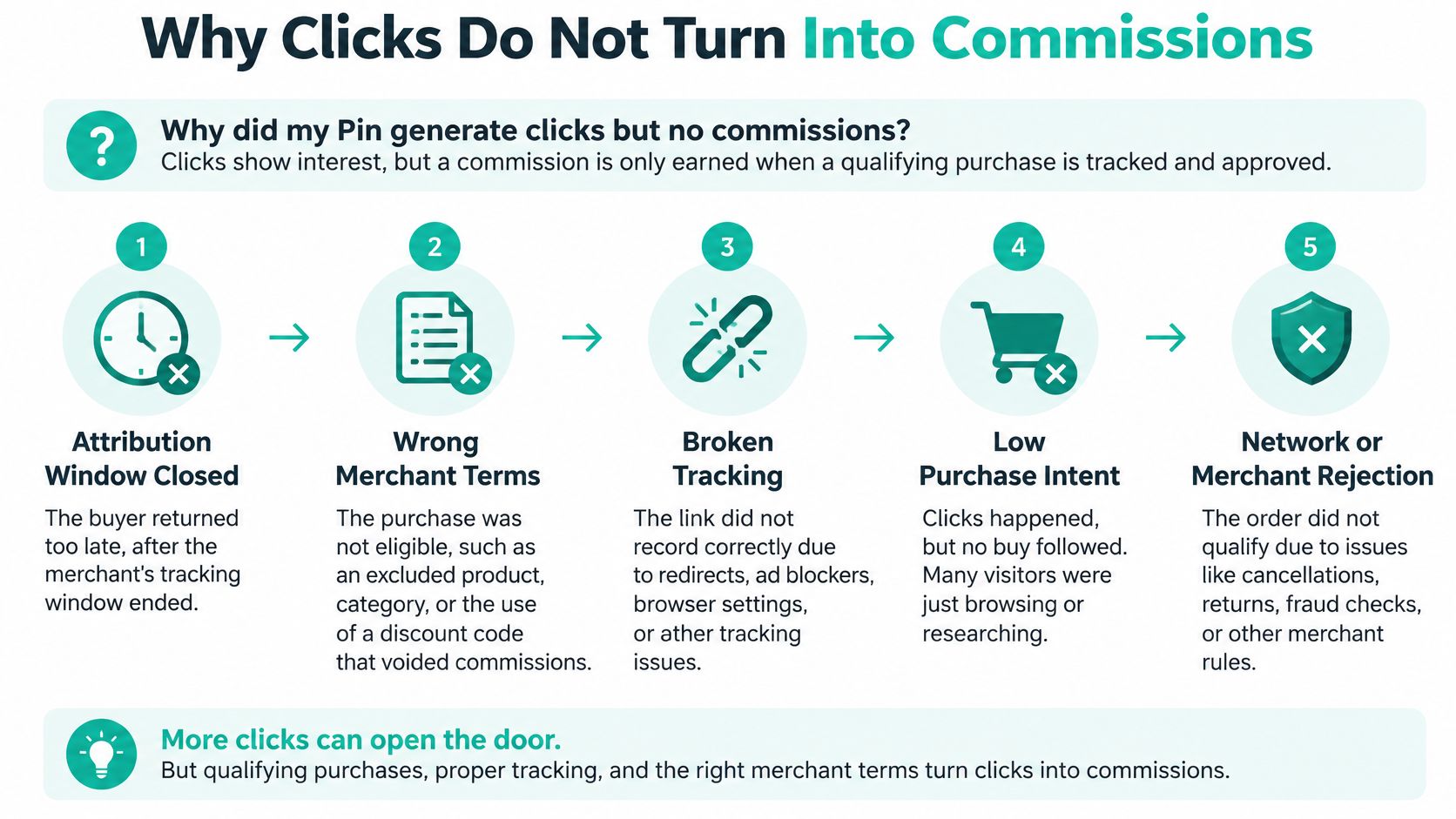
The Leaks, in the Order They Happen
The first leak is time. The attribution window may close before a shopper returns, especially on considered purchases where someone saves a Pin, compares for a fortnight, then buys from a search result.
The second is the landing page. A merchant page that loads slowly on mobile, shows the wrong variant, or lists the item as out of stock turns an eager click into a bounce, and no affiliate fix rescues a page you don't control.
The third is technical. A redirect chain, a broken shortener, or a network parameter stripped in transit means the click arrives without your identifier attached. The sale gets credited to nobody, or to the merchant's own analytics.
The fourth is competition for the cookie. A coupon or cashback site in the same purchase path can capture the last click and take the credit under that program's rules. The fifth is reversal: a return or cancellation removes a commission that already appeared as pending.
Check this first: if clicks are healthy and commissions are zero, test the destination on a phone before touching your Pin designs. The fault is usually at the handoff, not in the image.
| Symptom | Likely cause | First fix |
|---|---|---|
| Clicks but no sales in the network | Destination page converts poorly on mobile | Test the link on a phone and match the page to the Pin promise |
| Clicks but no tracked sessions | Link redirects or breaks and drops the sub-ID | Trace the redirect chain and confirm the sub-ID survives |
| Sales that never appear in the network | Attribution window closed or a coupon site took the cookie | Check the window and the program's coupon rules |
| Commissions that later drop | Returns, cancellations or reversals | Reconcile reversals monthly and drop products with high reversal rates |
| High saves but no clicks | Pin image or headline doesn't show a reason to click | Refresh the headline and the first line of the description |
Engagement is not commercial success. Product-page relevance, the merchant's conversion rate, and the attribution rules usually decide the outcome long before impressions do.
Confirm the Setup Before You Scale
Take five products from one merchant program. Build one original Pin for each, with a visible disclosure and its own sub-ID. Then leave them alone for 30 days and judge them on the four rates rather than on saves.
Write the decision rule down before the test starts, because people often renegotiate it when a favourite Pin underperforms. Keep products whose Pins earn clicks that convert. Rework the ones whose clicks stall at the merchant page, since that's a destination mismatch rather than a design failure. Drop the ones that earn neither clicks nor sales, and stop making Pins for them.
The discipline is worth it. In 2025, 74% of surveyed brands said affiliate marketing generated between 11% and 30% of their total revenue, according to impact.com's State of Affiliate Marketing research as reported in this affiliate statistics collection. Brands keep funding the channel because it converts, and the publishers who get paid are the ones measuring it properly.
Once the process is proven, automation handles the repetitive half. Pin Generator's free automation creates preview pins from your own website or store, in your brand colours, with no card needed, so you can see the output before committing a catalogue to a pipeline.
Set the scale decision by funnel numbers, not by enthusiasm. A product graduates to a full board when its clicks reach the merchant page, its sessions carry the sub-ID, and its commissions survive reconciliation. Anything short of that gets fixed first or dropped.
Pin Generator turns a validated process into a steady output: preview pins built from your own site in your brand colours cost nothing to try, products import from Shopify, Etsy, and WordPress so each new item gets its own original Pin, and the Affiliate Links bulk update swaps a tracking parameter across existing Pins when a program changes format. Start with the five-product test, keep only what the numbers defend, then let the tooling carry the volume. Visit Pin Generator to build your first preview and see the workflow before you spend a cent.