
Pinterest and Amazon Affiliate Marketing: A 2026 Guide
28 September 2026
You publish a pin for a useful kitchen gadget, watch impressions climb, and see saves arrive from people who clearly like the idea. Then Amazon reports no commission. That gap is where most Pinterest and Amazon affiliate marketing plans fail. Attention isn't the same as a product click, and a product click isn't the same as a qualifying purchase within Amazon's attribution window.
Pinterest can supply durable discovery, while Amazon can provide a familiar checkout and a broad product catalog. The combination works when you design the path between those systems deliberately, measure the handoffs, and accept that low commissions leave little room for wasted clicks.
Table of Contents
- Why Pinterest and Amazon Affiliates Are a Natural Pair
- Setting Up Amazon Associates and Your Pinterest Business Account
- Building Keyword-Targeted Pins From Amazon Products
- Direct Affiliate Links Versus Bridge Pages
- Scheduling and Automating Pins Without Triggering Spam Filters
- Tracking Which Pins Turn Into Commissions
- Common Pitfalls and a Realistic Scaling Plan
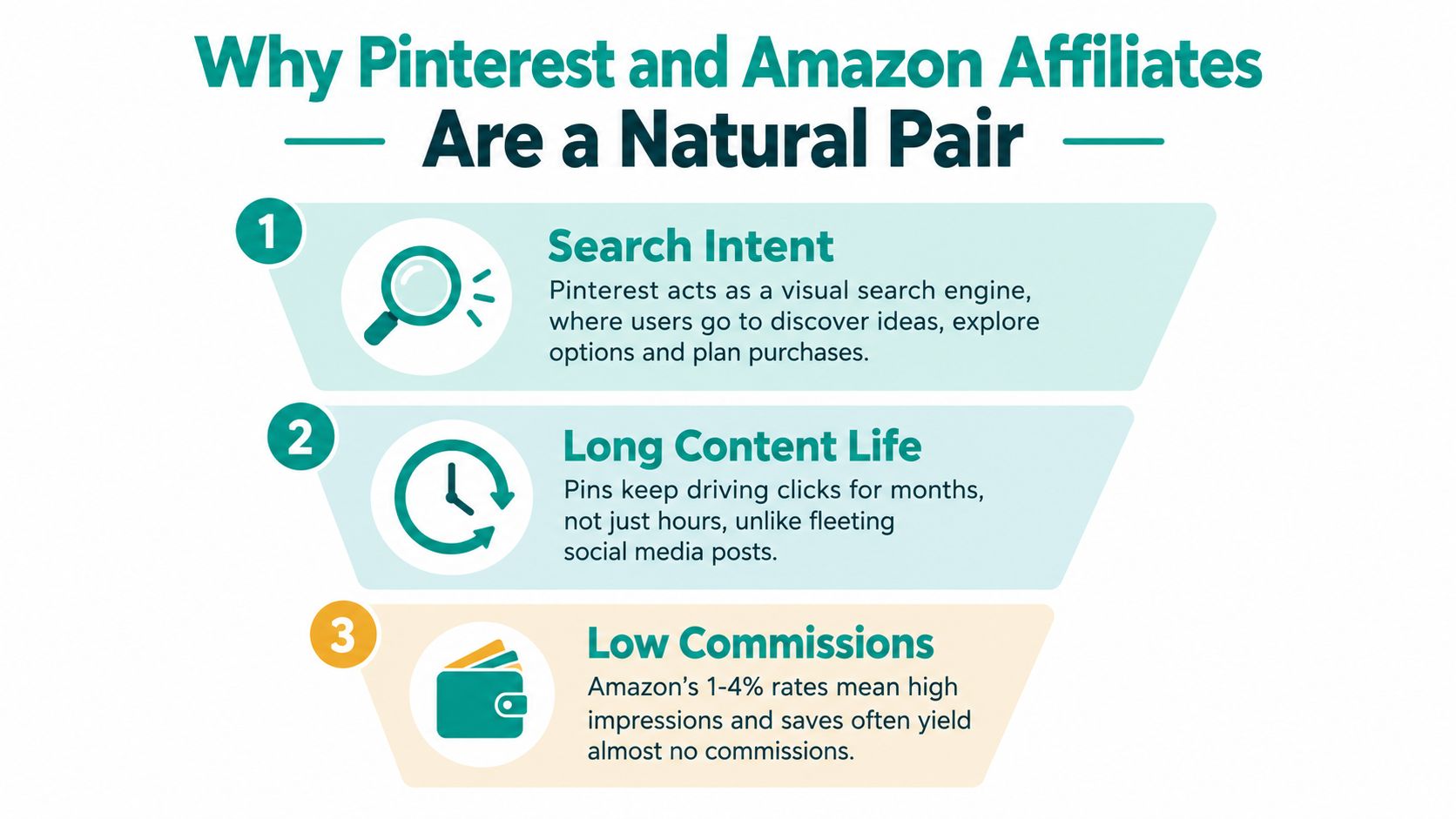
Why Pinterest and Amazon Affiliates Are a Natural Pair
Pinterest behaves more like a visual search engine than a fast-scrolling social feed. Recent market estimates place Pinterest at about 570–631 million monthly active users globally, and roughly 75%–80% of weekly users arrive with shopping intent, according to Shopify's overview of Pinterest affiliate marketing. A person searching for “small kitchen storage ideas” may not know which brand they want. That creates an opening for a useful recommendation rather than a brand-specific query.
Amazon supplies the other half of the journey. Its affiliate program launched in 1996, making Amazon Associates one of the earliest large-scale affiliate programs still operating online, as documented in Amazon's historical timeline. The program gives publishers access to a large product range and sends shoppers to a checkout environment many already understand.
A realistic funnel looks like this:
- Discovery: A keyword-targeted pin answers a problem or frames a purchase.
- Consideration: The reader examines the image, title, description, and destination.
- Product evaluation: The visitor reaches Amazon directly or reads your comparison first.
- Checkout: The shopper completes a qualifying purchase while attribution remains active.
The quiet failure usually happens between the first and third steps. A save can mean “I might use this later,” not “I'm ready to buy.” A broad inspirational pin can attract attention but send weak commercial intent. Even a strong product pin can lose the sale when the reader delays the purchase.
Practical rule: Treat Pinterest as the discovery layer and Amazon as the conversion endpoint. Your job is to make the transition immediate, relevant, and trackable.
Pinterest content can remain discoverable much longer than posts on fast-moving social feeds, which gives a good pin more opportunities to attract a product-focused visitor. That doesn't make the channel passive by default. It makes the initial keyword choice, visual promise, destination, and disclosure important long after publication.
Setting Up Amazon Associates and Your Pinterest Business Account
A pin can attract qualified shoppers and still produce no commission if the account, disclosure, or destination is wrong. Set up the commercial foundation before building a large pin library. Amazon's 24-hour attribution window makes clean routing and timely product decisions more important than a high save count.
Build the Amazon foundation first
Create an Amazon Associates account for the correct operating region, then choose a tracking ID that identifies the site, project, or funnel you plan to measure. Read the current Operating Agreement for that market, including its rules on affiliate disclosures, link placement, paid promotion, product-price claims, and Amazon content. The governing requirements matter more than advice written for another country or an older program version.
Place a clear disclosure near each recommendation and on the page receiving traffic:
As an Amazon Associate I earn from qualifying purchases.
Keep the wording visible and understandable. A footer alone can be easy to miss, and your copy should not imply that Amazon endorses your review. If a pin leads to your article, show the disclosure before or near the affiliate recommendation. Add disclosure at the social-post level when the platform or campaign requires it.
A product feed can keep catalog information organized, but changing prices and availability should not appear in a pin unless your process can maintain them under Amazon's rules. If you pull product data into a feed, a marketplace scraping benchmark can show how sellers structure catalog fields, helping you keep titles and attributes accurate before they reach a pin. It does not replace Amazon's agreement or permission requirements.
Prepare Pinterest for search
Switch to a Pinterest business account, complete the profile, and write a bio that names the problems and categories you cover. Claim your website, verify the domain, and enable rich pins where your site and content type support them. Use this Pinterest business account guide as a practical checklist for the account transition.
Set a consistent publishing process around 2:3 vertical pins, keyworded titles, descriptions, and alt text. Favor useful informational content, then add promotional pins where the destination supports the promise. Publishing volume matters less than maintaining distinct creative, accurate claims, and a route that gets a shopper to the relevant product quickly. Repetitive pins can create quality and spam concerns without improving the underlying funnel.
Before publishing, check three points:
- Destination clarity: The pin promise matches the article or product the visitor reaches.
- Disclosure visibility: The commercial relationship is clear at the recommendation point.
- Content value: The pin and destination add comparison, context, or guidance rather than disguising a thin affiliate redirect.
Track the destination and product path separately. Pinterest can show engagement, but it does not provide Amazon revenue-side reporting, so saves cannot stand in for commissions. Your tracking ID and page-level records must show which clicks have a realistic chance of converting inside Amazon's short attribution window.
Building Keyword-Targeted Pins From Amazon Products
Start with the search phrase, not the product URL. Type a broad topic into Pinterest's search bar and note the related language that appears. Then narrow the angle until the query describes a problem, occasion, audience, or buying decision, such as “under sink organizers,” “gifts for home cooks,” or “compact coffee equipment.”
A single Amazon product can support several legitimate angles, but each pin should make a different promise:
- Problem angle: Show how the item addresses a specific inconvenience.
- Comparison angle: Explain which type of product suits a particular use case.
- Gift angle: Position the product around a recipient or occasion.
- Seasonal angle: Connect the recommendation to a timely planning need.
This isn't permission to clone one design repeatedly. Change the headline, visual crop, supporting benefit, and destination context while keeping the product claim accurate. Pinterest users save content that helps them make a decision, not just content that displays a product against a decorative background.
Write metadata for the query and the reader
Put the main phrase in the title naturally. Use the description to explain the use case, identify the audience, and tell the visitor what they'll find after clicking. Alt text should describe the image meaningfully, not become a pile of keywords.
A useful description might explain that a particular storage product suits renters who need to organize a narrow cabinet, then direct the reader to a comparison or product page. Avoid unsupported superlatives such as “best” unless your content demonstrates the basis for that judgment. Don't manufacture product features from a listing image, and verify model names before publication.
Templates speed production, but they need controlled variation. Keep brand colors and typography consistent, then test different headline lengths, image placements, and calls to action. For creators building a broader content layer, principles used in AI landing pages for DTC brands can also inform advertorial structure, especially the need to connect a visual promise with useful on-page context.
The production pipeline is straightforward:
- Find a query with a clear product relationship.
- Select an Amazon product that fits the query.
- Create several distinct pin concepts.
- Add accurate titles, descriptions, and alt text.
- Choose a direct or bridge-page destination.
- Review compliance before scheduling.
Direct Affiliate Links Versus Bridge Pages
The direct route is simple: a Pinterest pin sends a high-intent visitor to Amazon. The bridge-page route sends the visitor to your article, comparison, buying guide, or email capture page first, then presents Amazon links after adding context.
Neither route wins universally. The correct choice depends on how ready the visitor is to purchase and whether your content operation can maintain the extra layer.
| Dimension | Direct Amazon Link | Bridge Page Funnel |
|---|---|---|
| Path length | Shortest route from pin to product | Adds a content or landing-page step |
| Best fit | Specific product searches and immediate buying intent | Comparisons, education, broad topics, and expensive decisions |
| Control | Limited after the visitor leaves Pinterest | More control over context, events, and first-party analytics |
| Measurement | Pinterest click data plus Amazon reporting | UTMs, page events, outbound clicks, and Amazon reporting |
| Main risk | Weak context and lost attribution through hesitation | Extra friction and an additional page to maintain |
Amazon Associates commissions are typically 1% to 4% for many physical products, and a qualifying purchase must be completed within 24 hours of the affiliate click. The attribution applies to the shopper's qualifying cart, not only the product featured in your pin, as described in Shopify's explanation of Amazon's affiliate window.
That window changes the decision. A product-specific pin such as “compact air fryer for a small kitchen” may justify a direct link if the destination and intent align. A broad pin such as “kitchen upgrades for busy families” usually needs more explanation, because the visitor may be gathering ideas rather than choosing an item.
Use the bridge when the decision needs help
A bridge page can compare alternatives, explain limitations, answer fit questions, and place multiple relevant Amazon links. It also lets you add UTM parameters to identify the campaign or pin group, collect consent for email where appropriate, and observe on-page behavior before the visitor exits.
The trade-off is speed. Every extra click creates another opportunity for abandonment, and the Amazon clock starts only when the visitor reaches the affiliate link. Use direct links for sharp commercial intent. Use bridge pages when context, comparison, or measurement is valuable enough to justify the longer route.
Scheduling and Automating Pins Without Triggering Spam Filters
Automation should remove repetitive uploading, not remove editorial judgment. A healthy publishing system gives each pin a relevant board, a distinct creative treatment, and enough spacing to prevent your profile from looking like a repeated feed of identical advertisements.
Industry guidance supports a working rhythm of 5–10 daily pins including repins, with the majority informational and only a minority promotional, according to the previously cited ClickBank guidance. Start with a cadence you can review, then expand only when your tracking and quality checks keep pace.
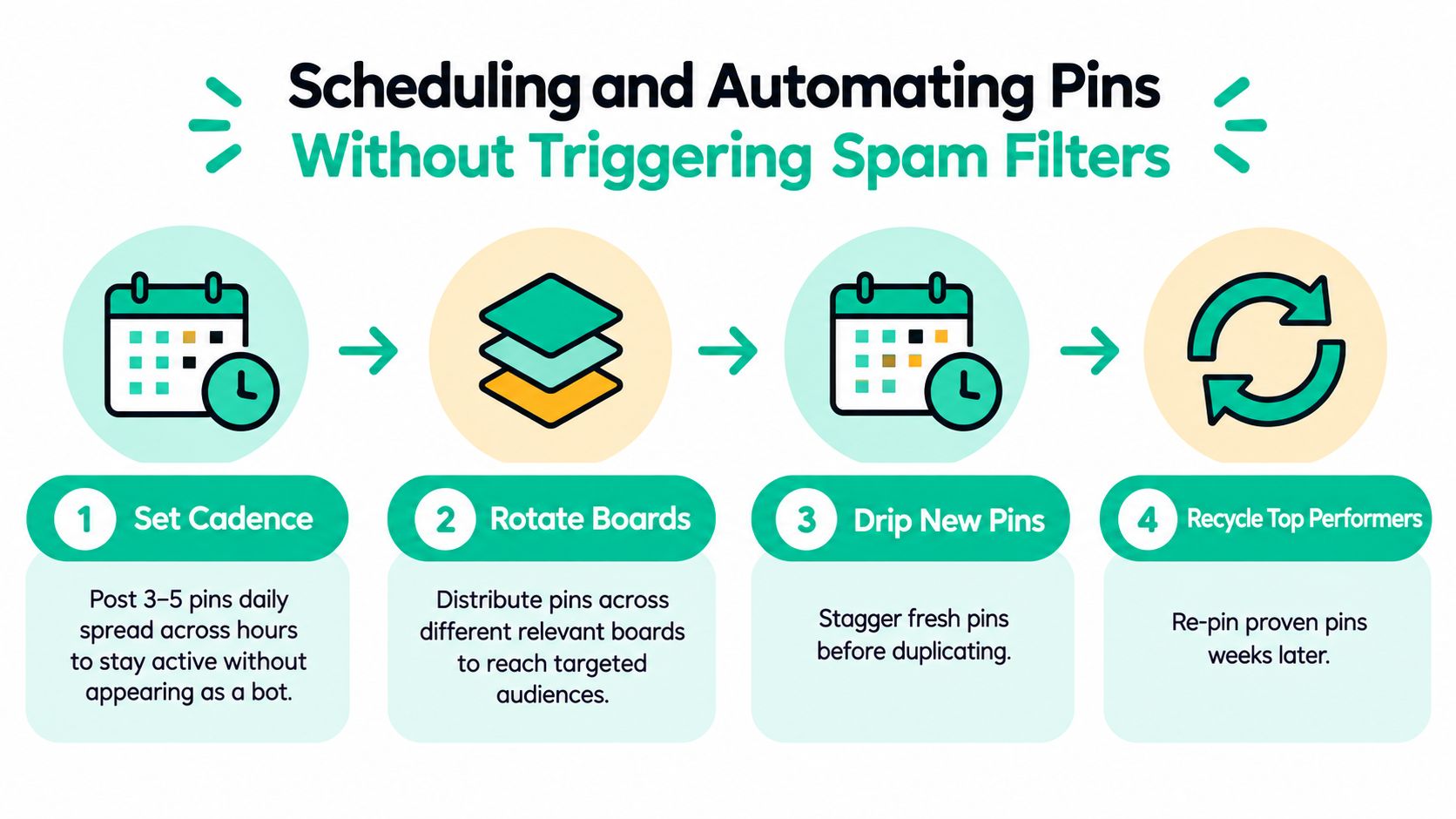
A practical weekly workflow looks like this:
- Batch research: Group keywords by topic, intent, and destination.
- Create variations: Produce different visual angles rather than exporting the same image repeatedly.
- Assign boards carefully: Match each pin to a board whose audience expects that subject.
- Schedule in intervals: Spread publication across the day instead of releasing a large block at once.
- Review before release: Check links, disclosures, product claims, and repeated creative elements.
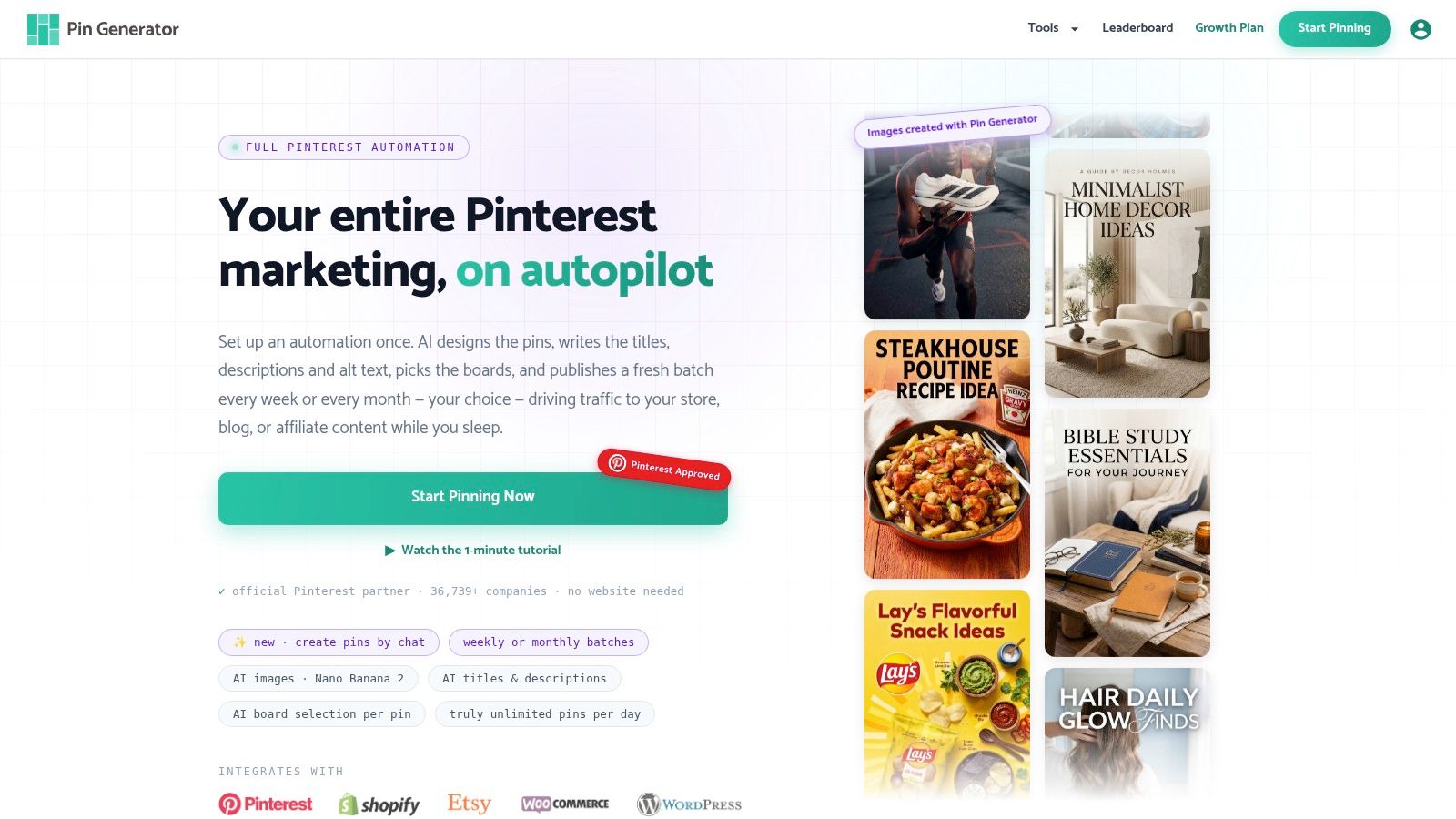
Pin Generator can generate pin designs and supporting titles, descriptions, and alt text from product or content inputs, then organize recurring publishing and board selection. Its Pinterest automation workflow is one way to centralize creation and scheduling, while Pinterest's native scheduler suits creators who want a lighter setup.
The automation layer should also manage recycling with care. Reuse a successful topic later with a distinct design, headline, or supporting explanation. Don't push the same creative to every board in rapid succession, and don't assume a high-impression pin deserves unlimited repetition. A save-heavy pin may be inspirational, while an outbound-click pin may be more commercially useful.
Keep a small review queue for scheduled content. Automation can select a stale product, preserve an outdated claim, or attach a pin to an unsuitable board. Human approval remains the safeguard that protects relevance and trust.
Tracking Which Pins Turn Into Commissions
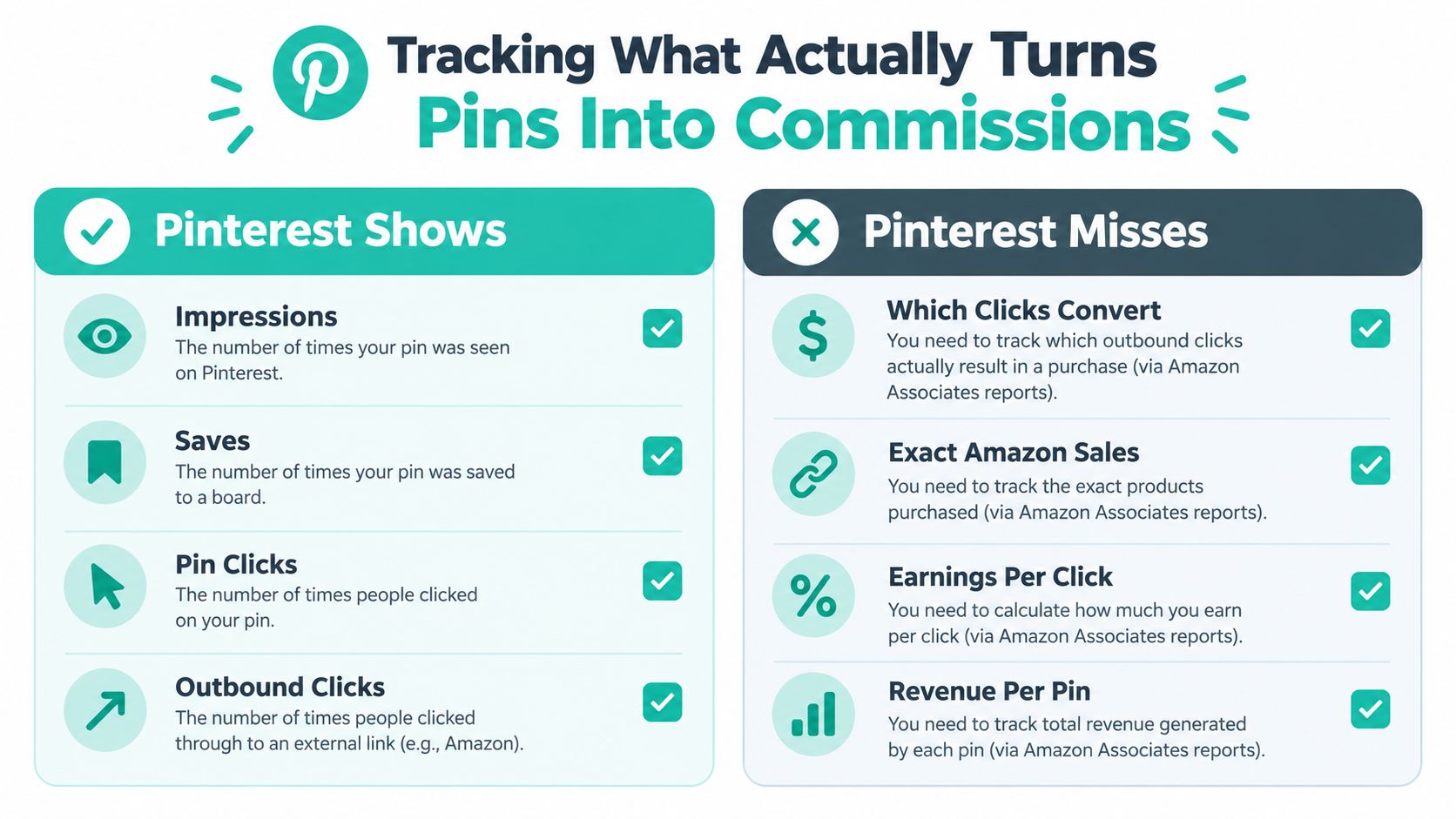
A pin can collect saves and still produce no revenue. Pinterest reports impressions, saves, pin clicks, and outbound clicks, but it does not show Amazon orders or commission value. That revenue gap makes the funnel a measurement problem, not a popularity contest. Use Pinterest data to judge attention, then reconcile those signals with Amazon Associates reports. The SocialRails' Pinterest affiliate marketing guide also distinguishes Pinterest engagement from affiliate results.
A smaller pin may send more qualified shoppers than a high-impression design. Give each pin or pin family a distinct identifier, then follow it from search result to destination page and product click.
Give every destination a useful label
For bridge pages, build UTMs that identify the source, topic, creative angle, and destination:
- Source: Pinterest
- Medium: Organic pin
- Campaign: Kitchen storage
- Content: Under-sink comparison, problem angle
Keep the same identifier in a spreadsheet containing the pin URL, product, board, publication date, impressions, saves, pin clicks, outbound clicks, and Amazon results. If you run a blog, track affiliate-link clicks as events and record the page section or product card that produced each event.
Amazon reporting cannot reliably identify the Pinterest creative behind a purchase unless tracking IDs and the funnel preserve that distinction. Use consistent names across pins, bridge pages, and Associates reports. Export the reports on a regular review cycle, and do not rename campaigns midway through a test.
Judge the whole path
Review outbound-click quality, not visibility alone. Check whether the pin matches the search intent, whether the bridge page earns a product click, and whether Amazon records qualifying activity within its 24-hour attribution window. Pinterest's missing revenue-side reporting means a saved pin can look strong while a less visible pin produces more commission activity.
Pin Generator's history and leaderboard views can help compare generated variants. The commercial decision still depends on your destination data and Amazon Associates reports, including the limits created by low commissions and short attribution.
Scale a pin when it repeatedly connects relevant search intent with qualified product activity, not when it only attracts attention.
Common Pitfalls and a Realistic Scaling Plan
The most damaging mistakes are usually ordinary: identical designs published repeatedly, missing disclosures, unsupported product claims, cold traffic sent to a purchase page, and volume increased before anyone can identify which pins create qualified clicks.
Treat scaling as documentation. Record the query, product, creative angle, destination, tracking label, and review result for every pin family. That record makes it possible to pause weak products and develop the formats that attract useful visitors.
A simple operating plan:
- First 30 days: Set up compliant accounts, publish a focused set of useful topics, and establish tracking before drawing conclusions.
- By 60 days: Compare direct links with bridge pages, refresh weak creative, and group products by commercial intent.
- By 90 days: Automate repeatable production, keep manual approval for claims and destinations, and scale only the combinations that show qualified activity.
Amazon's commission structure leaves little room for careless traffic acquisition, and the 24-hour attribution window makes delayed buying behavior especially important. Pinterest can compound discovery over time, but it won't turn impressions into dependable earnings without relevant offers, clear context, and revenue-side measurement.
Pin Generator can turn Amazon product inputs or content feeds into on-brand Pinterest variations with keyworded metadata, board selection, scheduling, and performance history. Visit Pin Generator to build a tracked pin workflow that supports both direct product links and bridge-page funnels.