
Pinterest and Hashtags Your Modern SEO Guide
27 September 2025
Let's be honest, the relationship between Pinterest and hashtags has been… complicated. But here's the straight truth for today: Pinterest is all in on keywords, and hashtags have taken a backseat.
Think of it this way: keywords are like plugging a precise address into your GPS. They tell Pinterest exactly where your content needs to go. Hashtags? They're more like old, scenic route signs—they might point in the general direction, but they aren't the most efficient way to get found anymore. Getting this shift is a huge piece of the puzzle for a modern Pinterest strategy.
The Truth About Pinterest and Hashtags Today
If you’ve spent any time on other social media platforms, you’re probably used to hashtags being the go-to tool for getting your stuff seen. For a long while, that was the playbook on Pinterest, too. But things have changed—a lot.
Pinterest isn't just another social feed; it's a massive visual search engine. It behaves way more like Google Images than Instagram. Its number one job is to connect users with the exact ideas, products, and inspiration they're looking for. And to do that, it needs the right clues. That's where keywords shine.
The Big Shift from Hashtags to SEO
Pinterest’s algorithm has gotten incredibly smart. It now dives deep into the words you use in your Pin titles, descriptions, and even on your board names to figure out what your content is all about. Keywords give it the specific context it needs to match your Pin with someone who's actively searching for that topic.
This pivot to search engine optimization (SEO) was no accident. It makes for a much better experience for users (no more wading through irrelevant content!) and gives creators a more lasting way to get traffic. A hashtag-stuffed post on other platforms has a pretty short lifespan. A well-optimized Pin, on the other hand, can keep showing up in search results for months, even years.
This means your time is far better spent digging into solid keyword research than just slapping a bunch of hashtags on your Pins. The name of the game is matching what users are actually searching for.
What Pinterest Says Officially
The way Pinterest and hashtags work is totally different from platforms like TikTok or LinkedIn, where they're still a primary way to sort content. Pinterest's own guidance has shifted away from them. In fact, their recent updates pretty much spell it out: they don't recommend using hashtags anymore because they don't really help with search visibility.
Instead, the platform wants you to weave natural-language keywords into your Pin titles and descriptions. This approach is way more effective, especially as Pinterest's visual and AI search tech gets more powerful. You can dig into this shift and see what the latest statistics say about hashtag usage if you're curious. But the bottom line is clear: an SEO-first approach is your ticket to long-term growth on Pinterest.
Why Pinterest Thinks Like a Search Engine

To really get anywhere on Pinterest, you have to get one thing straight: it’s not another social media site. It's not a place to scroll through updates from friends. At its heart, Pinterest is a visual discovery engine—a powerful tool people use to find inspiration, plan projects, and discover products. This one difference is the key to understanding why old tactics like obsessing over pinterest and hashtags just don't cut it anymore.
Think of it like this: Pinterest is a giant, beautifully organized digital library. When someone shows up looking for "healthy weeknight dinner ideas," they're not just wandering the aisles hoping to stumble upon something. They're actively searching. Your Pins are the books on the shelves, and your keywords are the detailed entries in the card catalog that lead a searcher straight to what they need.
The Power of Search Intent
Here's the thing that sets Pinterest apart: users arrive with a purpose. They aren't just killing time; they're planners, dreamers, and doers on a mission to find answers. The entire platform is built around satisfying this search intent.
Pinterest's algorithm is constantly analyzing the keywords you sprinkle across your content:
- Your Pin Titles: This is the most obvious signpost, telling the algorithm exactly what your Pin is about.
- Your Pin Descriptions: This is where you add the rich context, details, and related terms that help your content get found.
- Your Board Names: Think of these as the broader categories that organize and classify all your individual Pins.
- Your Profile Bio: This gives an overall signal about your niche and the value you bring to the table.
The algorithm connects the dots between all these keyword signals to figure out how relevant your Pin is. Based on that, it ranks your content in search results, aiming to give the user the most inspiring and helpful answer to their query.
A keyword-rich description is your direct line of communication with the Pinterest algorithm. It clearly explains what your content is, who it's for, and why it's valuable. Without it, your Pin is basically invisible in a massive library of ideas.
This whole system is tapping into a huge trend in online marketing. As AI gets smarter, SEO-focused strategies have become non-negotiable. Pinterest's algorithm now heavily favors content with strong, clear keywords over a simple list of hashtags. This is a big deal for a platform that serves around 530-570 million monthly users worldwide. With a predictive AI that reportedly has an 80% accuracy in forecasting trends, its commitment to a data-driven approach is crystal clear. You can find more fascinating numbers in these Pinterest statistics on metricool.com.
Mastering the Search-First Mindset
Switching to a search-first mindset is the single most important shift you can make. Every Pin you create shouldn't just look pretty; it needs to be built to be discoverable. Before you hit publish, always ask yourself, "What words would someone type into the search bar to find this?"
Answering that simple question is how you create content the algorithm wants to show people. When you align your strategy with Pinterest's core function as a search engine, you stop just hoping for a quick burst of traffic. Instead, you start building a reliable system for long-term, sustainable growth. It's the difference between shouting into a crowded room and having a direct, meaningful conversation with your ideal audience.
Finding the Keywords Your Audience Uses

Alright, now that we're on the same page about Pinterest being a massive search engine, it's time to put on your detective hat. Your mission, should you choose to accept it, is to figure out the exact words and phrases your perfect audience is typing into that search bar.
This isn't about throwing spaghetti at the wall to see what sticks. It's about tapping directly into the platform's own data to uncover search terms that are already getting tons of traffic.
Use the Search Bar for Keyword Clues
The best place to start your investigation is the most obvious one: the Pinterest search bar. Think of it as a direct line into the minds of millions of Pinners.
Start by typing a broad term related to your niche. Let's say you're in the food space, so you type in "healthy snacks." Before you even press enter, Pinterest gives you a dropdown list of popular, related searches. These aren't just random guesses; they're the most common phrases people are actively looking for.
For instance, "healthy snacks" might bring up:
- healthy snacks for kids
- healthy snacks recipes
- healthy snacks for weight loss
These auto-suggestions are pure gold. They immediately show you how to zero in on what your audience actually wants, moving from a general idea to their specific needs. Each suggestion is a solid keyword you can target.
Once you hit enter, pay attention to the colorful bubbles that pop up right under the search bar. This is Pinterest's guided search, and it's designed to help users drill down even further. These bubbles are popular sub-categories related to your search, and they are a fantastic source for discovering long-tail keywords.
Think of it like this: A broad keyword is like walking into a store and asking for "shoes." A long-tail keyword is like asking for "women's red running shoes size 8." That second search is way more specific and signals a much stronger intent to buy.
Ethically Spy on Your Competitors
Another killer tactic is to see what's already working for the big players in your niche. Find a few Pins that are crushing it for a keyword you want to rank for and take a close look at their Pin titles and descriptions. What language are they using? How are they framing their ideas?
You're not looking to copy them word-for-word. Instead, you're hunting for patterns. When you see the same keywords and phrases popping up across multiple successful Pins, that's a huge clue. It tells you what kind of language connects with both your target audience and the Pinterest algorithm.
Putting together a solid keyword list is the bedrock of your entire Pinterest strategy. To dig even deeper, check out our guide on how to turn one keyword into dozens of Pin ideas, which really helps speed up content creation. And if you're curious about how this all fits into the bigger picture, looking into general hashtag trends across various social media platforms can offer some really interesting insights into online search behavior.
Putting Your Pinterest SEO Into Action
Finding the right keywords is a huge win, but it's only half the battle. Think of it like having a fantastic recipe—it's pretty useless until you actually start cooking. Now's the time to roll up your sleeves and sprinkle those keywords where they’ll make the biggest difference. This is where theory turns into real, measurable traffic.
The trick is to weave your keywords into your content so it sounds completely natural. You're not just stuffing a folder with labels; you're telling a clear, compelling story that both Pinterest's algorithm and your ideal customer can instantly understand. When you get this right, it doesn't even feel like optimization. It just feels… helpful.
Where to Place Your Keywords for Maximum Visibility
Your Pinterest profile is prime real estate for SEO, made up of a few key areas that all work together. If you ignore any of them, you're leaving a critical piece of the puzzle on the table. Your goal is to strategically integrate your main keywords and those longer, more specific phrases into these four spots.
- Your Profile Bio: This is your first handshake with Pinterest. It's the first signal you send about what your entire account is about. Sprinkle in your main keywords here to immediately establish your authority in your niche.
- Your Board Titles: Get straight to the point. Board titles need to be direct and packed with the exact phrases your audience is searching for. Ditch the cute, clever names for clear, searchable ones. Think "Healthy Weeknight Dinner Recipes" instead of "Yummy Eats."
- Your Board Descriptions: Here’s where you can add a little more flavor. Use your board descriptions to build on the title, adding related long-tail keywords. This gives the algorithm more context about the specific Pins people will find inside.
- Your Pin Titles and Descriptions: This is the big one. Your Pin title needs to feature your most important keyword. Then, use the description to write a few helpful sentences that include a natural mix of your primary and related long-tail keywords.
The image below breaks down the key metrics that show you how your Pins are actually performing on the platform.
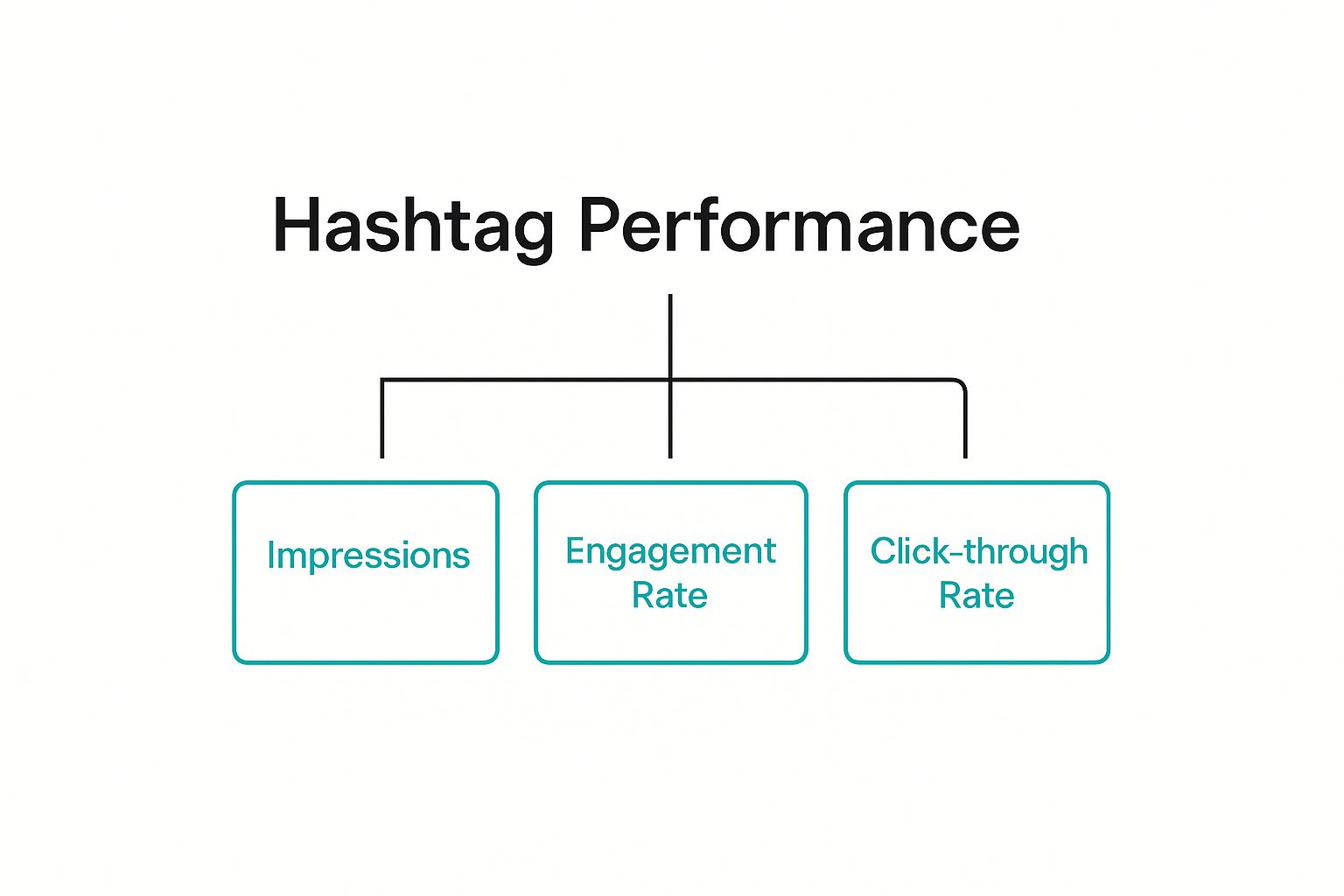
This simple hierarchy makes it clear: impressions, engagement, and click-throughs are the lifeblood of a successful Pin.
From Good to Great: An Optimization Example
Let's look at a real-world example. Imagine you’ve created a Pin for a new vegan chocolate chip cookie recipe.
- Before (Just Okay): The title is "Best Cookies Ever!" The description is short and sweet: "You'll love these." It's friendly, but it's completely invisible to anyone searching for a recipe.
- After (Optimized): The title becomes "Easy Vegan Chocolate Chip Cookie Recipe." The description now reads: "Try this simple recipe for chewy vegan chocolate chip cookies. A perfect plant-based dessert for beginners and a healthy snack idea for kids."
See the night-and-day difference? The optimized version is a keyword goldmine, targeting phrases like "vegan chocolate chip cookie recipe," "plant-based dessert," and "healthy snack idea." It directly answers what people are typing into the search bar.
Optimizing your Pins isn't just about feeding the algorithm what it wants. It’s about giving real people clear, valuable information that helps them solve a problem or find the inspiration they're looking for.
This strategic keyword placement is more important than ever. As of early 2025, Pinterest is home to around 570 million global monthly active users—a 10% jump from the previous year. And with a staggering 85% of Pinners browsing on their phones, mobile-friendly descriptions packed with the right keywords are your ticket to capturing this massive, growing audience.
To stay on top of this, you need a plan. A crucial first step in putting your Pinterest SEO into action is organizing your Pins. Learn more about building a social media content calendar to map out your content effectively.
This checklist breaks down all the crucial spots for your keywords. Think of it as your quick-reference guide to make sure you're not missing any opportunities to get discovered.
Keyword Placement Checklist for Optimal Pin Visibility
| Location | Optimization Goal | Best Practice Example |
|---|---|---|
| Profile Bio | Establish overall niche and authority for your entire account. | "Helping busy moms create easy keto recipes and low-carb meal plans." |
| Board Titles | Target broad, high-volume search terms directly. | "DIY Farmhouse Decor" (not "Home Sweet Home") |
| Board Descriptions | Add context with related long-tail and secondary keywords. | "Find budget-friendly farmhouse decor ideas for your living room, kitchen, and bedroom…" |
| Pin Titles | Capture immediate attention with the primary keyword. | "15-Minute Air Fryer Chicken Recipe" |
| Pin Descriptions | Weave in a natural mix of keywords to answer user intent. | "This quick air fryer chicken recipe is perfect for a healthy weeknight dinner…" |
By consistently hitting these key spots, you're building a powerful SEO foundation that tells Pinterest exactly what you're about and who it should show your content to. It's a simple process that, over time, delivers incredible results.
Common Pinterest Hashtag Myths Debunked
Old habits die hard, especially in the marketing world. When it comes to Pinterest and hashtags, a lot of outdated advice is still floating around, leading creators down a path of wasted effort. These myths can seriously mess with your strategy, so let's clear the air and focus on what actually works today.
It's easy to see why everyone's so confused. For years, hashtags were a big deal on Pinterest, just like they are on other platforms. But Pinterest has grown up. It's now a visual search engine, and its algorithm has changed, making a lot of the old tricks totally useless.
Myth 1: You Need to Use 20 Hashtags
This one is probably the biggest offender, a leftover strategy from the old days of Instagram. The myth goes that you need to stuff your Pin descriptions with as many hashtags as you can, right up to the 20-hashtag limit. Please, don't do this.
In reality, cramming your description full of hashtags just looks spammy. It makes the description a cluttered mess, taking attention away from the keyword-rich sentences that actually help your Pin get discovered. Pinterest itself has moved way past this approach.
A crowded, hashtag-heavy description tells the algorithm you're stuck on old tactics instead of providing a clear, helpful, and keyword-optimized explanation of your content. Simplicity and clarity win every time.
Instead of a laundry list of hashtags, pour your energy into writing 2-3 descriptive sentences that naturally weave in your target keywords. This gives the algorithm the rich context it needs to index your Pin and show it in search results for the long haul.
Myth 2: Any Hashtag Will Boost Your Reach
Here's another one: just slap any trending or super broad hashtag onto your Pin and watch the views roll in. This might get you a tiny, fleeting bump in impressions, but it’s not going to bring in the right audience or drive any real traffic.
Put yourself in the user's shoes. If someone is searching for "#veganrecipes" and your Pin about modern home decor pops up, they're going to scroll right past it. This tells the algorithm your content is irrelevant for that search, which can actually hurt your Pin's distribution over time.
Your strategy should always be about relevance over reach. It's so much better for your Pin to be seen by 100 people who are genuinely interested and likely to click and save, than by 1,000 people who couldn't care less. Using super-specific, keyword-focused language in your description is how you connect with that smaller, much more valuable audience.
Your Pinterest Hashtag Questions Answered
Even with a clear strategy, you might still have some specific questions about Pinterest and hashtags floating around. Let's tackle the most common ones head-on so you can move forward with total confidence in your keyword game.
Think of this as your final checklist before diving into a smarter, more effective Pinterest plan. We want to clear up any confusion holding you back from seeing real growth.
Should I Use Any Hashtags on Pinterest at All?
This is the big one, isn't it? The short answer is your energy is much better spent elsewhere. Based on Pinterest's own guidance and how its algorithm works today, hashtags aren't indexed for search and give you no real strategic boost.
Sure, adding one or two branded hashtags (like #YourBrandName) at the very end of a description won't necessarily hurt your Pin. But it won’t help it get found, either. Your time is far more valuable when you invest it in solid keyword research and weave those terms naturally into your Pin titles and descriptions.
Focus on what delivers long-term value. A well-written, keyword-rich description serves your Pin for months or even years. A hashtag? It offers virtually no lasting SEO impact on Pinterest.
How Is Pinterest SEO Different From an Instagram Hashtag Strategy?
This question gets to the heart of a massive distinction between the platforms. Your Instagram strategy and your Pinterest strategy have to be different because the user's mindset is completely different.
- Instagram: Users are in discovery mode, scrolling a social feed. Hashtags are there to categorize content for real-time trends, build community, and grab immediate (but very fleeting) visibility.
- Pinterest: Users are in planning or searching mode. They treat it like a visual search engine to find ideas, solve problems, and discover products. SEO is all about matching your content to what they're actively looking for.
Trying to use an Instagram hashtag strategy on Pinterest is like trying to use a city map to navigate the open ocean. They're just different tools for completely different worlds.
If I See Big Accounts Using Hashtags Should I Copy Them?
It’s super tempting to just mimic what successful accounts are doing, but be careful—this can be a trap. A large account's success is almost certainly built on its established authority, high-quality content, and strong keyword game, not its use of hashtags.
Often, you'll see big brands or creators using hashtags for a few common reasons:
- Old Habits: They started using them years ago when they were more relevant and simply never updated their workflow.
- Cross-Posting: They're using a social media scheduler to blast the same content from Instagram or another platform directly to Pinterest, and the hashtags just come along for the ride.
- Branded Campaigns: They use a unique, branded hashtag to group all the content for a specific marketing campaign.
Your strategy should be built on current Pinterest best practices, and those overwhelmingly point to keywords as the real driver of reach. Focus on what works now, not on outdated tactics you might see others using. For a deeper dive into this, you can learn more about the best practices for hashtags for Pinterest in our detailed guide.
Ultimately, it all comes down to understanding the "why" behind Pinterest's shift to a search-engine model. It’s not about fleeting trends; it’s about giving users the best possible answers and inspiration for their searches. When you align your strategy with that mission, you're setting yourself up for sustainable, long-term success.
Ready to stop guessing and start growing on Pinterest? Pin Generator automates the creation and scheduling of beautiful, keyword-optimized Pins in seconds. Take the hard work out of Pinterest marketing and see real results at https://pingenerator.com.