
Pinterest Keyword Research Tool That Actually Works
18 October 2026
You've finished a useful blog post, chosen a beautiful image, and opened Pinterest to write the pin. Then you reach the title field and hesitate. Should you use “living room ideas,” “small apartment decor,” or the clever headline you already wrote for your website?
A Pinterest keyword research tool should help you make that decision, not just hand you a longer list of phrases. The useful output is a plan that connects what someone wants to see with your image, copy, destination, and publishing schedule.
Table of Contents
- The Search Bar Is a Story, Not a Search Box
- How Pinterest Keyword Research Actually Works
- Reading Pinterest Trends the Smart Way
- Turning One Keyword into a Full Pin Plan
- A Worked Example from Keyword to Publishing Calendar
- Three Keyword Myths That Cost You Reach
- Building a Repeatable Monthly Keyword Routine
The Search Bar Is a Story, Not a Search Box
You type “kitchen” into Pinterest because your newest post features a kitchen makeover. It feels like a sensible starting point. But that word alone doesn't tell you whether your reader wants cabinet colors, storage solutions, renovation inspiration, or a place to buy lighting.
The mistake isn't starting broad. It's stopping broad.
Think of keyword research as helping someone choose a room in a furniture showroom. You wouldn't point at the entire building when they asked for a sofa that fits their apartment. You'd ask about the space, the style, and the problem they're trying to solve.
That same mindset makes visual research more useful.

Follow the problem behind the phrase
For a hypothetical kitchen article, your research notes might move from kitchen inspiration toward renter-friendly kitchen storage. These are example directions to investigate, not verified suggestions or demand estimates.
Notice how the creative brief changes. A broad kitchen pin could show almost anything. A renter-friendly storage pin needs to show a practical solution without implying permanent remodeling.
- Capture the wording: Record relevant phrases you encounter rather than polishing them into marketing language.
- Record the need: Add a plain-language note, such as “organize a small space without drilling.”
- Check your content: Keep only phrases your article or product can satisfy.
A useful keyword tells you what to make, not just what to type.
Your research document should therefore look less like a vocabulary list and more like a collection of audience problems. That's what makes it useful when you sit down to create pins.
How Pinterest Keyword Research Actually Works
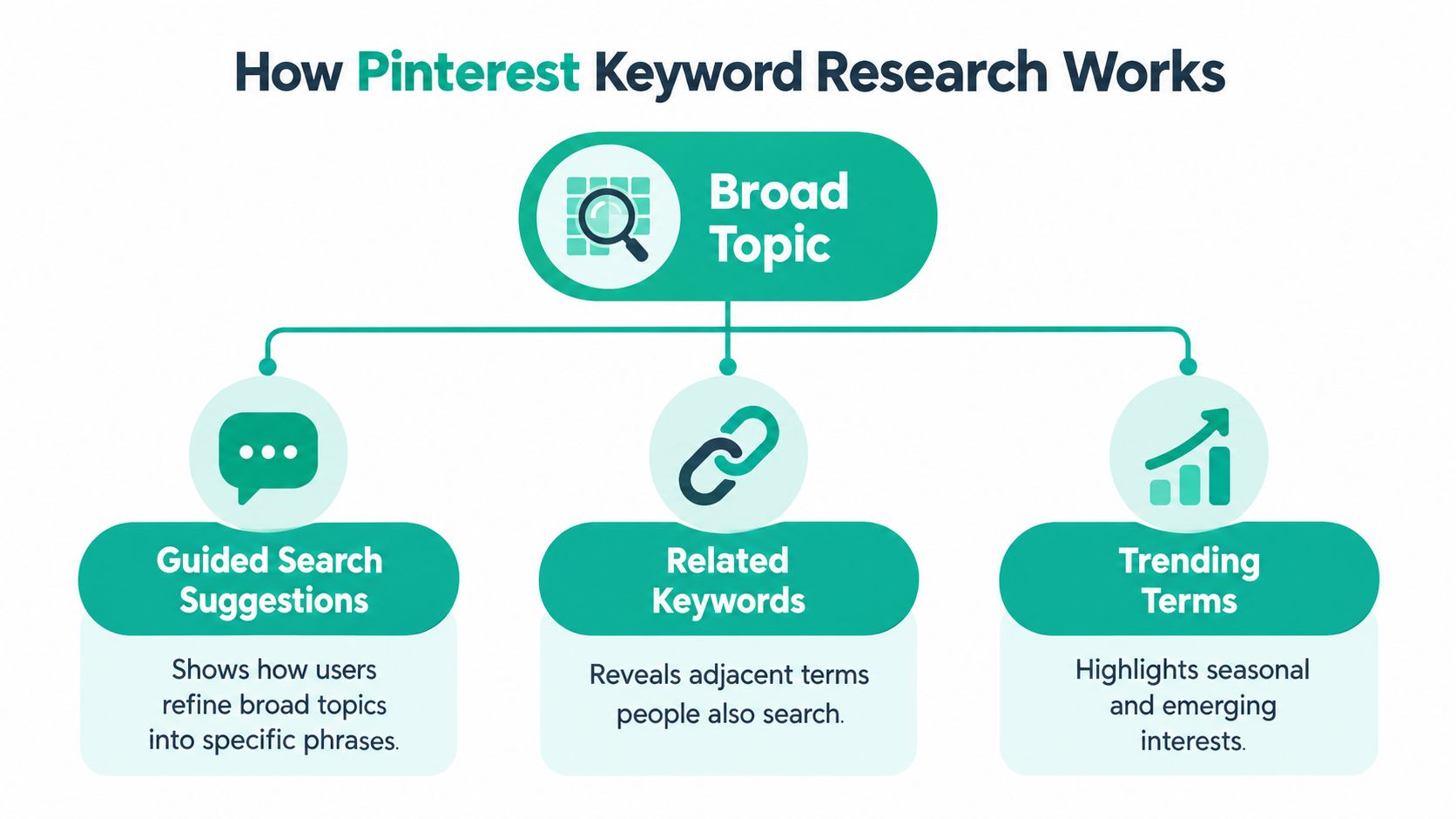
Guided Search provides the foundation for this approach. Pinterest's official documentation describes entering broad terms such as “home remodeling” or “living room designs,” then using suggested guides to narrow the results. The same page specifies availability in the United States on iPhone and desktop, so you shouldn't assume identical access or suggestions everywhere, according to Pinterest's search guidance.
Treat these refinements as a ladder: a broad subject, a more focused need, and a specific content opportunity. Don't assume that the documentation's example queries form a literal sequence. Build your own ladder from what you can verify in your target market.
Give each keyword a job
A dedicated Pinterest keyword research tool can help organize long-tail phrases, related topics, and demand indicators. When comparing tools, ask whether you can identify the data's region, distinguish estimates from platform metrics, and group relevant terms into usable clusters.
Then label each candidate by the action you want to support:
- Informational intent: “How to arrange furniture in a narrow living room” belongs with an instructional article.
- Inspirational intent: “Cozy apartment living room ideas” calls for visual examples and styling guidance.
- Product-oriented intent: “Compact sectional for an apartment” should lead to relevant furniture options, not an unrelated decor roundup.
These labels are a planning framework, not claims about Pinterest's official keyword categories. They help you avoid writing a shopping promise for a pin that leads to a general inspiration page.
If you sell through Etsy, you can also compare Etsy niche demand using Trendlytic as a separate marketplace research resource. Keep that evidence separate from Pinterest research: a promising Etsy phrase is a candidate to validate, not proof of Pinterest demand.
Reading Pinterest Trends the Smart Way
A rising graph looks exciting, but you need to know what it measures before changing your calendar. Pinterest Trends uses normalized search activity, calculating the ratio of searches for a selected trend to total platform searches during the same period, as explained in Pinterest's Trends documentation.
That documentation also describes regional selection, three-month, six-month, and one-year windows, weekly, monthly, and yearly changes, age and gender information, and keywords with high search volume during the previous seven days. These are different views of demand, not interchangeable raw search counts.
How to Read Pinterest Trends Numbers
| What Trends Shows | What It Means | What to Do |
|---|---|---|
| Rising normalized interest | The topic is gaining a greater share of searches | Check relevance before producing timely content |
| A recurring seasonal curve | Interest concentrates around particular moments | Prepare assets before the expected rise |
| Relatively steady interest | Demand looks less concentrated in the selected window | Consider it for your evergreen calendar |
| Regional differences | Interest varies across selected markets | Research the country you actually serve |
| Age and gender distribution | The query has demographic context | Check whether your creative approach fits the intended audience |
Suppose an apartment-layout topic rises in your chosen market. That's a reason to investigate, not evidence that it receives a particular number of searches. Nor does a demographic breakdown automatically describe the people who currently see your board.
Practical rule: Read Trends as relative demand within its selected context, not as a universal volume counter.
For a hands-on companion, use this guide to Pinterest search trends. Keep the region and timeframe consistent when reviewing related candidates, and record those settings alongside your notes so later comparisons remain meaningful.
Turning One Keyword into a Full Pin Plan
Let's use small living room layout ideas as an illustrative cluster. Candidate supporting phrases might include apartment furniture layout, narrow living room arrangement, and sectional placement. Validate those phrases before treating them as research findings.
The destination should be a layout guide that addresses those problems. Choose a room photo or floor-plan graphic that demonstrates the arrangement, rather than a beautiful image with no useful connection to the topic.
Build a reusable copy sheet
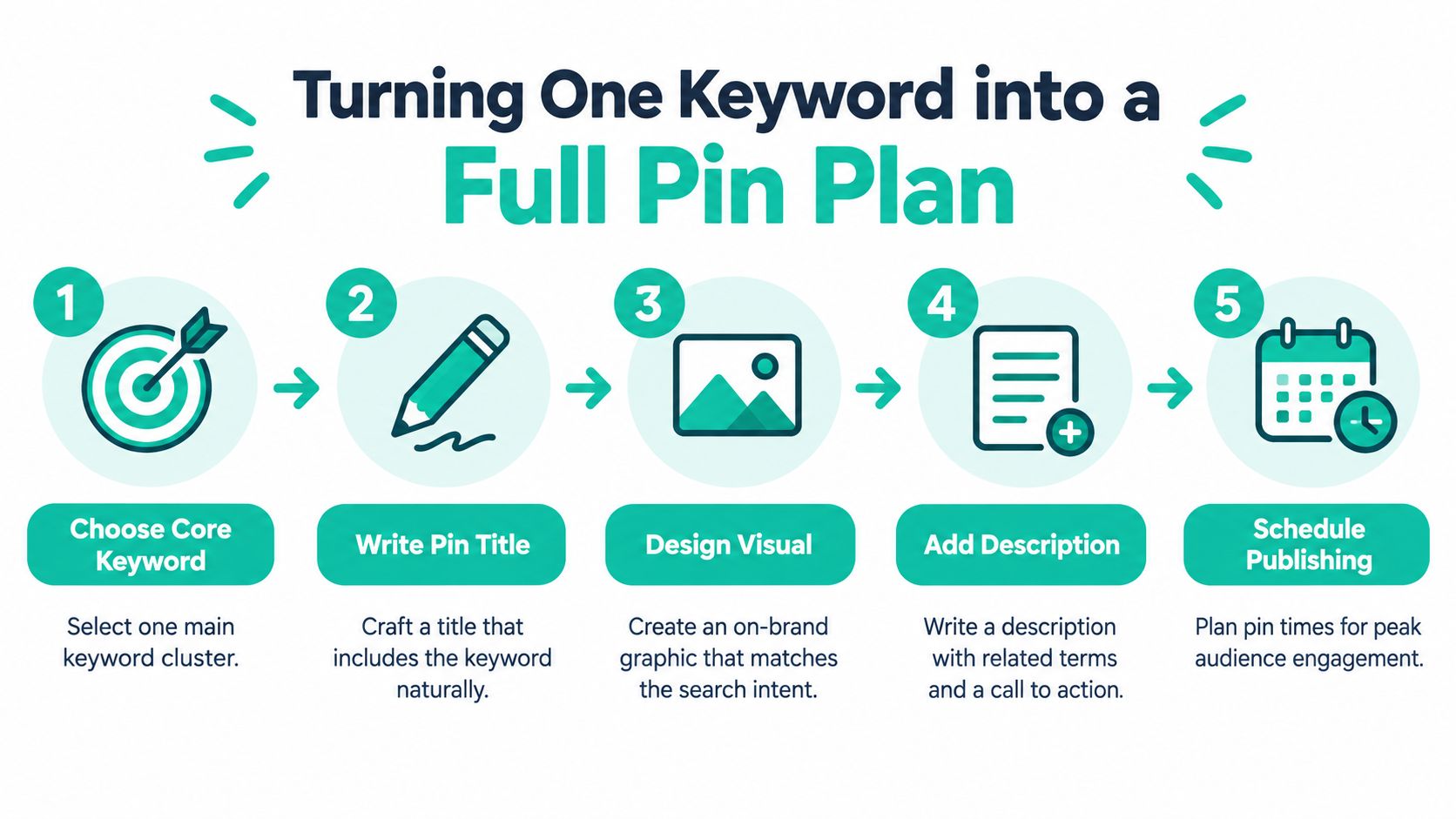
Put the researched wording near the beginning of the title when it reads naturally. This is an editorial recommendation for clarity, not a guaranteed ranking technique.
Cluster name: Small living room layout ideas
Title formulas
- Problem-focused: Small Living Room Layout Ideas for Narrow Spaces
- Audience-focused: Small Living Room Layout Ideas for Apartment Renters
- Solution-focused: Small Living Room Layout Ideas With a Sectional
Description skeleton
- Topic: Introduce the primary phrase in a readable sentence.
- Problem: Name the specific room constraint.
- Solution: Mention a relevant supporting phrase.
- Preview: Explain what the destination demonstrates.
- Action: Invite the reader to open the guide.
A finished example could read: “Explore small living room layout ideas for an apartment with limited floor space. This guide covers narrow living room arrangements and sectional placement, with examples that keep walkways clear. Open the guide to compare layouts before moving your furniture.”
Use supporting terms only when they describe the content. A description shouldn't read like a bag of keywords tipped onto the page.
Organize the surrounding assets
Choose a clear board name, such as Small Living Room Ideas, and describe its scope: apartment layouts, compact furniture arrangements, and practical styling. A section named Furniture Layouts can help you organize related pins without making every label identical.
For alt text, describe the visible image: “Compact living room with a sectional along the left wall and a round coffee table in the center.” Its primary purpose is accessibility, so don't treat it as a hidden keyword-storage field.
A Worked Example from Keyword to Publishing Calendar
Consider a fictional home decor shop with a useful apartment-layout guide. Its team wants to test different ways of presenting that guide, not manufacture unrelated pins just to fill a schedule.
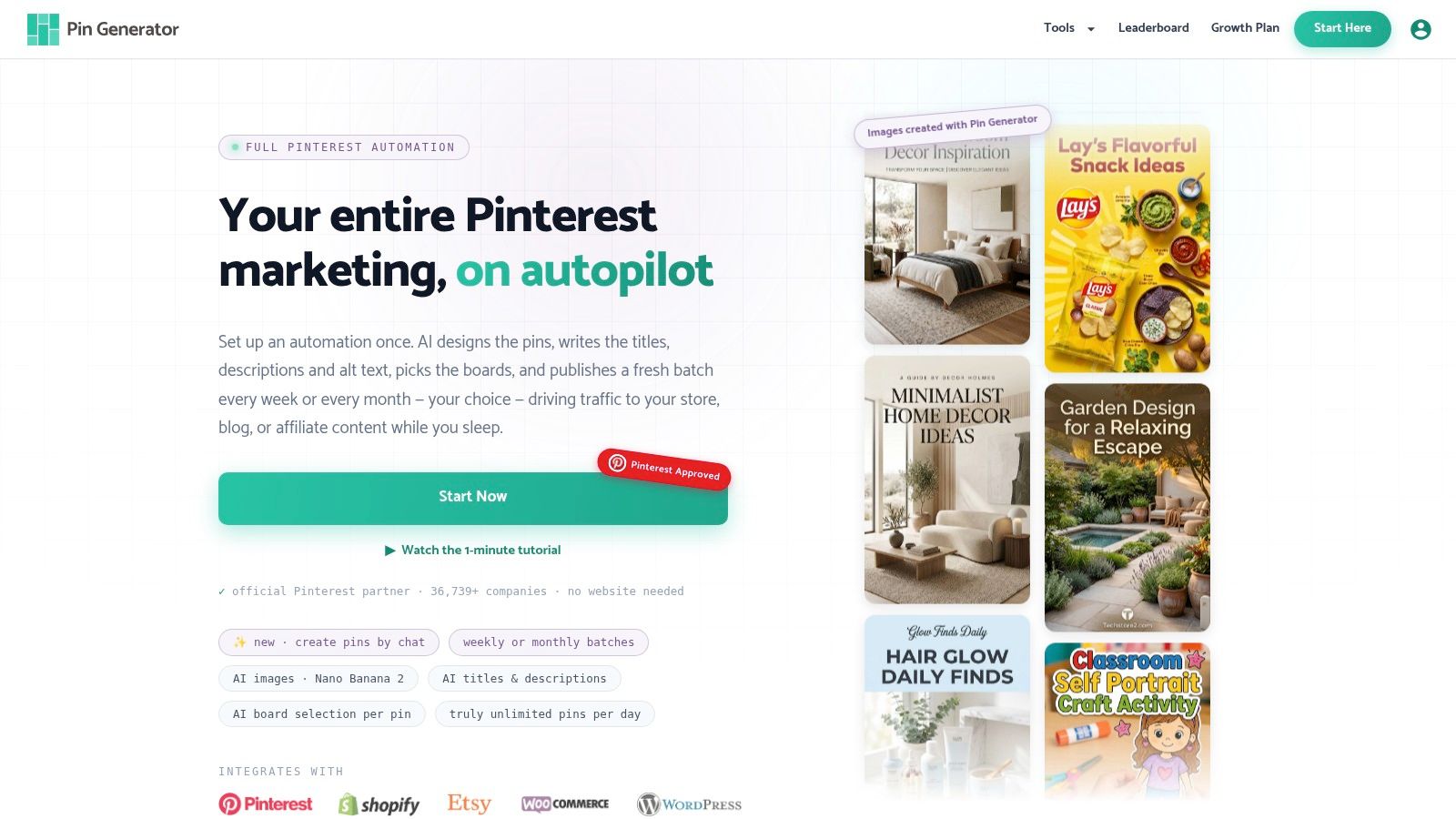
A production dashboard can help the team manage the resulting assets.
The team investigates apartment layout, narrow-room arrangement, and sectional placement as possible subtopics. After checking relevance and available demand signals, it drafts the following illustrative calendar. This is a test plan, not a prescribed posting frequency or a reported case study.
| Publishing day | Example pin titles |
|---|---|
| Monday | Small Living Room Layout Ideas for Apartments; Apartment Living Room Layout With a Clear Walkway |
| Tuesday | Narrow Living Room Layout Ideas; Furniture Arrangement for a Long Living Room |
| Wednesday | Small Living Room Layout With a Sectional |
| Thursday | Where to Place a Sectional in a Small Living Room; Small Living Room Seating Without Crowding |
| Friday | Apartment Layout Ideas With an Open Entryway |
| Saturday | Small Living Room Furniture Placement Guide |
| Sunday | Compare Small Living Room Layout Options |
Use an apartment photo for the apartment angle, a floor-plan graphic for the walkway angle, and a clearly visible sectional for the furniture-placement angle. Keep the destination consistent while testing those creative differences.
Connect research to production
Import the relevant product catalog or article feed into your creation workflow, select brand templates, and review generated titles and descriptions against the approved cluster. Assign suitable boards and schedule the finished assets. This collection of Pinterest content calendar ideas can help you adapt the example to your own publishing capacity.
The video below offers a visual companion to the automation workflow.
Maintain a review log alongside your publishing history. Record the keyword angle, creative, destination, publication date, and available saves and outbound clicks; don't assume every metric lives in the same dashboard.
Three Keyword Myths That Cost You Reach
The highest-volume keyword always wins
A large demand indicator doesn't tell you whether your page satisfies the query. “Living room inspiration” may be a poor choice for a product page selling a specific compact sofa, even if the broader topic looks popular.
Research also supports taking downstream behavior seriously. A Stanford-led study of Pinterest and purchasing behavior analyzed activity from more than two million users over one month and connected Pinterest behavior with external e-commerce activity. Its observational design doesn't establish that a search or save causes a purchase.
Replacement rule: Choose terms you can satisfy, then evaluate meaningful actions rather than celebrating exposure alone.
A single pin finishes the keyword
Publishing an asset doesn't settle whether the topic works for your audience. A floor plan and a styled room photograph communicate different benefits, even when both lead to the same guide.
Don't confuse testing variations with a requirement for ranking. There's no guaranteed pin count that makes a cluster succeed.
- Change the angle: Compare a space-saving promise with a furniture-placement promise.
- Change the visual: Test a diagram against an appropriate room image.
- Keep the promise honest: Every variation must remain supported by the destination.
Research belongs in the setup phase
Your initial list is a working hypothesis, not a permanent assignment. Revisit it when your catalog changes, your audience responds differently, or a relevant moment approaches.
Keep useful phrases because they still fit your audience and content, not because they've been in your spreadsheet longest.
Replacement rule: Review your keyword choices regularly, and make room for updates outside the routine when evidence warrants them.
Building a Repeatable Monthly Keyword Routine
Make keyword research a monthly operating habit, with a different purpose for each weekly work session. Start by reviewing publishing history and your results leaderboard, then use those observations to decide what deserves another test.
Don't retire a cluster because a recently published pin hasn't performed yet. Check whether the creative, destination, and measurement window make the comparison fair.
Use a manageable review loop
- Review outcomes: Separate discovery measures, such as saves, from destination actions, such as outbound clicks and available purchase attribution.
- Research candidates: Check Trends and investigate new long-tail phrases for content you can deliver.
- Prepare the calendar: Group approved candidates by destination, intent, market, and publishing moment.
- Refresh assets: Update copy and reuse suitable designs only when the image still supports the new promise.
Seasonal planning needs its own lead time. Pinterest's 2025 marketing-moments reporting indicates that searches for fixed events such as Christmas commonly begin about two months before the occasion, while its examples include culturally specific occasions and everyday and life moments, as summarized in the marketing-moments and search-trends report.
Use that as a prompt to research earlier, not as a universal deadline. Localize the occasion, language, and imagery for the market you serve.
Trend alerts provide an exception to the monthly rhythm. When a relevant topic rises, check content fit and production readiness before interrupting your calendar. After a seasonal moment passes, review whether the pin remains useful, needs refreshing, or should leave your recurring schedule.
Pin Generator offers keyword research, reusable pin designs, metadata generation, and recurring scheduling as one option alongside Pinterest's native research tools. Visit Pin Generator to turn a validated keyword cluster into a reviewable batch of pins and a publishing schedule that fits your business.