
Pinterest Keyword Tool
31 August 2026
If Pinterest SEO feels like trying to teach a raccoon to use a spreadsheet, you are not alone. The platform looks visual, sparkly, and harmless, but underneath the pretty pins is a search engine with opinions. A pinterest keyword tool helps you figure out what people are actually typing into Pinterest before you spend three hours making a pin called “Cute Ideas” that gets ignored by everyone, including your mom.
Here’s the good news: Pinterest keyword research is not complicated once you know where to look, what to prioritize, and how to use those keywords in your pin titles, descriptions, boards, and content strategy. The even better news: tools like PinGenerator can help you turn those keywords into optimized pins quickly, instead of manually designing and writing every pin like it’s 2012 and you just discovered chevron backgrounds.
In this guide, we’ll walk through how to use a pinterest keyword tool step by step, how to identify high-value search terms, how to optimize your pins without sounding like a keyword-stuffed robot, and how to build a repeatable workflow that helps you get discovered more often on Pinterest.
Why Pinterest Keywords Matter More Than Your Aesthetic Coffee Mug
Pinterest is often described as a social media platform, but that’s only half true. It is also a visual search engine. People go there to find ideas, products, tutorials, recipes, outfits, decor inspiration, business tips, travel plans, wedding chaos management, and occasionally “how to remove slime from carpet,” because life is glamorous.
Unlike Instagram or TikTok, where content often depends heavily on followers and algorithmic entertainment, Pinterest content can be discovered through search for weeks, months, or even years. That makes keyword optimization incredibly important. When someone searches “small laundry room organization” or “easy vegan dinner ideas,” Pinterest needs clues to decide which pins to show. Those clues come from your pin title, description, image text, board name, board description, linked page, and user engagement.
According to Pinterest Business audience insights, hundreds of millions of people use Pinterest every month to discover and plan what to buy, make, wear, cook, and try next. That means Pinterest search behavior is packed with commercial intent. People are not just scrolling because their thumb got bored. They are planning purchases, projects, and decisions.
This is where a pinterest keyword tool becomes your tiny marketing flashlight. It helps you uncover what users are searching for, how they phrase their searches, and which related ideas are worth turning into pins. Without keyword research, you’re guessing. And guessing is fine for jellybean flavors, not traffic strategy.
What Is a Pinterest Keyword Tool, Exactly?
A pinterest keyword tool is any tool or feature that helps you find search terms people use on Pinterest. These tools can show keyword suggestions, related phrases, trends, content ideas, and sometimes competitive opportunities. The goal is simple: discover the words your audience already uses, then build your Pinterest content around those terms.
There are a few different types of Pinterest keyword research tools:
- Pinterest native search: The autocomplete suggestions that appear when you type into the Pinterest search bar.
- Pinterest Trends: Pinterest’s own trend discovery tool for spotting seasonal and rising topics.
- Third-party keyword tools: Platforms that gather and organize Pinterest keyword ideas more efficiently.
- Marketing automation tools: Tools like PinGenerator that combine keyword research with pin creation, AI writing, scheduling, and automation.
- SEO tools: Broader platforms like Ahrefs, Semrush, Moz, or Google Keyword Planner that can help with topic validation, even though they are not Pinterest-specific.
The important thing is not just finding keywords. It’s finding the right keywords. “Recipes” is technically a keyword, but it is so broad it might as well be wearing a fog machine. “High protein meal prep for beginners” is clearer, more actionable, and much easier to create targeted content around.
If you want to compare different approaches, PinGenerator has more resources on the topic, including this guide to a Pinterest keyword tool free option and another helpful breakdown of a free Pinterest keyword tool. These are useful if you’re just getting started and don’t want to throw your wallet into the marketing volcano.
Step 1: Start With Seed Keywords, Not Random Brain Confetti
Before you use any pinterest keyword tool, start with seed keywords. These are broad topics related to your niche, products, or content. Think of them as the roots of your keyword tree. Later, your tool will help you grow branches, leaves, and possibly a suspicious squirrel.
For example, if you run a food blog, your seed keywords might be:
- easy dinners
- meal prep
- vegan recipes
- air fryer recipes
- healthy snacks
If you sell handmade candles, your seed keywords might include:
- soy candles
- fall candles
- home fragrance
- gift ideas
- cozy home decor
If you are a business coach, try seeds like:
- content strategy
- small business tips
- productivity planner
- email marketing
- digital products
The key is to avoid starting too narrow. A seed keyword is not your final pin keyword. It is the starting point for discovery. Once you enter these seeds into a Pinterest keyword tool, you can uncover more specific phrases like “easy weeknight dinners for family,” “fall soy candle gift set,” or “content strategy for coaches.”
This matters because Pinterest users often search in natural, descriptive phrases. They are not always typing short SEO-style keywords. They search like humans with coffee in one hand and mild urgency in the other.
Step 2: Use Pinterest Search Suggestions Like a Sneaky Little Detective
One of the simplest ways to do Pinterest keyword research is to use Pinterest’s own search bar. Type in a seed keyword and look at the autocomplete suggestions. These suggestions are based on what Pinterest users commonly search, which makes them highly relevant.
For example, type “wedding decor” and you may see suggestions like:
- wedding decor ideas
- wedding decor diy
- wedding decor rustic
- wedding decor reception
- wedding decor on a budget
Each suggestion can become a keyword phrase for a pin, board, blog post, product collection, or content cluster. The trick is to keep going deeper. Click one suggestion, then look at related searches and guided search modifiers. Pinterest often reveals adjacent topics you might not have considered.
This is especially useful for identifying buyer intent. A search like “wedding decor” is broad. A search like “wedding decor on a budget diy centerpieces” tells you much more. That person has a specific problem, a specific style, and possibly a glue gun nearby.
You can collect these suggestions in a spreadsheet, but if spreadsheets make your soul leave your body, a dedicated tool can save time. PinGenerator’s built-in keyword research is designed to help Pinterest marketers discover relevant search terms and then use them directly in pin titles and descriptions. That’s handy because keyword research is only useful if it turns into published content. Otherwise, it’s just a very organized procrastination hobby.

Step 3: Check Trends Before You Accidentally Pin Christmas in March
Pinterest is seasonal. Very seasonal. Alarmingly seasonal. People often search for holiday, event, and seasonal content months before the actual date. If you wait until December to start pinning Christmas gift guides, you are showing up to the party after everyone has eaten the cheese platter.
Pinterest Trends can help you see when interest in a topic rises and falls throughout the year. For instance, searches for “Halloween costumes” may begin climbing in late summer, while “back to school organization” can peak before the school year starts. According to Pinterest Trends, marketers can use trend data to understand what audiences are planning and when topics are gaining momentum.
When using a pinterest keyword tool, pay attention to trend timing. A keyword can be valuable even if it is not popular all year. Seasonal keywords often produce excellent traffic if you publish early enough.
A practical timeline looks like this:
- Research seasonal keywords 3 to 6 months ahead.
- Create pins 2 to 4 months before peak interest.
- Publish multiple variations across relevant boards.
- Refresh titles and descriptions as the season approaches.
- Save winners for next year and repin with fresh designs.
PinGenerator is especially useful here because you can create multiple pin variations from one URL or product listing, then schedule them across boards. Instead of creating one lonely seasonal pin and hoping it becomes famous, you can produce a full campaign with different layouts, headlines, and keyword angles. It’s like giving your content several outfits for the same party.
Step 4: Choose High-Value Keywords, Not Just Big Shiny Ones
Not all Pinterest keywords are worth chasing. Some are too broad. Some are too competitive. Some attract browsers instead of buyers. Your job is to find high-value keywords: terms that match your audience, content, and goals.
A high-value Pinterest keyword usually has three qualities:
- Relevance: It directly matches your content, product, or offer.
- Specificity: It is clear enough to reveal user intent.
- Content potential: You can create multiple pins, posts, or products around it.
Let’s say you sell printable planners. The keyword “planner” is broad and competitive. “Printable weekly planner for students” is much stronger. It tells you who the audience is, what they want, and what format they prefer. You can create pins with titles like “Printable Weekly Planner for Busy Students” or “Student Planner Pages to Organize Your Week Without Crying Into Your Backpack.” The second one might need testing, but emotionally, it lands.
For e-commerce sellers, high-value keywords often include modifiers like:
- best
- gift
- for women
- for beginners
- under $50
- handmade
- minimalist
- boho
- eco friendly
For bloggers, look for modifiers like:
- ideas
- how to
- tips
- checklist
- examples
- for beginners
- step by step
- easy
You can validate broader marketing and SEO trends with trusted sources. For example, Moz’s guide to keyword research explains the importance of understanding search intent, which applies beautifully to Pinterest as well. Even though Pinterest is visual, intent still rules the kingdom. The crown is tiny, but powerful.
Step 5: Optimize Pin Titles Without Sounding Like a Broken Vending Machine
Once you have your keywords, use them in your pin titles. The pin title is one of the clearest signals Pinterest gets about your content. It also influences whether users click. So yes, it matters. A lot.
A good Pinterest title should be clear, keyword-rich, and appealing. It should tell the user exactly what they will get. Avoid vague titles like “Amazing Ideas” or “You’ll Love This.” Those titles are mysterious, but not in a useful way. Pinterest is not a haunted mansion. Be specific.
Here are examples of weak titles versus stronger keyword-optimized titles:
- Weak: “Yummy Dinner”
- Better: “Easy Chicken Dinner Ideas for Busy Weeknights”
- Weak: “Cute Outfit”
- Better: “Casual Fall Outfit Ideas for Women Over 40”
- Weak: “Marketing Tips”
- Better: “Pinterest Marketing Tips for Small Business Owners”
- Weak: “Nice Room”
- Better: “Small Bedroom Decor Ideas for Cozy Apartments”
Notice the pattern: strong titles combine the keyword with audience, use case, or benefit. This helps Pinterest categorize your content and helps users instantly recognize that your pin is relevant.
PinGenerator’s AI writer can help here by generating title variations based on your URL, product listing, or content topic. This is useful because writing 40 pin titles manually can make your brain feel like mashed potatoes. With AI-generated title options, you can quickly test different keyword angles while keeping your content fresh.
If you want a deeper tool-specific breakdown, you may also find this post on a Pinterest keywords tool helpful, especially if you’re comparing workflows for research and optimization.

Step 6: Write Descriptions That Help Pinterest and Humans, a Rare Double Win
Your pin description gives you more room to add context, secondary keywords, and a reason to click. It should not be a pile of disconnected keywords. That tactic is awkward, outdated, and smells faintly of spam.
Instead, write natural descriptions that include your main keyword, related phrases, and a clear benefit. Think of it as a tiny sales pitch wearing sensible shoes.
Here is a simple formula:
- Start with the main keyword or topic.
- Explain what the user will learn, get, or discover.
- Add related keyword phrases naturally.
- End with a soft call to action.
Example for a food blog:
“Looking for easy weeknight dinner ideas that don’t require 47 ingredients and emotional support? Try these simple chicken dinner recipes for busy families, including quick skillet meals, healthy sides, and meal prep tips. Save this pin for your next stress-free dinner plan.”
That description includes keywords like “easy weeknight dinner ideas,” “chicken dinner recipes,” “busy families,” “healthy sides,” and “meal prep tips.” But it still sounds human. Slightly dramatic, yes. Human, definitely.
Example for an Etsy seller:
“Discover handmade soy candles perfect for cozy home decor, fall gift boxes, and self-care nights. These clean-burning candles make thoughtful gifts for candle lovers, housewarming parties, birthdays, or anyone who believes blankets are a personality trait.”
A strong description supports discoverability and click-throughs. According to Hootsuite’s Pinterest marketing guide, Pinterest optimization includes using relevant keywords in titles, descriptions, boards, and profile elements to help content appear in search and recommendations.
PinGenerator can generate optimized pin descriptions automatically, which is particularly helpful if you are creating pins in bulk. You can still edit them for brand voice, but you won’t have to start from a blank box every time. Blank boxes are where productivity goes to take a suspiciously long nap.
Step 7: Use Keywords Beyond Pins Because Pinterest Is Nosy
Pinterest does not only look at your pin title and description. It also considers the context around your content. That includes boards, board descriptions, image text, alt text, your profile, and even the page your pin links to.
To build stronger keyword relevance, place your terms in these areas:
- Board names: Use clear searchable names like “Easy Dinner Recipes” instead of “Food I Love.”
- Board descriptions: Add related keyword phrases in natural sentences.
- Image text overlay: Include the main idea on the pin graphic itself.
- Alt text: Describe the image and include the topic when appropriate.
- Linked page title: Make sure your blog post or product page matches the pin topic.
- Profile bio: Include niche keywords that describe what you create or sell.
For example, if you create content around “home office organization,” don’t save those pins to a board named “Stuff.” Use a board like “Home Office Organization Ideas” and write a description such as: “Smart home office organization ideas, desk storage tips, small workspace solutions, and productivity setups for remote workers.”
This consistency helps Pinterest understand your niche. It also creates a better user experience. When someone clicks through to a board, they immediately know what it’s about. No mystery. No guessing. No “why is there a lasagna recipe in this branding board?” incident.
If you need help creating the actual pins once your keyword structure is ready, this guide to a Pinterest pin creator tool explains how to speed up the design side of the workflow.
Step 8: Build Keyword Clusters Instead of One-Pin Wonders
One common mistake is treating each keyword as a one-time task. You find a keyword, create one pin, publish it, and wander off like a raccoon in a parking lot. But Pinterest success usually comes from consistency and content depth.
Instead, build keyword clusters. A cluster is a group of related keywords around a main topic. This helps you create multiple pins, boards, blog posts, products, and descriptions that reinforce each other.
Let’s use “small pantry organization” as the main topic. Related cluster keywords might include:
- small pantry organization ideas
- pantry organization on a budget
- small kitchen storage ideas
- pantry labels printable
- walk-in pantry organization
- apartment pantry organization
- pantry organization containers
From that one cluster, you could create:
- A blog post about small pantry organization ideas
- A product pin for printable pantry labels
- A video pin showing a before-and-after pantry makeover
- A checklist pin for pantry decluttering
- A carousel-style idea pin with container recommendations
- Multiple static pins with different titles and designs
This is where PinGenerator’s bulk pin creation becomes very useful. You can paste in a URL, import a product, or connect store listings, then generate multiple fresh pin designs with AI-written titles and descriptions. Since Pinterest rewards fresh visuals and consistent publishing, creating several optimized pins around a keyword cluster is far more powerful than making one pin and hoping the algorithm sends flowers.
Marketing experts regularly emphasize consistency in social publishing. For broader context, Buffer’s guide to social media content calendars explains how planned content calendars help marketers publish more strategically and consistently across channels. Pinterest is no exception. Planning beats panic. Usually by a lot.
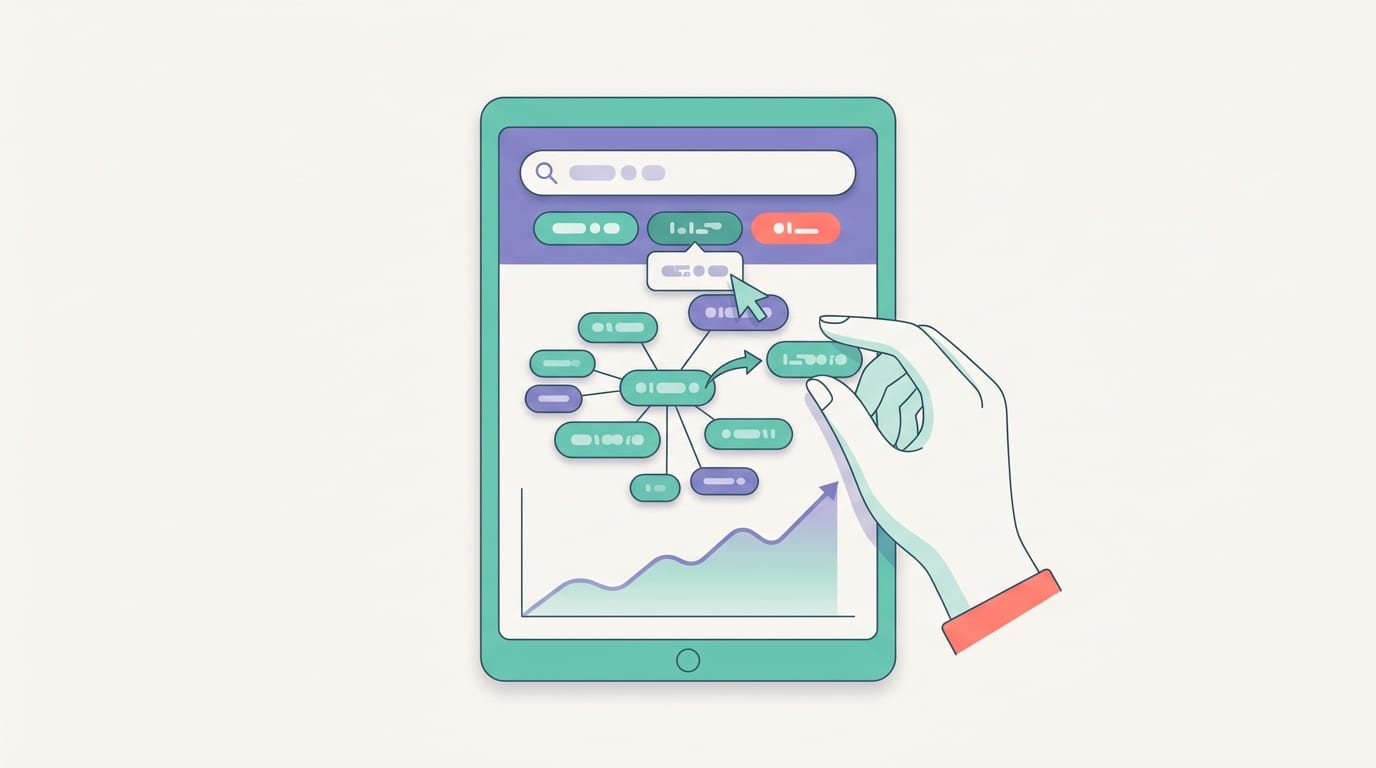
Step 9: Match Keywords to the Right Type of Pin
Different keywords work better with different pin formats. Some searches are tutorial-driven. Some are product-driven. Some are inspiration-driven. Your pin format should match what the searcher wants.
Here are a few examples:
- How-to keywords: Use step-by-step graphics, tutorial pins, or blog post pins.
- Product keywords: Use clean product pins with benefits, pricing context, or lifestyle imagery.
- Idea keywords: Use list-style pins like “15 Small Patio Ideas” or “10 Budget Wedding Centerpieces.”
- Comparison keywords: Use pins that compare options, such as “Etsy vs Shopify for Handmade Sellers.”
- Seasonal keywords: Use timely designs with clear holiday or seasonal cues.
If someone searches “how to start a balcony garden,” they probably want guidance, not just a pretty photo of a tomato plant looking smug. A pin that says “How to Start a Balcony Garden in 5 Easy Steps” will likely be more aligned with intent than “Garden Vibes.”
If someone searches “minimalist gold earrings,” they are closer to shopping. A product-focused pin with the keyword in the title, a clean image, and a direct product link makes more sense.
PinGenerator supports this kind of variety by letting you choose from Pinterest-optimized templates, create video pins, import products from Shopify, Etsy, or WooCommerce, and schedule content across multiple boards. That means you can match keyword intent with design format without needing to manually reinvent the pin wheel every time. The wheel is tired. Let it rest.
Step 10: Track What Works and Ruthlessly Improve It
Keyword research is not a one-and-done activity. Pinterest behavior changes. Trends shift. Your audience evolves. Also, sometimes a pin you thought was genius performs like a soggy napkin, while a simple pin you made in seven minutes starts bringing traffic for months. Marketing is humbling. Bring snacks.
Use Pinterest Analytics to track which pins get impressions, saves, outbound clicks, and engagement. Pay attention to patterns:
- Which keywords appear in your best-performing pins?
- Which title formats get more clicks?
- Which boards drive the most impressions?
- Which seasonal pins started gaining traction early?
- Which designs perform best for specific topics?
Then use that information to create more content around what already works. If “budget home office ideas” performs well, expand into related keywords like “small home office ideas on a budget,” “IKEA home office setup,” or “home office organization for small spaces.”
You can also refresh underperforming pins by changing the title, description, image design, or keyword angle. Sometimes the content is good, but the packaging is wearing cargo shorts to a gala. Give it a makeover.
For additional perspective on measuring social performance, Sprout Social’s guide to social media metrics breaks down key metrics marketers should track to understand what content is actually moving the needle.
Common Pinterest Keyword Mistakes That Deserve a Tiny Airhorn
Even smart marketers make Pinterest keyword mistakes. The platform looks simple, which is exactly how it tricks you. Here are the big ones to avoid.
Using Only Broad Keywords
Broad keywords like “fashion,” “recipes,” or “home decor” are too vague on their own. Use them as starting points, then narrow them down with modifiers. “Summer work outfits for women” is much more useful than “fashion.”
Keyword Stuffing Descriptions
Repeating the same keyword ten times does not make you look optimized. It makes you look like a bot that got trapped in a craft store. Use related phrases naturally.
Ignoring Seasonal Timing
If you publish holiday pins too late, you miss the planning window. Pinterest users plan ahead. Sometimes aggressively ahead. Respect the planner people.
Forgetting Board SEO
Boards help Pinterest understand your content. Use keyword-rich board names and descriptions. “Dinner Recipes” beats “Nom Nom” unless your audience is exclusively cartoon hamsters.
Making One Pin Per URL
One blog post or product can support many keyword angles. Create multiple pins with different titles, descriptions, and visuals. PinGenerator makes this much easier because it can generate dozens of unique pins from one URL or listing, then schedule them in bulk.
Not Matching Search Intent
If the keyword suggests the user wants a tutorial, give them a tutorial. If it suggests shopping intent, show the product clearly. Intent mismatch kills clicks faster than a slow-loading recipe blog with seventeen popups.

A Simple Pinterest Keyword Workflow You Can Steal Immediately
Let’s put everything together into a repeatable workflow. This is the part where theory puts on shoes and becomes useful.
- Choose a seed topic: Start with a broad niche topic like “meal prep,” “wedding decor,” or “digital planner.”
- Use a pinterest keyword tool: Find autocomplete suggestions, related searches, and trend data.
- Build a keyword cluster: Group related phrases by intent, season, or audience.
- Select 5 to 10 high-value keywords: Prioritize relevance, specificity, and business value.
- Create pin titles: Write clear titles using the primary keyword and a benefit.
- Write descriptions: Add secondary keywords naturally and include a clear reason to click.
- Design multiple pins: Use different layouts, text overlays, colors, and calls to action.
- Save to relevant boards: Match each pin to keyword-optimized boards.
- Schedule consistently: Spread pins out over time instead of dumping them all at once like confetti at a tax seminar.
- Review performance: Track clicks, saves, impressions, and keyword patterns.
This workflow is especially powerful when combined with automation. With PinGenerator, you can research Pinterest keywords, create pins from URLs or imported products, generate AI titles and descriptions, and schedule them directly to Pinterest. It is built for bloggers, e-commerce sellers, affiliates, agencies, and small businesses that need Pinterest consistency without hiring a full-time designer, copywriter, scheduler, and emotional support llama.
The platform is trusted by over 34,000 companies and includes features like bulk pin creation, AI writing, product imports from Shopify, Etsy, and WooCommerce, video pins, RSS automation, trend alerts, and multi-board scheduling. In plain English: it helps turn keyword research into actual published pins before your coffee gets cold.
Final Thoughts: Keywords Are the Map, Pins Are the Vehicle
A pinterest keyword tool is not magic. It will not sprinkle fairy dust on a poorly matched offer or make a blurry pin suddenly irresistible. But it will show you what your audience is searching for, which topics are gaining interest, and how to create content that Pinterest can understand and users actually want to click.
The winning formula is simple: find relevant keywords, understand search intent, create useful pins, optimize titles and descriptions, publish consistently, and improve based on performance. Do that repeatedly and Pinterest becomes less mysterious. Still quirky, yes. But less mysterious.
If you want to move faster, PinGenerator can help you go from keyword idea to finished, scheduled Pinterest content in minutes. Use the keyword research to find what people want, let AI help with titles and descriptions, generate fresh pin designs in bulk, and keep your boards active without sacrificing your entire afternoon to the content goblin.
Start with one keyword cluster today. Create five pin variations. Schedule them. Track what happens. Then repeat. That’s how Pinterest growth is built: not with one perfect pin, but with consistent, optimized content that shows up where people are already searching.
Now go forth and keyword responsibly. The raccoon spreadsheet can wait.