
How to Create a Pinterest Pin That Converts (Get More Clicks + Sales)
13 June 2026
If you’re struggling to get clicks on Pinterest, it’s not because your content is bad, it’s because your pins aren’t built to convert. You can have a beautiful pin, but if it doesn’t drive enough curiosity or tap into the psychological mindset of a shopper, you’ll get likes and saves but not the clicks and conversions you’re actually after.
With over 631 million monthly users, Pinterest is an ideal platform for search and shopping discovery, but only if you know how to position your products and pages correctly. Today we’re reviewing how to create Pinterest pins that convert, so you can get more traffic to your website, shop, or affiliate links and start turning views into real sales. Whether you’re promoting a blog post, a digital product, or an online shop, these principles apply across the board.
What Makes a Pinterest Pin Convert
A pin that converts is one that earns the click, meaning someone saw it, felt compelled to find out more, and clicked through to whatever you’re promoting. While aesthetic pins are great in theory, they don’t always convert. Sometimes they earn a like or a save, but without the right psychology behind them, they don’t prompt the viewer to click through and learn more.
We’re covering the top five things your pin needs to earn the click. And if you’d rather watch instead of read, we’re reviewing all of this in detail with a visual walkthrough on our YouTube channel. You can watch the video here:
Optimal Pin Size
The first thing that affects whether your pin gets seen at all is the size. Pinterest is optimized for vertical content, and the recommended pin size is 1000 by 1500 pixels, which is a 2 to 3 aspect ratio. Pins that are too small, too wide, or square tend to get less distribution because they don’t fill the feed the way vertical pins do.
If you’re using Pin Generator, every template is already sized correctly so you don’t have to think about this. If you’re using Canva or another editor, just make sure you’re starting with a 1000 by 1500 canvas before you do anything else.
Choose the Right Pin Image
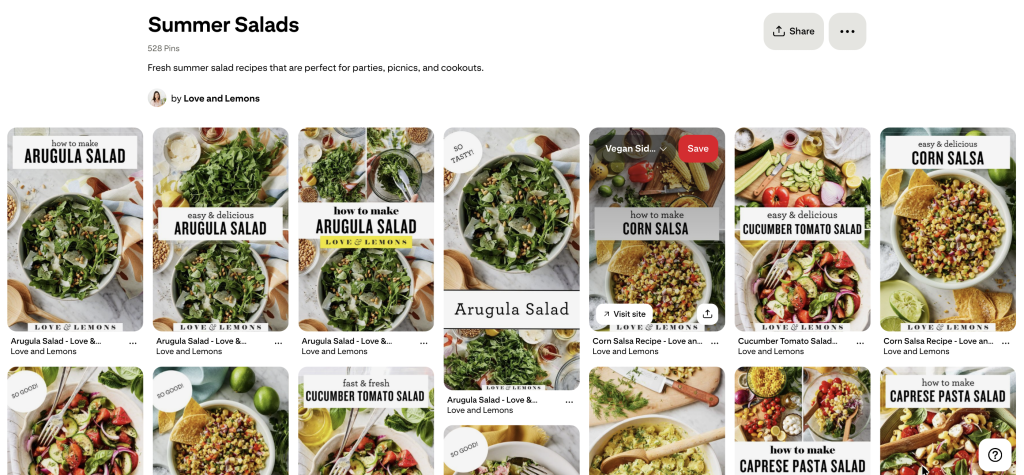
The goal of the image is to show the outcome, not just the product or the concept. People come to Pinterest looking for solutions, so your image should communicate the result they’re going to get when they click.
For a food blogger, that means showing the finished dish rather than a flat lay of ingredients. For a shop owner, it means showing the product styled and in context rather than on a white background. For an affiliate marketer, it means showing the product in use rather than a generic brand photo pulled from a retailer’s website.
Original photos almost always outperform stock images because they feel more authentic, and Pinterest is getting better at recognizing original content. If you don’t have original photos, Pin Generator has a built-in stock image library and an AI image generation option you can access directly from the ‘Generate’ page. Video pins are also worth testing, as short looping clips tend to perform well because movement naturally catches the eye in a static feed.
Text Overlay
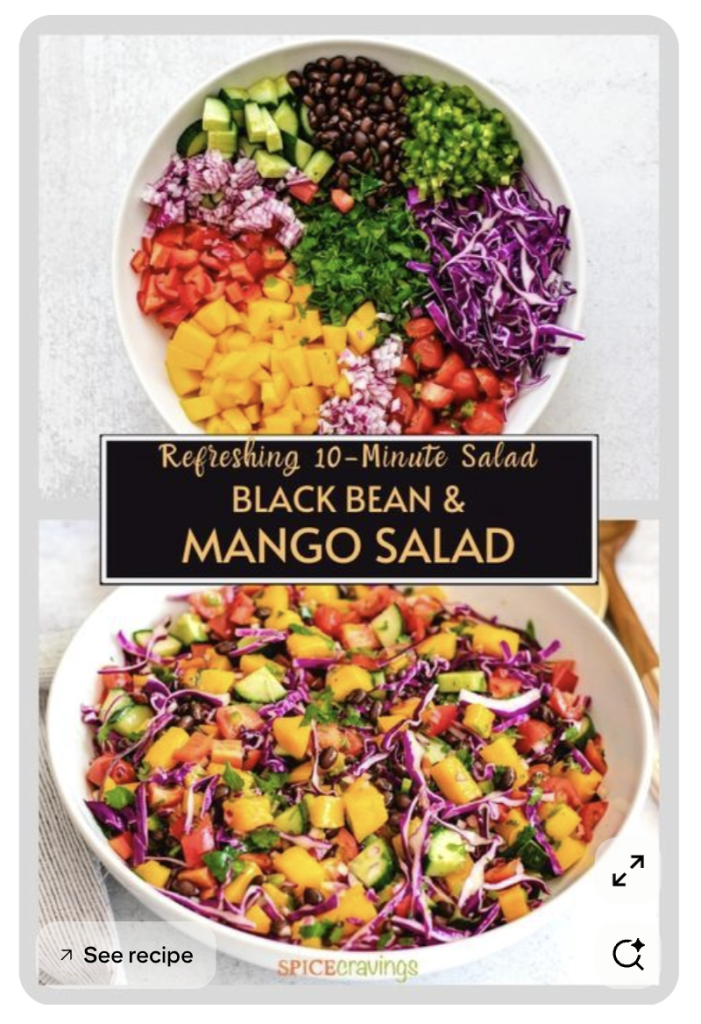
The text on your pin has one job, and that is to make the person reading it think “that’s exactly what I need” and want to click to find out more. Your text needs to be specific enough to feel relevant to what the user is already searching for, but leave curiosity that there’s still a reason to click through to get the rest.
“Recipes” is too vague, but “15 Easy Summer Salads for Your Next BBQ” gives someone a clear and specific reason to click. The closer your text matches what someone was already searching for, the better your click through rate will be.
Make sure to keep your text readable – bold fonts, high contrast between the text and background, and short punchy phrases work better than long sentences or small text that’s hard to read on a phone screen. Most people browse Pinterest on mobile, so always design with that in mind. Inside Pin Generator, you can edit the text overlay directly and use the AI rewrite tool to test different headline angles quickly without having to write every version from scratch.
Call to Action (CTA)
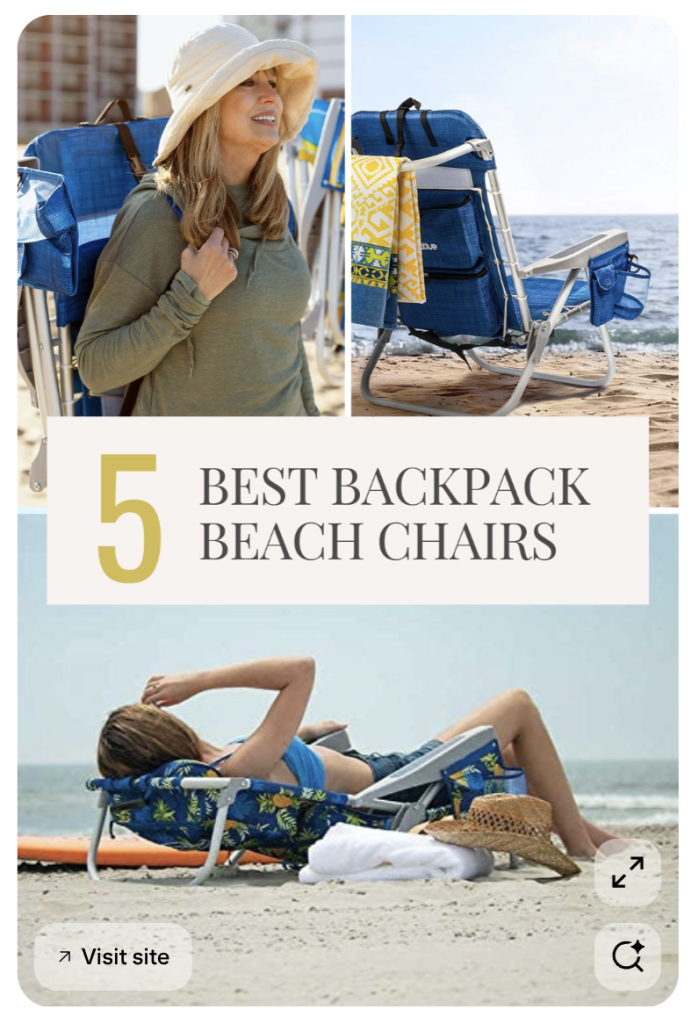
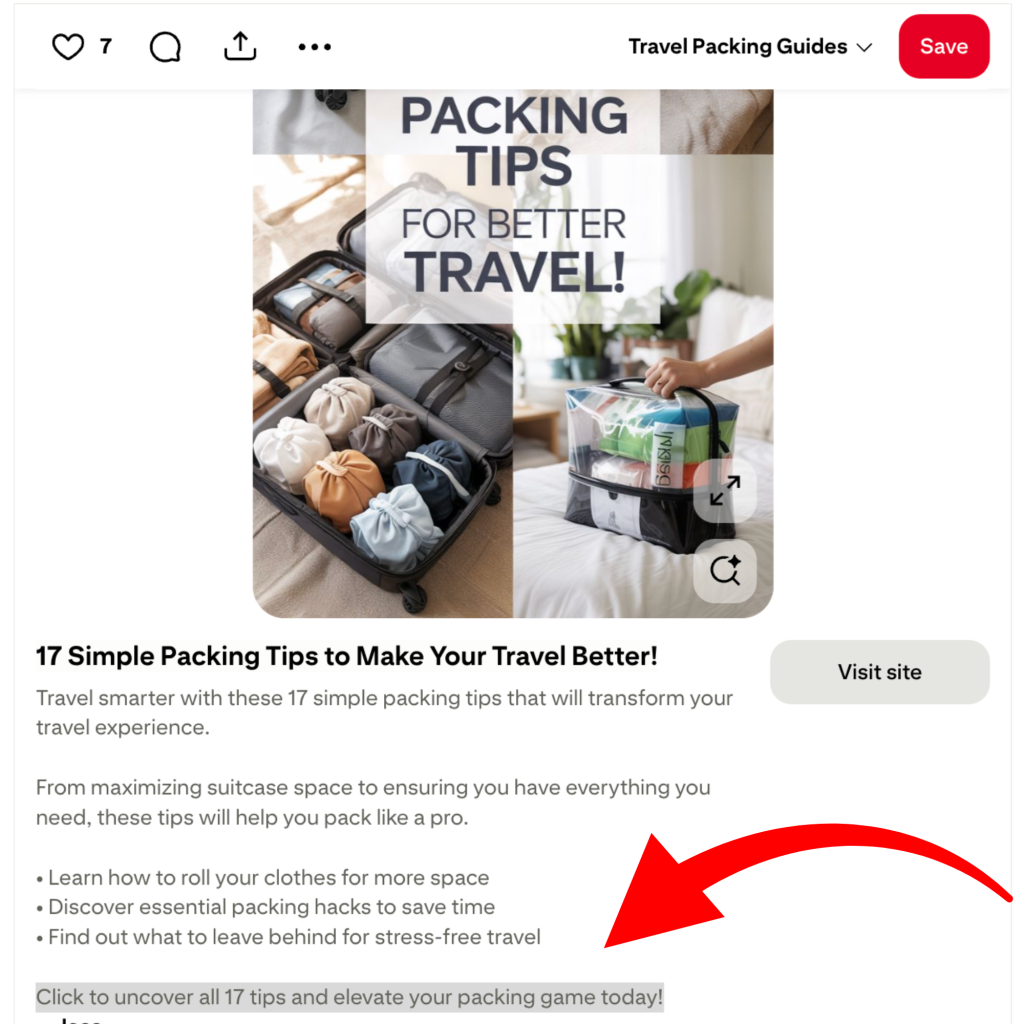
A call to action is just a short phrase that tells someone what to do next such as, “Read More,” “Shop Now,” or “Get the Recipe.” Pins with a clear call to action consistently outperform pins without one because people respond to being told what to do next.
It’s important to remember that Pinterest users are in discovery mode, meaning they’re browsing, saving, and exploring, but they aren’t necessarily buying or clicking yet. A call to action is what bridges that gap, it takes someone from passively looking at your pin to actively deciding to click through. Without one, even someone who is genuinely interested might just save your pin and keep scrolling because nothing told them to stop and act right now.
Your call to action can go in the text overlay on the pin itself, in the pin description, or both. Match it to whatever the pin is linking to. If it goes to a blog post, say “Read More.” If it goes to a product page, say “Shop Now.” If it’s an affiliate link, “Check Price” or “See Details” works well.
Linking Strategy
Where your pin links matters just as much as how it looks. If the page someone lands on doesn’t match what the pin promised, they’re going to leave immediately, and that sends a negative signal to Pinterest about your content.
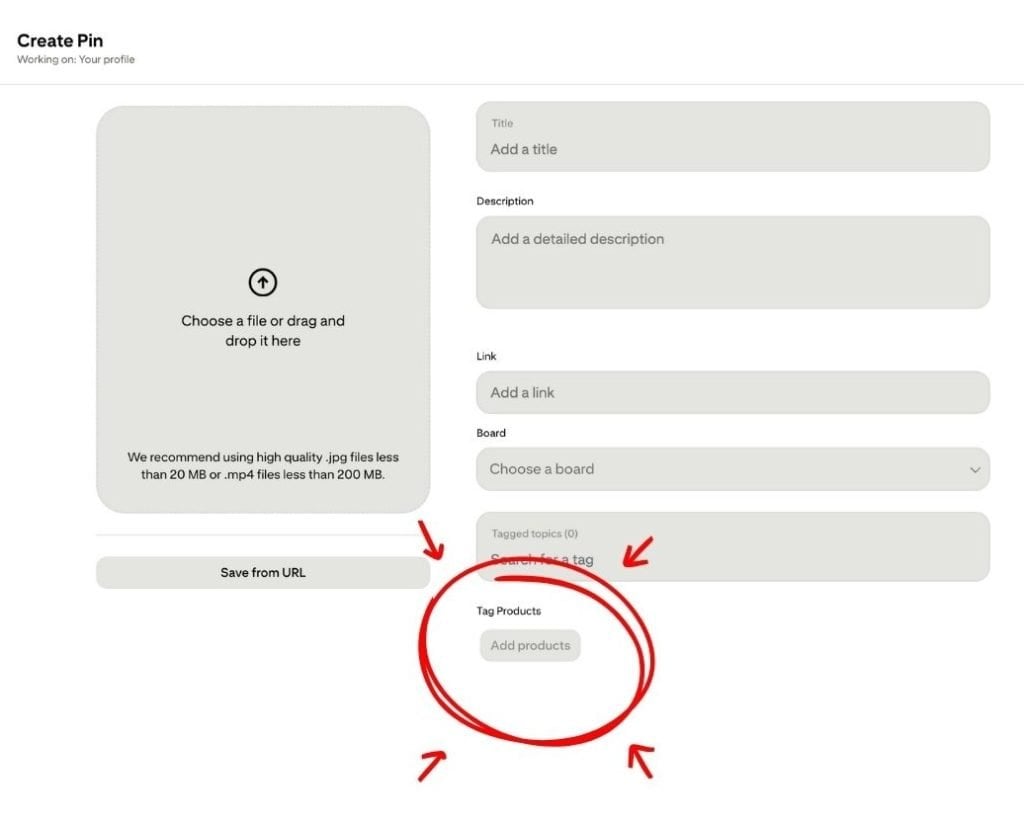
There are two main ways to add your link on Pinterest.
- The first is the destination URL field. Every pin has a spot for a link and when someone clicks your pin they land on wherever that points, whether that’s a product page, a blog post, or an affiliate link.
- The second option is product tagging. This lets you tag products directly onto your pin image so someone can tap the tag, see product details, and click through to purchase. This works well for shop owners and affiliates alike and is generally considered one of the cleaner ways to feature products on Pinterest.
Whatever method you use, make sure the page someone lands on delivers immediately on what the pin promised. The stronger that match, the longer people stay, and the more Pinterest trusts your content is worth showing to others.
Create Pins Faster with Pin Generator
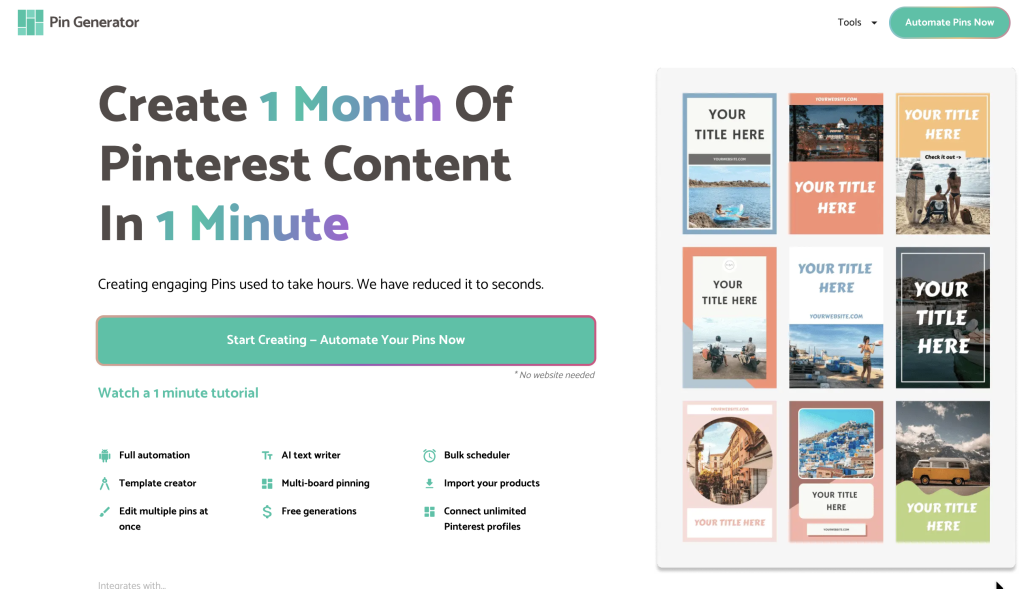
Once you know what makes a great pin, the next challenge is creating enough of them consistently without it taking over your schedule. This is where Pin Generator makes a real difference.
The ‘Generate’ page lets you drop in any URL and Pin Generator pulls your content and builds out pin options automatically. You can adjust colors, fonts, images, and text overlays, use the AI rewrite tool to test different headline angles, and schedule everything to go out gradually so your account stays active without you having to manually create every pin.
The Automation flow on the home page takes pin creation one step further. You connect your website or shop, set your preferences once, and Pin Generator creates and schedules pins for you on a rolling basis. You still review everything before it goes live and have full control over templates, colors, and styles, but the repetitive design work is handled for you.
Get Started
A high converting pin comes down to five things working together: the right size, an image that shows the outcome, specific text that creates curiosity, a clear call to action, and a destination that delivers on what the pin promised. Once those five elements are working together, the difference in your click through rate and conversions will speak for itself.
If you’re ready to start creating pins that actually perform, Pin Generator is the tool we recommend. It’s built specifically for Pinterest marketing and makes it easy to create, test, and schedule pins consistently without spending hours on design every week.
Try it for free today and let’s get generating!