How to create a video pin
Steps to insert a video into a pin
You can create static image pins as well as video pins with Pin Generator. To create a video pin, you simply need to choose (or create) a template that has an image or video placeholder.
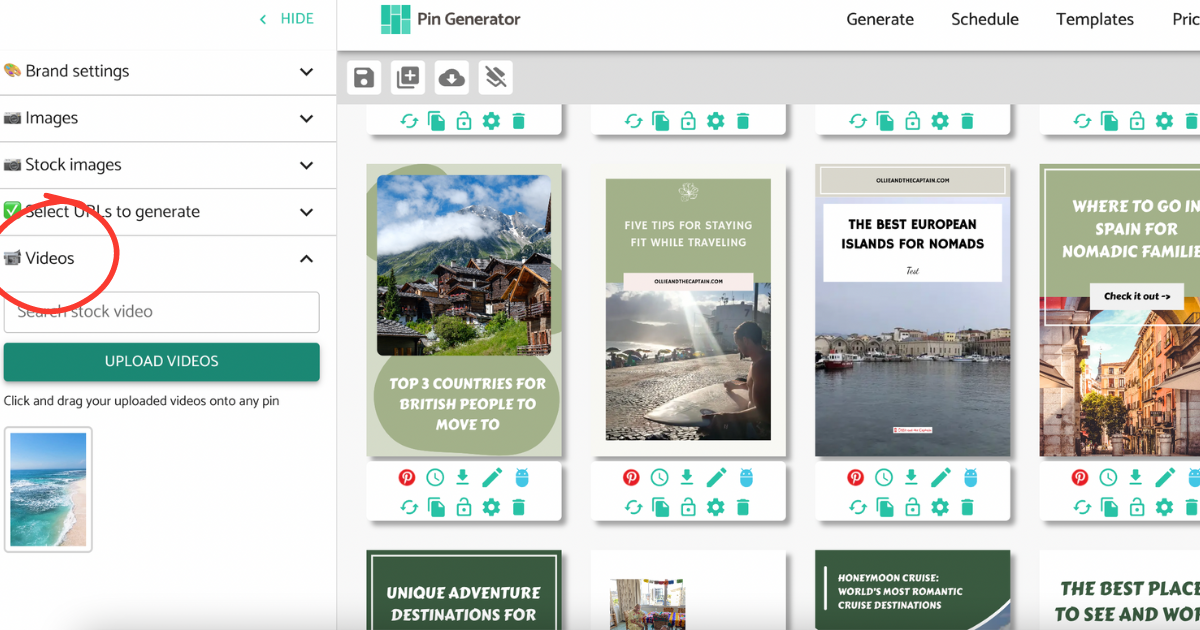
Once you've selected the template, you can generate your pins on the Generate page. In the left-hand menu bar, upload a video and drag it to the pin over any image section. Alternatively, you can search for a stock video and drag it to the pin.
The video can be in MP4 format with a limit of 100 MB.