
How to Automate Pinterest Pin Creation with Pin Generator
12 October 2025
At its core, an auto Pinterest pin generator is a tool designed to automatically create fresh Pinterest pins from your website, blog, or eCommerce store. With a tool like Pin Generator, you simply provide a URL, and it intelligently pulls images and text to generate dozens of unique pin designs in seconds. This dramatically reduces manual design work and makes it feasible to keep up with Pinterest's constant demand for new content.
This guide will walk you through exactly how to automate your Pinterest pin creation using Pin Generator.
Why Automate Your Pinterest Workflow?
Saving time is the most obvious benefit of automation, but the real advantage is the strategic edge it provides. Let’s look beyond simple efficiency and explore how an auto pinterest pin generator like Pin Generator can genuinely transform your marketing, especially for solo entrepreneurs or small teams.
Pinterest’s algorithm is notoriously hungry for fresh content. To maintain visibility and drive consistent traffic, you need to be pinning regularly—ideally 15-25 new pins every single day. For most creators, producing this volume manually is unsustainable. Designing, writing descriptions, and scheduling that many pins is a full-time job. This is precisely where automation becomes essential.
Scaling Your Content Production
Instead of spending hours in a design tool, you can create a large batch of on-brand pins in just a few minutes. This allows smaller businesses and solo creators to compete with larger brands that have dedicated marketing teams. It levels the playing field, turning content creation from a bottleneck into a streamlined, automated process.
This shift allows you to move from being reactive to proactive and strategic. You can then focus on high-impact tasks like analyzing pin performance, refining your keyword strategy, and engaging with your audience. To maximize these benefits, it helps to understand broader marketing automation best practices.
As this screenshot from Pin Generator shows, getting started is incredibly simple. Just input a URL to begin.
The entire interface is designed for speed, allowing you to generate pins from any link almost instantly—the core of an efficient automated workflow.
The Impact of High-Volume Pinning
The results of this strategic shift are compelling. One food blogger transitioned from posting 10 manual pins a week to 100 auto-generated pins. The outcome? A 215% increase in Pinterest traffic within three months. Similarly, Etsy sellers using these tools have reported a 178% higher click-through rate, effectively tripling their sales from Pinterest.
It’s about more than just reclaiming hours; it’s about amplifying your marketing impact. If you want to learn more, you can explore how to automate your Pinterest marketing strategy.
How to Use Pin Generator for the First Time
Getting started with Pin Generator is surprisingly straightforward. The entire process begins with a single URL.
Whether you want to promote a blog post, a Shopify product, or an Etsy listing, your first step is to simply paste the link into the Pin Generator dashboard.
This single action initiates the automated process. The tool scans the page and intelligently extracts all necessary assets, including product images, post titles, and page descriptions.
This means you can skip the tedious tasks of manually uploading photos or copying and pasting text. It's a significant time-saver from the very beginning and the essence of what a powerful auto Pinterest pin generator should offer.
Navigating the Interface and Generating Your First Pins
After Pin Generator has gathered your content, it will appear in the interface. On the left, you'll see all the images it found on your page. While you can select just one, a pro tip is to select multiple images. This instructs the generator to create a variety of pins with different visuals, which is perfect for A/B testing and keeping your Pinterest feed looking fresh.
On the right side of the screen, you will find the design templates. These are pre-made layouts that you can apply to your content with a single click.
The real power move here is generating in batches. Instead of making one pin at a time, you select your images and templates, then just hit "Generate Pins." In seconds, you'll have a whole collection of unique, ready-to-schedule pins.
This batch-creation feature is what revolutionizes your workflow. For instance, if your blog post has five good images and you like four different templates, the system can instantly produce 20 distinct pin variations for that single piece of content.
From a Single Link to Dozens of Pins
The journey from pasting a link to having a library of ready-to-publish pins is incredibly fast. Once your first batch is generated, you can quickly review each one. The tool even pre-fills the title and description for you, pulling the information directly from your webpage’s metadata.
Here’s a quick summary of the first-time workflow:
- Paste Your Link: Enter the URL for a blog post, product page, or any content you want to promote.
- Select Your Visuals: Choose from the images the tool automatically extracted. More selections lead to greater variety.
- Choose a Template: Select from the professionally designed templates that align with your brand's aesthetic.
- Generate and Review: Click the generate button to create your pins. You can review them before moving on to scheduling.
The entire process is designed to be intuitive. You won't need to navigate complex menus or overcome a steep learning curve. The goal is to get you from a URL to a full set of publish-ready pins as quickly as possible, transforming your Pinterest marketing into an efficient and powerful strategy.
Customizing Pins to Match Your Brand Identity
Using an auto pinterest pin generator is about saving time without sacrificing your brand's unique identity. Effective automation should amplify your brand, not dilute it. That's why Pin Generator includes robust customization features, ensuring every pin looks as though it were carefully designed by you.
This is how you can produce content at scale while maintaining a consistent and professional brand image.

You can move beyond generic designs and create pins that truly reflect your brand's personality. It all starts with setting up your brand kit: uploading your logo, inputting your brand’s specific hex codes, and selecting your preferred fonts.
Fine-Tuning Your Automated Designs
Once your core brand elements are set, you can start customizing the creative details. The pre-made templates are not rigid; they are starting points. You have complete control to adjust layouts, resize text, and rearrange elements until each pin looks perfect.
For example, a blogger focusing on minimalist home decor might prefer templates with ample white space and clean, sans-serif fonts. In contrast, a vibrant Etsy shop selling handmade jewelry could opt for bolder colors and more playful text arrangements.
The goal is to move beyond just generating pins and start creating a cohesive, recognizable presence on Pinterest. When users see your pins, they should instantly associate them with your brand, even before they read the text.
This level of control is crucial on a visual-first platform like Pinterest, where brand recognition is key. A consistent look builds trust and helps your pins stand out in a crowded feed.
Creating and Saving Custom Templates
The most powerful feature for streamlining your workflow is the ability to save your customized designs as your own unique templates.
If you find a layout that performs exceptionally well with your audience or perfect a text overlay style that achieves high click-through rates, you can save it.
This feature allows you to build a private library of proven, on-brand templates that Pin Generator can use for all future pin batches. The process is simple:
- Start with a Base Template: Choose a design from the library with a structure you like.
- Apply Your Brand Kit: Add your logo, colors, and fonts to make it your own.
- Refine the Layout: Adjust text size, image placement, and other elements until it’s perfect.
- Save as a Custom Template: Give it a memorable name (e.g., "Blog Post Promo – Style A") and add it to your collection.
By doing this, you are not just tweaking a single pin; you are building an intelligent system that consistently produces high-quality, on-brand content automatically. This is how you combine the speed of automation with the creative control that defines your brand.
Generate Pins From Any Kind of Content
The real power of a Pinterest automation tool lies in its flexibility. While generating pins from your homepage or main store page is a good start, the greatest growth opportunity comes from treating every piece of content as a pin-able asset.
This means you can use a URL for almost anything: a specific blog post, a new podcast episode, a recently uploaded YouTube video, or even an affiliate product page you're promoting. Pin Generator will navigate to that page, extract its unique images and text, and create a batch of targeted pins designed to drive traffic exactly where you want it to go.
Widen Your Content Marketing Net
Consider this: if you have a backlog of 50 blog posts, each one can be transformed into 10-20 fresh pin variations. Suddenly, you have a library of hundreds of new marketing assets ready to attract visitors to content that might otherwise be dormant.
This strategy is powerful for several reasons:
- Revitalize Old Content: You make every article, video, or podcast episode work for you long after its initial publication.
- Create Laser-Focused Pins: These pins link directly to the most relevant page, improving user experience and increasing click-through rates.
- Open New Traffic Streams: You can run dedicated campaigns for specific lead magnets, affiliate offers, or videos, not just your main website.
To maximize this approach, consider exploring effective content repurposing tools that can help you transform existing content into a continuous stream of engaging Pinterest pins.
For WordPress users, the integration is even more seamless. For a detailed guide, you can read about using an AI pin generator specifically for WordPress.
Create Pins on the Fly with the Browser Extension
Sometimes, a great idea for a pin comes to you when you're not in marketing mode. This is where the Pin Generator browser extension is invaluable.
Imagine you're browsing the web—perhaps reading one of your own blog posts or an affiliate product page. Simply click the extension icon in your browser.
The tool instantly extracts the content from that page, allowing you to create and schedule a batch of pins right then and there, without leaving your current tab. It transforms everyday web browsing into a continuous marketing opportunity, turning any page into a traffic-driving asset for your Pinterest account.
This approach aligns perfectly with the current Pinterest algorithm. With 498 million monthly active users, the platform rewards creators who consistently publish 15-30 fresh, optimized pins daily. Attempting to meet this demand manually is a recipe for burnout. Automation makes it not only possible but manageable.
Building Your Automated Publishing Workflow
Creating a batch of beautiful pins is only the first step. The real power comes from building an automated publishing workflow that ensures your content is seen at the right time by the right audience. This is how you transition from making pins to implementing a true "set it and forget it" content strategy.
With a powerful auto pinterest pin generator like Pin Generator, this entire process is integrated into the tool. There's no need to export pins and upload them to another platform. Everything is managed from a single dashboard.
Setting Up Your Pins For Success
Before publishing your pins, a few key details must be addressed to turn a beautiful image into an effective traffic driver.
- Assigning to the Right Boards: Once your Pinterest account is connected, you can assign each pin to one or more of your boards directly within Pin Generator. A pro tip is to pin to your most relevant board first, then schedule it to other related boards over the following days for a strong start.
- Writing SEO-Friendly Text: The tool intelligently pulls titles and descriptions from your URL, but you should always review and polish them. Aim for titles between 60-100 characters and descriptions around 150-250 characters, packed with keywords your audience is searching for.
- Verifying Outbound Links: Always double-check that the outbound link is correct. A pin pointing to an incorrect or broken page is a wasted opportunity.
This visual illustrates how a digital calendar and smart automation can create a seamless workflow.
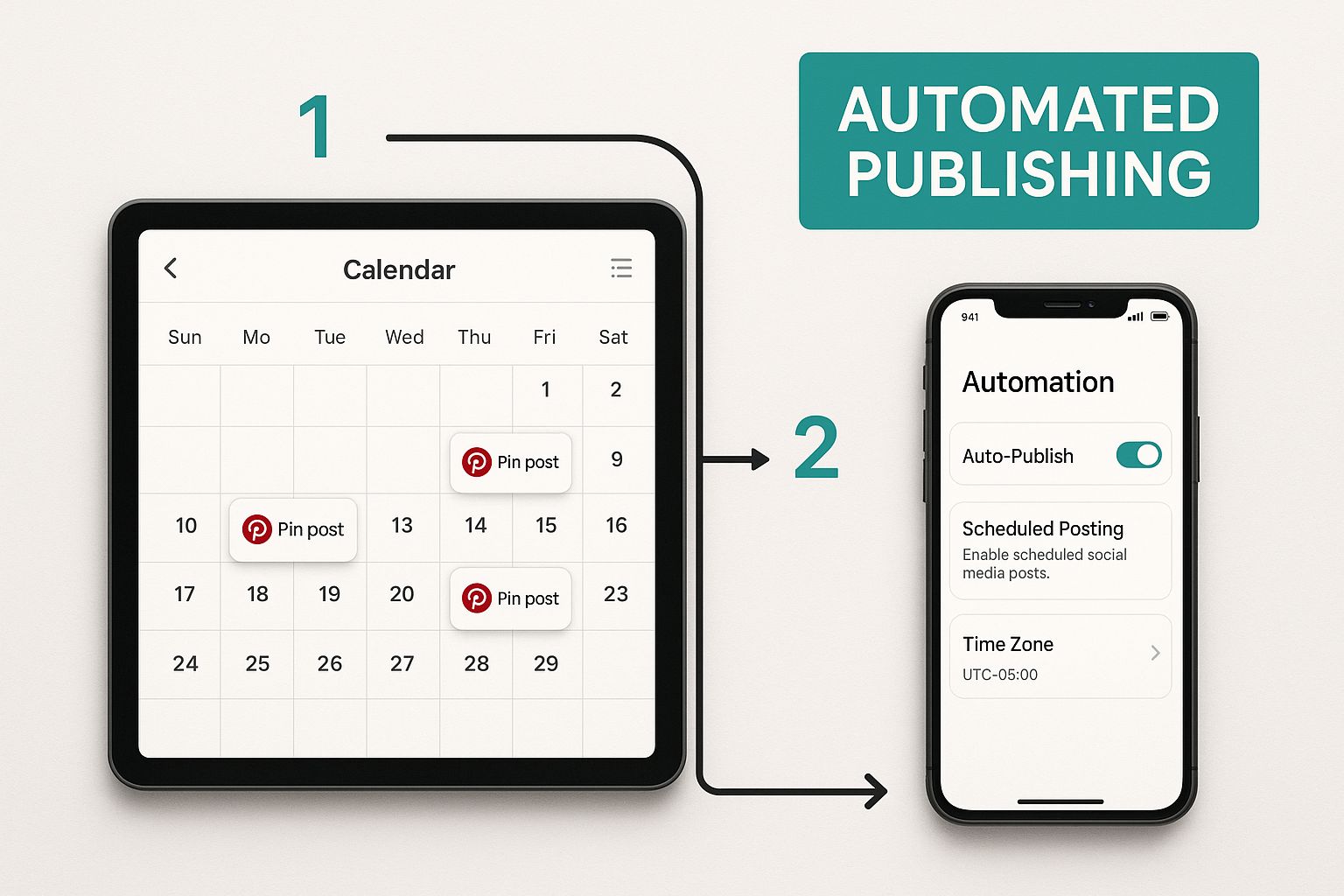
It perfectly depicts an automated system where your content calendar practically runs itself, thanks to smart tools.
The difference between manual pinning and an automated workflow is stark.
Manual Pinning vs. Automated Workflow with Pin Generator
| Task | Manual Pinning (Per Week) | Automated with Pin Generator (Per Week) |
|---|---|---|
| Pin Creation | 3-5 hours (designing, writing copy) | 30-60 minutes (batch generation) |
| Keyword Research | 1-2 hours (for titles & descriptions) | 15 minutes (AI-assisted optimization) |
| Scheduling/Publishing | 1-2 hours (uploading, scheduling one-by-one) | 10 minutes (batch scheduling, Smart Shuffle) |
| Total Time Investment | 5-9 hours | ~1.5 hours |
| Potential Output | 20-30 fresh pins | 100+ fresh pins |
This table highlights that automation does more than save a few minutes; it fundamentally changes the scale of what you can achieve. You get more pins, better targeting, and hours of your week back.
Leveraging Smart Scheduling For Maximum Engagement
One of the standout features is Smart Scheduling. Instead of guessing the best time to post, this feature analyzes data to automatically publish your pins when your audience is most active and likely to engage.
This data-driven approach removes the guesswork from timing your pins, helping your content reach a larger audience from the moment it is published.
The monetization potential on Pinterest, especially when using an auto pin generator, is significant. Pinterest's global revenue recently exceeded $1.1 billion in a single quarter, with users in the U.S. and Canada generating an average of $29.15 each per year. Creators who embrace automation see a direct impact; one Etsy seller tripled their Pinterest-driven sales after adopting these tools. Learn more about the growing monetization of Pinterest from RecurPost.
You can publish directly from Pin Generator or integrate with a third-party scheduler if you have a more complex multi-platform strategy.
However, for a streamlined, Pinterest-focused workflow, the built-in scheduler provides everything you need to create a consistent and effective content calendar that runs on autopilot.
Your Top Questions About Auto Pin Generators, Answered
Adopting Pinterest automation is a significant step, and it's natural to have questions. Is it safe? Will my pins look robotic? Could I be penalized for spam?
Let's address some of the most common concerns from creators considering this move.
"Will I Get in Trouble with Pinterest?"
This is a valid and important question. The short answer is no, provided you use the right tool.
Reputable tools like Pin Generator are designed to work within Pinterest's guidelines. In fact, they are official Pinterest Marketing Partners, which means they adhere to the platform's approved practices.
The key distinction is that these tools create new, fresh pins from your content, which is exactly what Pinterest's algorithm rewards. The platform penalizes accounts that repeatedly repin the same images, a practice that is outdated and distinct from what these generators do.
"Are the Generated Pins Actually Unique?"
This is another common concern. No one wants a feed full of repetitive, generic pins. A good generator excels at creating genuine variety.
Pin Generator combines your uploaded images, your specific brand elements (logo, colors, fonts), and a vast library of professionally designed templates.
When you generate pins from a single URL, it intelligently mixes and matches these components to produce dozens of distinct pin variations. This ensures you maintain a fresh, high-quality feed that looks anything but automated.
It's a common myth that automation means sacrificing quality for quantity. The reality is, the best tools let you set a high creative standard for your brand's visuals and then use automation to scale that quality.
"Is This Really for Me? Who Benefits Most?"
While almost anyone looking to grow on Pinterest can benefit from automation, certain users see transformative results. If you fall into one of these categories, an auto pin generator could revolutionize your workflow:
-
eCommerce Store Owners: If you run a Shopify or Etsy store with numerous products, manually creating pins for each item is impractical. Automation allows you to create a continuous stream of product pins that drive traffic directly to your listings.
-
Bloggers and Content Creators: An extensive archive of blog posts is a content goldmine. An automation tool can systematically work through your archives, creating fresh pins for every article, revitalizing old content and maximizing your site's traffic potential.
-
Small Business Owners: When you're juggling multiple roles, something has to be delegated. Automation puts your Pinterest marketing on autopilot, ensuring consistent visibility and lead generation without demanding hours you don't have.
Ultimately, these tools are for anyone who wants to leverage Pinterest for significant growth but lacks the time to manually create and schedule the high volume of pins required to succeed on the platform.
Ready to stop spending your precious time on manual pin creation and start seeing real results? Give Pin Generator a try and get your automated Pinterest machine up and running in minutes. Start generating pins for free today!