
Does Pinterest Notify When You View a Profile? No
30 October 2026
Pinterest does not notify the profile owner, and it does not name the visitor, when someone only views a profile.
You can open a competitor's boards, scroll a creator's public Pins, and close the tab without a doorbell that says your username. That silence is easy to mistrust if you came from apps that treat a visit like a receipt. The mix-up usually starts when a business account shows a bigger total and someone reads it as a guest book. A total is a count. An alert is a message with a person attached. The rest of this guide keeps those two ideas apart, then walks the charts Pinterest publishes so you can tell a quiet look from a follow, a comment, or a click.
Table of Contents
- No, a Profile View Does Not Send an Alert
- Which Actions Trigger an Alert and What Each Leaves
- Profile Visits Versus Monthly Viewers
- Personal Accounts and Business Analytics
- How to Browse a Profile More Quietly
- Track Interest Without Naming Visitors
No, a Profile View Does Not Send an Alert
Say you run a small home-goods shop and you open three rival profiles on a Tuesday afternoon. You note board names, glance at recent Pins, and leave. Nobody gets a ping that you were there. Pinterest's notification settings help describes notifications around activity such as interactions and content from people users follow, and it does not list profile views as a notification category. There is no named visitor log, no timestamp of your visit, and no count of how often your account came back.
It is like glancing through a shop window. The owner may later know that foot traffic existed as a lump sum. The glance itself does not ring a bell with your name on it. Ringing the bell is a follow, a comment, or a message. Even those alerts depend on the other person's in-app, email, and push settings. Saving a Pin, commenting, following, or sending a message may generate activity notifications. A plain profile visit does not create an equivalent alert. Competitor or audience research can stay quiet for that reason. You will not trigger a "someone viewed your profile" message by looking.
A bigger number in analytics is not the same event as an alert. One is a chart that adds people up. The other is a message that names an action. Mixing them is how people convince themselves they were spotted when they only scrolled.
It helps to keep three layers separate so the next click is a choice, not a guess.
Alerts cover actions Pinterest can announce, such as follows, comments, and messages, and only when the recipient's settings allow it.
Totals cover charts that count people or displays without attaching your account to a visit.
Account type changes which charts you can open, not whether a look becomes a named ping.
Leave this page certain of the no. Then check the specific action before you assume you were seen.
Which Actions Trigger an Alert and What Each Leaves
The useful question is not "does Pinterest notify when you view a profile" in the abstract. It is which tap stays quiet and which tap puts your account on someone else's screen. Read the no-alert rows as quiet research. Skip any row that names you if you only meant to look.
| Action | Notifies them | Can they see your account | What they get instead |
|---|---|---|---|
| View their profile | No | No | Nothing tied to your visit |
| View a Pin | No | No | Aggregate impressions only |
| Search their name | No | No | No viewer record |
| Follow them | Yes, if alerts are on | Yes | New-follower notice |
| Comment on a Pin | Yes, if alerts are on | Yes | Your comment |
| Send a message | Yes | Yes | Your message |
| Save a Pin | Not a profile-view alert | Often, if the save is public | Activity on that Pin |
| Click an outbound link | No | No | An outbound-click total |
How the quiet rows actually behave
View their profile: Opening the page, scrolling boards, and leaving attaches nothing to your visit. The owner cannot point at your account and say you were there.
View a Pin: Opening a close-up is still a look. What can move is an impressions total, a count of times content appeared, not a card with your name.
Search their name: Typing a brand or a person into search does not write you into a viewer record. Search is how a lot of quiet research starts, and it stays quiet.
Notification settings only change delivery for actions Pinterest already supports. Turning every toggle on cannot invent a profile-view alert. Turning them off can hide a follow or a comment from push or email, while the action itself still happened.
How the visible rows differ
Follow them: A follow can send a new-follower notice when alerts are on, and your account is the point of that notice.
Comment on a Pin: The comment arrives with your account attached. That is a conversation, not a glance.
Send a message: The inbox gets your message. A business inbox is a place for conversations you started. It is not a viewer log of people who only opened the profile.
Save a Pin: A save is not a profile-view notice. If the board is public, other people can often see that activity on the Pin, which is a different trail from the earlier look.
Click an outbound link: The click can add one to an outbound-click total. The clicker stays unnamed.
Practical rule: If the button introduces you, assume your account can show. If you only opened a page, assume it does not.
Three ordinary afternoons
Situation A, research only. A marketer opens three competitor profiles, scrolls their boards, and leaves. No alert fires. No name is stored against those visits. She can take notes in her own doc and the other shops still have nothing that says she stopped by.
Situation B, one save after the look. She comes back and saves one Pin to a public board called "layout ideas." The earlier scroll stays quiet. The save is the moment her account can become visible on that Pin. People who find the Pin, or who watch public saves, may see the board. That is activity on the Pin, not a notice that she viewed the profile.
Situation C, a shopper who clicks through. A shopper taps a Pin from search, lands on the profile, and clicks through to a product page. The owner may later see one more profile visit and one more outbound click, still without a name, because the visit followed a Pin view. The shopper's username never appears beside those two totals. If she then follows the shop, that follow is a separate, nameable action.
Two edges people trip on
A private or limited profile may hide Pins you expected to open. You are not "seen" for failing to load a board you were never allowed to view. You have less to look at.
A business inbox is still not a list of browsers. Messages you send show up because you sent them. People who only viewed the profile do not appear there as guests.
If you meant to study the account, stay on the first three rows of the table until you decide, on purpose, to be seen.
Profile Visits Versus Monthly Viewers
The chart that causes the most false alarms is monthly viewers. People treat it as profile traffic, then hunt for the accounts behind the number. It is not a live list of profile guests. It generally means people who saw a creator's Pins across surfaces such as Home, Search, and related Pins.
Impressions are the number of times Pins or ads appeared on screen. The same person can count more than once, because impressions count displays, not unique guests at your profile. A Pin that shows up twice in one session can add two impressions and still say nothing about who opened your page.
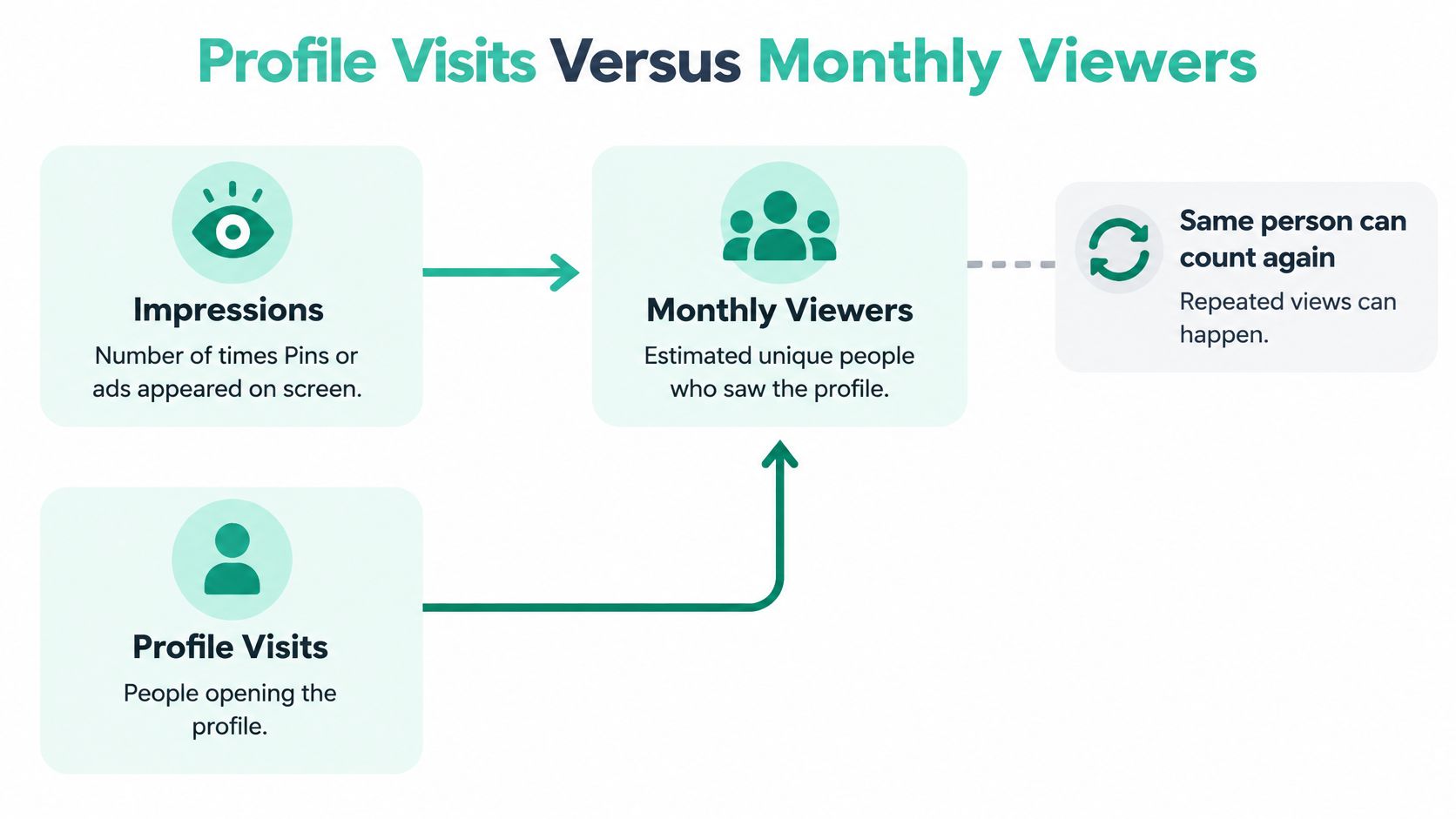
Pinterest's Pin statistics documentation defines profile visits as the number of people who visited a profile after viewing that account's Pin. That wording is a boundary. The reported visit is tied to a preceding Pin view, so the metric shows whether content pulled people toward the profile. It does not expose every person who typed the name into search and opened the profile directly, and it does not send a real-time notification for each visit. A profile owner can see that content generated profile traffic. They cannot see which specific accounts opened the profile.
Engagements, saves, Pin clicks, and outbound clicks sit further along the same chain. They are totals too. Analytics summarizes behavior in aggregate. Notifications report selected interactions. A rising profile-visit count is not evidence that Pinterest revealed identities.
| Metric | What it counts | Names the person | Easy to misread as |
|---|---|---|---|
| Impressions | Times Pins or ads appeared on screen, including repeats | No | People who opened the profile |
| Monthly viewers | People who saw Pins on Home, Search, or related Pins | No | Profile traffic |
| Profile visits | People who visited the profile after viewing a Pin | No | A named viewer log |
| Engagements | Interactions with Pins, as a total | No | Identified fans |
| Saves | Times Pins were saved | No for the total | A list of lurkers |
| Outbound clicks | Clicks leaving Pinterest | No | Named website visitors |
| Follows | New followers | Yes, on the follower list | Proof someone only viewed |
Real-time analytics are estimates and can change, so a number you screenshot at noon may not match the number you see later. That wobble is another reason not to treat the figure as a roll call.
A short walk-through of how these charts behave in a normal account makes the split easier to trust than another definition.
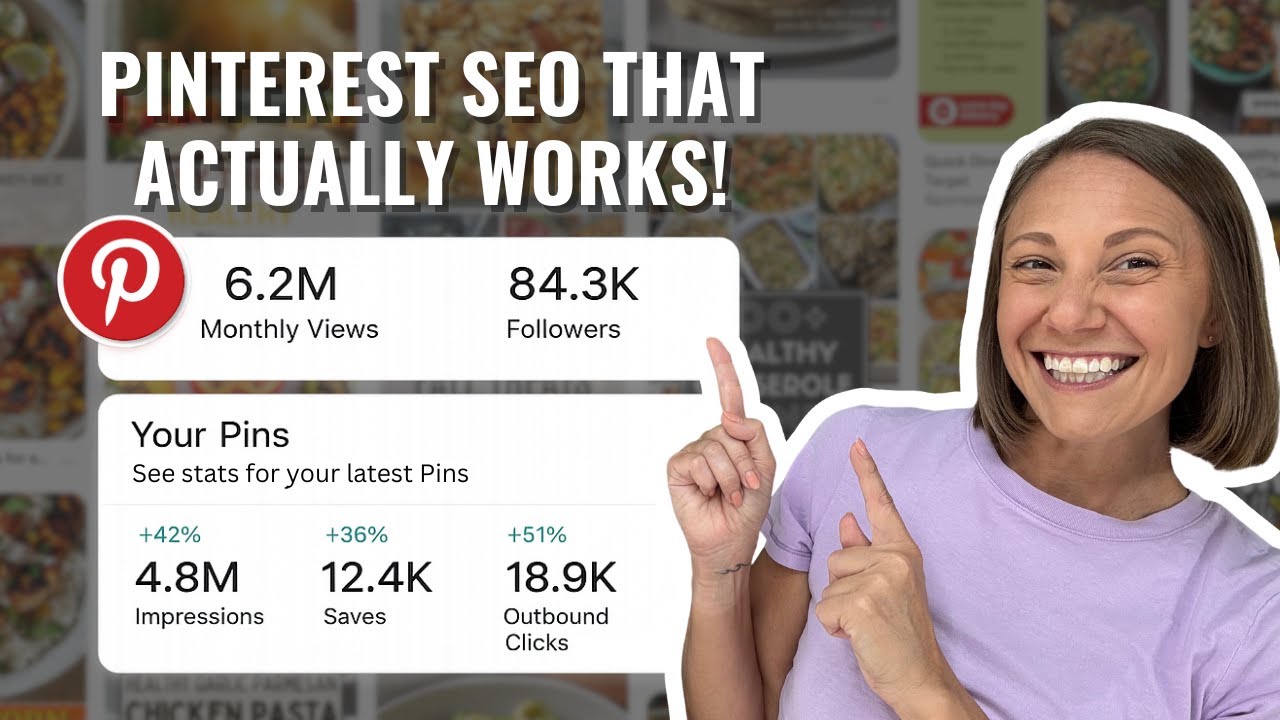
How to read a spike
When profile visits jump, open the Pin that came first in the path, then compare saves and outbound clicks. A spike with no saves and no outbound clicks means people arrived at the profile and did not take the next step. A spike with outbound clicks means the Pin did the job of sending people onward. Neither reading produces a visitor list, because that list is not part of the product.
Follows are the odd row in the table. A new follower is a named relationship on the follower list. It is not proof that someone only viewed the profile and left.
Personal Accounts and Business Analytics
A personal profile is built for saving, following, and messaging. It does not offer the business analytics dashboard, so the owner usually has even less to inspect than a shop, and still no named viewers. What they notice day to day is the stuff that introduces someone: a new follow, a comment, a message.
A business or creator account can open Pinterest Analytics and Pin Stats. Pinterest's analytics overview reports performance indicators such as impressions, engagements, total audience, and profile visits. Those figures are aggregate activity, not an identity-level visitor log. Pinterest notes that real-time analytics are estimates subject to change. Profile owners may measure traffic generated by Pins. They cannot use the platform's standard analytics or notification system to identify the specific person who opened the profile.
| Account type | Main use | Analytics available | Profile-view alert | Named viewers |
|---|---|---|---|---|
| Personal | Saving, following, and messaging | No business analytics dashboard | None | No |
| Business or creator | Publishing Pins and tracking reach | Pinterest Analytics and Pin Stats | None | No |
What actually differs
Neither account type gets a notification merely because someone opened the profile. The difference is how useful the totals are. A shop can treat profile visits as a middle step between a Pin being seen and an outbound click or a follow. A personal user mostly lives in follows, comments, and messages, because those are the signals the account is built to show.
Switching to a business account is the edge case people hope will open a guest book. It opens charts. Our walk-through on how to switch to a business account on Pinterest is about reaching those charts, not about naming who browsed. After the switch you still cannot see the person behind a profile visit.
If someone claims a third-party app can list who viewed a Pinterest profile, treat that claim as unsupported by Pinterest's own notification and stats documentation. Extra permissions on an outside app are not a viewer log Pinterest forgot to ship.
Profile visits belong beside outbound clicks, saves, and follows as a funnel signal, not as proof that a particular prospect stopped by.
The same habit shows up on other platforms, where growth comes from content people choose to engage with rather than from a list of silent looks. RevelRaw's guide to Instagram growth makes that case for photographers who would rather earn saves and follows than chase unnamed browsers.
How to Browse a Profile More Quietly
This is ordinary research, not a trick to hide from Pinterest. A profile view already stays quiet. The steps below keep you from accidentally crossing into an action that names you.
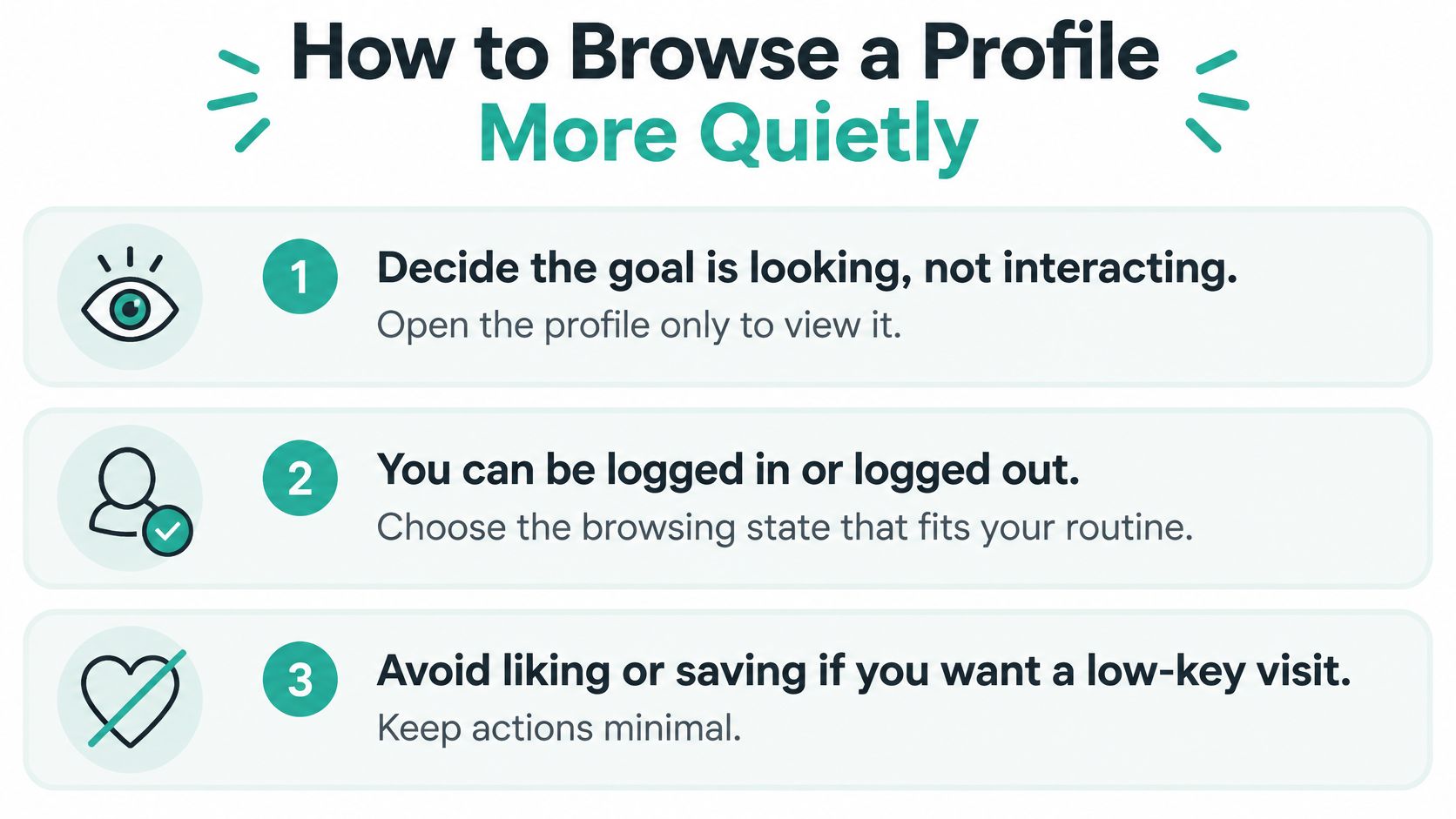
Decide the goal is looking, not interacting, before you open the profile. Write the question you came to answer, such as which board topics they repeat, so a shiny Follow button does not become the plan.
You can be logged in or logged out. Either way a plain profile view does not notify them. Staying logged in makes an accidental follow easier, because the buttons are one tap away. Logged out, you may see less, and you also cannot tap Follow by habit.
Do not follow, comment, react, or message if you do not want your name attached. Each of those is an introduction. The view was not.
Do not save their Pin to a public board. A save is an action other people can sometimes see on the Pin, which is separate from the view. If you need the idea later, note it outside Pinterest or use a board that is not public.
Do not send a collaboration invite or a message from the profile. An invite and a message both put your account in front of them on purpose.
If you mis-tap Follow, unfollow promptly. The follow itself may already have notified them if their alerts are on. Unfollowing stops the relationship. It does not rewind a notice that already went out.
Ignore the idea that a private browser window creates a secret Pinterest mode. Incognito does not invent a viewer alert, because a profile view never generates one. It mostly keeps the visit out of your device history.
On your own account, review in-app, email, and push settings. Do that so you know which of your future actions would alert you. Those toggles cannot show you who viewed you.
What stays public anyway
Their public Pins and boards remain visible to anyone who can open them. Your identity shows up if you later engage. A private profile can limit what you are allowed to open, which is a content limit, not a hidden camera.
Looking is quiet. The next button is the one that signs your name.
Track Interest Without Naming Visitors
Stop trying to identify who viewed the profile. Measure the funnel Pinterest gives you.
For one recent week, put profile visits next to saves, follows, and outbound clicks. Profile visits count people who came after seeing a Pin, not a door log. If visits are flat while impressions are healthy, the Pins are being seen but they are not pulling people to the profile. If visits rise and outbound clicks do not, the profile or the link is the weak step. A fuller read of those reports sits in this guide to Pinterest analytics.
Publishing more useful Pins is what changes those totals. We use Pin Generator as a publishing aid when the gap is content, not a missing name list. You only create a Pin Generator account when you connect Pinterest, and unlimited Pinterest profiles can be connected to one account. AI picks the Pinterest search phrase most likely to bring traffic for each post, and titles and descriptions are written around that phrase. That can affect visibility because fresh, searchable Pins give analytics something to count. It does not reveal who viewed a profile, and it is not a visitor-spy tool.
The practical next step is the one-week stats check. Then publish a consistent batch only if the gap is the content, not a list of names you were never going to get.
Pin Generator designs, writes, and schedules on-brand Pins so your profile visits, saves, and outbound clicks have fresh content behind them, without pretending to name who looked. If the weekly check shows your Pins are being seen but not pulling people through, Pin Generator is the place to build the next batch and keep that funnel moving.