
Get Sales on Shopify With Pinterest Marketing
8 September 2026
If you’re trying to get sales on Shopify without pouring more money into ads, Pinterest is one of the strongest organic marketing platforms to consider. People use Pinterest to search for products, compare ideas, and plan future purchases, so your products can reach potential customers while they are actively deciding what they want rather than trying to interrupt them while they scroll.
According to Pinterest Business, 96% of the platform’s top searches are unbranded, which means most of those shoppers have not decided which company they want to buy from yet. Someone searching for a unique ceramic mug, a linen summer dress, or a personalized wedding gift may already know what type of product they want, but they are still open to discovering the Shopify store that sells it.
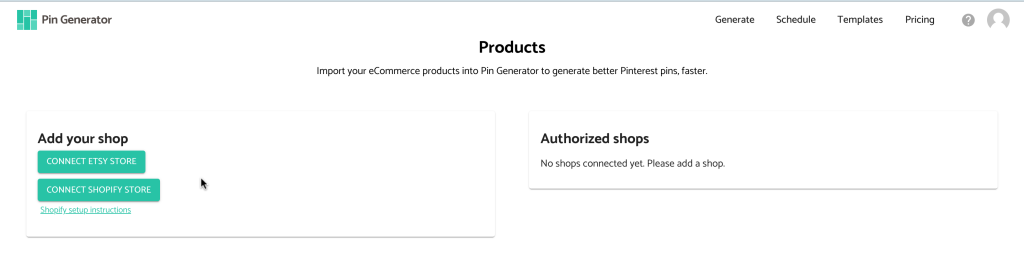
Pinterest gives smaller online shops an opportunity to compete during that discovery process, and a pin can continue sending people to a product page for months after it is published. The difficulty lies in creating enough pins, researching the right keywords, writing descriptions, and publishing consistently while also managing the shop itself.
What if I told you there was a solution to that?
We’re sharing our top tips, including why Pinterest works so well for Shopify sellers, what makes the platform difficult to maintain manually, and how Pin Generator can reduce the entire process to a few minutes each month.
Why Pinterest for Marketing Shopify Stores
Pinterest works differently from social media platforms like Instagram and TikTok because people tend to open the app with a specific idea already in mind. A Pinterest user might be looking for living room furniture, birthday gifts, summer outfits, or products that make traveling with children easier, and each search gives Pinterest more information about what that person may want to buy.
Shopify sellers can use those searches to reach potential customers based on what they want rather than relying on an existing audience or paying to create ads to place the product in someone’s feed.
For example, a store that sells handmade ceramic mugs can create pins around searches such as “unique coffee mug gift” or “handmade kitchen decor” and link each pin directly to their relevant product page. The person who finds that pin has already shown an interest in the product category, so the visit begins with more intent than a visit from someone who happened to see the same mug while scrolling through unrelated content.
Pinterest pins also have a much longer lifespan than most social media posts. A pin can appear in search results and continue sending people to your Shopify store for months after you publish it, which allows your marketing efforts to build on each other over time. Every new pin creates another searchable path into your store, and a consistent posting schedule gradually increases the number of products and keywords that can lead shoppers to you.
Rather watch instead of read? We’re covering all of this, along with a visual walkthrough of our favorite tools and marketing system, on our YouTube channel. You can watch it here:
Why People Struggle to Stay Consistent
Most Shopify sellers do not avoid Pinterest because the strategy is difficult to understand, but because the workload becomes too much to manage alongside the rest of the business. For example, every product needs pin images, a title, a keyword-focused description, the correct link, and a relevant Pinterest board. Someone still needs to assemble those elements into an attractive pin and maintain a consistent publishing schedule. frEach product will likely require multiple pins, pinned over the course of days or weeks, and it’s a lot to manage on top of running a business. However, there is a faster way.
Another issue we see sellers run into is product photography. This is especially true for stores that release seasonal collections or add new products frequently, as matching the demand for fresh photos and pin ideas can feel like a lot of work. A seller may have enough photos for a Shopify listing but will still need several vertical designs to promote that product on Pinterest in an eye-catching way.
Remember, Pinterest rewards a steady flow of useful, relevant content, so publishing a large batch once and disappearing for several months rarely creates the same momentum as a consistent schedule. Sellers who rely on a manual process often start with good intentions, miss a week when the shop gets busy, and eventually stop pinning because restarting feels like another project.
How to Automate Shopify Pinterest Marketing With Pin Generator
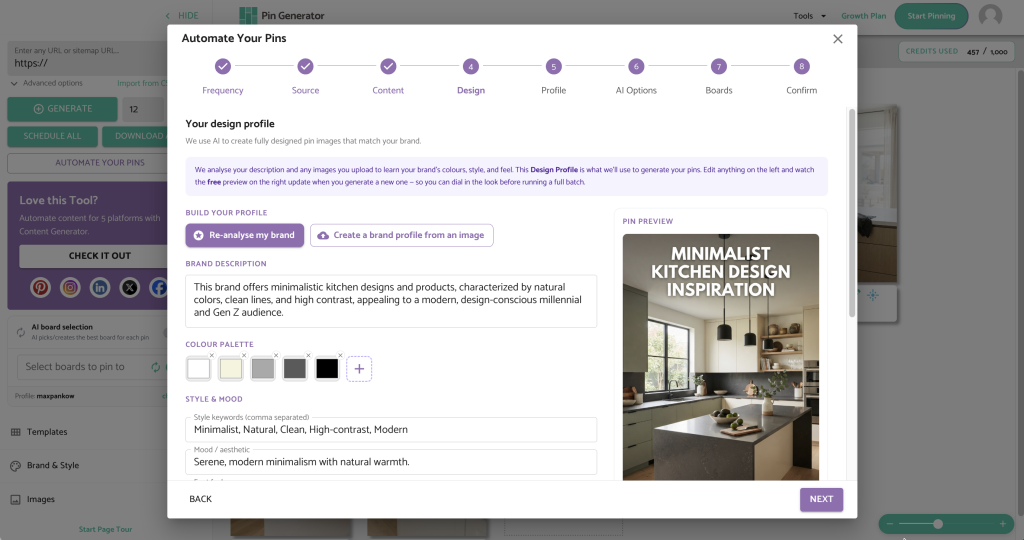
If you’re looking for a way to automate your marketing and create a month of Pinterest pins in just a few minutes per month, Pin Generator is the tool you need.
Pin Generator connects directly to your Shopify store and turns the products already in your catalog into Pinterest content. The connection allows the tool to pull in your product information and outbound links, which removes the need to upload every item or copy details between platforms. Pin Generator can then create branded designs, write keyword-optimized titles and descriptions, select appropriate boards, and schedule the finished pins from the same place.
It’s as simple as heading over to pingenerator.com and clicking “Start Pinning Now.” From here, you’ll name your automation, choose how many pins you want to publish each day, and select how often you want to review them before they go live. One to three pins per day works well for most Shopify stores, and a weekly review schedule gives you regular control without asking you to check the platform every day.
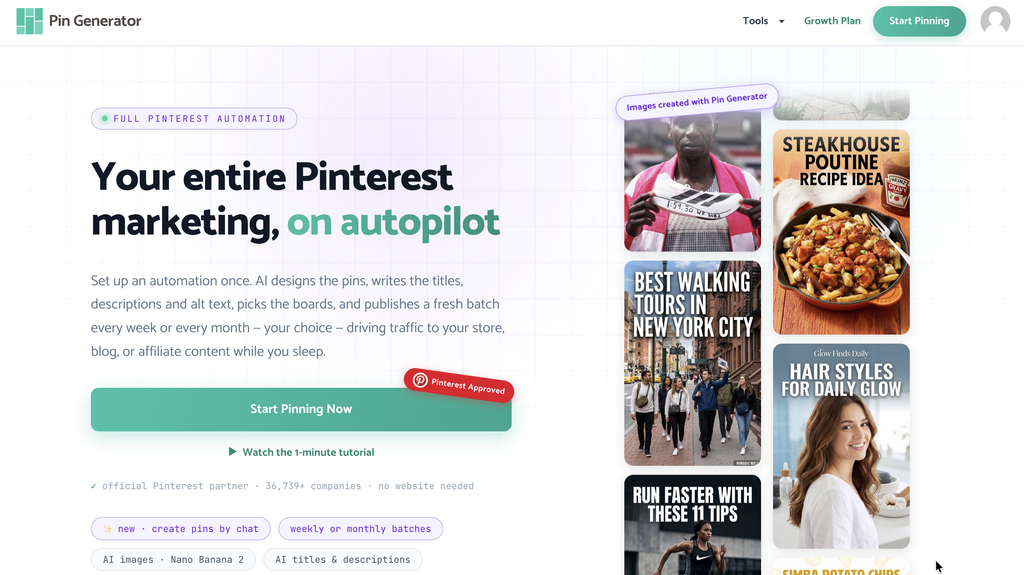
Pin Generator connects to your Shopify store and scans your catalog for products it can promote. You can choose a color palette, work with templates that use your existing product photography, generate fully AI-designed images, or combine both approaches across the same account.
The AI branding tool uses your store to identify colors, tone, and visual direction before producing a sample pin. You can regenerate the sample and adjust the style preferences until the result feels consistent with your brand. Pin Generator also lets you set preferences for titles, descriptions, and images, and sellers who include affiliate products or promotional links can add the appropriate disclosure text during setup.
Finally, you’ll connect your Pinterest account, select boards yourself or use the AI board selector, and review your pins. Pin Generator emails you when a batch is ready, giving you the opportunity to edit the copy or link, replace anything that does not fit, and approve the schedule.
The automation continues using the cadence you selected, and new products can enter the workflow as your Shopify catalog grows. Pinterest marketing becomes a review-and-approve process rather than a recurring design project, which makes it much easier to stay visible during busy weeks.
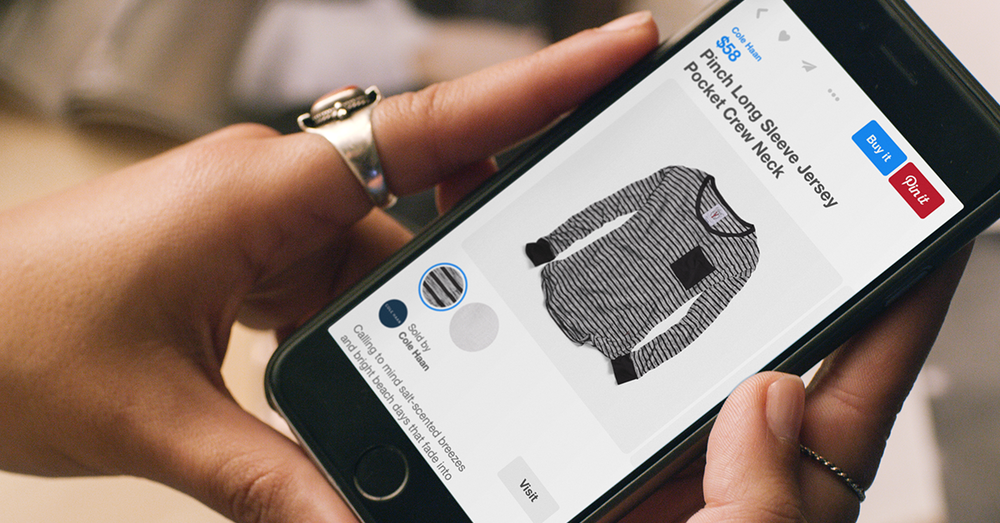
And if you’re looking to optimize your pins for sales, we have plenty of tutorials and tools to help you understand what to pin, how to read your analytics, and how to audit your account.
Start Building a Consistent Source of Shopify Traffic
Pinterest cannot guarantee sales, and the results will depend on your products, keywords, and pin quality, but the platform is one of the best free marketing platforms available for sellers.
If you’re looking to get sales on Shopify with Pinterest marketing, it’s worth giving Pin Generator a try! It’s free to explore the tool and test out how easy it is to connect your Shopify shop and get started. You can try it here!
Let’s get generating!