
How to Start Affiliate Marketing on Pinterest: A Guide
7 October 2026
Pinterest affiliate marketing starts with unbranded, problem-focused topics, then connects those topics to genuinely useful product guides and transparent affiliate links. With 96% of Pinterest searches reportedly unbranded, the opportunity is to reach people before they've settled on a retailer or product brand.
You may be sitting with a half-finished Pinterest profile, a few affiliate programs bookmarked, and no clear idea what to publish first. It's tempting to copy a generic “best products” list, create a product collage, add an affiliate URL, and wait for commissions. That approach treats Pinterest like a passive social feed, but Pinners often use the platform to plan purchases, compare options, and solve practical problems.
The difference matters. A Pin about “beautiful kitchen products” may attract attention, while a Pin about “space-saving kitchen tools for a small apartment” gives a specific person a reason to click. The second idea has a clearer search intent, a more useful landing page angle, and a better chance of matching a product recommendation to an actual need.
Table of Contents
- Why Pinterest Affiliate Marketing Works Differently Than Other Platforms
- Choosing Your Niche and Setting Up Affiliate Programs
- Creating High-Converting Affiliate Pins That Drive Clicks
- Disclosure and Policy Compliance for Affiliate Pins
- Tracking Performance and Optimizing Your Affiliate Funnels
- Scaling Your Pinterest Affiliate Strategy with Automation Tools
Why Pinterest Affiliate Marketing Works Differently Than Other Platforms
A user on a fast-moving social feed may encounter a product while consuming unrelated entertainment. A Pinterest user often begins with a task. They're planning a room, comparing travel gear, searching for a gift, organizing a project, or looking for a solution to a problem they've already identified.
That changes the affiliate marketer's job. You're not just trying to interrupt attention with a polished image. You're creating a visual search result that promises a useful next step.
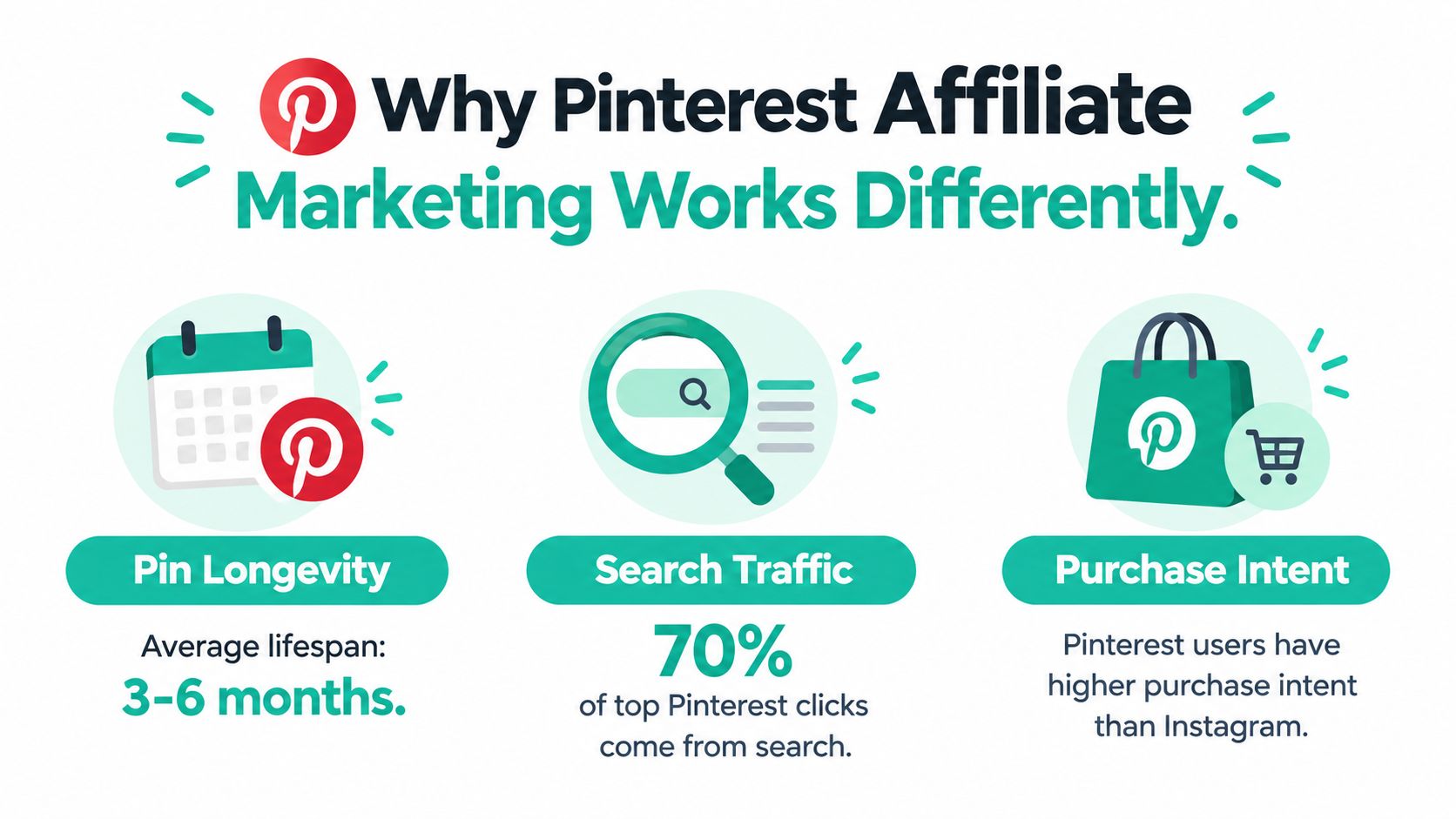
Pinterest-related reporting says 46% of weekly users discover new brands or products on the platform, while more than half view Pinterest as a shopping destination. The same reporting also indicates that Pinterest shoppers spend more per month and have larger baskets than users of other social platforms. These figures come from Metricool's Pinterest statistics overview, and they point to an important distinction: Pinterest can introduce a product before the user has chosen a specific brand.
Start with discovery, not product lists
Suppose you want to promote storage products. A conventional affiliate workflow starts with a retailer, finds popular items, and builds Pins around those products. A Pinterest-first workflow starts with the user's situation:
- Small-space problem: storage ideas for a narrow entryway
- Use case: cable management for a home office
- Comparison intent: open shelving versus closed storage
- Seasonal intent: organization ideas before a move
- Audience constraint: renter-friendly bathroom storage
Each query can lead to a different editorial guide and a different product shortlist. The product becomes the answer to the search, not the subject of an advertisement looking for an audience.
The 96% unbranded search figure becomes strategically useful here. If users often search without naming a brand, a beginner may have more room with specific nonbranded queries than with heavily contested branded terms. “Best standing desk” is broad. “Standing desk for a narrow home office” gives you a sharper promise and a more defensible content angle.
Practical rule: Choose the problem first, then choose the product that solves it.
Build a search-to-sale path
A Pin should make a promise that the destination page keeps. If the image says “compare compact air purifiers,” the linked page should contain a real comparison, not a thin product page with copied descriptions. Include your own evaluation, explain who each option suits, and acknowledge relevant price or availability changes.
The path usually looks like this:
- A Pinner searches for a problem, use case, or comparison.
- Your Pin presents a clear visual answer.
- The Pin sends the user to a relevant guide or landing page.
- The guide explains the recommendation and discloses the commercial relationship.
- The reader chooses whether to follow an affiliate link.
Broad inspirational content can support discovery, but it often produces weaker commercial signals. Pins built around “best,” “comparison,” “for small spaces,” problem-solving, and seasonal intent are easier to connect to a measurable buying journey.
Pinterest isn't a shortcut to passive income. It's a discovery environment where relevance often matters more than publishing volume. If you approach it like a search and planning tool, your niche research, copywriting, page structure, and measurement all become more deliberate.
Choosing Your Niche and Setting Up Affiliate Programs
Choose a niche where people actively look for ideas and where products can make a credible difference. Visual appeal helps, but commercial relevance matters just as much. Home organization, cooking equipment, travel accessories, personal style, crafts, and practical lifestyle products can all work when you narrow them to a clear audience or use case.
Avoid choosing a niche only because a generic affiliate list calls it profitable. You need enough depth to create useful comparisons, tutorials, checklists, and seasonal content without repeating the same product pitch.
Validate the topic before joining programs
Begin with Pinterest search. Type a broad problem, then inspect the suggested phrases and related results. Look for combinations that reveal a situation, constraint, or desired outcome.
For example, instead of stopping at “home office,” explore phrases connected to:
- Room constraints: office ideas for a shared room
- Budget sensitivity: affordable desk organization
- Aesthetic preference: minimalist office accessories
- Practical problem: ways to hide office cables
- Buyer stage: office chair comparison for long workdays
Use Pinterest Trends to check whether interest is rising, stable, or seasonal. Trend data doesn't prove that a topic will generate commissions, so cross-check it against available products and the quality of potential destinations. A topic with visible interest but weak products or poor merchant terms may be less useful than a smaller topic with strong buyer alignment.
Check affiliate terms before you create content
Join programs only after reading their promotional rules. Some merchants allow Pinterest traffic, while others restrict social platforms, direct linking, paid promotion, or particular types of creative. Confirm the rules in the program's current terms instead of relying on advice from an old tutorial.
A practical setup sequence is:
- Pick one focused topic area with several related problems.
- Identify products that address those problems.
- Apply to reputable affiliate programs whose terms permit your intended Pinterest workflow.
- Record the approved destination URLs and any required disclosure language.
- Create a landing page or editorial guide before publishing promotional Pins.
Amazon Associates, ShareASale, and individual brand programs may all be relevant options, but the right choice depends on product fit, approval requirements, commission structure, tracking, and traffic permissions. Don't join a program just because it has a large catalog. A large catalog can encourage shallow product promotion instead of useful editorial selection.
Set up the account and destination
Use one authentic Pinterest account focused on your chosen topic. Convert it to a Business account so you can access business features and performance information. Write a profile description that tells visitors what they'll find, create boards around real search themes, and connect your website or landing page where appropriate.
Your destination page should be ready before the first affiliate Pin goes live. It needs a clear headline, original context, useful product information, and a visible disclosure above the first affiliate link. If the Pin sends users to a generic homepage, the search journey breaks. Match the page to the exact intent behind the Pin.
A strong foundation is less exciting than mass-posting, but it prevents expensive rework. You'll know which programs permit your traffic, which pages receive it, and which topics deserve more creative testing.
Creating High-Converting Affiliate Pins That Drive Clicks
A high-converting Pin doesn't need to look like a banner ad. It needs to communicate a relevant outcome quickly, display cleanly on mobile, and make the click feel like a natural continuation of the search.
Pinterest's product specifications support a vertical 2:3 format, with 1000 × 1500 pixels identified as an ideal size. Use a readable typeface, strong contrast, and enough empty space for the central message. Keep essential text inside the visible safe area, and export in sRGB PNG or JPEG as recommended in Pinterest's product specifications.

Design around one decision
A Pin becomes harder to understand when it tries to promote a product, explain every feature, list several keywords, and include multiple calls to action at once. Give the viewer one clear reason to continue.
Useful creative angles include:
- Comparison: Show the decision the reader is trying to make.
- Tutorial: Demonstrate how a product helps complete a task.
- Checklist: Frame products as items needed for a defined project.
- Use case: Show the product in the environment where it solves a problem.
- Seasonal guide: Connect the item to a timely planning need.
You can promote the same offer through genuinely different angles, but don't create near-duplicate Pins in large volumes. Each version should add a distinct editorial reason to click. A comparison Pin might lead to a review page, while a tutorial Pin could lead to a practical guide that includes the same product among several options.
For a practical design workflow, you can use this guide to creating a Pinterest Pin to structure the creative from the headline through the final export.
Write for retrieval and relevance
Use one primary keyword in the title and support it with closely related language in the description. Write for a person first. Repeating the same phrase unnaturally may make the description look manipulative and won't clarify the destination.
A useful description structure is:
- Context: Name the problem or audience.
- Value: Explain what the linked guide helps the reader decide or do.
- Specificity: Mention the comparison, tutorial, checklist, or use case.
- Disclosure: State the commercial relationship clearly near the beginning.
- Next step: Give a direct, accurate reason to click.
Pinterest says descriptions can contain up to 500 characters, so use the available space carefully. Descriptions may not always be visible in feed views, which makes the beginning especially important. Don't hide the disclosure or the main context at the end of a long block of copy.
Your title, description, image, and destination should make the same promise. If the Pin says “small bathroom storage,” the page shouldn't focus on luxury bathroom renovations. If the Pin says “compare travel backpacks,” don't send users to a single product with no comparison.
Here's a simple example of the difference:
- Weak: “Great products for your home. Click to shop.”
- Stronger: “Need renter-friendly bathroom storage? This guide compares compact options for tight spaces. This Pin contains affiliate links; a commission may be earned at no extra cost to you.”
The stronger version gives the user context, sets expectations, and makes the commercial relationship visible.
Read clicks in context
Saves and impressions can tell you that a topic attracts attention, but they don't prove that the Pin creates commercial value. A beautiful checklist may earn saves because it's useful while sending very few qualified visitors to the destination. A plain comparison graphic may receive less visible engagement but attract people who are ready to evaluate products.
Create several creative angles for one destination, then test one variable at a time. Change the image hook, keyword group, page angle, or call to action, but avoid changing everything simultaneously. You'll learn more from a controlled comparison than from a collection of unrelated designs.
Short video can help demonstrate a product or process, particularly when a static image can't show the use case clearly. Keep the video aligned with the same search promise as the landing page.
Alt text should describe the image accurately for accessibility. It isn't a place to insert a long list of affiliate keywords. Describe what the viewer would see, then let the title and description carry the search context.
Disclosure and Policy Compliance for Affiliate Pins
Disclosure isn't a decorative legal note. It tells people that your recommendation has a commercial connection, which affects how they should interpret the content. The Federal Trade Commission's endorsement guidance says a material relationship should be disclosed when consumers wouldn't reasonably expect it and the relationship could affect how they evaluate an endorsement.
The disclosure must be clear, conspicuous, easy to notice, and close to the claim it qualifies. A note buried on a profile page doesn't give the reader useful context at the moment of recommendation.
Put the disclosure where the decision happens
Place a concise disclosure near the beginning of the Pin description, before the user has to expand the text. You can use wording such as:
This Pin contains affiliate links; a commission may be earned at no extra cost to you.
Use plain language that a normal reader understands. Avoid relying only on vague labels or disclosures hidden among hashtags. If a brand pays for a partnership or provides an incentive, describe that relationship accurately as well.
The linked page needs its own disclosure above the first affiliate link. A visitor may arrive through search, a shared URL, or another channel, so the page must make the relationship clear without assuming the reader saw the Pin.
Follow Pinterest's operating rules
Pinterest's community guidelines require affiliate content to be original and provide unique value to Pinners. The guidelines also emphasize authentic account activity, transparency about commercial content, moderation in affiliate-link use, and compliance with Paid Partnership Guidelines and applicable advertising laws.
Avoid manipulative shortcuts such as fake accounts, reciprocal save requests, asking others to create Pins containing your affiliate identifier, or publishing repetitive affiliate Pins in large volumes. These tactics may produce activity without building trust, and they can put the account itself at risk.
Pinterest also notes that some URL-shortening services aren't supported. Use accurate, destination-transparent URLs and verify that every link resolves to the page promised by the creative. A broken or misleading destination damages both user confidence and campaign measurement.
For a practical reference on the subject, Pinterest affiliate link compliance guidelines can help you review disclosure placement and link handling before publishing.
Compliance works best as a production requirement. Add the disclosure to your content template, verify the destination during upload, and review merchant terms before creating a campaign. That process is faster and safer than trying to repair a restricted account or revise a library of noncompliant Pins.
Tracking Performance and Optimizing Your Affiliate Funnels
Affiliate marketing becomes guesswork when every Pin uses the same destination URL and no one records which creative generated the visit. Pinterest Analytics can show activity on the platform, while your site analytics and affiliate dashboards reveal what happened after the click.
Start with a simple tracking taxonomy:
utm_source=pinterest&utm_medium=organic&utm_campaign=topic&utm_content=creativeA
Use campaign names that identify the topic and content values that identify the creative angle. Keep the naming consistent across Pins, landing pages, and your reporting sheet. Don't change tracking parameters halfway through a test unless you document the change.
Measure the handoffs
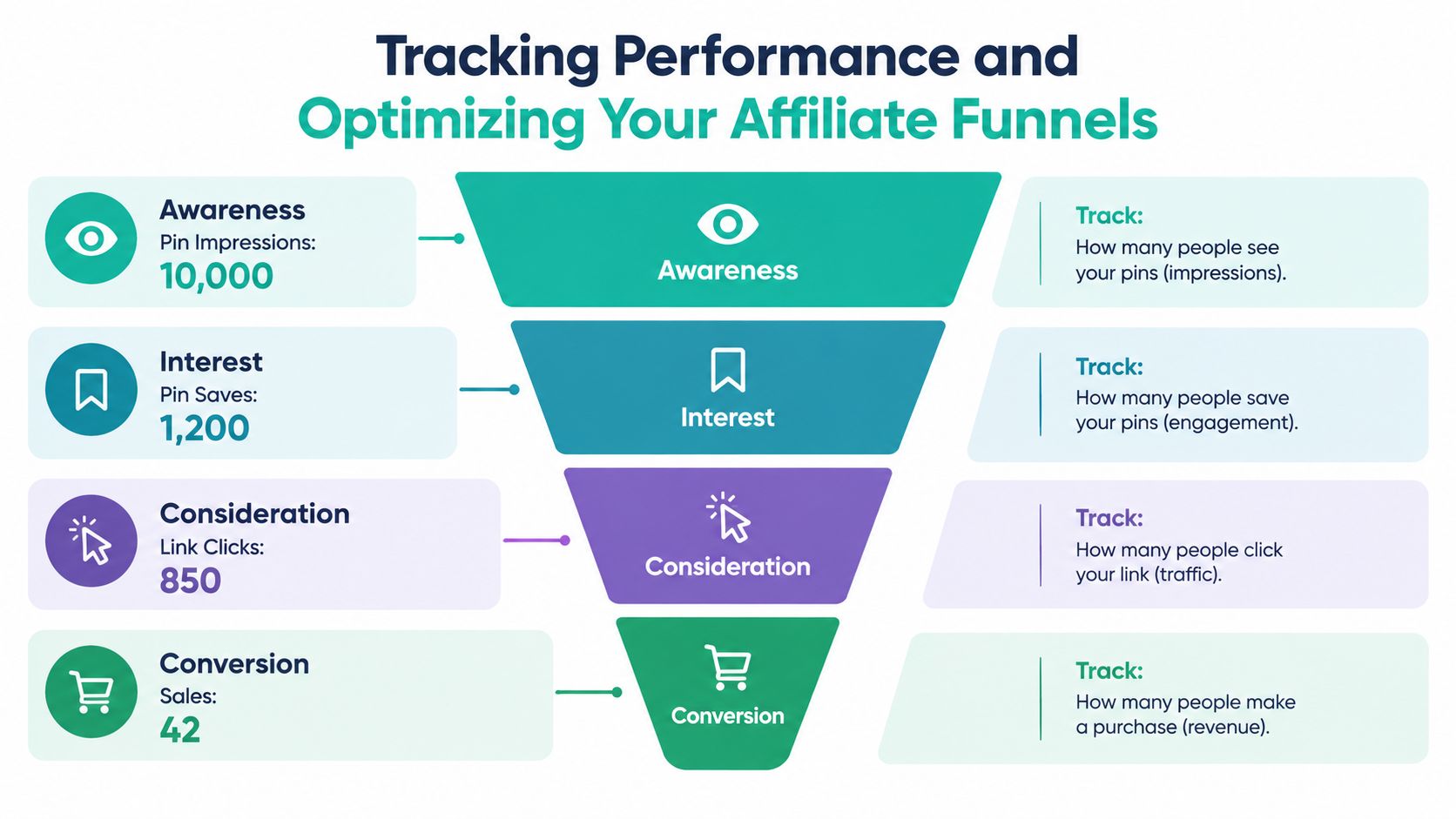
Review the funnel as a series of handoffs rather than one popularity score:
- Discovery: impressions and search visibility
- Interest: saves and engagement
- Consideration: outbound clicks and qualified landing-page visits
- Action: email opt-ins, affiliate conversions, EPC, and revenue
A Pin can perform well at one stage and fail at the next. High impressions with weak outbound clicks may indicate a vague or unconvincing hook. Strong clicks with no downstream value may point to poor landing-page relevance, weak product fit, slow page experience, or an affiliate program constraint.
Published benchmark summaries commonly place general affiliate conversion around 0.5–1%, while strong, highly targeted affiliates may reach 5–10%, according to the Pinterest affiliate marketing guide from SocialRails. Treat those ranges as planning context, not promises. At 1% conversion, 10,000 qualified landing-page visits produce roughly 100 conversions before refunds, attribution loss, and program approval constraints. The arithmetic is useful for planning, but your own offer, audience, page, and merchant will determine the outcome.
Establish a baseline and review cohorts
Establish a 30-day baseline, then compare groups of Pins by format and keyword theme. Don't judge a comparison Pin against a tutorial Pin solely by saves. Compare outbound-click rate, qualified visits, opt-ins, EPC, conversion rate, and revenue per thousand impressions where the data is available.
A weekly review can stay straightforward:
- Identify Pins that attract qualified outbound clicks.
- Match those clicks to the keyword group and landing-page angle.
- Check whether the affiliate dashboard records downstream value.
- Refresh weak hooks while preserving winning destinations and tracking parameters.
- Pause creatives that generate activity but no useful next step.
This is close to the broader discipline covered in resources about browse social media manager responsibilities, where publishing, measurement, content operations, and optimization work together rather than operating as isolated tasks.
The most useful insight often comes from the gap between attention and action. If a topic earns saves but no clicks, make the next creative more specific. If it earns clicks but no conversions, inspect the page and product match before creating more Pins. If one keyword group consistently brings qualified visitors, expand its adjacent use cases instead of chasing unrelated trends.
Scaling Your Pinterest Affiliate Strategy with Automation Tools
Manual production is useful while you're learning what your audience responds to. It becomes fragile when every Pin requires separate research, design, copywriting, link checking, and scheduling. Automation can remove repetitive work, but it can't decide whether a product genuinely solves the user's problem.
Start by documenting the decisions that should remain human:
- Which audience and problem does the campaign serve?
- Which affiliate programs permit the traffic source?
- What evidence supports the product recommendation?
- Which claims can the landing page substantiate?
- Where will the disclosure appear?
- Which destination and tracking parameters belong to the Pin?
Once those controls are defined, automate repeatable production steps.
Build a controlled content workflow
A practical workflow looks like this:
- Research demand: Use Pinterest search, keyword research, and trend alerts to identify unbranded problems and rising topics.
- Select products: Check product fit, availability, merchant terms, and destination quality.
- Prepare the source: Add the affiliate destination URL, product data, editorial guide, or RSS feed.
- Create templates: Define brand colors, typography, layouts, and several creative angles.
- Generate drafts: Produce titles, descriptions, alt text, and visual variations from the approved source.
- Review manually: Check claims, disclosures, links, image quality, and keyword relevance.
- Schedule responsibly: Publish on a sustainable cadence with appropriate board selection.
- Measure results: Compare performance by topic, format, destination, and downstream value.
Catalog integrations can help keep product information aligned with current inventory and pricing, but they don't replace editorial review. A product feed may update a title or image without explaining whether the product suits the specific use case promised in the Pin.
Choose tools by bottleneck
Use a design platform when the main problem is visual production. Use a scheduling tool when publishing consistency is the constraint. Use keyword and trend tools when you don't know which topics deserve attention. Use feed or catalog integrations when product and content inputs change frequently.
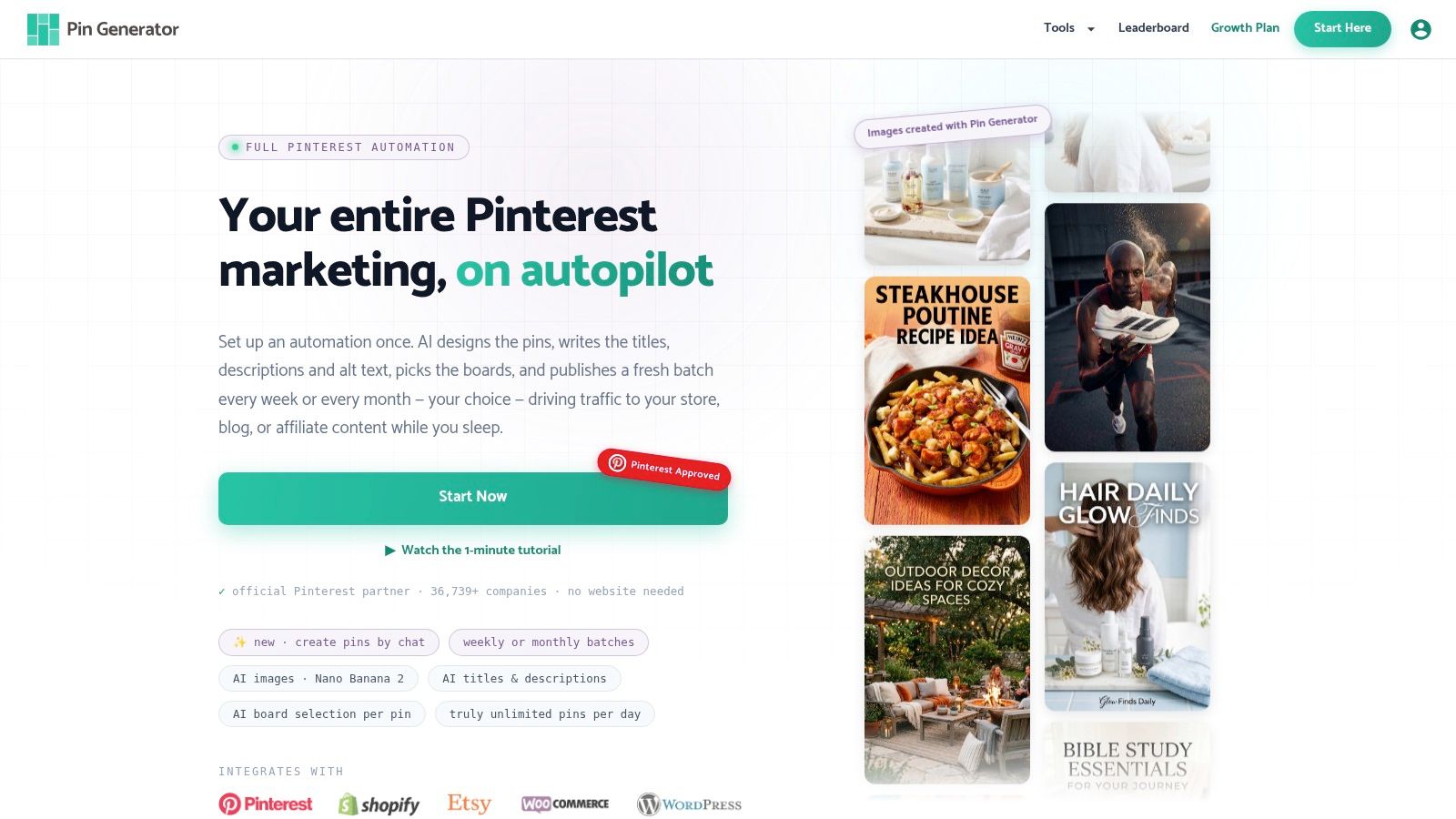
An end-to-end platform such as Pin Generator can generate on-brand Pin designs, titles, descriptions, and alt text, use reusable templates, ingest product catalogs or RSS and CSV content, support keyword research and trend alerts, and schedule outputs across Pinterest boards. It can also provide history and leaderboard views for reviewing published activity. The tool is useful for reducing repetitive production, but the affiliate marketer still needs to approve the topic, destination, disclosure, and claims.
Don't automate low-quality repetition
Pinterest's guidelines emphasize original content, unique value, authentic accounts, and moderation. An automation system that publishes near-identical affiliate creatives at scale can turn a useful workflow into a policy problem. Automation should increase consistency and testing capacity, not flood the platform with thin product links.
Keep a review queue for new templates and campaigns. Check that each Pin has a distinct angle, the destination works, the disclosure appears early, and the landing page fulfills the search promise. Retire templates when they attract attention without qualified clicks or downstream revenue.
The strongest scaling model is selective. Expand the topics that bring useful visitors, preserve the pages that convert, and automate the mechanical work around a strategy you've already validated.
Pin Generator can help you turn approved affiliate destinations, product feeds, and editorial content into branded Pinterest Pin variations with generated metadata and recurring scheduling. Visit Pin Generator to streamline the production workflow while keeping topic selection, disclosures, links, and final quality under your control.