
How to Use Pinterest for Affiliate Marketing: The 2026 Guide
4 October 2026
You've published the product review, shared it on Instagram, and watched the post disappear from everyone's feed within a day. Your affiliate dashboard remains quiet, so you start producing more content, manually creating graphics, rewriting captions, and trying to keep up with platforms that demand constant activity.
Pinterest offers a different operating model. People use it to discover ideas, compare options, plan purchases, and save products for later. If you understand how to use Pinterest for affiliate marketing, you can build a search-led system where useful pins continue sending visitors to a relevant page after the initial publishing push.
The opportunity isn't completely hands-off. Pinterest still requires original content, careful link handling, useful destinations, and consistent measurement. But the platform rewards a more durable workflow than ordinary social posting, especially when you combine keyword research with a controlled publishing process.
Table of Contents
- Why Pinterest Is the Sleeping Giant for Affiliate Income
- Setting Up Your Pinterest Business Account for Success
- The Compliance Minefield and Affiliate Links and Disclosures
- Creating Scroll-Stopping Affiliate Pins That Convert
- Keyword Research and Trend Spotting for Affiliate Niches
- Automating Your Workflow with Pin Generator
- Tracking Performance and Scaling Your Affiliate Strategy
Why Pinterest Is the Sleeping Giant for Affiliate Income
Pinterest functions more like a visual search engine than a conventional social feed. Someone searching for “small bedroom storage ideas” or “beginner watercolor supplies” usually has a defined project, comparison, or purchase in mind. That intent should shape the products you choose, the pages you create, and the way you evaluate results.
By 2026, Pinterest had about 537 million monthly active users globally, up 7.8% year over year from 498 million in Q1 2025. The same industry summary reported that 75% of Pinners were in an active purchase mode, compared with 28% on Facebook and 41% on Instagram. These figures do not turn every impression into a commission. They show that Pinterest product discovery can start closer to a buying decision than discovery on many other networks. The summary also placed the platform's global audience at roughly 70% female, with Gen Z representing 42% of users and standing out as its fastest-growing segment. (Pinterest marketing statistics and data for 2026)
Build the account around problems, categories, and planning moments, not a catalogue of products. A pin featuring one coffee machine may have a short commercial life. A practical guide to choosing coffee equipment can attract people who are still comparing options and have not selected a brand.
Practical rule: Promote the solution a person is searching for before you promote the product that pays you.
Why evergreen search changes the economics
A typical social post depends heavily on immediate distribution. Pinterest content can continue appearing in search, related pins, boards, and saved content after publication. Visibility is never permanent, and ranking systems change, but a useful pin has more opportunities to outlive its publication day.
Beginners often create an attractive product image, add an affiliate URL, and wait for clicks. Start with a query such as “best desk accessories for remote work.” Build a useful angle around that query, such as a comparison, checklist, or buying guide. The product then supports the answer instead of becoming the entire purpose of the pin.
The audience supports established categories such as home, fashion, beauty, parenting, recipes, and self-improvement. It also leaves room for creator-style recommendations and trend-led content, particularly when the recommendation fits a clear search intent.
Technical handling matters as much as creative quality. Test every destination URL, check that redirects reach the intended page, and confirm that the final page matches the pin promise. Direct affiliate links can create tracking, disclosure, or platform-policy problems, so a relevant website page often gives you more control over context and compliance. Pin Generator can reduce the production bottleneck by turning a repeatable content brief into branded pin variations, while the marketer still reviews claims, links, disclosures, and destination quality before publishing.
The affiliate mindset Pinterest rewards
A durable Pinterest funnel usually has four layers:
- Search intent: A person encounters a query tied to a problem, project, or product category.
- Helpful creative: The pin promises a clear answer, comparison, checklist, tutorial, or recommendation.
- Relevant destination: The click reaches a page that fulfils the promise instead of forcing an immediate product decision.
- Commercial path: The page presents affiliate products with clear disclosure and useful context.
This structure gives you clearer diagnosis than random product images. Saves with few outbound clicks may indicate useful content but a weak call to action. Clicks without affiliate activity may point to a poor destination, unclear disclosure, weak product fit, or broken tracking.
Adjacent creator tools and services can also suit an affiliate portfolio. If one fits your audience, you can join the affiliate program from Rooy Development. Apply the same standard as with any offer: understand the product, disclose the relationship, verify the link, and publish content that helps readers make a decision.
Setting Up Your Pinterest Business Account for Success
Treat your Pinterest profile as a commercial discovery property, not a personal scrapbook. Before designing pins, make the account easy to understand, easy to verify, and easy to connect with the website or landing pages receiving traffic.
Start with the account foundation
Use a Pinterest business account, or convert an existing personal account if its history and audience fit your niche. A business setup gives you access to analytics and business-oriented publishing features, which you'll need when comparing pins, boards, and traffic sources.
Choose a profile name that combines brand clarity with topical relevance. A name such as “Practical Home Office Ideas” tells visitors more than a personal nickname, especially when the account is new. Your profile description should explain who you help, what subjects you cover, and what kind of recommendations people can expect.
Keep the description natural. Keyword stuffing makes the profile look careless and doesn't help visitors decide whether to follow or click. Include the main topic, closely related subtopics, and a clear description of the value you provide.
Build boards around search intent
Boards should function as organized topic collections. Create separate boards for distinct themes instead of placing every affiliate category into one general folder. For example, an account focused on home working might use boards such as:
- Small home office ideas: Space planning, storage, lighting, and desk layouts.
- Desk setup recommendations: Products and comparisons connected to a specific use case.
- Ergonomic workspace tips: Educational content that can lead naturally to equipment reviews.
- Office organization projects: Practical checklists and product-supported solutions.
Give each board a descriptive title and a useful description. Use the terms your audience might search for, but make the wording readable. A board titled “Home Office Ideas and Desk Organization” communicates both the broad theme and the supporting topic more effectively than “My Favorite Products.”
Claim your website and connect relevant social profiles when Pinterest makes those options available to you. This links your account with the properties you control and creates a clearer path for visitors who want to verify your brand.
Separate publishing from promotion
Affiliate marketers often make the mistake of turning every board into a product shelf. Mix commercial pins with original educational content, comparisons, checklists, and inspiration. This gives the account a reason to exist beyond sending people to merchant pages.
Keep your visual identity consistent, but don't publish near-identical designs repeatedly. Use a small set of templates, varied headlines, different supporting images, and distinct user problems. Your profile should look coordinated without looking automated.
Before joining an affiliate program, read its traffic and disclosure rules. Some programs accept Pinterest traffic, while others restrict direct linking, certain categories, or particular promotional methods. Your Pinterest account can be properly configured and still fail commercially if the affiliate program rejects the traffic source.
The Compliance Minefield and Affiliate Links and Disclosures
The assumption that “Pinterest allows affiliate links, so any affiliate URL is safe” causes avoidable problems. Pinterest's guidelines allow affiliate content under conditions, but they also require content to be original, transparently labeled, and used in moderation. They warn against unsupported shorteners and repetitive affiliate pins that may look like spam. Read the Pinterest Community Guidelines for affiliate content before you publish at scale.
A direct link can sometimes work, but it isn't automatically the strongest operational choice. Affiliate networks may redirect through tracking domains, merchants may change product pages, and Pinterest may treat repeated redirect patterns or low-value destinations as suspicious. A link that works in a test browser can still create tracking, trust, or account-review problems later.
Choose the destination deliberately
A bridge page on your own domain gives you more control over the visitor experience. The page can explain the product category, compare alternatives, disclose the affiliate relationship, and send the visitor to the merchant with a clear reason to continue.
A good bridge page should:
- Match the pin promise: If the pin says “small-space desk ideas,” the page should address small-space desks, not send visitors to a generic store homepage.
- Add original value: Include selection criteria, use cases, limitations, or a comparison that helps the reader choose.
- Show the disclosure clearly: Place the disclosure where a visitor can see it before clicking a commercial link. Don't hide it in a footer or bury it among unrelated text.
- Use stable links: Link to the relevant product or category page and check the destination periodically.
- Load properly on mobile: Most Pinterest browsing happens in a visually driven, mobile-friendly environment, so a slow or confusing page wastes the click.
For some campaigns, a direct product destination may be appropriate. The decision depends on the affiliate program's rules, the merchant's landing page, the type of disclosure required, and Pinterest's treatment of the link pattern. Don't use a redirect or shortener just to disguise the commercial destination.
Make disclosure part of the creative system
Use plain language such as “This pin contains affiliate links” or an equally clear statement on the destination page. Add an appropriate disclosure in the pin description where it won't be separated from the commercial context. Tags such as #ad or #affiliate can support transparency, but they shouldn't replace a clear explanation when the relationship needs more context.
Never imply that you personally tested a product if you haven't. Avoid unsupported claims about savings, performance, health outcomes, or popularity. A pin that says “the perfect product for everyone” creates both trust and compliance risks when the destination cannot support that promise.
For a practical breakdown of direct links, bridge pages, disclosures, and Pinterest-specific link risks, see this guide to Pinterest affiliate links policy.
Avoid patterns that resemble spam
Repetitive publishing is not the same as consistent publishing. Don't upload the same creative to multiple boards with only tiny wording changes, create a large batch of near-identical pins, or use automation to publish without reviewing the output. Pinterest's guidelines specifically make originality, moderation, and non-deceptive behavior central to affiliate activity.
Keep a record of the destination URL, disclosure wording, creative variation, and publication date. That simple audit trail helps you remove broken links, update outdated offers, and identify whether a weak result came from the pin or the landing page.
Creating Scroll-Stopping Affiliate Pins That Convert
A pin can look polished and still produce weak affiliate results. The creative must stop the scroll, explain the next step, and match the page behind the click. A clear visual with an unsupported promise creates the same problem as an aggressive sales pitch: attention without trust.
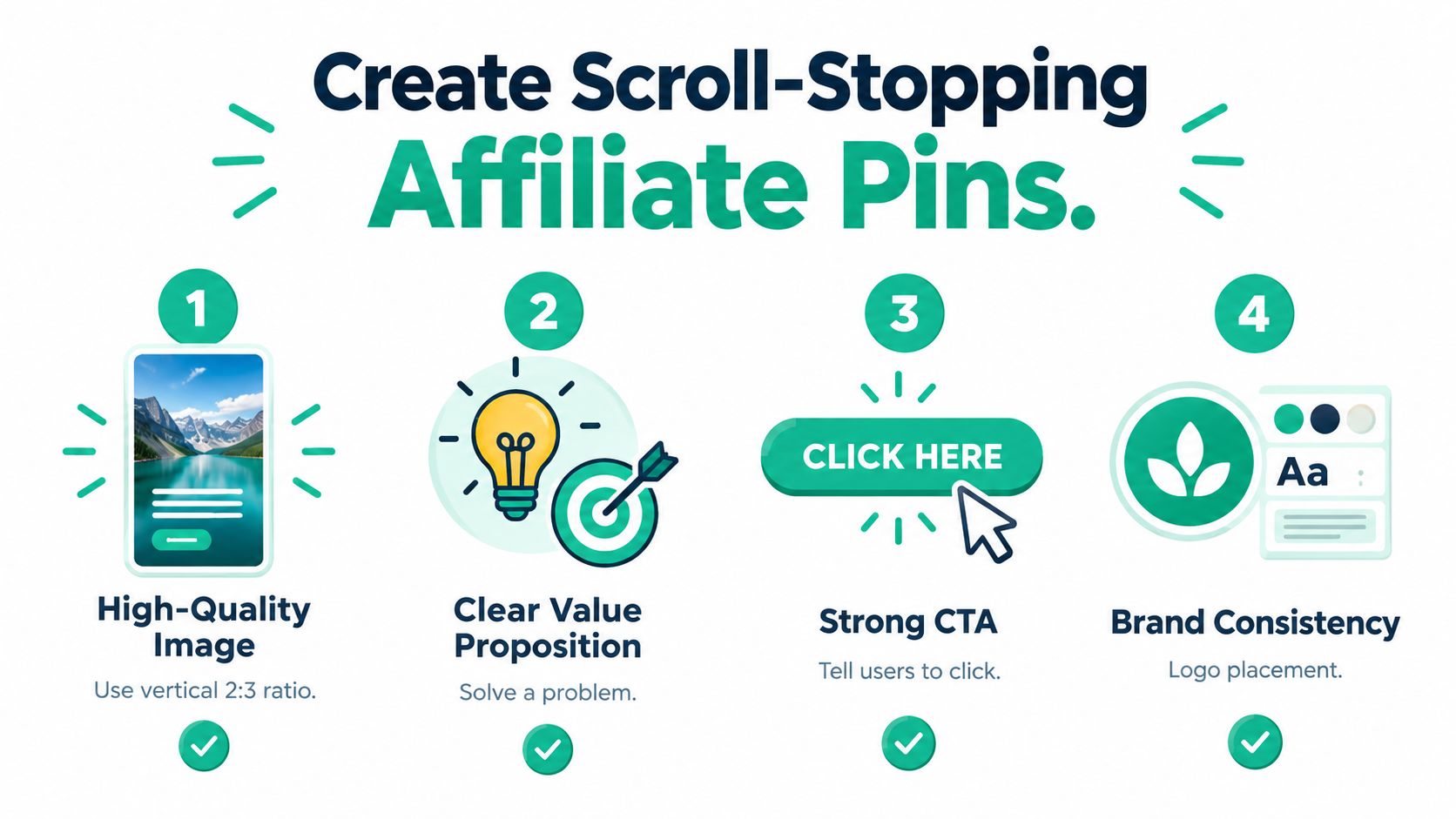
Use the 1000×1500 vertical format recommended in Pinterest marketing guidance, and design for mobile screens. (Pinterest affiliate marketing execution guidance) Make the main phrase readable at a glance, use strong contrast, and remove decorative elements that compete with the message.
Use a practical creative recipe
Build each pin around one problem and one supported promise. “How to choose a quiet air purifier for a bedroom” gives the viewer a specific reason to continue. “Air purifier recommendation” leaves the situation and benefit unclear.
Use this sequence:
- Headline: State the problem or desired outcome in plain language.
- Supporting visual: Show the product in context, a relevant room, a comparison layout, or a clear product detail.
- Proof of usefulness: Add a qualifier such as “features to compare” or “small-room buying guide.” The destination page must support any claim.
- Call to action: Invite the click with “See the comparison” or “Review the options.”
- Brand cue: Add a restrained logo or site name so the pin is identifiable without dominating the design.
The headline does not need to lead with a product name. 97% of top Pinterest searches are unbranded, so problem- and category-led wording can reach users before they choose a brand. (Pinterest keyword guidance for affiliate marketers)
Write metadata for people and search
Put the primary keyword in the pin title, then use related language naturally in the description. Include the audience, use case, and content format. For example, “Small Bedroom Storage Ideas for Renters” can lead into a description about vertical storage, compact furniture, and products selected for limited space.
Write alt text for the actual image and its purpose. If the pin shows a compact desk beside a window, describe that scene rather than repeating a list of keywords.
Relevant hashtags may help categorize a pin, but they cannot compensate for vague copy or a mismatched destination. Use them sparingly and keep the title, description, and landing page aligned.
Create variations by changing one major element at a time. Test a different headline, image context, or call to action, then compare qualified clicks rather than surface-level engagement. Pin Generator can reduce the production bottleneck by turning approved copy and design inputs into variations, but review every output before scheduling it. Automation speeds production, not judgment.
Run a final manual check. Can a stranger identify the topic immediately? Does the destination deliver the promised next step? Does the design look original rather than copied from another account? These checks catch attractive pins that earn attention but send poorly qualified traffic.
Keyword Research and Trend Spotting for Affiliate Niches
Pinterest keyword research works best when you treat the search bar as a source of language, not as a substitute for strategy. Begin with a broad seed such as “running shoes,” “meal prep,” or “patio lighting.” Type it into Pinterest and study the autocomplete suggestions. Those suggestions reveal the ways users refine a broad topic into a specific need.
Move from broad terms toward queries with a visible use case. “Running shoes” is a category. “Running shoes for flat feet,” “beginner treadmill workout,” or “trail running gear checklist” expresses a more defined problem. The more clearly a query identifies a situation, the easier it becomes to create a relevant pin and destination page.
Build clusters instead of isolated keywords
A single keyword can produce one pin. A topic cluster can produce a sustainable content system. For a kitchen organization niche, a cluster might include:
- Planning queries: Small kitchen layout ideas and pantry organization plans.
- Product queries: Cabinet organizers, drawer dividers, and countertop storage.
- Comparison queries: Open shelving versus closed cabinets or stackable versus fixed containers.
- Seasonal queries: Holiday kitchen preparation and spring decluttering.
- Problem queries: How to organize a narrow kitchen or a rental kitchen without drilling.
Pinterest guidance notes that exact search volume isn't provided in the same way as some conventional keyword tools, so autocomplete, guided search, and Pinterest Trends become important signals. Use them together rather than treating any single suggestion as proof of commercial demand.
Pinterest Trends can help you compare topics and identify seasonal movement. A rising topic is not automatically a profitable niche. Check whether you can create original content, whether suitable affiliate programs exist, and whether the products solve a genuine problem. Trend chasing without a destination page produces temporary attention and weak commercial intent.
Validate the niche before creating a batch
Search the query directly and inspect the results. Look for recurring formats, repeated promises, missing explanations, and visual patterns. You aren't copying competitors. You're identifying what the searcher expects and where existing content leaves questions unanswered.
Ask four questions before producing pins:
- Does the query describe a real decision or project?
- Can I provide a more useful angle than a product image?
- Is there a relevant affiliate offer with acceptable terms?
- Can I build several related destinations without forcing the topic?
Record the keyword, search intent, likely destination, content angle, and seasonal relevance in a planning sheet. Give each pin one primary query and a small group of related terms. This keeps the creative focused and makes later analytics easier to interpret.
A useful niche isn't only one with popular searches. It has a repeatable relationship between the query, the advice, and the product. That relationship makes compliance easier too, because the affiliate recommendation becomes part of a helpful answer rather than an unrelated commercial interruption.
Automating Your Workflow with Pin Generator
Manual pin production becomes the bottleneck as soon as you have several content angles, boards, and affiliate destinations. The answer isn't to publish every variation an automation tool can generate. The answer is to automate repetitive production while keeping human control over topics, claims, links, and final approval.
A practical workflow starts with a structured source file. For each destination, record the page title, primary keyword, related terms, destination URL, disclosure language, product image, board, and content angle. If the source information is incomplete, automation will only produce incomplete pins faster.
Design the production pipeline
A controlled workflow looks like this:
- Import the source: Bring in content through an RSS or Atom feed, CSV file, product catalog, or connected store.
- Define the rules: Set the brand colors, typography, preferred layouts, disclosure language, board logic, and destination behavior.
- Generate variations: Create multiple visual treatments around the same topic without changing the factual promise.
- Review the copy: Check titles, descriptions, alt text, claims, and calls to action manually.
- Inspect the links: Confirm that each destination works, uses the intended tracking parameters, and complies with the affiliate program.
- Schedule selectively: Assign pins to relevant boards and publish on a recurring cadence rather than releasing a repetitive burst.
- Review the history: Keep an output record so you can identify which topic, design, and destination produced the click.
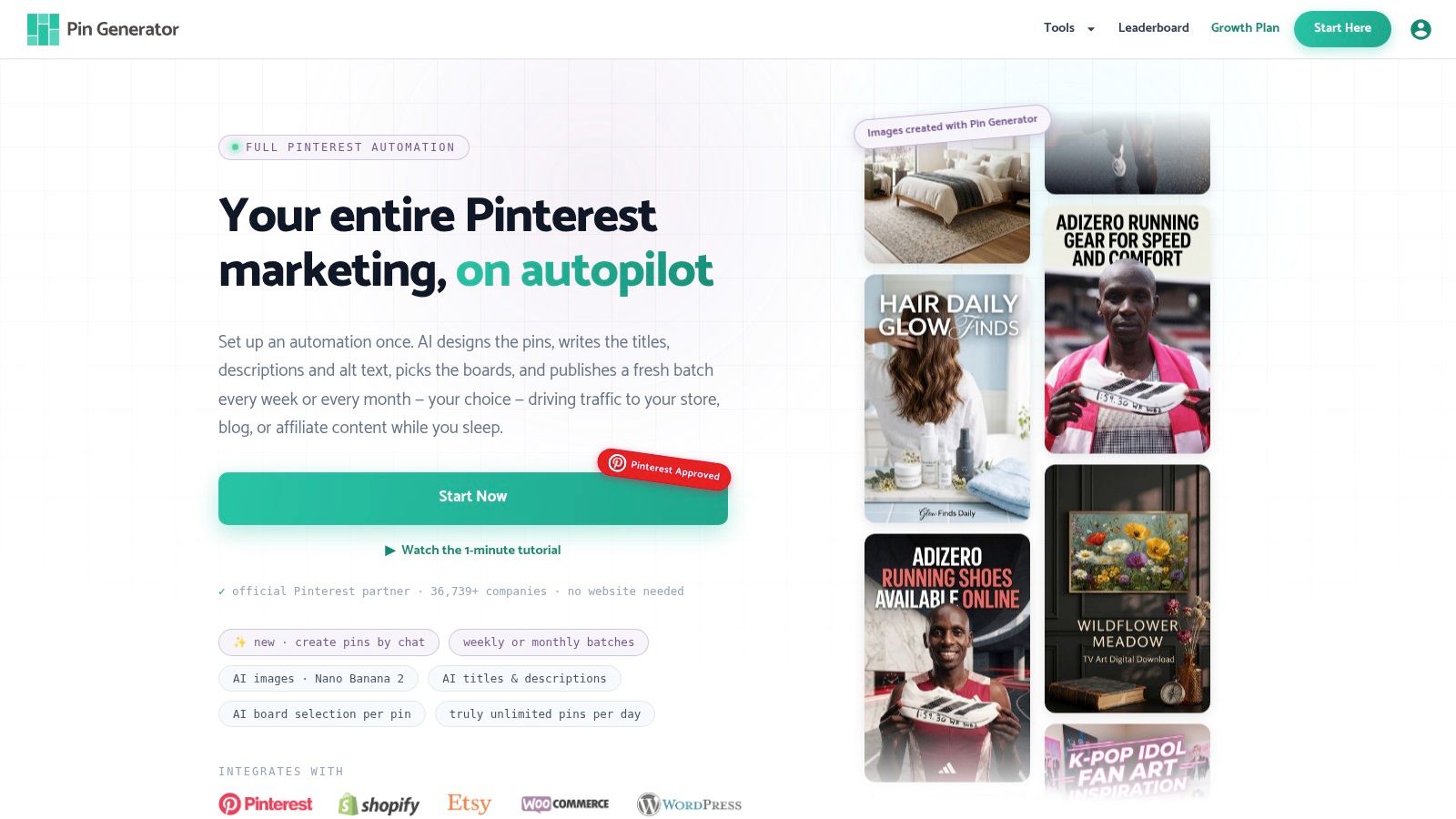
Pin Generator can generate on-brand pin designs, titles, descriptions, and alt text, then use catalogs, feeds, or files as inputs for batches of content. It also supports reusable templates, board selection, scheduling, and output review. That makes it suitable for reducing design and upload work, provided you still review affiliate disclosures and destination links before publication.
Automation should enforce standards, not bypass them. Don't allow a system to publish every catalog item just because it can. A product needs a search angle, a useful headline, a relevant board, and a destination that fulfills the promise.
Keep variation useful
Changing the background color isn't enough to create different content. Vary the user situation, supporting image, headline angle, and page section being promoted. For one product category, you might create a comparison pin, a checklist pin, a beginner guide, and a problem-solving pin. Each should lead to a destination that supports its specific promise.
The automation process should also include a rejection queue. Remove pins that contain unsupported superlatives, awkward keyword repetition, missing disclosures, broken links, or imagery that doesn't match the text. A smaller set of reviewed pins is safer and more useful than a large set of careless outputs.
For more workflow ideas around automated publishing, consult this guide to automated Pinterest pin generation. Use automation to protect time for research and editorial judgment, not to create a substitute for either.
Tracking Performance and Scaling Your Affiliate Strategy
Pinterest analytics can tell you how individual pins perform through signals such as views, saves, comments, and outbound clicks. The affiliate network or merchant dashboard tells you what happens after the visitor leaves Pinterest. You need both perspectives because high visibility doesn't prove commercial value.
Start by adding UTM parameters to destination URLs. Use a consistent naming system that identifies the platform, board, topic, and creative variation. For example, the source can identify Pinterest, the medium can identify organic traffic, and the campaign can identify a content cluster. Keep the values readable so you can recognize them later.
Diagnose the funnel in order
Review performance from the top of the funnel downward:
- Low visibility: Check the keyword alignment, board relevance, title, description, and publishing consistency.
- Views without saves: Reconsider whether the idea is useful enough to keep. The image may attract attention while the content offers no lasting value.
- Saves without outbound clicks: Strengthen the destination promise and call to action. A save may indicate inspiration, while a click requires a clearer next step.
- Outbound clicks without affiliate activity: Inspect the bridge page, product match, mobile experience, tracking parameters, and affiliate program reporting.
- Affiliate activity without repeatable traffic: Identify the exact topic and creative combination, then create adjacent content rather than copying the same pin.
Don't judge a pin from one signal. A product comparison may receive fewer saves but send more qualified visitors, while an inspirational image may generate saves without commercial intent. Your job is to find the relationship between search query, creative promise, click quality, and recorded commission.
Scale by extending what already works
Once a topic produces qualified traffic, expand the cluster. Create related queries, different user situations, comparison angles, and seasonal versions. Keep the destination relevant and update it when products, prices, availability, or merchant terms change.
Use boards as an analytical layer. If several pins around one topic perform well on one board but not another, examine the board's audience and context. The issue may be placement rather than the pin itself. Record changes so you don't accidentally repeat an unsuccessful experiment.
A sustainable account has editorial controls around its automation:
- Link review: Check redirect behavior and destination availability.
- Content review: Remove duplicate, thin, or unsupported claims.
- Compliance review: Confirm disclosure placement and affiliate-program requirements.
- Creative review: Reject unreadable designs and misleading imagery.
- Analytics review: Compare clicks and affiliate outcomes by topic, board, and format.
Start with one niche and a manageable set of content clusters. Build the tracking and review habits before adding another account or category. Pinterest can support scale, but careless scale multiplies broken links, weak content, and compliance risks just as efficiently as it multiplies useful pins.
Pin Generator offers AI-assisted pin designs, titles, descriptions, alt text, reusable templates, feed and catalog imports, board selection, scheduling, and output history for Pinterest publishing workflows. Visit Pin Generator to reduce repetitive production work while keeping keyword research, link checks, disclosures, and final content review under your control.