
How to Make Money on Pinterest Without a Website
22 September 2026
You do not need to build a website before you can start promoting products on Pinterest, but skipping the website does not mean you can skip the strategy. If you are trying to make money on Pinterest, your pins need to give people a reason to click, lead somewhere useful, and accurately represent whatever product you are recommending.
According to Pinterest Business, 96% of the platform’s top searches are unbranded, which means people are often looking for ideas and products rather than a specific company. This is great news for affiliate marketers and small shop owners who clearly have an opportunity to reach those people while they are still deciding what to buy.
One of the most popular questions we get asked on our YouTube channel is, “Do I need a website for Pinterest?” More importantly, “Do I need a website to make money on Pinterest?”
The answer is no, you do not need a website to be successful on Pinterest. While I often recommend having one, there are plenty of ways to make money on Pinterest without a website. The real question is how to promote your products and links without accidentally getting your account flagged as spam.
Today, we’re covering the mistakes to avoid when promoting products without a website, how to use AI images responsibly, and our favorite tool for creating fresh pins and automating your publishing.
How Does Pinterest Work Without a Website?
When you sign up for a free Pinterest business account, you do not need your own website to get started. If you are using Pinterest to make money, most of your pins will still send traffic somewhere, whether that destination is an affiliate product, a digital download, or an online store like Etsy or Shopify.
Pinterest helps people discover what you’re promoting and sends them to a page where they can make a purchase, whether you’re selling your own products or earning a commission through affiliate links. If you’re taking the affiliate route, make sure your program allows direct links from Pinterest before you start publishing.
How you promote those links matters just as much as where they lead, because repetitive promotions and misleading content can put your account at risk of restrictions or suspension. Your pins should give people a useful reason to click, rather than repeat the same image with a slightly different title.
If you would rather watch instead of read, we’re walking through exactly what to do to keep your account safe, and a visual walkthrough of how to get started. You can watch it here:
Mistakes to Avoid When Using Pinterest Without a Website
The first thing I would avoid is publishing the same URL too frequently. If you only have one product, it can be tempting to promote it several times every day, but a new design does not automatically make an overly repetitive schedule a good idea. Pinterest’s affiliate guidelines caution against repetitive or high-volume affiliate content. Pinterest does not publish a universal daily limit for each URL, so I would start cautiously, space out promotions for the same destination, and rotate through other relevant offers when you have them. I typically suggest posting the URL once every other day, with other URLs included in your publishing schedule.
Reusing the same image is another habit to avoid. Pinterest prefers fresh pins, meaning new images, new text on screen, and new descriptions. They want to see you creatively sharing your content and adding value to the platform. A printable planner, for example, could have separate pins showing its weekly layout, meal-planning pages, and budgeting features. Each design highlights something useful about the same product, provided those features are actually included in the download.
One of the biggest mistakes we see creators make is posting, then ghosting. Instead of publishing 100 pins at once and nothing for a month, I would spread quality pins across a schedule you can realistically maintain. Preparing your pins in batches makes that routine easier to manage, so your marketing can keep running even when you don’t have time to design. Our article on creating a month of Pinterest pins in minutes explains how batching can help.
Finally, avoid skipping affiliate disclosures or hiding them where people are unlikely to notice. If you may earn a commission from a recommendation, readers need to understand that relationship before clicking. You can add #affiliate at the beginning of the description or include clear wording, such as “I may earn a commission if you buy through this link.”
Representing Products Honestly With AI Images
AI can help you create fresh pin images without arranging a new photo shoot every week, but the results still need to reflect what you’re selling. If someone clicks on a beautiful handbag and lands on a listing for a different shape, color, or material, the image has set an expectation your product cannot meet.
I would start with a real product photo and use different layouts or backgrounds to create variety, rather than ask AI to recreate the product from scratch. Even when you only change the setting, check that the tool hasn’t altered details that matter to the buyer. The same goes for digital products, where a planner mockup should show pages from the actual download rather than layouts the customer will never receive.
Without a blog post to give people more context, your pin needs to make the offer clear and match what they find after clicking. Our guide to optimizing pins for sales explains how to connect those pieces.

How to Create and Schedule pins With Pin Generator
Once you decide to publish daily with a variety of pin images and styles, the workload starts to add up. Creating fresh images, writing descriptions, and keeping everything on schedule can take more time than you expect, especially when you’re managing the marketing yourself.
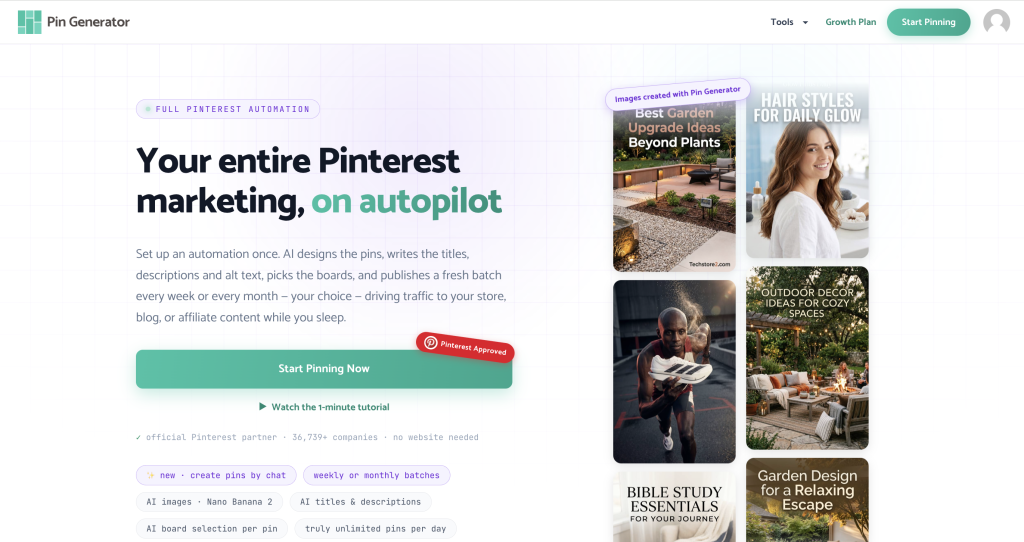
We recommend a tool like Pin Generator because it brings those tasks together, using AI to create branded designs, write keyword-focused titles and descriptions, and schedule your pins. One of the main reasons we love it for this approach is that you don’t need a website to use it.
If you have an Etsy or Shopify shop, you can connect it and pull in your catalog to create pins for your products. If you’re promoting affiliate offers instead, you can add supported product URLs, including Amazon and Walmart links, to retrieve available product information and images. You’ll still want to check that each finished pin uses the correct affiliate destination and that your program permits the images you’re using.
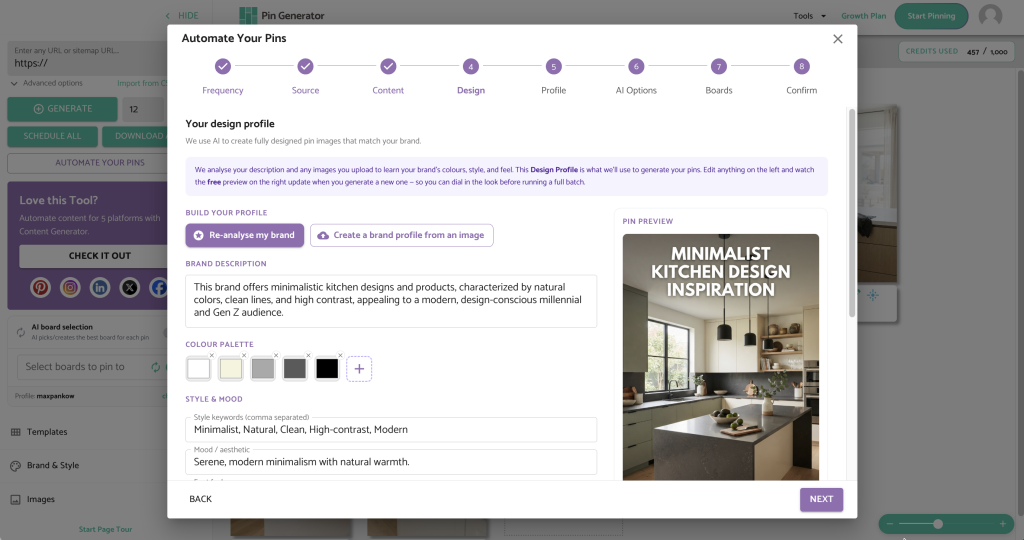
You also have flexibility in how the pins look. Templates can use your own photos or suitable product images, while fully AI-generated designs give you another option when you don’t need to reproduce an exact product. You can combine both approaches and create an AI brand identity to keep your colors, fonts, and visual style consistent across different designs.
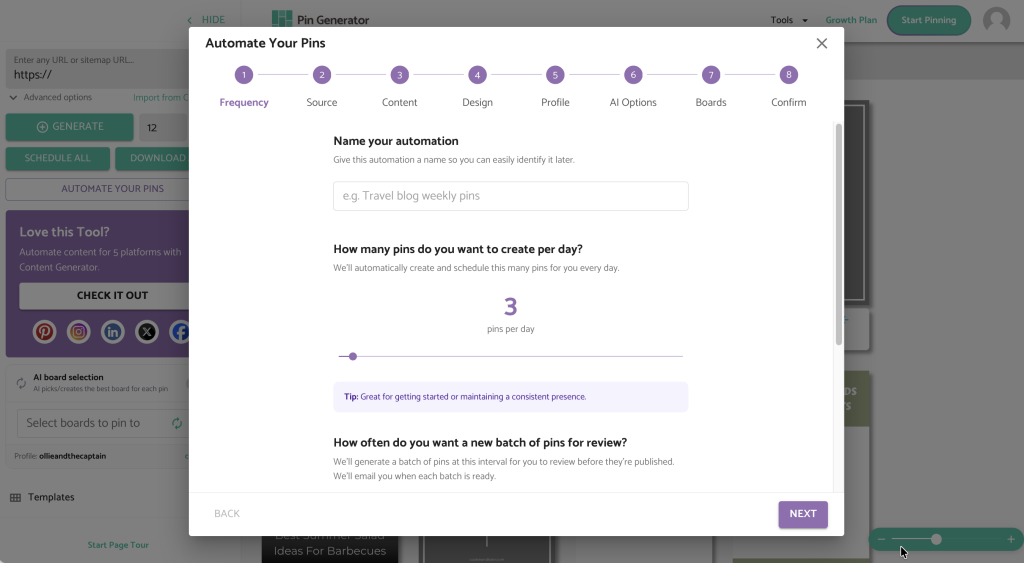
The automations can be as focused or broad as you need, whether you want to promote one product category, organize a seasonal campaign, or rotate through a larger collection of links. You choose how many pins to publish each day and how often to review the batches, then make changes to the images, copy, links, or publishing schedule before they go live.
Your role shifts from creating every pin yourself to reviewing and refining what the tool prepares, which makes a regular publishing schedule much more manageable. If you want to see how the setup works, our video walks you through the complete no-website workflow in just a few minutes.
Get Started Without a Website
If building a website has been holding you back, you can start with the products and links you already have, provided they’re approved for promotion on Pinterest. I would begin with a small batch of pins you feel confident sharing, check that the images match your offers, and choose a schedule you can keep up with. As the pins publish, pay attention to which ones bring clicks and purchases so you can build on what’s working.
You can try Pin Generator to create that first batch and get your marketing moving without designing and scheduling every pin yourself.
Let’s get generating!