
Pin Video
24 August 2026
Creating a great pin video is a bit like making a tiny movie trailer for your idea, product, recipe, outfit, tutorial, or “please click this before I emotionally crumble” blog post. You have a few seconds to stop the scroll, explain why someone should care, and make the viewer think, “Ah yes, this belongs in my carefully curated board of future greatness.” No pressure. Just the entire attention economy breathing down your neck.
The good news? Pinterest video content does not need to be a Hollywood production. You do not need a fog machine, a drone, or a director shouting “more emotion!” at your handmade candle. What you do need is a clear plan, vertical visuals, readable text, helpful content, and optimization that tells Pinterest what your video is about. In this guide, we’ll walk through how to plan, shoot, edit, publish, and optimize pin video content that earns attention, saves, clicks, and possibly a small round of applause from your analytics dashboard.
What Is a Pin Video, and Why Should You Care?
A pin video is a video-based Pinterest pin designed to appear in the Pinterest feed, search results, related pins, and boards. Unlike static image pins, video pins use motion to catch attention. That might be a product demo, a recipe process, a before-and-after makeover, a quick tutorial, a travel clip, a styling tip, or an animated graphic promoting a blog post.
Pinterest is not quite like TikTok, Instagram Reels, or YouTube Shorts. People come to Pinterest with intent. They are planning, searching, comparing, saving, and quietly plotting how to reorganize their pantry at 11:42 p.m. That makes video pins especially powerful because they combine visual discovery with practical inspiration.
According to Pinterest’s own business resources, the platform is built around discovery and shopping intent, with users actively looking for ideas and products to try next. You can explore Pinterest’s advertising and content guidance through the Pinterest Business hub. This matters because a pin video is not just “content.” It is a visual search asset. When optimized well, it can continue attracting viewers long after your post date has wandered off into the digital sunset.
Video also helps you communicate more information quickly. A static pin can show the finished chocolate cake. A video pin can show the batter, the frosting swirl, the crumb texture, and the dramatic fork dive. That is emotional storytelling. Also dessert propaganda. Both work.
If you want a deeper dive into Pinterest video fundamentals, the PinGenerator blog has a useful related guide on Pinterest video strategy and best practices. Think of this article as the practical, step-by-step companion that helps you go from “I should make videos” to “Look at me, I’m basically a Pinterest cinematographer now.”
Start With the Goal: Don’t Film Randomly Like a Confused Squirrel
Before you shoot anything, decide what the video should accomplish. This is the step people skip because filming feels more exciting than planning. But skipping strategy is how you end up with twelve clips of your coffee mug and no idea what you were trying to sell. The mug looked great, though. Very brave.
A pin video can support different goals, including:
- Driving traffic to a blog post, recipe, guide, or landing page
- Promoting a product from an Etsy, Shopify, WooCommerce, or Amazon store
- Increasing saves by sharing a useful tip or inspirational idea
- Building brand awareness with quick educational content
- Encouraging shopping behavior with demos, transformations, or styling examples
- Repurposing existing content into Pinterest-friendly visuals
Your goal shapes everything: the hook, format, visuals, call-to-action, title, description, and destination URL. A product pin video should show the product clearly and demonstrate value. A blog traffic video should tease the benefit and lead viewers to the full post. A tutorial video should deliver enough value to earn a save, while still giving viewers a reason to visit your site.
For example, if you sell handmade planners, your goal might be to drive traffic to a product page. Your video could show the planner being opened, pages flipping, goal-setting spreads being filled out, and a final text overlay that says, “Plan your week in 10 minutes.” That is much stronger than simply showing the planner sitting on a desk looking pretty and emotionally unavailable.
If you are a blogger, your goal might be saves and clicks. A food blogger could create a pin video titled “5-Minute Breakfast Wrap” with quick clips of ingredients, assembly, and the finished wrap. The video gives the viewer a reason to save, while the pin description points to the full recipe.
Plan the Perfect Pin Video: Hook, Story, CTA
Every good pin video needs three basic ingredients: a hook, a story, and a call-to-action. Without these, your video may still be pretty, but it will float through Pinterest like a decorative balloon with no address.
1. The Hook
The hook is the first thing viewers notice. On Pinterest, this usually means the opening frame and first text overlay. You have a tiny window to convince people not to scroll past. Think short, specific, and benefit-driven.
Strong hook examples include:
- “3 Small Pantry Fixes That Save Space”
- “Turn One Blog Post Into 10 Pinterest Pins”
- “The 15-Minute Dinner I Make Every Monday”
- “Before and After: Tiny Balcony Makeover”
- “How to Style One Sweater 5 Ways”
Weak hooks are vague. “My Morning Routine” is okay, but “My 10-Minute Morning Routine for Busy Moms” is stronger. “New Product” is sleepy. “The Travel Bag That Fits Under an Airplane Seat” is better. Specificity is caffeine for content.
2. The Story
Your pin video does not need a complex plot involving betrayal, redemption, and a surprise raccoon. It just needs a sequence that makes sense. Show a problem, process, and result. Or show a tip, example, and outcome.
Here are simple story structures that work well:
- Before → Process → After: Great for home, beauty, DIY, fitness, and organization content.
- Problem → Solution → Result: Ideal for products, services, and educational pins.
- Step 1 → Step 2 → Step 3: Perfect for tutorials, recipes, and how-to content.
- List format: “5 ways to…” or “3 mistakes to avoid…” works beautifully on Pinterest.
3. The Call-to-Action
Your call-to-action tells viewers what to do next. Do not assume they will magically know. The internet is busy. People need friendly little signs.
CTA examples include:
- “Save this for later”
- “Read the full guide”
- “Shop the look”
- “Get the recipe”
- “Try this weekend”
- “See all templates”
A great CTA should match your goal. If your goal is engagement, ask for saves. If your goal is traffic, point to the full article. If your goal is sales, invite viewers to shop or compare options. Clear beats clever here. “Journey into possibility” sounds poetic but nobody knows what to do with that. “Shop the planner” wins.

Shooting Pin Video Content Without Turning Your House Into a Film Studio
You can shoot excellent pin video content with a smartphone, natural light, and a tiny bit of planning. No need to remortgage your house for camera gear. Pinterest users care more about clarity, usefulness, and visual appeal than cinematic perfection.
Start by filming vertically. Pinterest recommends vertical creative because it takes up more screen space on mobile devices. A 2:3 aspect ratio works well for static pins, while video can also perform well in vertical formats such as 9:16 depending on placement and creative style. Pinterest’s creative best practices are covered in its official creative best practices guide, which is worth bookmarking if you enjoy guidelines that prevent chaos.
When shooting, keep these practical tips in mind:
- Use natural light: Film near a window if possible. Avoid harsh overhead lighting unless you enjoy mysterious shadows and haunted soup.
- Keep the background clean: A simple background makes the subject easier to understand.
- Stabilize your phone: Use a tripod, stack of books, or that one mug that somehow supports everything.
- Capture short clips: Film several 2-5 second clips instead of one long video. Editing will be much easier.
- Show movement early: Motion in the first second helps stop the scroll.
- Frame for text overlays: Leave some open space at the top or center for readable text.
If you are filming products, show them in use. A necklace on a table is nice. A necklace being worn with three outfits is better. A printable planner page alone is fine. A hand filling it out with colorful pens is much more compelling. Pinterest is about ideas in action.
If you are filming blog content, you do not always need original video footage. You can create motion using still photos, animated text, slides, zoom effects, and transitions. For example, a travel blogger can turn five destination photos into a video pin with quick tips and a CTA to read the full itinerary. A personal finance blogger can animate checklist points from a budgeting article. Your camera roll is probably sitting on untapped Pinterest gold, wearing sweatpants.
Editing Your Pin Video: Make It Snappy, Clear, and Not Annoying
Editing is where your pin video becomes polished. Or where it becomes a chaotic disco of transitions. Please choose polish.
Your main editing goal is clarity. The viewer should understand what the pin is about immediately, even without sound. Many people browse Pinterest silently, so text overlays are essential. Add captions, labels, or short instructions directly on the video.
Keep text large, high-contrast, and easy to read on a mobile screen. Avoid tiny fonts. If viewers need a magnifying glass and a PhD in squinting, the text is too small.
A basic pin video editing structure could look like this:
- Opening hook text: “DIY Entryway Makeover Under $100”
- Clip 1: Before shot of entryway
- Clip 2: Painting or organizing process
- Clip 3: Decor details
- Clip 4: Final reveal
- Closing CTA: “Save this idea” or “Read the full project list”
Avoid over-editing. Fancy transitions can be fun, but if every clip spins, flips, flashes, and zooms like it drank six espressos, viewers may bail. Clean cuts, subtle zooms, and simple text animations usually work best.
According to Hootsuite’s social media video tips, strong social videos should capture attention quickly, be optimized for mobile viewing, and include captions when sound is not guaranteed. Pinterest is no exception. In fact, because Pinterest functions as a search and discovery engine, clarity may be even more important than trendiness.
For creators who want to speed up this process, PinGenerator can help create eye-catching video pins from your existing content, products, or URLs. Instead of building every design from scratch, you can use Pinterest-specific templates, AI-generated titles and descriptions, and scheduling tools in one workflow. If you want more tool-specific guidance, check out this related post on using a Pinterest video pin maker to streamline production.
Optimize Your Pin Video for Pinterest SEO
Pinterest is not just a social platform. It is a visual search engine wearing a very stylish hat. That means your pin video needs keywords, context, and relevance signals so Pinterest can understand where to show it.
Start with keyword research. Search your main topic on Pinterest and look at autocomplete suggestions. If you type “healthy dinner,” Pinterest may suggest related phrases like “healthy dinner recipes easy,” “healthy dinner meal prep,” or “healthy dinner for kids.” These are clues about what users are actively searching for.
Then use keywords naturally in these places:
- Pin title
- Pin description
- Text overlay on the video
- Board title and board description
- Destination page title or blog post topic
- Alt text, where appropriate
For example, if your target topic is “small laundry room organization,” do not title your video “Tiny Room Magic.” Cute? Yes. Searchable? Not really. Better: “Small Laundry Room Organization Ideas.” Then use the description to add helpful context: “Try these small laundry room organization ideas to maximize shelves, baskets, and wall space. Save this for your next weekend home project.”
PinGenerator includes Pinterest keyword research features that help you discover what people are searching for before you publish. This is especially useful if you are creating pins in bulk from blog posts or product listings. Instead of guessing, you can create video pins around search demand. Revolutionary concept: making content people already want. Someone alert the committee.
SEO also applies to the destination URL. If your pin links to a blog post, make sure that page delivers on the promise. A video pin titled “10 Patio Decorating Ideas” should not lead to a generic homepage. Pinterest and users both prefer relevance. If the experience feels like a bait-and-switch, your clicks may drop faster than a phone under a car seat.
For broader social search and content planning ideas, resources like Sprout Social’s guide to social media SEO can help you understand how keyword behavior is expanding across visual and social platforms.

Best Pin Video Ideas by Niche: Because “Just Make Content” Is Terrible Advice
Different niches need different video ideas. A craft seller and a finance blogger should not create identical pin videos unless we are discussing glitter-covered budget spreadsheets, which honestly might work.
E-commerce and Product Sellers
If you sell products, your pin video should help people imagine owning, using, wearing, gifting, or benefiting from the item. Show scale, texture, details, and use cases. Pinterest users often browse with shopping intent, so make the product feel practical and desirable.
Product pin video ideas include:
- Unboxing or packaging clips
- Product-in-use demonstrations
- Before-and-after results
- “3 ways to style this” videos
- Gift guide videos by occasion
- Seasonal collection previews
If you run an online store, PinGenerator can import products from Shopify, Etsy, or WooCommerce and help generate Pinterest content at scale. That is handy when you have 78 products and exactly zero desire to manually copy product titles into pin descriptions until your soul exits your body.
For product-focused Pinterest strategy, you may also find this guide on Pinterest tags for products useful, especially if you are trying to improve product discovery and shopping performance.
Bloggers and Content Creators
Bloggers can use pin video to preview the value inside a post. Think of it as the appetizer before the main content buffet.
Blog video pin ideas include:
- Animated list posts: “7 Budget Travel Tips”
- Recipe process videos
- Mini tutorials from longer how-to guides
- Before-and-after clips from DIY posts
- Quote or checklist videos from educational content
- Seasonal roundups with fast-moving visuals
A home decor blogger could create a pin video showing three clips from a living room makeover, with text overlays for each step. A marketing blogger could animate key points from a post about Pinterest SEO. A parenting blogger could share a quick “lunchbox idea of the week” video linking to a full meal prep guide.
Agencies and Service Businesses
Service businesses can use pin video to teach, simplify, and build trust. You may not have a physical product, but you do have knowledge. Package that knowledge visually.
Ideas include:
- Quick myth-busting videos
- Client transformation snapshots
- Mini case study slides
- “Mistakes to avoid” clips
- Explainer videos with animated text
For agencies managing multiple brands, PinGenerator’s multi-profile and scheduling tools can reduce a lot of repetitive work. You can generate different pin styles for different clients, schedule across boards, and keep campaigns moving without living inside Pinterest 24/7 like a caffeinated garden gnome.
Publishing and Scheduling: Consistency Beats One Viral Unicorn
One excellent pin video is great. A consistent library of optimized video pins is better. Pinterest success usually comes from publishing fresh content regularly, testing variations, and building momentum over time.
Unlike platforms where posts disappear quickly, Pinterest content can keep circulating for weeks, months, or even years. That does not mean every pin will become evergreen royalty, but it does mean consistency matters. The more quality assets you create, the more opportunities Pinterest has to match your content with user searches and interests.
According to Buffer’s video marketing resources, short-form video continues to be one of the most effective formats for capturing attention across social platforms. On Pinterest, the difference is that your video can support search-driven discovery, not just feed-based entertainment.
When publishing your pin video, pay attention to:
- Board relevance: Save the pin to the most relevant board first.
- Fresh variations: Create multiple versions with different hooks, covers, or text overlays.
- Timing: Schedule content consistently rather than dumping 40 pins in one heroic panic session.
- Descriptions: Write helpful, keyword-rich descriptions that sound human.
- Destination links: Send users to a relevant page that matches the video’s promise.
This is where automation becomes your friend. PinGenerator lets you design, write, schedule, and publish Pinterest pins in bulk. You can create variations from one URL or product listing, use AI to generate titles and descriptions, and schedule content across multiple boards. For video pins specifically, this helps you maintain volume without manually rebuilding every asset from scratch.
If you are comparing workflows, this post on creating video pins with a Pinterest video pin maker offers additional context on simplifying production. The big idea is simple: Pinterest rewards fresh, consistent content, and tools like PinGenerator help you create that content without turning your calendar into a horror movie.
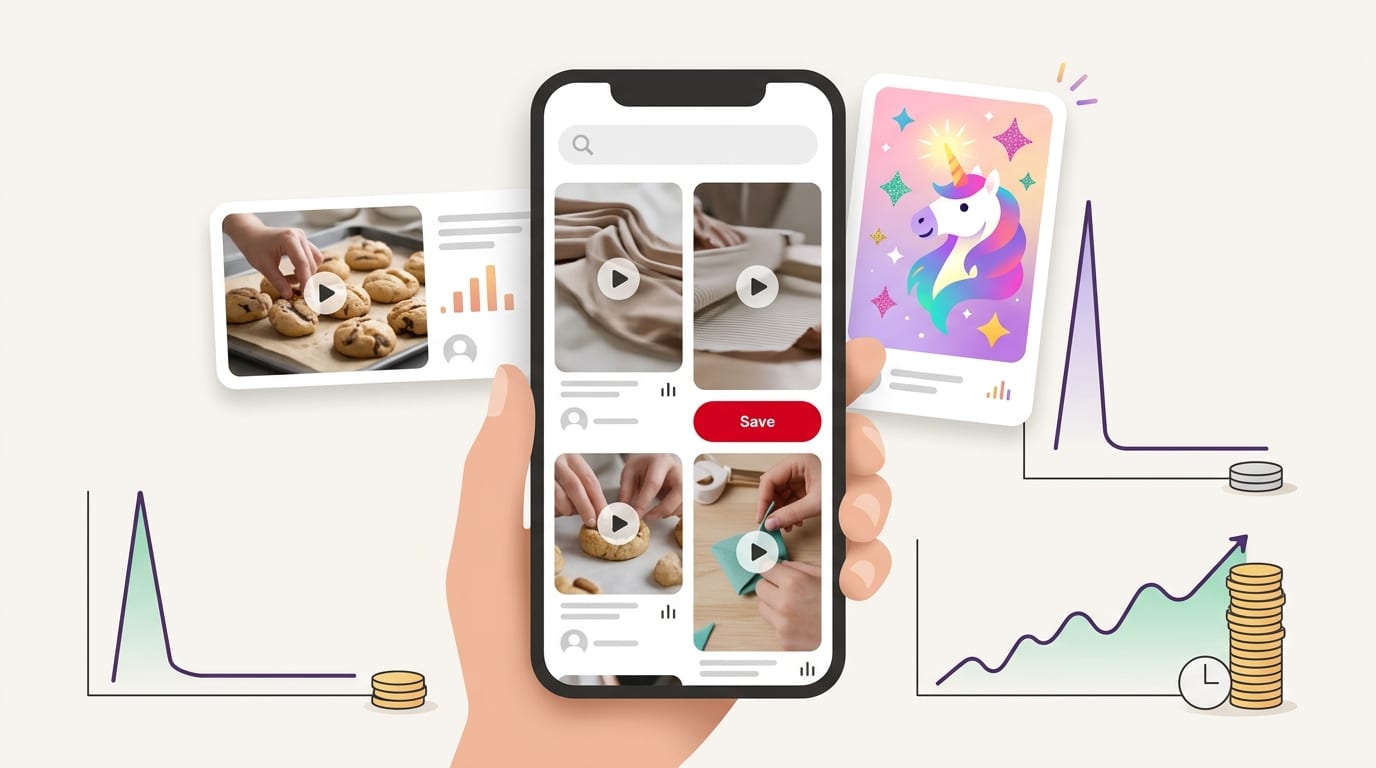
Measure Performance: Let the Data Roast You Lovingly
Once your pin video is published, the work is not over. Now you watch performance and learn what your audience actually likes. Sometimes the video you loved will flop. Sometimes the quick version you made while eating cereal will win. The algorithm is mysterious, but data gives us clues.
Track metrics such as:
- Impressions: How often your video appears on Pinterest.
- Video views: How many people watched your video.
- Outbound clicks: How many viewers clicked through to your website or product page.
- Saves: How many users saved your pin to a board.
- Engagement rate: How often people interacted after seeing the pin.
- Watch time: Whether people stick around or flee instantly.
Do not judge a pin video too quickly. Pinterest content can take time to gain traction. Give pins room to breathe before declaring them dead and holding a tiny funeral.
Look for patterns. Are tutorial videos getting more saves? Are product demos getting more clicks? Are videos with text overlays performing better than videos without them? Are certain boards driving more engagement? Use those insights to create your next batch.
You should also test variations. Change one major element at a time so you can understand what made the difference. Try a different opening hook, cover frame, CTA, title, or video length. If version A says “Easy Closet Organization” and version B says “5 Closet Fixes for Small Spaces,” you may discover that specificity drives better saves.
For broader benchmarking and marketing measurement context, HubSpot’s marketing statistics are a useful resource for understanding how marketers are using video, SEO, and content across channels. Pinterest may have its own personality, but it still benefits from the same core marketing principle: measure, learn, improve, repeat, snack.
Common Pin Video Mistakes That Quietly Sabotage Results
Even good creators make avoidable mistakes with pin video content. The good news is that most are easy to fix once you know what to look for.
Mistake 1: No Clear Hook
If viewers cannot understand your video in the first second or two, they may keep scrolling. Start with movement and a clear text overlay. Do not make people solve a riddle before they know what they are watching.
Mistake 2: Text That Is Too Small
Your video will be viewed on mobile. Tiny elegant text may look gorgeous on your laptop, but on a phone it becomes decorative dust. Use large, readable fonts with strong contrast.
Mistake 3: Weak or Missing CTA
If you want saves, say so. If you want clicks, invite them. If you want shoppers, guide them. A pin video without a CTA is like a store with no checkout counter.
Mistake 4: Linking to the Wrong Page
Match the pin to the destination. If the video shows a specific product, link to that product. If it previews a recipe, link to the recipe. Users dislike digital scavenger hunts unless they voluntarily signed up for one.
Mistake 5: Making Only One Version
One video is not a strategy. Create variations. Try different hooks, thumbnails, templates, and descriptions. PinGenerator is especially useful here because it can generate multiple Pinterest-ready designs and content variations quickly, rather than forcing you to do the same repetitive edits like a pixel farmer from the olden days.
Mistake 6: Ignoring Keywords
Pretty content still needs search context. Use relevant keywords in your title, description, overlays, and boards. Pinterest cannot rank your content properly if you treat naming things like a poetry contest.
A Simple Step-by-Step Pin Video Workflow
Let’s turn everything into a practical workflow you can use today. No fluff. No ceremonial chanting required.
- Pick one goal: Traffic, saves, sales, awareness, or engagement.
- Choose one topic: Use Pinterest search suggestions or keyword research to find demand.
- Write your hook: Make it specific, benefit-led, and easy to understand.
- Outline the sequence: Use before/process/after, problem/solution/result, or step-by-step.
- Gather visuals: Shoot vertical clips or collect photos, product images, and brand assets.
- Edit for mobile: Add text overlays, clean transitions, and a clear CTA.
- Write the title and description: Include keywords naturally and make the value obvious.
- Choose the right board: Pin to a board that closely matches the topic.
- Schedule consistently: Publish over time rather than in random bursts.
- Review performance: Track saves, clicks, views, and engagement to guide future videos.
If you want to speed up steps 6 through 9, that is exactly where PinGenerator fits naturally. You can create Pinterest pins at scale, use AI for titles and descriptions, customize templates, generate video pins, and schedule everything without juggling five separate tools and a spreadsheet named “final_FINAL_reallyfinal.xlsx.”

Final Thoughts: Your Pin Video Does Not Need to Be Perfect, Just Useful
A standout pin video is not about being flashy. It is about being clear, useful, visually interesting, and optimized for the way Pinterest users search and save. Start with a goal. Create a strong hook. Show the idea in motion. Add readable text. Use keywords. Publish consistently. Then let the data tell you what to make next.
Remember: Pinterest users are planners. They are looking for ideas they can save, try, buy, cook, wear, build, organize, or send to a friend with “we should do this” energy. Your pin video should help them imagine the result quickly. That is the magic.
And if the manual process of designing, writing, uploading, and scheduling video pins makes you want to hide under your desk with a snack, use a tool built for the job. PinGenerator helps creators, bloggers, e-commerce sellers, affiliates, and agencies create Pinterest content faster, including video pins that stand out in the feed. You bring the idea. PinGenerator helps turn it into polished, scheduled Pinterest content without requiring a design degree or a second personality dedicated entirely to social media.
So go make your next pin video. Keep it vertical. Keep it clear. Add a useful CTA. Feed the Pinterest machine with quality content. And please, for the love of readable fonts, make the text big enough for human eyeballs.