
Pinterest Affiliate Marketing Scam: How to Spot One
9 November 2026
Pinterest affiliate marketing itself is legitimate, and scams are specific deceptive practices layered on top of a channel that already allows commission links. The useful split is between a disclosed path to a real product and a pattern of hidden influence, fake urgency, or manufactured engagement.
Why do searches for a Pinterest affiliate marketing scam so often end in a blanket verdict on the whole channel? People collapse bad conduct into the platform. A Pin that earns a commission is not the same thing as a Pin that conceals the commission, swaps the destination, or promises a fixed paycheck. The gap in conventional thinking is treating "scam" as a mood instead of a checklist. You can score an offer before you join it, and you can score your own Pin before it goes live.
Table of Contents
- Is Pinterest Affiliate Marketing a Scam?
- Red Flags and the Six-Step Offer Check
- How Pinterest Enforces Its Affiliate Rules
- How to Disclose Affiliate Links on Every Pin
- What to Do If You Have Been Scammed
- Safe Affiliate Pin Workflow and Setup Checklist
Is Pinterest Affiliate Marketing a Scam?
Pinterest affiliate marketing is legitimate. What deserves the Pinterest affiliate marketing scam label is a set of deceptive practices sitting on that channel, not the act of earning a commission. Misleading claims, concealed commissions, unsafe redirects, and artificial engagement are the behaviors that fail. A disclosed link to a product a buyer can purchase does not.
Put both sides next to each other and the verdict stops being a matter of opinion.
| Practice | Legitimate | Scam pattern |
|---|---|---|
| Earning commission | Disclosed affiliate link to a real product | Hidden link behind a fake review or giveaway |
| Pin volume | Varied, original pins at a human pace | Dozens of near-identical pins published daily |
| Income claims | Realistic and stated as variable | Guaranteed passive income or a fixed weekly figure |
| Landing page | Matches what the pin promised | Redirect chain to an unrelated offer or sign-up form |
| Upfront cost | Free to join the affiliate program | Paid course or starter kit required before earning |
An archived Pinterest newsroom announcement states that the company had previously removed affiliate links because spammers were abusing them, then began restoring affiliate-link access after strengthening its spam-detection system, with a rollout beginning in 2015 and affiliate networks added over the following weeks. That record shows the platform targeting abuse that damages search quality, not monetization itself. Current community guidance prohibits repetitive, deceptive, or irrelevant content created to make money, and it requires affiliate content to be original, transparent, and useful to Pinners. It bans fake accounts used to create or save affiliate links, reciprocal schemes designed to inflate saves, and repetitive or large-volume affiliate Pins.
If an offer fails any scam-column row, treat it as a scam until it proves otherwise.
Automation does not change the rule. Human review, varied creative, an accurate landing page, and a visible commission matter more than how many Pins you can push in a day.
Red Flags and the Six-Step Offer Check
Eight warning signs cover almost every pitch that uses Pinterest as cover. Each one has a check you can run today, and two failures are enough to walk away.
| Red flag | What it looks like | How to check it |
|---|---|---|
| Guaranteed income | Promises such as "earn $500 a day from your Pins" | Ask for published commission rates; no legitimate program guarantees earnings |
| Paid entry | Course, kit, or membership required before any commission | Confirm on the merchant's own site that joining is free |
| Countdown pressure | Timers and "only three seats left" offers | Leave and return later; real programs have no deadline to join |
| Swapped saves or follows | Groups that promise to save or follow each other's pins | Decline; Pinterest bans reciprocal schemes and fake accounts used for affiliate links |
| Hidden commission | Pins with no disclosure near the link | Look for an "Affiliate link" label or paid-partnership label beside the offer |
| Redirect chains | Link passes through several unrelated domains | Open it in a private window, count the redirects, and note the final domain |
| Recruitment-led income | Earnings come mainly from signing up other people | Treat as multilevel marketing; Pinterest's ad rules prohibit such promotions |
| Pin farms | Dozens of near-identical pins published daily | Review your own pin history for repetition and cap your daily volume |
The same checks, laid out as a one-minute scan, look like this.
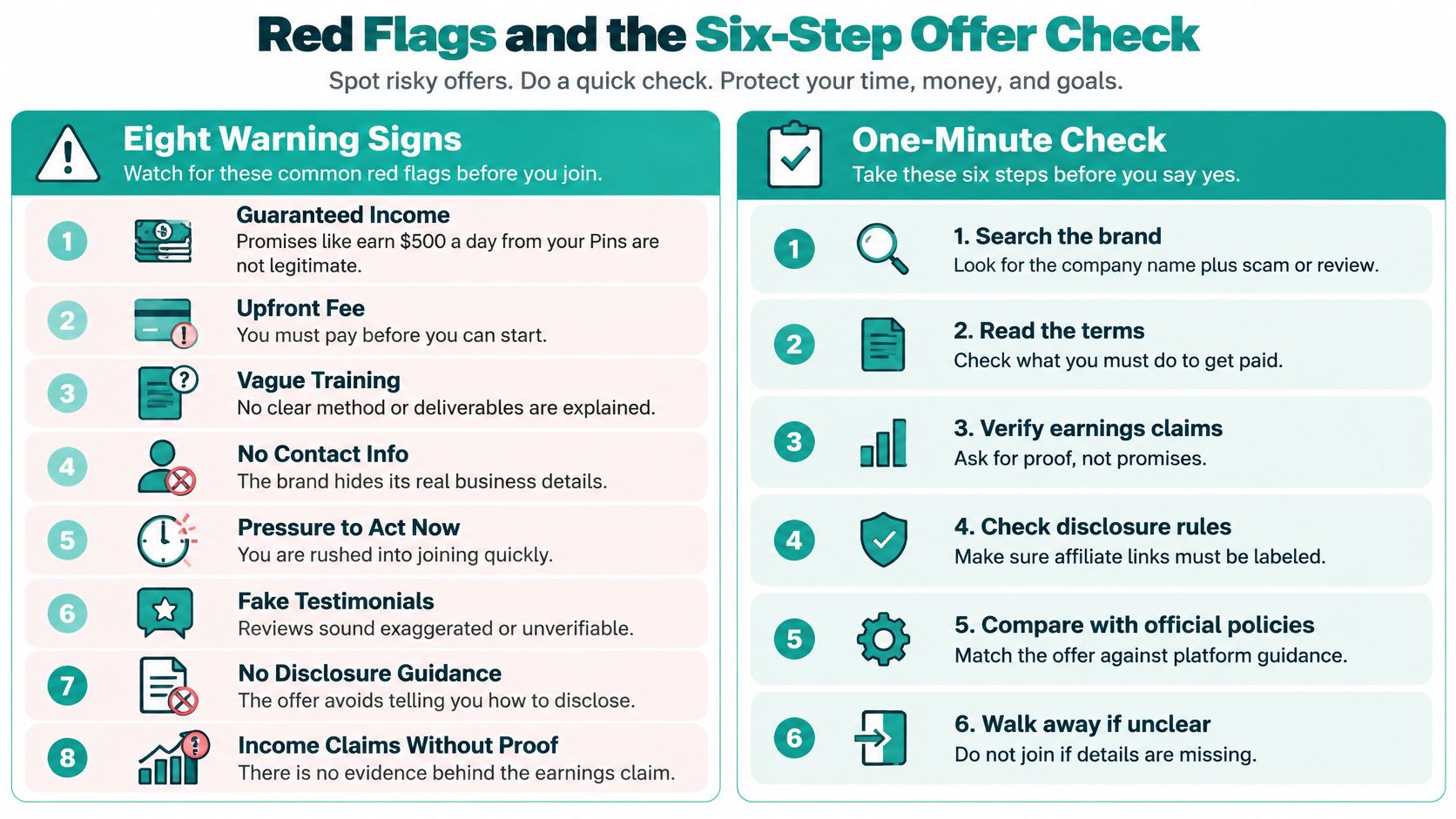
Run the six steps in order
- Confirm the program on the merchant's own domain, not only through a link inside a Pin. A real program page names the brand, the products, and how you apply.
- Read the commission rate, cookie window, and payment terms, and note any fee. The cookie window is how long a referred sale can still pay you. A fee before any commission is paid entry.
- Check each Pin claim against the product page and keep a dated screenshot. If the Pin says "limited stock" and the product page does not, the claim fails.
- Open the link in a private window and write down every hop and the final domain. Three unrelated sites between the Pin and the product is a redirect chain.
- Verify any tool or vendor through independent sources, not its own homepage, and confirm partner status with Pinterest itself. Pin Generator is an official Pinterest partner, which is the kind of status you should be able to confirm outside a sales page.
- Publish one disclosed test Pin, wait a week, and review the destination plus any Pinterest notice before you scale.
Keep a one-line record sheet: date, offer name, URL, disclosure text, and pass or fail. If two rows from the table fail, stop. You do not need a seventh red flag to justify leaving.
How Pinterest Enforces Its Affiliate Rules
Enforcement is operational, not a poster on a policy page. Pinterest's community guidelines describe automated tools, manual review, and hybrid machine-learning and rules-based systems. The same guidance requires creators to disclose the commercial nature of links and to follow paid-partnership requirements, with a clear disclosure such as "#ad" or the paid-partnership label. Affiliate content must add unique value. Algorithm manipulation, fake accounts, quid-pro-quo saving arrangements, and repetitive or high-volume affiliate Pins are prohibited.
Advertising rules go further. Promotions that promise large financial returns for minimal investment or effort are out, including get-rich-quick and multilevel-marketing opportunities. So are ads that intentionally show a different product or service from the one offered.
| Violation | Typical response |
|---|---|
| Unsafe or misleading URL | Link is blocked |
| Ad that breaks the rules | Ad rejected before or after launch |
| Repetitive or high-volume affiliate Pins | Distribution limited |
| Fake accounts or artificial saves | Accounts removed |
| Promotion showing a different product from the one offered | Ad refused |
| Get-rich-quick or multilevel-marketing promotion | Ad refused |
What a limited Pin means for a small account
A Pin with suddenly thin distribution is not a neutral dip in interest. It is a signal that the account crossed a line Pinterest is willing to act on, by blocking an unsafe URL, rejecting an ad before or after launch, limiting distribution, or removing advertisers and accounts. One rejected ad can be fixed. Repeated high-volume affiliate Pins, or a pattern of destinations that do not match the creative, can cost the account.
Pinterest does not publish a single global affiliate scam rate. Judge your own compliance by disclosure, truthful claims, relevant destinations, originality, and how often you publish. Treat every commission-bearing Pin as advertising, label it plainly, and keep review notes before a batch repeats. The Pinterest community guidelines are worth reading beside your own Pin history, not only after a notice arrives.
How to Disclose Affiliate Links on Every Pin
The failure that turns ordinary affiliate work into deception is a hidden financial tie. The FTC defines a material connection broadly: payment, employment, family relationships, or free and discounted products. When an endorsement runs through social media, that connection has to be disclosed. A product image or a shared link can communicate approval on its own, so a casual-looking Pin still needs the notice.
Where the words have to sit
The disclosure must appear with the endorsement itself. Putting it only behind a hyperlink, or burying it among hashtags and links, is generally inadequate because people may not see it. A profile bio, a note on the destination page, or a platform label used alone does not carry the Pin.
Use plain language next to the promotional line. A line you can copy is "Affiliate link: commission may be earned." Place it in the Pin description, beside the call to action, not at the end of a hashtag string.
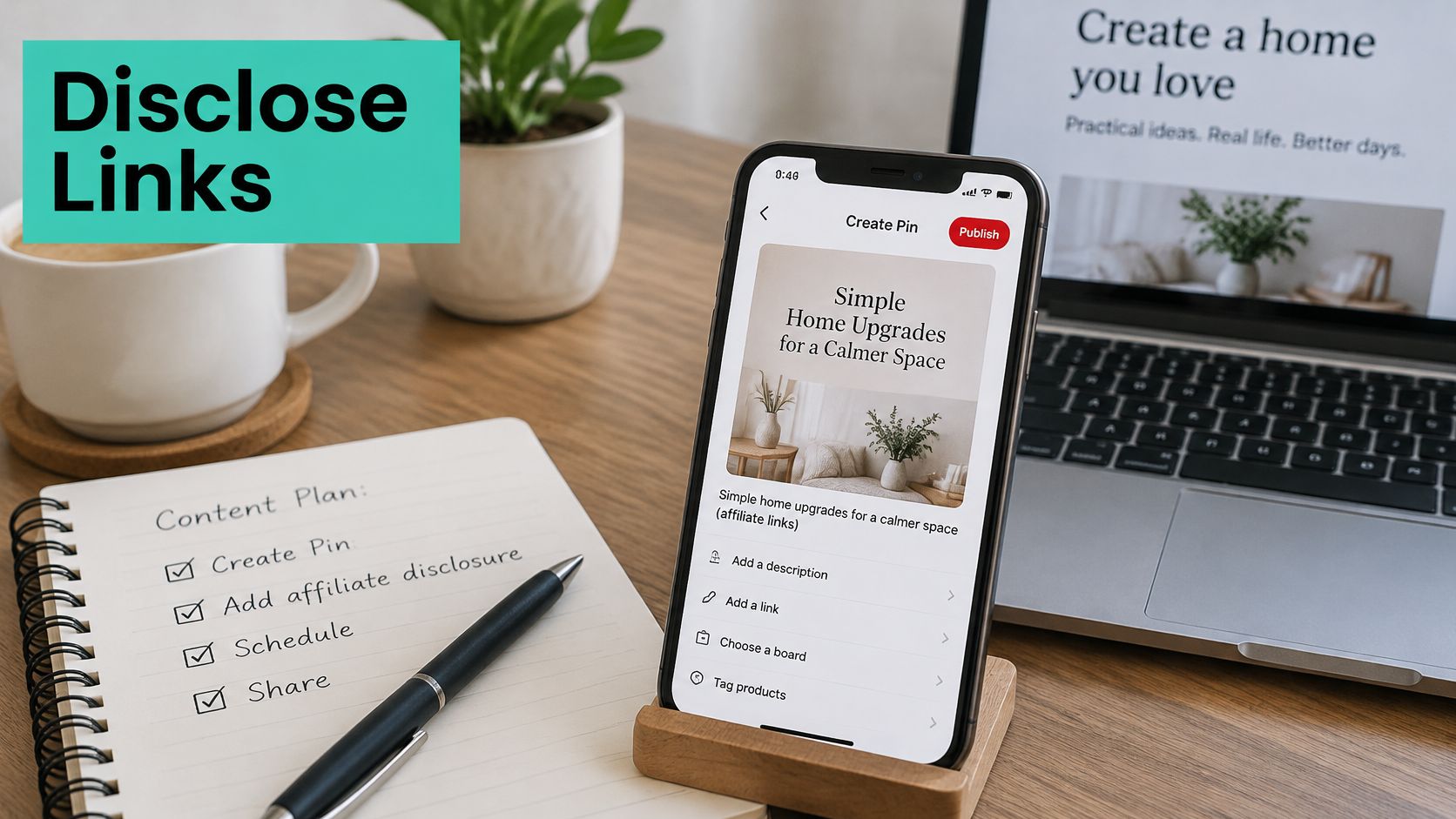
Score the Pin before it publishes
Whether you wrote the Pin by hand or generated it, score five items and do not publish a fail:
- Disclosure present: the commission line is in the Pin, not only on your profile.
- Disclosure near the claim: a reader sees it without opening another screen.
- Claims supported: prices, results, and stock match the product page.
- Destination consistent: the click lands on the offer the image described.
- Redirects checked: you know the final domain and there is no unrelated hop.
Merchants should hand affiliates written claim and disclosure rules, sample live Pins on a schedule, and fix what fails. Repeat the disclosure in the description every time so a cropped image cannot hide it.
What to Do If You Have Been Scammed
Stop the spread before you argue about a refund.
- Pause every scheduled Pin that points at the offer, and do not promote it again.
- Remove or edit Pins that lack a disclosure or travel through a redirect chain.
- Report the account, Pin, or ad with Pinterest's in-app report option so moderators see the specific item.
- Report the offer through the FTC's fraud channel. Pattern reports help regulators see the same pitch across platforms.
- If you paid for a course, kit, or membership, contact your card issuer or payment provider promptly and ask to dispute the charge. Refunds are not guaranteed, and delay can close the window.
- Save screenshots, URLs, receipts, and your verification sheet before you delete anything. That file is what a dispute uses.
- If your audience saw the Pin, publish a short correction that names the offer and says what to avoid. Keep it factual. Do not repeat the original income claim in the headline.
A Pinterest violation notice is a separate problem from the money you lost. Answer it with the same evidence pack, and do not relaunch the offer while the review is open.
Safe Affiliate Pin Workflow and Setup Checklist
Say you are promoting one kitchen gadget, a compact chopper. The scam Pin uses the headline "This gadget made me $800 this week," shows no disclosure, and sends the click through three unrelated sites before a sign-up form. The compliant Pin names the chopper, puts "Affiliate link: commission may be earned" beside the call to action, and links straight to the merchant's product page. Same object, opposite conduct. Only the second Pin would still be honest if a skeptical buyer clicked it.
Turn the contrast into rules
Publish varied creative instead of one template repeated with a new board name. Cap daily volume so a day's output does not read as a pin farm. Keep a human review before any scheduled batch, even when titles and images are generated for you. Update product URLs when a program closes, so old Pins do not point at a dead or swapped offer.
Amazon products can be used to generate pins from product URLs for affiliate campaigns, which is useful when the destination is the actual product page. You only create a Pin Generator account when you connect Pinterest. Free accounts include pin credits to try the full workflow, including brand analysis, AI pins and scheduling, with no website needed. Generated titles still need a human pass for accurate claims and a visible disclosure before they go live.
Setup checklist
- Confirm the offer on the merchant's domain.
- Add the disclosure line to a reusable description template.
- Test one Pin end to end, including the final domain.
- Schedule a small batch, not a full catalog dump.
- After two weeks, review results and whether the destination still matches.
If the offer passes every scam-column check, start with that small batch. If it fails any of them, walk away. The last question before a Pin goes live is simple: would it still be honest if a skeptical buyer clicked it?
Pin Generator designs, writes, and schedules on-brand Pins so affiliate publishers can keep a steady cadence without repeating the same image or skipping the disclosure line. Use it to turn checked product URLs into varied Pins, then review claims and labels before anything publishes. Start with a small, disclosed batch at Pin Generator.