
Pinterest AI Image Generator A Guide to Visual Content
8 October 2025
A Pinterest AI image generator is a tool that whips up unique, high-quality images and ready-to-go Pin designs for you. It’s all done with artificial intelligence, helping you pump out fresh content for the platform in literally seconds. We've moved way beyond simple photo editing here—this is a core part of a smart, efficient Pinterest marketing strategy.
The New Era of AI Visuals on Pinterest Explained
Imagine having a creative partner who speaks fluent Pinterest. This partner gets the platform’s visual vibe and can generate an endless stream of stunning, on-brand images with just a few text prompts or a website link. That’s exactly what using a Pinterest AI image generator feels like.
This isn't about slapping on a filter or adding some text. We're talking about generative AI, a sophisticated system that creates entirely new visuals from scratch. Think of it as a brainstorming assistant that not only spits out creative ideas but also brings them to life instantly.
To give you a quick snapshot, here’s what these tools bring to the table.
Pinterest AI Generator At a Glance
This table breaks down the core benefits of using an AI image generator specifically for Pinterest, giving you a quick overview of the strategic perks.
| Feature | Impact on Your Pinterest Strategy |
|---|---|
| Endless Visuals | Generates a continuous stream of fresh, unique Pin designs, preventing content fatigue. |
| Time Savings | Slashes design time from hours to minutes, freeing you up for more strategic tasks. |
| Brand Consistency | Easily applies your brand’s specific colors, fonts, and style across all generated Pins. |
| Creative Spark | Instantly provides dozens of visual ideas and concepts, smashing through creative blocks. |
| Scale with Ease | Effortlessly produce hundreds of Pins to test different angles, keywords, and designs. |
Ultimately, it’s about working smarter, not harder, to keep your Pinterest feed fresh and engaging.
Why This Actually Matters for Pinterest
Pinterest has always been a visual-first platform, but its reliance on AI runs much deeper than what you see on the surface. The platform has already baked artificial intelligence into its most essential functions.
In fact, AI powers 100% of its search and recommendation engine. That AI is influencing everything from the related Pins you see to the products it suggests you buy. This shift has made the user experience way smarter and more personalized.
Just look at Pinterest Lens, one of the platform’s star features. It’s a perfect showcase of visual AI in action, racking up 1.7 billion visual scans in a single year. That number alone makes Pinterest one of the most heavily used visual search platforms on the planet. You can dive deeper into the stats and get more insights on Pinterest's AI integration over at sqmagazine.co.uk.
From Manual Creation to an AI-Assisted Strategy
This heavy use of AI by Pinterest itself is exactly why creators need to get on board with similar tools. A Pinterest AI image generator doesn't just level the playing field; it helps you solve several key challenges that every Pinner faces:
- Overcoming Creative Block: Instantly generate dozens of design concepts for a single blog post or product. No more staring at a blank canvas.
- Scaling Content Production: Create a high volume of fresh Pins without burning out your design team or, let's be real, yourself.
- Maintaining Brand Consistency: Make sure every single Pin, whether it’s your first or your five-hundredth, perfectly matches your brand’s colors, fonts, and overall style.
By leaning into this technology, you shift from being just a content creator to a content strategist. The AI handles the repetitive design work, freeing you up to focus on analyzing what’s working, refining your keywords, and truly understanding your audience. That strategic shift is what really drives sustainable growth on Pinterest.
Why Your Pinterest Strategy Needs an AI Image Generator
Let's be honest, on a visual-first platform like Pinterest, just showing up isn't going to cut it. Your Pins need to stop the scroll, and that means you need a constant, never-ending stream of fresh, eye-catching visuals.
This is where a Pinterest AI image generator goes from being a "nice-to-have" gadget to a core part of a winning strategy. It's the difference between treading water and actually riding the wave of Pinterest growth.
The biggest hurdle for any creator is the sheer volume of content required to stay relevant. If you're manually designing every single Pin, you're creating a massive bottleneck that slows down your entire marketing engine. An AI generator smashes right through that barrier, turning hours of tedious design work into a few quick minutes.
Scale Your Content Production Effortlessly
Imagine taking one blog post and, almost instantly, getting twenty different Pin designs for it. That's what we're talking about. An AI tool dives into your content, pulls out the key takeaways, and spins up a whole variety of on-brand visuals.
This opens up so many strategic doors:
- Test More Ideas: Want to A/B test different headlines, images, or calls-to-action? Now you can, without investing a huge chunk of your day.
- Target Multiple Keywords: Create unique Pins for every single relevant keyword tied to your content. This is how you really expand your reach.
- Feed the Algorithm: Pinterest's algorithm famously loves "fresh Pins." AI gives you an endless supply, boosting your visibility and keeping your content top-of-mind.
This ability to produce content at scale isn't just about saving time; it’s about being smarter. The more you Pin, the more data you collect on what's actually working. For a broader look at how this fits into your overall marketing, this guide on using an AI social media content generator is a great resource.
By automating the repetitive design tasks, you're free to focus on what really moves the needle: keyword research, trend analysis, and engaging with your community. The AI handles the "what," so you can focus on the "why."
Connect with a Purchase-Ready Audience
This explosion in output connects you directly to a massive and highly motivated audience. By early 2025, Pinterest had grown to around 570 million monthly active users worldwide. But here’s the kicker: these users are actively looking to buy.
A whopping 85% of weekly Pinners report making a purchase based on Pins they see from brands on the platform. Pinterest also punches above its weight in driving sales, delivering 33% more referral traffic to e-commerce sites than Facebook. You can discover more insights about Pinterest's powerful user base at thunderbit.com.
Maintain Flawless Brand Consistency
As you start pumping out more content, keeping your brand looking sharp and consistent becomes a real challenge. A quality Pinterest AI image generator solves this by letting you set up a brand kit. You plug in your logos, fonts, and color palettes once, and you're set.
This ensures every single Pin, whether it’s your first or your thousandth, perfectly reflects your brand identity. That consistency is gold. It builds trust and makes your content instantly recognizable in a crowded feed, which is absolutely essential for turning casual browsers into loyal followers and customers.
So, What Makes a Good Pinterest AI Generator Tick?
Not all AI tools are built the same, especially when you're talking about the visual battlefield that is Pinterest. A generic image generator might spit out pretty pictures, but a true Pinterest AI image generator is a specialized piece of kit. It’s packed with features designed specifically to create high-performing Pins that actually drive traffic.
Figuring out what these core functions are is the key to picking a tool that saves you a headache and gets you real results.

Think of it like buying a car. Sure, any car gets you from point A to B. But if you’re planning a serious off-roading trip, you’re not buying a sedan. You want something with four-wheel drive and high clearance. Same logic here—you need a tool built for the specific terrain of Pinterest.
The Magic of Text-to-Image Generation
At its heart, the most basic feature is text-to-image generation. This is where you type out a description, and the AI conjures up an image. It's the core magic trick. For Pinterest, this is an absolute lifesaver when your blog post is a bit dry on the visual front, or you need a very specific scene that stock photo sites just can't deliver.
Instead of hunting for a generic photo of a desk, you can tell the AI, "a brightly lit home office with a minimalist wooden desk, a steaming coffee mug, and a monstera plant in the corner, soft morning light." That kind of detail lets you create unique, on-brand visuals that actually make someone stop scrolling.
Keeping Your Style on Point with Brand Consistency
A truly powerful generator does more than just create one-off images; it helps you lock in your brand's look and feel. The best tools, like Pin Generator, come with a Branding Kit. You plug in your brand's colors, fonts, and logos just once, and the AI slaps them on every single Pin it makes for you.
This feature alone solves a massive headache. Keeping a cohesive vibe across hundreds of Pins is how you build brand recognition. With this, you can be sure that your 500th Pin looks just as much "you" as your first.
This isn't just about making things look pretty; it's about building trust. When someone scrolls past a Pin and instantly recognizes it as yours, it strengthens that connection and makes them way more likely to click through.
Getting the Sizing Right with Pinterest-Specific Aspect Ratios
Pinterest is a vertical world. Period. Your images have to be formatted for it. A dedicated Pinterest AI image generator will have built-in presets for the right aspect ratios, which is a small detail that makes a gigantic difference in how your Pins perform.
You want a tool that gives you one-click options for:
- Standard Pins (2:3 Ratio): The classic, most common format.
- Idea Pins (9:16 Ratio): Perfect for that full-screen, mobile-first look.
- Video Pins (Multiple Ratios): Giving you flexibility for different video styles.
This completely removes the guesswork. It ensures your Pins take up the most possible screen real estate, which is everything when you're trying to grab attention in a crowded feed. Without these presets, you’re stuck manually cropping and resizing images, which totally defeats the purpose of using a tool to be more efficient.
Unlocking Your Creativity with Advanced Controls
Once you've got the basics down, the advanced features are where the real fun begins. Image-to-image generation, for example, lets you upload a photo you already have and ask the AI to create new versions in a similar style. It's a brilliant way to breathe new life into old content or just explore a visual theme.
Another game-changer is the ability to add text overlays right inside the tool. A killer headline splashed across your Pin image can seriously boost your click-through rates. When your generator has this feature built-in, it saves you from the tedious step of exporting the image to another program like Canva just to add some text. It keeps your entire workflow in one spot, just where it should be.
How to Create Pins That Actually Convert
So, you’ve used a Pinterest AI image generator to whip up a beautiful image. That’s the fun part. But the real goal is to create a Pin that actually stops the scroll, gets that click, and drives real action for your business. This is where your strategy needs to catch up with the technology, turning those pretty pictures into a conversion-driving machine.
It all starts with mastering the art of the prompt. Think of it like giving directions to a graphic designer. If you’re vague, you get vague results. But when you get detailed and descriptive, you get on-brand visuals every single time. Instead of just asking for "a home office," you need to guide the AI. Try something like, "a sunlit minimalist home office with a white oak desk, a sleek laptop, and a small succulent, shot with a soft, warm light." See the difference?
Master Your Prompts for On-Brand Results
Writing an effective prompt is really about layering in the right details. To get images that look like they were made just for you, make sure your prompts always include these three things:
- Subject and Setting: Be crystal clear about the main subject and where it is.
- Style and Mood: Define the vibe you're going for. Is it "vibrant and energetic," "calm and serene," or maybe "photorealistic" or a "flat illustration"?
- Composition and Lighting: Describe the shot itself. Are we talking a "close-up shot," is it "backlit," or does it have that "soft morning light" feel?
This simple, structured approach helps the AI truly understand your vision. It’s the key difference between an image that feels like a random stock photo and a custom visual that speaks directly to your audience.
Good prompt writing is a skill, but it's one you can learn quickly. It's all about moving from simple requests to rich, descriptive instructions.
Here's a quick comparison to show you what I mean:
| Prompt Element | Basic Prompt Example | Advanced Prompt Example |
|---|---|---|
| Subject | a woman drinking coffee | a cheerful woman in her early 30s with curly brown hair, wearing a cozy knit sweater |
| Setting | in a cafe | sitting at a rustic wooden table in a bright, airy cafe with large windows and hanging plants |
| Style & Mood | happy | warm and inviting, photorealistic, with a shallow depth of field |
| Composition | looking at camera | close-up shot, smiling naturally, holding a ceramic mug with both hands, soft morning sunlight streaming in from the side |
As you can see, the advanced prompt paints a complete picture, leaving very little to chance. This level of detail is what produces consistently on-brand and eye-catching results.
Use Visual Storytelling to Guide Your Audience
One powerful Pin is great, but a series of Pins that tells a story? That's how you get people hooked. Use your Pinterest AI image generator to create a little visual narrative that walks users through a problem and its solution.
For a food blogger, this could be a three-Pin series: the first shows beautiful, fresh ingredients; the second captures the action of the cooking process; and the third is the grand finale—the delicious, plated dish.
This strategy builds curiosity and makes people want to click through to your blog or product page to get the full story. If you're a WordPress user, getting these visuals onto your site is a breeze. Check out our guide on the best way to use an AI Pin generator for WordPress to make your whole workflow seamless.
The infographic below really drives home the difference between using an AI tool and sticking with old-school design methods.
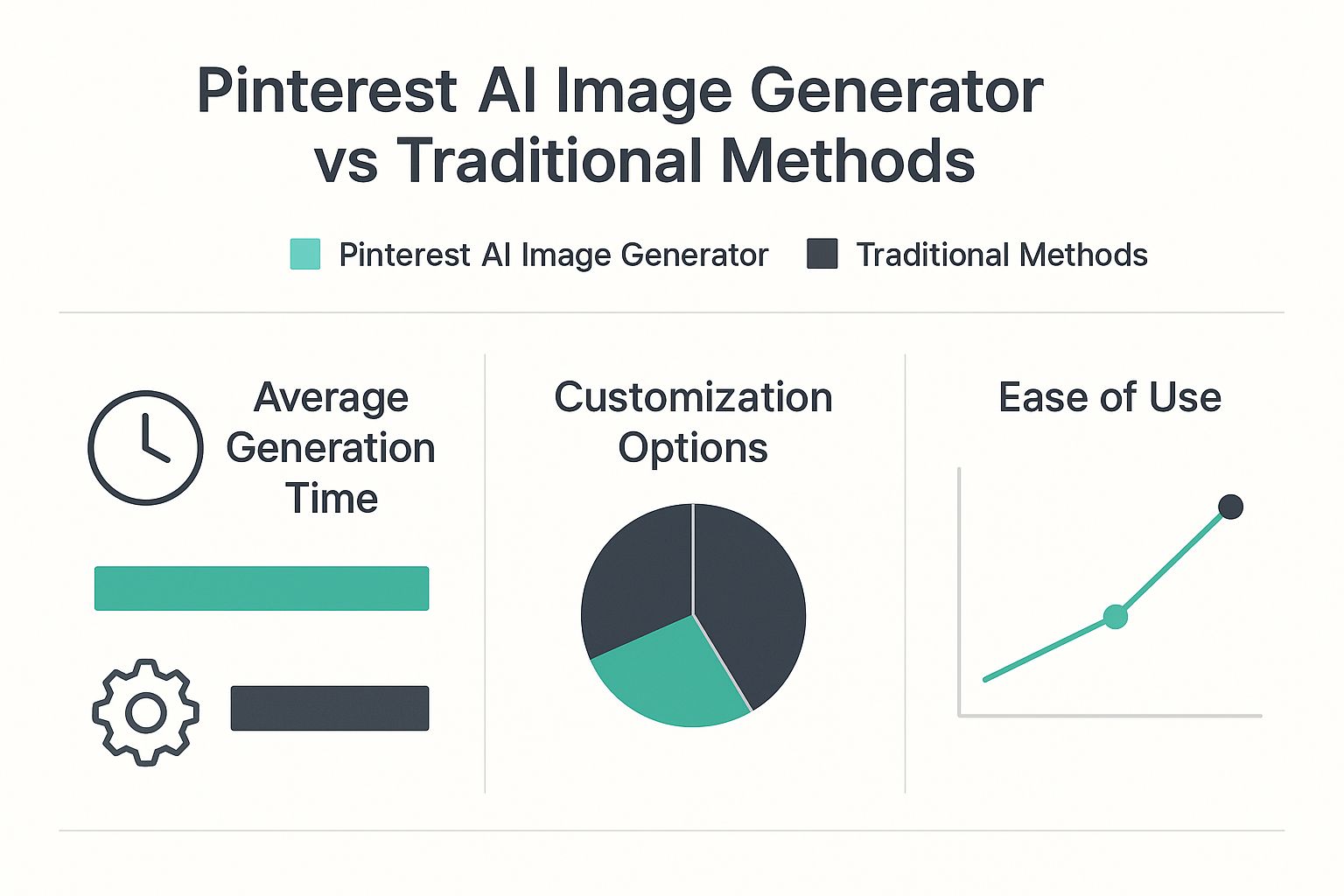
As you can see, the AI approach is a massive time-saver and makes it so much easier to keep your branding consistent, even when you're creating tons of content.
Turn Creative Ideas into Data-Driven Wins
The best thing about being able to generate images so quickly is that you can finally A/B test your visuals without it being a huge headache. Stop guessing what your audience wants to see and let the data tell you.
Key Insight: A/B testing isn't just for landing pages. Applying it to your Pin visuals allows you to optimize your creative strategy based on real-world engagement metrics like clicks and saves.
Create two versions of a Pin. Maybe one has a photorealistic image and the other has an illustration. Or try two different headlines or color schemes. Run them for a week and see what happens. Did the bold headline get more clicks?
Getting people to notice your pins is step one, but getting them to convert is the whole game. Learning some solid conversion rate optimization tips is crucial for turning those viewers into actual customers. This cycle of testing and learning turns your creative process into a reliable, data-backed strategy for growing your business.
Navigating AI Content Guidelines on Pinterest
Using a Pinterest AI image generator is all about working smarter, not harder. But it's just as important to work transparently. As AI-generated images pop up everywhere, platforms like Pinterest are setting new rules to keep things authentic and trustworthy for their users.
Getting a handle on these guidelines isn't just about dodging penalties. It's about building a brand that people can actually connect with and rely on for the long haul.
Understanding Pinterest’s Stance on AI
Pinterest runs on inspiration and genuine connection. To protect that vibe, the platform is getting smart about identifying AI-made content. Why? So users know what they're looking at—an actual photo or something created by an algorithm. It's a huge part of being a responsible creator today.
The platform is totally fine with AI-generated content, but they're big on transparency. You absolutely cannot pass off AI images as real photos of events or people, because that's just plain misleading.
To tackle the flood of AI content, Pinterest rolled out some clear rules. You'll now see explicit labels like 'Gen AI' or 'AI-modified' on Pins made with generative AI. Their system can often detect this automatically, but they also give creators a way to dispute a label if they think it was applied by mistake. Metricool has a great breakdown if you want to learn more about Pinterest's approach to AI.
This simple step helps everyone tell the difference between what's real and what's generated, which is crucial for keeping users' trust.
Blending AI Efficiency with Human Authenticity
Don't sweat the 'Gen AI' label. Think of it as a simple declaration of how your cool content came to be. The real trick is making sure that even with that tag, your Pins still feel like they came from you. A feed full of generic, obviously AI-generated images can turn your audience off in a heartbeat. The sweet spot is mixing AI's incredible efficiency with your own unique, human touch.
Think of your Pinterest AI image generator as an incredibly skilled assistant. It handles the heavy lifting of design, but you remain the creative director, providing the final vision and ensuring every Pin aligns with your brand’s voice and values.
This means you always, always get the final say. Before anything goes live, give it a once-over. Tweak the AI-generated text so it sounds like you. Make sure the imagery perfectly matches your brand's aesthetic. Double-check that every little detail is up to your standards.
For a complete rundown of the do's and don'ts, it's always a good idea to stay current with the official Pinterest community guidelines.
By sticking to these practices, you can use a Pinterest AI image generator responsibly. You'll be able to scale up your content creation while building a brand that's seen as both innovative and trustworthy by your followers.
Of course. Here is the rewritten section, crafted to sound like an experienced human expert.
Got Questions About Pinterest AI Generators?
So, you're thinking about diving into AI for your Pinterest marketing. Smart move. But it's totally normal to have a few questions swirling around. Will the Pins look good? Is it even safe? How much time am I really going to get back?
Let's clear the air and walk through some of the most common things people wonder about. My goal here is to get you feeling confident and ready to use a Pinterest AI image generator with a solid strategy.
Is It Safe to Use AI for Pinterest Pins?
Yes, it's completely safe—as long as you use it the right way. The trick is to treat AI like a creative assistant, not a spam cannon. Good tools are built to help you make relevant, high-quality content that real people on Pinterest actually want to see. Guess what? That's exactly what Pinterest wants, too.
The most important step, and one you should never skip, is your own final review. That last human look-over ensures every single Pin sounds like your brand and hits your quality standards. As long as you’re focused on creating real value, AI is an incredibly powerful and safe addition to your workflow.
Will My AI-Generated Pins Look Generic?
That's a fair concern. Nobody wants their brand to look like a cheap copy-paste job. A powerful Pinterest AI image generator is specifically designed to sidestep that "cookie-cutter" problem by mixing smart automation with deep personalization.
Here’s a peek behind the curtain at how it works:
- A massive template library: The tool pulls from a huge collection of professionally designed templates, but it intelligently mixes and matches elements to create unique layouts every time you generate.
- Your brand's DNA: You can set up a Branding Kit where the AI learns your specific logo, color palette, and fonts. It then applies these to every design, making each Pin feel like it was custom-made just for you.
- Tons of variations: For every single URL you plug in, the AI will spit out dozens of different Pin options, playing with layouts and text placement to keep your feed looking fresh and interesting.
How Much Time Can I Really Save?
Honestly? A ton. If you've ever designed a Pin from scratch, you know the drill. Finding an image, writing the copy, tweaking the design, checking your keywords… a single Pin can easily eat up 15-30 minutes.
With a dedicated generator, you can pop in a URL and get a dozen unique Pin variations in less than a minute.
The AI does the initial heavy lifting—the design and copywriting. When you add in automated scheduling features, you're suddenly saving hours every single week. That's time you can pour back into big-picture strategy instead of getting bogged down in the day-to-day grind.
Do I Still Need to Understand Pinterest SEO?
While having a basic handle on Pinterest SEO is always a plus, a good AI tool takes care of most of the nitty-gritty details for you. These platforms are typically built from the ground up with SEO baked right in.
For instance, a Pinterest AI image generator helps by:
- Writing titles and descriptions that are packed with relevant keywords.
- Automatically adding SEO-friendly alt text to every image it creates.
- Using design principles based on what the Pinterest algorithm is known to prefer visually.
Think of it as your personal SEO assistant. It handles the optimization so your strategic knowledge can guide the overall direction. You just point it where you want to go, and the tool makes sure you get there.
Ready to reclaim your time and finally scale your Pinterest strategy? With Pin Generator, you can create hundreds of high-performing, on-brand Pins in just a few clicks. Try Pin Generator today and see how easy it is to drive traffic without the grind.