
Pinterest and Amazon: How to Turn Pins Into Sales in 2026
6 November 2026
Your pin keeps getting saved, but your Amazon Associates dashboard still shows no orders. You're wondering whether to change the image, publish more often, or abandon the product.
Don't change everything at once. Pinterest and Amazon handle different parts of the purchase, and a saved idea isn't the same as a shopper ready to buy. The useful question is where people stop moving toward an order.
Table of Contents
- The Pinterest-to-Amazon Workflow at a Glance
- How to Set Up Your Pinterest Account for Amazon Traffic
- Find Non-Branded Keywords and Trends to Target
- Keep Affiliate Pins Compliant and Disclosed
- Batch Pins and Schedule Them on Autopilot
- Track Pinterest Clicks Against Amazon Orders
- Diagnose Why Pins Get Saves but No Amazon Orders
- Run a Two-Week Amazon Pin Test and Decide
The Pinterest-to-Amazon Workflow at a Glance
Use this checklist to separate production problems from purchase problems.
| Stage | What you do | Output |
|---|---|---|
| 1. Set up | Verify your own website, create category boards, and join Amazon Associates | Business account with tested, tagged links |
| 2. Research | Pull non-branded keywords and trend topics for each product category | Keyword list mapped to products |
| 3. Create | Build vertical pins that link to the Amazon product page | One pin set per product |
| 4. Disclose | Add affiliate disclosures and check every destination | Reviewed pin and board descriptions |
| 5. Schedule | Batch pins and spread them across relevant boards | Steady posting rhythm |
| 6. Measure | Compare Pinterest clicks with Amazon orders over aligned reporting dates | Product-level cohort report |
A pin is a discovery asset, not a miniature Amazon listing. Its job is to connect a recognizable problem with a useful next step. The destination then has to deliver what the pin promised.
Pinterest reported 619 million global monthly active users in 2025, according to its annual report. That audience makes discovery worth testing, but platform scale doesn't tell you whether your particular product will convert.
Choose your starting point
New accounts should work through the checklist in order. If you already have a pin library, start with measurement so you don't produce another batch around an unproven assumption.
Practical rule: Treat each stage as a handoff. Don't schedule a pin until its destination, disclosure, and reporting label are ready.
Repeat the workflow weekly once it's running. Keep Pinterest analytics and Amazon Associates reporting separate, then reconcile them, because neither dashboard independently describes the whole journey.
How to Set Up Your Pinterest Account for Amazon Traffic
Build an account around one audience rather than an assortment of unrelated affiliate opportunities. Someone interested in small-kitchen storage should find matching boards, a useful profile, and pins that solve related problems.
Use this setup overview before configuring your account.
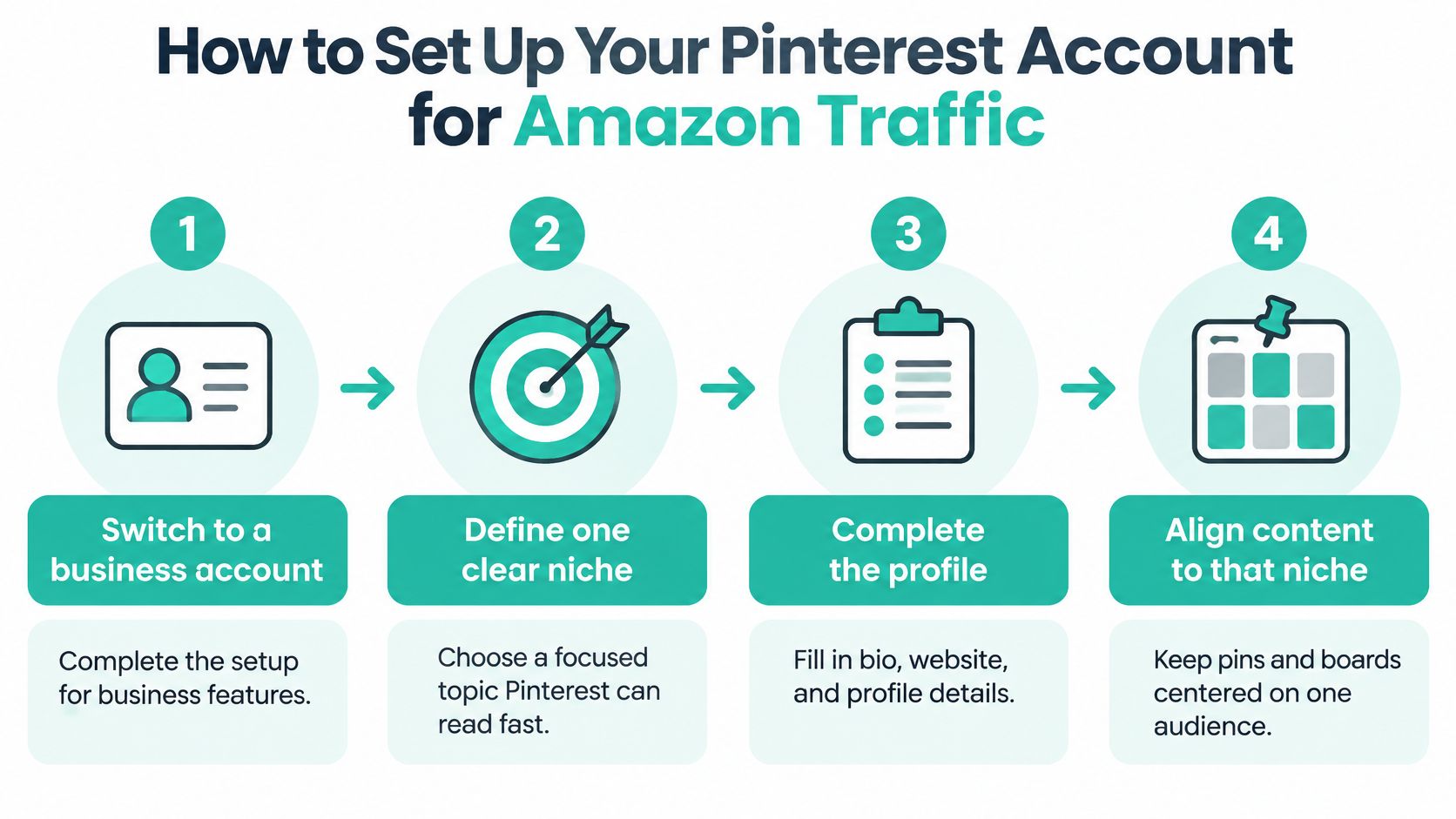
Configure the account in order
Switch to a business account. Complete the business setup so you can review performance rather than judge activity by notifications. Choose a focused niche, such as renter-friendly kitchen organization, and describe the audience you help.
Complete your profile and claim your website if you own one. Add a recognizable profile image, a specific bio, and your website address. Claiming your own domain supports attribution for content from that domain; it doesn't give you ownership of Amazon or access to Amazon checkout tracking.
Create category boards. Use descriptive names such as Small Kitchen Organizers or Travel Toiletry Bags instead of vague labels such as Favorites. Write board descriptions that explain the use case without stuffing in every related keyword.
Set up Amazon Associates for the intended marketplace. Record your tracking ID and confirm that your registered publishing properties and destination marketplace match your campaign. Don't assume a tracking ID from one marketplace automatically covers purchases in another.
Test Storefront tagging if your account offers it. Connect the relevant account, select an eligible product, and inspect the published experience before expanding. Confirm the product identity and any attribution details the integration exposes rather than assuming a visible tag proves everything works.
Name every creative consistently. Use fields such as category, product identifier, theme, creative variant, and publication date. Keep the same identifiers in your planning sheet so an export can be matched without opening every pin manually.
Define ready before publishing
A ready account has a complete business profile, an owned domain claimed where applicable, and a manageable group of themed boards. It also has a test pin that opens the intended product and variant on mobile.
Avoid putting a static price into the creative unless you have a reliable way to maintain it. A product can remain useful after its price changes, but an inaccurate promise makes the click disappointing.
Find Non-Branded Keywords and Trends to Target
Your shopper may know they need a summer wedding outfit without knowing which dress to buy. That's the opportunity: Shopify's Pinterest marketing guide reports that approximately 96% of Pinterest searches are unbranded.
Start with the situation the shopper is planning for, not the manufacturer's product name. Keep a working keyword sheet beside your creative drafts.

Match the phrase to the next step
- Collect demand signals. Use Pinterest search suggestions, Pinterest Trends, and a Pinterest keyword research tool workflow to collect relevant phrases. Distinguish actual search-volume indicators from relative trend interest.
- Separate intent. Group phrases into inspiration, problem-solving or comparison, and buying intent. Don't expect an outfit mood board and a product-selection pin to produce the same behavior.
- Check timing. Look for themes gaining interest and prepare content while the topic is relevant to your audience.
- Map products to themes. Give each product a distinct reason to appear, rather than replacing only the keyword in an otherwise identical description.
For example, a linen midi dress could support wedding-guest outfit inspiration, an explanation of fabric opacity, and a conversion-focused pin about its verified fit details. Only describe properties the listing or your legitimate product knowledge supports.
Use the video alongside your keyword-planning session.
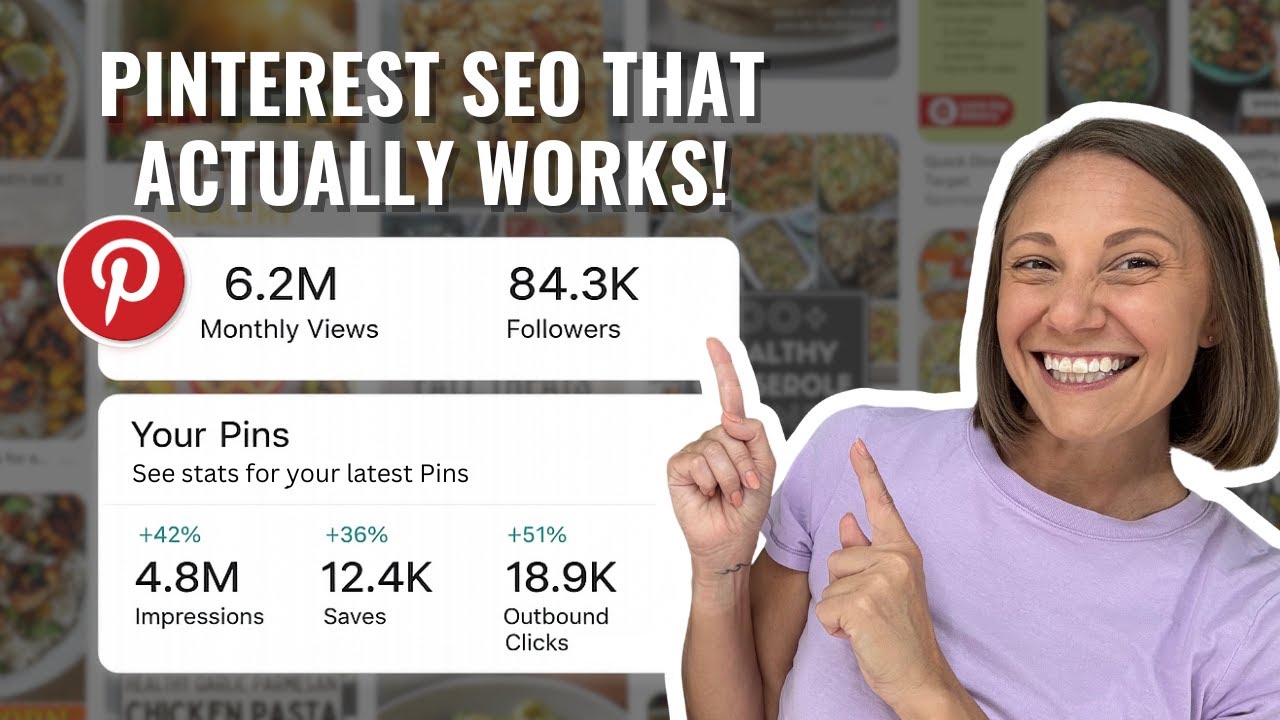
Judge discovery pins by interest, and conversion pins by purchasing progress. Saves matter for the former; outbound clicks and credited orders matter more for the latter. When you send everyone directly to Amazon, you also give up opportunities to educate visitors and build an audience on your own site.
Record the phrase, intent, pin type, destination, and supported product together.
Keep Affiliate Pins Compliant and Disclosed
Automation doesn't handle your disclosure duty. A tool can insert an attribution tag correctly while the published pin still fails to explain that you may earn a commission.
A Pinterest Community discussion about incorrectly tagged products illustrates why product tags deserve manual inspection. Treat community troubleshooting as an operational warning, not as a substitute for current program terms or local advertising rules.
Use a conservative disclosure checklist
Confirm your Associates account and intended marketplace before publishing. Then place a clear affiliate disclosure where someone encounters the recommendation, not only on a distant profile page.
The wording “As an Amazon Associate, I earn from qualifying purchases” explains the relationship plainly. Put the disclosure before an affiliate link in the pin description, where it's less likely to be overlooked.
Use this table as a conservative publishing checklist, not a claim that every jurisdiction mandates identical wording on every surface.
| Surface | Disclosure needed | Check before posting |
|---|---|---|
| Pin description | Yes, before the affiliate link | Link opens the intended product |
| Board description | Yes, if the board holds affiliate pins | Board matches the product category |
| Profile bio | Yes, if you link products | Bio states how you earn |
| Idea pin caption | Yes, in the caption or text overlay | Disclosure is readable on mobile |
| Storefront tagged product | Yes, alongside your Storefront link | Tag is eligible in your marketplace |
Audit the recommendation, not just the link
Open every destination before scheduling. Check that the linked item matches the photograph, selected variant, and claim in the creative.
Remove unsupported rankings and claims such as cheapest. Avoid publishing a precise price that you can't keep accurate, and use original or properly authorized imagery rather than assuming everything on a listing is available for reuse.
A correct affiliate tag establishes attribution. It doesn't make an inaccurate recommendation acceptable.
Review scheduled content when stock, eligibility, or product details change. Keep a record of what you published and what destination you checked, especially when a Storefront integration handles attribution automatically.
Batch Pins and Schedule Them on Autopilot
Batching should remove repetitive uploading, not remove editorial judgment. Start with a product list you can inspect properly, then build reusable templates with fixed colors, typography, and a vertical image frame.
For a hypothetical batch, use twenty products with two clearly different creative angles each. That's a production exercise, not a recommended publishing quota or a promise of results.
Build the batch around distinct ideas
Import your working product list from a feed or CSV where supported, or prepare individual product URLs. Keep the product identifier and destination in the same row as the theme so they don't become separated during production.
Draft titles, descriptions, and alt text, then edit them for different purposes. The title should communicate the idea, the description should clarify its usefulness, and alt text should describe the image rather than repeat a string of keywords.
- Match the board. Assign each pin to the board that best fits its theme, not every board that could loosely contain the product.
- Spread publishing. Use a steady schedule across the week instead of releasing the whole batch together.
- Vary the substance. Change the visual treatment and useful angle, not merely a background color or adjective.
- Approve before release. Check destination accuracy, disclosure visibility, and keyword-to-product relevance.
Delegate a defined review job
If production exceeds your available time, give a reviewer access to a clear approval checklist. Virtustant's remote social media manager resource is relevant when you need someone to manage scheduling and quality control, rather than produce more files.
Keep accountability with a named person. A scheduler can publish an outdated recommendation perfectly on time.
Choose a weekly or fortnightly batching routine as an operating preference, then use the previous cycle's results to decide what deserves another creative treatment. Don't refill the queue automatically with products you've already decided to pause.
Track Pinterest Clicks Against Amazon Orders
Pinterest counts activity on pins; Amazon credits qualifying purchases under its own rules. A raw click-to-order comparison is directional evidence, not proof that a particular pin caused a purchase.
| Metric | Where to find it | What it tells you |
|---|---|---|
| Saves | Pinterest analytics | Interest in the pin's idea |
| Outbound clicks | Pinterest analytics | Traffic sent toward Amazon |
| Qualifying orders | Amazon Associates reports | Purchases credited to your tag |
| Ordered items | Amazon Associates reports | Which products sold |
| Click-to-order gap | Your calculation over aligned dates | Where to investigate possible purchase friction |
Reconcile product cohorts
Align reporting dates and document attribution differences. Pinterest's Conversions API guidance describes 30-day, 7-day, and 1-day lookback windows and approximately 50–200 weekly conversions for delivery optimization. Those are Pinterest settings and optimization guidance, not an Amazon Associates attribution window or a minimum sample for every organic test.
Create traceable groups. Use permitted Associates tracking IDs for meaningful cohorts and retain a pin-to-product mapping sheet. UTM parameters can help on your own website, but they don't create pin-level order reporting inside Amazon Associates.
Export Pinterest activity. Pull saves and outbound clicks by pin, then group them by product and theme. This Pinterest analytics guide can help organize the Pinterest side of the review.
Export Amazon reporting for matching dates. Compare credited orders and ordered products with the relevant tracking cohort. Keep unrelated purchases separate from purchases of the promoted item.
Calculate a directional order-per-click ratio. Divide credited cohort orders by cohort outbound clicks, clearly labeling the denominator. Don't present it as Amazon's official conversion rate or subtract orders from clicks as though they were interchangeable units.
Use a reconciliation sheet to make these differences visible.
Know where tracking stops
If you operate your own site, retain browser-side Pinterest Tag events and use the Conversions API for eligible server-side events you can legitimately observe. Share event identifiers between duplicate browser and server submissions, normalize values and currencies, and verify deduplication.
You can't install your tracking code on Amazon's checkout or manufacture purchase events from outbound clicks. Include marketplace-confirmed sales only where the reporting and integration support them.
Measurement boundary: Matching reporting dates improves comparison. It doesn't make different platforms' attribution rules identical.
Diagnose Why Pins Get Saves but No Amazon Orders
Rule out an unavailable or unconvincing product before rewriting the creative. Open the destination on mobile and inspect the selected variant, availability, delivery promise, seller offer, and page content.
For sellers with advertising access, Amazon's Sponsored Products reporting guidance defines purchase rate as click-attributed purchases divided by ad clicks. Use that view to investigate marketplace advertising performance, not as the conversion rate of Pinterest visitors.
Separate product faults from creative faults
Remove products with suppressed listings, inadequate inventory, weak detail pages, or Buy Box problems from active promotion. An affiliate may not control these issues, but can choose a different product instead of sending more visitors to a poor destination.
Inspect Storefront tags and generated destinations for unexpected products or marketplace mismatches. Test the actual published path, because the URL in your planning sheet isn't necessarily the experience a mobile shopper receives.
| Pattern | First investigation |
|---|---|
| Saves without outbound clicks | Does the creative give a reason to open the destination? |
| Outbound clicks without credited orders | Product fit, offer quality, delivery, and attribution |
| Orders concentrated in one theme | Audience intent and positioning |
| Activity drops after a listing change | Availability, variant, seller offer, or destination |
Change the weakest component
Saves without clicks can mean the pin is useful as inspiration but offers no compelling next step. Rewrite the promise around a specific decision, such as checking dimensions for a narrow cabinet.
Clicks without orders can indicate a mismatch between the pin and the product, but don't diagnose price from that pattern alone. Reporting delays, attribution limits, and low volume can produce the same apparent result.
Sellers who control the listing can also examine whether demonstrations answer practical objections. Veo3 AI's guide to AI video ads for Amazon sellers is a creative-planning resource, but generated demonstrations must remain faithful to the actual product.
Affiliates should choose a better-supported item when they can't fix the destination.
Run a Two-Week Amazon Pin Test and Decide
Use a deliberately small experiment rather than a permanent commitment. For example, select five products, build a distinct pin set for each, and schedule them across two relevant boards over fourteen days; these are test-design choices, not performance benchmarks.
Choose products with credible listings and relevant reviews, excluding anything that failed the readiness check. Keep the product selection stable during the test and log any price, stock, or destination changes that could affect interpretation.
Make the decisions explicit
- At day 14, retain promising themes. Continue products earning saves and outbound clicks. Prioritize those with credited orders, without assuming every order came from a particular pin.
- At day 14, revise weak click prompts. For products with saves but no outbound clicks, change the creative's reason to visit. If exposure is minimal, label the result inconclusive rather than declaring the product a failure.
- At day 30, pause unproductive combinations. Retire the current product-and-theme combination if it still has no saves after meaningful exposure. Investigate clicked products without orders using listing and attribution checks before spending more production time.
We can generate affiliate campaign pins from Amazon product URLs or sync products from Amazon, Etsy, Shopify, and WooCommerce; every product-generated pin links to that product's page. That reduces preparation work, but you still choose which products deserve a test.
The first test is about learning which theme and pin type attract qualified interest, not demanding immediate sales.
Turn your selected Amazon URLs into a reviewed publishing batch with Pin Generator. Generate product-linked designs, titles, and descriptions, then schedule the approved pins and use your cohort sheet to decide what to keep.