
How To Do Pinterest Keyword Research - Pinterest SEO for Beginners
13 June 2026
If you want your content to get found on Pinterest, keywords are non-negotiable. Keywords tell the platform what your pins are about so the algorithm can understand your content and match it with the right people.
Keywords are especially important because Pinterest isn’t social media. If you didn’t know, Pinterest is a visual search engine similar to Google or YouTube. As of Q2 2025, the platform has more than 578 million monthly active users, making it one of the largest discovery platforms in the world. With such a massive and engaged audience, adding the right keywords to your content is essential to ensure it reaches the right people.
Whether your goal is to drive blog traffic, grow an online store, or increase affiliate revenue, keywords are how you connect your content to the people who are actively looking for it. We’ll walk you through exactly what Pinterest keywords are, how to find them, where to put them, and the top tools to help your account grow in 2025.
What Are Pinterest Keywords?
Pinterest keywords are the specific words and phrases people type into the search bar when looking for ideas, products, or inspiration. These could be as broad as “home office decor” or as specific as “minimalist Scandinavian desk setup.” The more closely your content aligns with the terms people are searching for, the more likely it is to appear in their results and in their personalized home feeds.
Since Pinterest functions as a visual search engine, keywords play a similar role here as they do on Google. They help the platform categorize your content, understand its relevance, and match it with users who have shown interest in that topic. So, how do you find the right keywords, and where should you use them? We’re about to walk you through the entire process.
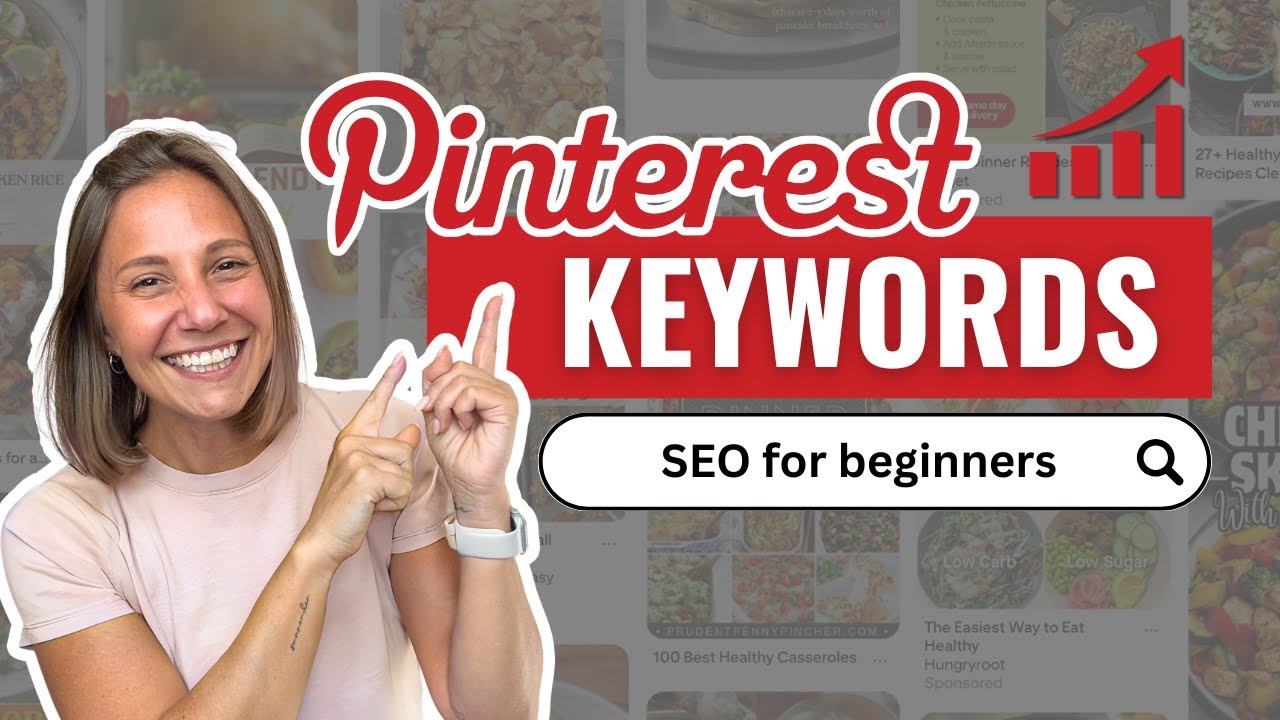
Prefer to watch instead of read? We’re breaking down everything you need to know about Pinterest keywords in our YouTube tutorial here:
How to Find Pinterest Keywords
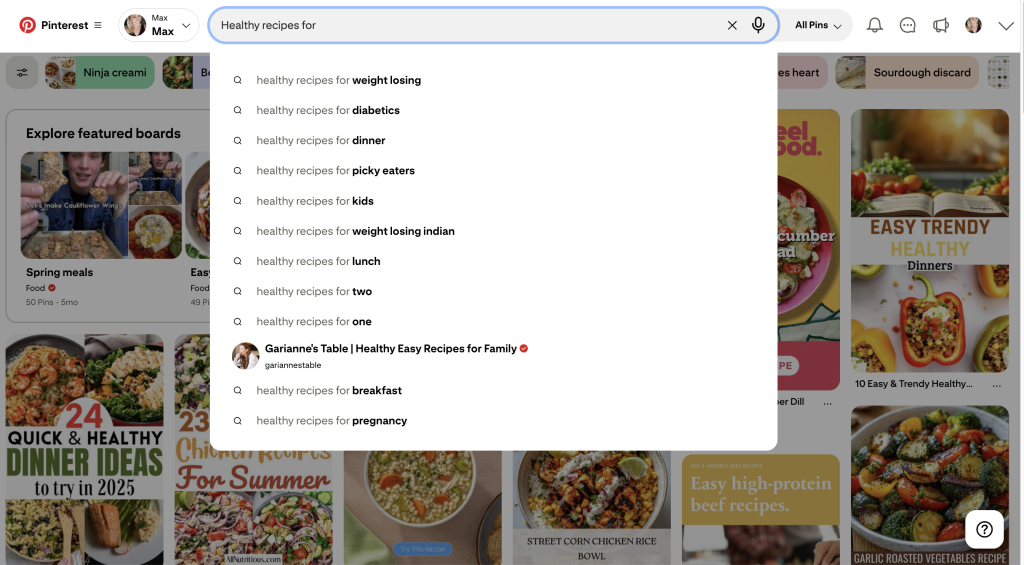
The fastest way to discover Pinterest keywords is to use the platform’s search bar. Start by typing a word or phrase related to your niche, like “healthy dinner”, and watch as Pinterest auto-suggests popular searches in real time. These suggestions come directly from what people are actually typing into the platform, making them some of the most valuable keywords you can use.
Once you click on a search term, you may see additional colored filter buttons just below the search bar. These often include modifiers like “easy,” “vegan,” or “family-friendly,” which can help refine your keyword targeting or add new keyword ideas to your list. Additionally, as you scroll through the results, look for the “Related Searches” section. These suggestions can reveal new keyword opportunities that you may not have considered.
For more in-depth insights, explore Pinterest Trends. This free tool is particularly useful for identifying seasonal topics, comparing similar keyword phrases, and spotting emerging trends. It also allows you to filter by location, which is valuable if you want to tailor your content for specific markets.
Where to Use Pinterest Keywords
Once you’ve found your keywords, the next step is putting them in the right places so Pinterest knows exactly what your content is about and can show it to the right people. It’s important to add keywords to the following places:
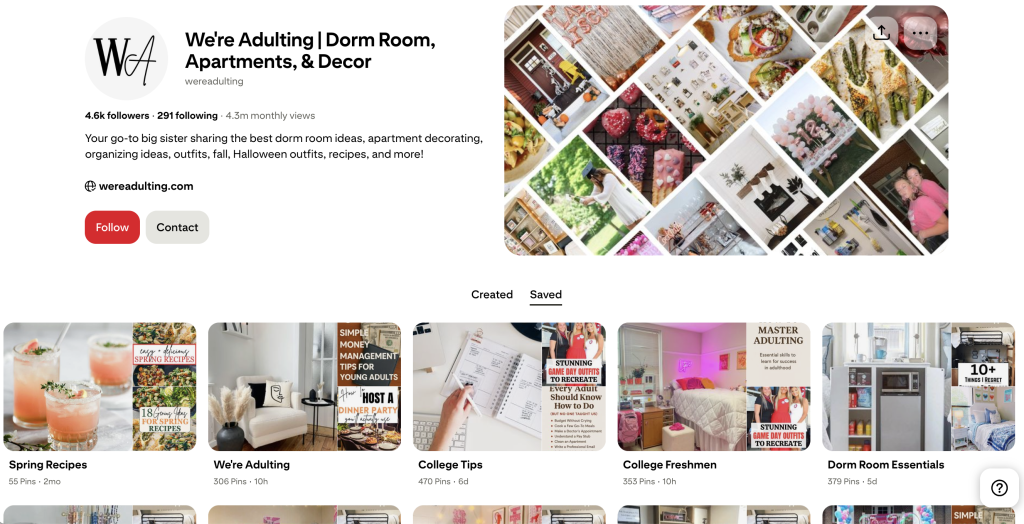
- Your Pinterest name and bio
- Boards and board descriptions
- Pin titles, pin descriptions, and on-image text
When updating your profile or page, use keywords strategically, but keep them natural. Avoid “keyword stuffing,” which means forcing too many keywords into your text to try to trick the algorithm. Instead, make them fit in a way that reads well for real people.
For example, instead of just using your name, you could write: “Sarah | Vegan Recipes & Healthy Living.” In your bio, briefly explain who you are, who you help, and what you offer, such as “I share quick, affordable vegan recipes for busy families.” This makes it easy for both Pinterest and your audience to understand your niche at a glance.
It’s also important to optimize your boards. Boards act like topic folders or categories where your pins are organized. Give each one a clear, searchable name and a short description that naturally includes one or two keywords. For example, 30-Minute Vegan Meals or Healthy Snacks for Kids. This not only helps with Pinterest SEO, but also signals to visitors what kind of content they can expect.
Finally, add keywords to your pins themselves. Include them in the pin title, the pin description, and even the text overlay on the image if it makes sense. Keywords in these spots make it easier for Pinterest to match your content with relevant searches and home feeds, but again, keep it natural so it reads well for your audience.
How to Track and Manage Pinterest Keywords
You don’t need a fancy or formal system to keep track of keywords, but it is important to maintain a list. A simple tracking method will help you stay consistent and ensure you’re targeting the right terms over time. I personally recommend using a Google Sheet, but there’s no right or wrong way, as long as it’s easy for you to update.
Keep track of the keywords you’re actively using and make note of anything important, like whether it’s seasonal or how well it’s been performing. As a best practice, review your Pinterest analytics quarterly to see which pins are getting the most impressions and clicks. From there, determine whether the success is tied to the keyword, the format, or the style, and double down on what’s working.
This is also a good time to identify underperforming pins so you can adjust your approach, and to check Pinterest Trends for any seasonal or emerging keywords you might want to incorporate into your content plan.
Automating Your Pinterest Keyword Strategy
If managing keywords, creating pins, and scheduling content feels like too much to keep up with, automation can help you stay consistent without adding hours to your workload. A tool like Pin Generator can streamline the process by pulling content directly from your website, inserting keywords automatically, and building optimized pin designs in seconds.
You still have full control over your designs and messaging, but the repetitive parts like formatting, keyword placement, and scheduling, happen in minutes instead of hours. We walked through exactly how to make a month’s worth of Pinterest content in minutes – check it out here!
The more consistent you are with creating and sharing keyword-optimized content, the faster you’ll see growth on Pinterest. When you combine a strong keyword strategy with automation, you’re able to reach more people, drive more clicks, and grow your business without burning out.
If you want to make your Pinterest marketing easier and more effective, give Pin Generator a try. You can test it out for free!