
Finding the Best Pinterest Pin Scheduler
16 August 2025
So, you're on the hunt for the right Pinterest pin scheduler. It can feel like a crowded market, but the best tools really do cut through the noise, simplifying your workflow and boosting your reach.
The top players we see again and again are Pin Generator for its AI-powered magic, Pinterest's Native Scheduler for a free and easy start, Canva for its design-first approach, and Hootsuite for managing Pinterest as part of a bigger social media puzzle.
Let’s break down which one might be the perfect fit for you.
The Best Pinterest Pin Schedulers: A Closer Look
Choosing the right tool isn't about finding the one with the most features; it's about finding the one that slots perfectly into your daily grind. Whether you need a full-blown content engine, a simple free option, or something that syncs with your other social channels, there’s a solution out there with your name on it.
Here is our list of the best Pinterest pin schedulers, each built for different kinds of creators and marketers.
1. Pin Generator: Best for AI-Powered Creation
This one's a game-changer. Pin Generator isn't just a scheduler—it’s a complete Pinterest marketing machine that marries AI content creation with powerful scheduling. It’s built for bloggers, e-commerce brands, and marketers who are tired of jumping between different apps.
- AI-Powered Creation: Just drop in a URL, product link, or even a single image, and it spits out dozens of pin variations. It even writes the titles and descriptions for you.
- All-in-One Workflow: Forget designing in one tool and scheduling in another. Pin Generator keeps everything under one roof, which is a massive time-saver.
- Smart Scheduling: You set up your ideal pinning schedule once, and it takes over, automatically publishing your newly generated pins at the best times.
2. Pinterest Native Scheduler: Best Free Option
If you're just dipping your toes in the water or running a smaller account, you can't go wrong with Pinterest's own Native Scheduler. It’s baked right into your business account, it's a breeze to use, and best of all, it’s 100% free.
Sure, it doesn't have all the bells and whistles of a paid tool, but its simplicity is its superpower. You can schedule pins up to 30 days out, which is perfect for mapping out content around a sale or a holiday without spending a dime. It's a solid, no-frills way to stay consistent.
3. Canva: Best for Integrated Design & Scheduling
Let's be real, millions of us are already living in Canva to design our social media graphics. So, adding its built-in Content Planner to the mix is a no-brainer. If your day starts and ends with visual creation, Canva’s scheduler just makes sense.
The real magic of using Canva is how smoothly it moves you from designing to scheduling. You can craft a gorgeous pin with its huge library of templates, then pop it onto your schedule in a couple of clicks—all without leaving the platform. It's efficiency at its best.
4. Hootsuite: Best for All-in-One Social Media Management
For the social media managers juggling a dozen things at once, Hootsuite is an old friend. It's a beast of a social media management tool, and its Pinterest integration is impressively robust. It lets you line up your pins right alongside your posts for Instagram, Facebook, X (formerly Twitter), and everything else from one central command center.
This unified view is gold when you're running coordinated campaigns across multiple platforms. If Pinterest is one piece of a much larger strategy, Hootsuite gives you the bird's-eye view you need to keep everything humming along together.
How Pinterest Scheduling Actually Works
Ever wondered what's happening under the hood of a Pinterest scheduler? Think of it as your own personal content assistant, working around the clock so you don't have to. Instead of you being chained to your desk, manually uploading every single Pin, a scheduler acts as the middleman between your content plan and the Pinterest platform.
The magic behind it all is something called the Pinterest API (Application Programming Interface). It’s basically a secure, official back door that Pinterest gives to approved tools. When you connect your account to a scheduler like Pin Generator, you're just giving it permission to use this channel to post on your behalf, following the exact schedule you lay out.
It’s a system built for both efficiency and safety, ensuring everything stays within Pinterest's official rules.
The Step-by-Step Scheduling Process
From your end, the whole process is refreshingly simple. You do the creative work upfront, and the tool handles all the tedious, repetitive parts.
-
Batch Your Content: The first step is to upload all your finished Pin images or videos into the scheduler. This could be a small batch of 10 Pins for the week or a massive upload of 100 to cover the whole month. You’ll also add all the necessary details—titles, descriptions, and of course, the destination links.
-
Set Your Timing: Next, you tell the tool when to publish everything. You can pick specific dates and times for each Pin, or you can create a recurring queue, like "publish two Pins a day between 8 PM and 10 PM." The really smart tools even help you pinpoint the best times to post for your audience.
-
Let Automation Take the Wheel: Once you hit that "schedule" button, your work is done. The scheduler safely stores your content and your instructions, then gets to work, publishing each Pin to the right board at the exact time you specified. It's the ultimate "set it and forget it" workflow.
This is what completely changes the game for your Pinterest strategy. No more daily scramble to get Pins live. You can sit down once and knock out an entire week's or even month's worth of content in one go.
The Strategic Value of Planning Ahead
Scheduling isn't just a time-saver; it’s a massive strategic advantage. This is especially true when it comes to seasonal content. Remember, Pinterest acts more like a search engine than a typical social media feed. Pins need time to get indexed by the algorithm before they really start gaining traction.
By scheduling your holiday Pins (think Christmas or Halloween) weeks or even months ahead of time, you're giving them the runway they need to be discovered. When people finally start searching for those seasonal ideas, your content is already established and waiting for them.
This foresight is so critical because Pins have an incredibly long life. Scheduling is a strategic move because a Pin's value grows over time. Unlike a tweet or an Instagram post that vanishes in hours, a good Pin can keep driving traffic for years. In fact, over 60% of saves happen on Pins that are more than a year old.
This is your key to building a consistent, traffic-driving machine. For a more detailed walkthrough on setting up your own schedule, check out our guide on how to schedule Pinterest posts.
What to Look For in a Powerful Pin Scheduler
So, you're ready to find a Pinterest pin scheduler. It can feel like a crowded market, but the choice really comes down to a few key features that make a real difference for your business. Some tools are little more than simple timers, while others are full-blown marketing machines.
The goal isn't just to find something that posts for you. You need a tool that helps you grow.
Think of it like hiring an assistant. You could hire someone just to file papers, or you could hire a true partner who actively helps build your business. Let's break down the features that separate a basic scheduler from a strategic partner.
Bulk Scheduling and Content Queues
First things first: you have to be able to schedule in bulk. If you're manually scheduling every single Pin, you're on a fast track to burnout. A great scheduler lets you sit down once, upload and prep dozens (or even hundreds) of Pins, and then walk away knowing your content is handled for the week.
This usually works hand-in-hand with a content queue. Instead of picking a specific date and time for every single Pin, you just load up your queue with content. Then, you tell the tool your ideal posting frequency—say, "post four times a day"—and it automatically pulls from the queue to fill those slots. It's the ultimate set-it-and-forget-it system for staying consistent.
Smart Scheduling and Optimal Timing
Posting consistently is only half the puzzle. You also need to post when your audience is actually online and ready to engage. A top-tier scheduler takes all the guesswork out of this.
This is where smart scheduling comes in. The tool analyzes your audience's activity patterns and tells you the absolute best times to publish. It's like having a data scientist on your team who knows precisely when your followers are most likely to be scrolling, saving, and clicking. This data-driven approach means more eyeballs on every Pin you publish.
Integrated Content Creation Tools
Nothing kills your flow faster than bouncing between three different apps just to create and schedule one Pin. The best platforms get this, and they build content creation tools right into their workflow.
This can look like a few different things:
- Built-in design templates for creating fresh Pins on the fly.
- Direct integration with Canva, letting you pull your finished designs right into the schedule.
- AI-powered image generation, which can create totally unique visuals from just a text prompt or a link.
This all-in-one approach doesn't just save you a ton of clicks. It helps you get into a creative rhythm, making it far easier to produce the high volume of fresh content that the Pinterest algorithm craves.
A powerful pin scheduler has to do more than just automate. It needs to provide smart scheduling to maximize reach, robust analytics to guide strategy, and integrated creation tools to streamline your entire workflow. Anything less is just a timer.
Robust Analytics and Performance Tracking
How do you know if any of this is actually working? Without data, you’re flying blind. Any scheduler worth its salt will have robust analytics baked right in. You need clear, actionable insights into what’s working (and what isn't) so you can make smarter decisions.
Make sure the tool tracks the metrics that matter:
- Impressions and Saves: Are people seeing your Pins and finding them valuable?
- Outbound Clicks: The holy grail. How much traffic are you really driving?
- Top-Performing Pins and Boards: What content themes are resonating with your audience?
This feedback loop is everything. It helps you double down on what your audience loves and stop wasting time on content that falls flat.
AI-Powered Efficiency
The real game-changer in modern Pinterest scheduling is artificial intelligence. AI features can take over the most tedious, time-consuming parts of Pin creation, freeing you up to think about the big picture. This is where a tool like Pin Generator truly pulls away from the pack.
Imagine dropping a single URL to your latest blog post into a tool. Instantly, it generates multiple unique Pin designs, writes a handful of compelling, keyword-rich titles and descriptions, and then slots them all into your smart schedule. That’s what AI can do. It turns content creation from a manual slog into a streamlined, automated process, giving you an almost unfair advantage in pumping out fresh content at scale.
Comparing the Best Pinterest Pin Schedulers
Finding the right Pinterest scheduler can feel a bit like dating—it’s all about finding the right match for your specific needs, workflow, and goals. Are you a blogger who needs a content machine that runs on autopilot? A small business owner watching every dollar? Or maybe you're a social media manager juggling half a dozen platforms at once?
Each tool is built for a different kind of user. To help you sort through the noise, let's break down four of the top contenders. We'll look at what makes each one tick, who it’s really built for, and any potential deal-breakers to keep in mind.
Pin Generator: The AI-Powered Content Engine
Think of Pin Generator as less of a simple scheduler and more of a complete content creation and automation partner. Its superpower is its ability to take a single URL, product link, or image and spin it into dozens of unique Pin variations in minutes. This is a game-changer for bloggers, e-commerce stores, and marketers who need to feed the Pinterest algorithm a steady stream of fresh content without living inside a design tool.
The entire process, from idea to published Pin, is baked right into the platform. You can generate Pins, get AI-written titles and descriptions packed with relevant keywords, and then schedule everything to your queue in one smooth motion. It's built for pure efficiency, turning what used to be a multi-step, multi-tool headache into a simple, automated flow.
- Best For: Bloggers, e-commerce brands, and affiliate marketers who need to create a high volume of fresh, AI-generated content fast.
- Key Feature: The AI Pin generation from URLs and product listings. It completely slashes manual creation time.
- Drawback: It’s a laser-focused Pinterest tool. If you need to manage your entire social media presence from one dashboard, this might not be your all-in-one solution.
Here’s a look at the Pin Generator interface in action. You can see just how simple it is to pop in a URL and let the AI get to work creating content.
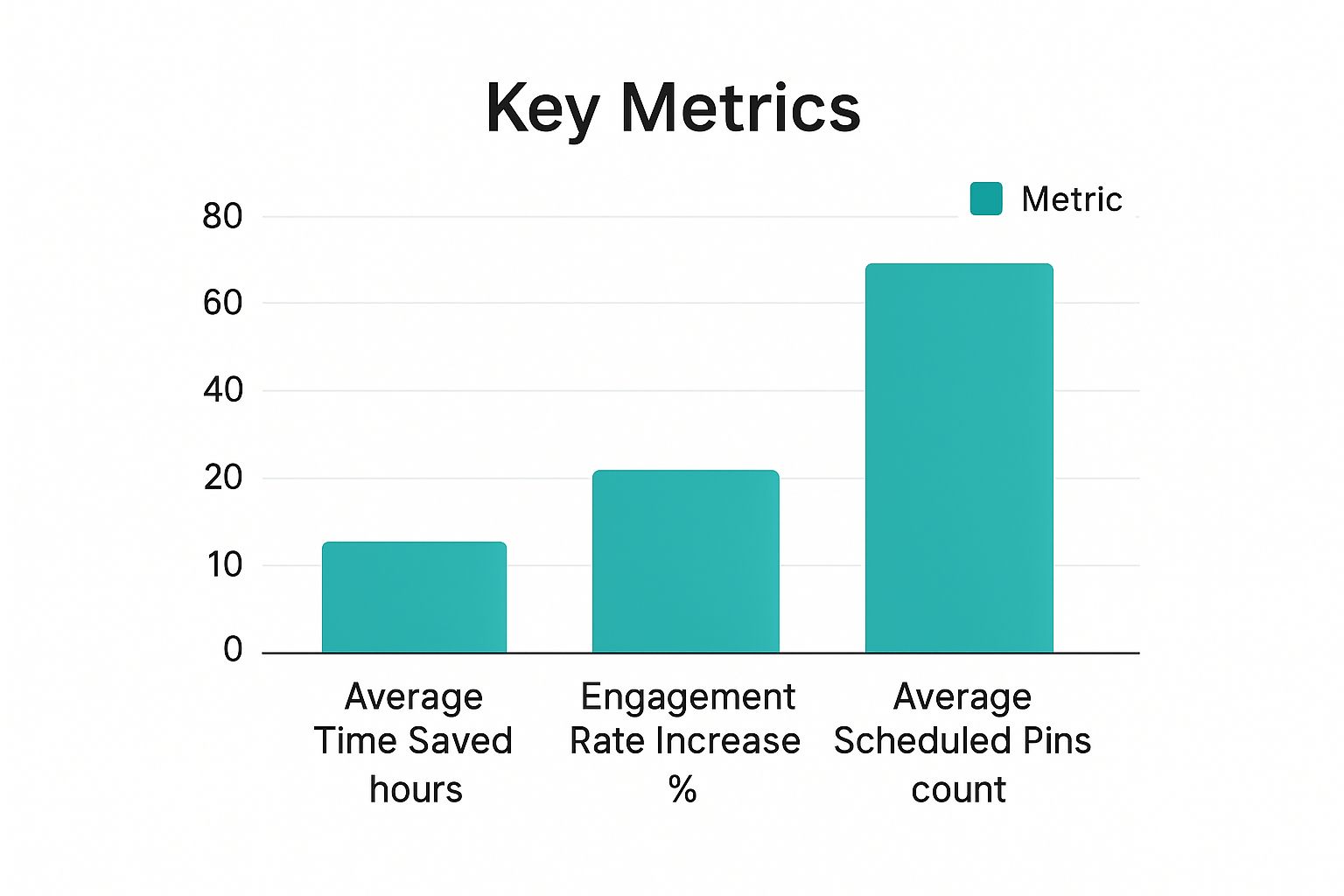
The clean, user-friendly layout is a dead giveaway that its main focus is on making your workflow as simple and efficient as possible.
Pinterest Native Scheduler: The Simple and Free Starting Point
If you're just dipping your toes into Pinterest marketing or you're running a single account on a shoestring budget, you really can't go wrong with Pinterest’s own scheduler. It’s built right into your business account, costs nothing, and is incredibly easy to figure out. You can schedule individual Pins up to 30 days in advance, which is perfect for planning around a sale or a holiday launch.
Sure, it doesn't have the bells and whistles of the paid tools—you won't find bulk scheduling, smart time slots, or deep analytics here. But its simplicity is its biggest strength. There's zero learning curve and no hit to your wallet, giving you a reliable way to stay consistent without any extra complexity.
- Best For: Beginners, hobby bloggers, or anyone who just needs a basic, no-cost way to get Pins on a schedule.
- Key Feature: It's 100% free and built directly into Pinterest, so you know it’s reliable.
- Drawback: The lack of bulk scheduling and advanced analytics makes it pretty inefficient for anyone managing a serious content strategy.
Canva: The Designer's Choice for Scheduling
Millions of people already live in Canva for their design work, so its integrated Content Planner is a no-brainer. If your workflow is all about creating stunning visuals, Canva lets you go straight from designing a Pin to scheduling it without ever switching tabs. That seamless jump is a huge time-saver.
Canva's real power is its design-first approach. You get a massive library of templates, stock photos, and design elements to make your Pins look professional. Once your masterpiece is ready, a few clicks send it to your content calendar. While its scheduling analytics aren't as robust as dedicated tools, it’s unbeatable for unifying the design and scheduling process.
- Best For: Designers, visual-heavy content creators, and small businesses who are already all-in on Canva.
- Key Feature: A slick, seamless workflow that combines a world-class design tool with a content scheduler.
- Drawback: The scheduling features themselves are fairly basic, and it doesn't offer any deep, Pinterest-specific analytics.
Hootsuite: The All-in-One Social Media Command Center
For social media managers and marketing agencies, Pinterest is just one planet in a much larger solar system. That’s where a tool like Hootsuite comes in. It’s a beast of a platform that lets you manage Pinterest alongside Instagram, Facebook, X, LinkedIn, and more, all from one central dashboard.
This unified command center is absolutely essential for running coordinated campaigns across multiple channels. You can plan, schedule, and analyze your entire social media strategy from a single screen. Its Pinterest integration is solid, letting you schedule Pins to multiple boards and track what’s working with detailed analytics.
- Best For: Social media managers, marketing agencies, and larger businesses that need to wrangle multiple social profiles.
- Key Feature: Centralized management of all your social media accounts in one place.
- Drawback: It can be more expensive and complicated than you need if you're only looking for a Pinterest scheduler.
Pinterest Pin Scheduler Feature Comparison
To make the choice a little clearer, here’s a side-by-side look at how these tools stack up. This table breaks down the key features, ideal users, and pricing models to help you find the perfect fit for your workflow.
| Tool | Key Feature | Best For | Pricing Model |
|---|---|---|---|
| Pin Generator | AI Pin Generation from URLs | Bloggers & E-commerce | Subscription |
| Pinterest Native | 100% Free & Integrated | Beginners & Hobbyists | Free |
| Canva | Design + Scheduling Workflow | Designers & Visual Creators | Freemium/Subscription |
| Hootsuite | All-in-One Social Management | Agencies & Social Managers | Subscription |
Ultimately, the goal is to find a tool that helps you work smarter, not harder.
At the end of the day, the best Pinterest schedulers are the ones that actually fit into your strategy. They let you batch your work and ensure your content goes live when your audience is most active—which research shows is often between 8 PM and 11 PM, especially on Sundays, Mondays, and Tuesdays. Getting this timing right helps you maximize an already strong average engagement rate of around 6%.
Choosing the right scheduler isn’t about finding the “best” tool on the market. It’s about finding the best tool for you. Whether you need an AI content factory, a simple freebie, a design-centric workflow, or an all-in-one command center, your perfect match is out there.
For an even deeper look at more great options, check out our detailed review of 7 tried-and-tested Pinterest schedulers for automating Pins.
Building Your Winning Scheduling Strategy
Having a powerful Pinterest pin scheduler is a bit like owning a high-performance race car. It's packed with potential, but it's not going to win the race without a skilled driver and a solid game plan. Just loading up your queue with random pins and hoping for the best won't get you the traffic and growth you're looking for. To really move the needle, your scheduling needs to be intentional—a deliberate, repeatable plan.
This is where you graduate from simply automating tasks to orchestrating a real marketing strategy. A winning approach isn't complicated. It’s built on a few core pillars that work together to establish your authority, grab attention, and drive consistent results. Let's map out the blueprint for turning your scheduler into a strategic powerhouse.
Define Your Core Content Pillars
Before you even think about scheduling a single pin, you have to know what you want to be known for. Your content pillars are the 2-4 main topics or themes your brand will own. Think of them as the foundational columns holding up your entire Pinterest presence. For a food blogger, these might be "Easy Weeknight Dinners," "Healthy Baking," and "Meal Prep Ideas."
Focusing on a few key pillars helps you build authority and, just as importantly, makes it crystal clear to Pinterest’s algorithm what your account is all about. That clarity is everything when it comes to getting your content in front of the right people—the ones actively searching for exactly what you offer.
Establish a Consistent Pinning Cadence
If there's one thing the Pinterest algorithm loves, it's consistency. It heavily favors accounts that publish fresh, original content on a regular basis. Pinning sporadically—dumping ten pins one day and then going radio silent for a week—sends mixed signals and completely kills your momentum.
A great place to start is aiming for 5-7 fresh pins daily. This cadence is frequent enough to keep the algorithm happy and your account active, but not so much that it becomes overwhelming. A good Pinterest pin scheduler makes this a breeze, letting you set up a recurring schedule that automatically pushes your content live at the best times.
Master Your Content Mix
A successful Pinterest strategy is all about a balanced diet of content. Your schedule shouldn't be a monologue of just one type of pin. You need a healthy mix to keep your audience engaged and capture traffic all year long.
- Evergreen Content: This is your timeless, foundational stuff that’s always relevant. We're talking "how-to" guides, tutorials, and core tips that people will be searching for month after month.
- Seasonal and Trending Content: This is how you capitalize on holidays, seasons, or what's buzzing right now. The trick is to schedule these pins well in advance (think 45-60 days) to give them enough time to get indexed and start gaining traction before the trend peaks.
And it's not just about what you post, but how it looks. A winning strategy means creating diverse, eye-catching visuals. You could even explore tools for creating unique cartoon-style pins to really make your feed stand out from the crowd.
Optimize Every Scheduled Pin
Finally, every single pin that goes into your queue has to be optimized for search. Never forget: Pinterest is a visual search engine, and keywords are the bridge connecting your content to your audience. Before you hit "schedule," run through this quick checklist for every pin:
- Does it have a keyword-rich title?
- Is the description detailed and packed with relevant keywords?
- Are there keywords included in the pin's text overlay?
A winning strategy combines strong content pillars with a consistent pinning cadence and meticulous keyword optimization for every scheduled pin. It's a repeatable process that turns automation into measurable growth.
This strategic approach is more important than ever as the platform continues to evolve. In 2025, Pinterest has seen a huge demographic shift, with Gen Z now making up over 42% of global monthly active users. This younger audience has different browsing habits and content preferences, making a data-driven scheduling strategy absolutely critical for getting your pins in front of the right people at the right time.
So, What's Next on Your Pinterest Automation Journey?
Alright, we've covered a lot of ground. From the AI-powered magic of Pin Generator and the built-in simplicity of the Pinterest native scheduler to the design-first approach of Canva and the all-in-one power of Hootsuite, you now know what's out there. The final step is picking the one that’s right for you.
The big takeaway here is simple: the Pinterest algorithm absolutely loves consistency. The right scheduler isn't just a tool; it's the key to unlocking an efficient workflow that feeds the algorithm exactly what it wants, day in and day out.
Your most powerful asset on Pinterest isn't just great content; it's the consistent delivery of that content. A scheduler makes this effortless.
Stop letting manual pinning be the bottleneck in your growth. This is your moment to take a hard look at what you're doing now, grab a free trial for a tool that caught your eye, and map out your first automated schedule.
Go on, take that next step. It’s time to turn your Pinterest account into a reliable, traffic-driving machine.
Frequently Asked Questions
Diving into Pinterest automation for the first time? It's totally normal to have a few questions pop up. Let's walk through the big ones so you can build a strategy that actually works.
Is a Third-Party Tool Better Than the Native Scheduler?
This really boils down to your goals. For someone just dipping their toes in the water, Pinterest's own scheduler is a decent, free starting point. It gets the basic job done and lets you schedule pins up to 30 days out.
But if you're serious about growing your presence? A third-party tool is a game-changer. Think of it like this: the native scheduler is a scooter, but a tool like Pin Generator is a car with cruise control and a GPS. You get bulk scheduling, smart timing suggestions, and even AI to help create your pins, saving you hours every single week. For efficiency and real strategic insight, a dedicated scheduler is the way to go.
How Many Pins Should I Schedule Per Day?
Here’s a secret: consistency beats quantity every single time. Dumping 20 pins on your account one day and then going silent for a week is a great way to confuse the algorithm. What you really want is a steady, predictable flow of fresh content.
A great rule of thumb is to aim for 5 to 7 new, unique pins each day. This is the sweet spot—enough to signal to Pinterest that you’re an active, valuable creator without burning yourself out or spamming your followers.
The biggest myth I hear is that using a scheduler will get your account penalized. Not true! As long as you're using an officially approved Pinterest Partner tool, it's completely safe. The algorithm loves consistency, and scheduling is your best friend for achieving it.
Can Scheduling Pins Hurt My Account?
Nope, not a chance—as long as you’re using a legitimate, Pinterest-approved tool. Official partners connect to your account through a secure, approved method (the API), meaning everything you do is above board and follows Pinterest's rules.
Far from hurting your account, using a pinterest pin scheduler is one of the smartest things you can do for growth. It ensures you’re always active, feeding the algorithm fresh content, and boosting your visibility. It's safe, strategic, and frankly, a much easier way to manage your account.
Ready to hang up the manual pinning hat and get strategic? Pin Generator packs powerful AI content creation and a smart scheduler into one platform to save you time and get you real results. Start your free trial today and see what automation can do for you.