
Mastering the Pinterest Post Maker for Viral Pins
13 October 2025
So, what exactly is a Pinterest post maker? Think of it as a specialized tool designed from the ground up to help you create, tweak, and schedule beautiful pins in a fraction of the time it normally takes. Unlike general-purpose design software, a true Pinterest post maker understands the platform's unique ecosystem. It can take a single URL from your blog or shop and magically spin it into hundreds of pin variations.
Why You Need a Specialized Pinterest Post Maker
If you're serious about growing your presence on Pinterest, sticking with generic design tools is like trying to build a house with only a hammer. Sure, you might get there eventually, but it’s going to be a slow, frustrating process, and the final result probably won't have that professional polish you need to stand out.
A dedicated Pinterest post maker is your complete toolkit. It’s not just about design; it's about optimizing your entire workflow. These tools are built with the knowledge that Pinterest is a visual search engine, not just another social media feed. That means your content needs to be discoverable and relevant for months, not just for a few hours.
Save Time and Scale Your Content
The biggest win here is speed. Let’s be real—manually designing a single pin can be a time sink. Finding the right image, crafting a catchy text overlay, getting the formatting just right… you can easily burn 30 minutes on one pin.
A specialized tool automates the grunt work, generating dozens of options from one blog post or product link in an instant. This frees you up to focus on what really matters: your strategy.
The infographic below really puts the efficiency gains into perspective.
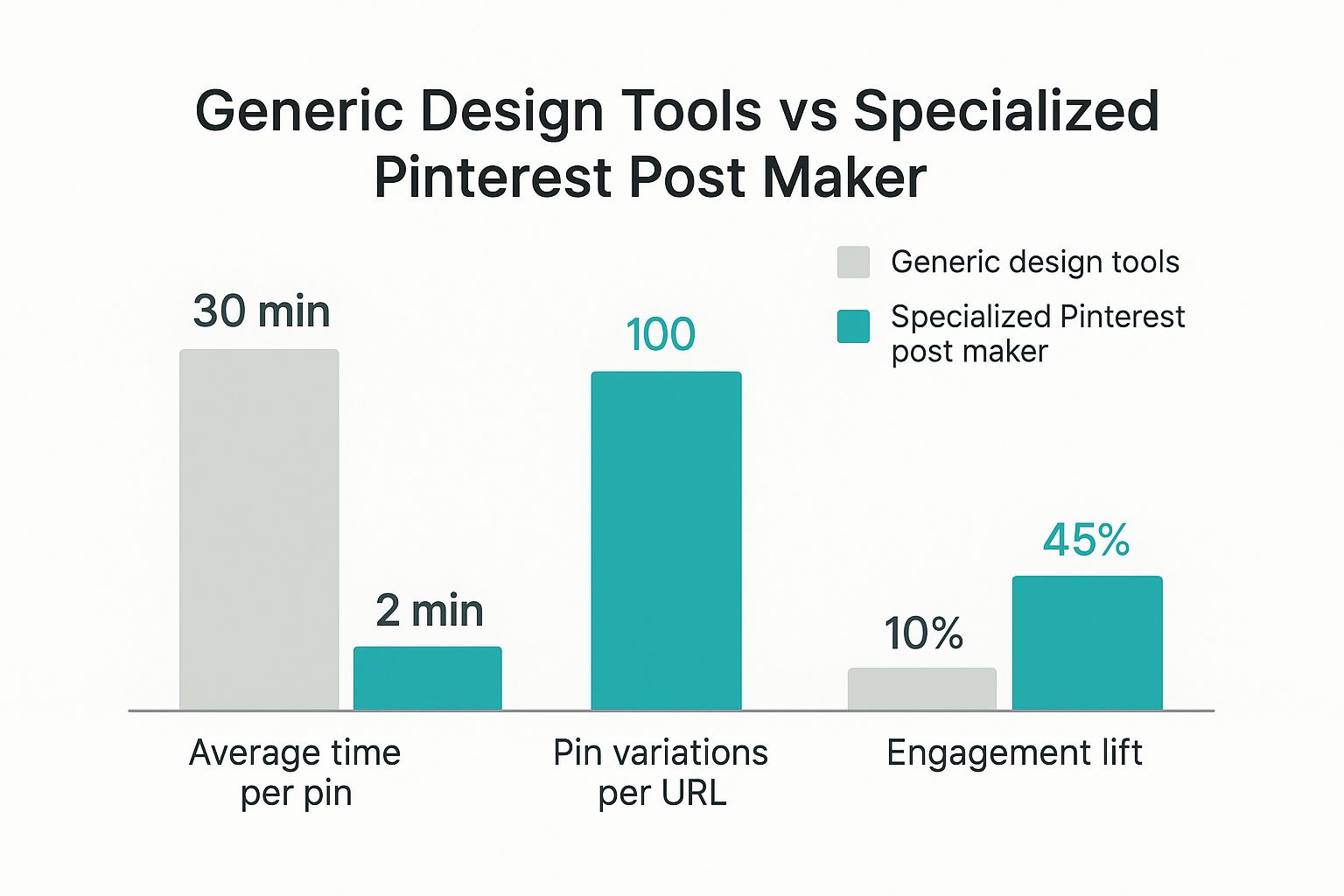
The numbers don't lie. A Pinterest-specific tool drastically cuts down your creation time while giving you the volume needed to make a real impact.
To make it even clearer, let's break down how a specialized tool stacks up against something more general.
Pinterest Post Maker vs General Design Tools
| Feature | Pinterest Post Maker (e.g., Pin Generator) | General Design Tool (e.g., Canva, Photoshop) |
|---|---|---|
| Pin Generation | Automatically creates hundreds of pin variations from a URL. | Manual, one-by-one pin creation. |
| Templates | Optimized and tested specifically for Pinterest's algorithm and user behavior. | Generic templates that require significant customization. |
| Workflow | All-in-one: design, AI-powered copywriting, scheduling, and analytics. | Fragmented: Requires multiple tools and steps for a complete workflow. |
| Time Investment | Minutes to generate and schedule a week's worth of content. | Hours to create the same volume of pins. |
| AI Features | Built-in AI for rewriting titles and descriptions to target different keywords. | Lacks integrated, Pinterest-specific AI features. |
Ultimately, while general tools are flexible, a dedicated Pinterest post maker gives you a serious competitive edge by aligning your entire process with what works on Pinterest.
Reach a Growing and Engaged Audience
This efficiency is your ticket to reaching Pinterest’s massive user base. We're talking about 570 million monthly active users globally—an audience that's actively looking for ideas and products.
Here's the kicker: a staggering 85% of weekly Pinners have made a purchase based on content they saw from brands on the platform. This makes Pinterest an incredibly powerful sales channel, but only if you can consistently show up with high-quality, engaging content.
If you're curious to see more, you can explore more compelling Pinterest statistics to get the full picture.
Generate Your First Pins from Any URL
Okay, this is where the real magic kicks in. The single most powerful feature of a good Pinterest post maker is turning any link—a blog post, a product page, whatever—into a whole bunch of unique, ready-to-go pins.
Say goodbye to the soul-crushing routine of downloading images, copying headlines, and building every single pin from scratch.
Let's imagine you just hit publish on a new travel post, "10 Must-See Hidden Gems in Kyoto." Instead of blocking out the next hour to create one pin for it, you just copy and paste that URL into the generator. Instantly, the tool starts analyzing the page and pulling out all the good stuff.
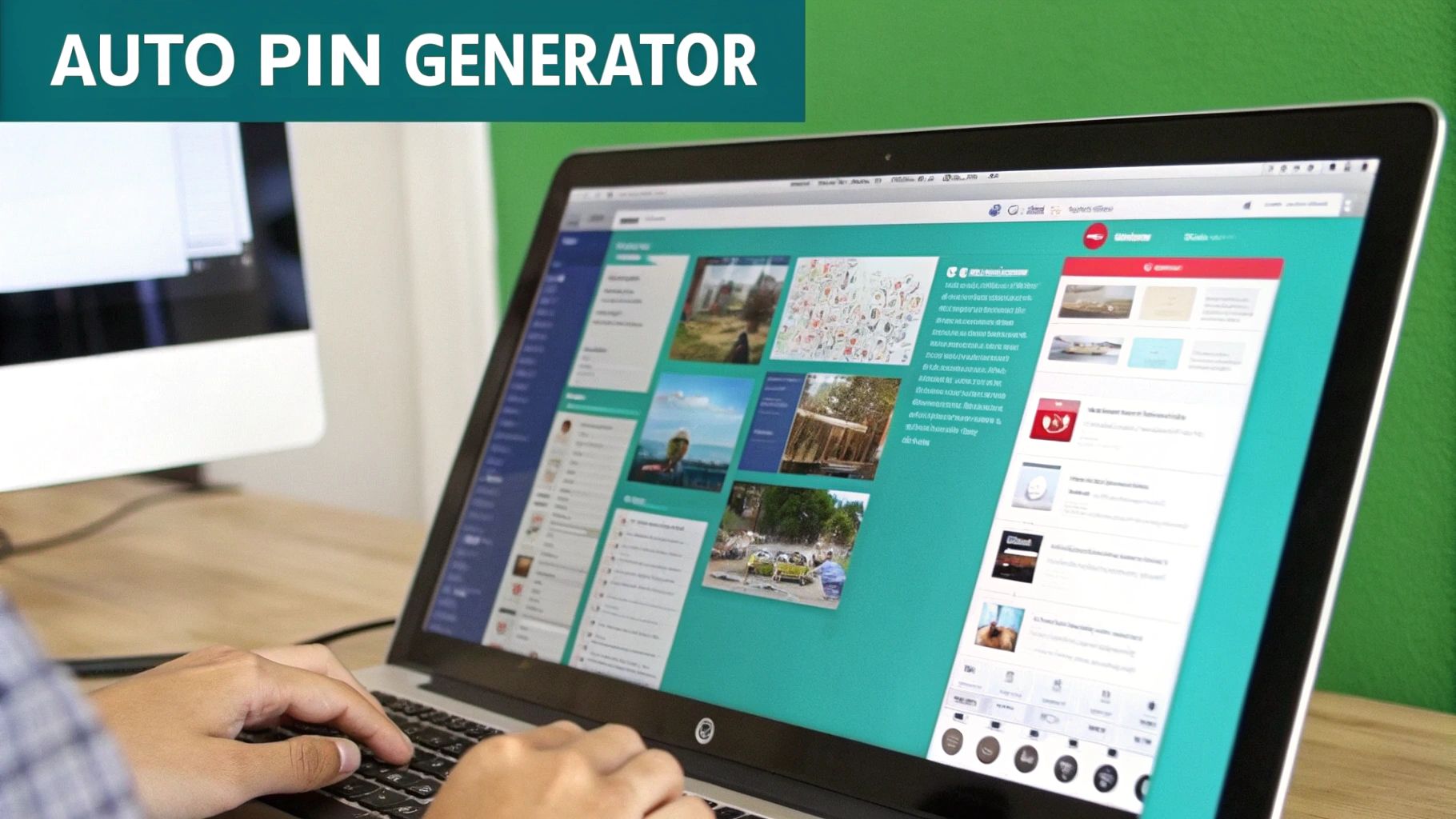
This is what truly separates a dedicated Pinterest post maker from generic design tools. It’s not just grabbing random bits; it’s intelligently identifying the most valuable assets from your content.
- Images: It finds all the photos from your article—the peaceful temples, the colorful market stalls, and the stunning gardens you wrote about.
- Text: It pulls your main H1 title ("10 Must-See Hidden Gems in Kyoto") and even your subheadings to use for text overlays.
- Metadata: The tool also grabs your page's meta description, which is a goldmine for crafting keyword-rich pin descriptions down the line.
Within seconds, you’re looking at a screen full of pin drafts. Each one is a different combination of your images and text snippets, giving you a ton of visual options to work with right away.
From Raw Content to Polished Pins
What you get is an instant creative launchpad. The tool automatically applies professional, pre-designed templates, making sure every single pin is perfectly formatted for Pinterest’s vertical layout. You’ve basically skipped the most tedious part of the whole process.
You just went from a published article to a queue of potential pins in less than a minute.
The real strategy here isn't just to make one pin. It's to create multiple visual doorways to the same piece of content. This dramatically boosts the odds that your article will get discovered by different people browsing Pinterest.
This URL-to-pin workflow is an absolute game-changer for bloggers, e-commerce stores, and pretty much anyone creating content. It transforms promotion from a chore into a quick, almost effortless task. This frees you up to do what you do best: create more great content.
Customize Designs That Reflect Your Brand
Automated pin generation is a huge time-saver, but let's be honest, it's just the first step. The real magic happens when you move beyond generic drafts to create content that feels uniquely yours. This is where a great Pinterest post maker truly shines, helping you craft a polished, branded look that stops scrollers in their tracks.
Brand consistency isn't just about looking good—it's about building recognition. You want people to see your pin and instantly know it's from you, even before they read a single word. This is all about creating a cohesive visual identity across every pin you publish.
The best way to nail this is by setting up your brand kit inside the tool first. It’s a simple process that pays off big time.
- Upload your logo: This makes it super easy to pop it onto any new design.
- Add your hex codes: No more guessing games. Your brand colors will be spot-on every time.
- Set your custom fonts: Use the same fonts you have on your website and other marketing materials for a seamless look.
Once these basics are locked in, applying them to new pins becomes a one-click affair. Every single piece of content will now reinforce your brand.
Tailor Templates for a Custom Feel
Templates are your best friend for getting things done quickly, but they shouldn't feel like a creative straitjacket. Think of them as a starting point, not the final product. My go-to strategy is finding a few layouts I like and then making them my own.
For instance, you can browse a ton of different pre-made https://pingenerator.com/templates and then start tweaking. Move text boxes around, swap out background images, or change the colors of different graphic elements to match the vibe of a specific blog post. A little customization goes a long way.
If you really want to level up and make sure every element is pulling its weight, it’s worth spending a little time understanding the graphic design process.
I've found that the most effective pins are often the simplest. Always prioritize readability. A bold, high-contrast headline on a clean background will almost always outperform a cluttered, overly designed pin. This is especially true on mobile, where a whopping 82% of Pinterest users are browsing.
Craft Compelling Overlays and CTAs
Your text overlay is basically your pin's headline. It has to be punchy enough to make someone stop scrolling and actually click. I always recommend using strong, action-oriented language that speaks directly to your audience's problem or what they want to achieve.
So, instead of a snooze-fest title like "New Blog Post," try something more specific and intriguing. Think "5 Secrets to a Perfect Sourdough Loaf" or "The Travel Hack That Saved Me $200."
Finally, don't forget to add a subtle call-to-action (CTA). A simple "Read More" or "Shop the Look" can make a huge difference in your outbound clicks. It’s a small detail that often gets overlooked but can seriously boost your results.
Automate Your Pinning with Smart Scheduling
Look, creating a big batch of beautiful pins is a great start. But if nobody sees them at the right time, what's the point? This is where the real growth happens.
Consistency is the secret sauce to winning on Pinterest, and automation makes it not just possible, but actually easy. That’s why a pinterest post maker with a built-in scheduler is a non-negotiable part of my strategy.
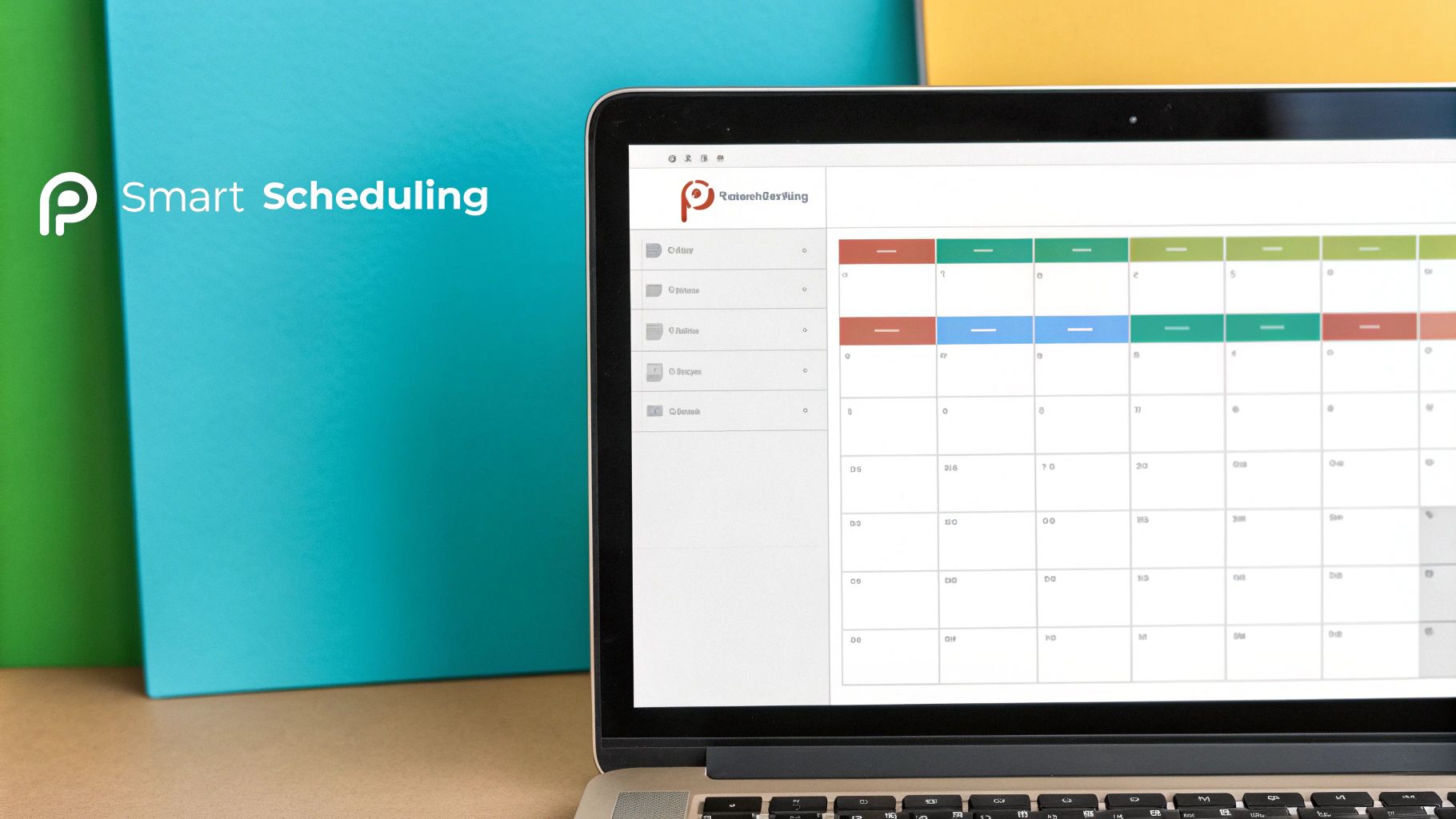
Instead of getting bogged down with manual pinning every single day, you can map out a complete content calendar that works for you 24/7. Seriously. Imagine queuing up dozens of pins to publish at the best times, hitting different audiences and time zones while you’re off doing other things.
This steady stream of content is a massive signal to the Pinterest algorithm that you're an active, reliable creator worth paying attention to.
Mastering Smart Scheduling Features
The best tools do more than just basic scheduling. You want to look for smart scheduling features that automatically space out your pins. This is huge. It stops you from looking spammy by dumping too much content at once, which can definitely hurt your account's standing with Pinterest.
A good scheduler will drip-feed your pins to the same board over several days or even weeks. This is exactly what Pinterest wants to see. It gives your content a much longer lifespan and helps it reach a wider audience over time. If you want to really understand the principles of workflow automation, you'll see how streamlining this one process saves a ton of time and gets better results.
My personal strategy is to always schedule my pins at least a week out. This gives me a buffer so I can step away without my Pinterest presence missing a beat. The peace of mind is incredible, just knowing my traffic engine is still running in the background.
This kind of automated consistency is crucial because Pinterest content is evergreen. A pin you schedule today could be driving traffic to your website for months, maybe even years. For a deeper dive into creating a solid posting rhythm, check out our complete guide on how to schedule Pinterest posts for maximum impact.
Ultimately, this consistent, automated approach turns your Pinterest account into a sustainable, long-term traffic source instead of just another daily chore.
Advanced Strategies for Power Users
Once you’ve got the hang of generating and scheduling pins, it’s time to really kick your workflow into high gear. The real power players know that a great Pinterest post maker isn't just for churning out one-off designs. It's about building a scalable system that works for you.
The big shift is moving from creating individual pins to building a reusable content engine. This is where you go from simply using the tool to making it an indispensable part of your marketing machine.
A brilliant first step is to start creating and saving your own custom templates. Once you’ve dialed in a design with your specific fonts, color palette, and logo placement, save it! This simple action ensures every single pin you create from then on is instantly on-brand, giving your boards a cohesive, professional look with zero extra effort.
Go Beyond Static Images With Video Pins
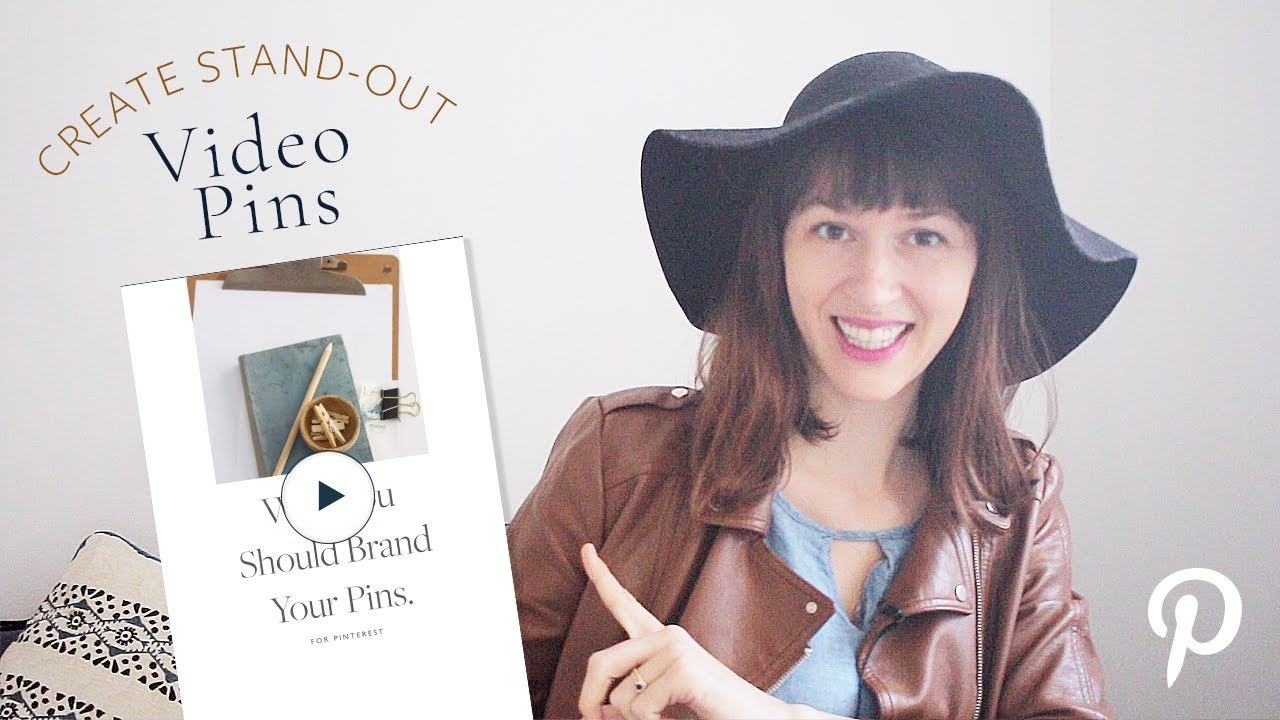
Static images are the bread and butter of Pinterest, but video is where the real engagement is headed. Video pins are fantastic for grabbing attention in a crowded feed, and they’re something the Pinterest algorithm absolutely loves to promote.
You can use a Pinterest post maker like Pin Generator to easily convert short video clips or even simple animated text into that perfect vertical pin format.
Think about it: a food blogger can turn a 15-second clip of stirring pasta into a mesmerizing video pin. That kind of dynamic content is way more likely to be saved and watched, signaling to Pinterest that your content is valuable and worth showing to more people.
Pro Tip: Don't just make new pins for new content. One of my all-time favorite strategies is to "refresh" the pins for my top-performing, evergreen blog posts. I'll generate a new batch of 5-10 pins for an article that's a year old but still bringing in solid traffic. This breathes new life into content that's already a proven winner.
Strategically Refresh Your Evergreen Content
This "refresh" strategy is a game-changer. By using new images, different text overlays, and a fresh set of design templates, you can re-introduce your best articles to a whole new audience on Pinterest.
It tells the algorithm that your content is still relevant and valuable, which helps keep it circulating and consistently driving traffic long after you first hit "publish." It’s one of the smartest ways to get more mileage out of the hard work you’ve already done.
Got Questions About Pinterest Post Makers?
Diving into a new tool always brings up a few questions. When it comes to something as powerful as a Pinterest post maker, a couple of common ones always seem to surface. Let's get those sorted out so you can jump in with confidence and start creating.
Most people are worried about brand consistency. Can a tool that generates pins this fast still reflect my unique style?
Can I Use My Own Branding?
You absolutely can. Any solid Pinterest post maker is built with your brand in mind. This isn't about slapping text on a generic template; it's about making those templates truly yours.
You should be able to upload your logo, plug in your specific brand colors with hex codes, and select the exact fonts you use on your website.
The best way to handle this is to set up a "brand kit" right inside the tool. Once you've saved your logo, colors, and fonts, you can apply them to any design with a single click. This instantly turns a standard layout into something that's unmistakably you, making your content stand out in a crowded feed.
The real goal isn't just to make pins; it's to build a recognizable presence. Strong, consistent branding helps your followers spot your content instantly, which is the first step to earning that all-important click.
How Many Pins Should I Create for One Blog Post?
There’s no single magic number here, but a great starting point is to create 5-10 unique pin variations for every new blog post or product you launch.
This doesn't mean starting from scratch 10 times. A good post maker lets you quickly test different combinations of images, headlines, and text overlays pulled directly from your content.
This approach does two crucial things:
- It gives you more shots on goal, statistically increasing the chance that one of your pins will take off.
- It lets you appeal to different people. Some might click on a bold headline, while others might be drawn to a specific image.
You can then schedule these different pins to go out over several weeks, which keeps your content fresh and extends its reach way beyond its initial publish date.
Is It Safe to Connect My Pinterest Account?
Yes, as long as you're using a reputable tool that's an official Pinterest Marketing Partner. These partners don't just hack something together; they use Pinterest's official API, which is a secure and approved way to connect.
When you link your account, you're not handing over your password to the tool. Instead, you'll be sent to Pinterest's own website to authorize the connection. You're simply granting permission for the app to do specific things, like schedule pins for you. Your password is never seen or stored by the third-party tool.
Ready to stop wasting time and start driving real traffic? With Pin Generator, you can create and schedule hundreds of on-brand pins in just a few minutes. Try Pin Generator for free today!