
Pinterest Search Engine Optimization: The Complete Playbook
1 October 2026
You've published a polished Pin, added a product link, and waited for the traffic to arrive. Instead, the Pin gets a handful of impressions while less attractive content appears for the searches you care about. That outcome usually isn't a design problem alone. Pinterest needs enough context to understand the topic, enough quality signals to trust the account and destination, and enough fresh distribution to test the content with relevant searchers.
Pinterest search engine optimization works best when you treat every Pin as part of a searchable system. The image, title, description, alt text, board, linked page, account history, and publishing pattern all contribute to how Pinterest interprets and distributes the idea. Automation can make that system easier to operate, but careless automation can also produce repetitive content that weakens algorithmic trust.
Table of Contents
- Why Pinterest Is Not Just Another Social Platform
- Understanding the Four Core Ranking Signals
- Researching Keywords That Actually Convert
- Optimizing Pins, Boards, and Metadata
- Balancing Fresh Content with Evergreen Pins
- Automating Your Workflow with Pin Generator
- Measuring Success and Iterating Your Strategy
Why Pinterest Is Not Just Another Social Platform
A creator publishes a recipe, product guide, or room makeover, then watches it vanish beneath newer updates on a conventional social network. Pinterest often begins with a different user situation. Someone arrives searching for a kitchen layout, wedding color palette, storage solution, or product that meets a specific need. The task shapes discovery before any account has earned attention.
Pinterest's search function became structurally important after the platform invested in public profile pages, structured URLs, rich Pin markup, and topic pages around 2013. Those choices turned boards, Pins, and queries into indexable pages. Stratrix's analysis of Pinterest's SEO growth describes the platform's expansion into billions of indexed pages and the role of user-generated content as a lasting search asset.

The search mindset changes the work
Feed-first marketing often rewards immediate reactions. Pinterest rewards a Pin that answers a recognizable search intent over time. A board titled “Living Room Ideas” establishes a broad subject. “Small Living Room Storage Ideas” gives Pinterest a tighter topic and gives searchers a clearer reason to click.
By 2024, Pinterest reportedly had over 500 million monthly active users, while Google organic search had become its largest acquisition channel, according to the same Pinterest SEO growth history. The combination makes Pinterest both a discovery engine and a search-indexable content network.
That distinction affects automation. Tools such as Pin Generator can help produce and schedule variations at scale, but identical templates, repeated descriptions, and abrupt publishing bursts can resemble low-value behavior. Scaling output only helps when each Pin remains relevant, visually distinct, and connected to a useful destination. Human review protects algorithmic trust while automation handles repetitive production work.
Why long-tail discovery matters
Pinterest is effective when a query describes an outcome rather than a brand. Users may search for “small balcony garden ideas,” “easy dairy-free dinner,” or “budget wedding table decorations” before choosing a publisher, merchant, or creator.
Smaller sites can compete in that environment without established brand recognition. They need a clear visual answer, accurate metadata, a relevant destination, and an account structure that stays focused on the same topic. The profile should function as a searchable library. Boards organize related subjects, while Pins provide individual entries that can surface for specific needs.
Practical rule: Build Pins for the query a person types before knowing your name, not only for the product or article you want to promote.
Pinterest's scale reinforces the opportunity. An industry summary cited more than 80 billion monthly searches, with 97% of top searches unbranded, and reported that 85% of weekly Pinners have made a purchase based on Pins they saw. Geelark's Pinterest SEO overview documents these figures. The commercial implication is direct. Search optimization can introduce content while users are comparing ideas and solutions, before they have selected a particular brand.
Understanding the Four Core Ranking Signals
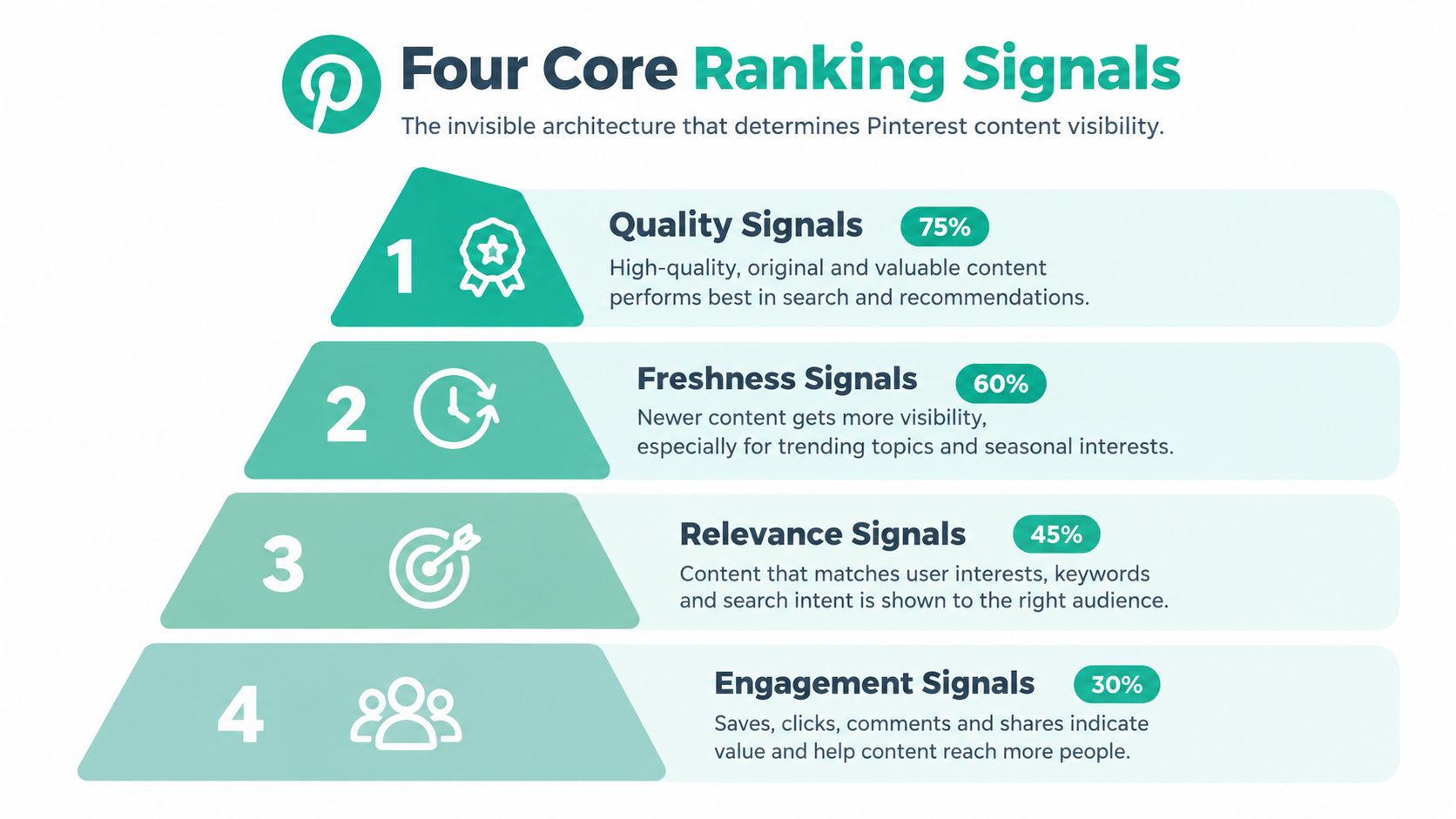
Pinterest SEO becomes easier to diagnose when you separate visibility into four signals: domain quality, Pin quality, Pinner quality, and topic relevance. They don't operate as isolated switches. A beautiful Pin linked to a confusing page can underperform, just as a strong domain can struggle if its Pins use vague imagery and disconnected boards.
Domain quality sets the destination standard
Domain quality concerns the website behind the Pin. Pinterest has more reason to trust a destination that loads properly, delivers what the Pin promises, and presents a coherent body of related content. A merchant should link a product Pin to the relevant product page, not a generic homepage. A publisher should send a recipe Pin to the recipe itself, not to a category page where the visitor has to search again.
Site structure matters here. Clear page titles, useful copy, descriptive images, and consistent topical organization help Pinterest connect the linked page to the Pin. Domain quality doesn't mean a new site has no opportunity. It means the destination needs to provide a credible, satisfying continuation of the search.
Pin quality is more than visual polish
Pin quality includes the image, readability, originality, and the actions users take after seeing it. A clear vertical composition gives the subject room to register quickly. Text overlays should support the image rather than turn it into a crowded paragraph. The landing page should match the promise made in the creative.
The first validation loop should monitor saves, outbound clicks, and close-ups, as recommended in Search Engine Land's Pinterest SEO guide. These actions answer different questions:
- Saves indicate that the idea has future value to the user.
- Outbound clicks show that the Pin motivates a visit.
- Close-ups reveal whether the creative earns deeper attention before the click.
Pinner quality reflects account behavior
Pinner quality is built through reliable, relevant publishing. Accounts that repeatedly post unrelated content, duplicate the same creative, or send users to weak destinations create a less trustworthy pattern. Consistency helps, but consistency without editorial judgment is not enough.
Automation requires supervision. A scheduling system can publish on time, but it can't replace decisions about whether a board is tightly themed, whether a design feels repetitive, or whether the destination remains current.
Topic relevance connects the signals
Topic relevance asks whether the Pin, board, account, and linked page describe the same subject. A Pin about “linen summer outfits” saved to a board about “winter home decor” creates noise even if the image looks attractive. Matching the phrase across the Pin title, description, board name, board description, and linked page gives Pinterest a stronger interpretation of intent.
The four signals work as a chain. If one link is weak, improving another may have limited effect. Start with the weakest part of the system instead of redesigning every Pin at once.
Researching Keywords That Actually Convert
Pinterest keyword research should begin with the user's problem, not the product catalog. “Shoes” is broad and difficult to interpret. “Comfortable wedding guest shoes for outdoor ceremony” tells you much more about the person's situation, expectations, and likely next action.
A useful benchmark from Tailwind's Pinterest SEO guidance says a keyword with around 10,000 monthly Pinterest searches can already be considered high-volume on the platform. That threshold isn't a universal target, but it illustrates why long-tail research can uncover opportunities that would look modest in a Google-first workflow.
Start with the native search experience
Enter a broad topic into Pinterest and observe the suggested phrases, related topics, and visual patterns. Then compare those results with the Pinterest Keyword Research Tool and look for terms that describe a specific use case:
- Outcome modifiers: easy, quick, simple, beginner-friendly
- Constraint modifiers: budget, small space, dairy-free, low-maintenance
- Format modifiers: checklist, tutorial, ideas, printable, guide
- Commercial modifiers: gift, outfit, accessories, deals, essentials
The modifier matters because it narrows intent. “Garden ideas” can support inspiration. “Low-maintenance balcony garden ideas” gives a creator a more precise brief for both the visual and the landing page.
Pinterest Trend Alerts can help identify topics that are gaining attention. Use them as planning signals, not as permission to publish irrelevant content. A rising phrase still needs a useful page and a Pin that answers the underlying question.
Map one primary phrase to one content asset
Choose one primary phrase for each Pin. Add related language naturally, but don't create a description that reads like a keyword list. The primary phrase should appear in the title, description, board context, and linked page where it fits naturally.
For publishers and small businesses, this research also belongs inside a broader editorial plan. The guidance on content marketing for UK SMEs is useful because Pinterest traffic works best when it connects to a wider set of valuable pages, not isolated promotional graphics.
Use the Pinterest keyword research workflow to turn search observations into a repeatable brief. Record the phrase, intended audience, content destination, visual angle, and secondary terms before designing.
Match keywords to the page promise
A Pin can earn an impression with strong metadata, but it won't create qualified traffic if the page answers a different question. If the Pin promises “budget patio makeover ideas,” the page should show budget-conscious choices, not a general outdoor furniture collection with no supporting explanation.
Review the finished asset as a searcher would. Does the wording sound natural? Does the image confirm the query? Does the destination deliver the promised result? If any answer is no, the keyword is not ready for publication.
Optimizing Pins, Boards, and Metadata
A Pin image by itself is an incomplete search asset. Pinterest needs the surrounding text and board structure to understand what the creative represents, which audience should see it, and what page it supports.
Start with the Pin title. Put the primary phrase near the beginning when it reads naturally, then make the rest useful to a human. “Small Bedroom Storage Ideas for Renters” is clearer than a decorative title such as “Make Your Space Beautiful,” because it identifies both the subject and the audience.
Build a connected metadata set
The description should expand the promise rather than repeat the title. Explain what the user will find, include closely related language, and add a direct reason to click. Alt text should describe the visual accurately and support accessibility. It shouldn't be a hidden keyword dump.
Recent benchmark content from Tailwind's Pinterest SEO coverage for 2025 reports that Pins using alt text received, on average, 25% more impressions, 123% more outbound clicks, and 56% more profile visits. Those figures are benchmark claims, not guarantees for every account, but they make alt text worth treating as part of the publishing workflow rather than an optional field.
A complete metadata set might look like this:
| Element | Weak version | Stronger version |
|---|---|---|
| Pin title | Bedroom ideas | Small bedroom storage ideas for renters |
| Description | Click for inspiration | Find practical small bedroom storage ideas for renters, including compact layouts and easy organization solutions |
| Board name | Home stuff | Small bedroom organization ideas |
| Alt text | Bedroom | A compact bedroom with wall-mounted shelves, under-bed storage, and neutral bedding |
| Linked page | Homepage | Article or product page that delivers the promised solution |
Let boards reinforce the topic
Board names should describe the collection clearly. Board descriptions can add context, related terms, and the type of content users will find there. Keep related Pins together instead of using one broad board for every topic.
A food creator might separate “30-Minute Dinner Recipes” from “Dairy-Free Baking Ideas.” A fashion merchant could distinguish “Workwear Capsule Wardrobe” from “Outdoor Wedding Guest Outfits.” Those distinctions help users browse and help Pinterest interpret topical relationships.
This is a practical application of content optimization principles, where the page and its supporting elements work together instead of relying on one repeated phrase. Keyword placement matters, but semantic consistency matters more than stuffing.
Metadata test: Remove the image and read only the title, description, board name, and page title. If the subject still makes sense, the Pin has a strong contextual foundation.
Avoid changing every field just to insert another variation of the same keyword. Repetition can make the copy awkward and doesn't compensate for an irrelevant board or weak landing page. Use natural language, accurate descriptions, and a visual that confirms the written promise.
Balancing Fresh Content with Evergreen Pins
Pinterest content has two useful lives. An evergreen Pin can continue attracting saves long after publication, while a fresh Pin can give an existing page a new visual entry point and a new opportunity to reach searchers.
Recent benchmark reporting found that over 60% of saves came from Pins older than a year, while over 90% of website traffic to creator and brand sites came from fresh Pins rather than saves, according to Tailwind's 2025 Pinterest publishing analysis. The figures appear contradictory until you separate the actions. Older Pins can remain valuable for collecting saves, while newer creative can generate immediate visits.
Use a portfolio instead of a replacement cycle
Don't delete a useful evergreen Pin just because you're creating a new version. Keep the established asset available, then produce a distinct creative angle for the same destination. Novelty can come from the composition, headline, crop, use case, audience, or seasonal framing.
For example, one article about compact kitchens could support:
- A storage-focused Pin for renters.
- A layout-focused Pin for small apartments.
- A budget-focused Pin for first-time homeowners.
- A seasonal organization Pin.
Each variation should make a distinct promise. Replacing the same image with tiny text changes creates volume without meaningful editorial value.
Time new ideas around demand
Fresh content becomes more useful when it follows a rising topic rather than an arbitrary calendar. Trend data can inform the angle, but the page must still deserve the click. A timely phrase with an outdated or thin destination may earn attention briefly and then disappoint users.
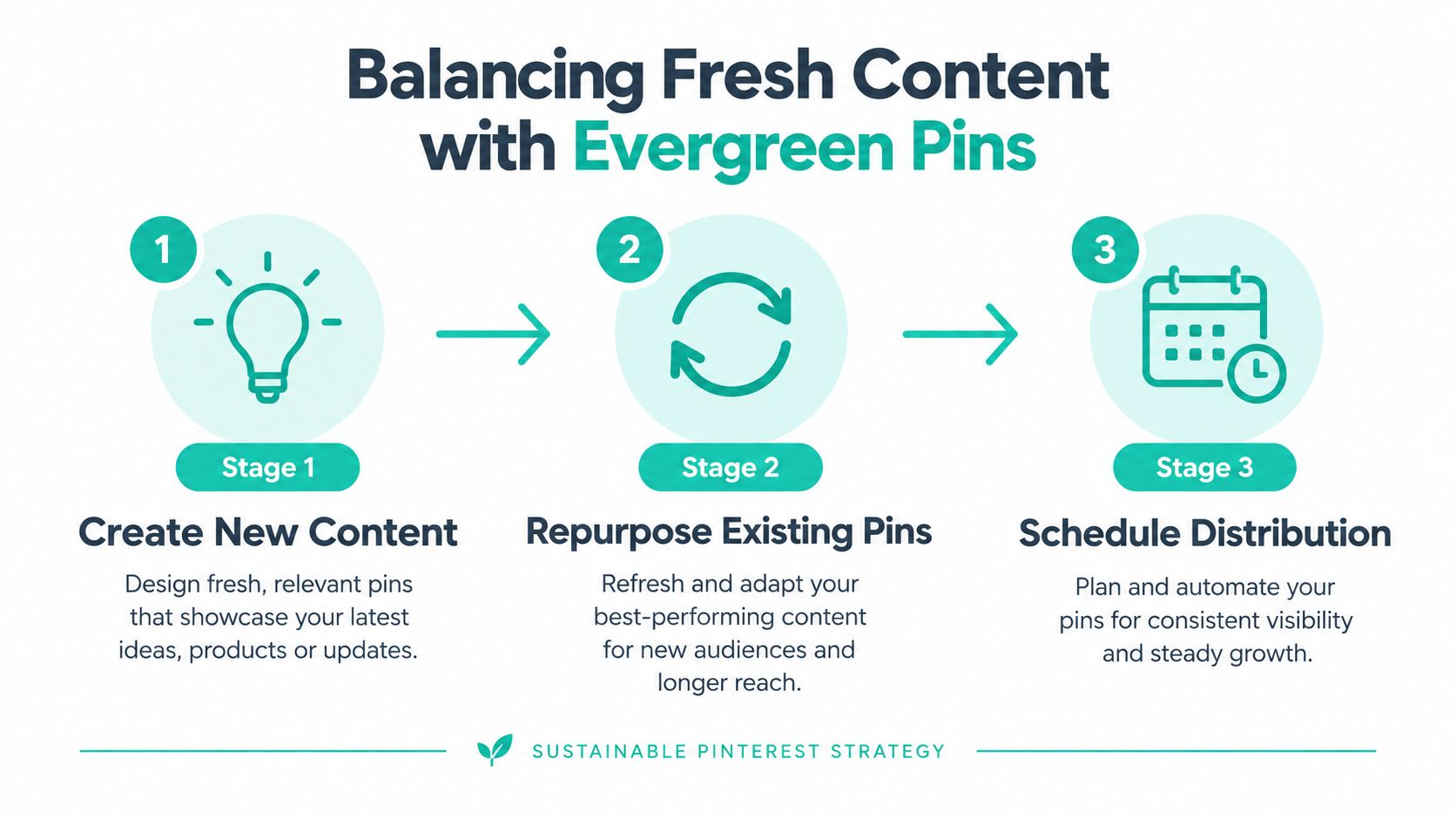
The sustainable workflow is simple:
- Create: Produce original pages and new visual angles.
- Repurpose: Adapt strong evergreen destinations without duplicating the same creative.
- Distribute: Schedule approved variations while retaining human review.
That balance protects the account from two opposite mistakes. Publishing only old assets limits new discovery, while publishing endless near-duplicates can make the profile look automated in the wrong way. Freshness should signal useful new interpretation, not mechanical repetition.
Automating Your Workflow with Pin Generator
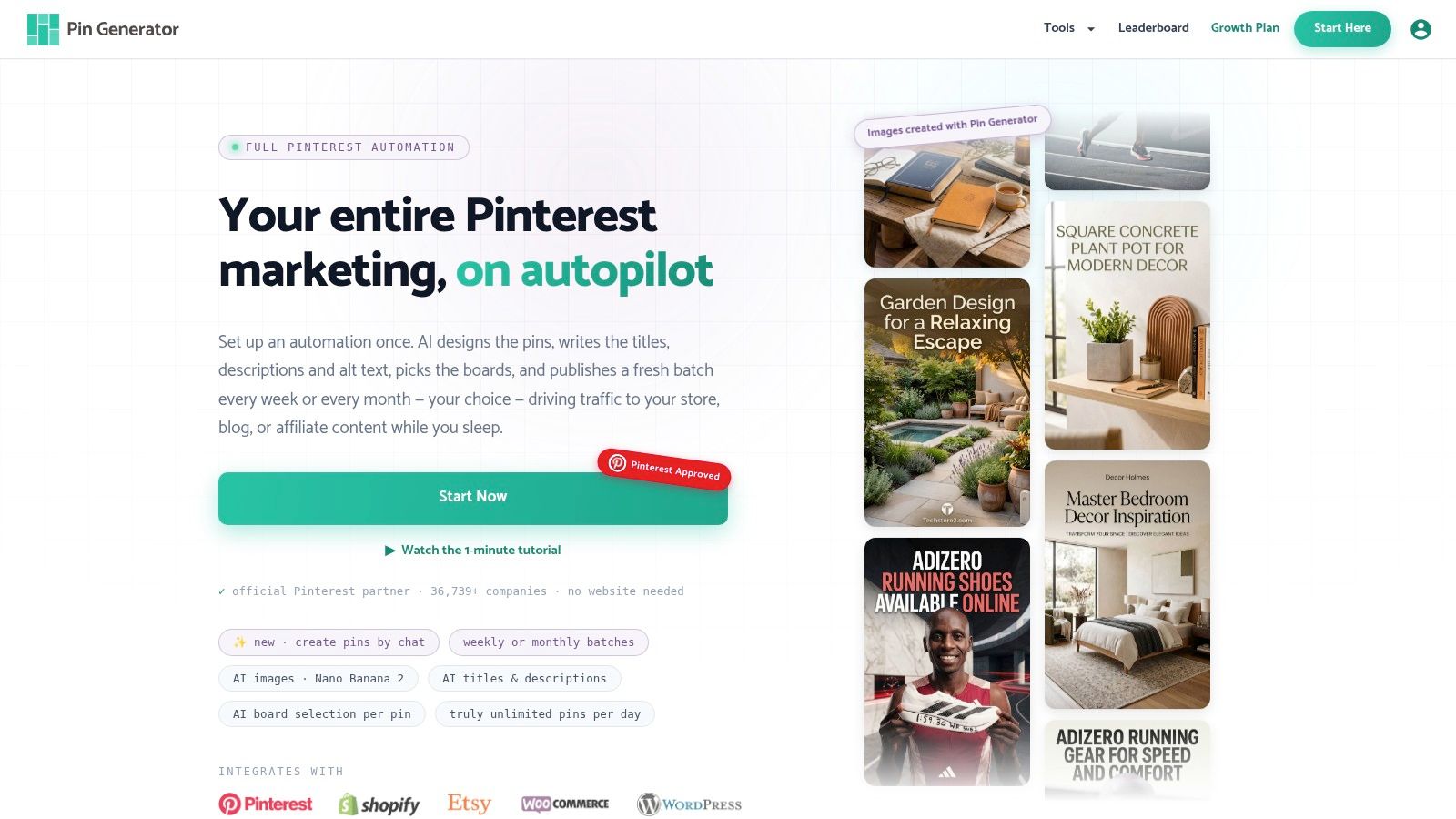
Manual Pinterest production becomes difficult when one team manages product catalogs, blog feeds, seasonal campaigns, and several board groups. Automation can reduce repetitive design and publishing work, but it needs boundaries. A tool should accelerate decisions that have already been defined, not publish every possible variation without review.
Pin Generator is a web-based service that can generate Pin designs, titles, descriptions, alt text, board selections, and scheduled publishing from product catalogs, RSS or Atom feeds, CSV files, and connected stores. It supports integrations including Shopify, Etsy, WooCommerce, Amazon, and WordPress, so merchants and publishers can connect existing content sources instead of preparing every asset manually.
Set up the system in controlled stages
Begin with the brand inputs. Define colors, typography, imagery rules, preferred calls to action, and the boards each content category can use. Create reusable templates with enough layout variation to avoid a profile filled with visually identical Pins.
Next, connect the source. A product catalog can supply titles, images, prices, and links. An RSS feed can provide article URLs and titles. Before activating recurring publishing, inspect a sample batch for incorrect categorization, awkward text, broken links, and unsuitable images.
The automated Pinterest Pin workflow is most useful when it preserves this review step. Approve templates and metadata patterns first, then let scheduling handle the repetitive distribution.
Protect algorithmic trust
Automation becomes risky when it produces a predictable flood of low-value duplicates. Pinterest search engine optimization depends on relevance and quality, so set rules that protect both:
- Limit repetition: Don't reuse the same image and headline combination across many boards.
- Separate topics: Route products and articles only to boards that are a strong fit.
- Review destinations: Remove discontinued products and outdated pages before publishing.
- Vary useful angles: Create different creative promises, not superficial word swaps.
- Watch the history: Pause a template or feed when quality errors begin to repeat.
The point isn't to hide automation. It's to use automation for scale while keeping editorial control visible in the output. A consistent cadence can support Pinner quality, but only when every published Pin still looks intentional.
Measuring Success and Iterating Your Strategy
Pinterest optimization fails without warning when teams measure only impressions. A Pin can appear often and still send little qualified traffic. Another can attract fewer views but generate saves, clicks, or meaningful visits from users with a stronger fit.
Build a measurement loop around the full path from search discovery to destination behavior. Start with Pinterest analytics, then use the Pin History and results leaderboard in your publishing workflow to compare creative, topic, board, and source performance.
Read each metric as a question
Impressions answer whether Pinterest is distributing the Pin. Low impressions can point to weak topic relevance, poor keyword alignment, a mismatched board, or an account that hasn't established a clear subject area.
Close-ups show whether the creative earns attention after appearing. If impressions are healthy but close-ups are weak, inspect the first visual signal. The text may be too small, the subject may be unclear, or the image may not resemble the expected answer.
Saves indicate that users see future value. A saved Pin may not produce an immediate visit, but it can continue circulating through personal collections and related discovery.
Outbound clicks reveal whether the Pin and destination form a convincing pair. If the Pin earns close-ups and saves but few clicks, test the headline, call to action, visual specificity, and promise of the linked page.
Profile visits can show whether the account itself has become relevant enough to explore. A rise in profile visits without deeper actions may mean your boards need clearer organization or your bio and featured content need stronger direction.
Treat the metric as a diagnostic clue, not a verdict. No single number proves that a keyword, template, or board caused a result.
Compare content by controlled variables
Avoid changing the design, keyword, board, destination, and publishing timing simultaneously. You won't know what affected the outcome. Instead, compare related groups where one major variable changes.
A practical review table can look like this:
| Observation | Likely question | Next action |
|---|---|---|
| Impressions remain low | Does Pinterest understand the topic? | Review title, board, description, and page alignment |
| Close-ups are weak | Does the creative communicate quickly? | Simplify the visual hierarchy and headline |
| Saves are strong, clicks are weak | Is the Pin inspirational but not actionable? | Add a clearer benefit and stronger destination match |
| Clicks are strong, page engagement is weak | Does the landing page fulfill the promise? | Improve relevance, speed, layout, or content depth |
| One board outperforms related boards | Is its topic tighter? | Apply its organization and phrasing to adjacent groups |
| One template repeatedly underperforms | Is the format obscuring the subject? | Retire or redesign the template |
This approach keeps the analysis grounded in observable behavior. It also prevents the common mistake of blaming keywords for a creative or landing-page problem.
Use fresh and evergreen data together
Separate fresh Pin traffic from evergreen Pin saves when reviewing the content mix. The benchmark discussed earlier shows why this distinction matters. A mature profile may need both long-running assets that retain saving value and new variations that create current click opportunities.
Look for patterns rather than isolated winners:
- Which board topics attract the most qualified clicks?
- Which search phrases produce attention but not action?
- Which template styles make the subject immediately clear?
- Which content sources create outdated or inaccurate metadata?
- Which fresh variations revive interest in an established destination?
- Which products or articles repeatedly fail to meet the Pin promise?
If a keyword earns impressions but not clicks, don't automatically discard it. First compare the image and destination with the search intent. A phrase such as “small bathroom storage” may need a practical before-and-after visual, while a product Pin may need to show the item in use rather than against a plain background.
Audit automation before it scales errors
Automation can amplify both good systems and bad ones. Review the publishing history for duplicate titles, repeated images, incorrect boards, stale inventory, and descriptions that sound interchangeable. These errors matter because they weaken topic clarity and user confidence at the same time.
Create approval thresholds for new templates and feeds. Let the system generate drafts, but sample the output before expanding the workflow. When a batch performs well, identify the specific reason. It may be the topic, the audience framing, the image composition, the landing page, or the timing. Copy the underlying principle, not just the surface design.
Turn analytics into the next research brief
The best measurement process closes the loop with keyword research. If several Pins about compact storage outperform general home decor content, investigate adjacent searches and create pages that serve those needs. If a product category receives attention but weak clicks, improve the product page or change the visual promise before increasing publication volume.
Pinterest can also guide editorial decisions. Search behavior reveals the language people use, while performance data shows which interpretations create action. That combination is more useful than a generic instruction to post consistently.
A useful operating rhythm: Review performance, identify one clear pattern, form one hypothesis, publish a focused variation, and measure the next result.
Pinterest search engine optimization isn't a one-time metadata exercise. It's a connected operating system built from relevant topics, useful destinations, clear creative, organized boards, fresh interpretations, and disciplined distribution. Automation helps when it removes repetitive production while leaving strategy, quality control, and audience judgment with the team.
Audit your profile against the four ranking signals. Check whether each board has a clear purpose, whether each Pin keeps its metadata aligned, and whether your fresh content adds a distinct reason to click. Then use the resulting gaps to create a small, reviewable publishing pipeline rather than trying to automate everything at once.
Pin Generator can turn product catalogs, feeds, and existing content into branded Pinterest creatives with generated metadata, board selection, and scheduling support. Use it to scale a controlled Pinterest search engine optimization workflow, review the output for relevance, and visit Pin Generator to start building your publishing system.